Razer Basilisk V3 Pro 35K  Mouse Review

Reviewed Nov 14, 2024 at 12:34pm
Tested using Methodology v1.5.1 
Razer Basilisk V3 Pro 35K
8.6
Work 
8.4
Video Games (FPS) 
8.7
Video Games (MMO) 
9.3
Raw Performance 
 12

The Razer Basilisk V3 Pro 35K continues Razer's longstanding Basilisk lineup of gaming mice. It's a wireless mouse that can connect to two devices at a time using its included 2.4GHz HyperSpeed Dongle or via Bluetooth. It has a right-handed shape with a thumb rest and RGB lighting that's unchanged from the other mice in the lineup. Razer advertises an improved battery life over the previous generation Razer Basilisk V3 Pro with up to 140 hours using a Bluetooth connection or 210 hours using the 2.4Ghz receiver. It also sports Razer's new Focus Pro 35K sensor and is compatible with Razer's HyperPolling Dongle, which is sold separately for a polling rate of up to 8000Hz.

Our Verdict

8.6
Work 

The Razer Basilisk V3 Pro 35K is an excellent mouse for work. It has excellent build quality and its right-handed shape is comfortable and supportive, albeit the frontmost side button is hard to reach if you have small hands. You can program all of its buttons using the companion software, and its scroll wheel has L/R tilt controls and a configurable free-scrolling mode that engages automatically. You can also connect it with up to two devices simultaneously using Bluetooth and its included 2.4GHz USB receiver.

Pros
  • Excellent build quality.

  • Comfortable right-handed shape.

  • Scroll wheel has L/R tilt inputs and a free-scrolling mode.

  • Multi-device pairing with Bluetooth and 2.4GHz USB support.

Cons
  • Aggressive styling may look out of place in a work environment.

  • Smaller hands may have difficulty reaching all side buttons comfortably.

8.4
Video Games (FPS) 

The Razer Basilisk V3 Pro 35K is a great mouse for FPS gaming. It has excellent build quality, a comfortable right-handed shape, and smooth-gliding mouse feet. Its superb raw performance, with amazing click and sensor latency, delivers an extremely responsive gaming experience. Unfortunately, it's significantly heavier than most dedicated FPS mice, meaning it requires more effort to make fast and precise movements.

Pros
  • Excellent build quality.

  • Comfortable right-handed shape.

  • Superb raw performance.

Cons
  • Smaller hands may have difficulty reaching all side buttons comfortably.

  • Heavy.

8.7
Video Games (MMO) 

The Razer Basilisk V3 Pro 35K is an excellent MMO gaming mouse. It doesn't have as many inputs as a dedicated MMO model, but you can reprogram all of its buttons and assign different profiles using the companion software. It has amazing build quality and a comfortable right-handed shape that's great for long play sessions. Its outstanding raw performance delivers a responsive gaming experience.

Pros
  • Excellent build quality.

  • Comfortable right-handed shape.

  • Superb raw performance.

Cons
  • Smaller hands may have difficulty reaching all side buttons comfortably.

  • Fewer side buttons than a dedicated MMO gaming mouse.

9.3
Raw Performance 

The Razer Basilisk V3 Pro 35K has superb raw performance with an accurate sensor and extremely low sensor and click latency, making it suitable for casual or competitive play.

Pros
  • Excellent sensor latency.

  • Superb click latency.

Cons
None
  • 8.6
    Work
  • 8.4
    Video Games (FPS)
  • 8.7
    Video Games (MMO)
  • 9.3
    Raw Performance
  • Changelog

    1.  Updated Nov 13, 2025: 

      Added a reference to the Phantom Green colorway in the Differences Between Variants section.

    2.  Updated Sep 10, 2025: 

      We've added details for the Phantom colorway option to the Differences Between Variants section.

    3.  Updated Aug 19, 2025: We've converted this review to Test Bench 1.5.1. This update removes less relevant or redundant elements, including several videos. We've also adjusted our Sensor Latency testing, resulting in minor score changes. See our full 1.5.1 changelog for details.
    4.  Updated May 26, 2025: 

      We've updated this review to reflect that the latest version of Razer Synapse, this mouse's companion software, is now supported on macOS devices with Apple Silicon.

    Check Price

    Differences Between Sizes And Variants

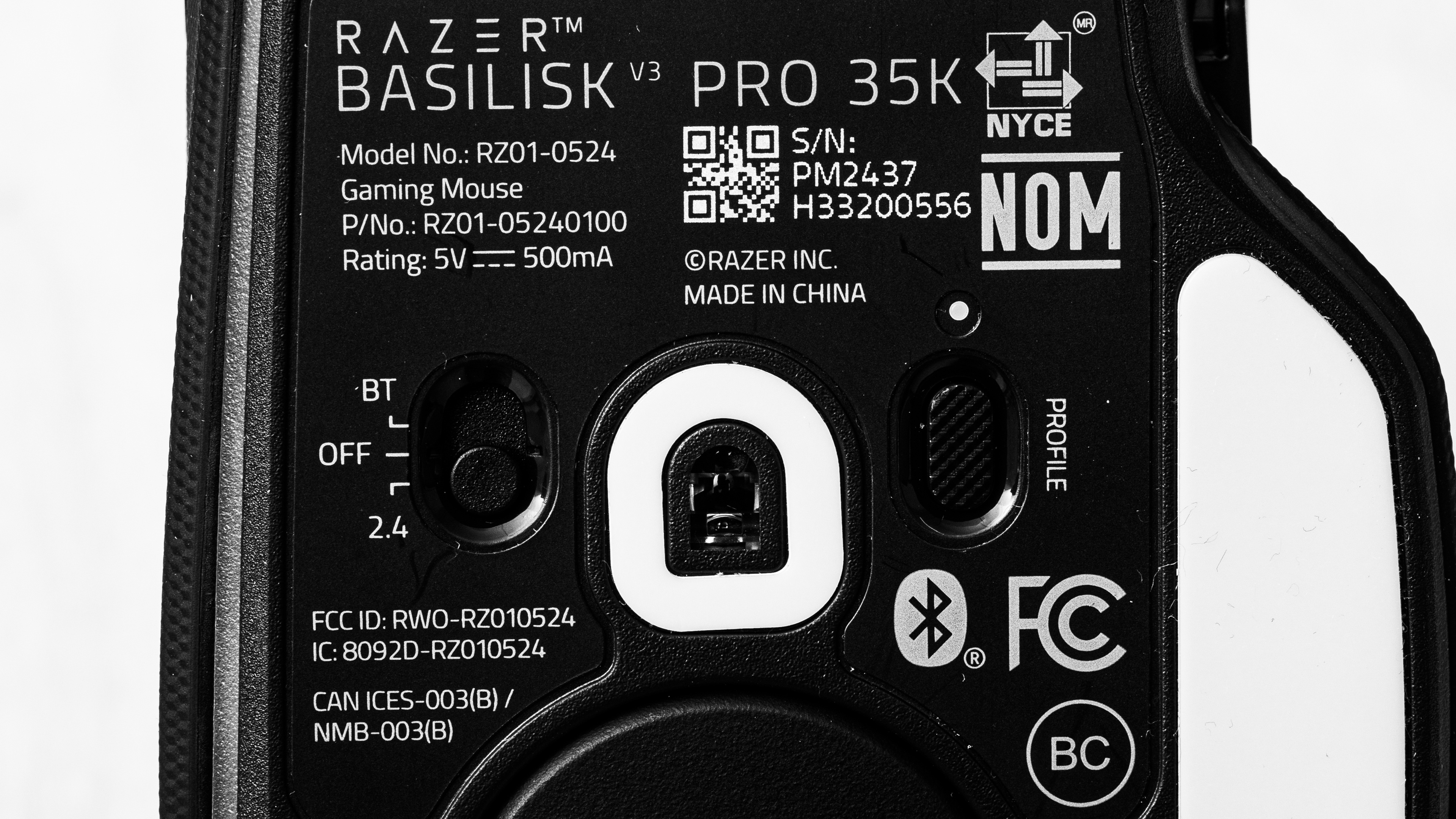
    The Razer Basilisk V3 Pro 35K is available in Black, White, Phantom White, and Phantom Green colorways. The Phantom variants feature a transparent body but are otherwise identical internally. We bought and tested the black model, and here is our unit's label.

    Popular Mouse Comparisons

    The Razer Basilisk V3 Pro 35K continues Razer's popular Basilisk lineup as the flagship model. Compared to the previous flagship, the Razer Basilisk V3 Pro, it boasts an updated sensor, the Focus Pro 35K, and an improved advertised battery life. Otherwise, it has an identical right-handed shape and virtually identical performance.

    This mouse exists within a niche of multi-genre or 'full-featured' gaming mice that boast comfortable right-handed shapes and more programmable buttons than most FPS gaming mice, though fewer than dedicated MMO mice. This makes them popular options as do-it-all mice that are suitable for work and play. The Basilisk V3 Pro 35K stacks up well compared to other mice in this segment. Its compatibility with Razer's HyperPolling Dongle (sold separately) for a boosted maximum polling rate of 8000Hz sets it apart from the competition, even if the performance gains are only marginal. The Logitech G502 X PLUS has two more side buttons, but it lacks the Bluetooth and multi-device pairing capabilities of the Razer. The GLORIOUS Model I 2 Wireless is a lighter option, but it has worse build quality, no free-scrolling mode, and significantly worse click latency. That said, the previous model, the Basilisk V3 Pro, is nearly identical and is widely available for less, making it a better value proposition.

    If you're interested in other options, check out our picks for the best wireless gaming mice or the best gaming mice in general. Or, if you're interested in other options from Razer, check out the best Razer mice.

    Logitech G502 X PLUS

    The Razer Basilisk V3 Pro 35K and the Logitech G502 X PLUS are multi-genre wireless gaming mice with right-handed shapes. Both deliver superb gaming performance, but the Razer has better mouse feet, and has multi-device pairing capabilities using Bluetooth. The Logitech, on the other hand, has two additional side buttons.

    Razer Basilisk V3 Pro

    The Razer Basilisk V3 Pro 35K is the updated version of the Razer Basilisk V3 Pro. It features a new sensor and improved advertised battery life. Otherwise, it has an identical shape and featureset.

    Razer Naga V2 Pro

    The Razer Basilisk V3 Pro 35K and the Razer Naga V2 Pro are different types of wireless gaming mice. Both mice are designed for multi-genre use, but the Naga is more popular as an MMO mouse thanks to having more side buttons. The Naga is also modular and comes with a 12-, 6-, and 2-button side panel, whereas the Basilisk only has 3 side buttons. They have different shapes as well. Both are right-handed, but the Basilisk has a thumb rest, and the Naga has a pinky rest.

    GLORIOUS Model I 2 Wireless

    The GLORIOUS Model I 2 Wireless and the Razer Basilisk V3 Pro 35K are wireless multi-genre gaming mice. The GLORIOUS is lighter, making it easier to aim quickly, but the Razer is better built, has a multi-function scroll wheel, and has better click latency. Overall, it's a better mouse if you don't mind the extra weight.

    Test Results

    perceptual testing image
    Sort:
    RATINGS
    Category:
    All
    Design
    Style
    Type
    Standard
    Coating
    Matte
    Lighting ColorRGB

    The Razer Basilisk V3 Pro 35K looks identical to the older models in the Basilisk lineup. It has a matte plastic finish with glossy black accents and side buttons. The left and right side panels have a textured rubberized finish. There are 13 total RGB zones, one on the scroll wheel, one at the Razer logo on the palm rest, and 11 zones around the bottom of the mouse for an underglow effect. It has an aggressive gamer aesthetic overall, with sharp edges and RGB lighting.

    This mouse is available in three colorways: Black, White, and Phantom, which has a transparent green body.

    Shape
    Length5.1" (130 mm)
    Width3.0" (75 mm)
    Height1.7" (42 mm)
    Grip Width
    62 mm
    Ambidextrous
    No
    Left-Handed Friendly
    No
    Finger Rest
    Thumb
    8.5
    Build Quality

    The Razer Basilisk V3 Pro 35K has excellent build quality. Its body is made from high-quality plastics with rubberized coatings on the sides. It feels well assembled with no flex, creaks, or considerable play in the buttons. The scroll wheel has a bit of wobble and slightly rattles when you shake the mouse, but this is expected since it has two scrolling modes and L/R tilt features.

    5.7
    Weight
    Lowest Weight
    111.5 g
    Default Weight
    113.3 g
    Weight Distribution
    Front-heavy
    Extra Weights
    No

    To achieve the lowest weight figure, we removed the puck on the underside of the mouse that covers the receiver storage compartment and charging pins.

    Hand Size Recommendation
    Palm Grip Hand Recommendation
    Claw Grip Hand Recommendation
    Fingertip Grip Hand Recommendation

    This mouse has a right-handed shape with a thumb rest that's unchanged from previous versions in the Basilisk lineup. It's a medium-large sized mouse that's suitable for most hand sizes using a palm or claw grip, but the sensitivity clutch is difficult to reach for smaller hand sizes or for fingertip grippers.

    9.8
    Wireless Versatility
    Maximum Of Paired Devices
    2
    Bluetooth
    Yes
    Receiver
    Yes
    Battery Type
    Rechargeable
    Use When Charging
    Yes
    On/Off Activation
    Auto Off And On/Off Switch
    Receiver Extender
    Yes
    Receiver Storing
    Yes
    Battery IndicatorYes

    Razer advertises that this mouse has up to a 140 hour battery life using the included 2.4GHz receiver at 1000Hz, up to 210 hours using Bluetooth, or up to 28 hours at 8000Hz using Razer's HyperPolling Dongle, which is sold separately. Razer also offers a Wireless Charging Puck, which is again, sold separately.

    Cable
    ConnectivityWireless
    Cable Length
    6.2 ft (1.9 m)
    Cable Type
    Paracord-like
    Permanent Kink
    No
    Port Type: Mouse End
    USB-C
    Port Type: PC End
    USB-A

    This mouse comes with a superb paracord-like cable that's flexible, lightweight, and doesn't retain any kinks from its packaging.

    9.0
    Mouse Feet
    Gliding Experience
    Good
    Material
    Virgin Grade PTFE
    Extra Included
    No

    The Razer Basilisk V3 Pro 35K has outstanding feet that provide a smooth gliding experience on both mousepads and desks.

    In The Box

    • 2.4GHz HyperSpeed Dongle
    • USB receiver extender
    • USB-A to USB-C cable
    • Stickers
    • User documentation.
    Control
    Main Button
    See details on graph tool
    See details on graph tool
    Switch Type
    Optical
    Switch Model
    Razer Optical Mouse Switch Gen 3
    8.1
    Additional Buttons
    Total Number Of Buttons
    11
    Number Of Side Buttons
    3
    Number Of Programmable Inputs
    24
    Profile Switching Button
    Yes
    Gesture Support
    No

    You can reprogram all of the buttons on the Razer Basilisk V3 Pro 35K, including the profile button on the underside of the mouse. You can even reprogram the scroll up/down and L/R tilt inputs. Using the software, you can set a Hypershift button that lets you program a secondary layer of commands for even more inputs.

    9.6
    Click Latency
    See details on graph tool
    Expected Connection
    2.1 ms
    Wired
    1.8 ms
    Receiver
    2.1 ms
    Bluetooth
    11.1 ms

    This mouse has fantastic click latency, delivering an extremely responsive gaming experience.

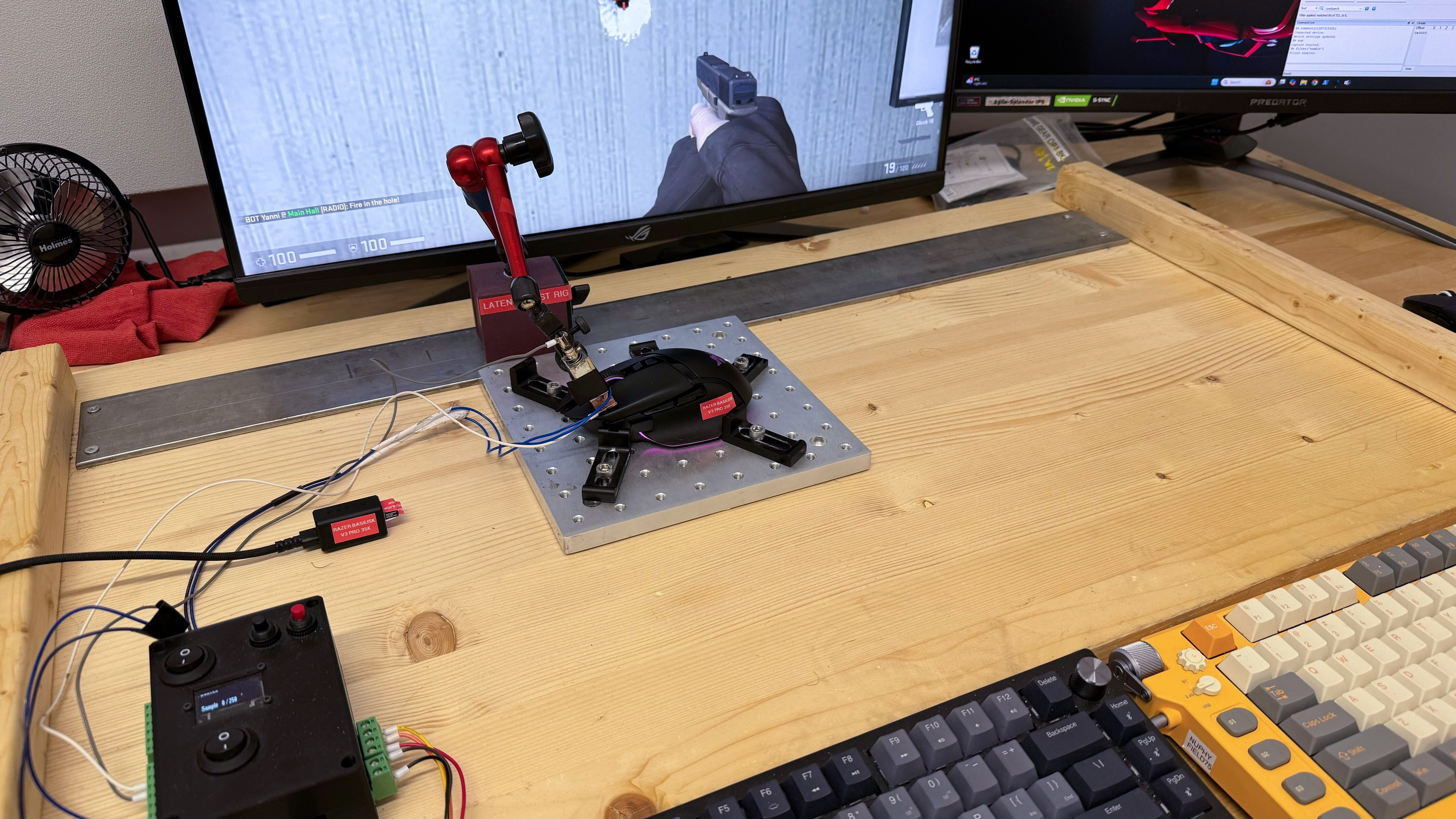
    We conducted this test at a 1000Hz polling rate.

    We conducted supplementary wireless testing at 4000Hz and 8000Hz polling rates using Razer's HyperPolling dongle, which is sold separately:

    4000Hz results:

    • Receiver: 1.8ms

    8000Hz results:

    • Receiver: 1.6ms
    9.1
    CPI
    See details on graph tool
    SRAV @ 1600 CPI
    0.37%
    SRAV @ 800 CPI
    -0.42%
    SRAV @ 400 CPI
    -0.42%
    SRAV @ Fixed CPI
    N/A
    Precision Error Between Speeds
    0.39%
    Precision Error Between CPI
    0.47%
    Worst Tracking Error
    8.50%
    Minimum CPI
    100 CPI
    Maximum CPI
    35,000 CPI
    CPI Adjustment Steps
    1 CPI

    This mouse's sensor delivers remarkably accurate and consistent tracking that matches your physical movements closely.

    We conducted this test at its maximum polling rate of 1000Hz.

    8.6
    Sensor Latency
    See details on graph tool
    Delay To Start Of Movement
    13.2 ms
    Delay At Half Movement
    5.1 ms
    Delay To End Of Movement
    6.4 ms

    This mouse has excellent sensor latency performance, reacting quickly to your inputs without any noticeable delay.

    We tested this mouse at its maximum polling rate of 1000Hz.

    We conducted supplementary wireless testing at 4000Hz and 8000Hz polling rates using Razer's HyperPolling dongle, which is sold separately:

    4000Hz results:

    • Delay To Start Of Movement: 13.9 ms
    • Delay At Half Movement: 2.5 ms
    • Delay To End Of Movement: 3.5 ms

    8000Hz results:

    • Delay To Start Of Movement: 9.7 ms
    • Delay At Half Movement: 2.1 ms
    • Delay To End Of Movement: 2.9 ms
    Sensor Specifications
    Sensor Technology
    Optical (LED)
    Sensor Model
    Razer Focus Pro 35K
    Works On Glass
    Yes
    Minimum Lift Off Distance
    1.2 mm
    Maximum Polling Rate
    1000 Hz

    This mouse has three polling rate options: 125Hz, 500Hz, and 1000Hz. Using its companion software, you can configure it to auto-switch to a higher polling rate when you're in-game, which can help improve its battery life.

    This mouse is also compatible with Razer's HyperPolling Dongle, which increases the maximum wireless polling rate to 8000Hz and is sold separately on Razer's website here.

    Mouse Wheel
    Scroll Wheel Type
    Notched Wheel + Free Wheel
    Scroll Wheel Tilt
    Yes
    Thumb Wheel Type
    No

    This mouse uses Razer's 'HyperScroll Tilt Wheel', with tactile (notched) and free-spin scrolling modes, which you can toggle between using the button right underneath the scroll wheel. It also has a configurable 'Smart-Reel' feature that automatically switches between the two modes based on your scrolling speed. You can also use the software to enable "Scroll Acceleration," which increases the scrolling speed the faster you scroll. In its tactile mode, the notches feel light yet precise. In its free-spinning mode, there's an adjustable 'Scroll Acceleration' feature that increases the scrolling speed the faster you scroll. Lastly, it has left- and right-tilt inputs that you can bind in the software.

    Noise
    Click Noise
    Quiet
    Operating System And Software
    Configuration Software
    Software NameRazer Synapse 4
    Software Windows Compatibility
    Yes
    Software macOS Compatibility
    Yes
    On-Board Memory
    Yes
    CPI (DPI) Adjustment
    Yes
    Polling Rate Adjustment
    Yes
    Profile Configuration
    Yes
    Profile Auto-Switching
    Yes
    RGB On/Off
    Yes

    Razer's Synapse 4's interface isn't wildly different from Synapse 3 and still allows you to easily change the CPI, polling rate, power modes, RGB lighting, and reprogram buttons. It also has some useful features, like a setting to automatically switch to a lower polling rate when you're not in-game to save battery, as well as a CPI matching function that allows you to match the sensitivity of your mouse to another mouse. There's also a 'Smart Tracking' feature that allows you to fine-tune the lift-off and landing distances.

    Previous versions of Razer Synapse have been a source of criticism from the broader community for taking up disproportionate system resources and requiring frequent updates among a host of other complaints. Razer claims that Synapse 4, which is brand new at the time of writing, has a new multi-threaded architecture that's more stable and 30% faster than Synapse 3. While we didn't encounter issues in our testing, the jury is still out on whether this version makes significant strides to improve upon Synapse's spotty track record.

    10
    Mouse Compatibility
    Windows CompatibilityFully
    macOS CompatibilityFully

    All default button functions work in Windows and macOS. The macOS software is only available for compatible Macs with Apple Silicon.