GLORIOUS Model I 2 Wireless  Mouse Review

Reviewed Oct 04, 2023 at 01:25pm
Tested using Methodology v1.5.1 
GLORIOUS Model I 2 Wireless
7.5
Work 
8.5
Video Games (FPS) 
8.0
Video Games (MMO) 
9.1
Raw Performance 
 13

The GLORIOUS Model I 2 Wireless is a wireless gaming mouse with a right-handed design that continues GLORIOUS'  Model I lineup of lightweight, multi-genre mice. Like its wired predecessor, the GLORIOUS Model I, this model has the same right-handed shape and a set of four programmable side buttons. Two of these side buttons are modular, allowing you to swap them out for alternate button shapes. Apart from adding wireless connectivity, this new model also uses the newer GLORIOUS BAMF 2.0 sensor.

Our Verdict

7.5
Work 

The GLORIOUS Model I 2 is a decent mouse for work. It has a comfortable, right-handed design with a thumb rest and an impressive number of programmable buttons. You can connect this mouse wirelessly with its USB receiver or via Bluetooth. Unfortunately, the scroll wheel lacks L/R tilt functions and a free-scrolling mode.

Pros
  • Impressive build quality.
  • Connects wirelessly via its USB receiver or Bluetooth.
Cons
  • Scroll wheel lacks a free-scrolling mode and left/right tilt inputs.
8.5
Video Games (FPS) 

The GLORIOUS Model I 2 is a great FPS gaming mouse overall. Still, its wireless click latency is only satisfactory and quite inconsistent, making it better suited for casual rather than competitive play. It has impressive build quality and is very lightweight, especially considering its size and 'ergonomic' right-handed shape with a thumb rest. It also has excellent sensor performance and outstanding feet that glide smoothly on mousepads and desks.

Pros
  • Very lightweight.
  • Impressive build quality.
  • Excellent all-around sensor performance.
Cons
  • Wireless click latency is satisfactory for casual gaming but too high for fast-paced, competitive gaming.
8.0
Video Games (MMO) 

The GLORIOUS Model I 2 is a great mouse for MMO gaming, though it has fewer programmable side buttons than most dedicated MMO gaming mice. That said, it has impressive build quality and a comfortable right-handed shape. It also offers excellent sensor performance, though unfortunately, its wireless click latency is only satisfactory and quite inconsistent.

Pros
  • Very lightweight.
  • Impressive build quality.
  • Excellent all-around sensor performance.
  • Impressive number of programmable buttons.
Cons
  • Wireless click latency is satisfactory for casual gaming but too high for fast-paced, competitive gaming.
  • Fewer programmable buttons than most dedicated MMO mice.
9.1
Raw Performance 

The GLORIOUS Model I 2 has outstanding sensor accuracy and excellent sensor latency performance. Unfortunately, it's limited in competitive scenarios by its wireless click latency, which is fairly high and quite inconsistent, making it only satisfactory for casual gaming.

Pros
  • Outstanding sensor accuracy.
  • Excellent overall sensor latency.
Cons
None
  • 7.5
    Work
  • 8.5
    Video Games (FPS)
  • 8.0
    Video Games (MMO)
  • 9.1
    Raw Performance
  • Changelog

    1.  Updated Aug 19, 2025: We've converted this review to Test Bench 1.5.1. This update removes less relevant or redundant elements, including several videos. We've also adjusted our Sensor Latency testing, resulting in minor score changes. See our full 1.5.1 changelog for details.
    2.  Updated Nov 14, 2024: 

      We've added a link to the newly reviewed Razer Basilisk V3 Pro 35K in the Click Latency section.

    3.  Updated Jan 05, 2024: We've updated the CPI graph displayed in the Sensor Latency section of this review. Our results remain the same, but these graphs have two new columns with results from the Delay At Half Movement and Delay To End Of Movement tests.
    4.  Updated Dec 07, 2023: We've converted this review to Test Bench 1.5. This update adds a new Main Button test group, which provides button actuation data and switch information. We've also made minor changes to how we calculate the Office usage score. For more details, you can see our full changelog here.

    Check Price

    Matte Black
    SEE PRICE
    Amazon.com
    Matte White
    SEE PRICE
    Amazon.com

    Differences Between Sizes And Variants

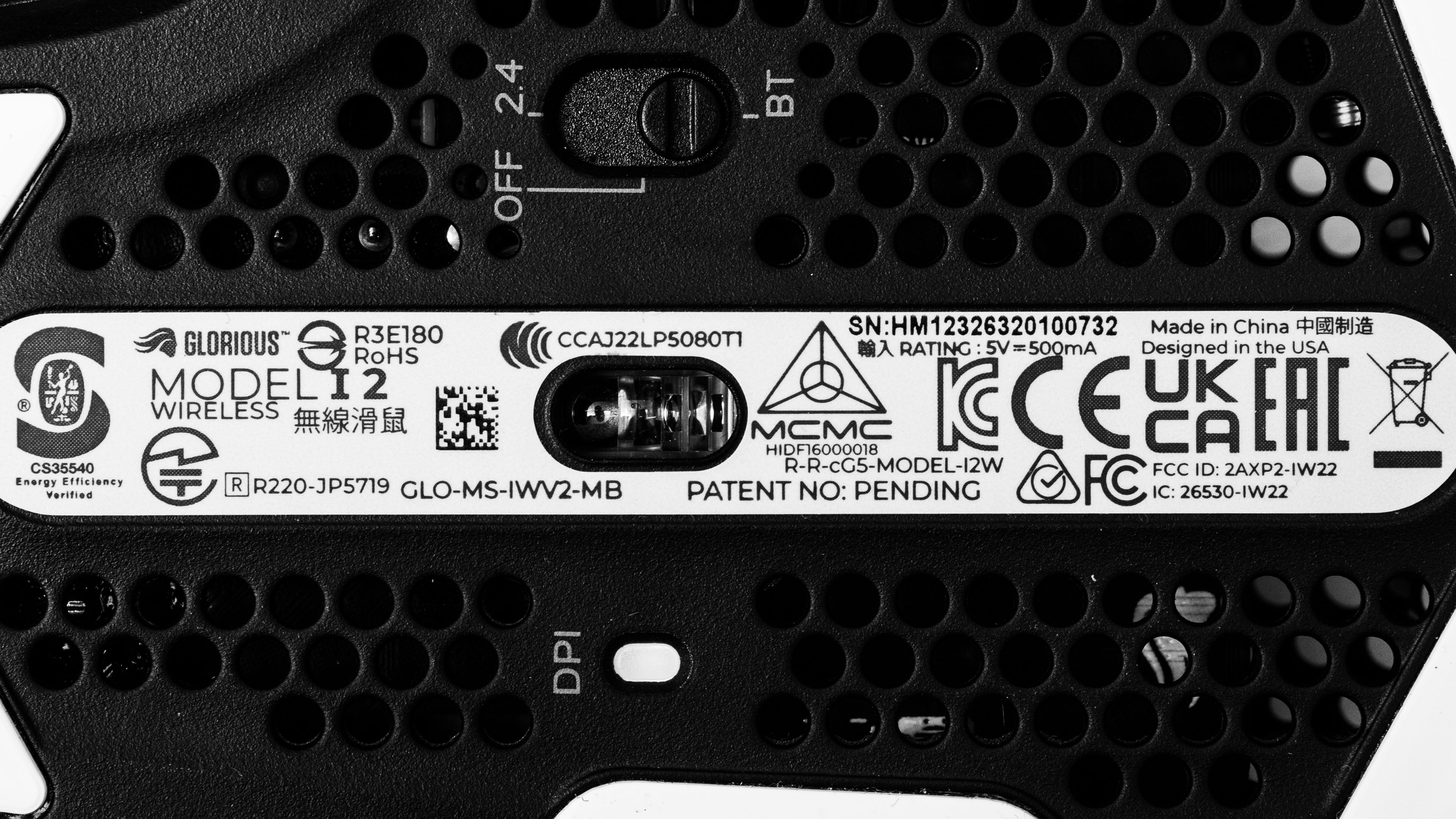
    The GLORIOUS Model I 2 Wireless is available in Black or White colorways. There are no variants at the time of writing. We bought and tested the black color model. You can see the label for our unit here.

    Though not a variant, there's also an earlier wired model of this mouse that we've tested separately called the GLORIOUS Model I.

    Popular Mouse Comparisons

    The GLORIOUS Model I 2 Wireless is a wireless gaming mouse that continues GLORIOUS' Model I lineup of multi-genre models. This mouse shares a similar right-handed shape to other popular multi-genre options, including the Logitech G502 X PLUS and the Razer Basilisk V3 Pro. Unlike these mice and most other multi-genre options, the GLORIOUS is significantly lighter. This lightweight construction is more common for smaller, dedicated FPS mice that typically don't have a thumb rest or as many programmable buttons. Unfortunately, while this mouse's sensor performance is excellent, its wireless click latency is lacking, making it better suited for playing casually rather than competitively.

    For more options, see our recommendations for the best mouse, the best wireless gaming mouse, and the best lightweight mouse.

    Logitech G502 X PLUS

    The Logitech G502 X PLUS and the GLORIOUS Model I 2 Wireless are wireless gaming mice with similar right-handed shapes that feature thumb rests. The Logitech feels better built and has significantly better click latency. It also has a scroll wheel with both a free-scrolling mode and left/right inputs— features that the GLORIOUS lacks. On the other hand, the GLORIOUS is significantly lighter, in part due to having circular weight-saving cutouts on its palm rest and underside.

    Razer Basilisk V3 Pro

    The Razer Basislik V3 Pro and the GLORIOUS Model I 2 Wireless are wireless gaming mice with similar right-handed shapes and thumb rests. The Razer has better build quality and significantly better click latency performance. It also has more extensive RGB lighting, and its scorll wheel has a free-scrolling mode and left/right tilt inputs, which the GLORIOUS' scroll wheel lacks. On the other hand, the GLORIOUS is significantly lighter, in part thanks to the small circular cutouts in its palm rest and underside.

    GLORIOUS Model I

    The GLORIOUS Model I and the GLORIOUS Model I 2 Wireless are gaming mice in the same product lineup with a very similar right-handed shape. The Model I is an earlier wired-only model. It's marginally lighter but has significantly better click latency performance and has RGB lighting zones on both sides and in the scroll wheel. Its body has weight-saving, honeycomb-shaped cutouts on the palm rest and underside. On the other hand, the GLORIOUS Model I 2 Wireless is a wireless model with better sensor accuracy. While it lacks an RGB lighting zone in the scroll wheel, it has comparatively smaller circular-shaped weight-saving cutouts on the palm rest and underside.

    GLORIOUS Model O 2 Wireless

    The GLORIOUS Model O 2 Wireless and the GLORIOUS Model I Wireless are wireless gaming mice. The Model O 2 Wireless has a symmetrical shape and is somewhat lighter. On the other hand, the Model I 2 Wireless has a right-handed shape with a thumb rest. It has more programmable buttons, including four side buttons, two of which are modular. Both mice have similarly high-end sensor performance but only satisfactory click latency.

    Razer Basilisk V3 Pro 35K

    The GLORIOUS Model I 2 Wireless and the Razer Basilisk V3 Pro 35K are wireless multi-genre gaming mice. The GLORIOUS is lighter, making it easier to aim quickly, but the Razer is better built, has a multi-function scroll wheel, and has better click latency. Overall, it's a better mouse if you don't mind the extra weight.

    Test Results

    perceptual testing image
    Sort:
    RATINGS
    Category:
    All
    Design
    Style
    Type
    Standard
    Coating
    Matte
    Lighting ColorRGB

    The GLORIOUS Model I 2 looks similar to its wired predecessor, the GLORIOUS Model I. It has a matte black body and the same right-handed design with a thumb rest and four glossy side buttons. However, there are subtle differences in the curves and angles compared to the wired Model I. This mouse has a somewhat sleeker, more aggressive look overall.

    Unlike the wired Model I, which has larger honeycomb-shaped weight-saving cutouts on its palm rest and underside, the wireless Model I 2 has smaller circular-shaped cutouts.

    This mouse has a strip of RGB lighting on either side. You can customize these two lighting zones using the configuration software—but they aren't independently addressable. Also note that, unlike the wired Model I, this mouse lacks an additional RGB zone in the scroll wheel.

    Shape
    Length5.1" (129 mm)
    Width2.8" (72 mm)
    Height1.7" (42 mm)
    Grip Width
    62 mm
    Ambidextrous
    No
    Left-Handed Friendly
    No
    Finger Rest
    Thumb

    This mouse shares virtually the same dimensions as the wired GLORIOUS Model I. There are some extremely minor differences in how several surfaces are curved, so the measured dimensions are slightly different.

    8.0
    Build Quality

    This mouse has impressive build quality. The body feels sturdy, and there aren't any loose or wobbling parts. However, there's a bit of flexibility in the plastic side panel on the left side of the mouse, and if you squeeze with concerted effort into this panel, it's possible to actuate the side buttons. That said, it is very unlikely to create any issues when using the mouse normally unless you forcefully squeeze your mouse.

    The two modular side buttons are held in with magnets and feel quite secure but are also easier to remove compared to the wired GLORIOUS Model I, which has magnetic buttons that are quite difficult to remove.

    We also noted during testing that it's possible to actuate the middle mouse click button if you intentionally press the mouse wheel to the right side of its housing, but once again, this isn't likely to happen during everyday use.

    8.1
    Weight
    Lowest Weight
    73.1 g
    Default Weight
    73.1 g
    Weight Distribution
    Centered
    Extra Weights
    No

    This mouse is very lightweight and easy to move quickly and accurately. It's significantly lighter than similar wireless multi-genre models that share the same overall shape, including the Logitech G502 X PLUS and the Razer Basilisk V3 Pro.

    Hand Size Recommendation
    Palm Grip Hand Recommendation
    Claw Grip Hand Recommendation
    Fingertip Grip Hand Recommendation

    The wireless GLORIOUS Model I 2 shares the same overall shape as the wired GLORIOUS Model I, but there are very small differences in how some surfaces are angled and curved. That said, the two mice feel extremely similar in hand.

    This mouse has a right-handed design with a thumb rest for added support. It feels comfortable to use, but it's slightly on the larger side, so if you have small or extra small-sized hands, you may want to look for a smaller option as you'll have difficulty reaching the side buttons closest to the front of the mouse.

    9.8
    Wireless Versatility
    Maximum Of Paired Devices
    2
    Bluetooth
    Yes
    Receiver
    Yes
    Battery Type
    Rechargeable
    Use When Charging
    Yes
    On/Off Activation
    Auto Off And On/Off Switch
    Receiver Extender
    Yes
    Receiver Storing
    No
    Battery IndicatorYes

    GLORIOUS advertises a maximum battery life of 110 hours when connected with its 2.4Ghz receiver or up to 210 hours via Bluetooth—which is on the high end of the battery life spectrum for current gaming mice at the time of writing.

    While not explicitly mentioned on the GLORIOUS product page, these maximum battery life figures are very likely only attainable with RGB lighting turned off.

    Cable
    ConnectivityWireless
    Cable Length
    6.6 ft (2.0 m)
    Cable Type
    Paracord-like
    Permanent Kink
    Yes
    Port Type: Mouse End
    USB-C
    Port Type: PC End
    USB-A

    This mouse includes a lightweight and flexible paracord-like charging cable. It feels very similar to the cable on other recent GLORIOUS releases and glides smoothly across desks without dragging. However, it retains some minor kinks from its packaging.

    9.0
    Mouse Feet
    Gliding Experience
    Very Good
    Material
    Virgin Grade PTFE
    Extra Included
    No

    This mouse has exceptionally good feet that glide very smoothly on mousepads and even desks. The feet are slightly thicker than those on many similar gaming mice, and although they have some sharp corners, it doesn't noticeably affect their gliding performance.

    In The Box

    • GLORIOUS Model I 2 Wireless
    • USB-A to USB-C cable
    • USB-A receiver
    • USB receiver extender
    • 3x alternate side buttons (2x alternate thumb buttons and 1x alternate rearmost side button)
    • 2x 'Blank' side button pieces (one for the thumb button and one for the rearmost side button)
    • Side button removal tool
    • User documentation
    • Stickers
    Control
    Main Button
    See details on graph tool
    See details on graph tool
    Switch Type
    Mechanical
    Switch Model
    Glorious Switches Rated for 80M Clicks
    8.1
    Additional Buttons
    Total Number Of Buttons
    9
    Number Of Side Buttons
    4
    Number Of Programmable Inputs
    17
    Profile Switching Button
    Yes
    Gesture Support
    No

    You can reprogram all buttons on this mouse, including the left- and right-click buttons. There's a non-programmable power/connectivity mode switch on the underside.

    Two of the four side buttons on this mouse are modular: the 'thumb button' closest to the front and the side button closest to the mouse's rear. You can see an image of these buttons here.

    The buttons are held in with magnets, and you can remove and replace them with alternate button shapes or blank plastic pieces that sit flush with the body, effectively 'disabling' the button. The 'thumb button' has two alternate button shapes and a blank, while the back button has one alternate shape and a blank.

    This mouse also has a feature that GLORIOUS calls 'Layer Shift,' which allows you to designate a shift button to toggle to a secondary layer of controls.

    7.4
    Click Latency
    See details on graph tool
    Expected Connection
    10.6 ms
    Wired
    4.1 ms
    Receiver
    10.6 ms
    Bluetooth
    15.7 ms

    The GLORIOUS Model I 2 has satisfactory click latency, making it well-suited for playing casual titles. However, its wireless click latency is noticeably inconsistent and too high for playing fast-paced competitive games.

    If you're looking for a similar mouse with better click latency, check out the Razer Basilisk V3 Pro 35K.

    9.8
    CPI
    See details on graph tool
    SRAV @ 1600 CPI
    -0.11%
    SRAV @ 800 CPI
    -0.04%
    SRAV @ 400 CPI
    -0.17%
    SRAV @ Fixed CPI
    N/A
    Precision Error Between Speeds
    0.22%
    Precision Error Between CPI
    0.22%
    Worst Tracking Error
    -1.25%
    Minimum CPI
    100 CPI
    Maximum CPI
    26,000 CPI
    CPI Adjustment Steps
    100 CPI

    The GLORIOUS Model I 2 offers exceptionally good CPI performance. Its sensor delivers outstanding tracking accuracy, and the physical movements you make with your mouse translate extremely close to your cursor movements on-screen.

    8.9
    Sensor Latency
    See details on graph tool
    Delay To Start Of Movement
    18.2 ms
    Delay At Half Movement
    3.5 ms
    Delay To End Of Movement
    3.4 ms

    The GLORIOUS Model I 2 offers excellent overall sensor performance. The timing of the physical movements you make with this mouse is matched very closely to those you see on screen.

    This mouse does have slightly elevated Delay to Start of Movement results. This means the sensor takes slightly longer to react when you begin moving your mouse. This added delay is extremely minor, and while it's noticeable in slow-motion footage, it isn't noticeable during normal use. That said, the added delay can still have an imperceptible effect—but this is only an issue if you mainly play fast-paced, competitive games where even split milliseconds count.

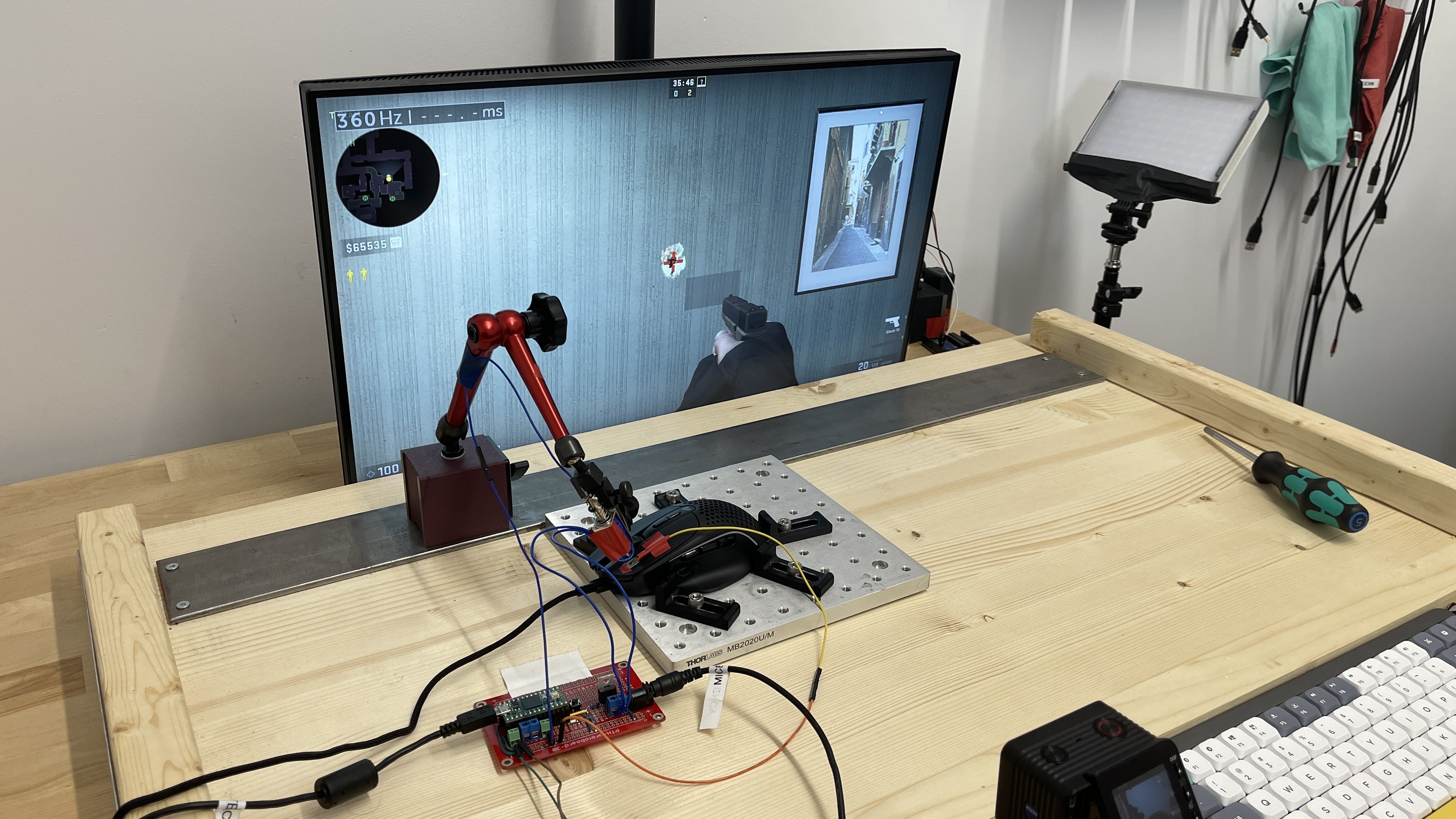
    We performed these tests at the maximum polling rate of 1000Hz and with Motion Sync disabled. Motion Sync is a setting that attempts to synchronize the timing of sensor data to USB polling events to your computer, but it typically adds a small degree (~1 ms) of sensor latency.

    Sensor Specifications
    Sensor Technology
    Optical (LED)
    Sensor Model
    Glorious BAMF 2.0
    Works On Glass
    No
    Minimum Lift Off Distance
    1.2 mm
    Maximum Polling Rate
    1000 Hz

    This mouse uses a Glorious BAMF 2.0 sensor. Using the configuration software, you can adjust CPI, lift-off distance, motion sync, and polling rate settings. The polling rate options are 125Hz, 250Hz, 500Hz, and 1000Hz.

    Mouse Wheel
    Scroll Wheel Type
    Notched Wheel
    Scroll Wheel Tilt
    No
    Thumb Wheel Type
    No

    The scroll wheel has a grooved rubber grip and operates fairly quietly. It feels precise and has a moderate definition between steps. Compared to the wired GLORIOUS Model I, the scroll wheel rotation feels stiffer, and the middle click button requires slightly more force to actuate.

    Noise
    Click Noise
    Quiet

    The left- and right-click buttons, side buttons, and scroll wheel are all fairly quiet and unlikely to bother those around you.

    Operating System And Software
    Configuration Software
    Software NameGlorious Core
    Software Windows Compatibility
    Yes
    Software macOS Compatibility
    No
    On-Board Memory
    Yes
    CPI (DPI) Adjustment
    Yes
    Polling Rate Adjustment
    Yes
    Profile Configuration
    Yes
    Profile Auto-Switching
    No
    RGB On/Off
    Yes

    The GLORIOUS Model I 2 uses the Glorious Core software. It has a clear interface and is straightforward to navigate and use. It allows you to change expected settings, including button assignments, CPI, lift-off distance, debounce time, motion sync, polling rate, and RGB lighting. You can also record macros and save your custom settings to the onboard memory.

    10
    Mouse Compatibility
    Windows CompatibilityFully
    macOS CompatibilityFully

    All default button functions work on Mac, but the companion software isn't available for macOS.