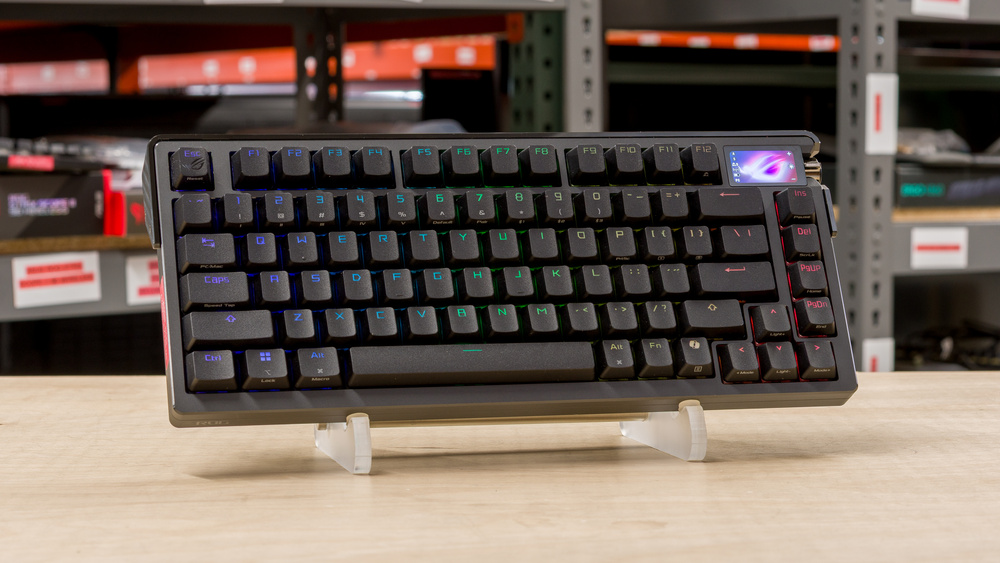
The ASUS ROG Azoth Extreme is a wireless mechanical gaming keyboard with a compact 75% layout and a multifunction color OLED screen, and it's the successor to the ASUS ROG Azoth. It comes with pre-lubed ROG NX Snow or Storm mechanical switches and features a hot-swappable PCB, allowing you to easily replace the stock switches. This keyboard uses a gasket-mounted design with multiple layers of Poron foam and silicone for improved sound and feel. The gasket mount is also adjustable, enabling you to switch between soft and hard settings. These design choices work together to enhance the keyboard's acoustics and overall typing experience compared to more basic gaming models.
Our Verdict
The ASUS Azoth Extreme delivers amazing performance in an excellently built package. It has very low and consistent latency performance with 8,000Hz wireless polling, more than suitable for fast-paced or competitive gaming at any level. The sound dampening is great, and the keystrokes feel very satisfying thanks to high-quality textured PBT keycaps and smooth pre-lubed switches and stabilizers. The OLED screen allows some customization and provides some performance metrics like CPU temperature or KPS monitoring. Finally, the inclusion of a wrist rest and the adjustable gasket mount make for a very comfortable keyboard to use during long periods.
Excellent build quality.
Outstanding typing experience.
Great sound dampening and adjustable gasket mounting.
Amazing low latency performance.
While it's not specifically designed for office use, the ASUS Azoth Extreme can work in an office environment. The typing quality is outstanding thanks to nice textured keycaps and very smooth switches. Its sound-dampening is also great, thanks to its multiple layers of cushioning and its carbon fiber plate. It also supports wireless connectivity both through the included 2.4GHz adapter and Bluetooth multi-pairing. The whole package makes for a quiet and enjoyable sound signature and feel. Although it's quite tall, the multiple incline settings and wrist rest make it comfortable to use for multiple hours at a time.
Excellent build quality.
Outstanding typing experience.
Great sound dampening and adjustable gasket mounting.
Onboard macro-programming.
The ASUS Azoth Extreme works reasonably well with tablets and mobile devices, but it's not specifically designed for that purpose. While it supports up to three Bluetooth connections and is compatible with various device types, its high-profile build and very substantial weight make it impractical for portable or on-the-go use.
Excellent build quality.
Great sound dampening and adjustable gasket mounting.
Heavy and thick which makes it difficult to carry around.
The ASUS Azoth Extreme is great for programming. It has an excellent build quality and is very satisfying to type on, thanks to its great sound dampening and very smooth switches. It's also possible to pair it with multiple devices at the same time. While it lacks dedicated macro keys, you can assign macros to any key directly on the keyboard or use the configuration software. It's also suitable for use in any lighting condition, thanks to the bright full RGB backlighting and shine-through keycaps.
Excellent build quality.
Outstanding typing experience.
Great sound dampening and adjustable gasket mounting.
Onboard macro-programming.
The ASUS Azoth Extreme isn't specifically intended for use in an entertainment or home theater setup. While it offers an excellent build quality and features full RGB backlighting with shine-through legends that are easy to read in low light, it lacks dedicated media keys and is significantly heavier and bulkier than typical keyboards designed for that kind of use.
Excellent build quality.
Heavy and thick which makes it difficult to carry around.
No dedicated media keys.
The ASUS Azoth Extreme delivers excellent raw performance, thanks to very low latency in both wired and wireless modes. It also has an 8,000Hz polling rate, which contributes to its stable performance. That said, it falls short compared to the highest-performing keyboards on the market. However, the differences in performance between this board and the highest performing board currently on the market are completely imperceptible, but they can still contribute to your overall performance and may be important to you if you play at a particularly competitive level.
Amazing low latency performance.
Changelog
- Updated Jan 06, 2026: Our Test Bench 1.4.3 update adds clearer terminology and new measurements to our Keystrokes test group. For more details, see the full changelog.
- Updated Oct 02, 2025: Our 1.4.2 Test Bench Update makes changes to the Hardware Customizability test group. We've created a new Magnetic Switch Compatibility test and renamed our previous PCB Socket test to Mechanical Switch Compatibility. See our full changelog.
- Updated Aug 26, 2025: We've converted this review to Test Bench 1.4.1. This update removes the Key Release test and a video element from the Multi-Key Latency section, resulting in minor score changes. See our full 1.4.1 changelog for details.
- Updated Jul 17, 2025: Review published.
Check Price
Differences Between Sizes And Variants
The ASUS ROG Azoth Extreme is only available in a Black colorway. You can purchase this keyboard with either ROG NX Snow Linear switches or ROG NX Storm Clicky switches. ASUS specifies that some regions offer the keyboard with double-shot PBT plastic keycaps, while others use their UV-Coated ABS keycaps instead. Unfortunately, they don't specify which regions have which keycaps.
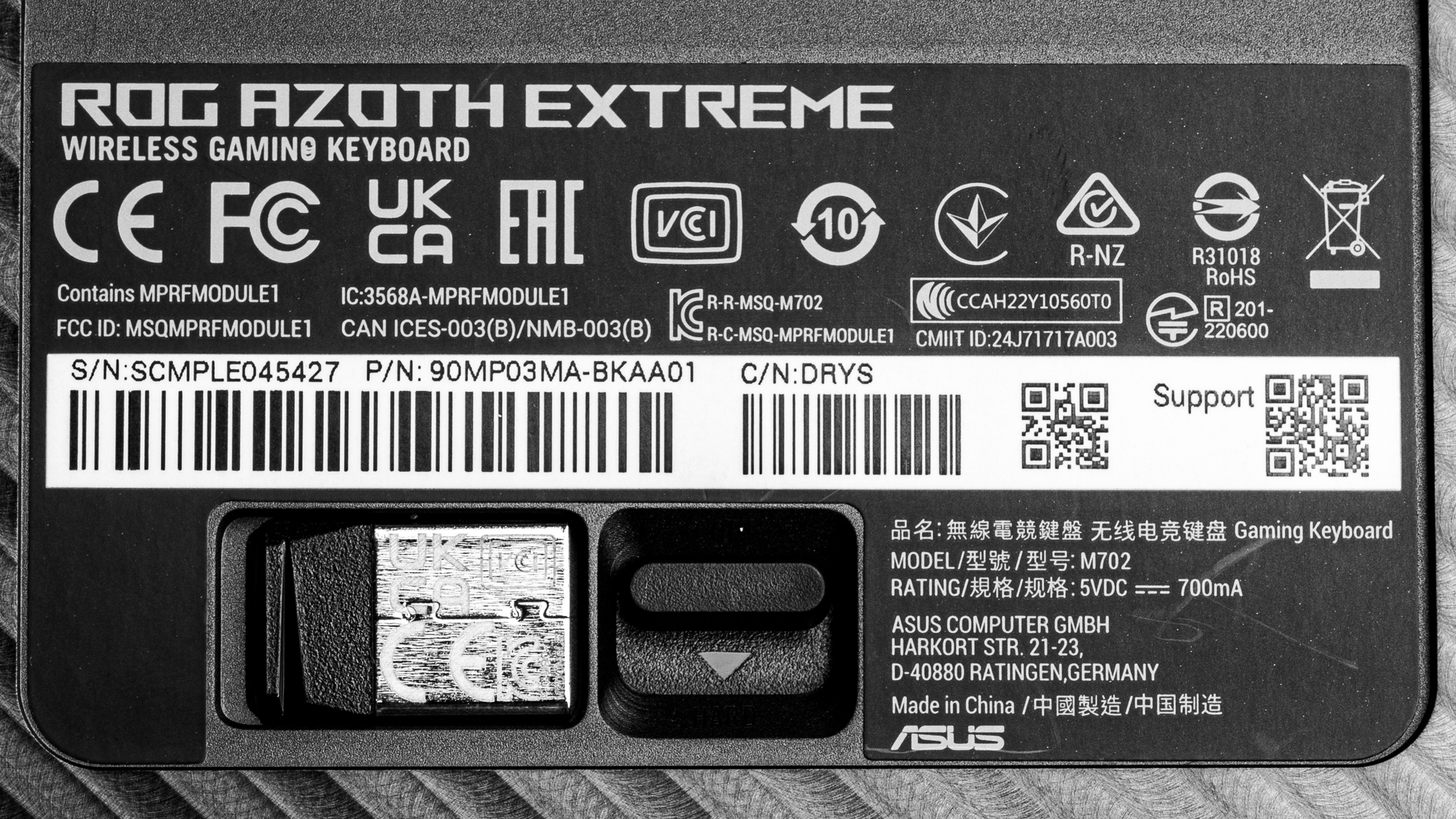
We bought this keyboard with the ROG NX Snow switches and the PBT keycaps. This is the label of the unit we bought and tested.
Popular Keyboard Comparisons
The ASUS ROG Azoth Extreme continues the Azoth lineup of high-end wireless gaming keyboards. It succeeds the ASUS ROG Azoth with a few added benefits. These include some unique additions in this flagship offering, such as a multi-function color OLED screen and an adjustable gasket mount that allows you to choose between two firmness settings using a toggle. This keyboard is also very well-built and includes multiple layers of dampening that make for a remarkable typing experience overall. Like most keyboards in this segment, it offers outstanding latency performance and smooth pre-lubed switches and stabilizers. Also, if you don't want to be charging your keyboard often, the ASUS Azoth Extreme has an impressively high estimated battery life. That said, this comes at a very high price that's higher than most pre-built keyboards on the market. Also, this keyboard lacks many additions brought by Hall effect keyboards like the Keychron Q HE series and the Wooting 80HE. These keyboards include many functions that have become staples in the high-performance segment, like adjustable actuation and rapid trigger.
For more recommendations, see our picks for the best keyboards, the best gaming keyboards, and the best mechanical keyboards.
The ASUS ROG Azoth and the ASUS ROG Azoth Extreme are comparable keyboards when it comes to overall performance. The Azoth Extreme has marginally higher latency, despite its higher polling rate. In any case, both keyboards are very well-suited for fast-paced gaming, and the latency difference is imperceptible. They both deliver excellent build quality and latency performance in a compact 75% layout. The Extreme variant includes a few extras. While the original Azoth has a metal top cover and plastic bottom chassis, the Azoth Extreme's entire case is now metal. It also includes a small hidden switch that allows you to adjust the gasket mount to choose a softer or firmer typing feel.
The Wooting 80HE and the ASUS ROG Azoth Extreme are high-end compact gaming keyboards with excellent build quality. The Wooting distinguishes itself with its more customizable Hall effect switches and even better latency performance. The ASUS, on the other hand, delivers a more satisfying typing performance, an adjustable gasket mount. and a multi-function OLED screen. It also has wireless connectivity through Bluetooth and the included 2.4GHz wireless receiver.
The ASUS ROG Azoth Extreme and ASUS ROG Falcata are wireless 75% gaming keyboards, but they have quite different feature sets. The Azoth Extreme uses mechanical switches and offers slightly better typing quality. It’s also a bit quieter and has a customizable OLED screen, which the Falcata lacks. The Falcata, on the other hand, uses magnetic switches, giving you access to adjustable actuation and advanced gaming features like Rapid Trigger. It also has slightly better raw performance and a more ergonomic design, with a split construction that lets you separate the keyboard into two halves connected by a link cable. Additionally, it includes wrist rests for each half and screw-in feet for adjusting tilt and tenting angle.
The Corsair VANGUARD PRO 96 and the ASUS ROG Azoth Extreme are high-end keyboards. The ASUS uses a TKL layout, and the Corsair is a compact 96% format. While the ASUS distinguishes itself with an outstanding build and typing quality, the Corsair uses Hall effect switches with adjustable actuation that enable functions like Rapid Trigger. Both keyboards include an LCD display for some added flair and function. However, both keyboards have their setbacks. ASUS sits in a very premium price point, and the Corsair has some underlying stability issues.
Test Results



for pictures & test results

for pictures & test results





for pictures & test results



for pictures & test results

for pictures & test results


for pictures & test results


for pictures & test results


for videos & test results
