
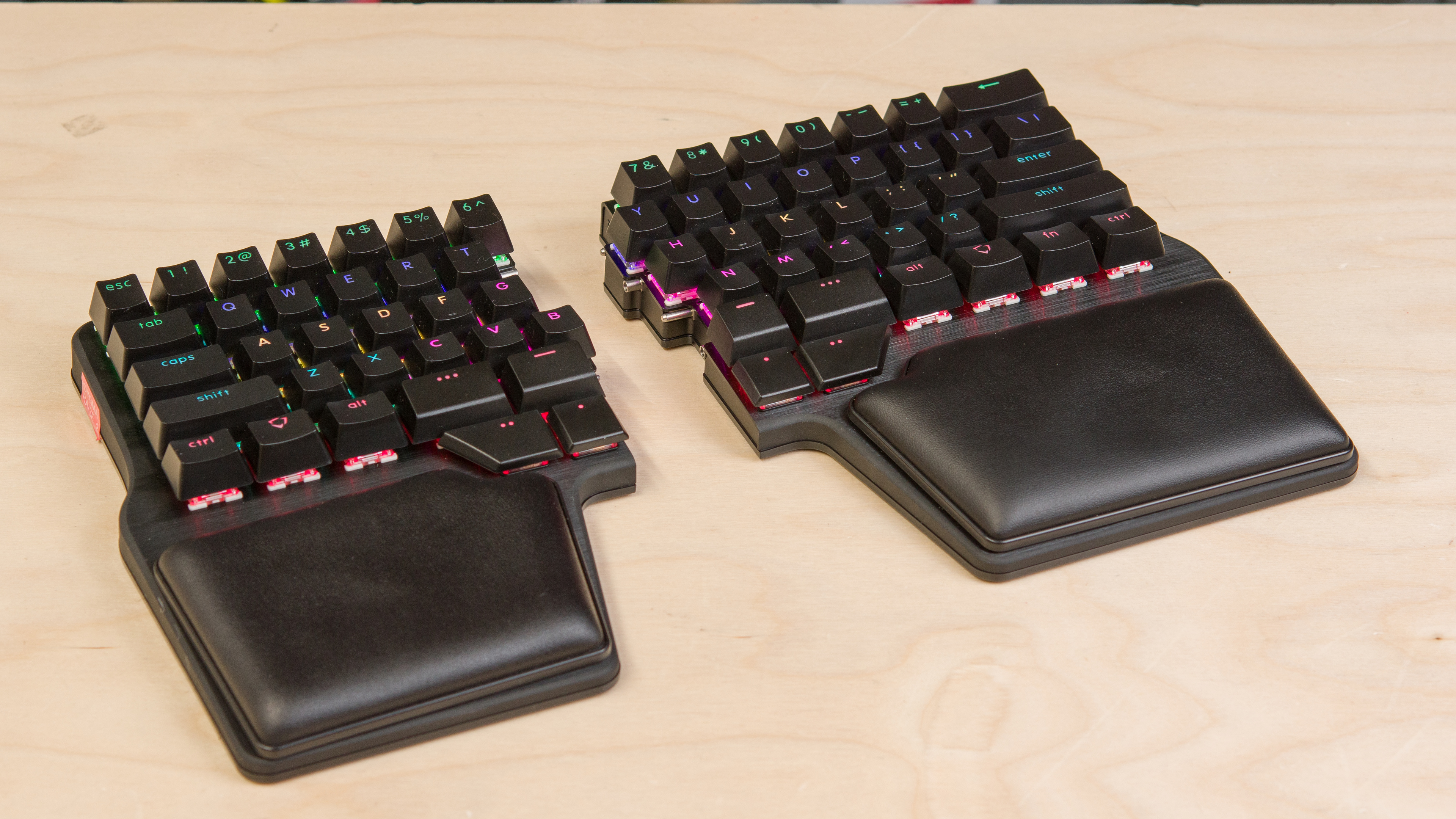
The Dygma Raise 2 is an ergonomic mechanical keyboard that continues the Dygma Raise lineup. It features a true split design, an aluminum switch plate, and adjustable per-key RGBW backlighting. Other standout features include a hot-swappable PCB, magnetic wrist rests, and robust configuration software that lets you re-map keys and program custom layers, profiles, and macros.
We bought this keyboard with the wireless connection and tenting add-ons. For comparison between the base model and details of all available add-ons for this keyboard, see the Differences Between Sizes and Variants section.
Our Verdict
The Dygma Raise 2 is amazing for gaming. It has impressive build quality and excellent raw performance. Its wireless latency is well-suited for casual gaming across all genres, but we recommend using it in wired mode if you primarily play fast-paced, competitive titles. The keyboard features per-key RGB backlighting, and the shine-through keycaps provide good legibility in darker environments. It also has powerful, fairly intuitive software for layer configuration and custom profile creation.
Impressive build quality.
Excellent overall raw performance.
Optional built-in tenting kit.
Per-key backlighting with shine-through caps; optional RGBW underglow.
Several major features (including wireless connectivity and tenting) only available as add-on purchases.
The Dygma Raise 2 is excellent for office use. It has impressive build quality, and its split design allows you to space the two halves to your liking and angle them to achieve a more open, neutral posture. With the optional built-in tenting kit, it also supports extensive tenting angles, including both positive and reverse inclines, which can help reduce strain from wrist pronation. Typing quality is excellent overall, and the keyboard's fairly standard 60% compact layout is easy to adapt to, even if you're not already familiar with ergonomic designs. It's also relatively quiet to type on with the linear switches we tested, making it well-suited for shared or quiet workspaces. The Raise 2 runs on robust, open-source software that's fully compatible with all major desktop and mobile operating systems, and it offers deep customization for layers and user profiles.
Impressive build quality.
Aside from the thumb cluster, the layout is a mostly typical compact 60%; learning curve won't be problematic for most people.
Optional 2.4GHz connectivity and Bluetooth pairing with up to five devices simultaneously.
Optional built-in tenting kit.
Several major features (including wireless connectivity and tenting) only available as add-on purchases.
The Dygma Raise 2 is decent for use with mobile devices and tablets if you purchase this keyboard with the wireless add-on, which adds Bluetooth support with up to five simultaneous devices. It has impressive build quality, and its software has robust customization options for macros and custom layers. It also provides excellent typing quality, and it's quiet to type on with the linear switches we tested, though it will be louder if you buy it with certain tactile or clicky options instead.
Impressive build quality.
Optional 2.4GHz connectivity and Bluetooth pairing with up to five devices simultaneously.
Several major features (including wireless connectivity and tenting) only available as add-on purchases.
The Dygma Raise 2 is amazing for programming. It has impressive build quality and provides an excellent overall typing experience. Its split design allows you to position the two halves to suit your posture, promoting a more open, neutral alignment through your shoulders and wrists during long coding sessions. With the optional tenting kit, it supports both positive and reverse incline angles to help reduce wrist strain. The layout is fairly close to that of a conventional compact 60% keyboard, making it easy to adapt to—even if you're new to ergonomic designs. The thumb cluster replaces the traditional spacebar with eight keys (four on each side), which you can configure in software as modifiers, navigation keys, or other frequently used commands. The open-source software supports a wide range of other customization options, including macro creation, custom layers, and 'superkeys'—a feature that lets you bind multiple actions to a single key based on press behavior.
Impressive build quality.
Aside from the thumb cluster, the layout is a mostly typical compact 60%; learning curve won't be problematic for most people.
Optional 2.4GHz connectivity and Bluetooth pairing with up to five devices simultaneously.
Optional built-in tenting kit.
Per-key backlighting with shine-through caps; optional RGBW underglow.
Several major features (including wireless connectivity and tenting) only available as add-on purchases.
The Dygma Raise 2 is acceptable for an entertainment or HTPC setup. It has impressive build quality, and the optional wireless add-on adds support for 2.4GHz and Bluetooth connections. Its split design allows for flexible positioning, but can make it awkward to use from a couch. When used with both halves together, it may be easier to use while seated, but the connection point feels more fragile and may be prone to damage. It also has per-key backlighting with clear shine-through legends that are easy to read in darker rooms. Unfortunately, it lacks dedicated media keys, though you can easily bind your own media keys to a custom layer using the configuration software.
Impressive build quality.
Optional 2.4GHz connectivity and Bluetooth pairing with up to five devices simultaneously.
Per-key backlighting with shine-through caps; optional RGBW underglow.
No dedicated media keys.
The Dygma Raise 2 provides amazing raw performance, particularly over a wired connection, with outstanding single-key and excellent multi-key latency performance that's more than suitable for playing competitive titles. If you buy the wireless add-on, the latency performance over a wireless 2.4GHz connection is well-suited for playing casual titles in all genres, but general inconsistency and occasional higher latency spikes make the wireless performance less suitable for playing competitively.
Outstanding and consistent latency performance over a wired connection.
Performance inconsistency and ocassionally high latency outliers over a 2.4GHz wireless connection.
Changelog
-
Updated Sep 03, 2026:
We've added a link to the MoErgo Go60 in the Dimensions section.
-
Updated Jun 18, 2026:
We've added a link to the ASUS ROG Falcata in the Single-Key Latency section.
-
Updated Jun 02, 2026:
We've added a link to the Razer Pro Type Ergo in the Ergonomics section.
- Updated Jan 22, 2026: Our Test Bench 1.4.3 update adds clearer terminology and new measurements to our Keystrokes test group. For more details, see the full changelog.
Check Price
Differences Between Sizes And Variants
The base model Dygma Raise 2 is available in Black and Silver color options, ANSI or ISO language layouts, and various Cherry MX, Kailh, or Gateron switch options. Several additional add-on features are also available, detailed in the comparison table below. For full details, see Dygma's product page.
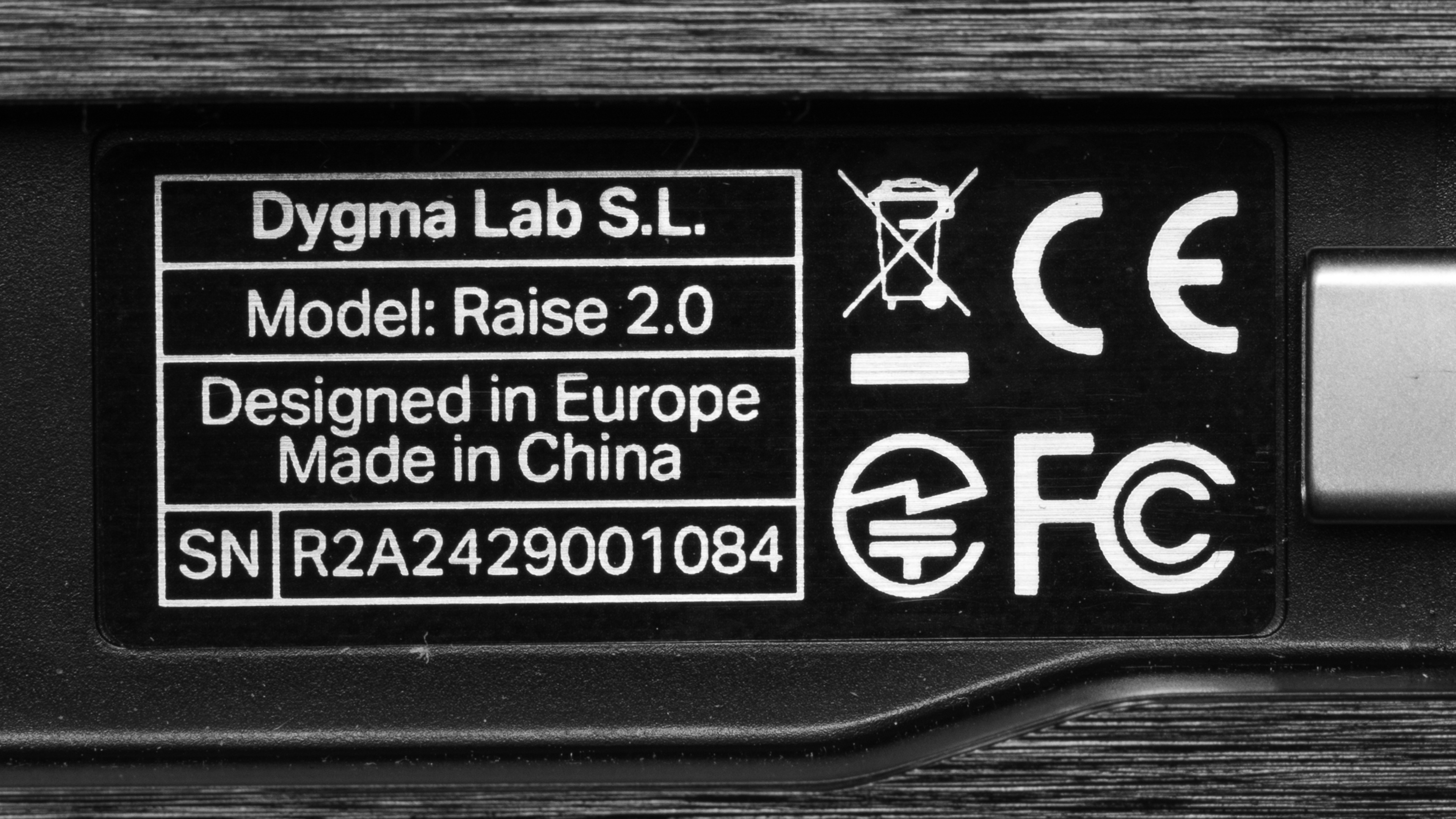
We bought and tested this keyboard in a black colorway with Gateron G Pro 2.0 Yellow switches and with the Wireless Connectivity and Built-in Tenting add-ons. See our unit's label.
| Name | Color Options | Switch Options | Add-Ons |
| Dygma Raise 2 | Black, White |
Kailh Silent Brown Kailh Box White Kailh Silent Pink Kailh Speed Silver Kailh Speed Copper Gateron G Pro 2.0 Yellow Cherry MX Red Cherry MX Brown Cherry MX Blue |
Wireless Connectivity Built-in Tenting RGBW Underglow * |
*The RGBW Underglow is only available with the Built-in Tenting Add-on.
Popular Keyboard Comparisons
The Dygma Raise 2 is an ergonomic mechanical keyboard with a split design that continues Dygma's Raise lineup. While it looks very similar to the original, Dygma notes that most of the improvements are under the hood—most notably, each half now includes its own dedicated MCU, which provides a small but measurable latency improvement and makes wireless gaming viable—unlike the original, which used a single MCU to control both halves. Another welcome change is the inclusion of magnetic wrist rests, replacing those on the original, which relied on sticky silicone and were prone to losing their grip over time. The most significant new feature is wireless connectivity—available as an optional add-on—alongside built-in tenting support and RGBW underglow lighting, also offered as add-ons.
The Raise 2 features a fairly intuitive thumb cluster in place of a standard spacebar but otherwise retains a conventional layout, similar to many 60% mechanical keyboards. This makes it a more approachable entry point for those curious about ergonomic designs but hesitant to face a steep learning curve. However, it may be less appealing to serious ergonomic enthusiasts who may expect features like concave key wells or ortholinear layouts.
The base model is priced similarly to other ergonomic keyboards like the ZSA Moonlander, ZSA Voyager, MoErgo Glove80, and ErgoDox EZ. However, once you add optional features like wireless support, adjustable tenting, and underglow lighting, the price increases significantly. The keyboard offers excellent build quality, very low latency, and flexible, user-friendly customization via software. That said, in a fully equipped configuration, it's among the most expensive ergonomic keyboards on the market today.
For more recommendations, see our picks for the best wireless keyboards, the best mechanical keyboards, and the best ergonomic keyboards.
The Dygma Raise 2 is the successor to the original Dygma Raise. Both are visually similar ergonomic mechanical keyboards with a split design. The major difference is that the Raise 2 introduces wireless connectivity, supporting both 2.4GHz and Bluetooth via an add-on purchase. Both options also have add-on tenting kits available, but the Raise 2's kit is built-in and includes reverse incline options, whereas the original requires external components and doesn't offer reverse tilt. Lastly, both keyboards have per-key backlighting; however, the original Dygma Raise included underglow lighting in its base configuration, while on the Raise 2, underglow is only available as a separate add-on.
The ErgoDox EZ and the Dygma Raise 2 are both split ergonomic mechanical keyboards. The ErgoDox EZ has a columnar layout while the Dygma has a more conventional staggered layout, similar to most 60% mechanical keyboards. The Dygma also supports wireless connectivity via an optional 2.4GHz/Bluetooth add-on, whereas the ErgoDox EZ is wired-only. Both support incline/tenting kits, though these are sold as add-ons. In terms of software, the ErgoDox relies on a web-based configurator and requires users to manually flash firmware updates, which can be intimidating for some. The Dygma, by contrast, uses locally installed software that's more intuitive and beginner-friendly.
The Dygma Raise 2 and the ZSA Moonlander are both high-end, ergonomic mechanical keyboards with split designs and heavy customization support. The Raise 2 uses a more traditional staggered 60% layout, making it easier to adapt to if you're coming from a standard keyboard. In contrast, the Moonlander uses a columnar layout and has a relatively more complex thumb cluster design. The Raise 2 can support wireless connectivity (2.4GHz and Bluetooth) with an add-on purchase, while the Moonlander is wired-only. Both use powerful open-source software, but Dygma's Bazecor is a downloadable app that runs locally, whereas ZSA's Oryx software is browser-based.
The MoErgo Glove80 and the Dygma Raise 2 are both high-end ergonomic mechanical keyboards with split designs. Both support wireless connectivity, but the Glove80 includes it out of the box, while it's an optional add-on for the Dygma. The MoErgo has a low-profile design and a more radical ergonomic layout, with a columnar key layout and concave key wells. Another key difference is software: the Glove80 uses open-source ZMK firmware with a web-based layout editor, while the Raise 2 uses proprietary, downloadable software. Both platforms offer similar functionality overall, but the Raise 2's software is generally more intuitive and user-friendly, especially for those who aren't as tech-savvy.
Test Results
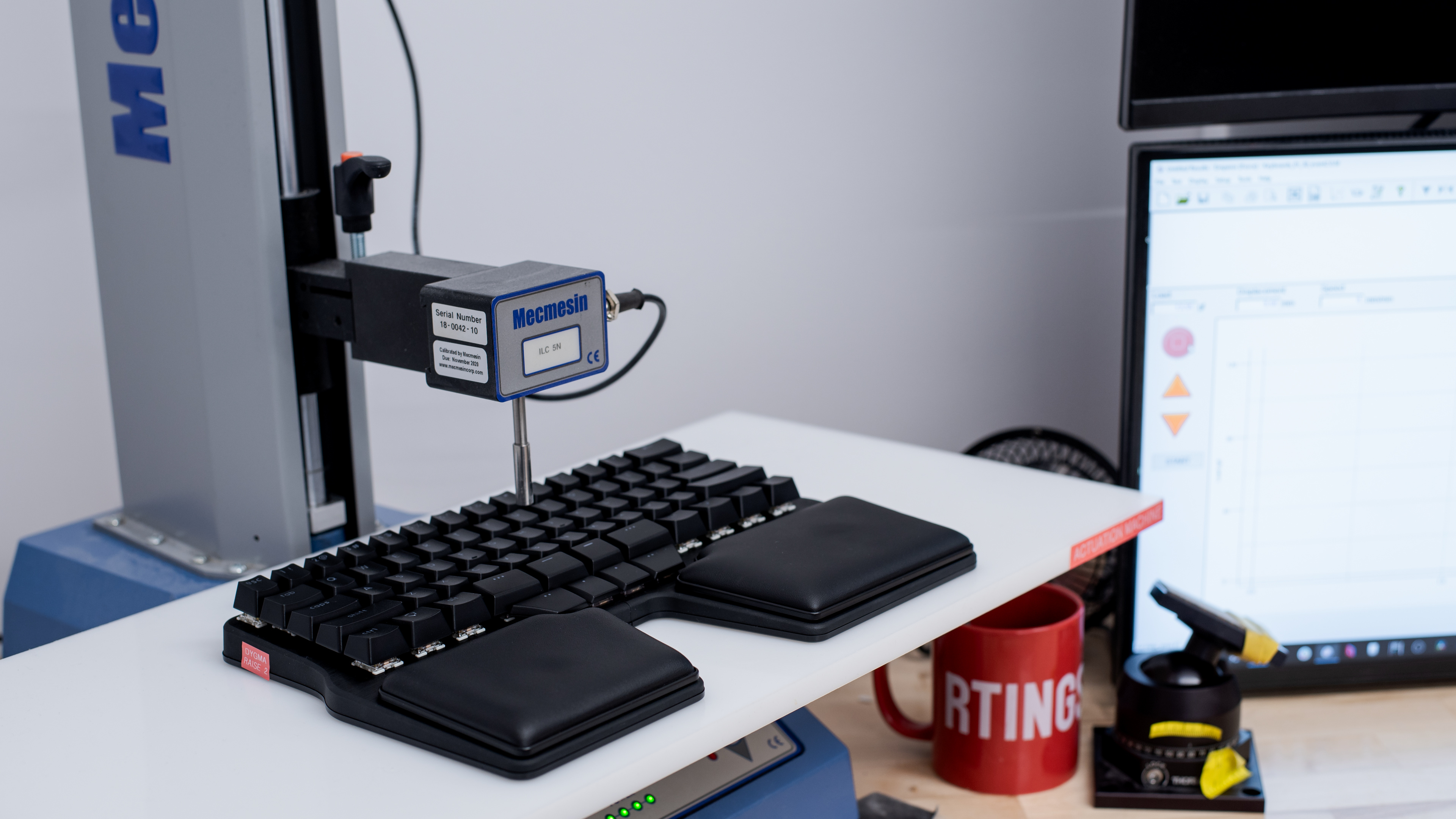



for pictures & test results

for pictures & test results





for pictures & test results



for pictures & test results

for pictures & test results


for pictures & test results


for pictures & test results


for videos & test results
