Dygma Raise  Keyboard Review

Reviewed Mar 24, 2020 at 10:07am
Test bench update Nov 28, 2023 at 09:20am
Tested using Methodology v1.3.1 
Dygma Raise
8.5
Gaming 
7.8
Office 
2.6
Mobile/Tablet 
8.2
Programming 
2.8
Entertainment / HTPC 
8.1
Raw Performance 
 2
Notice: This keyboards was replaced by Dygma Raise 2

The Dygma Raise is an incredible ergonomic gaming keyboard with a split design and hot-swappable mechanical switches. It can be purchased with your preferred type of switches, and you can even mix and match on the same keyboard. There aren't many extra features, but it's one of the most customizable keyboards we've seen. It has individually-lit RGB backlighting along with underglow LED strips, and every key can be reprogrammed. The keyboard can only be purchased directly from Dygma's website, as it isn't currently available at major retailers.

Our Verdict

8.5
Gaming 

The Dygma Raise is an impressive gaming keyboard. It has low latency, can be fitted with the mechanical switches of your choice, and has outstanding build quality. Its split keyboard design lets you position the two halves for optimal comfort, and it has individually-lit keys. You can reprogram and set macros to every key on the board.

Pros
  • Outstanding build quality.
  • Excellent ergonomics.
  • Excellent typing experience.
Cons
  • Customization software still in development.
7.8
Office 

The Dygma Raise is a fantastic office keyboard. It has excellent ergonomics, as you can position the keyboard however you like, and it comes with built-in wrist rests. Our Cherry MX Brown unit provides a fantastic typing experience, though you can get it with almost any type of mechanical switches that you want. It might take some time to get used to the keyboard's layout, but on the upside, it's compatible with all desktop operating systems.

Pros
  • Outstanding build quality.
  • Excellent ergonomics.
  • Excellent typing experience.
Cons
  • Customization software still in development.
2.6
Mobile/Tablet 

The Dygma Raise is a wired-only keyboard that can't be used with wireless mobile devices. It can be used with tablet-like devices like the Microsoft Surface Pro, as it has a USB port and runs on Windows, but the keyboard is a little too big to carry around.

8.2
Programming 

The Dygma Raise is an excellent keyboard for programming. It's highly customizable, so you can choose the type of switches that best suits you. Its ergonomics are excellent, and you can reprogram any key, with an unlimited amount of profiles. It's fully compatible with all desktop operating systems, and you can reprogram and set macros to any key on the board.

Pros
  • Outstanding build quality.
  • Excellent ergonomics.
  • Excellent typing experience.
Cons
  • Customization software still in development.
2.8
Entertainment / HTPC 

The Dygma Raise is disappointing for a home theater PC setup. You can't use it wirelessly, so you need to have a cable running from the board to the computer. Also, there's no built-in trackpad or volume control wheel; on the bright side, it does have media hotkeys and RGB backlighting.

Pros
  • Outstanding build quality.
  • Excellent ergonomics.
  • Excellent typing experience.
Cons
  • Customization software still in development.
8.1
Raw Performance 

The Dygma Raise offers impressive raw performance, with great single-key and good multi-key latency. It also has full N-Key rollover and can take full effective advantage of its 1000Hz polling rate without bottlenecking.

Pros
  • Outstanding build quality.
  • Excellent ergonomics.
  • Excellent typing experience.
Cons
  • Customization software still in development.
  • 8.5
    Gaming
  • 7.8
    Office
  • 2.6
    Mobile/Tablet
  • 8.2
    Programming
  • 2.8
    Entertainment / HTPC
  • 8.1
    Raw Performance
  • Changelog

    1.  Updated Nov 29, 2023: We've converted this review to Test Bench 1.3.1, which adds a new estimated PCB latency test to the Single-Key Latency section and a new Analog test to the Switches section of this review. You can see the full changelog here.
    2.  Updated Aug 30, 2023: We've added text to this review for the new tests added in TBU 1.3.
    3.  Updated Aug 30, 2023: We've converted this review to Test Bench 1.3, which overhauls how key input is evaluated. We've added new tests for Single Key Latency, Multi Key Latency, Data Transmission, and Chord Split. We've also introduced a new Raw Performance usage and adjusted how the Gaming and Office usage scores are calculated. You can see the full changelog here.
    4.  Updated Jun 12, 2023: We've converted this review to Test Bench 1.2. This update introduces new Backlight Features and Backlight Clarity test boxes. We've also added a new Switches test box, added additional test comparisons to our Hardware Customizability test box that we introduced with our last Test Bench. For an in-depth look at our changes, you can see our full changelog here.

    Check Price

    BlackRaise
    Amazon.com
    BlackRaise
    B&H
    BlackRaise
    BestBuy.com
    BlackRaise
    Walmart.com

    Differences Between Sizes And Variants

    The Dygma Raise can be purchased in various configurations. When ordering, you can choose the color scheme (black or silver), the type of switches you want, and the keycaps are available in a number of languages. You can order the keyboard directly from Dygma's website.

    Popular Keyboard Comparisons

    The Dygma Raise is a great gaming keyboard for those looking for an ergonomic design. There are many keyboards with a split design, but the Dygma stands out with its hot-swappable switches and incredible customization options. Compared to a similar keyboard, like the ErgoDox EZ, the Dygma has significantly better build quality but lacks incline settings.

    For other options, check out our recommendations for the best ergonomic keyboards, the best gaming keyboards, and the best RGB keyboards.

    Dygma Raise 2

    The Dygma Raise 2 is the successor to the original Dygma Raise. Both are visually similar ergonomic mechanical keyboards with a split design. The major difference is that the Raise 2 introduces wireless connectivity, supporting both 2.4GHz and Bluetooth via an add-on purchase. Both options also have add-on tenting kits available, but the Raise 2's kit is built-in and includes reverse incline options, whereas the original requires external components and doesn't offer reverse tilt. Lastly, both keyboards have per-key backlighting; however, the original Dygma Raise included underglow lighting in its base configuration, while on the Raise 2, underglow is only available as a separate add-on.

    Kinesis Freestyle Pro

    The Dygma Raise is much better than the Kinesis Freestyle Pro for most uses. The Dygma is better in almost every aspect, and it's a lot more customizable, but the Kinesis has better software support, and you can program macros or remap keys directly on the keyboard, which some people may prefer to using software.

    Matias Ergo Pro

    The Dygma Raise is significantly better than the Matias Ergo Pro. The Dygma has a better build quality, ergonomics, and it has RGB backlighting. It's also much more customizable and it has software support. The Matias has incline settings though, which the Dygma doesn't have.

    ErgoDox EZ

    The Dygma Raise and the ErgoDox EZ are very similar in certain aspects, but the Dygma is slightly better overall. It has a much better build quality, RGB backlighting, and doubleshot PBT keycaps, although the ErgoDox is available with backlighting, and the keycaps are easily replaceable. Comparatively, the ErgoDox has better ergonomics due to its incline settings and columnar-stagger key layout, and its customization software has more features available.

    Kinesis Freestyle Edge RGB

    The Dygma Raise is slightly better than the Kinesis Freestyle Edge RGB. The Dygma provides better ergonomics and typing experience, and it feels better built. However, the Kinesis has a customization software that feels more complete, and it has dedicated macro keys for MMO games.

    IBM Model M

    The Dygma Raise is a much better keyboard than the IBM Model M. Comparing these two is proof of just how far technology has evolved. The Dygma is a split keyboard and you can customize every key with up to 10 layers of customization. It has individually-lit keys and there are LED lights underneath it that give it an underglow. The typing quality between the two keyboards is the same, but the Model M is full-sized, so it has more keys, such as a number pad.

    Ducky Mecha Mini V2

    The Dygma Raise is a better keyboard than the Ducky Mecha Mini V2. The Dygma is a split keyboard, you can place the two halves how you like, and it comes with a wrist rest. You can set macros to any key on both boards, but since the Ducky doesn't have any software, you have to do it directly from the board, which some people may prefer.

    Logitech Wave Keys

    The Dygma Raise and the Logitech Wave Keys are keyboards with ergonomic designs and integrated palm rests. The Dygma is a smaller, compact (60%) wired-only model with mechanical switches. It has a true split design with two halves that you can position independently. On the other hand, the Logitech Wave Keys is a wireless, full-size model with a curved key layout that tents slightly in the middle. It also has rubber dome switches, which are significantly quieter but produce a mushier-feeling typing experience.

    Test Results

    perceptual testing image
    Sort:
    RATINGS
    Category:
    All
    Design
    Dimensions
    Size
    Compact (60%)
    Height
    1.3" (3.3 cm)
    Width13.0" (33.0 cm)
    Depth
    8.2" (20.9 cm)
    Depth With Wrist Rest
    8.2" (20.9 cm)
    Weight
    1.52 lbs (0.690 kg)

    The Dygma Raise isn't a particularly wide keyboard, as it lacks navigation keys and a NumPad. However, it still takes up a fair amount of space due to the wrist rests and will take more space when the keyboard is split.

    9.0
    Build Quality
    Keycap MaterialPBT

    The Dygma Raise has an outstanding build quality. It has a plastic chassis with an anodized aluminum plate on top for rigidity. There are no obvious gaps or loose parts in its construction, and the two halves of the keyboard are connected by metal pins. Both sides of the keyboard feel solid on their own; however, the board flexes a bit towards the middle when they're connected. The wrist rest pads are removable and washable.

    The keyboard can be purchased with your preferred type of mechanical switches, and you can also choose between ABS or PBT keycaps. We tested the keyboard with PBT keycaps, which feel great to type on. The switch for each key can be swapped out, so you can have different switches for different keys. The bottom space bar row comes with swappable low-profile switches.

    8.0
    Ergonomics
    Curved/Angled
    No
    Split Keyboard
    Yes
    Key Alignment
    Staggered
    Minimum Incline
    Medium Incline
    N/A
    Maximum Incline
    N/A
    Home Row Height
    29.3 mm (1.2")

    This keyboard has excellent ergonomics and can be separated into two halves and placed however you like. There are no incline settings, but most people should be fine without them, as the keyboard has a fairly low profile. The wrist rest pads are removable, which adds a bit of incline.

    8.2
    Hardware Customizability
    Replaceable Cherry Stabilizers
    Yes
    Stabilizer Fixation
    Plate-Mounted
    Spacebar Stabilizer Size
    No Stabilizer
    Size Of Right Mod Keys
    1.25u
    Hot-Swappable Switches
    Yes
    Switch Stem Shape
    Cherry MX Style
    Switch PCB Socket
    5-pin Cherry
    North-Facing Cherry MX Interference
    Yes
    9.5
    Backlight Features
    BacklightingYes
    RGB
    Yes
    Per-Key Backlighting
    Yes
    Effects
    No
    Software Controllable
    Yes

    There's full RGB backlighting on this keyboard and the keys are individually-lit. There are also LED strips on the bottom of the keyboard that gives it an underglow. Customization and brightness adjustments are done through the Bazecor software, as the brightness can't be adjusted directly on the keyboard.

    7.0
    Backlight Clarity
    Cable & Connector
    ConnectivityWired
    Detachable
    Yes (Wired Only Keyboard)
    Length5.7 ft (1.7 m)
    Connector (Keyboard side)
    USB type-C

    The cable comes in two parts. The USB-A to USB-C cable connects the computer to its 'Neuron', which is where the microprocessor and onboard memory are housed. From there, the two USB-C cables connect to the keyboard, and every cable can be replaced. Replacing the USB-C cables that connect to the keyboard for longer ones will provide greater freedom to position the two halves of the keyboard to your liking.

    0.0
    Wireless Versatility
    Bluetooth
    No
    Bluetooth Multi-Device Pairing
    No
    Proprietary Receiver
    No
    Battery Type
    No Batteries

    The Dygma Raise is a wired-only keyboard.

    4.0
    Macro Keys And Programming
    Dedicated Macro Keys Count0
    Onboard Macro Programming
    No
    Macro Programming With Software
    Yes
    Extra Features
    Media Keys
    Non-Dedicated
    Trackpad / TrackballNo
    Scroll Wheel
    No
    Control Knob
    No
    USB Passthrough
    No
    NumpadNo
    Windows Key Lock
    No
    Lock IndicatorNo Indicator

    Update 07/21/2021:Bazecor now lets you set macros from the software, so we updated the review accordingly.

    The Dygma Raise has very few extra features, but it doesn't lack customization options. You can reprogram every key, and you can have up to ten layers of customization. You can bind mouse commands to the keyboard or set multiple commands to a single key by binding them to a specific keypress pattern (single press, double press, or a long press). You can easily set macros to any key on the board by using the Bazecor software. Also, the board is hot-swappable, meaning you can easily swap out the switches. The keyboard comes with one set of switches plus a few extra ones; you'll have to purchase additional ones separately.

    If you want a mechanical keyboard that lets you set macros directly from the board, look into the Ducky Mecha Mini.

    In The Box

    • Dygma Raise Keyboard
    • 2x USB-C to USB-C cable
    • USB-C to USB-A cable
    • Dygma Neuron
    • Extra mechanical switches
    • Keycap and switch remover
    • Carrying case
    • Stickers
    Typing Experience
    9.0
    Typing Quality
    Key Spacing
    19.0 mm (0.748")

    The typing experience on the Dygma Raise is fantastic. The keys are very stable and the PBT keycaps feel solid. It may take some time to get used to the split keyboard design, in addition to the 8-piece space bar. The slightly higher pre-travel distance is great for reducing unintended keystrokes. Typing feels light, and the keyboard's low profile is comfortable and doesn't cause any fatigue. If you're looking for a simple keyboard without any features and outstanding typing quality, check out the IBM Model M.

    8.1
    Typing Noise
    Average Loudness
    49.7 dBA
    High Pitch Clicks
    No

    Typing noise with the Cherry MX Brown switches is quiet and it shouldn't bother your surrounding colleagues when used in an office environment. However, it might be louder if you choose clicky switches, as they produce an audible click in addition to the tactile bump.

    Switches
    Switch Name
    Cherry MX Brown
    Switch Type
    Mechanical
    Feel
    Tactile
    Analog
    No
    Keystrokes
    See details on graph tool
    Operating Force
    54 gf
    Actuation Force
    45 gf
    Pre-Travel
    2.1 mm
    Total Travel
    4.0 mm

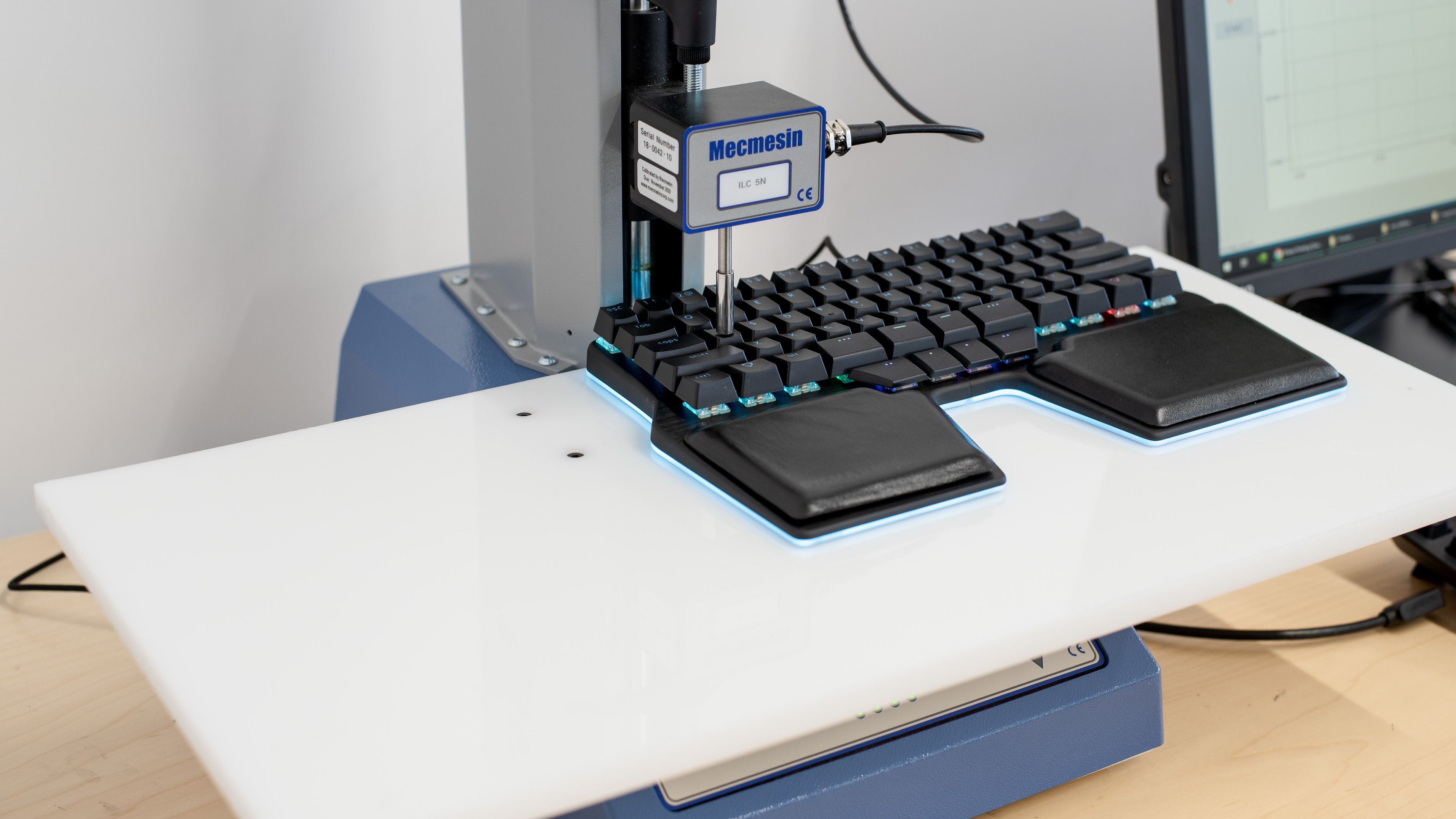
    The Cherry MX Brown switches on our unit provide satisfying tactile feedback and require a bit of force to actuate. The pre-travel distance is slightly higher than the usual 2mm, though it shouldn't be noticeable for most people. If you prefer a different feel, you can get it with Cherry MX Red (linear and silent), Blue (clicky and tactile), as well as various Kailh switches, including low profile ones (for the bottom spacebar row). Also, the board is hot-swappable, meaning you can easily remove the stock switches and install the ones you prefer.

    Performance
    8.0
    Single-Key Latency
    See details on graph tool
    Best Connection
    11.4 ms
    Best Connection Std Dev±1.3 ms
    Wired
    11.4 ms
    Receiver
    N/A
    Bluetooth
    N/A
    PCB (Estimated)
    9.5 ms

    This keyboard has impressive and fairly consistent single-key latency performance, providing a responsive-feeling experience for playing games in all genres.

    7.8
    Multi-Key Latency
    See details on graph tool
    Connection EvaluatedWired
    Key Press
    12.3 ms
    Key Release
    15.2 ms

    This keyboard has good multi-key latency performance, providing a responsive-feeling experience for playing games in any genre.

    8.7
    Data Transmission
    Connection EvaluatedWired
    USB Polling Rate
    1,000 Hz
    Effective Update Rate
    1,000 Hz
    N-Key Rollover (NKRO)
    Yes
    Multiple Keys Per USB Report
    Yes

    This keyboard has excellent data transmission performance, with a maximum polling and effective update rate of 1000Hz. It also has full N-Key Rollover and can send multiple keystrokes per USB report.

    8.2
    Chord Split
    See details on graph tool
    4 Chord Split Delay
    4.8 ms
    8 Chord Split Delay
    12.9 ms

    This keyboard provides great chord split performance. It has very low 4-chord and reasonably low 8-chord latency, making it well-suited for playing complex rhythm games requiring multiple simultaneous keystrokes.

    Software and Operating System
    Configuration Software
    Software NameBazecor
    Software Windows Compatible
    Yes
    Software macOS Compatible
    Yes
    Onboard Memory
    Yes
    Profiles
    6+

    Update 07/21/2021:Bazecor now lets you set macros, so we updated the text accordingly.

    The Dygma Raise uses the Bazecor software for customization. It's available on Windows, macOS, and Linux. This software allows you to reprogram each key, customize the backlighting on a per-key basis, and set macros to any key on the board. You can have up to 10 layers of customizations and an unlimited number of profiles, as they're exported as a file stored on your hard drive, and you can also import profiles from other users.
    10
    Computer Compatibility
    Windows
    Fully Compatible
    macOS
    Fully Compatible
    Linux (Ubuntu 22)
    Fully Compatible
    Media Key Compatibility
    Windows, MacOS & Linux

    The Dygma Raise has great compatibility with all desktop operating systems and all keys function properly.

    0.0
    Wireless Mobile Compatibility
    Android
    Not Compatible
    iOS
    Not Compatible
    iPadOS
    Not Compatible
    Media Key Compatibility
    Not Compatible