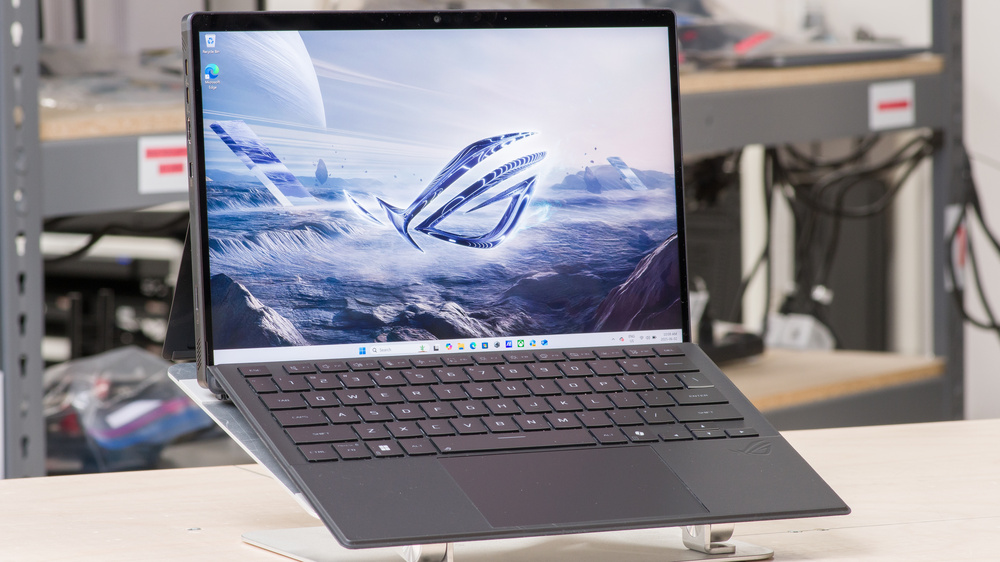
The ASUS ROG Flow Z13 (2025) GZ302 is a 2-in-1 gaming tablet PC, replacing the ASUS ROG Flow Z13 (2023) GZ301. The 2025 GZ302 model is available with an AMD Ryzen AI MAX+ 390 or 395 CPU, and unlike its predecessor, which has NVIDIA discrete GPUs, it relies on its AMD processor's Radeon 8050S/8060S integrated GPU. Memory and storage configurations max out at 128GB and 1TB, respectively. You get a 180Hz QHD+ (2560 x 1600) IPS display with FreeSync support, a front-facing 1440p webcam with facial recognition support, a back-facing 4k camera, and Wi-Fi 7 wireless connectivity. Ports include a USB-A, two USB-C/USB4s, an HDMI 2.1, a MicroSD card reader, and a headphone jack.
See our unit's specifications and the available configuration options in the Differences Between Variants section.
Our Verdict
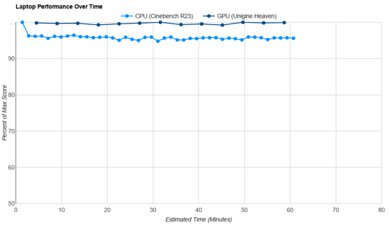
The ASUS ROG Flow Z13 is a decent gaming tablet PC. Its AMD Ryzen CPU and integrated GPU can deliver high frame rates in demanding games, though it doesn't perform as well with GPU-intensive games as a device with a dedicated GPU, and its ray tracing performance is terrible. It features a 180Hz QHD+ display with a fast response time and VRR support, providing a clear image in fast-moving scenes with minimal screen tearing. It only comes with 1TB of storage, which isn't much these days, but thankfully, the SSD is user-replaceable. Thermal throttling is minimal, meaning you won't experience a performance dip when gaming for extended periods, and the device remains cool and quiet under load.
Smooth performance in CPU-intensive games.
180Hz display with fast response time.
VRR support to reduce screen tearing.
Doesn't get overly hot or loud under load.
Soldered RAM.
Terrible ray tracing performance.
Integrated graphics is inadequate for GPU-intensive games.
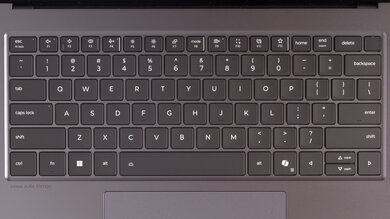
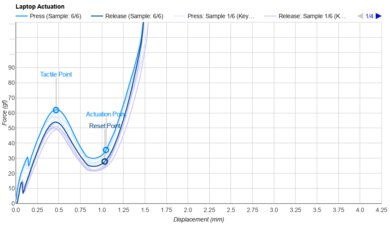
The ASUS ROG Flow Z13 is good for school and work. Its compact design makes it easy to slip into any bag, and its battery lasts a little over nine hours in light use, which is enough to get you through a typical work or school day. It features a sharp display with touch and pen input, a wide range of port options for peripherals and external displays, and a high-quality 1440p webcam. The keyboard is okay; the keys have a decent amount of travel and provide satisfying tactile feedback. However, the deck flexes significantly at an incline, making the typing experience somewhat mushy. Plus, the keyboard is unstable when using the device on your lap. Performance-wise, its AMD Ryzen CPU can easily handle general productivity tasks, such as text processing, web browsing, spreadsheets, and presentations.
Easy to carry.
Battery lasts around nine hours of light use.
Sharp, bright display.
Good 1440p webcam.
Touch and pen input.
Sturdy aluminum chassis.
Form factor makes it hard to use on your lap.
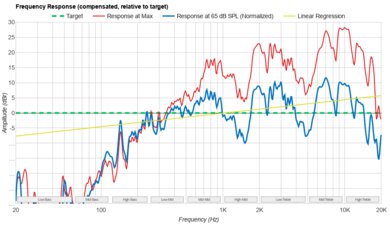
Quiet, thin-sounding speakers.
Keyboard feels mushy when set at an incline.
The ASUS ROG Flow Z13 is decent for media consumption. It has a compact design, and with over seven hours of local video playback battery life, you can easily binge your favorite shows or get through a couple of movies. Additionally, since this is a tablet PC, you can use it without the keyboard, which will help save space in tight settings, such as an airplane or bus with a small tray table. Its QHD+ display looks sharp and gets bright enough to overcome glare in well-lit rooms; however, its low contrast makes blacks look gray in dim settings. Unfortunately, the speakers don't get very loud and sound boxy, with very little bass or treble.
Easy to carry.
Battery lasts around eight hours of local video playback.
Sharp, bright display.
Touch and pen input.
Blacks look gray in dim settings.
Form factor makes it hard to use on your lap.
Quiet, thin-sounding speakers.
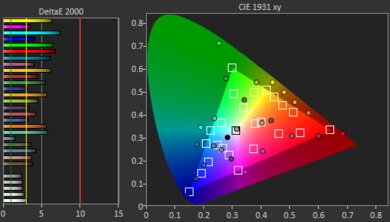
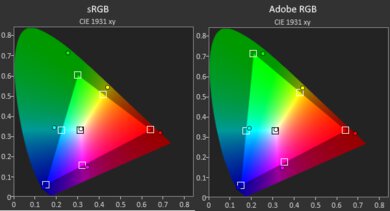
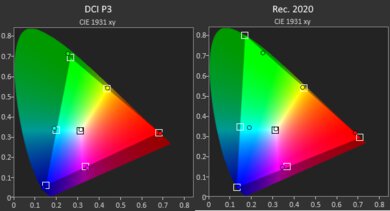
Though primarily designed for gaming, the ASUS ROG Flow Z13 is a good workstation device, as it has ample processing power to handle demanding workloads. You can get up to 128GB of RAM, which should be sufficient for even the most intensive tasks, and the SSD is user-replaceable, allowing you to easily increase storage space. The display is suitable for color-critical work, such as photo and video editing, as it provides full coverage of the DCI-P3 color space. Thermal throttling is minimal, and the device doesn't get overly hot or loud under load.
Powerful CPU handles demanding workloads.
Display is suitable for color-critical work.
Doesn't get overly hot or loud under load.
Wide port selection with two USB4s and an HDMI 2.1.
Soldered RAM.
The ASUS ROG Flow Z13 has good battery life. It lasts through a typical workday of light use, and you can watch a couple of movies before you need to charge it. However, it drains in about an hour while gaming, so you'll need to stay plugged in for long sessions.
Battery lasts around nine hours of light use.
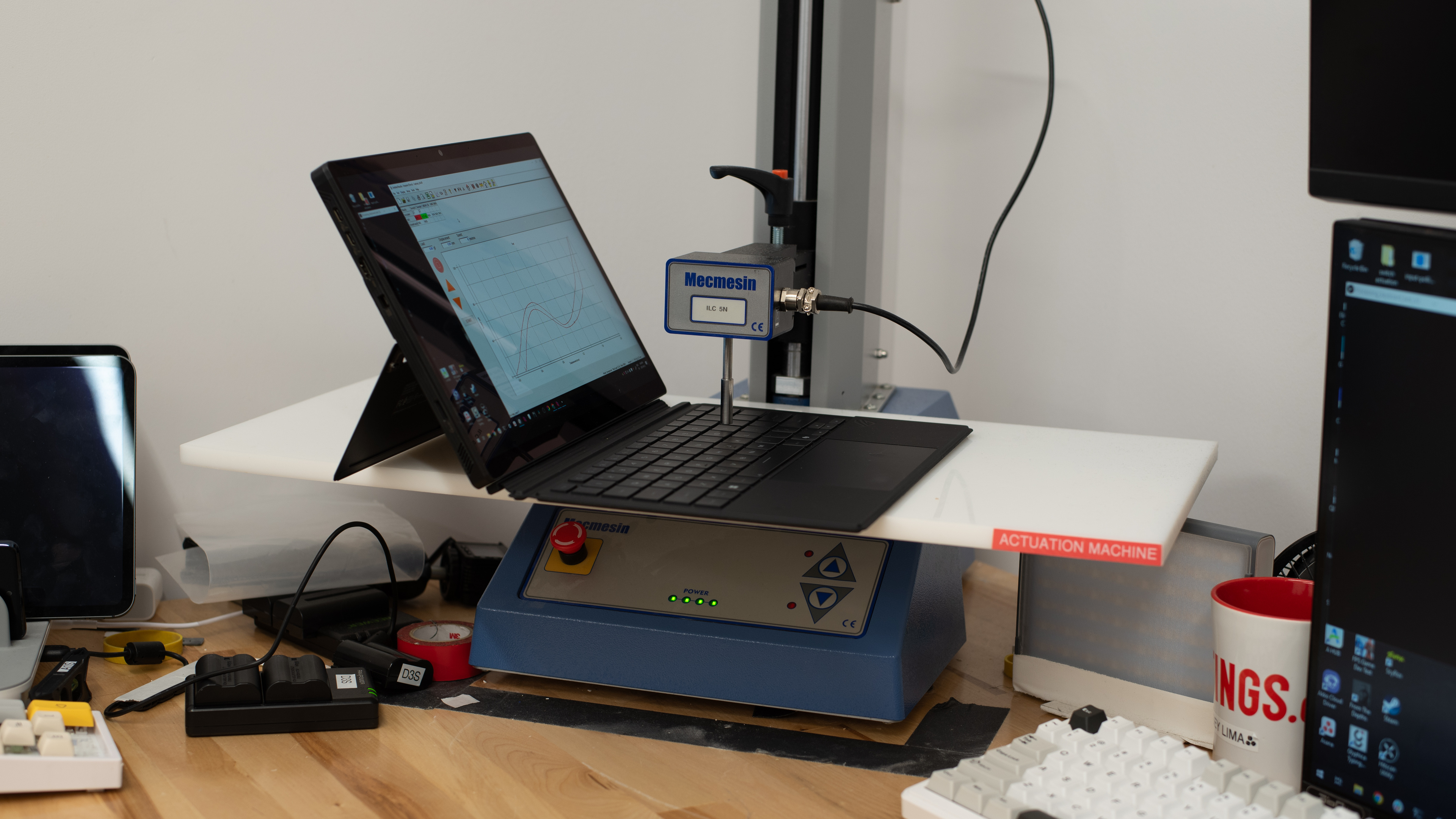
The ASUS ROG Flow Z13 has great build quality. Its aluminum tablet body feels very sturdy, and the kickstand barely wobbles when you type or tap the screen. The plastic type cover flexes a bit, and you need both hands to set it up, since the kickstand opens from the back and the keyboard's magnets hold on firmly.
Sturdy aluminum chassis.
The ASUS ROG Flow Z13 has mediocre graphics performance. Its integrated Radeon 8060S is powerful for an integrated GPU and runs lighter games and GPU-accelerated apps well, but it falls behind dedicated laptop GPUs in demanding games, especially with ray tracing on. Performance stays steady under long loads.
Smooth performance in CPU-intensive games.
Powerful CPU handles demanding workloads.
Terrible ray tracing performance.
Integrated graphics is inadequate for GPU-intensive games.
The ASUS ROG Flow Z13 has great processing performance. Its 16-core Ryzen AI MAX+ 395 handles demanding work like video editing, 3D rendering, and data analysis, as well as CPU-heavy strategy games, and it barely slows down under long loads. The 12-core Ryzen AI MAX+ 390 has fewer cores, so it's slower at tasks that use all of them.
Smooth performance in CPU-intensive games.
Powerful CPU handles demanding workloads.
Performance Usages
Changelog
- Updated Oct 30, 2026: We've updated this review to Test Bench 1.0! This update adds several new verdict scores to the review, so it's easier to make a buying decision. Read the changelog for a full list of changes.
- Updated Apr 09, 2026: We've updated this review to Test Bench 0.9.1! This update changes the way we score the 'Out-Of-The-Box Color Accuracy' box. Read the changelog for more info.
-
Updated Jan 26, 2026:
We've updated text throughout the review after converting to Test Bench 0.9.
- Updated Jan 23, 2026: We've updated the review to Test Bench 0.9, which adds several test boxes in the performance section, including CPU/RAM Performance, Low Tier Graphics, High Tier Graphics, Professional 3D (GPU accelerated), CPU-Intensive Game Performance, GPU-Intensive Game Performance, and Ray Tracing Performance. See the 0.9 changelog here.
Differences Between Sizes And Variants
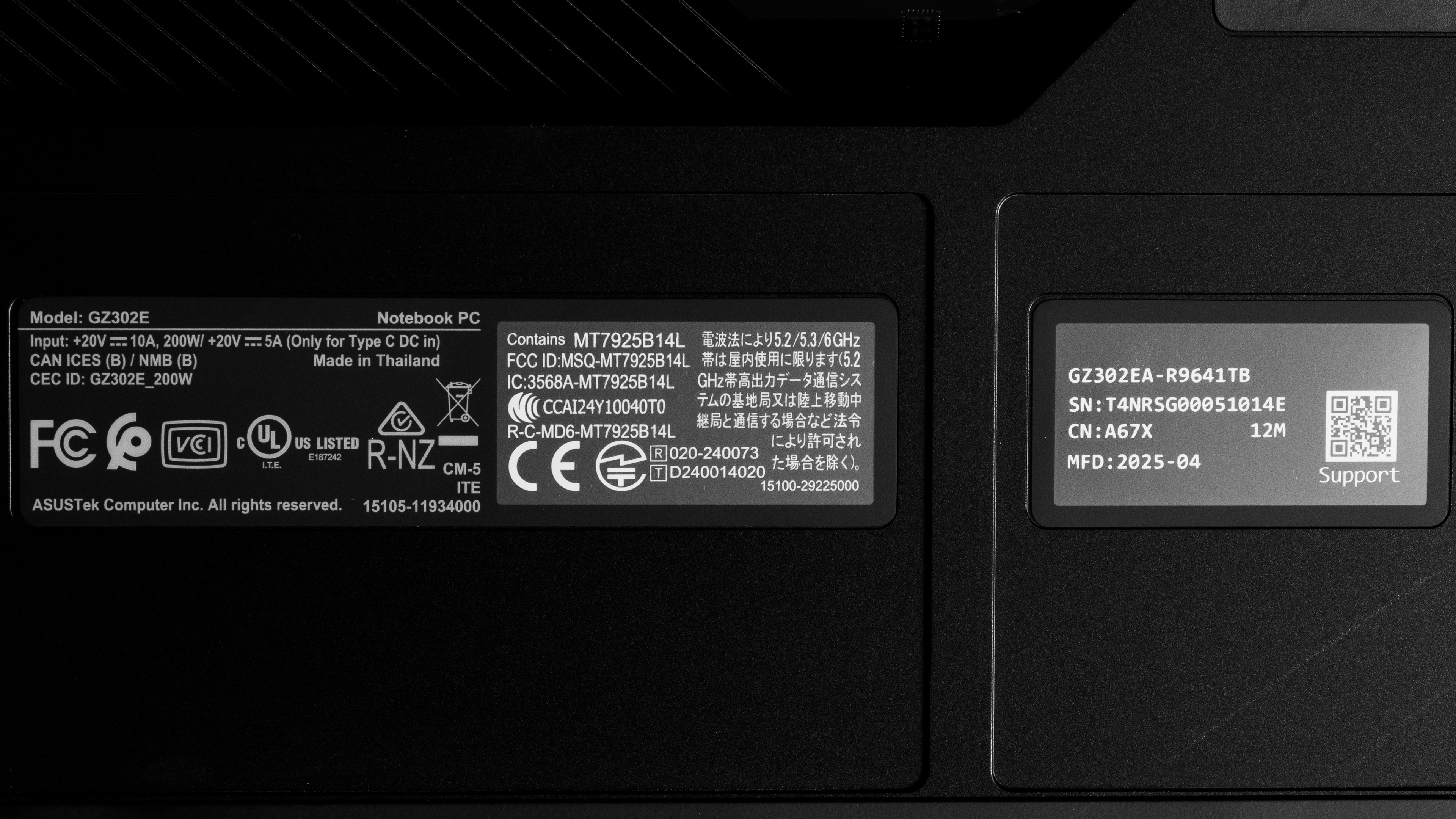
We tested the ASUS ROG Flow Z13 (model GZ302EA-R9641TB) with an AMD Ryzen AI MAX+ 395 CPU, 64GB of RAM, and 1TB of storage. The CPU and memory are configurable; see below for the available options.
SCREEN
- 13.4" IPS 2560 x 1600 180Hz (glossy, touch and stylus support, 100% DCI-P3, Dolby Vision, Adaptive-Sync)
CPU
- AMD Ryzen AI MAX+ 390 Processor (12 cores/24 threads, up to 5.0GHz, 76MB cache)
- AMD Ryzen AI MAX+ 395 Processor (16 cores/32 threads, up to 5.1GHz, 80MB cache)
GPU
- AMD Radeon 8050S Graphics 4GB VRAM (integrated, AMD Ryzen AI MAX+ 390)
- AMD Radeon 8060S Graphics 4GB VRAM (integrated, AMD Ryzen AI MAX+ 395)
MEMORY
- 32GB LP-DDR5x 8000MHz
- 64GB LP-DDR5x 8000MHz
- 128GB LP-DDR5x 8000MHz
STORAGE
- 1TB M.2 2230 PCIe Gen 4 NVMe SSD
COLOR
- Gray
You can see a photo of our unit's label here.
Popular Laptop Comparisons
The ASUS ROG Flow Z13 2025 is a gaming laptop that delivers a decent gaming experience. Its performance is impressive for a tablet with integrated graphics, but it falls short compared to gaming laptops with discrete graphics cards. This is a unique device that's difficult to position in the broader market, as there are no other gaming-focused tablet PCs from other brands. As a tablet PC, it comes with the same pros and cons as other similar devices like the Microsoft Surface Pro 11th Edition (2024): it's versatile, meaning you can use the device in the manner that best suits your needs, but the keyboard's mushy feel (when using an incline) may bother some people, and the device is rather unstable when using it on a lap.
For more options, check out our recommendations for the best gaming laptops, the best 2-in-1 laptops, and the best 13-14 inch laptops.
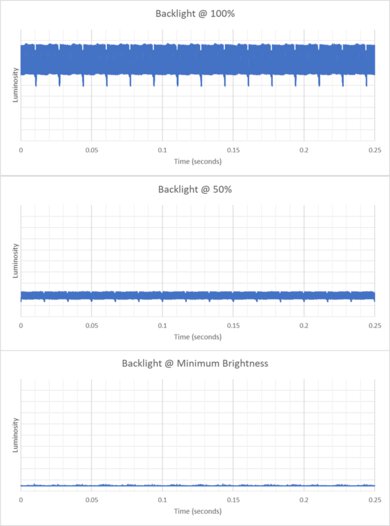
The ASUS ROG Flow Z13 (2025) GZ302 and the ASUS ROG Zephyrus G14 (2024) are both gaming-focused devices. However, the former is a tablet PC with a detachable keyboard, while the latter is a more traditional clamshell model. Both devices can deliver a smooth gaming experience at 1080p or 1440p. The difference lies in the user experience; the Flow Z13 is more versatile since it's a tablet with touch and pen input, but the G14 has a much better keyboard and is easier to use on a lap. There are also pros and cons regarding each device's display: the G14 has an OLED panel that produces much deeper blacks, but it has a lower refresh rate of 120Hz, so it doesn't feel quite as responsive. Also, the G14's OLED flickers, whereas the Flow Z13's is entirely flicker-free.
The Microsoft Surface Pro 11th Edition (2024) and the ASUS ROG Flow Z13 (2025) GZ302 are both 2-in-1 tablet PCs. However, they're quite different, as the Surface Pro is a general productivity device, while the Flow Z13 is a gaming-focused laptop with a lot more processing power and a faster high-refresh display. In terms of the user experience, the Surface Pro comes out ahead because it has a better keyboard, touchpad, speakers, and webcam. Its 3:2 aspect ratio is also better suited for tablet use in portrait mode, as the increased horizontal space makes it feel less cramped. The Surface Pro can handle some demanding tasks, such as graphic design and programming. However, keep in mind that it runs on an ARM-based processor, so ensure you check for app compatibility first.
Although both devices have ample processing power to handle intensive workloads, the ASUS ROG Flow Z13 (2025) GZ302 and the Apple MacBook Pro 14 (M4, 2024) are very different devices. The Flow Z13 is a gaming-focused 2-in-1 tablet PC, while the MacBook Pro is a traditional clamshell workstation. The user experience is better on the MacBook Pro, as it has a more tactile keyboard, an easier-to-use haptic touchpad, better-sounding speakers, and a higher-quality webcam. Additionally, its battery life is significantly superior to that of the Flow Z13. The Flow Z13 is obviously better for gaming, not only because there are more games on Windows than macOS, but because the Flow Z13 has a 180Hz display with better motion handling and VRR support.
Although the ASUS ROG Flow Z13 (2025) GZ302 and the Lenovo Yoga 9i 2-in-1 Aura Edition 14 (2025) are both 2-in-1 devices, they're quite different, as the ASUS is a gaming-focused tablet PC with a detachable keyboard, while the Lenovo is a clamshell convertible designed for general productivity. Generally speaking, the Lenovo model offers a better user experience, especially with its keyboard, touchpad, and battery life. However, the ASUS has a lot more processing power to handle demanding tasks. The ASUS's display has better motion clarity, making it the clear winner for gaming, but the Lenovo has an OLED display, which is much better for dark room viewing and HDR content.
Test Results
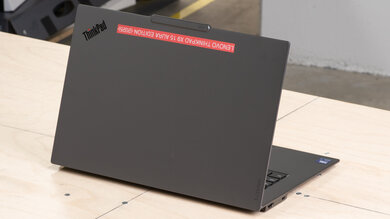
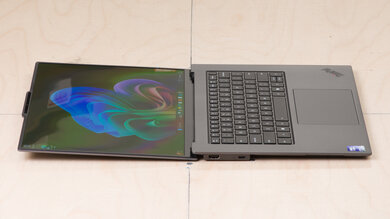
for pictures & test results
for pictures & test results
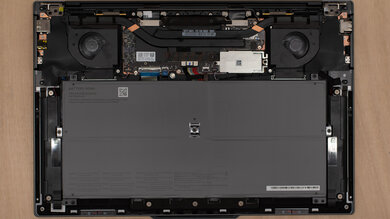
for pictures & test results



for pictures & test results

for pictures & test results
for pictures & test results
for pictures & test results