LAMZU MAYA X  Mouse Review

Reviewed Dec 06, 2024 at 10:17am
Tested using Methodology v1.5.1 
LAMZU MAYA X
6.6
Work 
9.3
Video Games (FPS) 
7.8
Video Games (MMO) 
9.4
Raw Performance 
 40

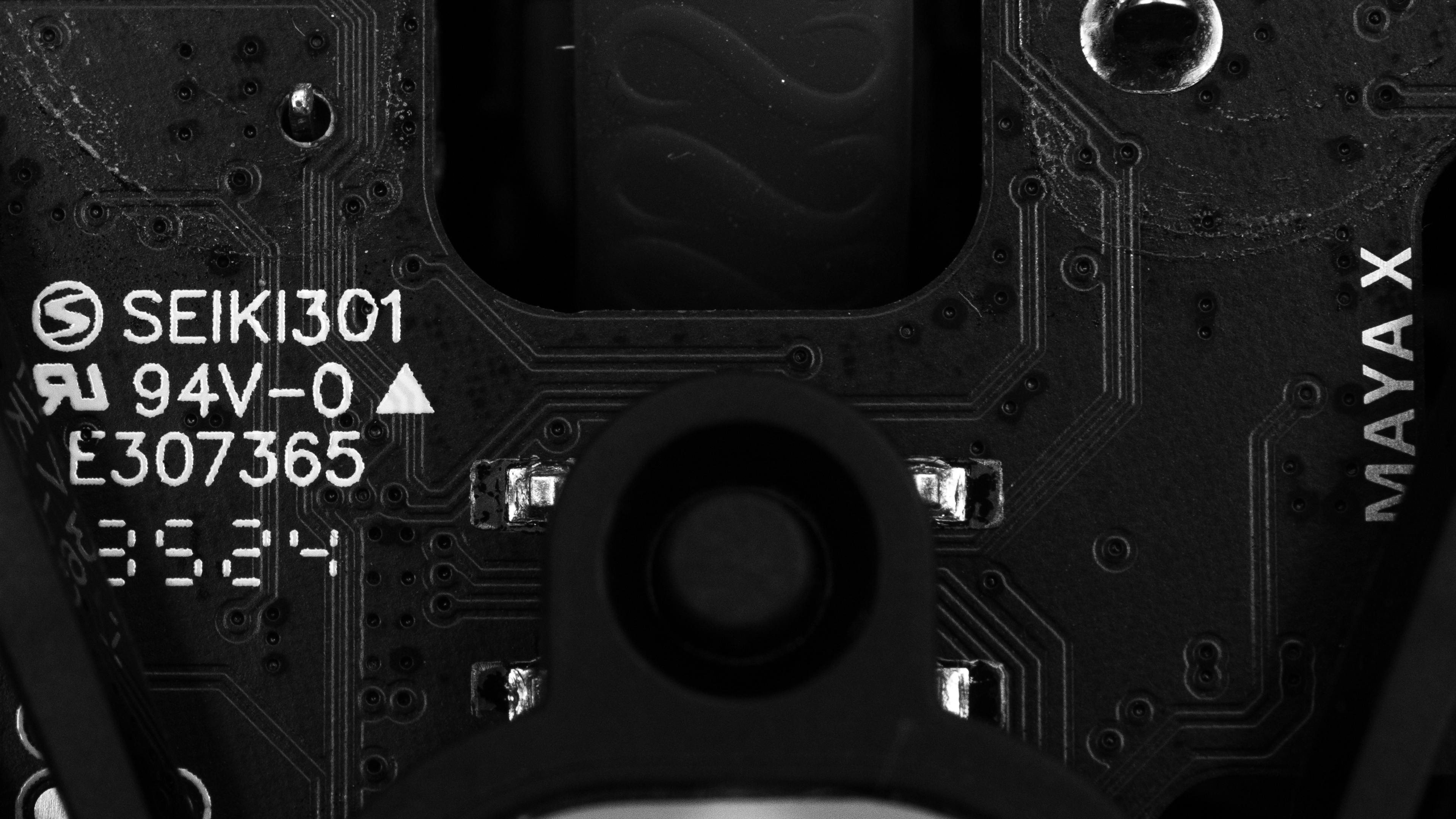
The LAMZU MAYA X is a lightweight, wireless gaming mouse that continues the MAYA linup. It has an identical symmetrical shape with relatively straight sides and a low, centered hump to the LAMZU MAYA, but it's larger overall. Like the rest of the lineup, it has a solid plastic body and a weight-saving, open plastic frame on the underside instead of a more conventional solid baseplate. It uses PixArt's PAW3950 sensor and supports a maximum wireless polling rate of 8000Hz right out of the box. Instead of a downloadable configuration software, it uses a web-based software that you can access from your browser.

Our Verdict

6.6
Work 

The LAMZU MAYA X is adequate for work. It has excellent build quality, an accommodating symmetrical shape, and wireless connectivity with its USB receiver. That said, it doesn't support Bluetooth or multi-device pairing, and its scroll wheel lacks L/R tilt inputs. Also, some of the inputs don't work properly on macOS. See the Compatibility section for more details.

Pros
  • Excellent build quality.

  • Accommodating symmetrical shape.

Cons
  • No Bluetooth connectivity or multi-device pairing.

  • Scroll wheel lacks free scrolling and L/R tilt inputs.

  • Framework baseplate design leaves the inside more open to collecting detritus.

9.3
Video Games (FPS) 

The LAMZU MAYA X is an outstanding FPS gaming mouse. It's extremely lightweight, so it's easy to move accurately and quickly. It also delivers fantastic raw performance with remarkable click latency and sensor performance. Its symmetrical shape is accommodating to all grip types and most hand sizes, and it has excellent overall build quality.

Pros
  • Excellent build quality.

  • Accommodating symmetrical shape.

  • Superb raw performance.

  • Extremely lightweight.

Cons
  • Framework baseplate design leaves the inside more open to collecting detritus.

7.8
Video Games (MMO) 

The LAMZU MAYA X is very good for MMO gaming, though it doesn't have nearly as many side buttons as a dedicated MMO mouse. That said, it has excellent build quality, its symmetrical shape comfortably accommodates all grip types, and it provides remarkable raw gaming performance across the board.

Pros
  • Excellent build quality.

  • Accommodating symmetrical shape.

  • Superb raw performance.

Cons
  • Framework baseplate design leaves the inside more open to collecting detritus.

  • Significantly fewer side buttons compared to dedicated MMO gaming mice.

9.4
Raw Performance 

The LAMZU MAYA X has superb raw performance. Its click latency is remarkably low, and its sensor has low latency and is very accurate and consistent. It also has a maximum polling rate of 8000Hz.

Pros
  • Fantastic click latency.

  • Remarkable sensor latency.

  • 8000Hz maximum polling rate.

Cons
None
  • 6.6
    Work
  • 9.3
    Video Games (FPS)
  • 7.8
    Video Games (MMO)
  • 9.4
    Raw Performance
  • Changelog

    1.  Updated Aug 19, 2025: We've converted this review to Test Bench 1.5.1. This update removes less relevant or redundant elements, including several videos. We've also adjusted our Sensor Latency testing, resulting in minor score changes. See our full 1.5.1 changelog for details.
    2.  Updated Apr 30, 2025: 

      We've added a link to the newly reviewed Scyrox V6 in the Style section of this review.

    3.  Updated Feb 07, 2025: 

      We've added a link to the newly reviewed Fnatic x LAMZU MAYA 8K to the Hand Size Recommendation section.

    4.  Updated Dec 06, 2024: Review published.

    Check Price

    Charcoal Black
    SEE PRICE
    Amazon.com
    Cloud Gray
    Amazon.com
    Purple Shadow
    Amazon.com

    Differences Between Sizes And Variants

    The LAMZU MAYA X is part of a wider lineup of gaming mice with the same shape. Some variants, like the MAYA X we tested, have the newer PixArt 3950 sensor and optical switches. Older variants, including the LAMZU MAYA (4K Compatible), which we tested in a separate review, use the older PixArt 3395 sensor and mechanical switches.

    The performance differences between the models that use the 3950 and 3395 sensors are marginal and not noticeable. Models that use Omron Optical switches won't suffer from double-clicking issues as they age, which is a possibility for mice using mechanical switches.

    Name Color Options Size High Polling Dongle Max Polling Rate Sensor Switches
    LAMZU MAYA DOODLE White w/ Graphics Small-Medium Not Included 8000Hz PixArt PAW3950 Omron Optical
    Fnatic x LAMZU MAYA 8K Orange Small-Medium Included 8000Hz PixArt PAW3950 Omron Optical
    LAMZU MAYA X Purple Shadow, Cloud Gray, White, Charcoal Black Medium-Large Included 8000Hz PixArt PAW3950 Omron Optical
    Fnatic x LAMZU MAYA X 8K Orange Medium-Large Included 8000Hz PixArt PAW3950 Omron Optical
    LAMZU MAYA (4K Compatible) Cloud Gray, Imperial Red, White, Charcoal Black Small-Medium Not included 8000Hz PixArt PAW3395 Huano Blue Shell Pink Dot
    LAMZU MAYA 4K Cloud Gray, Charcoal Black Small-Medium Included (4000Hz) 8000Hz PixArt PAW3395 Huano Blue Shell Pink Dot

    See our unit's label here. We bought and tested the Charcoal Black version.

    Popular Mouse Comparisons

    The LAMZU MAYA X continues the MAYA lineup of lightweight wireless gaming mice. It has the same shape as the LAMZU MAYA, but it's bigger all around, making it more suitable for larger hands. Still, it's accommodating for most hand sizes and grip types, thanks to its centered hump and relatively flat sides.

    Despite it having a newer sensor and supporting an 8000Hz polling rate out of the box, it performs nearly identically to the LAMZU MAYA. This makes it a compelling option if you're looking for an FPS gaming mouse with top-tier performance, a lightweight body, and a shape that accommodates most grip types and hand sizes.

    For more recommendations, see our picks for the best mouse, the best lightweight mouse, and the best FPS mouse.

    LAMZU MAYA

    The LAMZU MAYA X and the LAMZU MAYA are lightweight wireless gaming mice with the same symmetrical shape. The MAYA X is bigger, has optical switches instead of mechanical ones, uses a newer sensor, and supports an 8000Hz polling rate out of the box. That said, they both have a top-tier performance that's nearly identical.

    Logitech G PRO X SUPERLIGHT 2

    The LAMZU MAYA X and the Logitech G PRO X SUPERLIGHT 2 are lightweight wireless gaming mice with symmetrical shapes. They have similar shapes overall, but the Logitech has a more gentle curvature and a higher button height. The LAMZU is significantly lighter, making it easier to move quickly and accurately. While they both have outstanding performance, the Logitech slightly outperforms the LAMZU.

    Razer Viper V3 Pro

    The Razer Viper V3 Pro and the LAMZU MAYA X are lightweight wireless gaming mice. They have similar symmetrical shapes, but the Razer has a slightly longer front end and marginally higher button height. The Razer has slightly better raw performance, but both mice are remarkable.

    Ninjutso Sora V2

    The Ninjutso Sora V2 and the LAMZU MAYA X are lightweight wireless gaming mice with symmetrical shapes. The Ninjutso is slightly smaller and has a hump that's further towards the rear, making it better suited for claw grip. The LAMZU has a more accommodating shape that's suitable for all grip types and most hand sizes. The two have similar performance, but the LAMZU supports an 8000Hz polling rate out of the box.

    Scyrox V6

    The LAMZU MAYA X and the Scyrox V6 are lightweight wireless gaming mice with symmetrical shapes. The LAMZU is slightly bigger with a somewhat flatter profile, while the Scyrox has a more aggressive middle hump. They both sport a flagship PixArt 3950 sensor and deliver outstanding performance. That said, the LAMZU has an open bottom plate, which leaves the interior open to dust and debris.

    Fnatic x LAMZU MAYA 8K

    The LAMZU MAYA X and the Fnatic x LAMZU MAYA 8K are lightweight wireless gaming mice from the same lineup. They share the same internal components, deliver identical gaming performance, and have the same shape. The only difference is size—the MAYA X is slightly larger and better suited for bigger hands, while the Fnatic x LAMZU MAYA 8K is ideal for small to medium-sized hands. There's also a Fnatic x LAMZU MAYA X 8K variant, which is identical to the MAYA X but comes in the same orange colorway as the Fnatic x LAMZU MAYA 8K.

    Test Results

    perceptual testing image
    Sort:
    RATINGS
    Category:
    All
    Design
    Style
    Type
    Standard
    Coating
    Matte
    Lighting ColorNo Lighting

    Like its smaller sibling, the LAMZU MAYA, the LAMZU MAYA X has a relatively minimal aesthetic. It has a matte plastic body, side buttons, and a rubberized scroll wheel with a raised filigree pattern. There's a gold LAMZU logo on the bottom left side, and while there's no RGB lighting, there's a status LED just below the logo that can indicate your battery life and selected CPI.

    Its bottom plate has a framework-like design that leaves the interior of the mouse open.

    If you're looking for a similar mouse with a more conventional, solid bottom plate design, check out the Scyrox V6.

    Shape
    Length4.9" (125 mm)
    Width2.6" (65 mm)
    Height1.6" (39 mm)
    Grip Width
    61 mm
    Ambidextrous
    Shape Only
    Left-Handed Friendly
    Yes
    Finger Rest
    No

    Because of the properties of the plastic finish on this mouse, we applied an aerosol spray that adds small white particles that are visible in the scan but are not present on the mouse out of the box.

    This is only cosmetic and helps ensure we can capture a readable scan, but it doesn't affect the accuracy of the measurements.

    8.5
    Build Quality

    The LAMZU MAYA X has excellent build quality. It has a high-quality plastic shell with a matte dry grip coating. It's well-assembled with no significant flex, creaks, or rattles when applying pressure or shaking the mouse. The left and right click buttons don't wobble, but there's a very minimal amount of side-to-side play that's within the expected range and doesn't present any issues with normal use.

    9.7
    Weight
    Lowest Weight
    46.2 g
    Default Weight
    46.2 g
    Weight Distribution
    Centered
    Extra Weights
    No
    Hand Size Recommendation
    Palm Grip Hand Recommendation
    Claw Grip Hand Recommendation
    Fingertip Grip Hand Recommendation

    This mouse has a symmetrical shape that's bigger but otherwise identical to the LAMZU MAYA and Fnatic x LAMZU MAYA 8K. It has a fairly low, centered hump and relatively straight sides. It's comfortable and well-suited for most hand sizes using palm or claw grips, but it's slightly oversized for small-handed fingertip grippers.

    7.2
    Wireless Versatility
    Maximum Of Paired Devices
    1
    Bluetooth
    No
    Receiver
    Yes
    Battery Type
    Rechargeable
    Use When Charging
    Yes
    On/Off Activation
    Auto Off And On/Off Switch
    Receiver Extender
    Yes
    Receiver Storing
    No
    Battery IndicatorYes

    You can connect to this mouse wirelessly using its included 2.4GHz USB receiver.

    LAMZU doesn't advertise battery life figures, but users have been reporting around 80 hours of battery life at 1000Hz, and 20 hours at 8000Hz with competition mode enabled.

    Cable
    ConnectivityWireless
    Cable Length
    5.9 ft (1.8 m)
    Cable Type
    Paracord-like
    Permanent Kink
    Yes
    Port Type: Mouse End
    USB-C
    Port Type: PC End
    USB-A

    This mouse has a lightweight and flexible paracord-like cable. It glides smoothly across desks and mousepads. However, it does retain some minor kinking from its packaging.

    9.0
    Mouse Feet
    Gliding Experience
    Very Good
    Material
    Virgin Grade PTFE
    Extra Included
    Yes

    This mouse's feet glide easily across mousepads but are slightly scratchy-sounding when used on desks or harder mousepads. However, this is typical and doesn't affect gliding performance. There's a set of replacement feet included in the box, and LAMZU sells replacement PTFE feet and alternate glass feet on their website.

    In The Box

    • USB-C to USB-A cable
    • 8k dongle
    • Additional mouse feet
    • Adhesive skin for underside
    • Adhesive grip tape
    • Carrying pouch
    • User documentation
    Control
    Main Button
    See details on graph tool
    See details on graph tool
    Switch Type
    Optical
    Switch Model
    Omron Opticals
    6.4
    Additional Buttons
    Total Number Of Buttons
    6
    Number Of Side Buttons
    2
    Number Of Programmable Inputs
    5
    Profile Switching Button
    No
    Gesture Support
    No

    You can reprogram most buttons on the mouse using the configuration software. However, left-click must always be assigned, and you can't reprogram the scroll up or down inputs. The CPI button on the underside of the mouse has limited functionality and can only be reprogrammed to change the CPI, lift-off distance, and polling rate and to toggle competitive mode.

    9.8
    Click Latency
    See details on graph tool
    Expected Connection
    1.2 ms
    Wired
    1.5 ms
    Receiver
    1.2 ms
    Bluetooth
    N/A

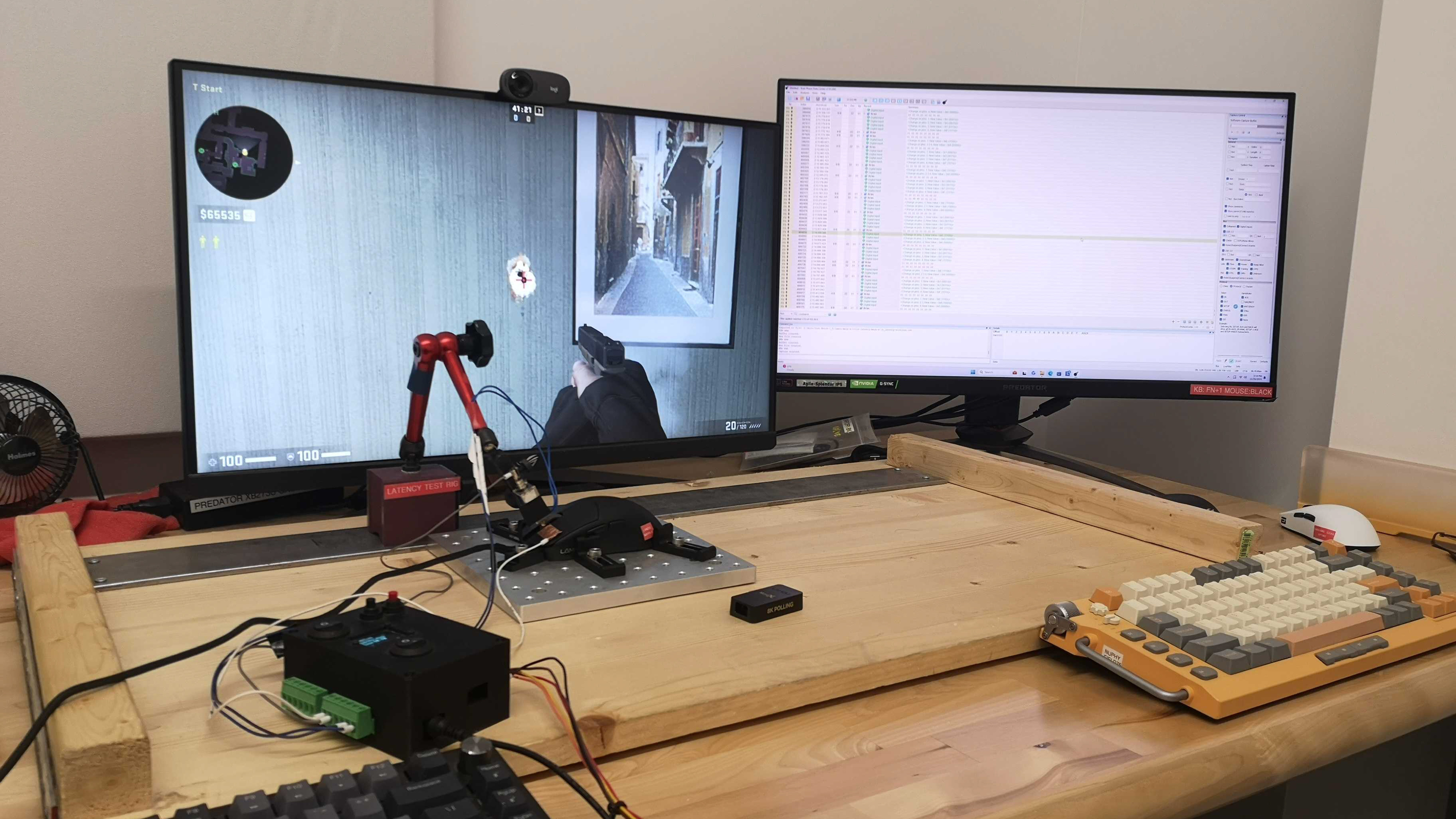
    The LAMZU MAYA X delivers superb click latency performance, providing a highly responsive-feeling experience for casual or competitive gaming.

    We conducted this test at its maximum wireless polling rate of 8000Hz with competitive mode enabled and at its lowest debounce setting of 0 ms.

    We conducted additional wireless testing at different polling rates and found the following results:

    4000Hz

    • 1.4 ms

    1000Hz

    • 1.5 ms
    8.9
    CPI
    See details on graph tool
    SRAV @ 1600 CPI
    1.31%
    SRAV @ 800 CPI
    0.00%
    SRAV @ 400 CPI
    0.33%
    SRAV @ Fixed CPI
    N/A
    Precision Error Between Speeds
    0.59%
    Precision Error Between CPI
    0.56%
    Worst Tracking Error
    -8.56%
    Minimum CPI
    100 CPI
    Maximum CPI
    30,000 CPI
    CPI Adjustment Steps
    50 CPI

    This mouse's sensor reliably tracks your movements extremely accurately with minimal variation.

    9.4
    Sensor Latency
    See details on graph tool
    Delay To Start Of Movement
    10.8 ms
    Delay At Half Movement
    2.3 ms
    Delay To End Of Movement
    2.1 ms

    This mouse has remarkable sensor latency performance. It reacts incredibly quickly to your inputs, and you won't notice any lag or delay.

    We tested it at its maximum polling rate of 8000Hz with motion sync disabled and competitive mode enabled. We also conducted supplementary testing at 4000Hz and 1000Hz and found the following results:

    4000Hz:

    • Delay to start of movement: 15.3 ms
    • Delay at half movement: 2.4 ms
    • Delay to end of movement: 1.0 ms

    1000Hz:

    • Delay to start of movement: 14.4 ms
    • Delay at half movement: 2.8 ms
    • Delay to end of movement: 1.8 ms
    Sensor Specifications
    Sensor Technology
    Optical (LED)
    Sensor Model
    PixArt PAW3950
    Works On Glass
    Yes
    Minimum Lift Off Distance
    1.2 mm
    Maximum Polling Rate
    8000 Hz

    This mouse's wireless polling rate options are 1000Hz, 2000Hz, 4000Hz, and 8000Hz. Its maximum wired polling rate is 1000Hz.

    This mouse features a 'Competitive Mode,' which LAMZU indicates increases performance at the cost of battery life.

    Mouse Wheel
    Scroll Wheel Type
    Notched Wheel
    Scroll Wheel Tilt
    No
    Thumb Wheel Type
    No

    This mouse's scroll wheel has a very grippy rubber coating with a raised filigree pattern. Scrolling is relatively quiet and feels precise with well-pronounced steps.

    Noise
    Click Noise
    Quiet
    Operating System And Software
    Configuration Software
    Software NameLAMZU Aurora
    Software Windows Compatibility
    Yes
    Software macOS Compatibility
    No
    On-Board Memory
    Yes
    CPI (DPI) Adjustment
    Yes
    Polling Rate Adjustment
    Yes
    Profile Configuration
    Yes
    Profile Auto-Switching
    No
    RGB On/Off
    No RGB

    This mouse uses LAMZU's Aurora web-based software. It's simple, has an intuitive user interface, and allows you to adjust a range of expected settings like CPI, polling rate, lift-off distance, and button mappings.

    The software is only compatible with Google Chrome and other chromium-based web browsers. On macOS, the software doesn't detect the mouse, even in Google Chrome.

    8.3
    Mouse Compatibility
    Windows CompatibilityFully
    macOS CompatibilityPartially

    On macOS, all buttons work as intended in some programs, like Google Chrome, but both side buttons act as a middle click in Safari. Since the web software doesn't work on macOS, there's no workaround for this issue.