Logitech G MX518 Legendary  Mouse Review

Reviewed Dec 01, 2020 at 10:53am
Tested using Methodology v1.2 
Logitech G MX518 Legendary
6.9
Office/Multimedia 
8.1
Video Games (FPS) 
7.9
Video Games (MMO) 
7.3
Ultra-Light Gaming 
5.1
Travel 
 0

The Logitech G MX518 Legendary mouse is a revived version of the original Logitech G MX518, which was released in 2005. The 2019 version is good for gaming thanks to its wide and adjustable CPI range, as well as its remarkably low click latency. All of its buttons can be remapped in the Logitech G HUB software, and you can even set a G-Shift button to give you a second layer of controls. It's comfortable to use, but since it's quite long, people with small hands may not be able to use it comfortably with any grip type. Sadly, most of its parts feel cheaply made, and some of its buttons have different pre-travel distances than the rest, which feels very weird. Overall, it's a good gaming mouse for its price.

Our Verdict

6.9
Office/Multimedia 

The Logitech G MX518 is okay for office use. The scroll wheel can't be unlocked for infinite scrolling, but it's comfortable to use. However, people with small hands may struggle to reach the buttons with any grip type. It's decently built, although some parts of it feel cheap. However, it has many programmable inputs and it's fully compatible with Windows and macOS.

Pros
  • All buttons are programmable.
  • Fully compatible with Windows and macOS.
Cons
  • Large size may not be ideal for small hands.
  • No infinite scroll.
8.1
Video Games (FPS) 

The Logitech G MX518 is good for FPS gaming. It has a remarkably low click latency, a wide CPI range with very little variation, and a high polling rate. Its feet glide well on a mousepad and directly on a desk, but sadly the cable isn't very flexible and it retains kinks. Also, it's fairly heavy for its size, and some parts of it feel cheaply made.

Pros
  • Remarkably low click latency.
  • All buttons are programmable.
Cons
  • Large size may not be ideal for small hands.
7.9
Video Games (MMO) 

The Logitech G MX518 is good for MMO gaming. It's comfortable to use, although people with small hands may not be able to use it comfortably with any grip type. It has a remarkably low click latency and an adjustable CPI range. You can program all of the buttons, and you can even set a G-Shift button to give you a second layer of customization. Unfortunately, it only has two side buttons, which isn't as much as dedicated MMO mice have.

Pros
  • Remarkably low click latency.
  • All buttons are programmable.
  • Fully compatible with Windows and macOS.
Cons
  • Only two side buttons.
  • Large size may not be ideal for small hands.
7.3
Ultra-Light Gaming 

The Logitech G MX518 is a decent ultra-light gaming mouse. It's fairly heavy for its size and its rubber cable retains kinks from the packaging. It's also too long for small hands to reach all the buttons comfortably. On the upside, it has a remarkably low click latency, and its feet glide well on both a mousepad and directly on a desk.

Pros
  • Remarkably low click latency.
  • All buttons are programmable.
Cons
  • Heavy for its size.
  • Large size may not be ideal for small hands.
5.1
Travel 

The Logitech G MX518 isn't designed for travel. It's a wired gaming mouse that is best suited for an at-home gaming setup. Its non-removable wire and heaviness don't make it very portable.

Pros
  • Fully compatible with Windows and macOS.
Cons
  • Heavy for its size.
  • Large size may not be ideal for small hands.
  • 6.9
    Office/Multimedia
  • 8.1
    Video Games (FPS)
  • 7.9
    Video Games (MMO)
  • 7.3
    Ultra-Light Gaming
  • 5.1
    Travel
  • Changelog

    1.  Updated Jan 06, 2023: We've corrected the text in the Click Latency section and several other places in this review to provide context for our results following the change in our click latency test methodology with Test Bench 1.1.
    2.  Updated Dec 09, 2022: We've converted this review to Test Bench 1.2. This update simplifies our Weight test and expands on our CPI test from Test Bench 1.1, resulting in changes to test results in both sections. For more details, you can see our complete changelog here.
    3.  Updated Nov 17, 2022: We've converted this review to Test Bench 1.1. This update revamps our Click Latency test and results in changes to test results. For more details, you can see our full changelog here.
    4.  Updated Sep 06, 2022: We've added a small disclaimer to the Compatible Software Option section which highlights some of the most commonly reported issues users online have encountered with Logitech's G HUB companion software.

    Check Price

    BlackLogitech G MX518
    SEE PRICE
    Amazon.com
    BlackLogitech G MX518
    SEE PRICE
    BestBuy.com
    BlackLogitech G MX518
    SEE PRICE
    Walmart.com
    BlackLogitech G MX518
    B&H

    Differences Between Sizes And Variants

    The Logitech MX518 gaming mouse has no variants. You can see the label of our unit here.

    Popular Mouse Comparisons

    The Logitech MX518 Legendary is a good and affordable gaming mouse, but it doesn't rival other options in its price range. Most parts of it feel cheaply made, the scroll wheel has uneven steps, and the buttons have different pre-travel distances, which is off-putting. For other options, see our recommendations for the best mice and the best wireless mice. If you're interested in Logitech products, also check out the best Logitech mice.

    Logitech G300s

    The Logitech G300s is better than the Logitech G MX518. The G300s feels better built, and it's smaller, so people with smaller hands should be comfortable using it with a palm or claw grip. However, the MX518 has a much wider and more precisely adjustable CPI range, and its lift-off distance is lower.

    Nixeus REVEL Fit

    The Logitech G MX518 Legendary and the Nixeus Revel Fit share the same unique right-handed shape. The Logitech has a wider CPI range, a set CPI that you can adjust more precisely, and a more consistent sensor. It also has more programmable buttons, including two on the front and back of the scroll wheel, and you can assign a G-Shift button for a second layer of programming.  On the other hand, the Nixeus has RGB lighting, which the Logitech lacks.

    Razer Viper Mini

    The Razer Viper Mini is better than the Logitech G MX518 Legendary. The Razer feels better built, and its feet glide better. However, the Logitech has a better sensor and a wider CPI range that can adjust more precisely, and since it's a larger mouse, it should be more comfortable than the Razer for larger-sized hands.

    Corsair M55 RGB Pro

    The Logitech G MX518 Legendary is better than the Corsair M55 RGB Pro. The Logitech has more programmable buttons thanks to its G-Shift button, a wider and more precisely adjustable CPI range, and its sensor is much more consistent. However, the Corsair feels better built and has RGB lighting.

    Show more 

    Test Results

    perceptual testing image
    Sort:
    RATINGS
    Category:
    All
    Design
    Style
    Type
    Standard
    Lighting ColorNo Lighting

    The Logitech G MX518 (2019) is a revival of the original MX518 (2005). The revived version has the same curvy shape, with the same Logitech G logo at the back, but it has a different design on its top. The revived version has a smoother look with a glossy gradient that goes from light grey to black. The Legendary has two side buttons, two buttons above and below the scroll wheel to increase and decrease the CPI, and a default CPI button. Sadly, there's no RGB lighting zone. If you're interested in another modern version of a classic, retro gaming mouse, check out the Microsoft Pro IntelliMouse.

    Shape
    Length5.2" (131 mm)
    Height1.7" (44 mm)
    Width2.7" (70 mm)
    Grip Width
    63 mm
    5.4
    Portability
    Volume
    24.23 in³ (397 cm³)
    Cable/Receiver Storing
    No

    This mouse isn't great for travel due to its fairly large size and wired-only design. However, this shouldn't be an issue for people looking for a gaming mouse for their desk setup.

    7.0
    Build Quality

    The build quality is decent. The sides are made of slightly textured plastic which helps provide a better grip, but the top is a glossy, slippery plastic that feels a bit cheap. There's a small amount of flex when you squeeze the back, but it shouldn't be noticeable while using it. The buttons feel poorly made and aren't satisfying to click. There's a weird uneven pre-travel distance, where some buttons have longer distances than others. Also, the top buttons have a noticeable wobble.

    6.2
    Weight
    Lowest Weight
    96.5 g
    Default Weight
    96.5 g
    Weight Distribution
    Centered
    Extra Weights
    No

    It's somewhat heavy for its size, and unfortunately there's no way to optimize the weight.

    8.0
    Comfort Of Use
    Right-handed
    Yes
    Left-handed
    No
    Ambidextrous
    No
    Coating
    Glossy
    Finger Rest
    Thumb

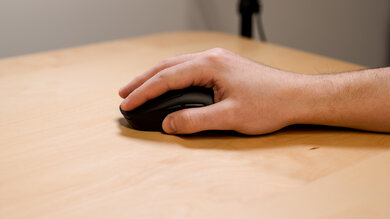
    This mouse feels comfortable to use, although people with small hands may not feel comfortable using it with any grip type. Due to its slight curve and left-side thumb rest, it's designed for right hands, and its sides have a textured detail on the plastic that helps with grip. However, the CPI buttons around the scroll wheel are awfully placed, and it isn't comfortable to reach them. The button in front of the scroll wheel feels much too forward, and the button behind the wheel feels too pushed back.

    Palm Grip: Hand Size Recommendation
    Small Hand
    No
    Medium Hand
    Yes
    Large Hand
    Yes
    X.Large Hand
    No

    When used with a palm grip, people with small hands might struggle to reach the front side button as well as the button in front of the scroll wheel. People with extra-large hands might find struggle with the right and left clicks since their fingers may hang off the front.

    Claw Grip: Hand Size Recommendation
    Small Hand
    No
    Medium Hand
    Yes
    Large Hand
    Yes
    X.Large Hand
    Yes

    When used with a claw grip, the front side button and the button in front of the scroll wheel may be difficult to reach for people with small hands.

    Fingertip Grip: Hand Size Recommendation
    Small Hand
    No
    Medium Hand
    No
    Large Hand
    Yes
    X.Large Hand
    Yes

    People with small hands and medium hands may struggle to reach the front side button and the button in front of the scroll wheel when using it with a fingertip grip.

    0.0
    Wireless Versatility
    Bluetooth
    No
    Receiver
    No
    Battery Type
    No Batteries
    Use When Charging
    No
    On/Off Activation
    None
    Receiver Extender
    No
    Battery IndicatorNo

    This mouse is wired and can't be used wirelessly.

    7.0
    Cable
    ConnectivityWired
    Cable Length6.7 ft (2.0 m)
    Cable Type
    Rubber
    Permanent Kink
    Yes
    Port Type: Mouse End
    No Port
    Port Type: PC End
    USB

    This mouse has a decent cable. It's made out of rubber and retains kinks from the packaging.

    7.5
    Mouse Feet
    Gliding Experience
    Good
    Material
    PTFE
    Extra Included
    No

    The Logitech G MX518's feet are good. They glide well on both a mousepad and directly on a desk, although there's a slight scratchiness due to the sharpness of two straight edges. Although it doesn't come with replacement feet, third-party versions are available, but we haven't tested them.

    In The Box

    • Logitech G MX518 gaming mouse
    • G sticker
    • Manual
    Control
    7.9
    Buttons
    Buttons Activation
    Mechanical
    Total Number Of Buttons
    8
    Number Of Side Buttons
    2
    Number Of Programmable Inputs
    15
    Profile Switching Button
    Yes
    CPI (DPI) Switching Button
    Yes
    Gesture Support
    No

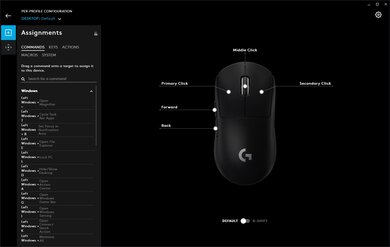
    The Logitech MX518 mouse has a great number of buttons. You can program every button through the Logitech G HUB software, including the middle click on the scroll wheel, but you can't program the up and down scroll. You can also assign a G-Shift button which allows for a second layer of programming.

    9.1
    Click Latency
    See details on graph tool
    Expected Connection
    3.5 ms
    Wired
    3.5 ms
    Receiver
    N/A
    Bluetooth
    N/A

    This mouse has outstanding click latency and provides a snappy and responsive-feeling experience for gaming in any genre.

    9.2
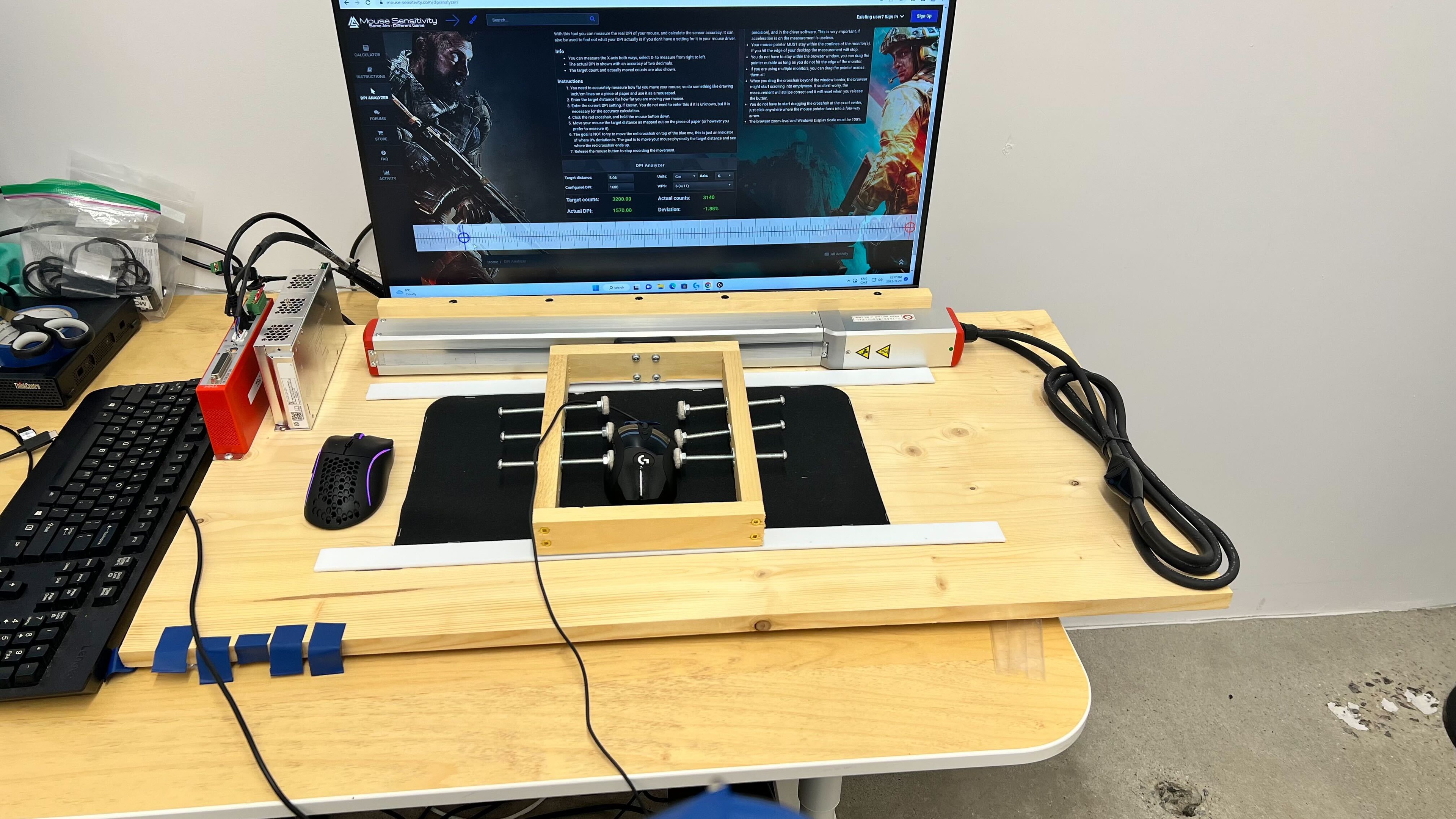
    CPI
    See details on graph tool
    SRAV @ 1600 CPI
    -0.28%
    SRAV @ 800 CPI
    0.21%
    SRAV @ 400 CPI
    0.33%
    SRAV @ Fixed CPI
    N/A
    Precision Error Between Speeds
    0.26%
    Precision Error Between CPI
    0.29%
    Worst Tracking Error
    -2.25%
    Minimum CPI
    100 CPI
    Maximum CPI
    16,000 CPI
    CPI Adjustment Steps
    50 CPI
    Sensor Specifications
    Sensor Technology
    Optical (LED)
    Sensor Model
    HERO 16K
    Works On Glass
    No
    Minimum Lift Off Distance
    2.4 mm
    Maximum Polling Rate
    1000 Hz

    The Logitech MX518 Hero has a wide CPI range that can be adjusted in increments of 50. The sensor remains fairly consistent whether you move the mouse fast or slow. You can choose between four polling rates: 125Hz, 250Hz, 500Hz, and 1000Hz.

    Mouse Wheel
    Scroll Wheel
    Notched Wheel
    Scroll Wheel Steps
    24 Steps
    Scroll Wheel Tilt
    No
    Thumb Wheel
    No
    Thumb Wheel Steps
    No Thumb Wheel

    The mouse wheel has a smooth rubber feel that isn't grippy at all. The steps aren't very pronounced and you can hardly notice it when scrolling up. Although you can feel the steps while scrolling down, the step definition feels slightly uneven. Also, there seems to be a slight lag when scrolling.

    Noise
    Click Noise
    Loud

    The clicks on the Logitech G MX518 are loud, but they shouldn't bother you unless you're in a very quiet environment.

    Operating System And Software
    9.8
    Compatible Software Option
    Software NameLogitech G Hub
    Software Windows Compatibility
    Yes
    Software macOS Compatibility
    Yes
    Account Needed
    No
    On-Board Memory
    Yes
    CPI (DPI) Adjustment
    Yes
    Polling Rate Adjustment
    Yes
    Profile Configuration
    Yes
    RGB On/Off
    No

    The Logitech G MX518 has excellent compatibility with the Logitech G HUB. It's very user-friendly, so you can remap the buttons and change the sensor settings very easily. There weren't any software issues encountered during testing, but users online have reported various problems trying to use Logitech G HUB, including but not limited to startup issues, freezing, and connection issues with some devices. If you'd like to share your experience using Logitech G HUB with this mouse, feel free to leave a comment in the discussions section.

    10
    Mouse Compatibility
    Windows CompatibilityFully
    macOS CompatibilityFully

    Since the software is compatible with both Windows and macOS, you can customize your mouse on either operating system and everything should work properly.