Microsoft Surface Mouse (2nd Edition)  Mouse Review

Reviewed Nov 27, 2026 at 09:45am
Tested using Methodology v1.5.2 
Microsoft Surface Mouse (2nd Edition)

Track

N/A
Work 
N/A
Video Games (FPS) 
N/A
Video Games (MMO) 
N/A
Raw Performance 

Track

 0

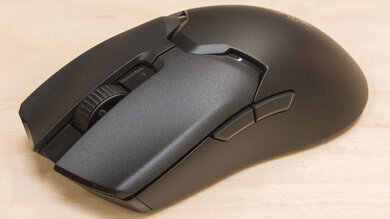
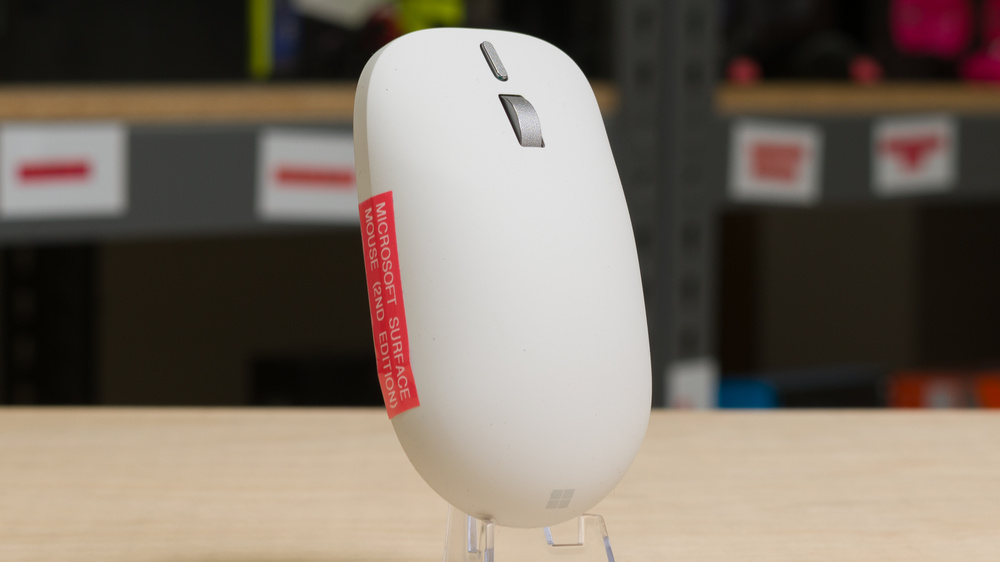
The Microsoft Surface Mouse (2nd Edition) is a Bluetooth-only mouse focused on productivity. The mouse's headline feature is its haptic feedback system, which provides tactile feedback when you perform certain actions on Windows. The actual buttons still use physical mechanical switches, however, and the haptics are only for feedback, not for changing the sensitivity of the clicks. It's powered by two AAA batteries that Microsoft claims will last up to six months.

Our Verdict

N/A
Work 

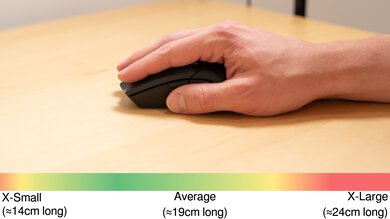
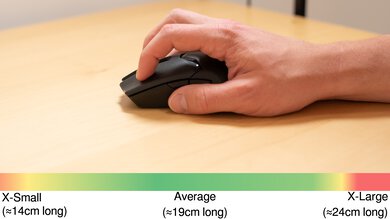
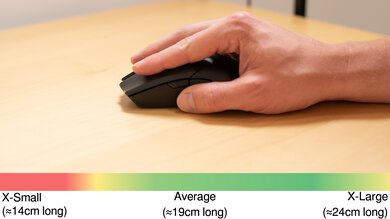
The Microsoft Surface Mouse 2 is a disappointing work mouse. While it feels well-built and the silicone finish is comfortable against your hand, the shape may be uncomfortable for people with larger hands. There are also no side buttons at all, with only one customizable button in front of the scroll wheel. As of writing, the haptics don't add much functionality, as they don't work with many different pieces of software, and you'll mainly only notice tactile feedback when resizing or snapping windows on your desktop. It's also a Bluetooth-only mouse without a receiver, and it's powered by two AAA batteries, so you can't recharge it.

Pros
  • Feels very well-built.

  • Fully ambidextrous shape.

Cons
  • Haptics don't add too much value with the native companion software.

  • No side buttons.

  • Software only works on Windows.

N/A
Video Games (FPS) 

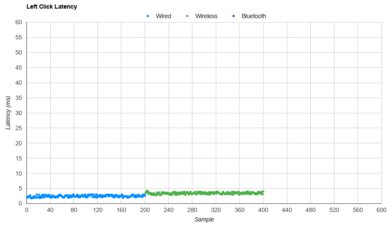
The Microsoft Surface Mouse 2 is only adequate for games, but its very high click latency and only adequate sensor latency mean it's not suitable for competitive online gaming. It's also quite heavy, and the plastic mouse feet introduce some drag on most surfaces.

Pros
  • Feels very well-built.

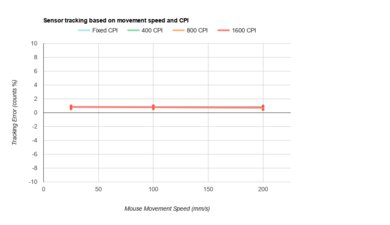
  • CPI is accurate and consistent.

Cons
  • Haptics don't add too much value with the native companion software.

  • Very high click latency.

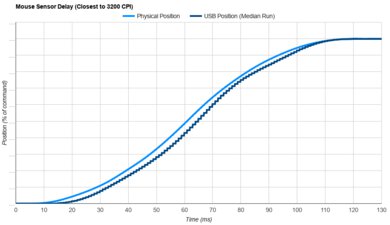
  • High sensor latency is only adequate for casual gaming.

N/A
Video Games (MMO) 

The Microsoft Surface Mouse 2 is a poor MMO mouse, as it's not designed for this use. It doesn't have any side buttons, and both the click and sensor latency are too high.

Pros
  • Feels very well-built.

  • CPI is accurate and consistent.

Cons
  • Very high click latency.

  • High sensor latency is only adequate for casual gaming.

  • No side buttons.

N/A
Raw Performance 

The raw performance of the Microsoft Surface Mouse 2 is passable. It's fine for its intended use of everyday tasks, but it isn't suitable for competitive gaming. Its sensor latency is only adequate, and its click latency is quite poor, so anyone who's used a gaming mouse will likely notice a delay. It's still okay for casual gaming, though.

Pros
  • CPI is accurate and consistent.

Cons
  • Very high click latency.

  • High sensor latency is only adequate for casual gaming.

  • N/A
    Work
  • N/A
    Video Games (FPS)
  • N/A
    Video Games (MMO)
  • N/A
    Raw Performance
  • Changelog

    1.  Updated Nov 27, 2026: Review published.
    2.  Updated Nov 24, 2026: Early access published.
    3.  Updated Nov 18, 2026: Our testers have started testing this product.
    4.  Updated Oct 22, 2026: The product has arrived in our lab, and our testers will start evaluating it soon.

    Check Price

    Differences Between Sizes And Variants

    The Microsoft Surface Mouse 2 comes in two colors: Black and Platinum (which we purchased). There are no other variants.

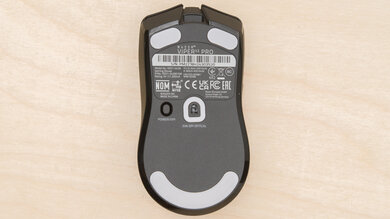
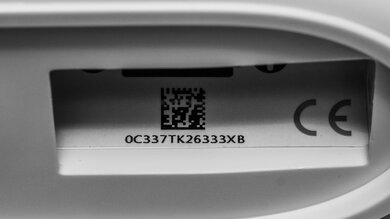
    You can see a photo of our label here.

    Popular Mouse Comparisons

    The Microsoft Surface Mouse (2nd Edition) is a fairly unique mouse that includes haptics to give a tactile response when performing certain actions. Unlike some newer mice that use adjustable haptics instead of physical switches, this mouse's haptics don't control the actual clicking mechanism, so you can't adjust the sensitivity of the clicks.

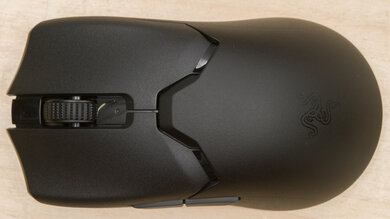
    Instead, the haptics are there simply to give your finger a vibration-like response while using it, similar to the thumb rest on the Logitech MX Master 4, though that mouse has a much more comfortable ergonomic shape and side buttons. The Microsoft Surface Mouse 2 has a symmetrical, less-comfortable shape and no side buttons, much more akin to something like the Logitech Pebble Mouse 2 M350S, just with a nicer material feel and haptic feedback, but at a much more premium price point. 

    Check out our recommendations for the best mouse, the best wireless mouse, and the best mouse for work.

    Microsoft Arc Mouse

    Track

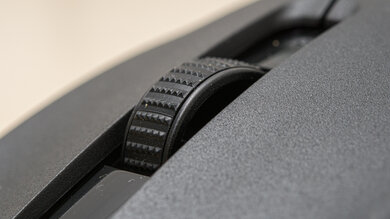
    The Microsoft Arc Mouse and the Microsoft Surface Mouse (2nd Edition) are both travel-oriented Bluetooth mice, but with very different design languages. While the Arc has a unique design that folds flat when not in use, making it easy to stow away, the Surface Mouse has a more standard shape, though it's still small and easy to take around. The Surface Mouse also feels a bit more premium and has a metal scroll wheel as opposed to the touch scroll on the Arc. Finally, the Surface features haptic feedback when performing certain actions in Windows; however, its use cases are extremely limited, and it doesn't add much.

    Logitech MX Anywhere 3S

    Track

    The Microsoft Surface Mouse (2nd Edition) and the Logitech MX Anywhere 3S are both wireless mice designed for travel. They both feel premium, with a nice finish and metal scroll wheels, but the Logitech has a slightly more ergonomic shape, while the Microsoft has an ambidextrous design. The Microsoft's headline feature is its haptics, which gives you tactile feedback when performing certain actions. However, its very limited in which software it works with. The Microsoft doesn't have any side buttons, whereas the Logitech has two. The click and sensor latency of the Microsoft are also much higher than the Logitech's.

    Logitech Pebble Mouse 2 M350s

    Track

    The Microsoft Surface Mouse (2nd Edition) and the Logitech Pebble Mouse 2 M350s are similar travel-focused Bluetooth mice. The Microsoft is better built, has a more comfortable silicone finish, and has a bigger hump that makes it more comfortable. It also features a haptic system that provides tactile feedback when performing certain actions on your computer; however, its uses are very limited. On the other hand, the Pebble is even smaller and easier to toss into a backpack or pocket, and is a much more budget-friendly option.

    Logitech MX Master 4

    Track

    The Microsoft Surface Mouse (2nd Edition) and the Logitech MX Master 4 are both wireless productivity-focused mice that feature haptic feedback. However, they have very different shapes, with the Microsoft mouse having a symmetrical, ambidextrous shape that's better designed for tossing in a backpack or bag. The Logitech has a larger, more comfortable, and ergonomic shape with a thumb rest. The Logitech also feels more premium and performs better overall, and is likely a better choice for most people, unless you want the portability of the Microsoft. 

    Test Results
    perceptual testing image
    Sort:
    RATINGS
    Category:
    All
    Design
    9 tests
    Style
    Type
    LockedStandard
    Coating
    LockedLocked
    Lighting ColorLockedLocked

    Become a member to view the full test results and text of the reviews, as well as extra website features and tools with no ads.

    Shape
    LengthLockedLock" (Lock mm)
    WidthLockedLock" (Lock mm)
    HeightLockedLock" (Lock mm)
    Grip Width
    LockedLock mm
    Ambidextrous
    LockedTrue Ambidextrous
    Left-Handed Friendly
    LockedLocked
    Finger Rest
    LockedLocked

    Become a member to view the full test results and text of the reviews, as well as extra website features and tools with no ads.

    N/A
    Build Quality

    Become a member to view the full test results and text of the reviews, as well as extra website features and tools with no ads.

    N/A
    Weight
    Lowest Weight
    LockedLock g
    Default Weight
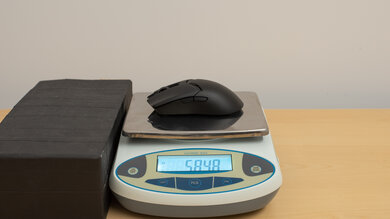
    Locked113.8 g
    Weight Distribution
    LockedLocked
    Extra Weights
    LockedLocked

    Become a member to view the full test results and text of the reviews, as well as extra website features and tools with no ads.

    Hand Size Recommendation
    Palm Grip Hand Recommendation
    Claw Grip Hand Recommendation
    Fingertip Grip Hand Recommendation

    Become a member to view the full test results and text of the reviews, as well as extra website features and tools with no ads.

    N/A
    Wireless Versatility
    Maximum Of Paired Devices
    LockedLocked
    Bluetooth
    LockedLocked
    Receiver
    LockedLocked
    Battery Type
    LockedLocked
    Use When Charging
    LockedLocked
    On/Off Activation
    LockedLocked
    Receiver Extender
    LockedLocked
    Receiver Storing
    LockedLocked
    Battery IndicatorLockedLocked

    Become a member to view the full test results and text of the reviews, as well as extra website features and tools with no ads.

    Cable
    ConnectivityLockedWireless
    Cable Length
    LockedN/A
    Cable Type
    LockedLocked
    Permanent Kink
    LockedN/A
    Port Type: Mouse End
    LockedLocked
    Port Type: PC End
    LockedLocked

    Become a member to view the full test results and text of the reviews, as well as extra website features and tools with no ads.

    N/A
    Mouse Feet
    Gliding Experience
    LockedLocked
    Material
    LockedLocked
    Extra Included
    LockedLocked

    Become a member to view the full test results and text of the reviews, as well as extra website features and tools with no ads.

    In The Box

    Become a member to view the full test results and text of the reviews, as well as extra website features and tools with no ads.

    Control
    8 tests
    Main Button
    Switch Type
    LockedLocked
    Switch Model
    LockedLocked

    Become a member to view the full test results and text of the reviews, as well as extra website features and tools with no ads.

    N/A
    Additional Buttons
    Total Number Of Buttons
    LockedLock
    Number Of Side Buttons
    LockedLock
    Number Of Programmable Inputs
    LockedLock
    Profile Switching Button
    LockedLocked
    Gesture Support
    LockedLocked

    Become a member to view the full test results and text of the reviews, as well as extra website features and tools with no ads.

    N/A
    Click Latency
    Expected Connection
    LockedLock ms
    Wired
    LockedN/A
    Receiver
    LockedN/A
    Bluetooth
    LockedLock ms

    Become a member to view the full test results and text of the reviews, as well as extra website features and tools with no ads.

    N/A
    CPI
    SRAV @ 1600 CPI
    LockedLock%
    SRAV @ 800 CPI
    LockedLock%
    SRAV @ 400 CPI
    LockedLock%
    SRAV @ Fixed CPI
    LockedN/A
    Precision Error Between Speeds
    LockedLock%
    Precision Error Between CPI
    LockedLock%
    Worst Tracking Error
    LockedLock%
    Minimum CPI
    LockedLock CPI
    Maximum CPI
    LockedLock CPI
    CPI Adjustment Steps
    LockedLock CPI

    Become a member to view the full test results and text of the reviews, as well as extra website features and tools with no ads.

    N/A
    Sensor Latency
    Delay At Half Movement
    LockedLock ms

    Become a member to view the full test results and text of the reviews, as well as extra website features and tools with no ads.

    Sensor Specifications
    Sensor Technology
    LockedLocked
    Sensor Model
    LockedLocked
    Works On Glass
    LockedLocked
    Minimum Lift Off Distance
    LockedLock mm
    Maximum Polling Rate
    LockedLocked

    Become a member to view the full test results and text of the reviews, as well as extra website features and tools with no ads.

    Mouse Wheel
    Scroll Wheel Type
    LockedLocked
    Scroll Wheel Tilt
    LockedLocked
    Thumb Wheel Type
    LockedLocked

    Become a member to view the full test results and text of the reviews, as well as extra website features and tools with no ads.

    Noise
    SAMPLE
    Join Now

    for videos & test results

    Microsoft Surface Mouse (2nd Edition) Noise Video Sample
    Click Noise
    LockedLocked
    Operating System And Software
    2 tests
    Configuration Software
    SAMPLE
    Join Now

    for videos & test results

    Microsoft Surface Mouse (2nd Edition) Software Tour Sample
    Software NameLockedLocked
    Software Windows Compatibility
    LockedLocked
    Software macOS Compatibility
    LockedLocked
    On-Board Memory
    LockedLocked
    CPI (DPI) Adjustment
    LockedLocked
    Polling Rate Adjustment
    LockedLocked
    Profile Configuration
    LockedLocked
    Profile Auto-Switching
    LockedLocked
    RGB On/Off
    LockedLocked

    Become a member to view the full test results and text of the reviews, as well as extra website features and tools with no ads.

    N/A
    Mouse Compatibility
    Windows CompatibilityLockedLocked
    macOS CompatibilityLockedLocked

    Become a member to view the full test results and text of the reviews, as well as extra website features and tools with no ads.