Razer Mamba Elite  Mouse Review

Reviewed Dec 11, 2019 at 08:55am
Tested using Methodology v1.2 
Razer Mamba Elite
7.4
Office/Multimedia 
8.1
Video Games (FPS) 
8.2
Video Games (MMO) 
7.2
Ultra-Light Gaming 
5.0
Travel 
 0
The Razer Mamba Elite is an excellent right-handed wired gaming mouse. It has a sleek, black design that looks very similar to other Razer mice, but has 20 customizable RGB zones to help it fit in with any gaming setup. It's great for gaming thanks to its low click latency and customizable CPI and polling rate. While it's a bit on the larger side, it should be fine in palm grip for any hand size, though those with smaller hands may find it slightly big for fingertip or claw grip.

Our Verdict

7.4
Office/Multimedia 

The Mamba Elite is a good mouse for office use. It's comfortable and well-built, which makes it good for all-day use. Its programmable buttons are also great for desktop shortcuts, to help you get through work quicker. It can be used for palm grip with any hand size, though for fingertip and claw grip, it may be too large for smaller hands.

Pros
  • Very low click latency.
  • Outstanding performance with customizable CPI and polling rate.
  • Well-built and comfortable design.
  • Lots of button-mapping options.
Cons
  • Rigid, braided cable is prone to kinks.
  • Bulky design may be too large for smaller hands with some grips, and difficult to travel with.
8.1
Video Games (FPS) 

This mouse is great for FPS games. It has great click latency, great ergonomics, and feels very well-built. It also has outstanding performance, with adjustable CPI as well as polling rate to help you fine-tune it to your personal preference. It can be used for palm grip with any hand size, though for fingertip and claw grip, it may be too large for smaller hands.

Pros
  • Very low click latency.
  • Outstanding performance with customizable CPI and polling rate.
  • Well-built and comfortable design.
  • Lots of button-mapping options.
Cons
  • Rigid, braided cable is prone to kinks.
  • Bulky design may be too large for smaller hands with some grips, and difficult to travel with.
8.2
Video Games (MMO) 

While this mouse isn't a dedicated MMO mouse with a plethora of extra buttons, it's still excellent for MMOs. This is because almost all of its buttons are programmable, including the up and down scroll. It's also quite comfortable in every grip for all hand sizes, though those with small hands may find it slightly large for claw or fingertip grip.

Pros
  • Very low click latency.
  • Outstanding performance with customizable CPI and polling rate.
  • Well-built and comfortable design.
  • Lots of button-mapping options.
Cons
  • Rigid, braided cable is prone to kinks.
  • Bulky design may be too large for smaller hands with some grips, and difficult to travel with.
7.2
Ultra-Light Gaming 

This is a fairly good ultra-light gaming mouse. While it isn't nearly as light as some mice dedicated to ultra-light gaming, it's decently light for a gaming mouse. It's great for all gaming due to its low click latency and outstanding sensor performance as well. It's also quite comfortable in every grip for all hand sizes, though those with small hands may find it slightly large for claw or fingertip grip.

Pros
  • Very low click latency.
  • Outstanding performance with customizable CPI and polling rate.
  • Well-built and comfortable design.
  • Lots of button-mapping options.
Cons
  • Rigid, braided cable is prone to kinks.
  • Bulky design may be too large for smaller hands with some grips, and difficult to travel with.
5.0
Travel 

This mouse isn't designed for travel. Its wired design may not be ideal to work in small spaces like on a plane and it likely won't fit in most laptop bags.

Pros
  • Very low click latency.
  • Outstanding performance with customizable CPI and polling rate.
  • Well-built and comfortable design.
  • Lots of button-mapping options.
Cons
  • Rigid, braided cable is prone to kinks.
  • Bulky design may be too large for smaller hands with some grips, and difficult to travel with.
  • 7.4
    Office/Multimedia
  • 8.1
    Video Games (FPS)
  • 8.2
    Video Games (MMO)
  • 7.2
    Ultra-Light Gaming
  • 5.0
    Travel
  • Changelog

    1.  Updated Dec 09, 2022: We've converted this review to Test Bench 1.2. This update simplifies our Weight test and expands on our CPI test from Test Bench 1.1, resulting in changes to test results in both sections. For more details, you can see our complete changelog here.
    2.  Updated Nov 17, 2022: We've converted this review to Test Bench 1.1. This update revamps our Click Latency test and results in changes to test results. For more details, you can see our full changelog here.
    3.  Updated Oct 05, 2020: Converted to Test Bench 1.0.
    4.  Updated Dec 20, 2019: Converted to Test Bench 0.8.1.

    Check Price

    Mamba Elite
    SEE PRICE
    Amazon.com
    Mamba Elite
    SEE PRICE
    BestBuy.com
    Mamba Elite
    SEE PRICE
    Walmart.com
    Mamba Elite
    B&H

    Popular Mouse Comparisons

    The Razer Mamba Elite is quite comparable to the Razer DeathAdder Elite but has a bit more RGB lighting. This mouse has outstanding performance and very low click latency, which is common with Razer mice. However, it has a typical Razer cable, which is prone to kinks and creates drag. See our recommendations for the best wired mouse, the best gaming mouse, and the best mouse.

    Razer DeathAdder Elite

    The Razer Mamba Elite and Razer DeathAdder Elite are very similar wired gaming mice. They're both right-handed mice that are good for all hand sizes with palm grip and all hand sizes except small for both claw and fingertip grip. The DeathAdder Elite's CPI is adjustable by increments of 1, which is outstanding and helps you precisely fine-tune its performance for your preference. On the other hand, the Mamba Elite has two more programmable buttons, as well as on-board memory, so you can maintain your settings if you switch PCs.

    Razer Basilisk

    The Razer Basilisk and the Razer Mamba Elite are both great wired gaming mice that are very similar. While they're both right-handed mice, the Basilisk might be slightly more comfortable due to its thumb rest on the left side. Both mice are suitable for all hand sizes in a palm grip and all hand sizes except small for both claw and fingertip grip. The Basilisk has one additional programmable side button, but the Mamba Elite has an L/R tilt on its scroll wheel.

    Logitech G502 HERO

    The Razer Mamba Elite is an ever-so-slightly better mouse than the Logitech G502 HERO as it's lighter and is more comfortable to use for most people. However, if you have big hands, the shape of the Logitech is great. Its cable is also more flexible than the Razer's.

    Razer Basilisk V2

    The Razer Mamba Elite and the Razer Basilisk V2 look somewhat different but perform very similarly. The Basilisk has more of an ergo-shaped body, with a thumb rest. It also has better feet, and its paracord-like cable is more flexible. The Mamba is slightly smaller and has a more sleek and simple design. Both mice are well-suited for most hand sizes using any grip type. Only people with smaller hands may have a hard time using them with a claw or a fingertip grip.

    Show more 

    Test Results

    perceptual testing image
    Sort:
    RATINGS
    Category:
    All
    Design
    Style
    Type
    Standard
    Lighting ColorRGB

    The Razer Mamba Elite has a sleek, black look that's very similar to other Razer gaming mice, like the Razer DeathAdder Elite, except with more RGB zones. There are RGB lightning strips along both sides of the mouse, each with nine zones, allowing for tons of customization options.

    Shape
    Length5.0" (126 mm)
    Height1.7" (44 mm)
    Width2.7" (69 mm)
    Grip Width
    65 mm
    5.5
    Portability
    Volume
    22.21 in³ (364 cm³)
    Cable/Receiver Storing
    No

    Like most wired gaming mice, this mouse isn't the most portable option. It may not fit in most laptop cases, though this likely won't be an issue for people looking for a gaming mouse for their desk setup.

    8.5
    Build Quality

    Like most Razer mice, the Mamba Elite feels quite well-built. It's made of dense plastic and has no loose or wobbly parts. However, the scroll wheel feels slightly loose due to its horizontal tilt.

    6.1
    Weight
    Lowest Weight
    98.3 g
    Default Weight
    98.3 g
    Weight Distribution
    Centered
    Extra Weights
    No

    The Razer Mamba Elite is a fairly lightweight mouse, though not as much as ultra-light gaming mice like the Cooler Master MM710, the Finalmouse Ultralight 2 - Cape Town, or the EQEOVGA D10 RGB. The weight of this mouse also can't be customized.

    8.5
    Comfort Of Use
    Right-handed
    Yes
    Left-handed
    No
    Ambidextrous
    No
    Coating
    Matte
    Finger Rest
    No

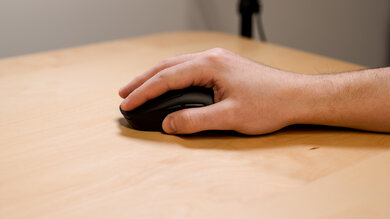
    The Mamba Elite has a slight ergonomic slant which makes it only suited for right-handed use. There are latex grips on the side, which makes it easy to grab the mouse firmly, and the buttons are easy to click and reach. While this mouse is good for all hand sizes with palm grip, it may be slightly too large for those with small hands if you prefer to use the claw or fingertip grip.

    Palm Grip: Hand Size Recommendation
    Small Hand
    Yes
    Medium Hand
    Yes
    Large Hand
    Yes
    X.Large Hand
    Yes

    Due to the shape of this mouse, palm grip is the most recommended for all hand sizes.

    Claw Grip: Hand Size Recommendation
    Small Hand
    No
    Medium Hand
    Yes
    Large Hand
    Yes
    X.Large Hand
    Yes

    This mouse has a fairly long body shape which may make it tougher for small hands to use the claw grip, and there are likely better alternatives out there.

    Fingertip Grip: Hand Size Recommendation
    Small Hand
    No
    Medium Hand
    Yes
    Large Hand
    Yes
    X.Large Hand
    Yes

    This mouse has a fairly long body shape which may make it tougher for small hands to use the fingertip grip, and there are likely better alternatives out there.

    0.0
    Wireless Versatility
    Bluetooth
    No
    Receiver
    No
    Battery Type
    No Batteries
    Use When Charging
    No
    On/Off Activation
    None
    Receiver Extender
    No
    Battery IndicatorNo

    This is a wired-only mouse. If you want a very similar mouse that has a wireless connection, check out the Razer Mamba Wireless or the SteelSeries Prime Wireless.

    7.0
    Cable
    ConnectivityWired
    Cable Length7.0 ft (2.1 m)
    Cable Type
    Braided
    Permanent Kink
    Yes
    Port Type: Mouse End
    No Port
    Port Type: PC End
    USB

    The Mamba Elite uses the typical braided Razer cable which is quite rigid and maintains a lot of kinks, which may be bothersome if you have a cluttered desk.

    7.5
    Mouse Feet
    Gliding Experience
    Good
    Material
    PTFE
    Extra Included
    No
    In The Box

    • Razer Mamba Elite mouse
    • Manuals
    Control
    8.2
    Buttons
    Buttons Activation
    Mechanical
    Total Number Of Buttons
    10
    Number Of Side Buttons
    2
    Number Of Programmable Inputs
    20
    Profile Switching Button
    Yes
    CPI (DPI) Switching Button
    Yes
    Gesture Support
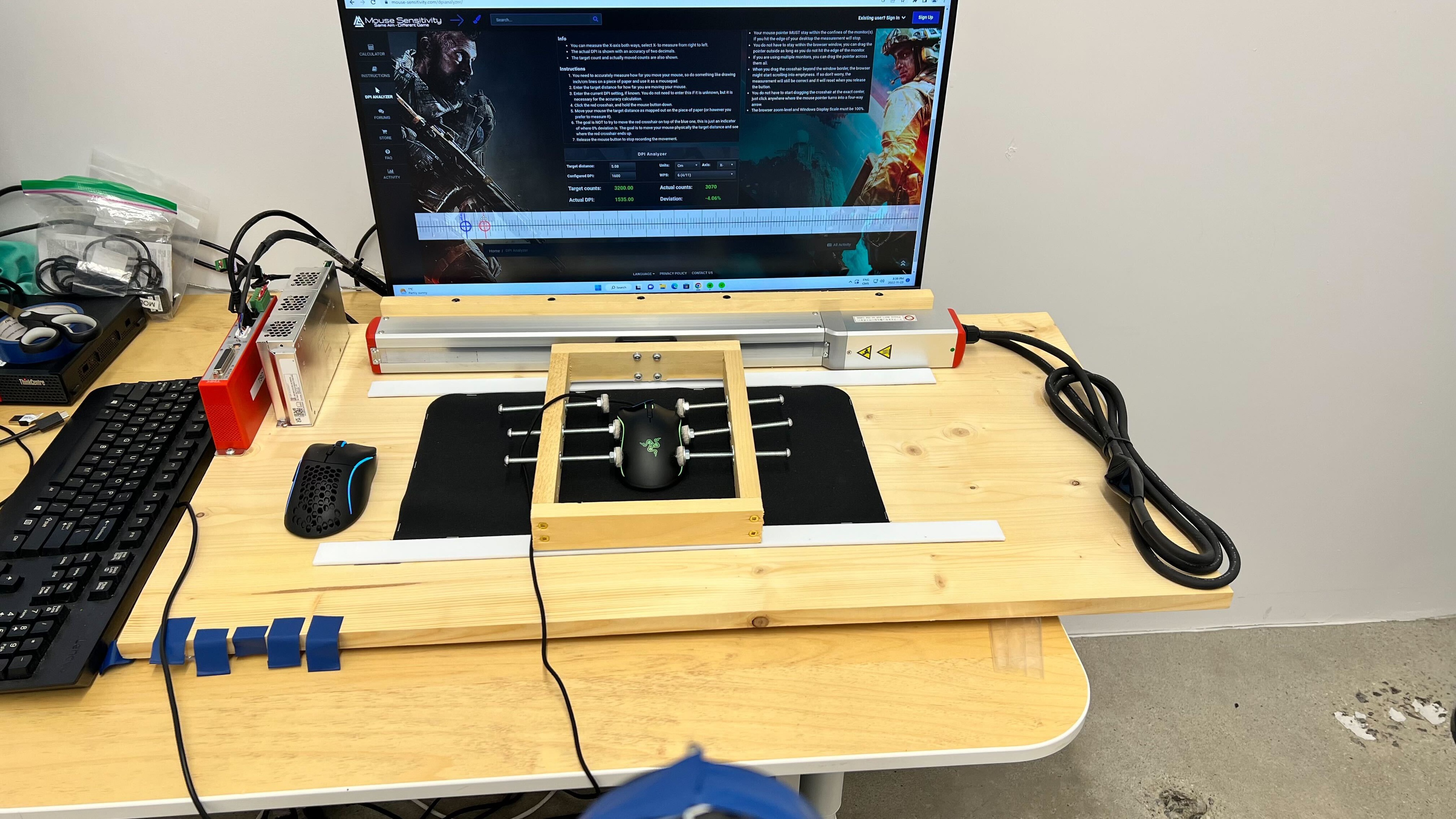
    No

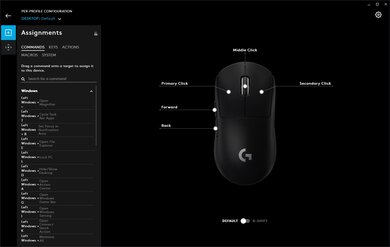
    The Mamba Elite has two additional buttons on the side, as well as a profile and a CPI button on top, and L/R horizontal tilt buttons on the scroll wheel. Other than the profile switch button, all of them are programmable, including the scroll up and down, giving you 11 total programmable buttons.

    8.7
    Click Latency
    See details on graph tool
    Expected Connection
    5.2 ms
    Wired
    5.2 ms
    Receiver
    N/A
    Bluetooth
    N/A

    The Mamba Elite's click latency is great and even competitive gamers shouldn't notice any lag.

    9.4
    CPI
    See details on graph tool
    SRAV @ 1600 CPI
    0.19%
    SRAV @ 800 CPI
    0.08%
    SRAV @ 400 CPI
    0.17%
    SRAV @ Fixed CPI
    N/A
    Precision Error Between Speeds
    0.11%
    Precision Error Between CPI
    0.17%
    Worst Tracking Error
    -4.38%
    Minimum CPI
    100 CPI
    Maximum CPI
    16,000 CPI
    CPI Adjustment Steps
    50 CPI
    Sensor Specifications
    Sensor Technology
    Optical (LED)
    Sensor Model
    Razer 5G
    Works On Glass
    No
    Minimum Lift Off Distance
    1.2 mm
    Maximum Polling Rate
    1000 Hz

    For a similar gaming mouse with a higher maximum polling rate of 2000Hz, check out the Mad Catz B.A.T. 6+.

    Mouse Wheel
    Scroll Wheel
    Notched Wheel
    Scroll Wheel Steps
    24 Steps
    Scroll Wheel Tilt
    Yes
    Thumb Wheel
    No
    Thumb Wheel Steps
    No Thumb Wheel

    The Mamba Elite has a pretty standard incremented scroll wheel with RGB lighting. However, unlike some other Razer mice, it has horizontal L/R tilt buttons, which are programmable.

    Noise
    Click Noise
    Quiet
    Operating System And Software
    8.0
    Compatible Software Option
    Software NameRazer Synapse 3
    Software Windows Compatibility
    Yes
    Software macOS Compatibility
    No
    Account Needed
    No
    On-Board Memory
    Yes
    CPI (DPI) Adjustment
    Yes
    Polling Rate Adjustment
    Yes
    Profile Configuration
    Yes
    RGB On/Off
    Yes

    Razer Synapse 3 is good mouse utility software that works great with the Mamba Elite. While the Razer software isn't available for macOS, your mouse will keep its customized settings when you plug it into other PCs, including Mac, thanks to its onboard memory. Razer's Synapse 3 software also has some additional features if you create an account, like saving profiles to the cloud and linking all your Razer products. If you need a mouse that has software support for macOS, check out the Logitech G402 Hyperion Fury. Or, for a gaming mouse that has an OLED screen on the underside that you can use to change sensor settings without using companion software check out the SteelSeries Prime+.

    8.3
    Mouse Compatibility
    Windows CompatibilityFully
    macOS CompatibilityPartially

    While this mouse is fully compatible with Windows, Razer's Synapse 3 software can't be installed on macOS. If you program a button on a Windows PC, it'll only keep those settings on a Mac as long as they aren't Windows-specific commands (like Ctrl+C, for example).