Razer DeathAdder Elite  Mouse Review

Reviewed Dec 11, 2019 at 08:55am
Test bench update Sep 28, 2022 at 06:33pm
Tested using Methodology v1.2 
Razer DeathAdder Elite
7.2
Office/Multimedia 
7.5
Video Games (FPS) 
7.1
Video Games (MMO) 
6.8
Ultra-Light Gaming 
4.7
Travel 
 0
The Razer DeathAdder Elite is a very good gaming mouse that follows the DeathAdder design from previous years. It's great for right-handed people who are looking for a mouse with amazing performance and setting options. It has a sleek gaming design, without overdoing it, and fits almost every hand size and grip. Unfortunately, people with smaller hands might have an awkward hand posture when using the claw or fingertip grip. Nevertheless, this wired mouse has low latency, which is great for gamers but the cable is quite rigid.

Our Verdict

7.2
Office/Multimedia 

Good to use as an office mouse. It has a nice ergonomic shape for right-handed people and offers a few customizable buttons. It might not be ideal for smaller hands if you use claw or fingertip grip, but it'll be fine for palm grip. This mouse is also wired-only, so you'll have to route its cable so it doesn't bother you on your desk.

Pros
  • Very good for gaming.
  • Excellent performance.
  • Very well-built design.
  • Almost universal for all hand sizes and grips.
Cons
  • Not recommended for smaller hands, unless using palm grip.
  • Rigid cable.
  • Not suitable for traveling due to wired-only use and size.
7.5
Video Games (FPS) 

Very good for video games like FPS. It has amazing performance and can be customized to suit your preferences, but it isn't the lightest option. On the upside, its click latency is decently low and the mouse feels responsive. It also has a few programmable buttons, which is good. It's also suitable for most hand sizes, although people with small hands might feel like their hand posture is awkward when using the claw or fingertip grip.

Pros
  • Very good for gaming.
  • Excellent performance.
  • Very well-built design.
  • Almost universal for all hand sizes and grips.
Cons
  • Not recommended for smaller hands, unless using palm grip.
  • Rigid cable.
  • Not suitable for traveling due to wired-only use and size.
7.1
Video Games (MMO) 

Very good for MMO games. It has a few programmable buttons, but not as many as MMO mice with a side panel filled with extra buttons. It might also be too big for small hands if you're using the claw or fingertip grip, but otherwise, this mouse is pretty universal for most right-handed people. Its wired design allows very low latency, which is good for gaming.

Pros
  • Very good for gaming.
  • Excellent performance.
  • Very well-built design.
  • Almost universal for all hand sizes and grips.
Cons
  • Not recommended for smaller hands, unless using palm grip.
  • Rigid cable.
  • Not suitable for traveling due to wired-only use and size.
6.8
Ultra-Light Gaming 

Decent for ultra-light gaming. This mouse's performance is excellent, but it's just under 100g if you elevate the cable with a bungee. This is noticeably higher than ultra-lightweight gaming mice, but isn't too heavy. The wired latency is low and the mouse is suitable for almost any hand size and grip, other than smaller hands with a claw or fingertip grip.

Pros
  • Very good for gaming.
  • Excellent performance.
  • Very well-built design.
  • Almost universal for all hand sizes and grips.
Cons
  • Not recommended for smaller hands, unless using palm grip.
  • Rigid cable.
  • Not suitable for traveling due to wired-only use and size.
4.7
Travel 

Not recommended for traveling. It's quite bulky and wired-only. This won't be great for using on the train or a plane with a laptop.

Pros
  • Very good for gaming.
  • Excellent performance.
  • Very well-built design.
  • Almost universal for all hand sizes and grips.
Cons
  • Not recommended for smaller hands, unless using palm grip.
  • Rigid cable.
  • Not suitable for traveling due to wired-only use and size.
  • 7.2
    Office/Multimedia
  • 7.5
    Video Games (FPS)
  • 7.1
    Video Games (MMO)
  • 6.8
    Ultra-Light Gaming
  • 4.7
    Travel
  • Changelog

    1.  Updated Sep 28, 2022: We've converted this review to Test Bench 1.2. This update simplifies our Weight test and expands on our CPI test from Test Bench 1.1, resulting in changes to test results in both sections. For more details, you can see our complete changelog here.
    2.  Updated Sep 21, 2022: We've converted this review to Test Bench 1.1. This update revamps our Click Latency test and results in changes to test results. For more details, you can see our full changelog here.
    3.  Updated Oct 05, 2020: Converted to Test Bench 1.0.
    4.  Updated Dec 20, 2019: Converted to Test Bench 0.8.1.

    Check Price

    DeathAdder Elite
    SEE PRICE
    Amazon.com
    Destiny 2 Edition
    SEE PRICE
    Amazon.com
    Overwatch Edition
    SEE PRICE
    Amazon.com
    SKT T1 Edition
    SEE PRICE
    Amazon.com

    Popular Mouse Comparisons

    The Razer DeathAdder Elite is a very good gaming mouse. It's a popular model that's also available for left-handed people, although it's the regular DeathAdder and not the Elite version. It has a very good build quality, amazing performance, and is amazing with a palm grip. Unfortunately, its cable is similar to most Razer mice, which is quite stiff and annoying. See our recommendations for the best wired mouse, the best gaming mouse, and the best mouse. If you're interested in Razer products, also check out the best Razer mice.

    Razer DeathAdder Essential

    The Razer DeathAdder Elite and the Razer DeathAdder Essential have the same shape and size, but the Elite performs better overall. It has a much wider CPI range, and its CPI can be adjusted much more precisely in increments of one. Also, its minimum lift-off distance is lower, and it has two programmable buttons below its scroll wheel, which the Essential lacks.

    Logitech G502 HERO

    The Logitech G502 HERO is a larger gaming mouse than the Razer DeathAdder Elite and will be tougher for people with small hands to grip comfortably. While both mice are wired-only, the Logitech has a higher-quality cable that is more flexible. The Logitech also has more programmable buttons, a much better scroll wheel with L/R tilt, and an unlock button for free scrolling.

    Razer Mamba Elite

    The Razer Mamba Elite and Razer DeathAdder Elite are very similar wired gaming mice. They're both right-handed mice that are good for all hand sizes with palm grip and all hand sizes except small for both claw and fingertip grip. The DeathAdder Elite's CPI is adjustable by increments of 1, which is outstanding and helps you precisely fine-tune its performance for your preference. On the other hand, the Mamba Elite has two more programmable buttons, as well as on-board memory, so you can maintain your settings if you switch PCs.

    Razer DeathAdder V2

    The Razer DeathAdder V2 is a better mouse than the Razer DeathAdder Elite. It's lighter, has a much less stiff and rigid cable, a better sensor, and on-board memory, so you can save your customization settings to the mouse and keep them if you switch PCs. On the other hand, the DeathAdder Elite can often be found much cheaper.

    Show more 

    Test Results

    perceptual testing image
    Sort:
    RATINGS
    Category:
    All
    Design
    Style
    Type
    Standard
    Lighting ColorRGB

    The Razer DeathAdder Elite looks like a gaming mouse, but without having a futuristic look. It's fairly simple and sleek, with the Razer logo on the back. Unlike the Razer DeathAdder Essential, which only has green lighting, the Elite has RGB lighting on both the logo and on each side of the mouse wheel. It has a slight downward slant on the right side, too. There are also some Overwatch, Destiny 2, and SKT T1 special editions.

    Shape
    Length5.0" (128 mm)
    Height1.7" (43 mm)
    Width2.8" (70 mm)
    Grip Width
    65 mm
    5.4
    Portability
    Volume
    23.49 in³ (385 cm³)
    Cable/Receiver Storing
    No

    Due to its wired design and slightly bulky body, the Razer DeathAdder Elite isn't the best option for traveling. However, people looking for a gaming mouse for their desk setup won't be bothered by this.

    8.0
    Build Quality

    The Razer DeathAdder Elite is a very well-built gaming mouse. It's made of solid plastic and there are no wobbling parts. The mouse feels a bit less loose than the Mamba Elite since the DeathAdder doesn't have the ability to tilt its mouse wheel, but this is a very minor difference. Its feet are fairly good and glide well.

    6.0
    Weight
    Lowest Weight
    99.4 g
    Default Weight
    99.4 g
    Weight Distribution
    Centered
    Extra Weights
    No

    There isn't any weight optimization with this mouse. It still feels decently light, but isn't as light as some ultra-lightweight gaming mice. If you want a lighter mouse, look into the Corsair HARPOON RGB.

    8.5
    Comfort Of Use
    Right-handed
    Yes
    Left-handed
    No
    Ambidextrous
    No
    Coating
    Matte
    Finger Rest
    No

    This mouse's ergonomics are very good for right-handed people. There are latex grips on the side to help grab the mouse firmly and it's quite easy to reach all the buttons, too. It's a fairly long mouse, so it's more suitable for palm and claw grip, but you can also use the fingertip grip if you don't have smaller hands. For a true ambidextrous design with side buttons on both sides, check out the Corsair M55 RGB Pro or the SteelSeries Sensei 310. If you want a non-slanted design with a lower back hump, check out the Razer Viper. If you're interested in a mouse with similar performance but with an internal fan intended to keep your hand cool and dry, take a look at the Marsback Zephyr RGB.

    Note: There isn't a left-handed version of this mouse, but there is one for the regular DeathAdder.

    Palm Grip: Hand Size Recommendation
    Small Hand
    Yes
    Medium Hand
    Yes
    Large Hand
    Yes
    X.Large Hand
    Yes

    The Razer DeathAdder Elite is suitable for all hand sizes when using the palm grip. It's easy to reach all the buttons and have nice control over the mouse.

    Claw Grip: Hand Size Recommendation
    Small Hand
    No
    Medium Hand
    Yes
    Large Hand
    Yes
    X.Large Hand
    Yes

    Unfortunately, small hands won't be great for using the claw grip on the Razer DeathAdder Elite. The mouse feels a bit too long and the hand posture is a bit awkward.

    Fingertip Grip: Hand Size Recommendation
    Small Hand
    No
    Medium Hand
    Yes
    Large Hand
    Yes
    X.Large Hand
    Yes

    Unfortunately, small hands won't be great for using the fingertip grip on the Razer DeathAdder Elite. The mouse feels a bit too long and the hand posture is a bit awkward.

    0.0
    Wireless Versatility
    Bluetooth
    No
    Receiver
    No
    Battery Type
    No Batteries
    Use When Charging
    No
    On/Off Activation
    None
    Receiver Extender
    No
    Battery IndicatorNo

    The Razer DeathAdder Elite is a wired-only mouse. If you want a wireless mouse that still performs great, check out the Razer Mamba Wireless.

    7.0
    Cable
    ConnectivityWired
    Cable Length7.0 ft (2.1 m)
    Cable Type
    Braided
    Permanent Kink
    Yes
    Port Type: Mouse End
    No Port
    Port Type: PC End
    USB

    The DeathAdder Elite has a typical braided Razer cable. Just like the Naga Trinity's, this mouse's cable is rigid and not very flexible. The cable maintains a lot of kinks, which can be bothersome when using the mouse. If you want something with a much better cable, check out the Razer DeathAdder V2, as it uses Razer's new cable which is much less rigid and stiff.

    7.5
    Mouse Feet
    Gliding Experience
    Good
    Material
    PTFE
    Extra Included
    No
    In The Box

    • Razer DeathAdder Elite mouse
    • Manuals
    Control
    7.4
    Buttons
    Buttons Activation
    Mechanical
    Total Number Of Buttons
    7
    Number Of Side Buttons
    2
    Number Of Programmable Inputs
    16
    Profile Switching Button
    No
    CPI (DPI) Switching Button
    Yes
    Gesture Support
    No

    The Razer DeathAdder Elite doesn't have as many programmable buttons as MMO mice, but still has enough for most gamers. You can also reprogram pretty much any button, including scroll up and down. For a similar but wireless mouse that has CPI buttons on the edge of its left click, check out the Razer DeathAdder V2 X HyperSpeed.

    7.2
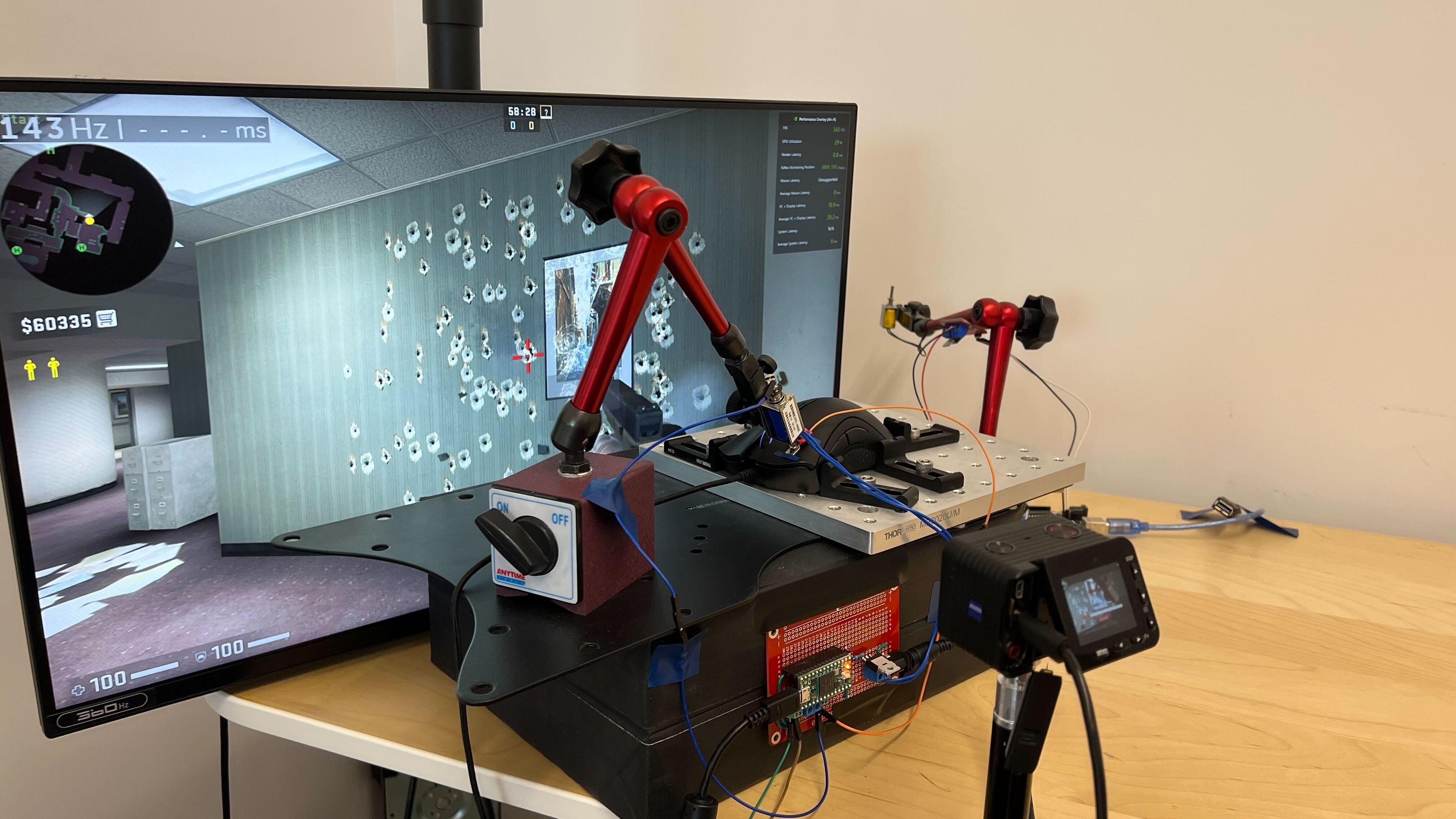
    Click Latency
    See details on graph tool
    Expected Connection
    11.6 ms
    Wired
    11.6 ms
    Receiver
    N/A
    Bluetooth
    N/A

    The Razer DeathAdder Elite's wired click latency is good, and most people will be satisfied with it. You won't notice any delay when gaming with it. If you want a mouse with even lower click latency, check out the XTRFY M4 RGB.

    9.3
    CPI
    See details on graph tool
    SRAV @ 1600 CPI
    0.10%
    SRAV @ 800 CPI
    0.25%
    SRAV @ 400 CPI
    0.08%
    SRAV @ Fixed CPI
    N/A
    Precision Error Between Speeds
    0.27%
    Precision Error Between CPI
    0.26%
    Worst Tracking Error
    5.06%
    Minimum CPI
    100 CPI
    Maximum CPI
    16,000 CPI
    CPI Adjustment Steps
    1 CPI
    Sensor Specifications
    Sensor Technology
    Optical (LED)
    Sensor Model
    Razer 5G
    Works On Glass
    No
    Minimum Lift Off Distance
    1.2 mm
    Maximum Polling Rate
    1000 Hz
    Mouse Wheel
    Scroll Wheel
    Notched Wheel
    Scroll Wheel Steps
    24 Steps
    Scroll Wheel Tilt
    No
    Thumb Wheel
    No
    Thumb Wheel Steps
    No Thumb Wheel

    The Razer DeathAdder Elite has a pretty typical incremented mouse wheel, with RGB lighting. There are notches on the wheel, giving it a rugged feeling.

    Noise
    Click Noise
    Quiet
    Operating System And Software
    6.5
    Compatible Software Option
    Software NameRazer Synapse 3
    Software Windows Compatibility
    Yes
    Software macOS Compatibility
    No
    Account Needed
    No
    On-Board Memory
    No
    CPI (DPI) Adjustment
    Yes
    Polling Rate Adjustment
    Yes
    Profile Configuration
    Yes
    RGB On/Off
    Yes

    The Razer Synapse 3 is fairly good software, but the options with the DeathAdder Elite are quite sub-par. The mouse doesn't have onboard memory, so you won't be able to use it with multiple computers, but this might not be an issue for most gamers that only have a single setup. Unfortunately, you can't save multiple profiles and switch between them. There are also a few more features if you do create an account, like saving your settings and lighting patterns for all Razer products.

    8.3
    Mouse Compatibility
    Windows CompatibilityFully
    macOS CompatibilityPartially

    Excellent compatibility. Although the Razer Synapse 3 software isn't available on macOS, you can still use the Razer DeathAdder Elite on both Windows and macOS. You won't be able to customize your settings on macOS, but other than that, all the default buttons and settings work with it. Check out the similar SteelSeries Rival 710 if you need full macOS compatibility.