Vaxee XE-S Wireless (4K)  Mouse Review

Reviewed Oct 15, 2024 at 12:22pm
Tested using Methodology v1.5.1 
Vaxee XE-S Wireless (4K)
7.2
Work 
9.3
Video Games (FPS) 
7.9
Video Games (MMO) 
9.6
Raw Performance 
 9

The Vaxee XE-S Wireless (4K) is a lightweight wireless gaming mouse part of Vaxee's XE lineup. It shares the same symmetrical shape as the full-sized Vaxee XE and Vaxee XE Wireless, but is smaller. It uses PixArt's flagship PAW3950 sensor and supports a maximum polling rate of 4000Hz. Like other Vaxee mice, it's driverless, so you can adjust all of its sensor settings using buttons on the mouse instead of having to install companion software. Or if you prefer, you can adjust its settings using its web-based companion software.

Our Verdict

7.2
Work 

The Vaxee XE-S is adequate for work use. It has outstanding build quality and wireless connectivity via a USB receiver. That said, rather than sitting flush with a USB port like most, its receiver only connects using an extender cable, so it's awkward to bring with you on the go. It also lacks bells and whistles like Bluetooth connectivity, multi-device pairing, free-scrolling, and left/right tilt inputs.

Pros
  • Outstanding build quality.

Cons
  • No Bluetooth connectivity.

  • Scroll wheel lacks free-scrolling and left/right tilt inputs.

9.3
Video Games (FPS) 

The Vaxee XE-S is an outstanding FPS gaming mouse. Its remarkable sensor and click latency performance deliver a highly responsive gaming experience. Also, you don't need to install any companion software to adjust its settings. It's on the smaller side and may be too small for larger hands and certain grip types.

Pros
  • Outstanding build quality.

  • Fantastic click and sensor latency.

  • 4000Hz maximum polling rate.

  • Very light.

Cons
  • Small size may be uncomfortable for larger hands.

7.9
Video Games (MMO) 

Although not designed for it, the Vaxee XE-S is decent for MMO gaming. It has outstanding build quality, exceptional raw performance, and a comfortable symmetrical shape. It doesn't have nearly as many side buttons as dedicated MMO gaming mice.

Pros
  • Outstanding build quality.

  • Fantastic click and sensor latency.

Cons
  • Fewer side buttons than a dedicated MMO gaming mouse.

  • Small size may be uncomfortable for larger hands.

9.6
Raw Performance 

The Vaxee XE-S has fantastic raw performance. It has remarkably good click and sensor latency and reacts extremely accurately and quickly to your inputs. It also has a maximum polling rate of 4000Hz.

Pros
  • Fantastic click and sensor latency.

  • 4000Hz maximum polling rate.

Cons
None
  • 7.2
    Work
  • 9.3
    Video Games (FPS)
  • 7.9
    Video Games (MMO)
  • 9.6
    Raw Performance
  • Changelog

    1.  Updated Aug 28, 2025: We've converted this review to Test Bench 1.5.1. This update removes less relevant or redundant elements, including several videos. We've also adjusted our Sensor Latency testing, resulting in minor score changes. See our full 1.5.1 changelog for details.
    2.  Updated May 16, 2025: 

      We've added a software tour to the configuration software section of the review after Vaxee released a web-based companion software. We've updated the additional buttons and CPI sections to reflect the software's new configuration options.

    3.  Updated Apr 30, 2025: 

      We've retested this mouse's click latency and sensor latency after updating the firmware to the latest version.

    4.  Updated Oct 15, 2024: Review published.

    Differences Between Sizes And Variants

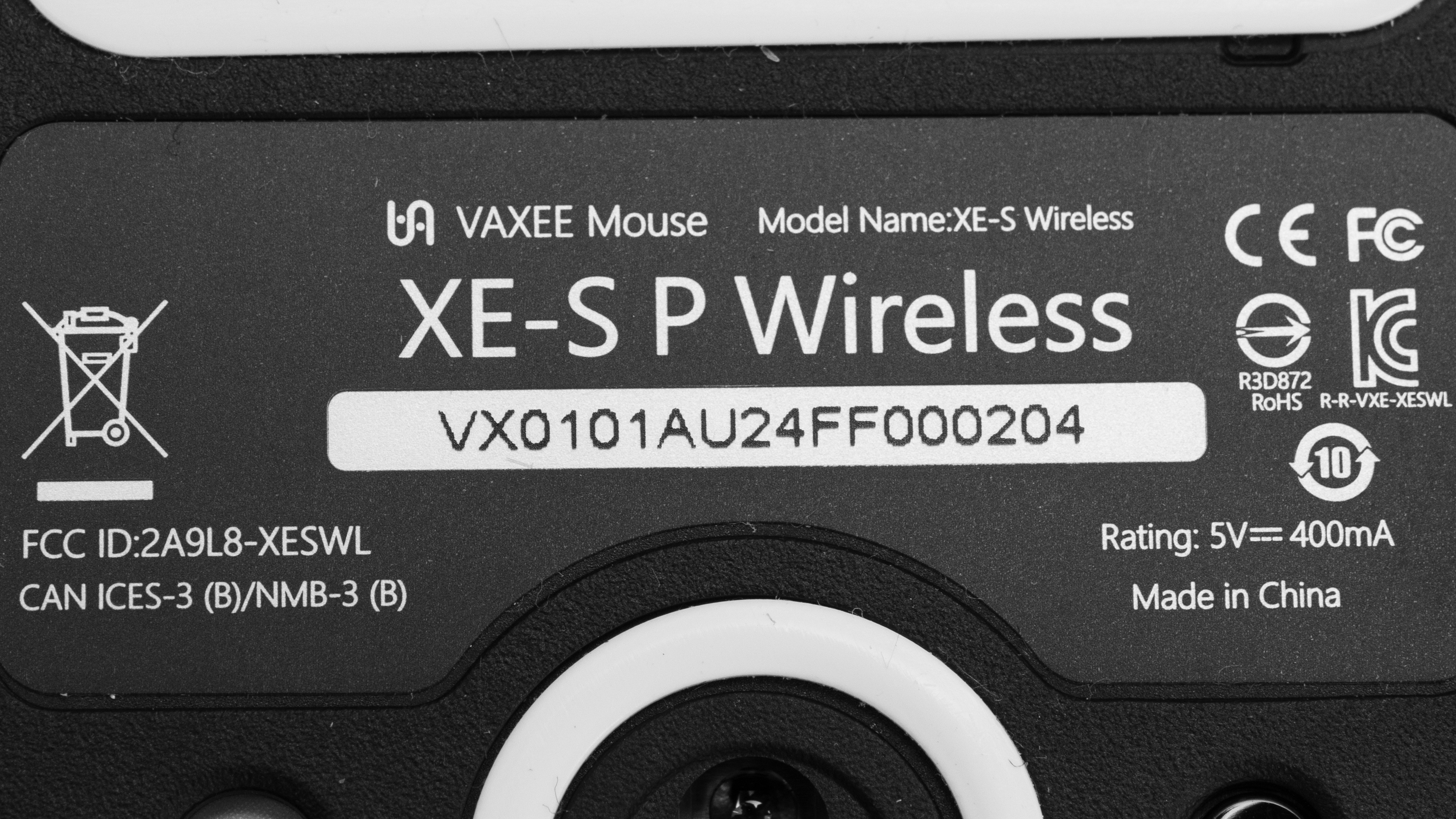
    The Vaxee XE-S Wireless (4K) is available in Black, White, Yellow, Blue, Orange, and Pink. We bought and tested the Pink version. See our unit's label here.

    There's also a larger model of the mouse, the Vaxee XE Wireless, which we've also bought and tested. Note that it uses a different sensor.

    Popular Mouse Comparisons

    The Vaxee XE-S Wireless (4K) is a lightweight wireless gaming mouse that continues Vaxee's XE lineup. Like other Vaxee mice, you can change its settings by using button combinations directly on the mouse. This is beneficial if you don't want to install resource-intensive companion software or are a competitive player who's not allowed to use software during tournament play. That said, Vaxee offers a web-based companion software if you'd prefer to adjust its settings that way.

    It has a familiar shape that's identical to the Vaxee XE but smaller. It's a fairly flat, symmetrical shape that's well-suited for all grip types if you have small- to medium-sized hands. Compared to other Vaxee mice we've reviewed, it has fantastic build quality. It also has superb raw performance that's on par with flagship gaming mice. It's a great choice if you're a fan of driverless mice, but options like the LAMZU MAYA, the Pulsar X2V2, and the Ninjutso Sora V2 offer similar performance in a lighter package for less.

    For more recommendations, see our picks for the best mouse, the best gaming mouse, and the best lightweight mouse.

    Vaxee XE

    The Vaxee XE and the Vaxee XE-S Wireless (4K) are gaming mice in the same lineup. The XE is a wired mouse that's designed for both gaming and productivity and features a configurable function button behind the scroll wheel. The XE-S is more focused on competitive gaming and features an updated PAW3950 sensor with a 4000Hz maximum polling rate and better overall performance. The two mice have the same shape, but the XE-S is smaller. It's also significantly lighter and has better build quality.

    Razer Viper V3 Pro

    The Vaxee XE-S Wireless (4K) and the Razer Viper V3 Pro have similar symmetrical shapes, but the Razer is significantly larger and suitable for a wider variety of hand sizes and grip types. The Vaxee, on the other hand, is smaller and better suited for smaller hands and claw and fingertip grips. Both deliver superb gaming performance, but the Razer has a higher maximum polling rate of 8000Hz. You can configure the Vaxee without drivers, or using a web-based software, whereas the Razer uses the resource-intensive Razer Synapse software.

    Logitech G PRO X SUPERLIGHT 2

    The Logitech G PRO X SUPERLIGHT 2 and the Vaxee XE-S Wireless (4K) are lightweight wireless gaming mice with symmetrical shapes, with the Vaxee being smaller. The two have similar performance, but the Logitech has a higher, 8000Hz maximum polling rate. The Vaxee, on the other hand, has better build quality and mouse feet.

    Vaxee ZYGEN NP-01S Wireless (4K)

    The Vaxee ZYGEN NP-01S Wireless (4K) and the Vaxee XE-S Wireless (4K) are lightweight wireless gaming mice. The XE-S has a symmetrical shape while the NP-01S has a right-handed shape with a supportive hump towards the bottom right side. The two perform similarly, but the XE-S has a newer sensor and marginally lower sensor latency.

    Test Results

    perceptual testing image
    Sort:
    RATINGS
    Category:
    All
    Design
    Style
    Type
    Standard
    Coating
    Matte
    Lighting ColorNo Lighting

    The Vaxee XE-S looks identical to its bigger siblings, the Vaxee XE and the Vaxee XE Wireless. It has a clean aesthetic and a smooth matte plastic finish. We bought and tested the Pink colorway, but it's also available in Black, White, Yellow, Blue, and Orange.

    There isn't any RGB lighting, but there are two small LED indicators on the top of the mouse that display battery levels. There's a very small logo on the function button on the top of the mouse, but it's hard to notice.

    Shape
    Length4.8" (121 mm)
    Width2.5" (64 mm)
    Height1.4" (37 mm)
    Grip Width
    60 mm
    Ambidextrous
    Shape Only
    Left-Handed Friendly
    Left-Handed Version Available
    Finger Rest
    No
    9.0
    Build Quality

    This mouse has superb build quality overall. It has a very smooth matte finish with a chalky texture. It feels high-quality and pleasant to the touch.

    There's no creaking or flexing to speak of when pressing into the mouse, even with intentional force. The left- and right-click buttons have no side-to-side play, and the side buttons feel tactile and satisfying to click. You can't actuate them by pressing on the side underneath the buttons, which is possible on the Vaxee XE and Vaxee XE Wireless.

    There is a very quiet rattling sound inside the mouse if you shake it aggressively, but it's not noticeable during normal use.

    9.0
    Weight
    Lowest Weight
    60.8 g
    Default Weight
    60.8 g
    Weight Distribution
    Centered
    Extra Weights
    No

    This mouse is very lightweight and is significantly lighter than the larger Vaxee XE and the Vaxee XE Wireless.

    Hand Size Recommendation
    Palm Grip Hand Recommendation
    Claw Grip Hand Recommendation
    Fingertip Grip Hand Recommendation

    This mouse has the same shape as the Vaxee XE and the Vaxee XE Wireless but is smaller. It has a symmetrical, gently rounded shape with a fairly low-profile, centered hump. It has flat sides that widen towards the rear of the mouse. It's well suited for a palm or claw grip if you have smaller hands or a claw or fingertip grip if you have larger hands.

    7.2
    Wireless Versatility
    Maximum Of Paired Devices
    1
    Bluetooth
    No
    Receiver
    Yes
    Battery Type
    Rechargeable
    Use When Charging
    Yes
    On/Off Activation
    Auto Off And On/Off Switch
    Receiver Extender
    Yes
    Receiver Storing
    No
    Battery IndicatorYes

    You can connect to this mouse wirelessly using its included 2.4GHz USB receiver. It has a 400 mAh battery with the following advertised battery life figures:

    • Standard mode, 1000Hz: 110 hours
    • Competitive mode, 1000Hz: 38 hours
    • Competitive mode, 2000Hz: 34 hours
    • Competitive mode, 4000Hz: 30 hours
    Cable
    ConnectivityWireless
    Cable Length
    6.8 ft (2.1 m)
    Cable Type
    Rubber
    Permanent Kink
    No
    Port Type: Mouse End
    USB-C
    Port Type: PC End
    USB-A

    This mouse comes with a flexible and lightweight rubber cable. Despite it being rubber, it has very little drag across surfaces, and it doesn't retain any kinks from its packaging either.

    8.5
    Mouse Feet
    Gliding Experience
    Ok
    Material
    Virgin Grade PTFE
    Extra Included
    No

    This mouse has excellent feet that glide smoothly across most surfaces. That said, they're somewhat thin and slightly scratchy when gliding across hard mousepads or directly on desks.

    In The Box

    • 4k wireless receiver
    • USB-A to USB-C charging cable
    • QR code for Vaxee's website
    Control
    Main Button
    See details on graph tool
    See details on graph tool
    Switch Type
    Mechanical
    Switch Model
    Huano Black Shell Pink Dot
    6.4
    Additional Buttons
    Total Number Of Buttons
    7
    Number Of Side Buttons
    2
    Number Of Programmable Inputs
    5
    Profile Switching Button
    No
    Gesture Support
    No

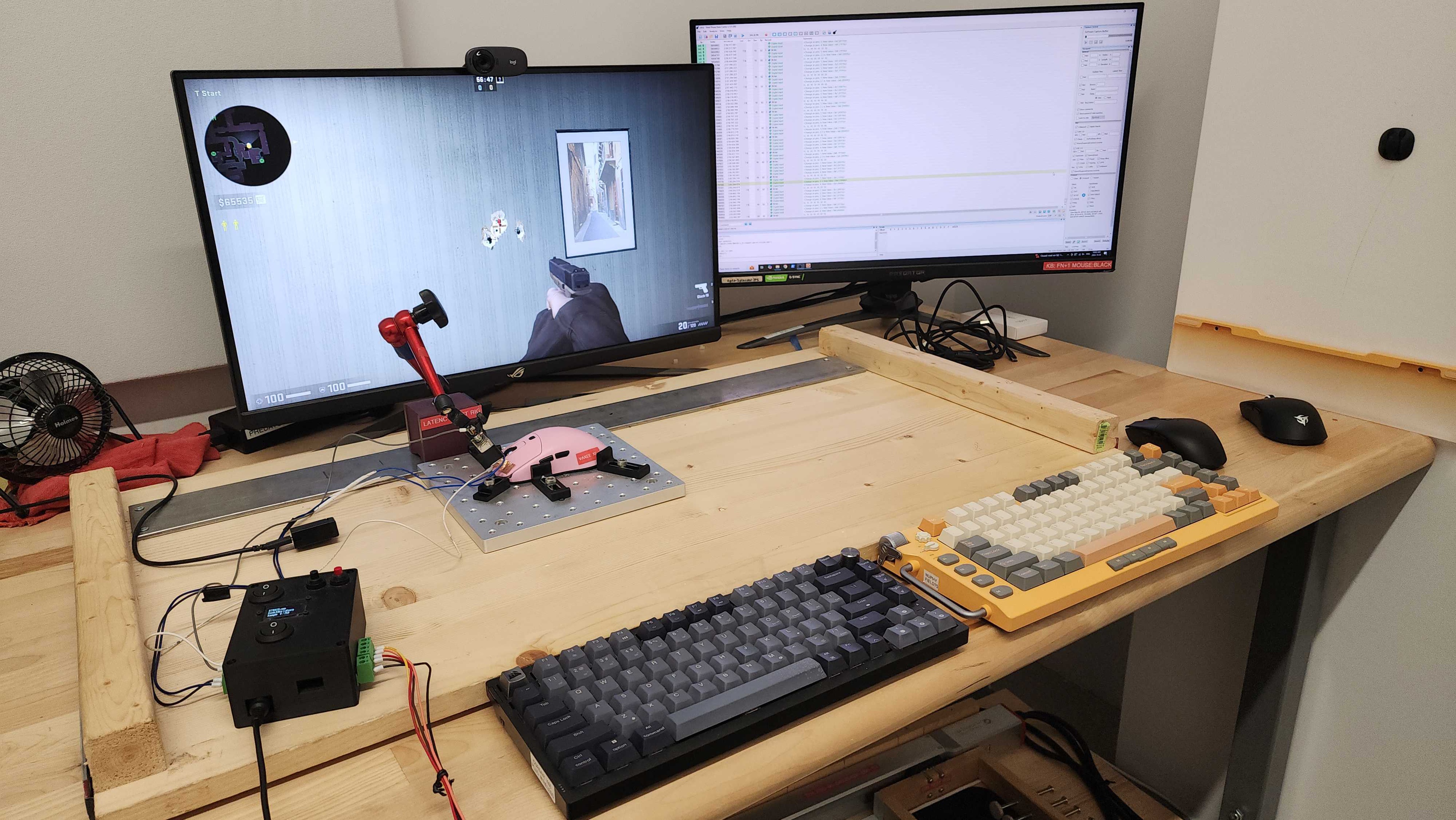
    The power switch and an additional button on the underside let you adjust the CPI, polling rate, debounce delay, lift-off distance, and more. The function button underneath the scroll wheel displays the battery life and activates the page-down key by default. You can find more information and a full list of button combinations in the user guide.

    You can also reprogram the mouse's L/R click, scroll click, side, and function buttons using the Webdriver companion software, but the inputs you can program are fairly limited. Additionally, left-click always needs to be bound to a button.

    9.7
    Click Latency
    See details on graph tool
    Expected Connection
    1.6 ms
    Wired
    2.4 ms
    Receiver
    1.6 ms
    Bluetooth
    N/A

    This mouse has fantastic click latency, delivering a highly responsive experience suitable for casual or competitive play.

    We conducted this test using the maximum wireless polling rate of 4000Hz, with the lowest debounce setting of 0 ms, and with competitive mode on.

    9.2
    CPI
    See details on graph tool
    SRAV @ 1600 CPI
    -0.38%
    SRAV @ 800 CPI
    -0.21%
    SRAV @ 400 CPI
    -0.17%
    SRAV @ Fixed CPI
    N/A
    Precision Error Between Speeds
    1.00%
    Precision Error Between CPI
    1.58%
    Worst Tracking Error
    -4.00%
    Minimum CPI
    50 CPI
    Maximum CPI
    26,000 CPI
    CPI Adjustment Steps
    50 CPI

    This mouse has superb CPI performance. It delivers extremely good tracking accuracy that translates the physical movements you make with your mouse closely to your cursor movements on-screen.

    9.6
    Sensor Latency
    See details on graph tool
    Delay To Start Of Movement
    11.1 ms
    Delay At Half Movement
    1.4 ms
    Delay To End Of Movement
    1.0 ms

    The Vaxee XE-S Wireless (4K) has outstanding sensor latency. It reacts to your movements incredibly quickly and consistently.

    This test above was conducted at 4000Hz, with Motion Sync off and competitive mode turned on.

    Sensor Specifications
    Sensor Technology
    Optical (LED)
    Sensor Model
    PixArt PAW3950
    Works On Glass
    No
    Minimum Lift Off Distance
    1.2 mm
    Maximum Polling Rate
    4000 Hz

    The available polling rate options are 500Hz, 1000Hz, 2000Hz, and 4000Hz. The maximum wired polling rate is 1000Hz.

    Mouse Wheel
    Scroll Wheel Type
    Notched Wheel
    Scroll Wheel Tilt
    No
    Thumb Wheel Type
    No

    The mouse wheel has a grippy rubber coating with a dotted texture. The steps are well-pronounced and tactile. It's quiet when scrolling normally but is a little noisy when scrolling aggressively. The middle click is tactile and on the heavier side.

    Noise
    Click Noise
    Quiet
    Operating System And Software
    Configuration Software
    Software NameVaxee Webdriver
    Software Windows Compatibility
    Yes
    Software macOS Compatibility
    Yes
    On-Board Memory
    Yes
    CPI (DPI) Adjustment
    Yes
    Polling Rate Adjustment
    Yes
    Profile Configuration
    No
    Profile Auto-Switching
    No
    RGB On/Off
    No

    The web-based companion software is simple and easy to use. It allows you to adjust basic expected options, including lift-off distance and button programming. More advanced settings include debounce time, a toggle for competitive mode, and motion sync.

    Using this software is optional, as you can also adjust all the same settings using buttons on the mouse.

    10
    Mouse Compatibility
    Windows CompatibilityFully
    macOS CompatibilityFully

    All default button functions work in Windows and macOS.