Vaxee ZYGEN NP-01S Wireless (4K)  Mouse Review

Reviewed Aug 15, 2024 at 09:28am
Tested using Methodology v1.5.1 
Vaxee ZYGEN NP-01S Wireless (4K)
6.6
Work 
9.0
Video Games (FPS) 
6.9
Video Games (MMO) 
9.4
Raw Performance 
 6

The Vaxee ZYGEN NP-01S Wireless (4K) is a lightweight wireless gaming mouse. It shares the same right-handed, asymmetrical shape as the original Vaxee ZYGEN NP-01S, with a flattened top, somewhat narrow middle, and a small supportive hump toward the back right end. This new model brings an updated sensor package and support for a higher maximum polling rate of 4000Hz. Like other mice in Vaxee's catalog, this mouse is driverless, meaning you don't need to install software to change settings. Instead, you can adjust several sensor settings with buttons on the mouse's underside.

Our Verdict

6.6
Work 

The Vaxee NP-01S Wireless (4k) is adequate for work but isn't designed for it. That said, it has excellent build quality and wireless connectivity via a USB receiver. However, you need to connect the wireless receiver with an included cable, which takes up considerable space and can be awkward for some setups. Additionally, it lacks Bluetooth connectivity, doesn't support multi-device pairing, and its scroll wheel is missing productivity features like free-scrolling and left/right tilt inputs.

Pros
  • Excellent build quality.
Cons
  • No Bluetooth connectivity.
  • Scroll wheel lacks free-scrolling and left/right tilt inputs.
9.0
Video Games (FPS) 

The Vaxee NP-01S Wireless (4k) is an outstanding FPS gaming mouse. It has remarkably good sensor latency and click latency performance, providing a consistent and highly responsive feeling experience for casual or competitive play. It's also driverless, so you don't need to install configuration software. Instead, you can adjust a series of sensor settings with button combinations directly on the mouse itself. Although it's slightly heavier than some other FPS mice, the weight is well-distributed and shouldn't hinder quick, accurate movements—unless you strongly prefer mice under 65g.

Pros
  • Excellent build quality.
  • Outstanding click latency.
  • Outstanding sensor latency.
  • No software to install; can adjust sensor settings directly on the mouse.
Cons
  • Limited to four CPI presets.
  • Slightly heavier than similar high-end FPS mice.
6.9
Video Games (MMO) 

The Vaxee NP-01S Wireless (4k) isn't designed specifically for MMO gaming and has far fewer side buttons than a dedicated MMO mouse. That said, it has excellent build quality, outstanding raw performance, and a comfortable, supportive shape well-suited for medium and smaller-sized hands.

Pros
  • Excellent build quality.
  • Outstanding click latency.
  • Outstanding sensor latency.
  • No software to install; can adjust sensor settings directly on the mouse.
Cons
  • Fewer side buttons than a dedicated MMO gaming mouse.
  • Limited to four CPI presets.
9.4
Raw Performance 

The Vaxee NP-01S Wireless (4k) offers superb raw performance. It has remarkably good and consistent all-around sensor latency, supports a maximum polling rate of 4000Hz, and provides remarkably low click latency that's more than suitable for competitive play.

Pros
  • Outstanding click latency.
  • Outstanding sensor latency.
Cons
None
  • 6.6
    Work
  • 9.0
    Video Games (FPS)
  • 6.9
    Video Games (MMO)
  • 9.4
    Raw Performance
  • Changelog

    1.  Updated Aug 19, 2025: We've converted this review to Test Bench 1.5.1. This update removes less relevant or redundant elements, including several videos. We've also adjusted our Sensor Latency testing, resulting in minor score changes. See our full 1.5.1 changelog for details.
    2.  Updated Oct 15, 2024: We fixed an error in which we incorrectly listed the CPI adjustment steps as 400 CPI when there are actually only four preset CPI settings.
    3.  Updated Aug 15, 2024: Review published.
    4.  Updated Jul 29, 2024: Early access published.

    Differences Between Sizes And Variants

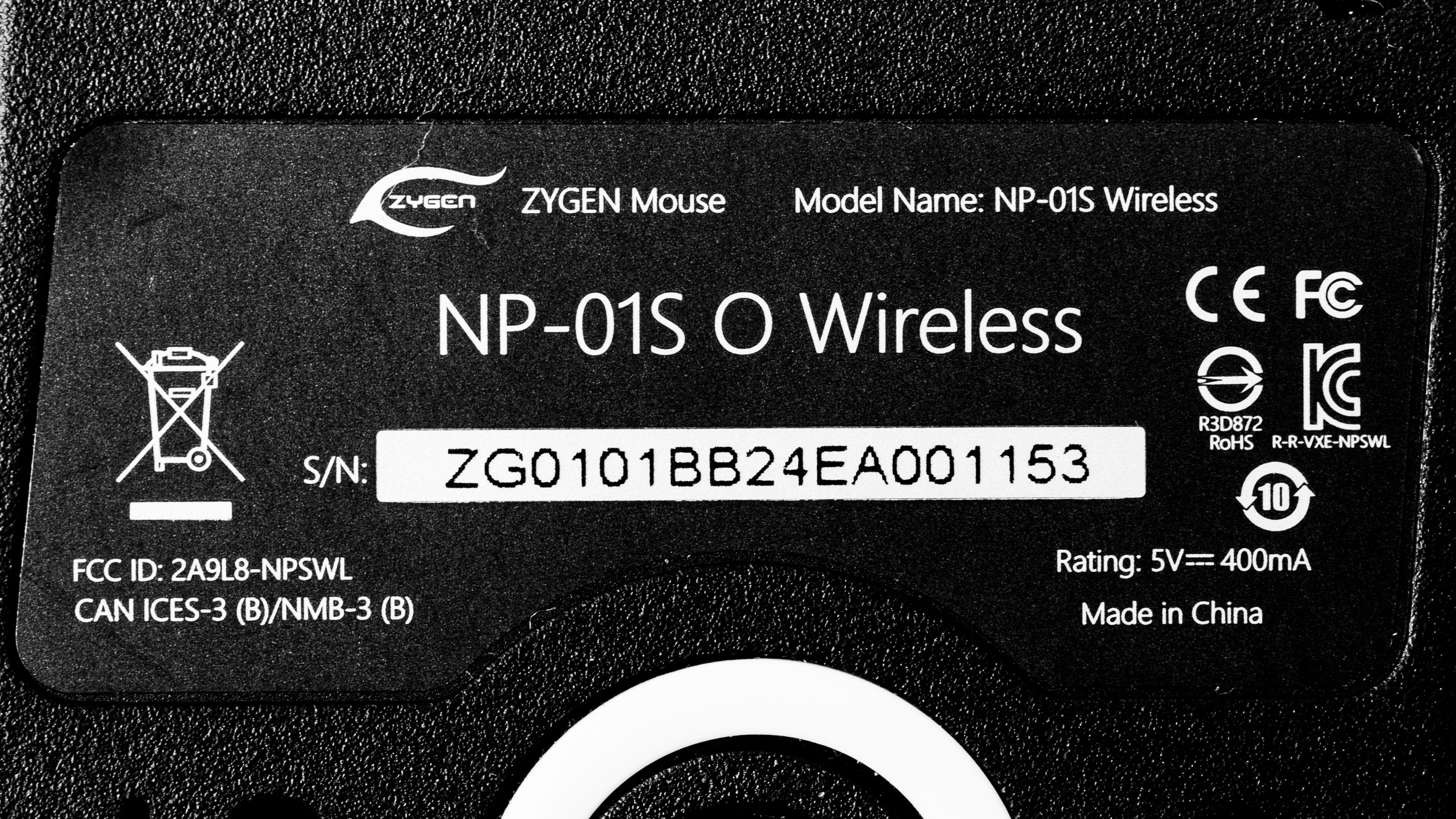
    The Vaxee ZYGEN NP-01S Wireless (4K) is available in Black, White, Pink, Yellow, Blue, and Orange color options. We bought and tested the Orange color, and you can see the label for our unit here.

    Note that this mouse is also available in a larger version, the ZYGEN NP-01 (4k). We expect our performance tests to be broadly applicable to this version as well.

    Popular Mouse Comparisons

    The Vaxee ZYGEN NP-01S Wireless (4K) is a lightweight wireless gaming mouse that continues Vaxee's NP-01S lineup. Like other Vaxee releases, this mouse is driverless and doesn't have configuration software. Instead, you can change a focused series of adjustments using button combinations directly on the mouse. This is beneficial for competitive players who typically aren't allowed to use the software during tournament play or anyone else who doesn't want to install the often bloated and resource-intensive software options from other major gaming mouse manufacturers.

    Its asymmetrical shape features a very flat top and significantly less aggressive rearward hump compared to more aggressive 'ergo' shapes, like the similarly sized BenQ ZOWIE EC3, the Xlite V3 Mini, or the Pwnage StormBreaker. This mouse is a high-end, high-performance option aimed squarely at competitive gamers. It's a bit heavier than competing models but is a standout option if you prefer a smaller, non-symmetrical shape and simple onboard settings control.

    For more recommendations, see our picks for the best mouse, best gaming mouse, and best wireless gaming mouse.

    Logitech G PRO X SUPERLIGHT 2

    The Logitech G PRO X SUPERLIGHT 2 and the Vaxee ZYGEN NP-01S Wireless (4K) are high-end wireless gaming mice with comparable raw performance. The Logitech is lighter and has a symmetrical shape but relies on configuration software for sensor adjustment. It also uses optical switches, which are noticeably heavier-feeling, and some may feel are comparatively mushy tactile experience. Comparatively, the Vaxee has an asymmetrical shape and provides slightly better raw performance but is driverless, allowing you to make sensor adjustments directly on the mouse with button combinations.

    BenQ ZOWIE EC2-DW

    The BenQ ZOWIE EC2-DW and the Vaxee ZYGEN NP-01S Wireless (4K) are wireless gaming mice with right-handed shapes. The Vaxee's shape has a considerably lower profile than the ZOWIE, and its hump is flatter and further towards the rear. This gives it a smaller feel in-hand and allows for more flexibility for hybrid grip types. That said, the ZOWIE is significantly lighter than the Vaxee. The two have similar superb performance, but the Vaxee has marginally better click latency.

    Razer DeathAdder V3 Pro

    The Razer DeathAdder V3 Pro and the Vaxee ZYGEN NP-01S Wireless (4K) are high-end, wireless gaming mice. The Razer is larger but also a bit lighter. It has a more aggressive shape with a larger rearward hump and uses configuration software for sensor adjustments. Additionally, its maximum polling rate is only 1000Hz out of the box unless you purchase an additional HyperPolling Dongle, which increases the maximum wireless polling rate to 8000Hz. On the other hand, the Vaxee supports a maximum wireless polling rate of 4000Hz out of the box. It's also driverless, which means it lacks software and you make senor adjustments using button combinations directly on the mouse itself.

    Endgame Gear OP1 8k

    The Endgame Gear OP1 8k and the Vaxee ZYGEN NP-01S Wireless (4K) are high-performance gaming mice. The Endgame Gear is a lighter, wired-only option with a slightly smaller symmetrical shape. It supports a higher polling rate of 8000Hz and offers slightly better all-around gaming performance. On the other hand, the Vaxee is a wireless model with a slightly larger asymmetrical shape and supports a maximum wireless polling rate of 4000Hz. The Endgame Gear uses configuration software with onboard memory for sensor adjustments, while the Vaxee is driverless, allowing you to make sensor adjustments using button combinations directly on the mouse.

    Show more 

    Test Results

    perceptual testing image
    Sort:
    RATINGS
    Category:
    All
    Design
    Style
    Type
    Standard
    Coating
    Matte
    Lighting ColorNo Lighting

    The Vaxee NP-01S Wireless (4K) has a streamlined look and a fairly smooth matte coating. We bought and tested the Orange color variant, but a range of other color options are also available.

    There's a ZYGEN logo in silver text on the front right of the mouse and a VAXEE logo on the underside. There isn't any RGB lighting, but there's a small LED indicator for displaying battery levels on the top of the mouse, below the left- and right-click buttons.

    Shape
    Length4.7" (119 mm)
    Width2.5" (63 mm)
    Height1.5" (37 mm)
    Grip Width
    57 mm
    Ambidextrous
    No
    Left-Handed Friendly
    No
    Finger Rest
    No

    Vaxee also sells a slightly larger version of this mouse called the Vaxee Zygen NP-01 Wireless (4K) with the following advertised dimensions:

    • Length: 4.6" (118 mm)
    • Width: 2.5" (66 mm)
    • Height: 1.5" (39 mm)

    For reference you can compare our 3D scan of the original NP-01— which shares the same shape as the newer NP-01 Wireless (4K)—here.

    8.5
    Build Quality

    The Vaxee NP-01S Wireless (4K) has excellent build quality. It has a pleasant, smooth matte finish applied to the entire top shell and left- and right-click buttons.

    There's no squeaking, wobble, or loose parts, and there aren't any popping sounds when pressing into the sides, which is an issue that some earlier reviewers had noted but is absent on our unit.

    We did, however, note that you can actuate the side buttons if you press into the left side with enough pressure. However, this is fairly typical and isn't an issue when using the mouse normally.

    8.4
    Weight
    Lowest Weight
    68.6 g
    Default Weight
    68.6 g
    Weight Distribution
    Back-heavy
    Extra Weights
    No
    Hand Size Recommendation
    Palm Grip Hand Recommendation
    Claw Grip Hand Recommendation
    Fingertip Grip Hand Recommendation

    The Vaxee NP-01S Wireless (4K) shares the same shape as the original Vaxee ZYGEN NP-01S. It's a medium-small shape best suited for a palm or claw grip. Its asymmetrical design is quite flat and narrows quite a bit in the middle before rounding out in the back with a small but supportive hump toward the bottom right side.

    It's very well-suited for small or medium-sized hands, but if you have very small hands, you may struggle to reach the side buttons. If you have very large hands, your fingers will drape over the front edge using a palm grip, or you'll need to adopt a very aggressive and likely uncomfortable angle to your fingers for a claw grip.

    For larger hands, you may want to consider the slightly larger Vaxee ZYGEN NP-01 Wireless (4K) instead. For sizing reference, you can see a 3D scan comparison of the original Vaxee ZYGEN NP-01, which has identical dimensions to the newer wireless 4K model here.

    7.2
    Wireless Versatility
    Maximum Of Paired Devices
    1
    Bluetooth
    No
    Receiver
    Yes
    Battery Type
    Rechargeable
    Use When Charging
    Yes
    On/Off Activation
    Auto Off And On/Off Switch
    Receiver Extender
    Yes
    Receiver Storing
    No
    Battery IndicatorYes

    Vaxee advertises that the Vaxee NP-01S Wireless (4K) has a battery life of up to 100 hours using standard 1k polling with competitive mode off. With competitive mode on, Vaxee estimates up to 55 hours at 1000Hz, 45h at 2000Hz, and 35h at 4000Hz polling. They also indicate a full charge time of 1 hour and 50 minutes.

    Cable
    ConnectivityWireless
    Cable Length
    6.8 ft (2.1 m)
    Cable Type
    Paracord-like
    Permanent Kink
    Yes
    Port Type: Mouse End
    USB-C
    Port Type: PC End
    USB-A

    This mouse comes with a lightweight and flexible paracord-like charging cable. The mouse-side connector has two prongs to limit side-to-side travel and an upward angle to help keep it clear from getting caught on your mousepad.

    9.0
    Mouse Feet
    Gliding Experience
    Good
    Material
    Virgin Grade PTFE
    Extra Included
    No

    The feet glide very smoothly on soft or hard mousepads and directly on desks. They have a standard thickness (0.6mm), and all edges are rounded.

    Vaxee also sells thinner replacement skates (0.45mm) on their website here.

    In The Box

    • QR code which links to the user manual.
    • USB-A to USB-C charging cable
    • 4k wireless receiver
    Control
    Main Button
    See details on graph tool
    See details on graph tool
    Switch Type
    Mechanical
    Switch Model
    Huano Black Shell Pink Dot

    There's a small pre-travel bump visible on the graph early on during travel before actuation. During testing, we found that you can feel this small bump if you're paying close attention, but the sensation isn't unpleasant. Overall, the switch operation feels very crisp and satisfying, with a very active, snappy return.

    4.3
    Additional Buttons
    Total Number Of Buttons
    8
    Number Of Side Buttons
    2
    Number Of Programmable Inputs
    0
    Profile Switching Button
    No
    Gesture Support
    No

    There are three additional buttons on the underside used to change sensor settings and display battery levels and active modes. For more details, see the Sensor Specifications section.

    9.3
    Click Latency
    See details on graph tool
    Expected Connection
    2.9 ms
    Wired
    4.1 ms
    Receiver
    2.9 ms
    Bluetooth
    N/A

    The Vaxee NP-01S Wireless (4K) provides remarkable click latency performance. It delivers a responsive gaming experience that's suitable for casual or competitive play.

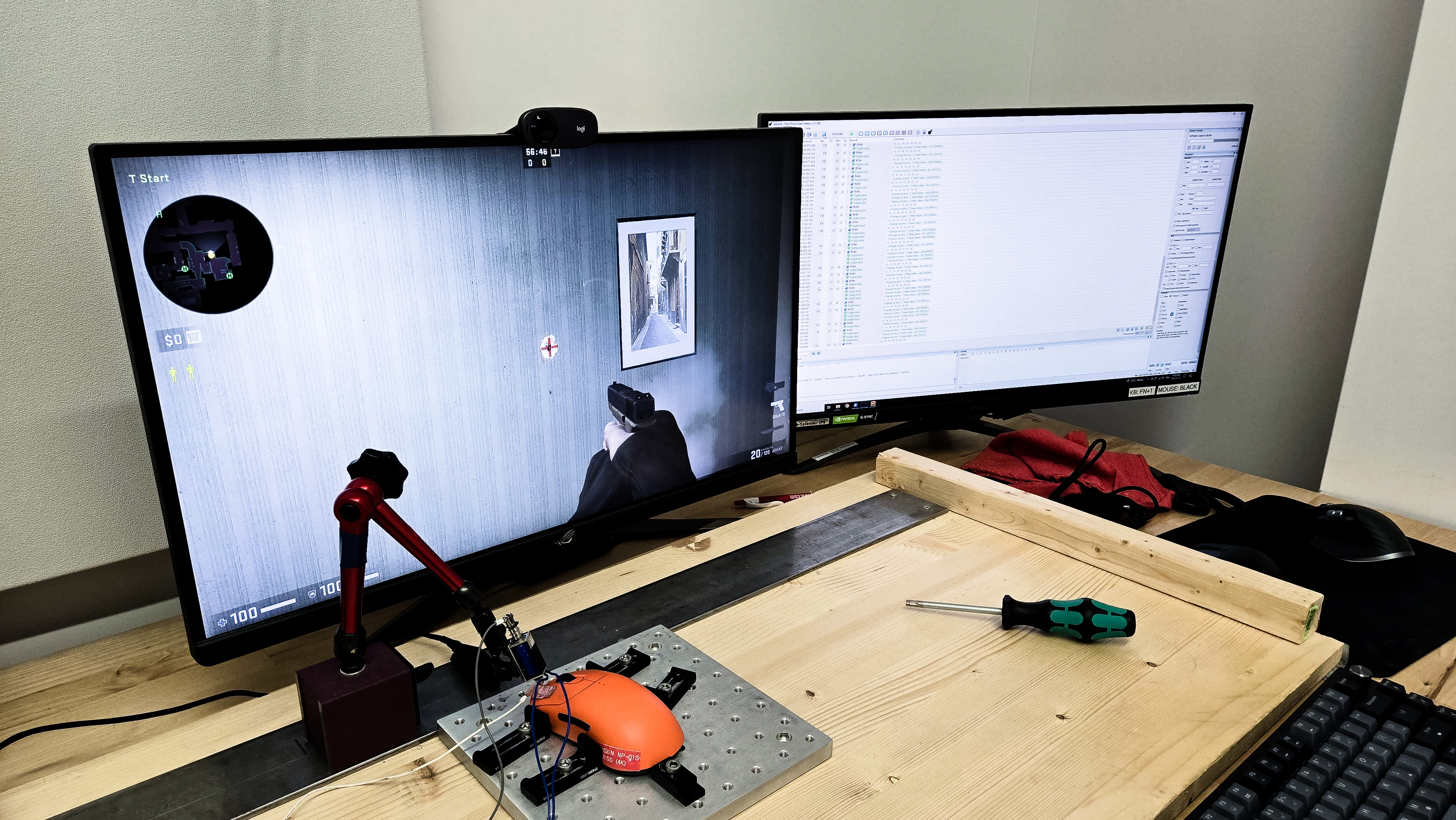
    We conducted this test using the maximum wireless polling rate of 4000Hz, with the lowest debounce setting of 2ms, and with competitive mode on.

    For comparison, you can see slightly worse wireless latency results if you choose to leave competitive mode off, which also locks the maximum wireless polling rate to 1000Hz.

    9.0
    CPI
    See details on graph tool
    SRAV @ 1600 CPI
    0.21%
    SRAV @ 800 CPI
    0.04%
    SRAV @ 400 CPI
    -0.17%
    SRAV @ Fixed CPI
    N/A
    Precision Error Between Speeds
    0.86%
    Precision Error Between CPI
    1.36%
    Worst Tracking Error
    -9.13%
    Minimum CPI
    400 CPI
    Maximum CPI
    3,200 CPI
    CPI Adjustment Steps
    N/A

    The Vaxee NP-01S Wireless (4k) provides excellent CPI performance, ensuring that the physical movements you make with the mouse translate consistently and predictably to the cursor movements you see on-screen.

    9.6
    Sensor Latency
    See details on graph tool
    Delay To Start Of Movement
    9.6 ms
    Delay At Half Movement
    1.3 ms
    Delay To End Of Movement
    1.5 ms

    The Vaxee NP-01S Wireless (4k)'s sensor reacts exceptionally quickly and consistently to your movements.

    This test above was conducted at 4000Hz, with Motion Sync off and with the competitive mode settings turned on.

    For comparison, we performed supplementary testing with Motion Sync on and found it produces identical results with no measurable motion latency penalty at 4000Hz polling.

    Sensor Specifications
    Sensor Technology
    Optical (LED)
    Sensor Model
    PixArt PAW3395
    Works On Glass
    No
    Minimum Lift Off Distance
    1.2 mm
    Maximum Polling Rate
    4000 Hz

    You can adjust CPI and polling rate, as well as switch debounce settings directly on the mouse using three buttons on the underside. The Vaxee ZYGEN NP-01S Wireless (4K) has four color-coded preset CPI settings, which you can cycle between by holding the 'DPI' button on the underside. The settings are 400 (red), 800 (purple), 1600 (blue), and 3200 (green). The available polling rate options are 125Hz, 500Hz, 1000Hz, 2000Hz, and 4000Hz. Debounce options are 2, 4, and 8 milliseconds. Note that the maximum wired polling rate is 1000Hz.

    You can adjust several additional settings by turning on the mouse while holding down specific buttons:

    Lift-Off Distance: You can toggle the lift-off distance between a high and low setting by turning the mouse on while holding down the polling rate button.

    Competitive Mode: Turning on the mouse while holding the debounce rate button toggles competitive mode, which is designed to reduce latency by prioritizing sensor performance and minimize wireless interference. Note that you need to enable competitive mode to access wireless polling rates higher than 1000Hz.

    Motion Sync: Turning on the mouse while holding the CPI button enables Motion Sync, a sensor setting that attempts to synchronize the sensor's report rate with polling events. It can make motion feel somewhat smoother, but some players may find it makes aiming feel too floaty.

    For a complete list of settings, you can reference a digital version of the user manual here.

    Mouse Wheel
    Scroll Wheel Type
    Notched Wheel
    Scroll Wheel Tilt
    No
    Thumb Wheel Type
    No

    The mouse wheel has a grippy rubber coating and the steps are very pronounced and tactile, which makes scrolling feel precise, but not as well-suited for high-speed scrolling. Unfortunately, the scroll wheel click is somewhat mushy.

    Noise
    Click Noise
    Quiet
    Operating System And Software
    Configuration Software
    Software NameNo software
    Software Windows Compatibility
    No
    Software macOS Compatibility
    No
    On-Board Memory
    No
    CPI (DPI) Adjustment
    No
    Polling Rate Adjustment
    No
    Profile Configuration
    No
    Profile Auto-Switching
    No
    RGB On/Off
    No

    This mouse doesn't use software. For more details about sensor adjustments you can make on the mouse itself, see the Sensor Specifications section. We conducted all testing in this review on the latest mouse and receiver firmware versions at the time of writing.

    • Mouse Firmware: v3 24.06.07
    • Receiver Firmware: v2 24.06.07

    10
    Mouse Compatibility
    Windows CompatibilityFully
    macOS CompatibilityFully