Cooler Master MM710  Mouse Review

Reviewed Dec 11, 2019 at 08:55am
Tested using Methodology v1.2 
Cooler Master MM710
6.5
Office/Multimedia 
8.2
Video Games (FPS) 
7.7
Video Games (MMO) 
8.7
Ultra-Light Gaming 
5.0
Travel 
 1

The Cooler Master MM710 is an excellent ultra-light gaming mouse. It's one of the lightest mice we've tested, thanks to its honeycomb pattern that covers the entire mouse, not just the top, and is great for gaming thanks to its low click latency and customizable CPI and polling rate. While the mouse can be used for any grip type, its smaller size means it may not be the best choice for people with larger hands. Unfortunately, the L/R buttons wobble from side to side, and the side buttons can be clicked by squeezing the mouse's frame, which is concerning.

Our Verdict

6.5
Office/Multimedia 

The Cooler Master MM710 mouse is okay for office use. While its lightweight, ambidextrous design will be comfortable enough for most people to use all day, its build quality is questionable. It feels sturdy enough, but the side buttons can be pressed by squeezing the mouse's frame, which is concerning. It's also a smaller mouse and may not be suitable for people with larger hands.

Pros
  • Very lightweight.
  • Excellent performance.
  • Software allows for a ton of customization.
  • Ambidextrous design is good for all grip types.
Cons
  • Too small for people with larger hands.
  • Side buttons can be activated by squeezing the mouse frame below them, which is concerning.
8.2
Video Games (FPS) 

The Cooler Master MM710 is a great mouse for FPS gaming. Its click latency is very good, and it has outstanding overall sensor performance. You can customize both its CPI and polling rate to suit your personal preferences, and it's comfortable enough for long gaming marathons. Unfortunately, it's a smaller mouse, so those with larger hands may be better off looking elsewhere.

Pros
  • Very lightweight.
  • Excellent performance.
  • Software allows for a ton of customization.
  • Ambidextrous design is good for all grip types.
Cons
  • Too small for people with larger hands.
  • Side buttons can be activated by squeezing the mouse frame below them, which is concerning.
7.7
Video Games (MMO) 

The Cooler Master MM710 is great for MMO games. While it only has two extra buttons, which is less than most dedicated MMO mice, they are both programmable, as well as the right-click, the mouse wheel click, and the up-and-down scroll of the mouse wheel. The mouse is lightweight and comfortable, though it isn't recommended for people with larger hands, and has excellent sensor performance.

Pros
  • Very lightweight.
  • Excellent performance.
  • Software allows for a ton of customization.
  • Ambidextrous design is good for all grip types.
Cons
  • Too small for people with larger hands.
  • Side buttons can be activated by squeezing the mouse frame below them, which is concerning.
8.7
Ultra-Light Gaming 

The Cooler Master MM710 is an excellent mouse for ultra-light gaming. It's one of the lightest mice that we've tested so far and has outstanding performance. Its ambidextrous design will be comfortable in every grip, though people with larger hands may be better off with a slightly bigger mouse. While the mouse is made of dense plastic, unfortunately, the side buttons can be activated by squeezing the frame below them, which is concerning.

Pros
  • Very lightweight.
  • Excellent performance.
  • Software allows for a ton of customization.
  • Ambidextrous design is good for all grip types.
Cons
  • Too small for people with larger hands.
  • Side buttons can be activated by squeezing the mouse frame below them, which is concerning.
5.0
Travel 

The Cooler Master MM710 isn't recommended for travel. While it isn't as large as some other mice, it's wired-only, making it more difficult to store.

Pros
  • Very lightweight.
  • Excellent performance.
  • Software allows for a ton of customization.
  • Ambidextrous design is good for all grip types.
Cons
  • Too small for people with larger hands.
  • Side buttons can be activated by squeezing the mouse frame below them, which is concerning.
  • 6.5
    Office/Multimedia
  • 8.2
    Video Games (FPS)
  • 7.7
    Video Games (MMO)
  • 8.7
    Ultra-Light Gaming
  • 5.0
    Travel
  • Changelog

    1.  Updated Apr 12, 2024: After reevaluating this mouse, we've determined the cable has a permanent kink and changed the corresponding test result in the Cable section from No to Yes and updated our text.
    2.  Updated Dec 01, 2022: We've converted this review to Test Bench 1.2. This update simplifies our Weight test and expands on our CPI test from Test Bench 1.1, resulting in changes to test results in both sections. For more details, you can see our complete changelog here.
    3.  Updated Nov 17, 2022: We've converted this review to Test Bench 1.1. This update revamps our Click Latency test and results in changes to test results. For more details, you can see our full changelog here.
    4.  Updated Oct 05, 2020: Converted to Test Bench 1.0.

    Popular Mouse Comparisons

    The Cooler Master MM710 is an amazing ultra-light gaming mouse and is one of the lightest we've tested. Unfortunately, there are reports of build quality issues, which we did get with our unit, where the buttons rattle. On the upside, its performance is amazing, and it's great for people with smaller hands.

    See our recommendations for the best mouse, the best wired mouse, and the best FPS mouse.

    GLORIOUS Model O

    The Cooler Master MM710 is similar to the GLORIOUS Model O. They're both ultra-light gaming mice with a honeycomb pattern, though the Cooler Master is slightly lighter. Both mice perform similarly, but the Cooler Master can be customized to have a higher CPI. The GLORIOUS feels better-built, but it's a larger mouse that's better suited for those with larger hands, while the Cooler Master will be better for people with small or medium-sized hands.

    Cooler Master MM711

    The Cooler Master MM710 and the Cooler Master MM711 are very similar ultra-light gaming mice; the only difference is that the MM711 has RGB lighting in the scroll wheel and palm region, making it heavier. Unfortunately, the MM710 we tested also has numerous build quality issues. Comparatively, the MM711 has excellent build quality and doesn't suffer from the same problems. Both mice share the same shape and size and are well-suited primarily for smaller hands and all grip types.

    Cooler Master MM731

    The CoolerMaster MM731 is a better ultra-lightweight gaming mouse than the Cooler Master MM710. The MM731 has a right-handed shape and connects either wired with its charging cable or wirelessly via Bluetooth or its USB receiver. It feels somewhat sturdier, has a wider CPI range, and has an additional programmable button. It also has lower click latency. On the other hand, the MM710 is a wired-only model with an ambidextrous shape. It also has mouse feet that glide more smoothly.

    G-Wolves Hati HT-M Classic Edition

    The Cooler Master MM710 is a better mouse for ultra-light gaming than the G-Wolves Hati HT-M Classic Edition. The Cooler Master is lighter and has a higher CPI. On the other hand, the G-Wolves feels better built and has lower click latency. While the G-Wolves can be used with any grip type for anyone except those with small hands, the Cooler Master isn't for people with larger hands.

    Finalmouse Ultralight 2 - Cape Town

    The Finalmouse Ultralight 2 - Cape Town is a better ultra-light gaming mouse than the Cooler Master MM710. While the Cooler Master is much more customizable, as it has dedicated companion software, which the Finalmouse doesn't have, the Finalmouse is lighter and feels better built. Both mice are on the smaller side and aren't recommended for people with larger hands.

    GLORIOUS Model D

    The GLORIOUS Model D is a slightly better mouse than the Cooler Master MM710. The main difference between those two ultra-light gaming mice is that the Cooler Master is noticeably smaller and lighter, but its build quality isn't the best. The GLORIOUS also has a right-slanted design, which is better for a palm or claw grip, while the short body of the Cooler Master is better for a fingertip grip.

    Razer Viper Mini

    The Razer Viper Mini is a better wired gaming mouse than the Cooler Master MM710. The Razer feels much better-built, is a bit more comfortable, has lower click latency, and has more programmable buttons. On the other hand, the Cooler Master is even lighter and has a higher max CPI, though few people will likely ever use it at its max CPI setting.

    XTRFY M4 RGB

    The Cooler Master MM710 is a bit better than the XTRFY M4 RGB. The Cooler Master is lighter, its CPI range is much wider, and it has software for customization, allowing you finer control over the sensitivity setting. However, the XTRFY's build quality is better and is more comfortable to use.

    Cooler Master MM720

    The Cooler Master MM720 is better than the Cooler Master MM710. They're very similar and feature the same sensor, but the MM720 is lighter. It also feels more comfortable and has more programmable buttons. However, the MM710 has an ambidextrous design, if that's what you prefer.

    Cooler Master CM110

    The Cooler Master MM710 is an excellent ultra-light gaming mouse, while the Cooler Master CM110 is a good budget gaming mouse. The MM710 has a honeycomb body making it much lighter. It also has a much better cable and smoother-gliding mouse feet. Performance-wise it has a wider CPI range, an adjustable CPI, a much lower lift-off distance, and customization software. Comparatively, the CM110 feels sturdier, has three RGB lighting zones, and has much better click latency. Both mice are ideal for all grip types and best suited for smaller hands. However, the MM710 is also accommodating to large hands using some grip types.

    HP OMEN Photon

    The Cooler Master MM710 is an excellent ultra-lightweight, wired gaming mouse, while the HP OMEN Photon is a good, versatile, wireless gaming mouse. The Cooler Master weighs less than half as much as the HP and has mouse feet that glide much more smoothly. It also has a much higher maximum CPI. On the other hand, the HP has modular pieces that add thumb and pinky rests or extra side button configurations to better suit a right or left-handed user. It also has a lower minimum CPI, a more consistent sensor, and RGB lighting, which the Cooler Master lacks.

    Dream Machines DM6 Holey S

    The Cooler Master MM710 is a better ultra-lightweight wired gaming mouse than the Dream Machines DM6 Holey S. The Cooler Master is lighter and has a more flexible cable that doesn't retain as many kinks. It also has mouse feet that glide more smoothly, a higher maximum CPI, a lower lift-off distance, and better click latency. On the other hand, the Dream Machines feels somewhat sturdier, and you can adjust the CPI more precisely. Both mice are suitable for all grip types, but the Dream Machines is much more accommodating to a wider range of hand sizes.

    Test Results

    perceptual testing image
    Sort:
    RATINGS
    Category:
    All
    Design
    Style
    Type
    Standard
    Lighting ColorNo Lighting

    The Cooler Master MM710 has a honeycomb design similar to other ultra-light gaming mice, though it also has this along the side to be as lightweight as possible. It has an ambidextrous design with no RGB zones, and the unit we tested has a very non-descript matte-black finish, though it's available in glossy black, matte white, or glossy white as well.

    Shape
    Length4.5" (115 mm)
    Height1.5" (39 mm)
    Width2.5" (63 mm)
    Grip Width
    61 mm
    5.8
    Portability
    Volume
    17.27 in³ (283 cm³)
    Cable/Receiver Storing
    No

    Although the Cooler Master MM710 is a fairly small mouse, it's wired-only and may be slightly difficult to store while traveling.

    7.0
    Build Quality

    The Cooler Master MM710's build quality is acceptable. While it's made of dense plastic and feels decently well-made, the plastic frame below the side buttons activates the buttons when squeezed, as if you're clicking the switch through the frame. The L/R buttons also wobble side-to-side a fair amount, which raises concerns over long-term longevity. If you're looking for a similar mouse with a sturdier-feeling build quality, check out the XTRFY M42. If you're interested in a more robust-feeling ultra-light mouse with a solid plastic body instead of a honeycomb design, check out the Endgame Gear XM1r.

    9.3
    Weight
    Lowest Weight
    53.9 g
    Default Weight
    53.9 g
    Weight Distribution
    Centered
    Extra Weights
    No

    The Cooler Master MM710 is one of the lightest mice we've tested and is only slightly heavier than the Finalmouse Ultralight 2. Like most ultra-light mice, it has no weight optimization and is at its lightest if you bungee the wire. If you want a very lightweight mouse that doesn't have a honeycomb pattern, check out the Razer Viper Mini.

    8.0
    Comfort Of Use
    Right-handed
    No
    Left-handed
    No
    Ambidextrous
    Yes
    Coating
    Matte
    Finger Rest
    No

    The Cooler Master MM710's ergonomics are great. It's an ambidextrous mouse, though the buttons are on the left side. While you can use it with any grip type, it's a slightly smaller mouse and isn't recommended for people with large or extra-large hands.

    Palm Grip: Hand Size Recommendation
    Small Hand
    Yes
    Medium Hand
    Yes
    Large Hand
    No
    X.Large Hand
    No

    If you have small or medium hands, the palm grip works well with this mouse. If your hands are larger, your fingers may go past the end of the mouse, and there are better options available.

    Claw Grip: Hand Size Recommendation
    Small Hand
    Yes
    Medium Hand
    Yes
    Large Hand
    No
    X.Large Hand
    No

    This mouse is good for claw grip for small or medium hands. Due to this mouse's small size, people with larger hands may have to curl their fingers too much to be comfortable.

    Fingertip Grip: Hand Size Recommendation
    Small Hand
    Yes
    Medium Hand
    Yes
    Large Hand
    Yes
    X.Large Hand
    No

    This mouse is great for fingertip grip for everyone except people with very large hands. If you have extra large hands and like using a fingertip grip, there are better options.

    0.0
    Wireless Versatility
    Bluetooth
    No
    Receiver
    No
    Battery Type
    No Batteries
    Use When Charging
    No
    On/Off Activation
    None
    Receiver Extender
    No
    Battery IndicatorNo

    This mouse is wired-only; you can't use it wirelessly.

    9.0
    Cable
    ConnectivityWired
    Cable Length6.3 ft (1.9 m)
    Cable Type
    Paracord-like
    Permanent Kink
    Yes
    Port Type: Mouse End
    No Port
    Port Type: PC End
    USB

    The Cooler Master MM710 has a very lightweight and flexible braided cable. However, it has some minor permanent kinking in it from the way it's packaged.

    9.0
    Mouse Feet
    Gliding Experience
    Very Good
    Material
    Virgin Grade PTFE
    Extra Included
    Yes
    In The Box

    • Cooler Master MM710
    • Replacement feet
    Control
    7.2
    Buttons
    Buttons Activation
    Mechanical
    Total Number Of Buttons
    6
    Number Of Side Buttons
    2
    Number Of Programmable Inputs
    6
    Profile Switching Button
    Yes
    CPI (DPI) Switching Button
    Yes
    Gesture Support
    No

    The Cooler Master MM710 has six dedicated buttons, four of which you can reprogram (you can't do it to the CPI switch and left-click). You can also reprogram the up-and-down scroll of the mouse wheel. If you want something similar with more programmable buttons, check out the Cooler Master MM720.

    7.4
    Click Latency
    See details on graph tool
    Expected Connection
    10.4 ms
    Wired
    10.4 ms
    Receiver
    N/A
    Bluetooth
    N/A

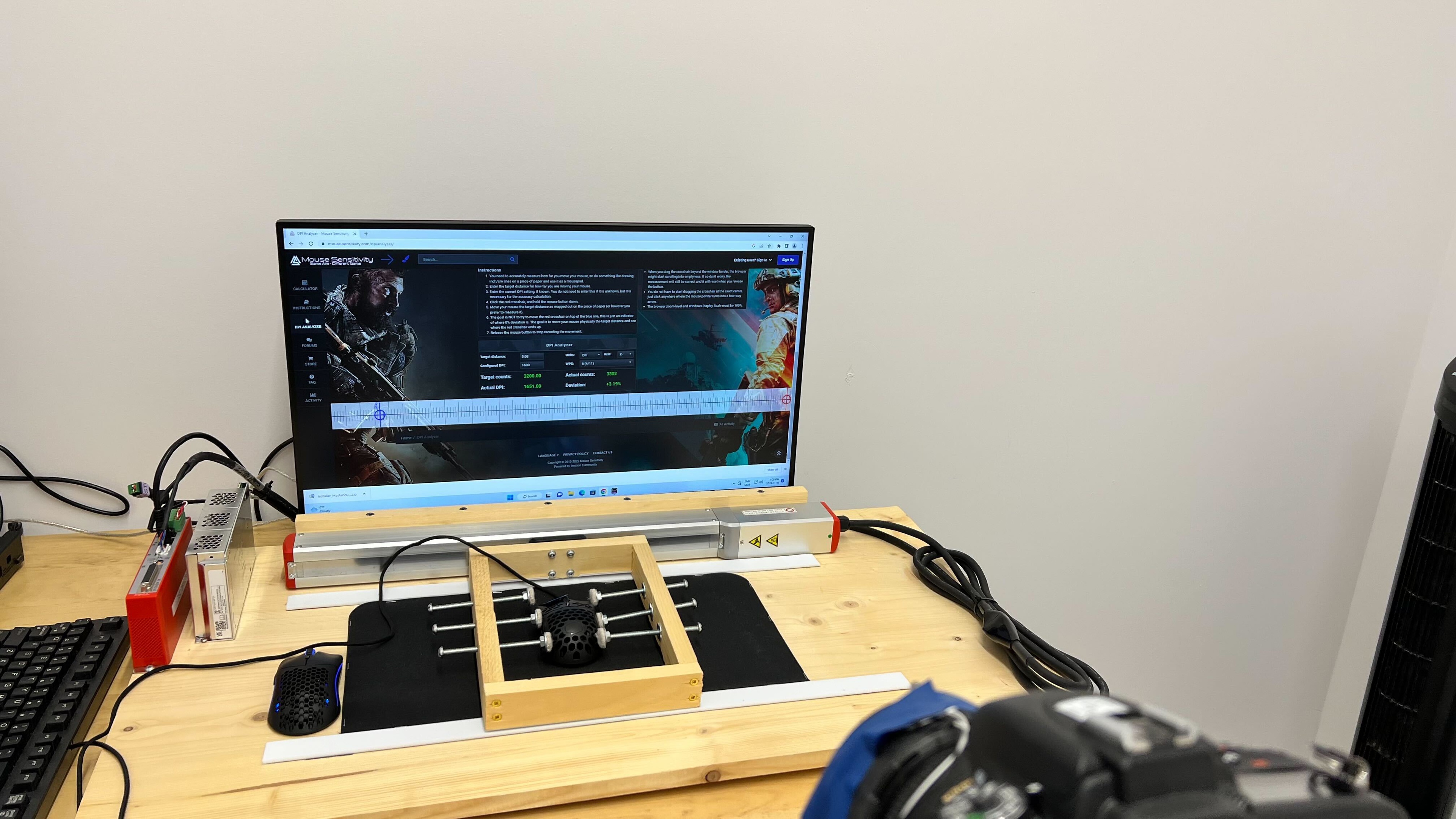
    The Cooler Master MM710's click latency is very good, and you likely won't notice any lag while gaming. If you want a mouse with even lower click latency, check out the Logitech G402 Hyperion Fury.

    9.8
    CPI
    See details on graph tool
    SRAV @ 1600 CPI
    -0.04%
    SRAV @ 800 CPI
    -0.13%
    SRAV @ 400 CPI
    0.00%
    SRAV @ Fixed CPI
    N/A
    Precision Error Between Speeds
    0.20%
    Precision Error Between CPI
    0.18%
    Worst Tracking Error
    3.44%
    Minimum CPI
    200 CPI
    Maximum CPI
    32,000 CPI
    CPI Adjustment Steps
    100 CPI
    Sensor Specifications
    Sensor Technology
    Optical (LED)
    Sensor Model
    PixArt PMW3389
    Works On Glass
    No
    Minimum Lift Off Distance
    1.2 mm
    Maximum Polling Rate
    1000 Hz
    Mouse Wheel
    Scroll Wheel
    Notched Wheel
    Scroll Wheel Steps
    24 Steps
    Scroll Wheel Tilt
    No
    Thumb Wheel
    No
    Thumb Wheel Steps
    No Thumb Wheel

    The Cooler Master MM710 has a standard incremented scroll wheel. There are no tilt buttons, and you can't unlock it for an 'infinite' scroll, like some office mice.

    Noise
    Click Noise
    Loud
    Operating System And Software
    7.8
    Compatible Software Option
    Software NameMasterPlus
    Software Windows Compatibility
    Yes
    Software macOS Compatibility
    No
    Account Needed
    No
    On-Board Memory
    Yes
    CPI (DPI) Adjustment
    Yes
    Polling Rate Adjustment
    Yes
    Profile Configuration
    Yes
    RGB On/Off
    No

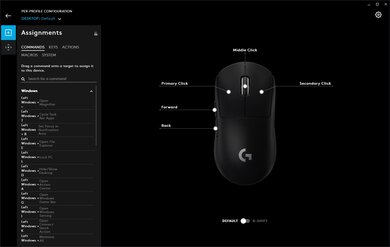
    Cooler Master's MasterPlus is an impressive piece of software. While it may appear cluttered and takes some time to get through, it gives you many customization options, like customizing CPI, setting macros, and setting various profiles, among other things. Unfortunately, the software is only compatible with Windows.

    8.3
    Mouse Compatibility
    Windows CompatibilityFully
    macOS CompatibilityPartially

    While the Cooler Master MM710 is fully compatible with Windows, you can't install the MasterPlus software on macOS. If you use the mouse on a Mac, you're stuck with the default settings, which you can't change.