Keychron M5  Mouse Review

Reviewed Jun 02, 2025 at 09:58am
Tested using Methodology v1.5.1 
Keychron M5
7.8
Work 
8.5
Video Games (FPS) 
7.8
Video Games (MMO) 
9.4
Raw Performance 
 9

The Keychron M5 is a wireless vertical mouse designed for productivity and gaming. Its vertical shape is designed to keep your hand in a 'handshake' position, which can help reduce wrist and arm tension after longer periods of use. It uses the flagship PixArt PAW3950 sensor and a Realtek 8762G MCU and supports a maximum polling rate of 8000Hz. It also has a secondary scroll wheel for horizontal scrolling.

Our Verdict

7.8
Work 

The Keychron M5 is very good for work. Its vertical shape keeps your wrist and arm in a 'handshake' position, which can help prevent strain after long periods of use. It has great build quality overall, and it connects wirelessly with the included 2.4GHz USB receiver or using Bluetooth with up to four devices simultaneously. It has a secondary wheel on the left side of the mouse, which is handy for horizontal scrolling. Its main scroll wheel, unfortunately, lacks a couple of useful extra features, like a free-scrolling mode and L/R tilt inputs.

Pros
  • Comfortable vertical shape.

  • Connects wirelessly with its USB receiver or via Bluetooth.

  • Great build quality.

  • Secondary scroll wheel for horizontal scrolling.

Cons
  • Main scroll wheel lacks L/R tilt inputs and free scrolling.

8.5
Video Games (FPS) 

The Keychron M5 is a great mouse for FPS gaming. It has outstanding raw performance overall, with remarkably low click latency and an accurate and extremely responsive sensor that supports up to an 8000Hz polling rate. That said, it's rather heavy, and while its vertical design can help reduce strain over long sessions, it's not the easiest to maneuver and make the quick and precise adjustments necessary for competitive twitch shooters.

Pros
  • Great build quality.

  • Fantastic raw performance.

Cons
  • Heavy.

7.8
Video Games (MMO) 

While not primarily designed for it, the Keychron M5 is a good mouse for MMO gaming. It has great build quality and a comfortable vertical shape that can help prevent strain over long sessions. It delivers superb raw performance, but it doesn't have nearly as many side buttons as bespoke MMO gaming mice.

Pros
  • Comfortable vertical shape.

  • Great build quality.

  • Fantastic raw performance.

Cons
  • Fewer side buttons than dedicated MMO mice.

9.4
Raw Performance 

The Keychron M5 has outstanding raw performance. It supports a maximum polling rate of 8000Hz and has superb click and sensor latency, making it well-suited for casual or competitive titles in any genre.

Pros
  • Incredible click latency.

  • Remarkable sensor latency and precision.

Cons
None
  • 7.8
    Work
  • 8.5
    Video Games (FPS)
  • 7.8
    Video Games (MMO)
  • 9.4
    Raw Performance
  • Changelog

    1.  Updated Aug 19, 2025: We've converted this review to Test Bench 1.5.1. This update removes less relevant or redundant elements, including several videos. We've also adjusted our Sensor Latency testing, resulting in minor score changes. See our full 1.5.1 changelog for details.
    2.  Updated Jun 02, 2025: Review published.
    3.  Updated May 28, 2025: Early access published.
    4.  Updated May 22, 2025: Our testers have started testing this product.

    Check Price

    Differences Between Sizes And Variants

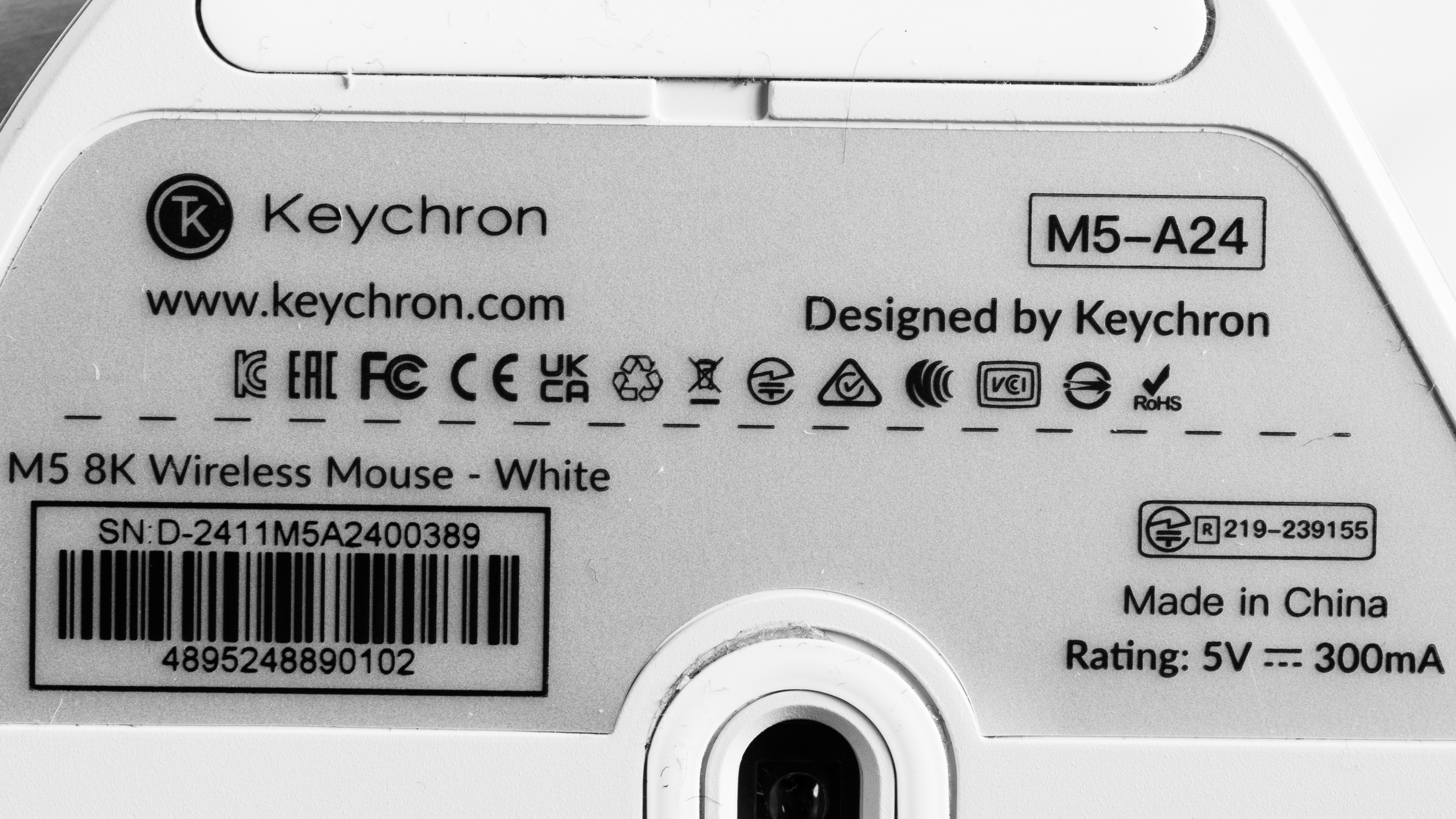
    The Keychron M5 is available in Black or White color options. We bought and tested the White model. See a photo of our unit's label.

    Popular Mouse Comparisons

    The Keychron M5 is a fairly unusual product in that it's a vertical mouse designed to reduce strain after long work days, but also boasts the top-of-the-line specs and performance of a flagship gaming mouse. The other mouse on the market that has the same selling points is the Razer Pro Click Vertical V2, but the two mice take different approaches to their vertical design, and the Razer is positioned further upmarket with more premium materials and a higher price tag. Other vertical options include the Logitech Lift and the Logitech MX Vertical, but those mice don't have nearly the same gaming chops as the Keychron.

    For more recommendations, check out our picks for the best ergonomic mice, the best wireless gaming mice, and the best work mice.

    Keychron M6

    The Keychron M5 and the Keychron M6 are wireless mice designed for productivity and gaming. The M6 has a more traditional right-handed design, while the M5 has a vertical shape that you hold in a neutral 'handshake' position that can reduce strain over long periods. The M6 has slightly better work functionality thanks to its scroll wheel that can toggle between a free-scrolling mode and a regular notched mode, compared to the M5's traditional scroll wheel. On the other hand, the M5 has better gaming performance, with an 8000Hz polling rate and much lower click and sensor latency.

    Logitech Lift

    The Logitech Lift and the Keychron M5 are wireless vertical mice. While the Logitech is designed primarily for productivity, the Keychron is designed for both productivity and gaming. As such, it delivers outstanding raw performance that's suitable for gaming in any genre or competitive level, while the Logitech is only suitable for casual gaming. The Logitech has a smaller overall shape, but both mice are well-suited for a fairly wide range of hand sizes. The Keychron has a second scroll wheel on its left side for horizontal scrolling.

    Razer Pro Click V2 Vertical

    The Razer Pro Click V2 Vertical and the Keychron M5 are wireless vertical mice designed for gaming and productivity. Shape-wise, the Razer is more vertical at a ~72° angle, while the Keychron is at a ~47° angle. The Razer is also bigger and heavier, and it uses more premium materials with better build quality, although both mice are comfortable for a range of hand sizes. The Keychron is slightly better for gaming overall, thanks to its better click latency, sensor latency, 8000Hz polling rate, and smoother gliding mouse feet.

    Logitech MX Vertical

    The Logitech MX Vertical and the Keychron M5 are wireless vertical mice. The Keychron is designed for both gaming and productivity, while the Logitech is designed for productivity more distinctly. As a result, the Keychron has significantly better raw performance that's on par with top-of-the-line gaming mice, while Logitech is just suitable for casual gaming. Shape-wise, the Logitech is significantly bigger and bulkier feeling, making it only suitable for larger hand sizes, while the Keychron is much more accommodating.

    Test Results

    perceptual testing image
    Sort:
    RATINGS
    Category:
    All
    Design
    Style
    Type
    Vertical
    Coating
    Matte
    Lighting ColorNo Lighting

    The Keychron M5 mouse has low-key styling without many distinctive elements, apart from its vertical shape. It has a plastic body with a matte finish. It doesn't have any visible logos or RGB lighting, apart from the status LED on the left side of the mouse in front of the side buttons.

    We bought and tested the White colorway, but it's also available in Black.

    Shape
    Length4.6" (117 mm)
    Width3.4" (87 mm)
    Height2.9" (72 mm)
    Grip Width
    59.7 mm
    Ambidextrous
    No
    Left-Handed Friendly
    No
    Finger Rest
    Thumb and Pinky
    8.0
    Build Quality

    The Keychron M5 mouse has great build quality. It's made of ABS plastic with a matte texture. While it feels fairly hollow, it doesn't exhibit any significant flex during use. There is, however, some creaking if you intentionally squeeze it hard, but this likely won't happen during normal use.

    While we didn't experience it with our unit, some users online have reported a squeaky scroll wheel. If you experience this problem, Keychron has a guide on their website explaining how to disassemble the mouse and lubricate the scroll wheel to mitigate the issue.

    6.1
    Weight
    Lowest Weight
    98.1 g
    Default Weight
    98.1 g
    Weight Distribution
    Back-heavy
    Extra Weights
    No
    Hand Size Recommendation
    Palm Grip Hand Recommendation
    Claw Grip Hand Recommendation
    Fingertip Grip Hand Recommendation

    The Keychron M5 mouse has a right-handed vertical shape that you hold in a handshake position. The left side of the mouse is curved to accommodate your thumb, and there's a pinky rest on the right side of the mouse. There's enough room on either side to adjust your grip until it's comfortable for you, but your fingers may feel cramped if you have large hands. Conversely, you could have difficulty reaching the side buttons and secondary scroll wheel with your thumb if you have small hands. Still, the shape and size are fairly accommodating for most hand sizes.

    See additional photos of '1-3-1' palm and claw grips with the middle finger on the scroll wheel and the ring finger on the right click button.

    10
    Wireless Versatility
    Maximum Of Paired Devices
    4
    Bluetooth
    Yes
    Receiver
    Yes
    Battery Type
    Rechargeable
    Use When Charging
    Yes
    On/Off Activation
    Auto Off And On/Off Switch
    Receiver Extender
    Yes
    Receiver Storing
    No
    Battery IndicatorYes

    This mouse has a 600 mAh battery. Keychron advertises the following battery life estimates:

    Mode/Polling Rate Setting Battery Life Estimate
    Bluetooth 140 hours
    1000Hz polling rate 120 hours
    4000Hz polling rate 45 hours
    8000Hz polling rate 40 hours

    You can connect this mouse to a maximum of three devices simultaneously via Bluetooth, plus one paired with the 2.4GHz USB receiver.

    Cable
    ConnectivityWireless
    Cable Length
    5.9 ft (1.8 m)
    Cable Type
    Paracord-like
    Permanent Kink
    Yes
    Port Type: Mouse End
    USB-C
    Port Type: PC End
    USB-C

    This mouse has a paracord-like charging cable that's lightweight and flexible. It retains some minor kinks from its packaging.

    9.0
    Mouse Feet
    Gliding Experience
    Very Good
    Material
    Virgin Grade PTFE
    Extra Included
    No

    This mouse has high-quality mouse feet that glide smoothly across most surfaces.

    In The Box

    • 2.4GHz USB-A receiver
    • USB-C cable
    • USB-C to USB-A adapter
    • Receiver extender
    • User documentation
    Control
    Main Button
    See details on graph tool
    See details on graph tool
    Switch Type
    Mechanical
    Switch Model
    Huano Transparent Blue Shell Pink Dot
    6.7
    Additional Buttons
    Total Number Of Buttons
    7
    Number Of Side Buttons
    2
    Number Of Programmable Inputs
    9
    Profile Switching Button
    No
    Gesture Support
    No

    You can program every button on this mouse apart from the three buttons on the underside, which allow you to cycle between CPI, polling rate settings, and connected devices.

    9.9
    Click Latency
    See details on graph tool
    Expected Connection
    1.0 ms
    Wired
    0.8 ms
    Receiver
    1.0 ms
    Bluetooth
    12.8 ms

    The Keychron M5 has outstanding click latency that's more than suitable for playing games in any genre and at any competitive level.

    We conducted this test at a polling rate of 8000Hz both wired and wirelessly, and at Bluetooth's maximum of 125Hz. We also used its lowest debounce setting of 0 ms.

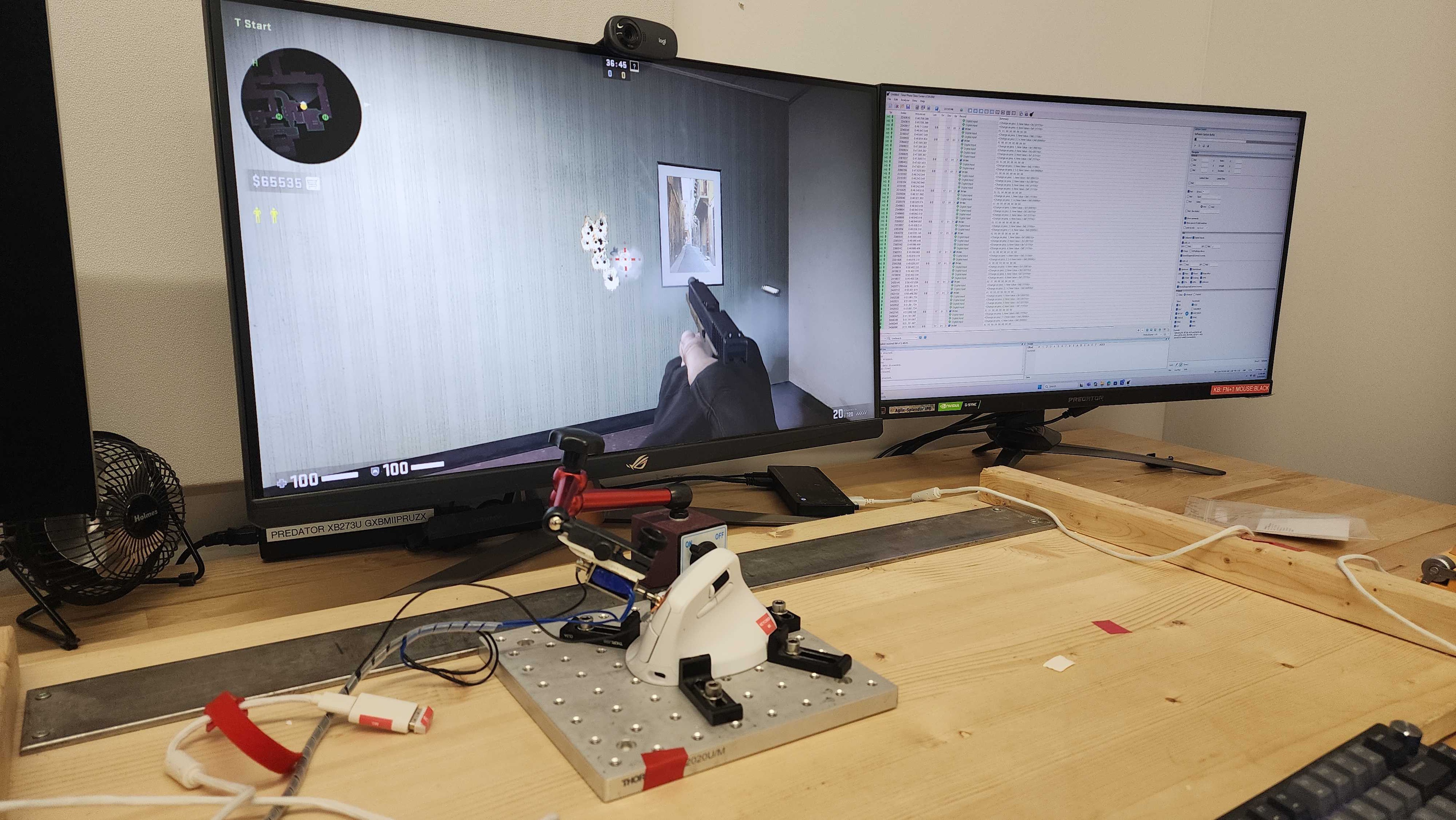
    Click latency this good is unexpected for a vertical productivity mouse. We took additional measures to verify our results by testing the mouse lying on its side with the solenoid in a more typical orientation, but we achieved the same numbers.

    8.8
    CPI
    See details on graph tool
    SRAV @ 1600 CPI
    -0.08%
    SRAV @ 800 CPI
    0.42%
    SRAV @ 400 CPI
    1.83%
    SRAV @ Fixed CPI
    N/A
    Precision Error Between Speeds
    0.67%
    Precision Error Between CPI
    0.58%
    Worst Tracking Error
    -4.00%
    Minimum CPI
    50 CPI
    Maximum CPI
    30,000 CPI
    CPI Adjustment Steps
    50 CPI

    This mouse provides excellent CPI accuracy overall. It exhibits slightly higher run-to-run SRAV at 400 CPI than other mice, but this is a very minor issue that you're unlikely to notice unless you switch between mice frequently. Still, you're likely to adjust to it quickly through muscle memory.

    9.3
    Sensor Latency
    See details on graph tool
    Delay To Start Of Movement
    15.2 ms
    Delay At Half Movement
    2.0 ms
    Delay To End Of Movement
    1.7 ms

    This mouse's remarkable sensor latency performance makes it suitable for any genre of gaming and at any competitive level.

    The above results are using a wireless polling rate of 8000Hz with motion sync turned off.

    The following table shows supplementary test results at different polling rate settings.

    Connection Type Polling Rate Delay to Start of Movement Delay at Half Movement Delay to End of Movement
    Wired 1000Hz 13.9 ms 3.0 ms 3.4 ms
    4000Hz 13.3 ms 1.9 ms 2.3 ms
    8000Hz 12.6 ms 1.7 ms 2.1 ms
    Wireless 1000Hz 17.3 ms 3.4 ms 3.8 ms
    4000Hz 16.8 ms 2.2 ms 2.7 ms
    8000Hz + Motion Sync 16.2 ms 2.4 ms 2.6 ms
    Sensor Specifications
    Sensor Technology
    Optical (LED)
    Sensor Model
    PixArt PAW3950
    Works On Glass
    Yes
    Minimum Lift Off Distance
    1.2 mm
    Maximum Polling Rate
    8000 Hz

    This mouse's polling rate options are 125Hz, 500Hz, 1000Hz, 2000Hz, 4000Hz, and 8000Hz.

    Mouse Wheel
    Scroll Wheel Type
    Notched Wheel
    Scroll Wheel Tilt
    No
    Thumb Wheel Type
    Notched Wheel

    This mouse has a plastic scroll wheel with a textured rubber coating. It operates precisely and has well-defined steps. It's also nearly silent.

    There's also a secondary scroll wheel on the left side of the mouse for horizontal scrolling. It has a similar feel to the main scroll wheel and operates quietly and precisely.

    Some users online have reported a squeaky scroll wheel, but we didn't experience this on our unit. For more information, see the build quality section.

    Noise
    Click Noise
    Quiet
    Operating System And Software
    Configuration Software
    Software NameKeychron Launcher
    Software Windows Compatibility
    Yes
    Software macOS Compatibility
    Yes
    On-Board Memory
    Yes
    CPI (DPI) Adjustment
    Yes
    Polling Rate Adjustment
    Yes
    Profile Configuration
    Yes
    Profile Auto-Switching
    N/A
    RGB On/Off
    No RGB

    Keychron Launcher is a web-based configuration software that you can only access with Chromium-based browsers. It has an easy-to-use user interface that allows you to adjust a range of expected settings, as well as more advanced ones like motion sync, angle snapping, and debounce delay.

    10
    Mouse Compatibility
    Windows CompatibilityFully
    macOS CompatibilityFully

    All default buttons work on Windows and macOS. Note that the companion software only works on Chromium-based browsers.