Razer Pro Click V2 Vertical  Mouse Review

Reviewed May 20, 2025 at 09:54am
Writing modified Sep 09, 2025 at 12:21pm
Tested using Methodology v1.5.1 
Razer Pro Click V2 Vertical
7.6
Work 
8.5
Video Games (FPS) 
8.2
Video Games (MMO) 
9.5
Raw Performance 
 2

The Razer Pro Click V2 Vertical is a wireless vertical mouse that's designed for both productivity and gaming. Its vertical design keeps your hand and wrist in a more neutral 'handshake' position than a traditional mouse, which can help reduce strain, especially after long sessions. It features Razer's Focus Pro 30K gaming sensor and a maximum wireless polling rate of 1000Hz while connected to the included 2.4GHz HyperSpeed Wireless USB receiver. It has a premium, businesslike design, but also has an RGB lighting strip at its base.

Our Verdict

7.6
Work 

The Razer Pro Click V2 Vertical is very good for office and productivity work. It has a comfortable vertical shape that you hold in a 'handshake' position, keeping your hand, wrist, and arm in a neutral position to prevent strain. It has outstanding build quality and uses premium-feeling and looking materials throughout. Functionally, it connects wirelessly with an included 2.4GHz USB receiver or with up to three devices simultaneously with Bluetooth. Its configuration software is compatible with macOS and Windows and lets you adjust a host of settings and reassign buttons. It does, however, lack a couple of handy scroll wheel features, like a free-scrolling mode and L/R tilt inputs.

Pros
  • Comfortable vertical shape.

  • Connects wirelessly with its USB receiver or via Bluetooth.

  • Fantastic build quality.

Cons
  • Scroll wheel lacks L/R tilt inputs and free scrolling.

8.5
Video Games (FPS) 

The Razer Pro Click V2 Vertical is a great FPS gaming mouse if you're okay with its weight. It delivers fantastic raw performance with a 1000Hz polling rate, an extremely responsive and accurate sensor, and incredibly low click latency. That said, it's very heavy, and while its vertical shape reduces strain over long sessions, you have to fight against it to make the precise and quick adjustments necessary for competitive play.

Pros
  • Fantastic build quality.

  • Outstanding raw performance.

Cons
  • Heavy.

8.2
Video Games (MMO) 

The Razer Pro Click V2 Vertical is a great mouse for MMOs, even though it's not specifically designed for them. It has outstanding build quality and a very comfortable vertical shape that can help prevent strain over long sessions. While it has fantastic raw performance, it doesn't have nearly as many side buttons as dedicated MMO mice.

Pros
  • Comfortable vertical shape.

  • Fantastic build quality.

  • Outstanding raw performance.

Cons
  • Heavy.

  • Fewer side buttons than dedicated MMO mice.

9.5
Raw Performance 

The Razer Pro Click V2 delivers superb raw performance. It has remarkable sensor and click latency and supports a wireless polling rate of 1000Hz, making it well-suited for playing casual or competitive titles in any genre.

Pros
  • Remarkable sensor latency and accuracy.

  • Superb click latency.

Cons
None
  • 7.6
    Work
  • 8.5
    Video Games (FPS)
  • 8.2
    Video Games (MMO)
  • 9.5
    Raw Performance
  • Changelog

    1.  Updated Sep 09, 2025: 

      We've added a link to the newly reviewed Razer Pro Click V2 in the Mouse Wheel section.

    2.  Updated Aug 19, 2025: We've converted this review to Test Bench 1.5.1. This update removes less relevant or redundant elements, including several videos. We've also adjusted our Sensor Latency testing, resulting in minor score changes. See our full 1.5.1 changelog for details.
    3.  Updated Jun 02, 2025: 

      We've added a link to the newly reviewed Keychron M5 in the Mouse Wheel section.

    4.  Updated May 20, 2025: Review published.

    Check Price

    BlackPro Click V2 Vertical
    SEE PRICE
    Amazon.com
    BlackPro Click V2 Vertical
    B&H
    BlackPro Click V2 Vertical
    BestBuy.com
    BlackPro Click V2 Vertical
    Walmart.com

    Differences Between Sizes And Variants

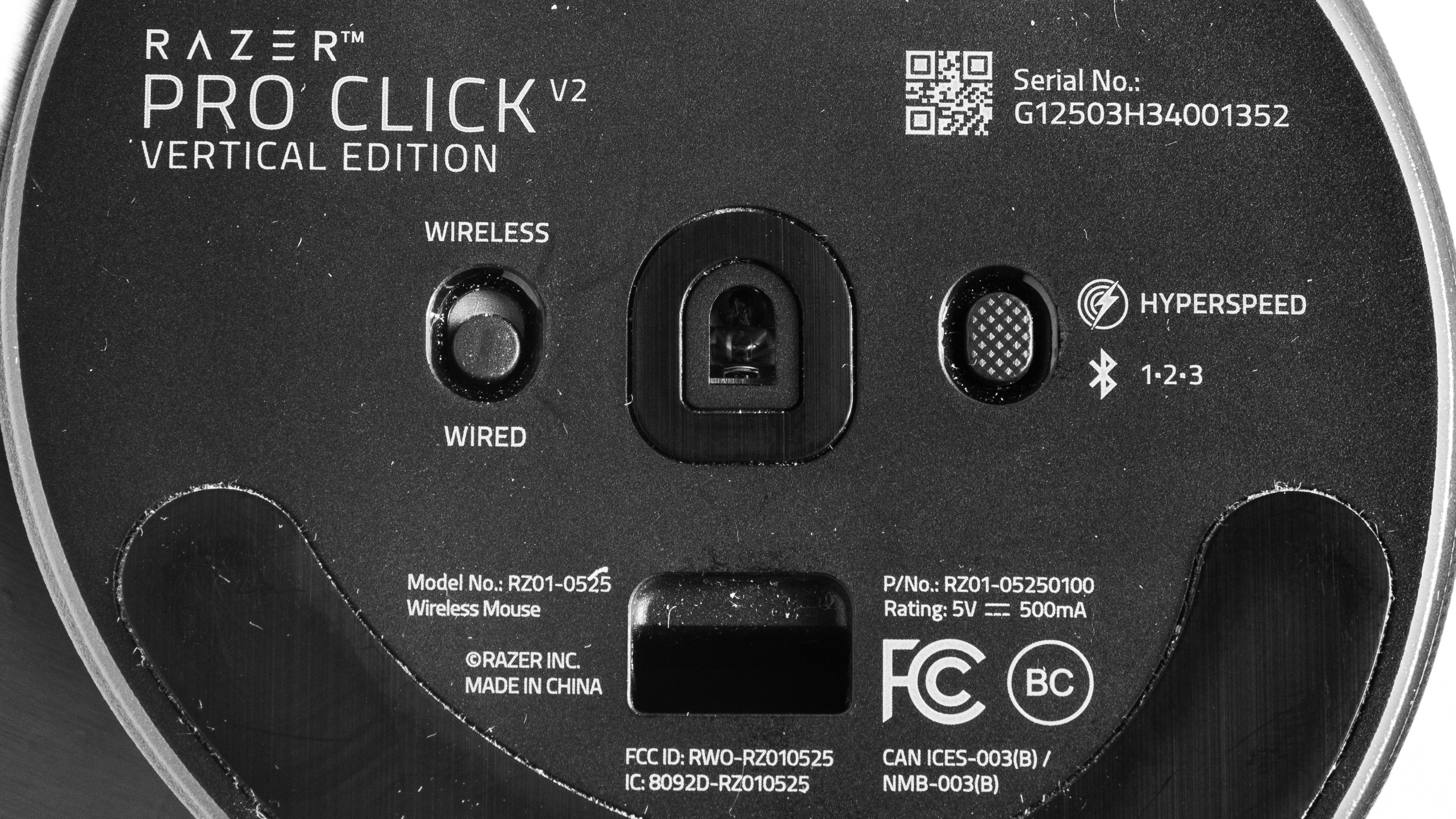
    The Razer Pro Click V2 Vertical doesn't have any variants. See a photo of our unit's label.

    Popular Mouse Comparisons

    The Razer Pro Click V2 Vertical occupies a unique niche in the mouse market. As Razer's first vertical mouse, it combines the ergonomic benefits of a vertical mouse, like the Logitech MX Vertical, with the gaming performance of a flagship FPS mouse, like the Razer Viper V3 Pro. This combination makes it stand alone as an option for those who want a comfortable and ergonomically designed vertical mouse that has the gaming chops to hang when you Alt+Tab from the spreadsheet to the battlefield. It's not perfect, though, as it's very heavy, making it significantly more difficult to move quickly and accurately compared to its more svelte FPS gaming contemporaries like the Logitech G PRO X SUPERLIGHT 2 DEX.

    For more recommendations, check out our picks for the best ergonomic mice, the best wireless gaming mice, and the best work mice.

    Keychron M5

    The Razer Pro Click V2 Vertical and the Keychron M5 are wireless vertical mice designed for gaming and productivity. Shape-wise, the Razer is more vertical at a ~72° angle, while the Keychron is at a ~47° angle. The Razer is also bigger and heavier, and it uses more premium materials with better build quality, although both mice are comfortable for a range of hand sizes. The Keychron is slightly better for gaming overall, thanks to its better click latency, sensor latency, 8000Hz polling rate, and smoother gliding mouse feet.

    Logitech MX Vertical

    The Logitech MX Vertical and the Razer Pro Click V2 Vertical are wireless vertical mice. While the two are similar in size, the Logitech is unwieldy for smaller hands, while the Razer's thumb and palm/pinky rests make it suitable for a wider range of hand sizes. While both mice are designed primarily for productivity, the Razer has a much higher 1000Hz polling rate and delivers remarkable gaming performance.

    Logitech Lift

    The Logitech Lift and the Razer Pro Click V2 Vertical are both wireless vertical mice designed to keep your hand, wrist, and arm in a neutral 'handshake' position to help prevent strain. While the two mice are quite different in size, with the Logitech being on the smaller side and the Razer being significantly bigger, both mice are fairly accommodating for most hand sizes. The Razer has better build quality than the Logitech, and is much better suited for gaming as it delivers remarkable raw click and sensor latency performance. That said, the Logitech's scroll wheel can scroll freely, convenient for scrolling through large spreadsheets or long documents.

    Razer Pro Click V2

    The Razer Pro Click V2 and The Razer Pro Click V2 Vertical are wireless mice designed for productivity and gaming from the same lineup. The Pro Click V2 has a conventional right-handed shape, while the V2 Vertical has a vertical shape that you hold in a 'handshake' position. Other than the shape, the only other notable difference between the two is that the Pro Click V2 has a multi-function scroll wheel with a notched and a free scrolling mode, and L/R tilt inputs.

    Show more 

    Test Results

    perceptual testing image
    Sort:
    RATINGS
    Category:
    All
    Design
    Style
    Type
    Vertical
    Coating
    Matte
    Lighting ColorRGB

    The Razer Pro Click V2 Vertical has modern and professional styling. It has a premium-looking matte plastic finish on one side and a textured finish on the other. A gunmetal gray accent strip with a Razer logo runs from the top of the mouse to the front. If business casual isn't your thing, there's an RGB ring around the bottom of the mouse for an underglow effect when the lights are on.

    Shape
    Length4.1" (105 mm)
    Width3.3" (85 mm)
    Height3.1" (79 mm)
    Grip Width
    68 mm
    Ambidextrous
    No
    Left-Handed Friendly
    No
    Finger Rest
    Thumb and Pinky

    The texture of the mouse's 3D scan contains some visual artifacts on the bottom plate. Know that these are only visible in the scan and don't reflect the accuracy of the measurements.

    We applied an aerosol spray, adding small white particles to the mouse to help ensure we capture a readable scan. While these spots show up on the scan, they're not physically on the mouse.

    9.0
    Build Quality

    The Razer Pro Click V2 Vertical has outstanding build quality. It's made of very premium-feeling plastics with a metal strip in the middle. It's assembled well with tight tolerances and doesn't exhibit any flex or make any rattling sounds when you use it. The only minor issue is that the right side of the mouse is quite the fingerprint magnet.

    5.0
    Weight
    Lowest Weight
    150.0 g
    Default Weight
    150.0 g
    Weight Distribution
    Back-heavy
    Extra Weights
    No
    Hand Size Recommendation
    Palm Grip Hand Recommendation
    Claw Grip Hand Recommendation
    Fingertip Grip Hand Recommendation

    This mouse has a vertical design that you hold in a handshake position. There's a cutout on the left side of the mouse for a thumb rest, as well as a pinky rest on the right side of the mouse. This design effectively locks your grip in comfortably, and despite this mouse's larger size, it helps accommodate smaller hand sizes. That said, there isn't much room above the pinky/palm rest, so your pinky and ring finger could feel cramped if you have bigger hands.

    9.8
    Wireless Versatility
    Maximum Of Paired Devices
    4
    Bluetooth
    Yes
    Receiver
    Yes
    Battery Type
    Rechargeable
    Use When Charging
    Yes
    On/Off Activation
    Auto Off And On/Off Switch
    Receiver Extender
    No
    Receiver Storing
    Yes
    Battery IndicatorYes

    Razer advertises a battery life of up to six months, which, while unspecified, is very likely with a Bluetooth connection. The battery life will likely be significantly shorter using the 2.4GHz receiver.

    Cable
    ConnectivityWireless
    Cable Length
    3.9 ft (1.2 m)
    Cable Type
    Rubber
    Permanent Kink
    Yes
    Port Type: Mouse End
    USB-C
    Port Type: PC End
    USB-A

    A fairly short and cheap-feeling rubber charging cable is included. It retains many kinks from its packaging and is much stiffer and heavier than the charging cables included with Razer's more FPS gaming-oriented mice.

    8.0
    Mouse Feet
    Gliding Experience
    Good
    Material
    PTFE
    Extra Included
    No

    This mouse uses black-dyed PTFE feet that glide smoothly across mousepads and directly on desktops. They're not as smooth as the virgin-grade PTFE skates that Razer includes on their FPS gaming mice, like the Razer Viper V3 Pro or the Razer DeathAdder V3 Pro.

    In The Box

    • USB receiver
    • USB-C to USB-A charging cable
    • USB dust covers
    • Razer stickers
    • User documentation
    Control
    Main Button
    See details on graph tool
    See details on graph tool
    Switch Type
    Mechanical
    Switch Model
    Not Specified

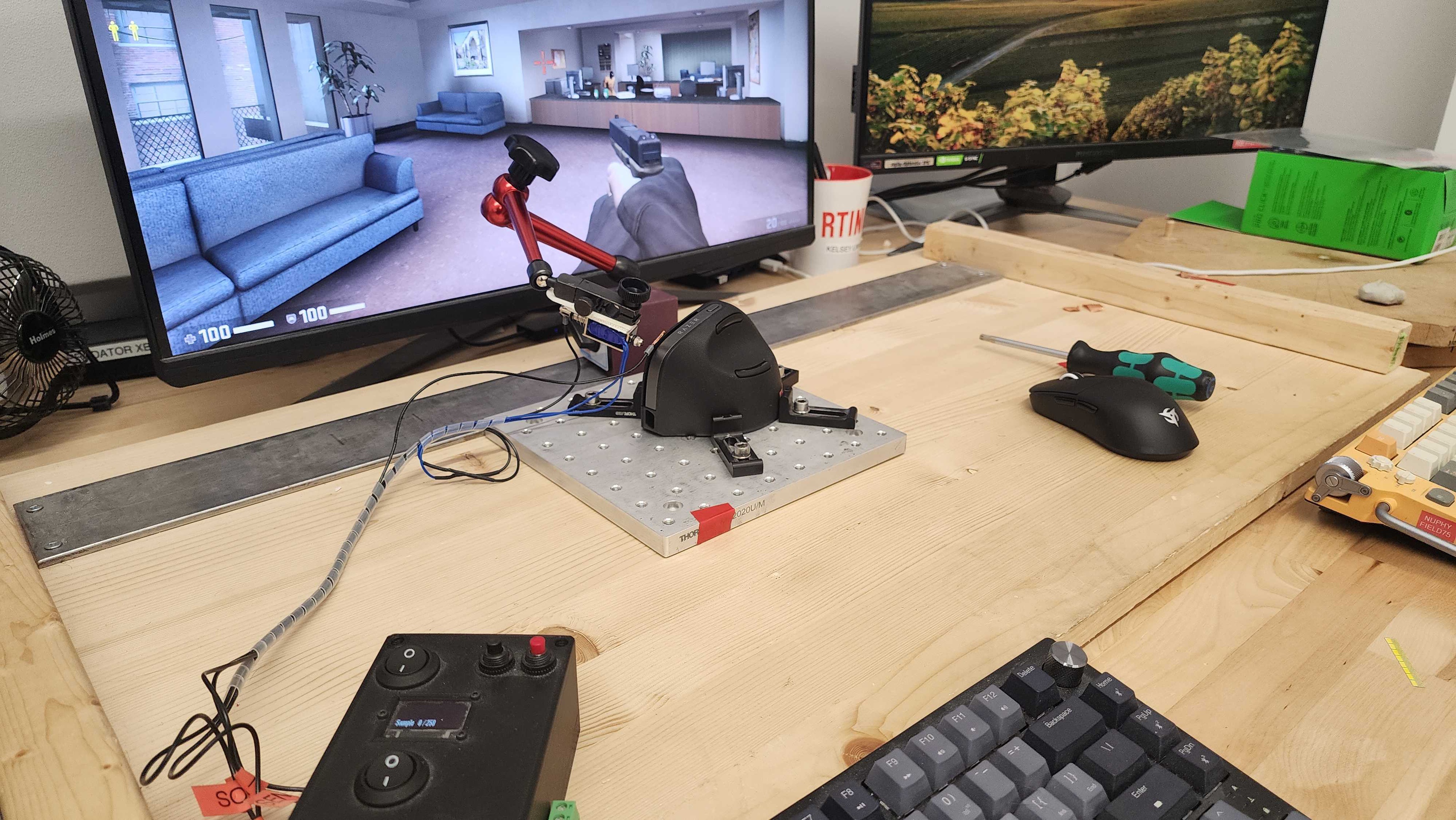
    Note that the lines on the actuation graph appear 'wobbly' because we had to lay the mouse on its side to measure the actuation force of the click buttons. This isn't noticeable during normal use.

    7.1
    Additional Buttons
    Total Number Of Buttons
    7
    Number Of Side Buttons
    2
    Number Of Programmable Inputs
    16
    Profile Switching Button
    No
    Gesture Support
    No

    You can reprogram all of the buttons on the Razer Pro Click V2 Vertical, but left click always has to be bound to a button. You can also set a Hypershift button to access a second layer of programmable inputs. Long-pressing the CPI button on the top activates 'AI Prompt Master,' a feature that triggers a macro to launch a third-party AI tool of your choice.

    9.5
    Click Latency
    See details on graph tool
    Expected Connection
    2.4 ms
    Wired
    2.3 ms
    Receiver
    2.4 ms
    Bluetooth
    13.2 ms

    The Razer Pro Click V2 Vertical has remarkable click latency performance that's absolutely suitable for games of any genre and at any competitive level.

    9.7
    CPI
    See details on graph tool
    SRAV @ 1600 CPI
    -0.21%
    SRAV @ 800 CPI
    -0.09%
    SRAV @ 400 CPI
    -0.08%
    SRAV @ Fixed CPI
    N/A
    Precision Error Between Speeds
    0.24%
    Precision Error Between CPI
    0.23%
    Worst Tracking Error
    -2.75%
    Minimum CPI
    400 CPI
    Maximum CPI
    30,000 CPI
    CPI Adjustment Steps
    50 CPI

    This mouse's sensor operates as expected and doesn't exhibit any tracking issues.

    9.0
    Sensor Latency
    See details on graph tool
    Delay To Start Of Movement
    14.0 ms
    Delay At Half Movement
    3.6 ms
    Delay To End Of Movement
    3.7 ms

    This mouse has excellent sensor latency performance and reacts very quickly to your inputs. It's suitable for any game genre.

    Sensor Specifications
    Sensor Technology
    Optical (LED)
    Sensor Model
    Razer Focus Pro 30K
    Works On Glass
    Yes
    Minimum Lift Off Distance
    1.2 mm
    Maximum Polling Rate
    1000 Hz

    This mouse supports the following polling rates: 125Hz, 250Hz, 500Hz, and 1000Hz.

    Mouse Wheel
    Scroll Wheel Type
    Notched Wheel
    Scroll Wheel Tilt
    No
    Thumb Wheel Type
    No

    This mouse's scroll wheel has tactile step definition and scrolls precisely and quietly. It has a grippy textured rubber finish that feels premium.

    If you're looking for a vertical mouse with a secondary scroll wheel for horizontal scrolling, check out the Keychron M5. Or, check out the Razer Pro Click V2 for a mouse with a free scrolling option.

    Noise
    Click Noise
    Quiet
    Operating System And Software
    Configuration Software
    Software NameRazer Synapse 4
    Software Windows Compatibility
    Yes
    Software macOS Compatibility
    Yes
    On-Board Memory
    No
    CPI (DPI) Adjustment
    Yes
    Polling Rate Adjustment
    Yes
    Profile Configuration
    Yes
    Profile Auto-Switching
    Yes
    RGB On/Off
    Yes

    Razer's Synapse 4 is easily navigable and allows you to easily change the CPI, polling rate, power modes, and RGB lighting and reprogram buttons. It also has some useful features, like a setting to automatically switch to a lower polling rate when you're not in-game to save battery, as well as the ability to set custom profiles that switch automatically based on what application you're using.

    Razer Synapse has often been criticized by its users for inefficiently using system resources, requiring frequent updates, and being generally buggy, among other complaints. Razer claims Synapse 4 is faster and more stable than previous software iterations. While we didn't encounter issues in our testing, users online have been reporting mixed experiences with the software, with some saying it's a definite improvement, and others claiming it's worse. If you have this mouse or any other that uses Razer Synapse 4, we encourage you to reach out in the comments and share your experience with it.

    10
    Mouse Compatibility
    Windows CompatibilityFully
    macOS CompatibilityFully

    All default button functions work in Windows and macOS. The macOS software is only available on Macs with Apple silicon.