Logitech G502 X  Mouse Review

Reviewed Oct 24, 2022 at 11:03am
Tested using Methodology v1.5.1 
Logitech G502 X
7.6
Work 
8.7
Video Games (FPS) 
8.7
Video Games (MMO) 
9.3
Raw Performance 
 1
  1. Recommended in:
  2. Wired

The Logitech G502 X continues Logitech's G502 lineup of multi-genre gaming mice. The G502 X is a wired-only model that features a few visual changes and performance upgrades from the previous generation Logitech G502 HERO. Notably, this new model's aesthetic is much softer and rounded, and the buttons have been placed in more accessible locations. It features new optical switches instead of the mechanical switches on previous models. These new optical switches attempt to provide similar tactile feedback to mechanical switches but have improved durability and aren't prone to developing double-clicking issues. Additionally, this mouse is significantly lighter than the previous versions due to a thinner chassis and a lighter scroll wheel and has improved feet for a better gliding experience.

Logitech has also released two related wireless models of this mouse called the Logitech G502 X LIGHTSPEED and the Logitech G502 X PLUS. For more details, see the Differences Between Sizes and Variants section below.

Our Verdict

7.6
Work 

The Logitech G502 X is good for office work. It feels well-built and comfortable to use. The scroll wheel unlocks for a free scrolling mode, and it also has L/R tilt inputs that are programmable. You can reprogram all of its buttons using the companion software to best suit your workflow. Unfortunately, it lacks wireless connection options, as it's a wired-only mouse.

Pros
  • Feels very well-built.
  • Comfortable design.
Cons
  • Wired-only connection.
  • Bulky; doesn't easily fit in backpacks or laptop bags.
  • Too large for small hands to use comfortably.
8.7
Video Games (FPS) 

The Logitech G502 X is an excellent FPS mouse. It features a solid build quality and feels comfortable in hand. It's also decently lightweight and has excellent feet that provide a very smooth gliding experience on mousepads and desks. Performance-wise, its click latency is remarkably low, offering you a responsive-feeling in-game experience. Unfortunately, the mouse is too bulky for small hands to use comfortably.

Pros
  • Excellent click latency.
  • Feels very well-built.
  • Comfortable design.
Cons
  • Bulky; doesn't easily fit in backpacks or laptop bags.
  • Too large for small hands to use comfortably.
8.7
Video Games (MMO) 

The Logitech G502 X is an excellent MMO mouse, though it doesn't have as many inputs as dedicated MMO mice. You can program what inputs it does have using the companion software. Overall, it's a well-built mouse with a comfortable, ergonomic design. Performance-wise, its click latency is remarkably low, so you'll have a responsive in-game experience. Unfortunately, it's a bit too large for smaller hands to use comfortably.

Pros
  • Excellent click latency.
  • Feels very well-built.
  • Comfortable design.
Cons
  • Bulky; doesn't easily fit in backpacks or laptop bags.
  • Too large for small hands to use comfortably.
9.3
Raw Performance 

Pros
  • Feels very well-built.
  • Comfortable design.
Cons
  • Bulky; doesn't easily fit in backpacks or laptop bags.
  • Too large for small hands to use comfortably.
  • 7.6
    Work
  • 8.7
    Video Games (FPS)
  • 8.7
    Video Games (MMO)
  • 9.3
    Raw Performance
  • Changelog

    1.  Updated Aug 19, 2025: We've converted this review to Test Bench 1.5.1. This update removes less relevant or redundant elements, including several videos. We've also adjusted our Sensor Latency testing, resulting in minor score changes. See our full 1.5.1 changelog for details.
    2.  Updated Jan 05, 2024: We've updated the CPI graph displayed in the Sensor Latency section of this review. Our results remain the same, but these graphs have two new columns with results from the Delay At Half Movement and Delay To End Of Movement tests.
    3.  Updated Dec 14, 2023: We've corrected a link error in the Differences Between Sizes and Variants section of this review and clarified the differences between the three variants available in the wider G502 X lineup.
    4.  Updated Oct 02, 2023: We've added text to this review for the new tests added in TBU 1.5.

    Check Price

    Differences Between Sizes And Variants

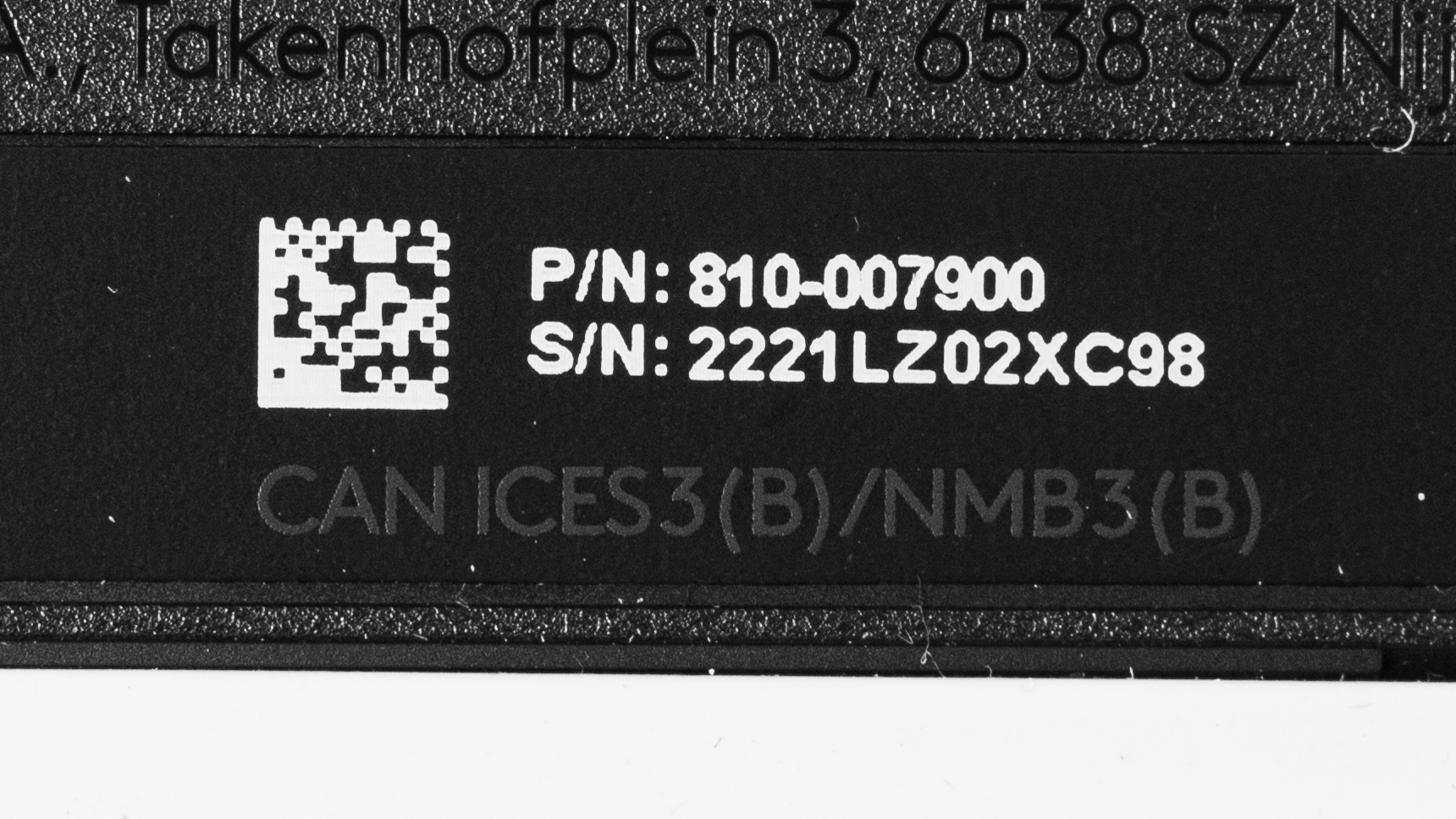
    The Logitech G502 X comes in two colorways: black and white. We bought and tested the black colorway, and you can see the label of our unit here.

    The Logitech G502 X was released at the same time as two related wireless models Logitech's expanded G502 X lineup: the Logitech G502 X LIGHTSPEED, which is a wireless version of the Logitech G502 X and the Logitech G502 X PLUS, which is another wireless model that's identical to the Logitech G502 X LIGHTSPEED except that it has RGB lighting. We've created a table that details the differences between variants in the G502 X lineup below.

    Name Connectivity RGB lighting
    Logitech G502 X Wired Yes
    Logitech G502 X LIGHTSPEED Wireless No
    Logitech G502 X PLUS  Wireless Ye

    Popular Mouse Comparisons

    The Logitech G502 X is a continuation of Logitech's popular G502 series. This wired-only model features a few upgrades from previous models, including new optical-mechanical switches, a significantly reduced weight, and improved button placements for better comfort. This mouse comes out at the same time as two other wireless versions, the Logitech G502 X LIGHTSPEED and the Logitech G502 X PLUS. All three of these new releases have a more rounded aesthetic that's notably less aggressive-looking. Despite the style changes, it's still an incredibly high-performing multi-genre gaming mouse with a top-of-the-line sensor to provide a very responsive and fluid gaming experience.

    If you're interested in other options, check out the picks for the best gaming mouse, the best wired mouse, and the best FPS mouse.

    Logitech G502 HERO

    The Logitech G502 X is the updated version of the Logitech G502 HERO. The G502 X features upgraded switches in the L/R buttons, a significant weight reduction, and better feet. While the overall shape of both mice is very similar, the G502 X has a less aggressive gamer aesthetic, and the side button cluster has been moved to be easier to reach. On the other hand, the G502 HERO has RGB lighting.

    Logitech G502 LIGHTSPEED

    The Logitech G502 X and the Logitech G502 LIGHTSPEED are similar mice in the same lineup. The Logitech G502X is a newer, wired-only version, while the G502 LIGHTSPEED is an older wireless model. Additionally, the G502 X has better overall sensor performance and lower click latency and is significantly lighter. On the other hand, the G502 LIGHTSPEED connects wirelessly using a USB receiver and has RGB lighting.

    Razer Basilisk V3

    The Razer Basilisk V3 and the Logitech G502 X are wired multi-genre gaming mice that perform similarly well. They do have a few differences. Notably, the Razer has a higher-quality cable, and its feet offer a slightly better gliding experience. The Razer also has RGB lighting. On the other hand, the Logitech is significantly lighter.

    Razer Basilisk V3 Pro

    The Razer Basilisk V3 Pro and the Logitech G502 X are multi-genre gaming mice that perform similarly well. There are a few notable differences since the Razer is a wireless model that connects with either Bluetooth or a USB receiver, while the Logitech is a wired-only model. The Razer also has RGB lighting, which the Logitech lacks.

    Logitech G502 X PLUS

    The Logitech G502 X PLUS is the wireless version of the Logitech G502 X. The X PLUS connects wirelessly using a USB receiver and has RGB lighting. The wired-only G502 X is significantly lighter than the X PLUS; otherwise, the two mice perform similarly well.

    Razer Basilisk Ultimate

    The Razer Basilisk Ultimate and the Logitech G502 X are multi-genre gaming mice that perform similarly well. The Razer is a wireless model that connects using its USB receiver, while the Logitech is wired only. Also, the Razer has RGB backlighting, which the Logitech lacks, but the Logitech is much lighter.

    Test Results

    perceptual testing image
    Sort:
    RATINGS
    Category:
    All
    Design
    Style
    Type
    Standard
    Coating
    Matte
    Lighting ColorNo Lighting

    The Logitech G502 X features a few stylistic differences from previous versions of the G502, like a softer and more rounded aesthetic rather than more angled and aggressive lines. Otherwise, the mouse features the same matte black color scheme with glossy black accents and textured side grips and scroll wheel. There's also a silver Logitech logo on the palm rest.

    Shape
    Length5.1" (130 mm)
    Width3.1" (78 mm)
    Height1.6" (41 mm)
    Grip Width
    62 mm
    Ambidextrous
    No
    Left-Handed Friendly
    No
    Finger Rest
    Thumb
    8.5
    Build Quality

    The Logitech G502 X has excellent build quality. One of the major changes to make this version more lightweight than previous versions was to thin out the plastic body. Due to this change, there is slightly more flex to the build than in previous versions, but its build quality still feels on par with the older models, and it's very solid in hand.

    7.2
    Weight
    Lowest Weight
    83.6 g
    Default Weight
    83.7 g
    Weight Distribution
    Centered
    Extra Weights
    No

    The Logitech G502 X is a fairly lightweight multi-genre mouse. It is significantly lighter than previous G502 entries, like the Logitech G502 HERO. This newer iteration reduces the weight by lightening the scroll wheel and thinning out the plastic in the chassis.

    Hand Size Recommendation
    Palm Grip Hand Recommendation
    Claw Grip Hand Recommendation
    Fingertip Grip Hand Recommendation

    The Logitech G502 X has a comfortable ergonomic shape with a thumb rest. The button in the thumb rest has been redesigned on this version, so it's easier to reach. Plus, this button is modular, so you can change the orientation to make it more comfortable to press, or you can swap the button out with a plastic cover that disables the button. However, it's worth noting that this mouse is bulky, and people with smaller hands might have trouble using it comfortably.

    0.0
    Wireless Versatility
    Maximum Of Paired Devices
    Wired
    Bluetooth
    No
    Receiver
    No
    Battery Type
    No Batteries
    Use When Charging
    No
    On/Off Activation
    None
    Receiver Extender
    No
    Receiver Storing
    No
    Battery IndicatorNo

    This is a wired-only mouse, but there are wireless variants available. For more information, see the Differences Between Sizes and Variants section above.

    Cable
    ConnectivityWired
    Cable Length
    5.8 ft (1.8 m)
    Cable Type
    Rubber
    Permanent Kink
    Yes
    Port Type: Mouse End
    No Port
    Port Type: PC End
    USB-A

    This mouse has a good rubber cable. It's pretty thin and retains kinks from the packaging, but it's decently flexible and lightweight.

    8.5
    Mouse Feet
    Gliding Experience
    Good
    Material
    Virgin Grade PTFE
    Extra Included
    No

    The mouse feet are excellent and significantly improved over the feet found on previous models. They offer a good gliding experience on both desks and mousepads.

    In The Box

    • Logitech G502 X
    • Sniper button cover plate
    • Sticker
    • User documentation
    Control
    Main Button
    See details on graph tool
    See details on graph tool
    Switch Type
    Optical
    Switch Model
    LIGHTFORCE

    The left- and right-click buttons use Logitech's LIGHTFORCE optical switches. They have a satisfying tactile feel and will typically have better long-term durability compared to the mechanical switches used in the previous generation Logitech G502 HERO.

    The Omron D2FC-F-K mechanical switches used on the previous generation Logitech G502 HERO are notably prone to developing double-clicking issues. The LIGHTFORCE switches used on the Logitech G502 X use optical actuation and aren't susceptible to developing the same double-clicking issue from normal wear and tear.

    8.1
    Additional Buttons
    Total Number Of Buttons
    12
    Number Of Side Buttons
    3
    Number Of Programmable Inputs
    25
    Profile Switching Button
    Yes
    Gesture Support
    No

    You can re-program all buttons except the button directly behind the scroll wheel, as this button unlocks the scroll wheel for free scrolling. Also, you can now program the up/down scroll functions on this mouse, a feature lacking in previous versions. You can use the companion software to assign a "G-Shift button that enables a second layer of commands when pressed. The sniper button in the thumb rest is modular, meaning you can take it out and swap its orientation, or swap it for an alternative flat panel that disables the button.

    9.6
    Click Latency
    See details on graph tool
    Expected Connection
    2.1 ms
    Wired
    2.1 ms
    Receiver
    N/A
    Bluetooth
    N/A

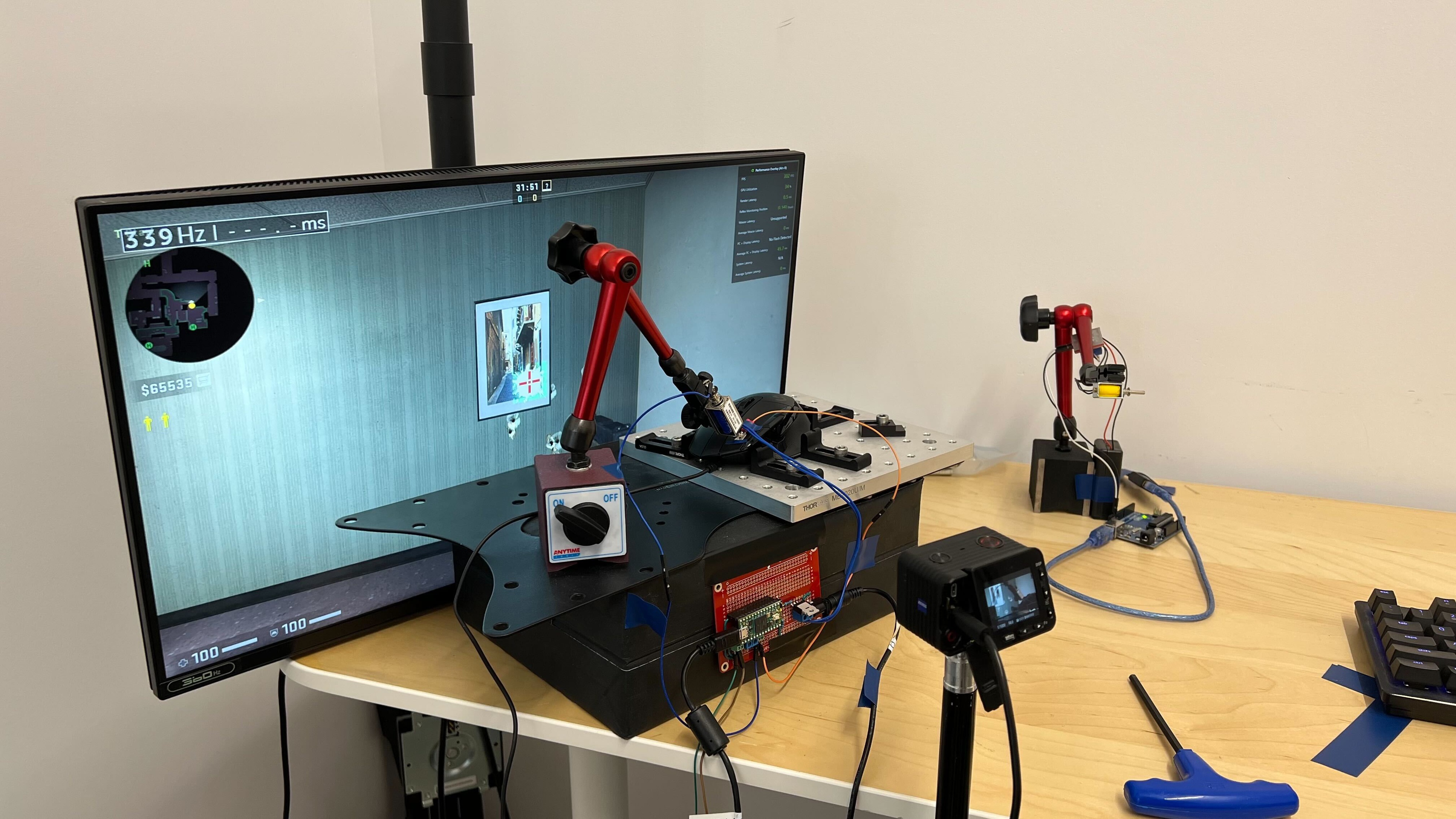
    The Logitech G502 X has remarkable click latency that provides a responsive in-game experience.

    9.0
    CPI
    See details on graph tool
    SRAV @ 1600 CPI
    -0.17%
    SRAV @ 800 CPI
    0.83%
    SRAV @ 400 CPI
    -0.17%
    SRAV @ Fixed CPI
    N/A
    Precision Error Between Speeds
    0.49%
    Precision Error Between CPI
    0.49%
    Worst Tracking Error
    -10.50%
    Minimum CPI
    100 CPI
    Maximum CPI
    25,600 CPI
    CPI Adjustment Steps
    50 CPI
    8.9
    Sensor Latency
    See details on graph tool
    Delay To Start Of Movement
    14.0 ms
    Delay At Half Movement
    3.7 ms
    Delay To End Of Movement
    4.4 ms
    Sensor Specifications
    Sensor Technology
    Optical (LED)
    Sensor Model
    HERO 25K
    Works On Glass
    No
    Minimum Lift Off Distance
    1.2 mm
    Maximum Polling Rate
    1000 Hz

    There are four polling rate options: 125Hz, 250Hz, 500Hz, and 1000Hz.

    Mouse Wheel
    Scroll Wheel Type
    Notched Wheel + Free Wheel
    Scroll Wheel Tilt
    Yes
    Thumb Wheel Type
    No

    The scroll wheel offers a nice and precise scrolling experience. The wheel has good tactile feedback, and the L/R tilts and scroll click feel good to control. Using a button behind the scroll wheel, you can unlock a free scroll mode that's smooth and precise. The step definition also feels much smoother than the previous G502, where scrolling feels pretty clunky.

    Noise
    Click Noise
    Loud
    Operating System And Software
    Configuration Software
    Software NameLogitech G HUB
    Software Windows Compatibility
    Yes
    Software macOS Compatibility
    Yes
    On-Board Memory
    Yes
    CPI (DPI) Adjustment
    Yes
    Polling Rate Adjustment
    Yes
    Profile Configuration
    Yes
    Profile Auto-Switching
    Yes
    RGB On/Off
    No RGB

    This mouse uses Logitech G HUB software for customization. This software allows you to make quite a few adjustments, including button re-assignments, profile creation, and saving these custom settings to the onboard memory.

    Note:The score of this test is based on the companion software's features and not its overall performance. We didn't experience any issues during testing. However, as with software options from other major manufacturers, community members have identified a range of possible issues with this software.

    10
    Mouse Compatibility
    Windows CompatibilityFully
    macOS CompatibilityFully

    All default button assignments work as intended on both Windows and macOS operating systems.