
The Razer DeathAdder V3 HyperSpeed is a lightweight, wireless gaming mouse that continues Razer's popular DeathAdder lineup. Its right-handed shape is immediately recognizable and similar to other models in the lineup, but it's slightly smaller and has a more pronounced flared edge on the front right side compared to the Razer DeathAdder V3 Pro. Under the hood, this mouse uses Razer's new Focus X 26K Optical Sensor, which supports a maximum wireless polling rate of 1000Hz out of the box or 8000Hz with the additional purchase of Razer's HyperPolling Dongle.
This new sensor package introduces two noteworthy software options: 'Rotation Tool,' which allows you to customize sensor orientation, and 'Dynamic Sensitivity,' which lets you configure CPI curves to automatically adjust the sensitivity level based on your movement speed. Lastly, this mouse has an internal rechargeable battery, which is unusual since previous mice with Razer's HyperSpeed branding use replaceable AA batteries.
Our Verdict
The Razer DeathAdder V3 HyperSpeed is decent for work, though it isn't designed specifically for this use. It has excellent build quality and a supportive right-handed shape that's well-suited for most hand sizes and comfortable for long stretches. Unfortunately, its scroll wheel lacks a free scrolling mode and L/R tilt inputs, and while it connects wirelessly with an included USB receiver, it doesn't support Bluetooth or multi-device pairing.
- Excellent build quality.
- No Bluetooth connectivity; doesn't support multi-device pairing.
- Scroll wheel lacks productivity features like free-scrolling and tilt inputs.
- Flared front edge can create uncomfortable pressure point for your ring finger if you have larger-sized hands.
The Razer DeathAdder V3 HyperSpeed is a remarkably good FPS gaming mouse that's extremely lightweight, making it easy to move quickly and accurately. It offers superb sensor and click latency performance, ensuring a highly responsive and snappy-feeling gaming experience. Its overall build quality is also excellent, and its large surface area mouse feet glide smoothly on soft or hard mousepads or even directly on desks.
- Excellent build quality.
- Superb sensor performance.
- Remarkably low click latency.
- Extremely lightweight.
- Flared front edge can create uncomfortable pressure point for your ring finger if you have larger-sized hands.
The Razer DeathAdder V3 HyperSpeed is an impressive mouse for MMO gaming, but it doesn't have nearly as many programmable side buttons as a typical dedicated MMO mouse. That said, you can reprogram all buttons and even set a secondary layer of inputs using the configuration software. It also has excellent build quality, a supportive right-handed shape that's comfortable even for longer gaming sessions, and excellent sensor and click latency performance that ensures a responsive-feeling gaming experience.
- Excellent build quality.
- Superb sensor performance.
- Remarkably low click latency.
- Significantly fewer programmable side buttons than a dedicated MMO mouse.
- Flared front edge can create uncomfortable pressure point for your ring finger if you have larger-sized hands.
The Razer DeathAdder V3 HyperSpeed delivers outstanding raw performance. It has remarkably low click and sensor latency and reacts very accurately and consistently to your inputs. Altogether, it produces an exceptionally responsive feeling experience for gaming at a casual or competitive level.
- Superb sensor performance.
- Remarkably low click latency.
Changelog
- Updated Mar 10, 2026: We've converted this review to Test Bench 1.5.2. This update removes the Delay To Start Of Movement and Delay To End Of Movement measurements from the Sensor Latency test. See our full 1.5.2 changelog for details.
- Updated Aug 19, 2025: We've converted this review to Test Bench 1.5.1. This update removes less relevant or redundant elements, including several videos. We've also adjusted our Sensor Latency testing, resulting in minor score changes. See our full 1.5.1 changelog for details.
- Updated Jul 26, 2024: Review published.
- Updated Jul 17, 2024: Early access published.
Check Price
Differences Between Sizes And Variants
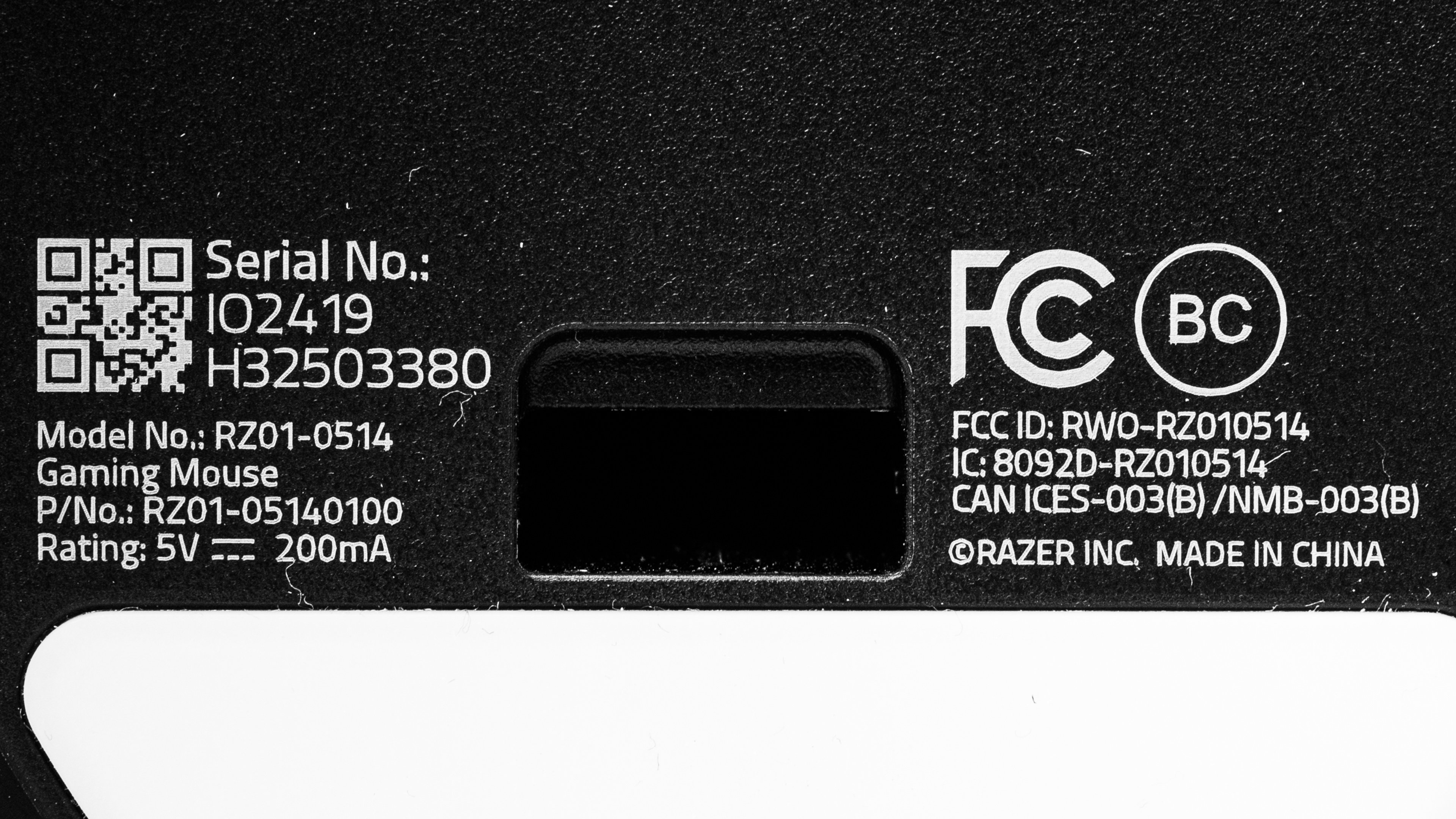
The Razer DeathAdder V3 HyperSpeed is only available in a black colorway at the time of writing. You can see the label for the unit we bought and tested here.
Popular Mouse Comparisons
The Razer DeathAdder V3 HyperSpeed continues Razer's lineup of DeathAdder gaming mice. It maintains the recognizable right-handed shape of earlier models but is noticeably smaller. This new model uses an updated Razer sensor package that adds sensor orientation and raw acceleration software options, features that until now were only accessible via third-party tools like Raw Accel. Additionally, this is the first Razer HyperSpeed mouse to include an internal, rechargeable battery, whereas previous HyperSpeed models used replaceable AA or AAA batteries.
This mouse is positioned in an upper mid-range price bracket, competing with similarly priced options like the Pulsar X2V2 and the Endgame Gear XM2we. Its performance rivals and even surpasses some of Razer's more premium 'Pro' series flagship mice while offering a relatively more accessible entry point into their 8KHz-capable ecosystem with the separate additional purchase of Razer's HyperPolling Dongle.
For more recommendations, see our picks for the best gaming mouse, the best wireless gaming mouse, and the best lightweight mouse.
The Razer DeathAdder V3 Pro and the Razer DeathAdder V3 HyperSpeed are lightweight, wireless gaming mice in the same lineup. Both mice have very similar right-handed shapes, but the V3 HyperSpeed is lighter and smaller, with a flared outer right front edge. The V3 HyperSpeed delivers better overall raw performance despite using a less performant sensor on paper. Both mice support a polling rate of 1000Hz out of the box but are compatible with Razer's Hyperpolling Dongle (available for a separate purchase), which increases the maximum polling rate to 8000Hz.
The Razer DeathAdder V4 Pro and the Razer DeathAdder V3 HyperSpeed are right-handed ergo wireless gaming mice from the same lineup. They share the same shape, but the V4 Pro is slightly larger and aimed more at competitive play. It shows small measurable improvements, though they don't translate into a noticeable difference in gameplay, and it features durability upgrades like an optical scroll wheel encoder and a full-size middle-click switch. The V3 HyperSpeed is a bit smaller, and while it also supports 8000Hz polling, you need to purchase Razer's HyperPolling Wireless Dongle separately to unlock that feature. By contrast, the V4 Pro includes an 8k-capable dongle in the box.
The Razer Viper V3 HyperSpeed and the Razer DeathAdder V3 HyperSpeed are wireless gaming mice. The Viper has a symmetrical shape and uses a replaceable AA battery for power, while the DeathAdder has a right-handed shape and an internal rechargeable battery. The DeathAdder is much lighter and offers significantly better raw gaming performance. Both mice are also compatible with but don't include Razer's Hyperpolling Dongle.
The Razer DeathAdder V3 HyperSpeed and the Razer Cobra HyperSpeed are wireless gaming mice with comparable performance and similar sizes, but very different shapes. The DeathAdder has a right-handed ergonomic shape with a pronounced hump and is intended for palm or claw grip. It's also lighter. By comparison, the Cobra HyperSpeed has a low-profile symmetrical shape that works best for claw or fingertip grip, and it includes RGB lighting zones, a feature the DeathAdder V3 HyperSpeed lacks. While both are compatible with Razer's separately purchased HyperPolling Dongle, only the Cobra HyperSpeed works with Razer's wireless charging puck and charging dock accessories, which are also sold separately.
Test Results

for pictures & test results


for pictures & test results








for pictures & test results







for videos & test results
