SteelSeries Rival 3 Wireless Gen 2  Mouse Review

Review updated Oct 20, 2025 at 10:39am
Tested using Methodology v1.5.1 
SteelSeries Rival 3 Wireless Gen 2
7.4
Work 
8.4
Video Games (FPS) 
8.0
Video Games (MMO) 
9.1
Raw Performance 
 1

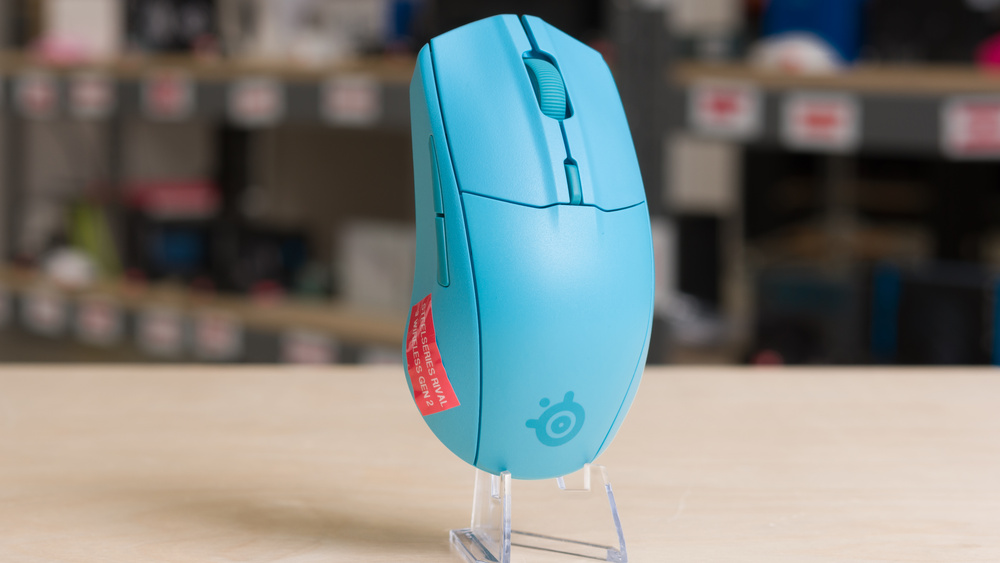
The SteelSeries Rival 3 Wireless Gen 2 is a gaming mouse that continues SteelSeries' Rival 3 lineup. It has the same symmetrical shape as its predecessor, the SteelSeries Rival 3 Wireless, and it also uses AAA batteries for power. Updates with this model include improved raw gaming performance, better virgin-grade PTFE feet, and several new colorway options.

Our Verdict

7.4
Work 

The SteelSeries Rival 3 Wireless Gen 2 is decent for work use, though it isn't designed primarily with productivity in mind. It has excellent build quality and a comfortable symmetrical shape. You can connect it wirelessly with its included receiver or via Bluetooth, but it can't pair with more than two devices at once. It also uses AAA batteries, which provide longer battery life compared to many dedicated wireless gaming mice. Unfortunately, it lacks productivity features like free-scrolling or side-scrolling inputs.

Pros
  • Excellent build quality.

  • Comfortable symmetrical shape.

  • Connects wirelessly via 2.4GHz receiver or Bluetooth.

Cons
  • Scroll wheel lacks free-scrolling and left/right tilt inputs.

8.4
Video Games (FPS) 

The SteelSeries Rival 3 Wireless Gen 2 is a great FPS gaming mouse with strong click and sensor latency performance that's suitable for both casual and competitive play. It has excellent build quality, with a sturdy and noticeably thick-walled plastic body and a comfortable, symmetrical shape that's best suited for medium-sized hands using a claw or fingertip grip. Its only major drawback is that it's significantly heavier than most modern FPS mice, which affects how quickly and accurately you can move it and is typically seen as a weakness among competitive players. However, if you prefer a heavier-weight mouse for stability, this may not be an issue for your preferences.

Pros
  • Excellent build quality.

  • Comfortable symmetrical shape.

  • Superb raw performance.

Cons
  • Heavier than most recent dedicated gaming mice.

8.0
Video Games (MMO) 

The SteelSeries Rival 3 Wireless Gen 2 is great for MMO or MOBA gaming, though it doesn't have as many side buttons as mice designed specifically for these genres. It has excellent build quality and feels solid, with a noticeably heavier weight and thicker plastic shell than many FPS-focused mice. It also has a comfortable, medium-sized symmetrical shape, and its strong overall performance makes it well-suited for high-level PvE or PvP play.

Pros
  • Excellent build quality.

  • Comfortable symmetrical shape.

  • Superb raw performance.

Cons
  • Fewer side buttons than dedicated MMO gaming mice.

9.1
Raw Performance 

The SteelSeries Rival 3 Wireless Gen 2 has superb raw performance. It has a maximum polling rate of 1000Hz, which falls short of many newer FPS mice designed for the highest levels of competitive play, but the actual difference in click and sensor performance is minimal and barely perceptible in-game. This mouse remains very well-suited for gaming in any genre at both casual and competitive levels.

Pros
  • Extremely low click latency.

  • Excellent 

    sensor latency.

Cons
None
  • 7.4
    Work
  • 8.4
    Video Games (FPS)
  • 8.0
    Video Games (MMO)
  • 9.1
    Raw Performance
  • Changelog

    1.  Updated Oct 20, 2025: 

      We originally published this review with only our test results and have now updated it with our full written analysis.

    2.  Updated Sep 30, 2025: Review published.
    3.  Updated Jul 18, 2025: Early access published.
    4.  Updated Jun 18, 2025: Our testers have started testing this product.

    Differences Between Sizes And Variants

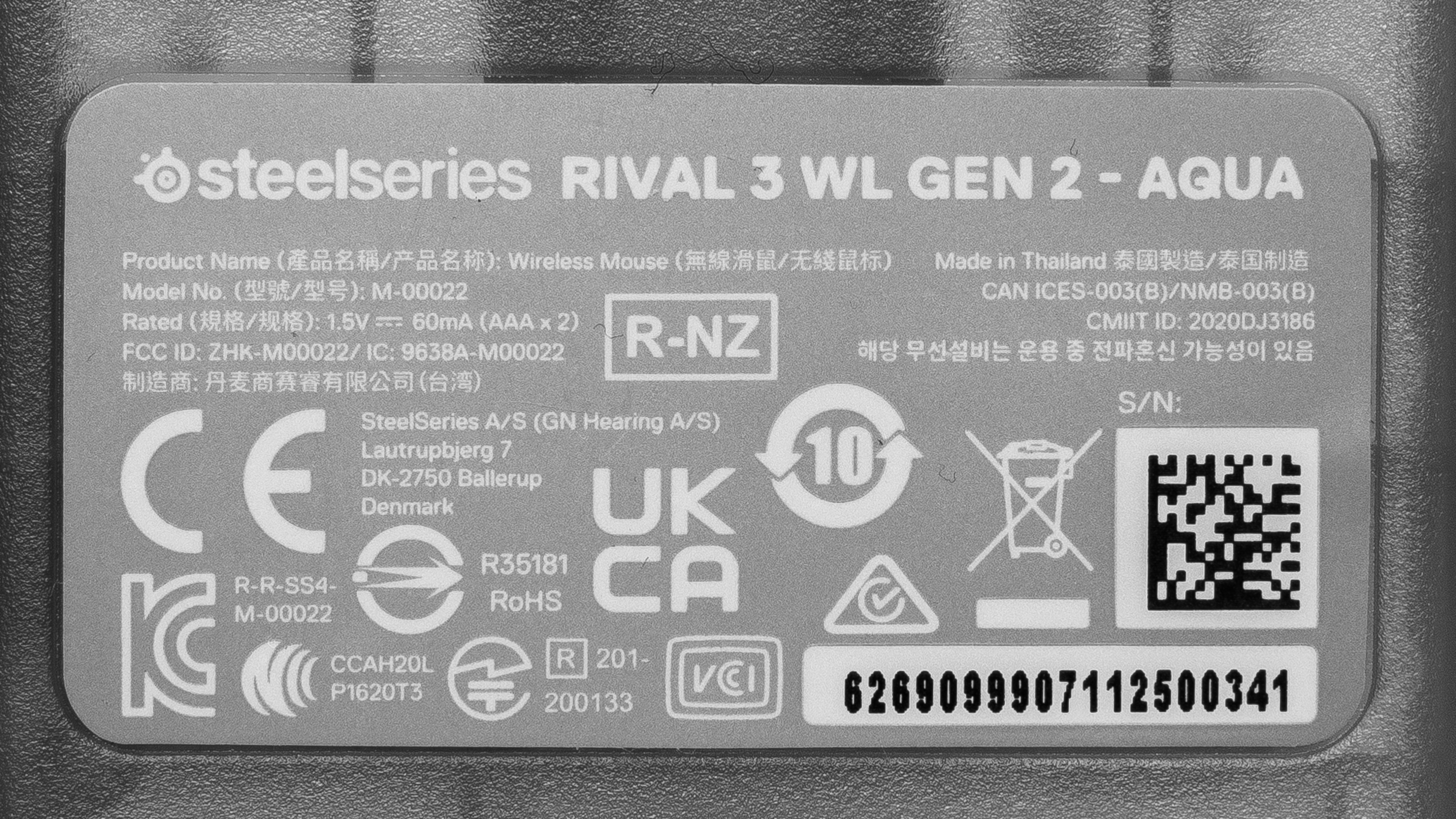
    The SteelSeries Rival 3 Wireless Gen 2 is available in Black, White, Lavender, and Aqua colorways. We bought the Aqua version, and you can see our unit's label here

    Popular Mouse Comparisons

    The SteelSeries Rival 3 Wireless Gen 2 is a gaming mouse that continues SteelSeries' Rival 3 lineup. It’s a reliable budget option from a well-established brand in a market where more recent releases are targeting a mid-range or upper mid-range price point and often come from newer companies with less proven track records. This mouse is noticeably heavier than much of its competition, which many competitive gamers view as a drawback. However, if you prefer a more substantial feel, the added weight may actually appeal to you. It also uses AAA batteries for power, which is uncommon among contemporary FPS mice that typically use built-in rechargeable batteries. The main advantage is that you won't need to recharge as often, though swapping batteries may be inconvenient depending on your preferences.

    This mouse is much heavier than its cousin, the SteelSeries Aerox 3 Wireless (2022), which shares the same shape but uses a honeycomb shell to reduce weight. Its most direct competition comes from the MCHOSE L7 Pro, which has a similar shape and slightly higher price but is significantly lighter and has higher-end internals to deliver top-tier raw performance for competitive FPS play.

    For more recommendations, see our picks for the best mice, the best cheap and budget gaming mice, and the best wireless gaming mice.

    Logitech G305 LIGHTSPEED

    The Logitech G305 LIGHTSPEED and the SteelSeries Rival 3 Wireless Gen 2 are wireless gaming mice. The Logitech is slightly lighter and features an egg-shaped design that narrows toward both the front and back, making it versatile for palm, claw, or fingertip grips. In contrast, the SteelSeries has a wider, more rounded rear and tapers toward the front, making it better suited for claw or fingertip grips. The SteelSeries also delivers stronger raw gaming performance and has higher-quality feet that glide more smoothly across surfaces. Both mice use disposable batteries for power: the Logitech uses one AA battery, while the SteelSeries can run on one or two AAA batteries.

    SteelSeries Aerox 3 Wireless (2022)

    The SteelSeries Aerox 3 Wireless (2022) and the SteelSeries Rival 3 Wireless Gen 2 both share the same shape but the Aerox is significantly lighter thanks to honeycomb-shaped holes in its shell. It also uses a cable to recharge its battery. Comparatively, the Rival 3 Wireless Gen 2 is heavier but has a solid shell design and can run with either one or two AAA batteries. It also has better gaming performance and higher quality mouse feet.

    SteelSeries Rival 3 Gen 2

    The SteelSeries Rival 3 Wireless Gen 2 is a wireless version of the SteelSeries Rival 3 Gen 2. They both share the same shape and perform quite similarly, but the wireless model uses an AA or AAA battery for power and is heavier. It's also available in a wider range of color options and has a non-customizable RGB zone in the scroll wheel. On the other hand, the wired model is lighter and has customizable RGB lighting visible through the transparent bottom and in a strip that wraps around most of the the bottom edge of the mouse.

    Razer Orochi V2

    The Razer Orochi V2 and the SteelSeries Rival 3 Wireless Gen 2 are both gaming mice that use disposable batteries rather than charging an internal battery with a cable. The Razer is lighter and features an egg-shaped design that works well for smaller hands using a palm, claw, or fingertip grip. It works with either one AA or one AAA battery. In contrast, the SteelSeries has a lower-profile shape with a wide, rounded back, making it better suited for claw or fingertip grips with medium or larger hands. It works using one or two AAA batteries.

    Test Results

    perceptual testing image
    Sort:
    RATINGS
    Category:
    All
    Design
    Style
    Type
    Standard
    Coating
    Matte
    Lighting ColorRGB

    There's a printed SteelSeries logo on the top of the mouse near the back.

    Unlike the wired version of this mouse, the SteelSeries Rival 3 Gen 2, which has RGB lighting visible through the translucent bottom plate and as a light strip visible along the bottom edge, this mouse only has non-customizable RGB lighting on either side of the scroll wheel.

    Shape
    Length4.8" (121 mm)
    Width2.6" (67 mm)
    Height1.5" (38 mm)
    Grip Width
    60 mm
    Ambidextrous
    Shape Only
    Left-Handed Friendly
    Yes
    Finger Rest
    No

    Note: The translucent plastic bottom of the mouse appears a bit lighter in the scan than it does in reality because we applied an aerosol spray to its surface to achieve a readable scan. This spray doesn't affect the accuracy of our measurements.

    8.5
    Build Quality

    The SteelSeries Rival 3 Wireless Gen 2 has excellent build quality. It has great fit and finish, and there aren't any loose parts or rattling sounds if you shake it. The body has a slightly textured matte plastic finish that feels high-quality and provides a good degree of grip. The palm rest panel that covers the battery compartment comes apart smoothly and reattaches securely.

    The body also feels quite rigid, and the thickness of the plastic used in the shell is apparent. There's no significant flexibility whatsoever, although if you press very forcefully into the sides under the side buttons, you can unintentionally actuate them. However, this is very common on modern gaming mice and doesn't present any issues during normal use.

    6.0
    Weight
    Lowest Weight
    98.9 g
    Default Weight
    111.6 g
    Weight Distribution
    Back-heavy
    Extra Weights
    No

    You can use this mouse with either one or two AAA batteries, which affects its total weight. The Default Weight measurement was taken with two rechargeable AAA batteries installed, while the Lowest Weight measurement was taken with a single AAA lithium battery.

    Hand Size Recommendation
    Palm Grip Hand Recommendation
    Claw Grip Hand Recommendation
    Fingertip Grip Hand Recommendation

    The SteelSeries Rival 3 Wireless Gen 2 shares the same shape as its predecessor, the SteelSeries Rival 3 Wireless. It has a medium-sized symmetrical design with a fairly low profile. The hump is centered with a broad and rounded rear end and a noticeable taper towards the front. It's best suited for a claw or fingertip grip for medium-sized hands or fingertip grip for larger hands. However, due to its heavier weight, this mouse can be fatiguing for extended play sessions if you primarily rely on fingertip control rather than wrist and arm movement. 

    As with the previous model, the side buttons have a narrow, tapered design and sit quite close together. You might appreciate this streamlined look and feel, but the limited spacing and slim shape can make it harder to tell the buttons apart by feel. As a result, you’ll need to be precise with your thumb placement to hit them reliably compared to the wider, more distinct side buttons found on many other gaming mice.

    8.9
    Wireless Versatility
    Maximum Of Paired Devices
    2
    Bluetooth
    Yes
    Receiver
    Yes
    Battery Type
    2x AAA
    Use When Charging
    No ( Single use batteries)
    On/Off Activation
    Auto Off And On/Off Switch
    Receiver Extender
    No
    Receiver Storing
    Yes
    Battery IndicatorYes

    This mouse has an advertised battery life of up to 175 hours when using a 2.4GHz connection or up to 450 hours over Bluetooth.

    We expect these figures to be roughly halved if you use only one AAA battery instead of two. SteelSeries doesn’t specify the battery type used for these estimates, but it’s likely they’re based on standard alkaline batteries, like the ones included in the box, rather than lithium.

    It's worth noting that some owners of the previous-generation SteelSeries Rival 3 Wireless have reported poor battery life that doesn’t match SteelSeries’ advertised claims, as discussed in Reddit threads such as this one. If you own the SteelSeries Rival 3 Wireless Gen 2, we’d love to hear about your battery life experience in the comments section at the end of this review.

    Cable
    ConnectivityWireless
    Cable Length
    N/A
    Cable Type
    No Cable
    Permanent Kink
    No
    Port Type: Mouse End
    No Port
    Port Type: PC End
    No Port

    This is a wireless mouse that uses AAA batteries for power. It doesn't have a cable.

    8.5
    Mouse Feet
    Gliding Experience
    Good
    Material
    Virgin Grade PTFE
    Extra Included
    No

    The mouse feet are fairly thin, and the relatively moderate weight of the mouse does create a bit more resistance compared to more lightweight gaming mice on the market. 

    That said, these feet are an improvement over the previous generation SteelSeries Rival 3 Wireless, which has black-dyed PTFE feet that don't glide quite as smoothly.

    In The Box

    • 2.4GHz USB-A wireless receiver
    • 2x Duracell AAA batteries
    • User documentation
    Control
    Main Button
    See details on graph tool
    See details on graph tool
    Switch Type
    Mechanical
    Switch Model
    Not Specified

    Our Main Buttons test measurements for the wired version of this mouse, the SteelSeries Rival 3 Gen 2, differ from those of the SteelSeries Rival 3 Wireless Gen 2, which is somewhat unusual for wired and wireless models within the same lineup. This wireless model actuates earlier (at a lower displacement) and requires slightly more force to press.

    This variation may result from differences in the shell design, internal supports, or how the buttons and switches are tensioned. It’s also possible that SteelSeries uses different switches for each model, although the company doesn’t specify the switch type.

    7.1
    Additional Buttons
    Total Number Of Buttons
    6
    Number Of Side Buttons
    2
    Number Of Programmable Inputs
    8
    Profile Switching Button
    Yes
    Gesture Support
    No

    Using the companion software, you can program all buttons, including the scroll up and down inputs.

    9.6
    Click Latency
    See details on graph tool
    Expected Connection
    2.0 ms
    Wired
    N/A
    Receiver
    2.0 ms
    Bluetooth
    8.4 ms

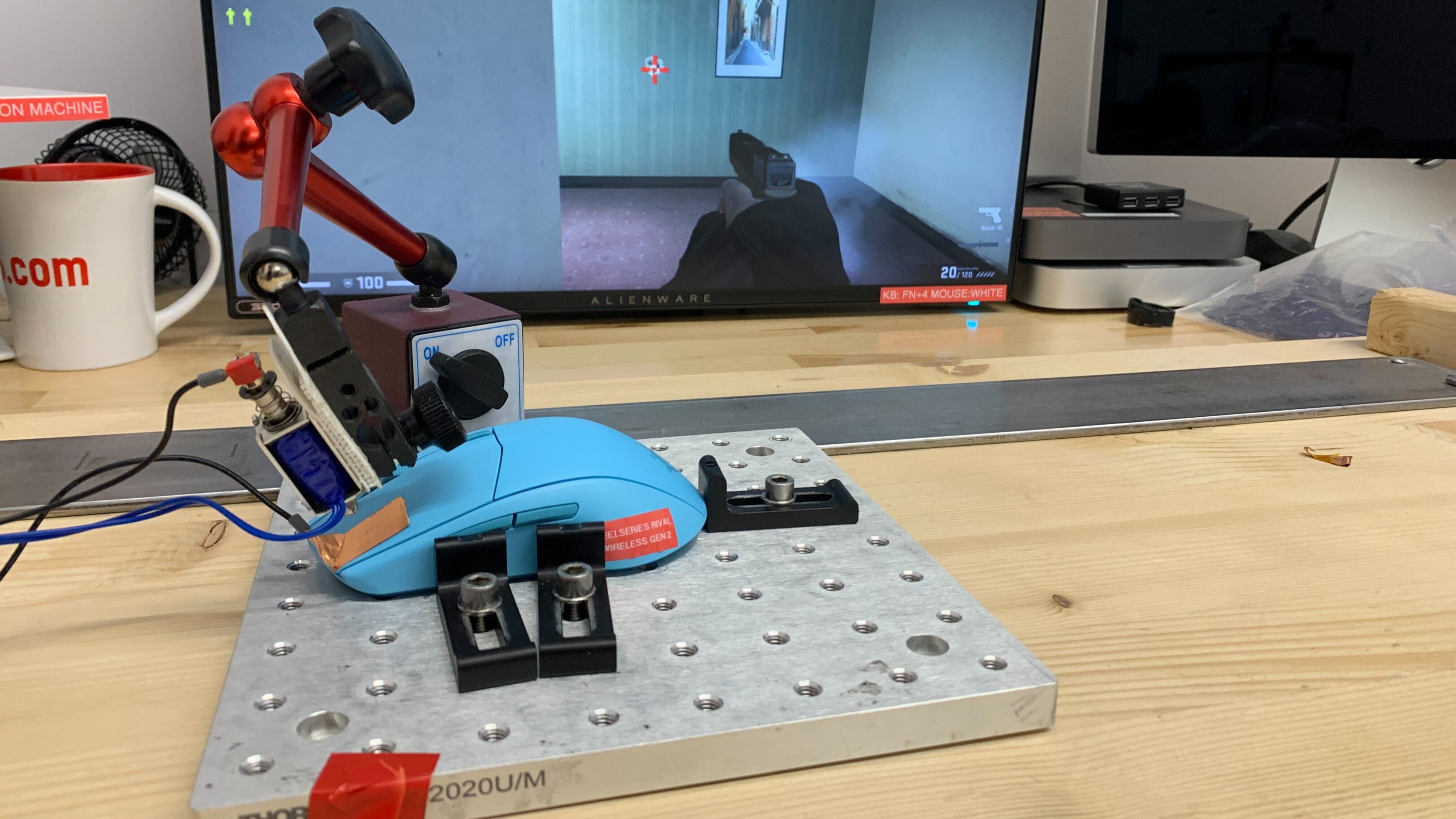
    The SteelSeries Rival 3 Wireless Gen 2 has remarkably good click latency. It provides an extremely responsive and consistent experience for gaming in all genres and at any competitive level.

    We conducted this test using the maximum polling rate of 1000Hz.

    8.7
    CPI
    See details on graph tool
    SRAV @ 1600 CPI
    -0.54%
    SRAV @ 800 CPI
    -0.62%
    SRAV @ 400 CPI
    -0.33%
    SRAV @ Fixed CPI
    N/A
    Precision Error Between Speeds
    0.39%
    Precision Error Between CPI
    3.26%
    Worst Tracking Error
    5.50%
    Minimum CPI
    100 CPI
    Maximum CPI
    18,000 CPI
    CPI Adjustment Steps
    100 CPI

    The SteelSeries Rival 3 Wireless Gen 2's sensor reliably tracks movements without any problematic speed variation issues.

    It can exhibit slightly higher CPI deviation from its target CPI, which means it may feel a bit different at first if you’re used to a specific setting on another mouse. However, this doesn’t impact performance once you’ve adjusted and developed muscle memory for the difference.

    8.7
    Sensor Latency
    See details on graph tool
    Delay To Start Of Movement
    17.2 ms
    Delay At Half Movement
    4.3 ms
    Delay To End Of Movement
    3.6 ms

    The SteelSeries Rival 3 Wireless Gen 2 has excellent sensor latency that's suitable for casual or competitive play.

    We conducted this test using the maximum polling rate of 1000Hz.

    Sensor Specifications
    Sensor Technology
    Optical (LED)
    Sensor Model
    TrueMove Air
    Works On Glass
    No
    Minimum Lift Off Distance
    1.2 mm
    Maximum Polling Rate
    1000 Hz

    Available polling rate settings are 125Hz, 250Hz, 500Hz, and 1000Hz.

    Along with the usual sensor adjustment options, this mouse’s software also lets you adjust sensor acceleration curves, allowing you to set dynamic CPI levels based on how quickly you move the mouse. See the Configuration Software section for more details.

    Mouse Wheel
    Scroll Wheel Type
    Notched Wheel
    Scroll Wheel Tilt
    No
    Thumb Wheel Type
    No

    The scroll wheel has a soft rubberized coating and small ridges that provide a decent amount of grip. Scrolling feels precise, though there’s a small degree of wobble between step increments.

    Noise
    Click Noise
    Quiet
    Operating System And Software
    Configuration Software
    Software NameSteelSeries GG
    Software Windows Compatibility
    Yes
    Software macOS Compatibility
    Yes
    On-Board Memory
    No
    CPI (DPI) Adjustment
    Yes
    Polling Rate Adjustment
    Yes
    Profile Configuration
    Yes
    Profile Auto-Switching
    No
    RGB On/Off
    No

    The software includes all the typical customization options you’d expect, but it also bundles in several unrelated features for in-game video capture, and settings for other SteelSeries peripherals. Because it’s built to manage a wide range of devices, the interface can feel cluttered if you only want to adjust your mouse settings. To access these, you need to open the Engine tab and then select the Gear tab. From there, the layout is clear and straightforward, with all mouse options grouped on a single page.

    One standout feature is the ability to create custom acceleration curves that adjust CPI based on movement speed, similar to what’s possible with third-party tools like RawAccel. At the time of writing, this kind of functionality is still relatively uncommon in the broader market.

    That said, SteelSeries’ software suite, like those from Logitech, Razer, and ASUS, continues to face criticism from the community for its bloated design, high resource usage, and frequent update prompts.

    In testing, we found that while CPI settings are saved to the onboard memory, some other settings such as custom macros don’t carry over when you switch to a computer without the software installed. This can be inconvenient if you regularly move between systems and want your full setup to stay consistent.

    10
    Mouse Compatibility
    Windows CompatibilityFully
    macOS CompatibilityFully