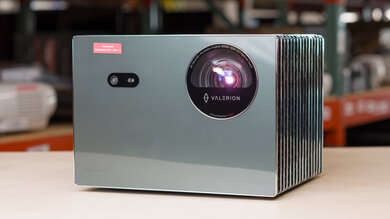
The ViewSonic LX60HD is a 1080p LCD projector with an LED light source. It runs Google TV, supports Google Cast, and has a built-in 2x5W Harman Kardon speaker system. For setup, it has autofocus, automatic vertical and horizontal keystone correction, and post-movement correction. Connectivity includes one HDMI input, USB-C, Wi-Fi, and Bluetooth. It doesn't support HDR signals, and while it can accept a 1080p @ 60Hz signal, it's best suited to 24Hz video playback rather than gaming or typical 60Hz sources.
Our Verdict
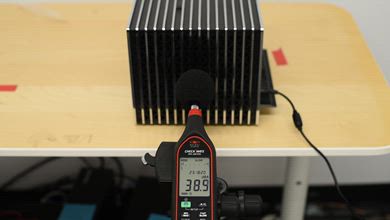
The ViewSonic LX60HD is a mediocre projector for a home theater setup. It has very good contrast, especially in darker scenes, though this is in part due to how dim the projector is, which also limits how much bright elements pop out in all scenes. Colors also don't look vibrant or accurate, even after a calibration, while motion and camera pans look jittery as the projector can't remove judder from any source. On the other hand, it's an LCD projector that doesn't have any rainbow effect (RBE), so it's ideal for those sensitive to it. While its fan is audible in quiet scenes when you're sitting next to it, it gets drowned out during most regular viewing.
Very good contrast, especially in darker content.
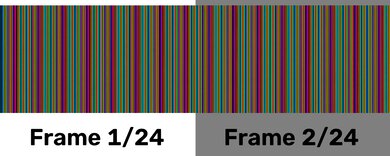
No rainbow effect.
Easy access to popular apps via Google TV OS.
Very dim projector, especially after calibration.
Colors don't look vibrant.
Very inaccurate out of the box.
Motion and camera pans look jittery.
The ViewSonic LX60HD is an inadequate outdoor projector. The main thing holding it back is its poor brightness; it struggles to fight off ambient light, so it's best for watching after dark and with the patio lights off. On the other hand, while it's not the smallest projector, it's still easy enough to carry outside. It also has a mounting hole for tripod setups, auto keystone correction, and auto focus to simplify the setup process for impromptu movie nights. That said, it needs to be set up near an outlet since it doesn't have a built-in battery, and its lack of an optical zoom means physically moving the projector to get the desired image size.
Easy access to popular apps via Google TV OS.
Includes a mounting hole for tripod setups.
Small enough to easily carry it around the house.
Automated screen adaptation features.
Very dim projector, especially after calibration.
No lens shift or optical zoom.
No built-in battery.
No lens protection or carrying case included for longer transport.
The ViewSonic LX60HD is a mediocre bedroom projector. It takes up a decent amount of room on a nightstand, but since it has audible fan noise, especially in quieter scenes, you'll want to set it up on a separate table anyway. It just needs to be set up near an outlet, since it lacks a built-in battery. It also lacks optical zoom, so you need to move the projector as needed to achieve the desired image size. However, for casual movie nights, it has auto keystone and auto focus to simplify setup, and it can also be mounted on a tripod if you have one.
Easy access to popular apps via Google TV OS.
Includes a mounting hole for tripod setups.
Small enough to easily carry it around the house.
Automated screen adaptation features.
No lens shift or optical zoom.
Audible fan noise in quieter scenes.
No built-in battery.
Too big for most nightstands.
The ViewSonic LX60HD is poor for gaming. Its contrast is very good, but almost everything else works against it: it's dim, color performance is limited, and its resolution handling is extremely restrictive. It can accept a 1080p @ 60Hz signal, but it frame skips at 60Hz, so motion doesn't display properly, and input lag is high enough that games feel noticeably delayed.
Very good contrast, especially in darker content.
Very high input lag, even in its low latency mode.
Very dim projector, especially after calibration.
Colors don't look vibrant.
Very inaccurate out of the box.
Frame skips at all resolutions.
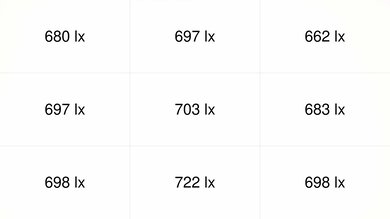
The ViewSonic LX60HD is best kept in a dark room, as it's dim. Its uncalibrated image has enough brightness for casual viewing on a small screen, but it doesn't have the impact needed for ambient light or larger screen sizes. More importantly, there's a big accuracy-versus-brightness trade-off: calibration makes the image much more accurate but also much dimmer, so most users will need to choose between a brighter, less accurate picture and a more accurate but noticeably dimmer one.
Very dim projector, especially after calibration.
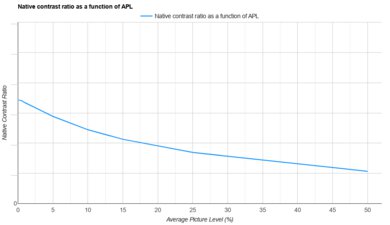
The ViewSonic LX60HD has very good contrast. Dark scenes have much better depth than they do on many projectors, with blacks that look deeper and less washed out in a dark room. It also holds up great in brighter and mixed scenes, so the image doesn't flatten out as much as it does on many entry-level models. It's a dim projector, which limits the impact of these scenes; it's best to use this projector in a dark room to take advantage of it.
Very good contrast, especially in darker content.
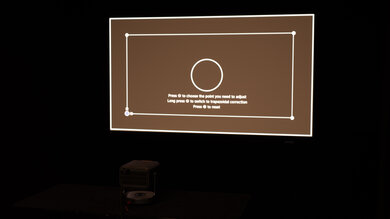
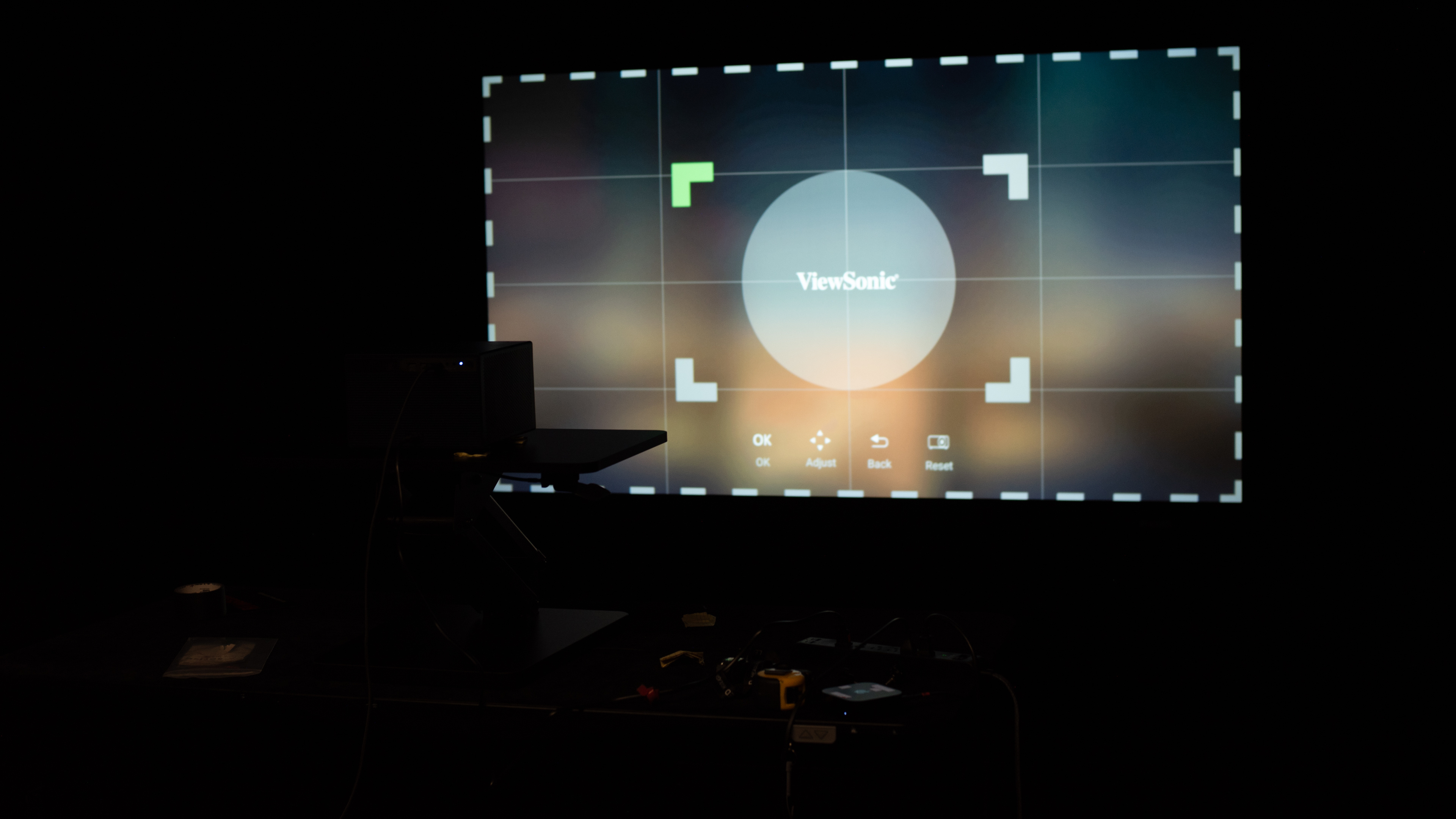
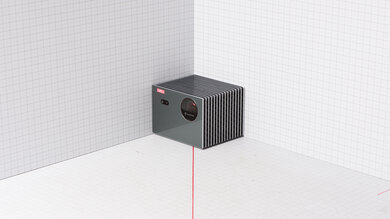
The ViewSonic LX60HD is an adequately portable projector. It's not a big projector, so it's fairly easy to move around with two hands, though it's not small enough to fit in a backpack for easy transport. It also lacks a built-in battery, lens shift, or optical zoom, so it doesn't offer much flexibility in where you set it up to get the cleanest image at a given size. However, it has a few features for a more casual setup, like a mounting hole for a tripod, automated screen-adaptation tools like auto keystone (both horizontal and vertical), autofocus, and the ability to automatically reposition the image if you accidentally bump into the projector. It also has obstacle avoidance and auto screen fit, though these features didn't work well on the unit we tested.
Easy access to popular apps via Google TV OS.
Includes a mounting hole for tripod setups.
Small enough to easily carry it around the house.
Automated screen adaptation features.
No lens shift or optical zoom.
No built-in battery.
No lens protection or carrying case included for longer transport.
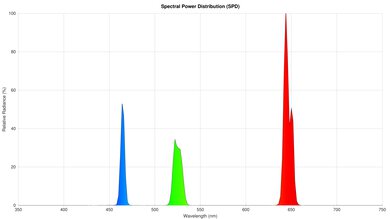
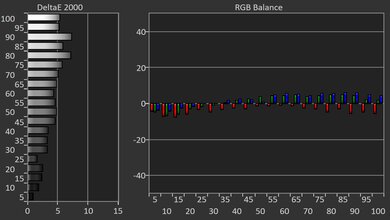
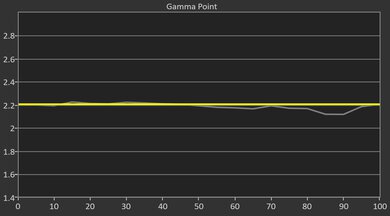
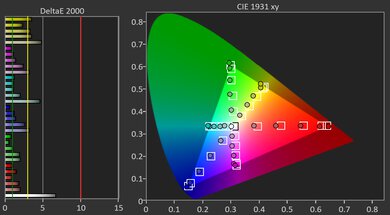
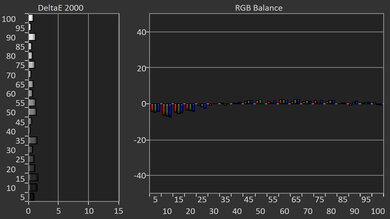
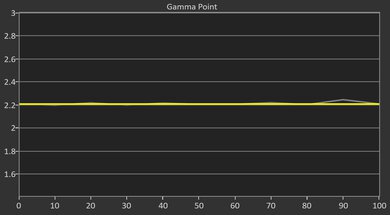
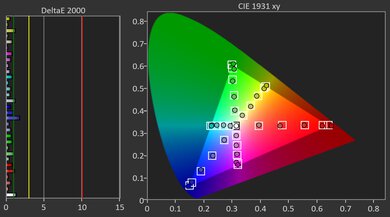
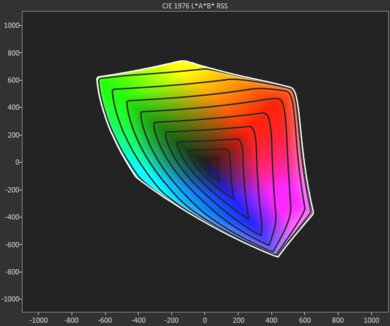
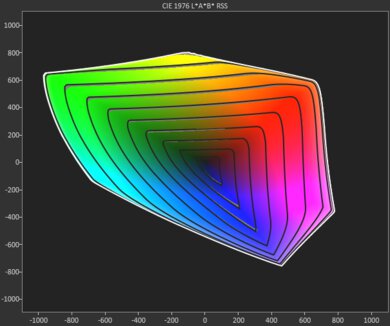
The ViewSonic LX60HD has bad colors. It's inaccurate out of the box, with an image that's too cold. While calibration does help address its color temperature, the image still remains only mediocrely accurate. It also has limited color volume, struggling to maintain saturation across both dark and bright colors. Together, these prevent movies, shows, and games from looking vibrant when viewed on this projector.
Colors don't look vibrant.
Very inaccurate out of the box.
The ViewSonic LX60HD has terrible gaming responsiveness. It accepts 1080p @ 60Hz signals, but it frame skips at this refresh rate, so motion doesn't look good. In practice, it's only reliable at 24Hz, so it's not a good fit for anything that outputs video at 60Hz, including consoles and PCs. Plus, it has high input lag that makes controls feel sluggish, while its LCD imaging technology results in more motion blur than you would see with projectors that use DLP imaging tech.
Very high input lag, even in its low latency mode.
Frame skips at all resolutions.
Motion blur.
Performance Usages
Changelog
- Updated Oct 07, 2026: We've converted the review to Test Bench 1.0, which replaces our Color Gamut test with Color Volume and adds a new Rainbow Effect test box. We also updated Effective Contrast (formerly Native Contrast) to account for projector brightness and reworked Judder scoring. The new bench also adds Outdoors and Bedroom usages, plus Portability, Color, and Gaming Responsiveness Performance Usages; Movies is now Home Theater, and all existing usage scores have been updated. See the 1.0 changelog.
- Updated May 25, 2026: Review published.
- Updated May 11, 2026: Early access published.
- Updated Apr 27, 2026: Our testers have started testing this product.
Check Price
Differences Between Sizes And Variants
The ViewSonic LX60HD is available in one main version. Some documentation also refers to the same projector family using the internal model number VS20103 and suffixes like LX60HDB, LX60HDE, or LX60HDN. These are alternate regional or SKU identifiers rather than clearly different performance variants. Our results apply to the ViewSonic LX60HD we tested.
Our unit was manufactured in August 2024.
Popular Projector Comparisons
The ViewSonic LX60HD is a cheap projector with very good contrast, but that's where its good traits end. It's very dim, even more so after calibration. It's extremely inaccurate out of the box, which means you have a tough choice on your hands: between a more accurate but extremely dim projector, or a terribly inaccurate projector with a slightly brighter image. It also has a narrow color gamut and has terrible resolution handling, as it frame skips at all resolutions, with very high input lag. Ultimately, even at its low price, it's tough to recommend over the similar yet better NexiGo PJ40 Pro, or the far brighter Epson EpiqVision Flex CO-FH02.
Check out our recommendations for the best portable and best cheap projectors, or if you'd prefer to shop solely for another product in the same price range, look up the best projectors under $500 instead.
The Epson EpiqVision Flex CO-FH02 is better than the ViewSonic LX60HD, although they have different strengths. The Epson is far brighter and is way more accurate than the ViewSonic. In turn, the ViewSonic's contrast is far deeper than the Epson's, making it more suitable for movies watched in blacked-out rooms. Still, the Epson's brightness makes it more versatile, and it's also the more colorful unit of the two.
The NexiGo PJ40 Pro and ViewSonic LX60HD are very similar projectors, but the NexiGo generally has the edge. While the ViewSonic's contrast is a bit better, the NexiGo has the clear advantage in brightness, especially when they're both calibrated. The NexiGo is also much more accurate, is better for gaming, and handles judder a bit better.
We've independently bought and tested over 100 projectors and published detailed results for each, so you can decide which one to buy. These have all been tested under the same standardized methodology, allowing you to compare them side by side. We still have all these projectors in our lab, so we can continually go back and compare them to ensure our reviews are still accurate. All our test methodologies are also public on our website, so you can validate the results yourself.
Throw Calculator
Global Controls
Test Results
for pictures & test results
for pictures & test results



for pictures & test results