The Linksys E5400 is a dual-band Wi-Fi 5 router with a 2.4GHz band and a 5GHz band. It's a compact, basic model with few extra features. It has four LAN ports and a WAN port, all rated at 100 Mbps speeds.
Our Verdict
The Linksys E5400 is an inadequate router for apartments or condos. Its speeds are slow since the WAN port is limited to 100 Mbps. It's suitable for general web browsing and video streaming, but downloads take a long time. It's small and easy to place in your living space.
- Very slow top speeds.
- Networking ports limited to 100 Mbps.
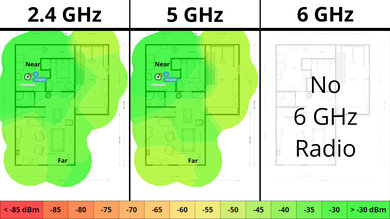
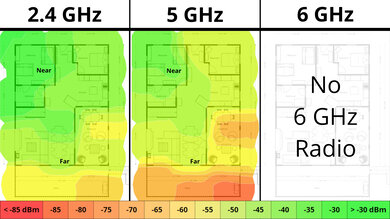
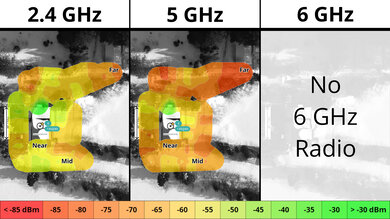
- Poor range.
The Linksys E5400 is bad if you live in a multi-level house. Its speeds are slow since the WAN port is limited to 100 Mbps, and this router has poor range. It's suitable for general web browsing and video streaming, but file downloads take a long time. That said, it's small and has screw-head slots for mounting.
- Very slow top speeds.
- Networking ports limited to 100 Mbps.
- Poor range.
The Linksys E5400 is bad for gaming. Its wireless latency and jitter are high, making online gaming choppy and unstable. Its Ethernet ports are also limited to 100Mbps, so large game downloads can take a long time.
- Very slow top speeds.
- Networking ports limited to 100 Mbps.
- Poor range.
Bad wireless latency and jitter.
The Linksys E5400's speeds are disappointing as the WAN port is limited to 100 Mbps. It also lacks DFS (dynamic frequency selection), so it can't use less congested DFS-only channels.
- Very slow top speeds.
- Networking ports limited to 100 Mbps.
The Linksys E5400 has poor range.
- Poor range.
The Linksys E5400 has poor wireless latency performance. Even basic tasks like browsing the web and taking video calls are choppy and frustrating.
Bad wireless latency and jitter.
Changelog
- Updated Jun 22, 2026: We've updated this review to Test Bench 0.9.1! This is a minor change that makes the router type easier to see at the top of each review. Read the changelog for more info.
-
Updated Apr 17, 2026:
We've added links to the newly reviewed ARRIS SURFboard G34 and ARRIS SURFboard G36 cable modem/router combo units in the Network Ports section of the review.
-
Updated Apr 08, 2026:
We've updated the text throughout the review to reflect the changes from Test Bench 0.9.
- Updated Apr 08, 2026: We've updated this review to Test Bench 0.9! This update adds wireless latency testing to evaluate router gaming performance. Read the changelog for more info.
Check Price
Differences Between Sizes And Variants
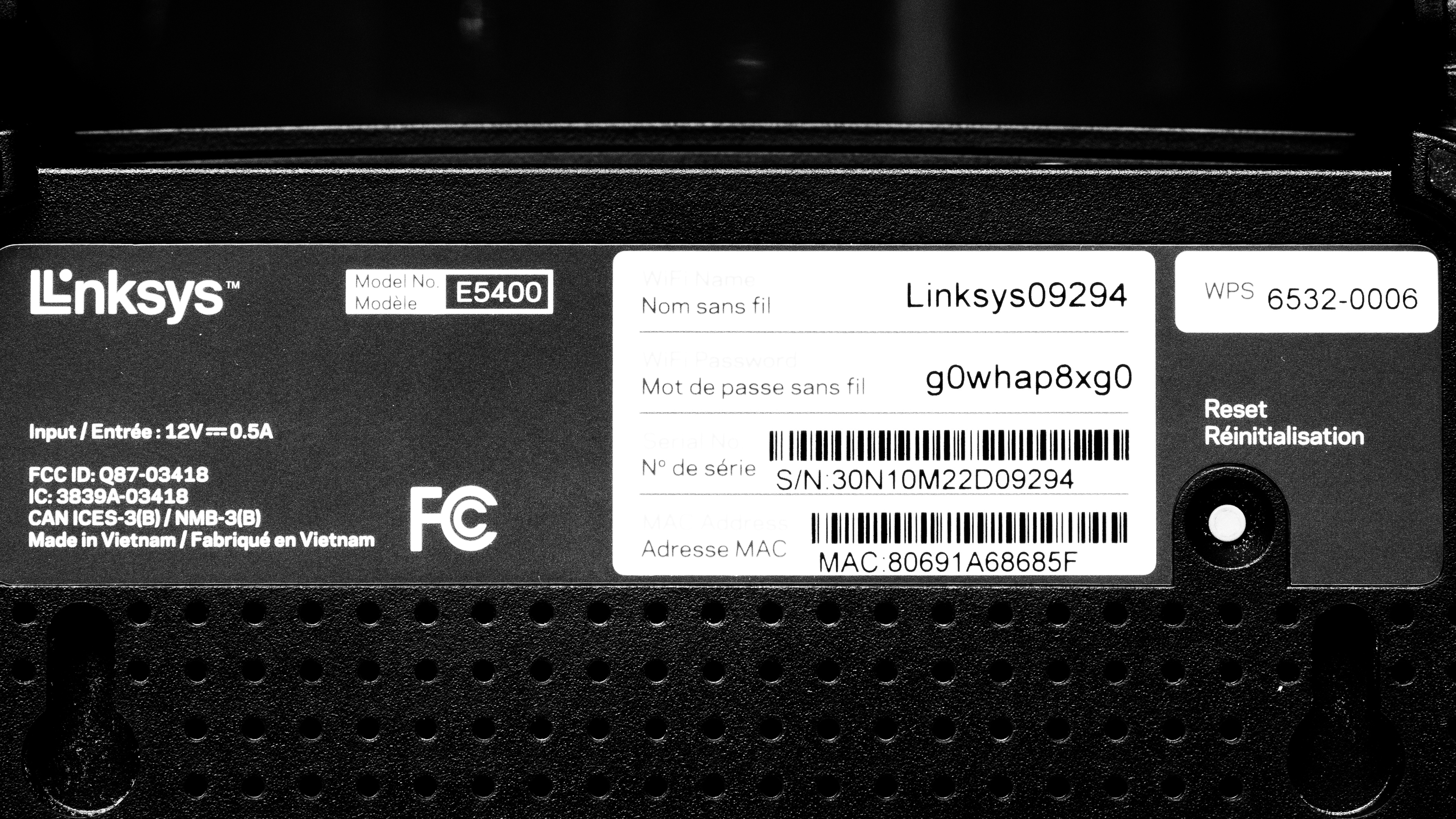
The Linksys E5400 has no variants. Here's a photo of its label.
Popular Router Comparisons
The Linksys E5400 is a budget dual-band Wi-Fi 5 router. It doesn't have many additional features, and its wired networking ports are limited to 100 Mbps. At the time of writing, it's one of the cheapest routers we've tested, but it vastly underperforms compared to other budget routers like the TP-Link Archer A8 and the TP-Link Archer AX10.
For more recommendations, check out the best budget and cheap routers, the best Wi-Fi routers, or the best routers for streaming.
Test Results


for pictures & test results

The LAN ports and the WAN port are only rated at 100 Mbps.
Check out the ARRIS SURFboard G34 or the ARRIS SURFboard G36 if you're looking for a router/DOCSIS 3.1 cable modem combo unit with a coaxial cable port.
for pictures & test results

- Ethernet cable
- Power adapter
- User documentation
for pictures & test results

This router has a pair of screw head slots on the bottom, so you can easily mount it to your wall or ceiling.
for pictures & test results

It's a standalone router without mesh capabilities, so the mesh satellite position line on the graph isn't applicable.
for pictures & test results

It's a standalone router without mesh capabilities, so the mesh satellite position line on the graph isn't applicable.
for pictures & test results

This router has poor wireless latency performance. It's frustrating to use for even basic tasks like browsing the web or taking video calls, and gaming is an awful experience.
We achieved these results using our standard test methodology, where we create 200Mbps of simulated network traffic before testing latency, which is higher than this router's WAN port speed. We conducted an additional test with only 80Mbps of simulated network traffic, and achieved the following results:
- 5GHz Median Latency: 32.5ms
- 5GHz Median Jitter: 11.3ms