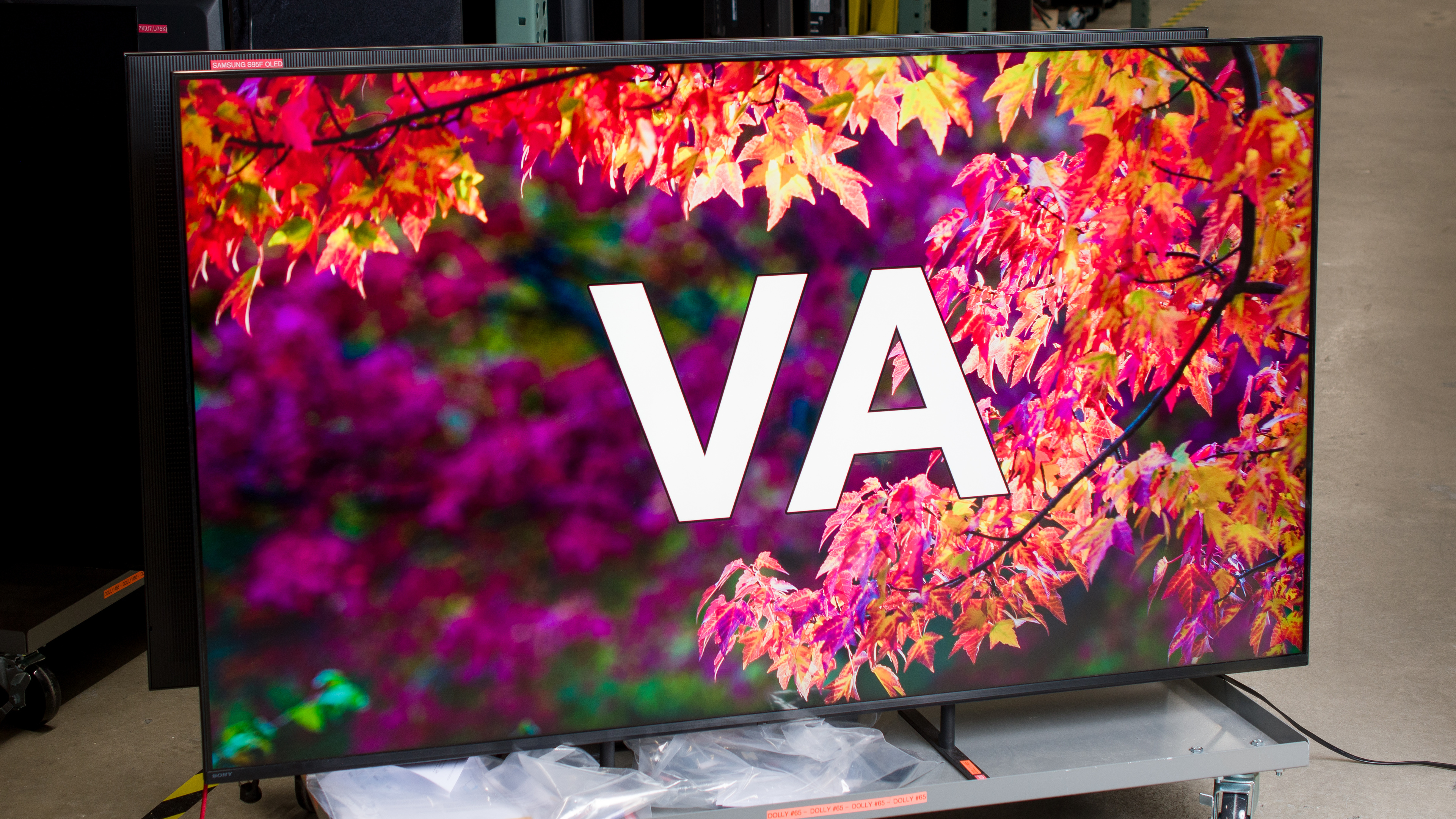
A VA panel is a specific type of LCD screen that's very common on TVs. They're well-known for their deep blacks and narrow viewing angles, but what exactly is a VA panel? How do they compare to other panel types, and how does this impact your viewing experience? In this guide, we'll break down some of the technical details and examine a few key performance metrics to help you find the best TV for your specific needs. If you're not sure where to start, check out our TV panel types guide for a breakdown of all of the different TV types. The focus of this article is on TVs with VA panels, but you can read more about monitors with VA panels here.
Test results
What Is A VA TV?
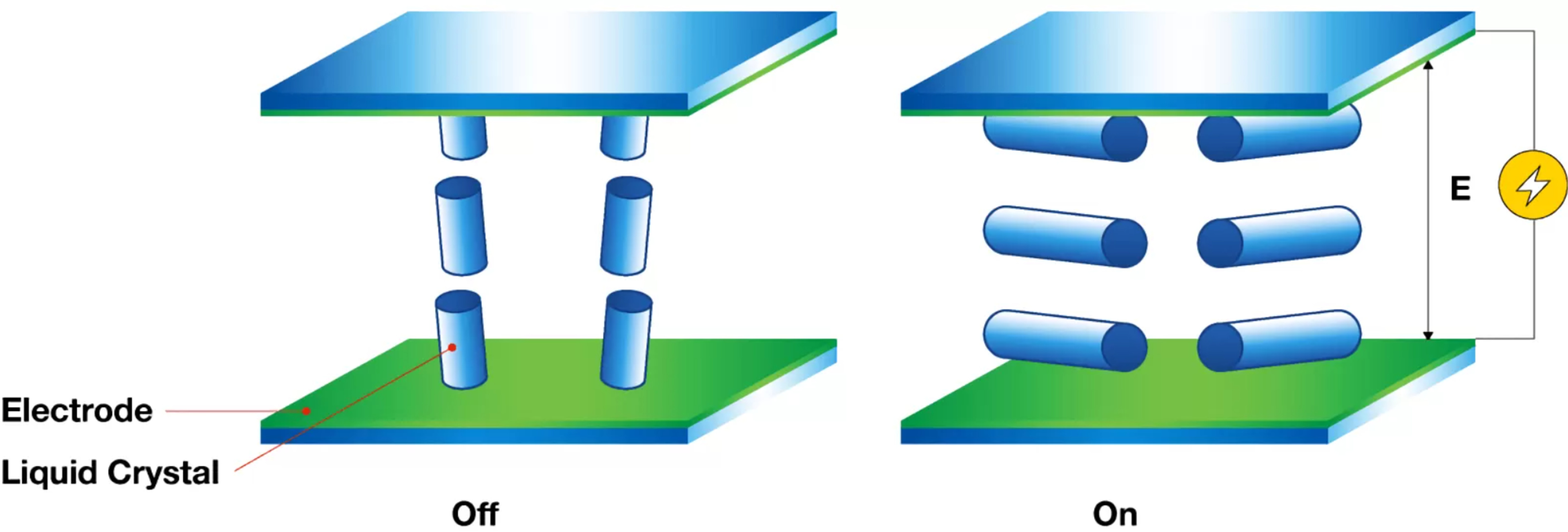
The term VA stands for Vertical Alignment, referring to the mechanism used to adjust the liquid crystals in your LCD TV to control the flow of light. This panel is one of multiple layers within a TV, sitting between the LED backlights, polarizers, and the glass substrate, amongst other elements. When no voltage is applied to the liquid crystals, they sit vertically with respect to each other, which is why it's called vertical alignment. They're also very good at blocking most of the light coming through, which is why VA panels have high contrast ratios with deep blacks (more on that later). Once a voltage is applied, they tilt perpendicular to the glass substrate to let light through, creating a viewable image.
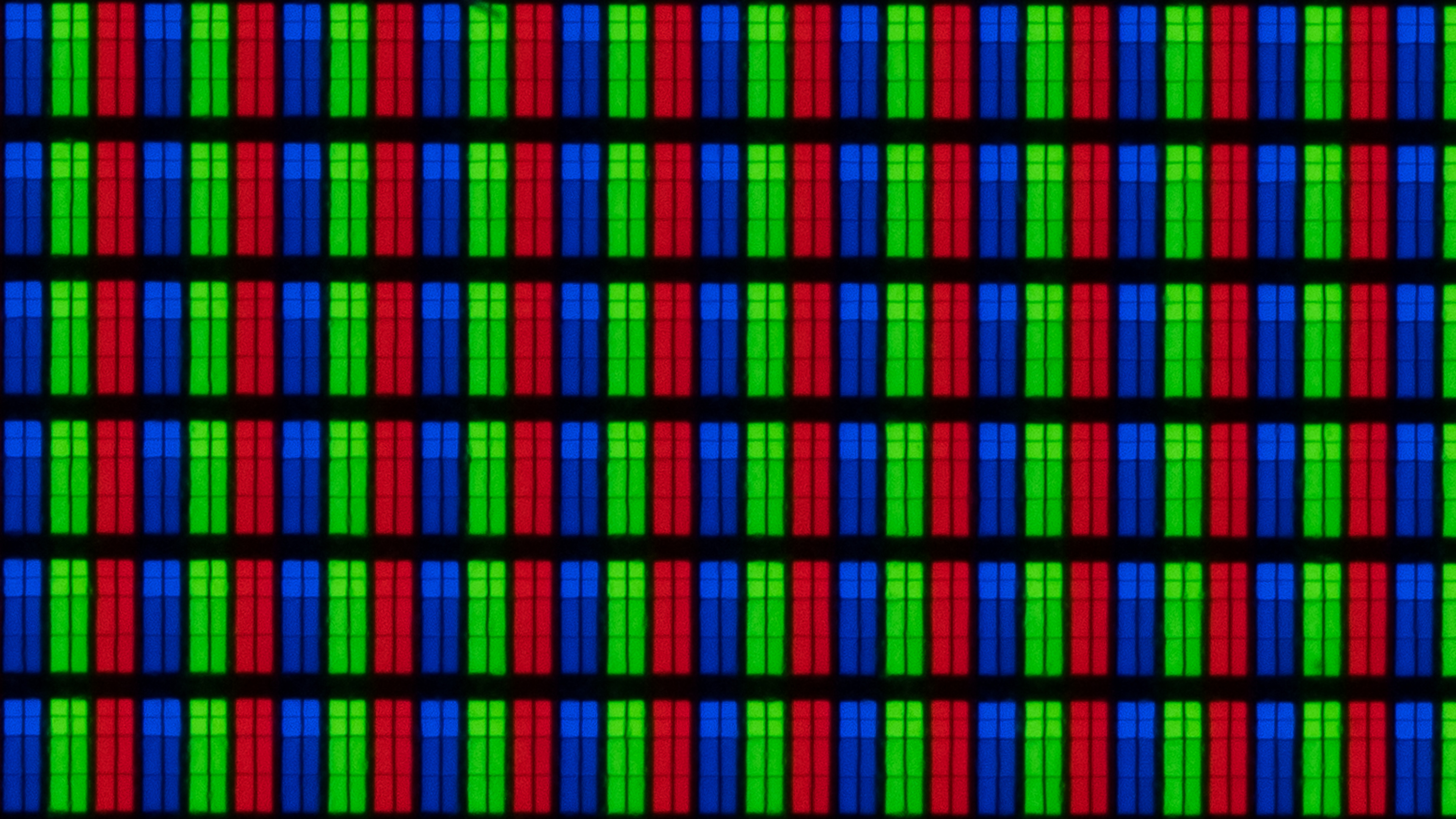
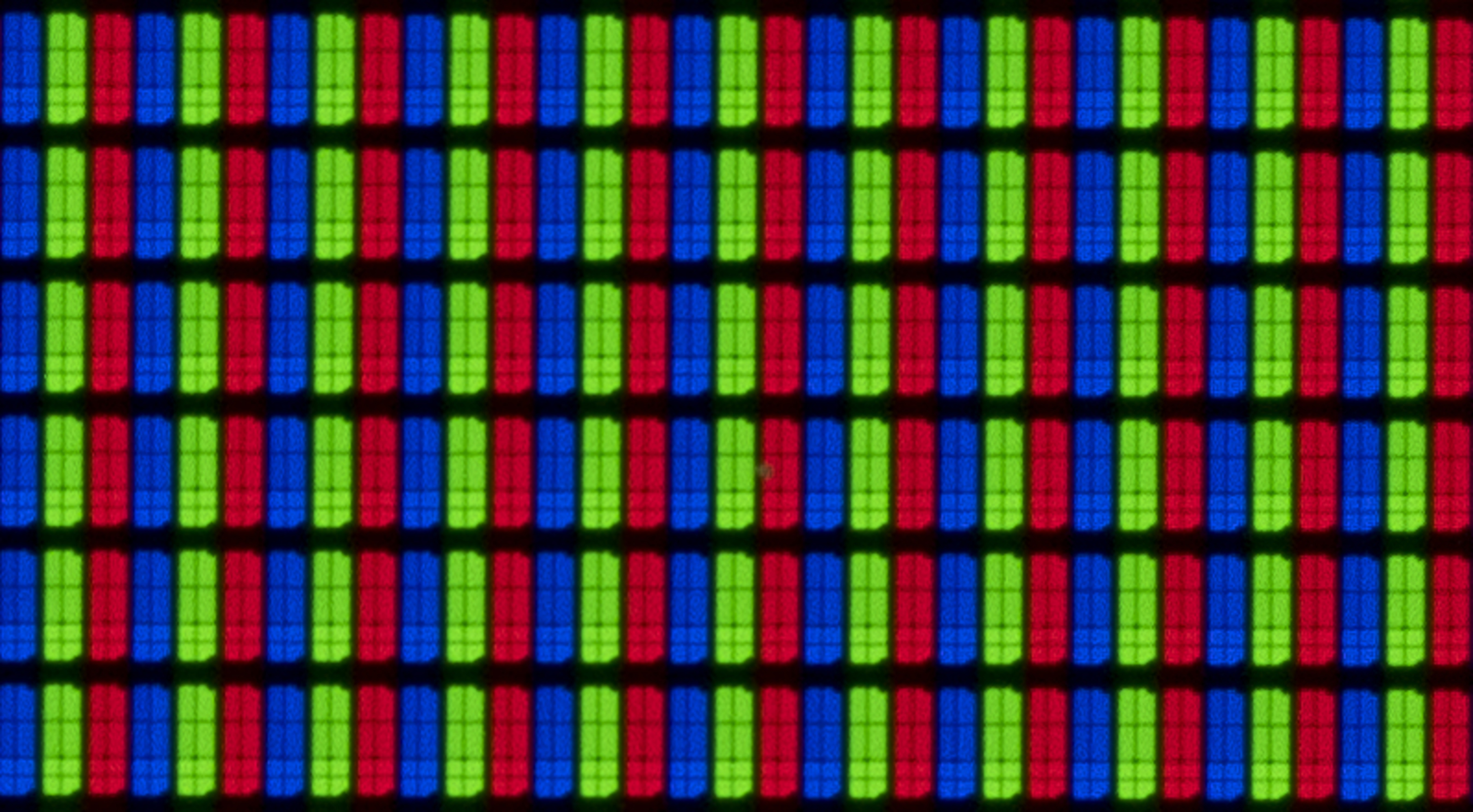
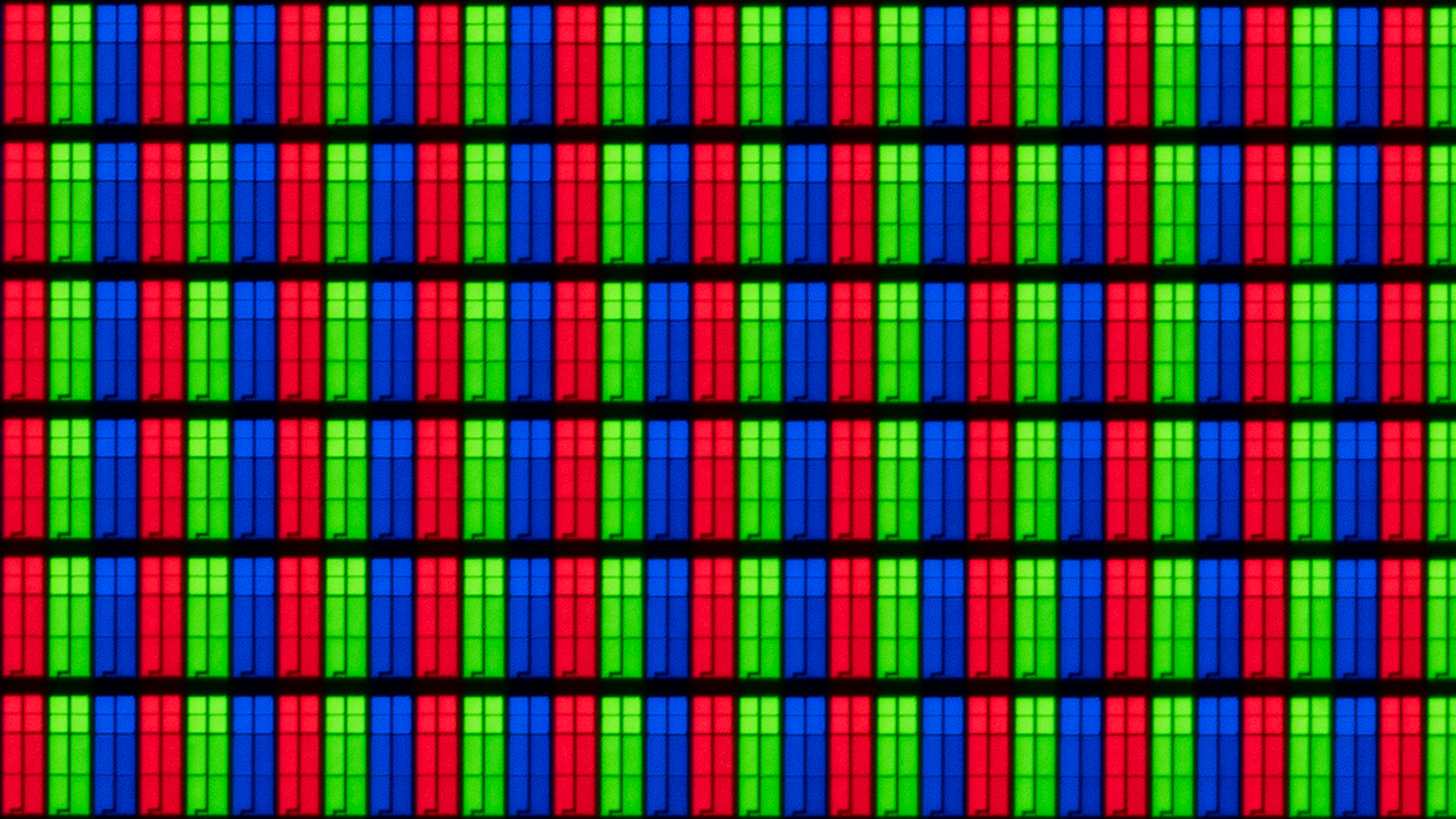
There are multiple manufacturers that produce VA panels, but it's hard to know which exact manufacturer produced the panel in your TV without opening it up. TV brands sometimes source multiple panels for the same model, so there's a bit of a lottery involved. You can see some photos of subpixels in VA panels in the additional information section below.
How Do VA Panels Perform?
VA panels are extremely common on TVs. At the time of publishing, we've tested 218 LED TVs since 2020, and 161 of them use VA panels. So if you're shopping for a new TV, chances are you'll be considering at least one TV that uses a VA panel. But just how do they perform, and what should you expect from them? Below, we'll break down some of the biggest aspects of a TV's performance that are directly impacted by the type of panel used. We'll use the results of three TVs with VA panels: the Samsung DU7200, TCL QM7K, and the Sony BRAVIA 9. These three TVs represent a wide range of models, from entry-level to the highest-end premium models, respectively.
Dark Scene Performance
| Samsung DU7200 | TCL QM7K | Sony BRAVIA 9 |
|---|---|---|
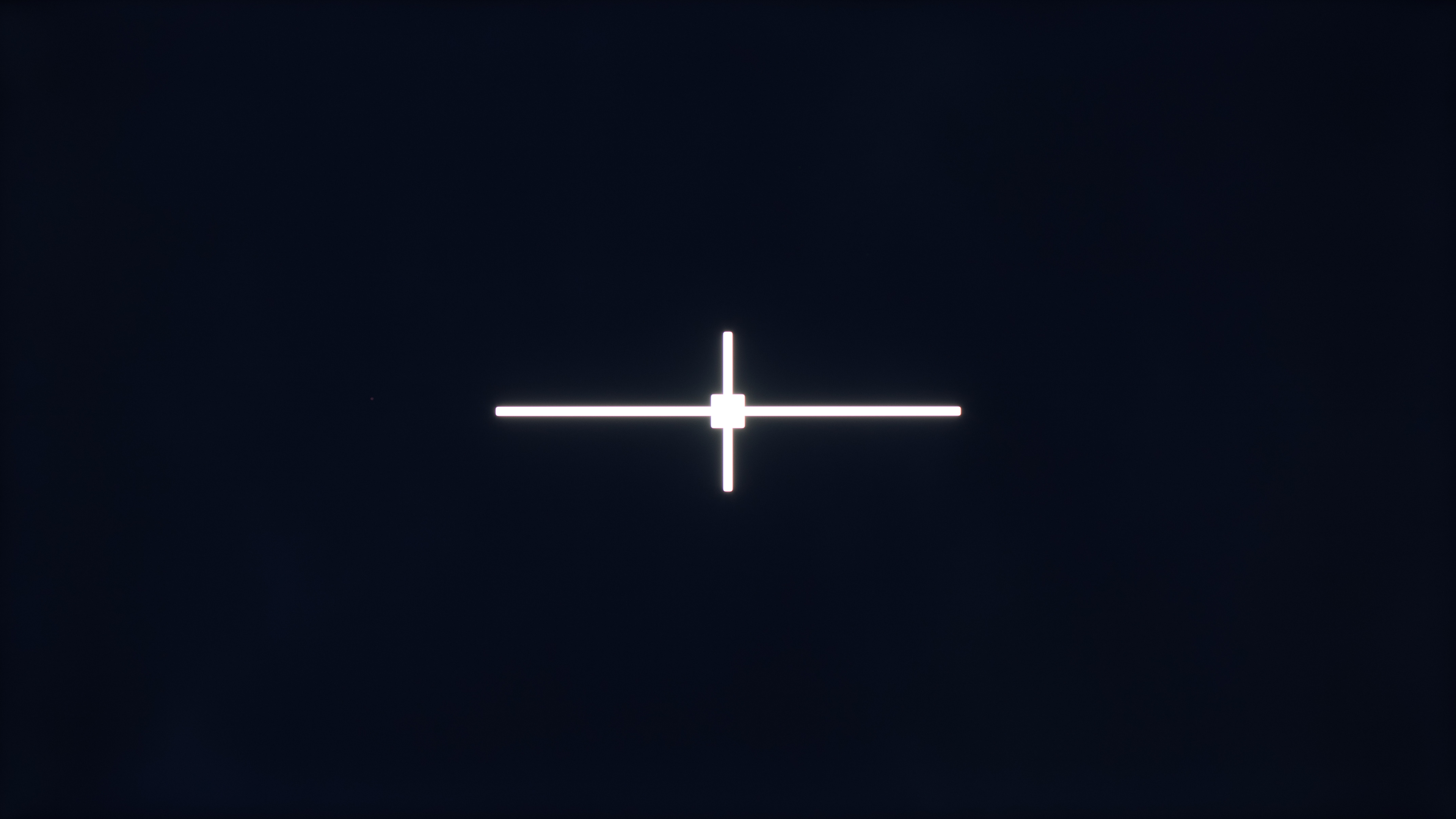 Native contrast: 3,857 : 1 |
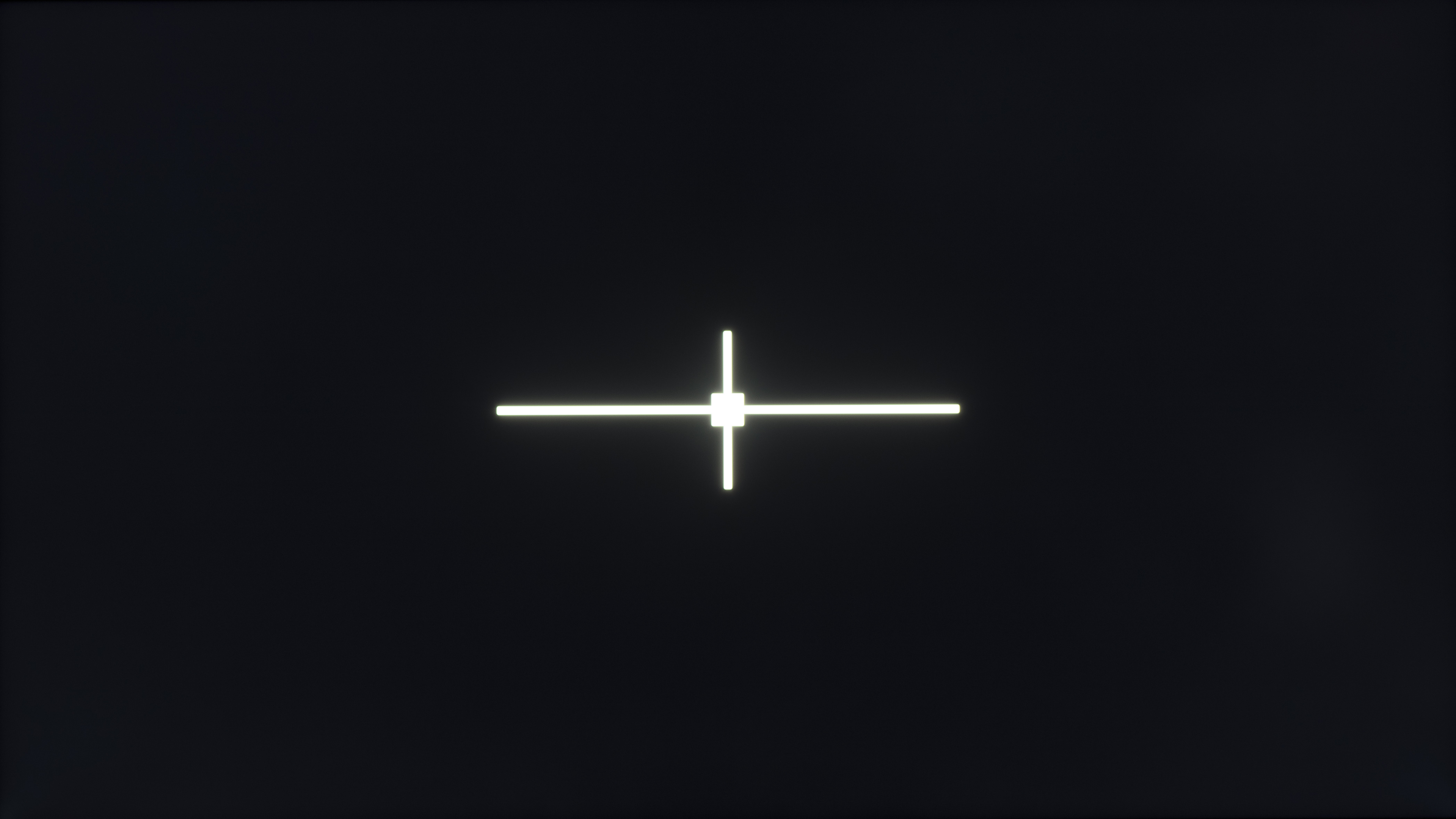 Native contrast: 8,392 : 1 |
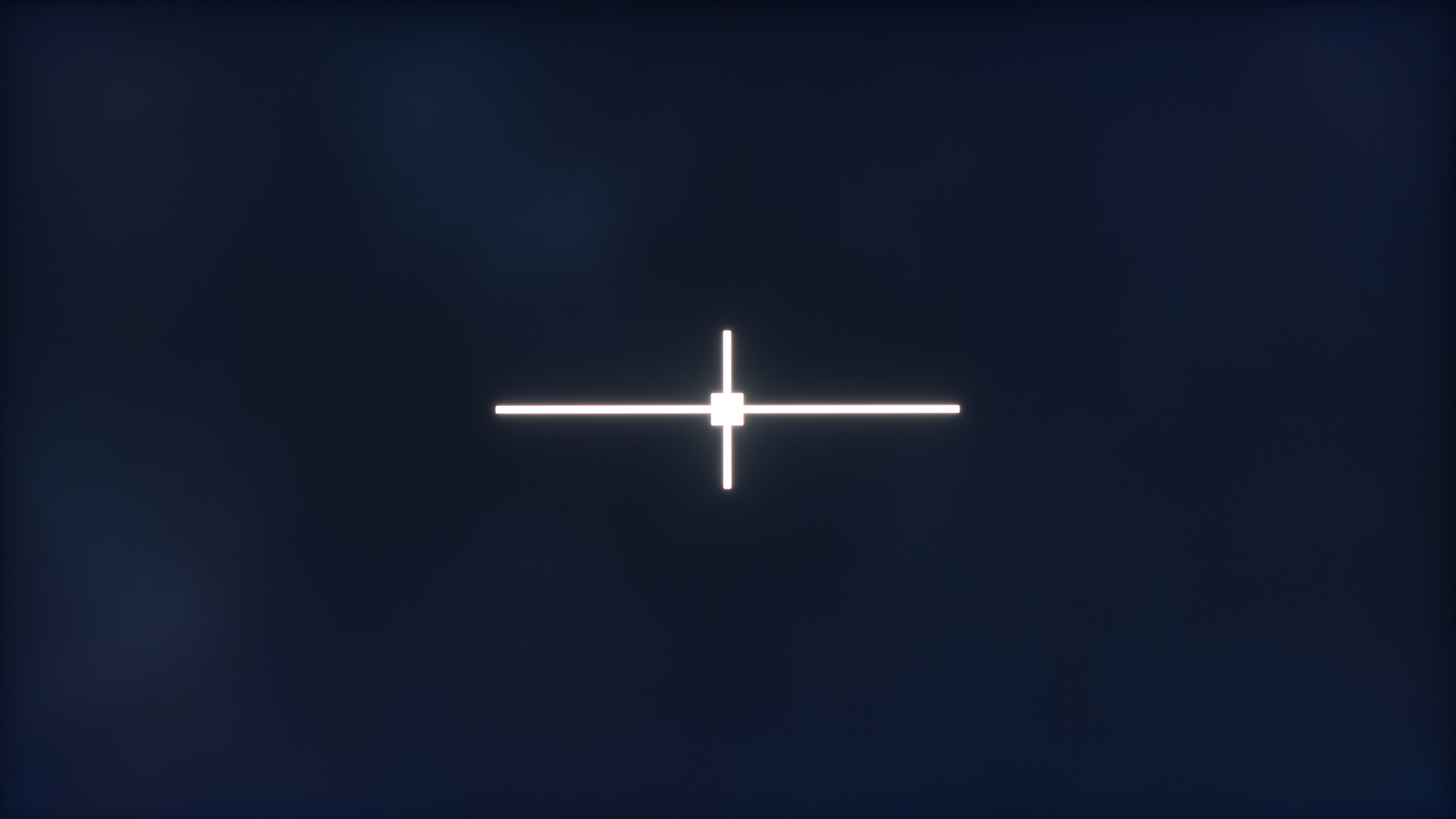 Native contrast: 2,792 : 1 |
When watching TV in the dark, there are a few different performance metrics that are important. Contrast, which is the ratio between black and white, and black uniformity, which tells us how uniform blacks are across the screen, are two of the most important. VA panels usually have good contrast, as VA panels are generally good at blocking the light from the backlight. Most TVs on the market also use a technology known as local dimming to improve dark scene performance. This technology works by dimming the LEDs behind darker parts of the scene, so it doesn't matter as much if the panel doesn't block all of the light coming through, or if it's inconsistent in certain parts of the screen.
To better understand how the VA panel itself impacts dark scene performance, we need to eliminate the impact of local dimming. To do that, we'll examine the native black uniformity and native contrast tests on our three VA TVs. These tests are very good at showing not only how deep blacks can get, but how uniform they are. As you can see, there's a very clear direct relationship between the native contrast of each TV and the overall uniformity and depth of blacks in the black uniformity photo. What's interesting is that despite the Sony being the most expensive model of the bunch, it has the worst native contrast, and by extension, the worst black uniformity. This is caused by the TV's X-Wide Angle technology, which increases its viewing angle at the expense of some contrast.
This takes a bit of a pessimistic approach to analyzing contrast and dark scene performance, but for good reason. It's meant to show that while VA panels typically have good contrast, it's not necessarily related to price, and there are many different factors that impact dark scene performance. The TCL and Sony TVs both have Mini LED local dimming features, and blacks look significantly better in a dark room.
Colors
| Samsung DU7200 | TCL QM7K | Sony BRAVIA 9 |
|---|---|---|
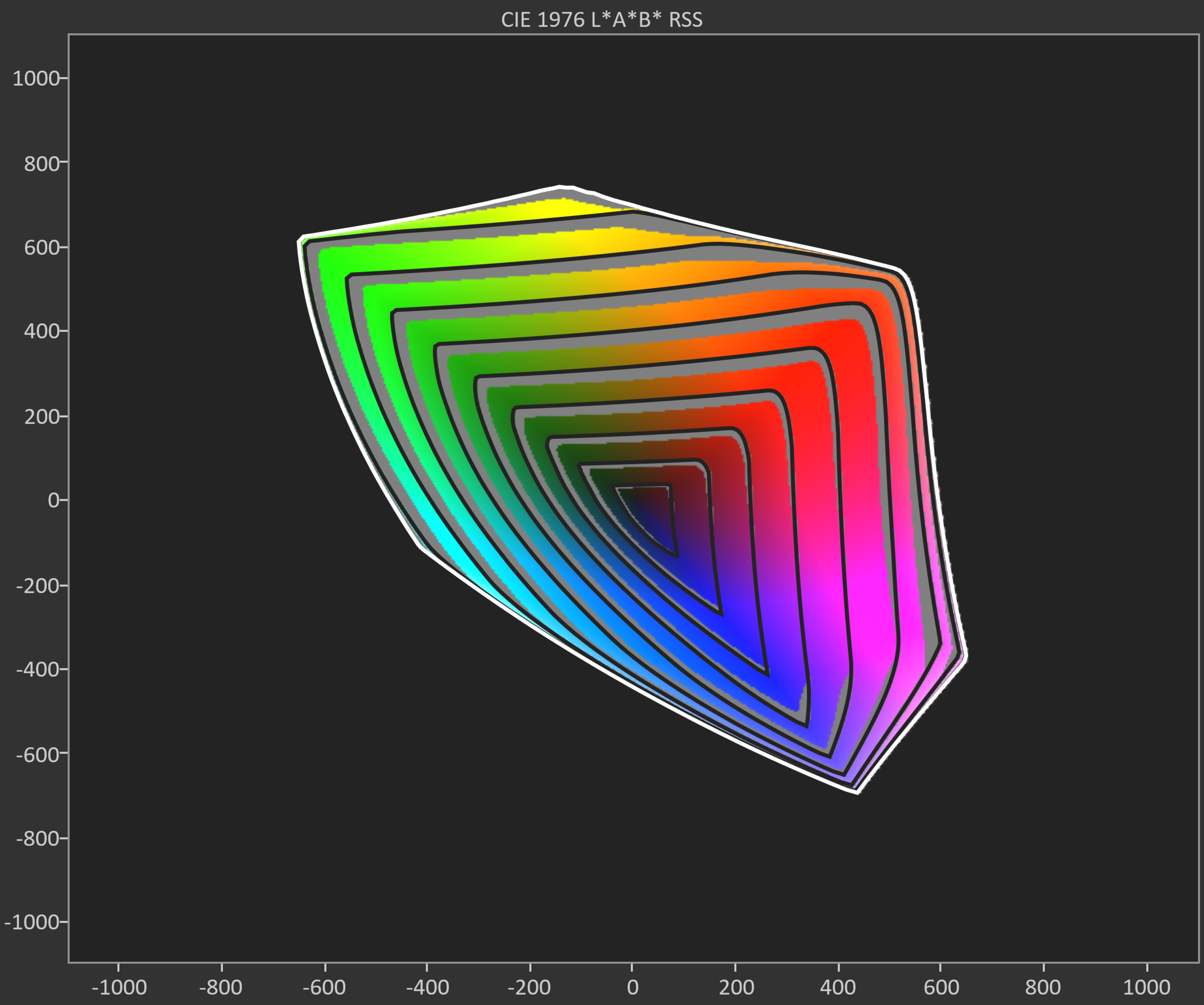 CIELAB DCI-P3 coverage: 69.71% |
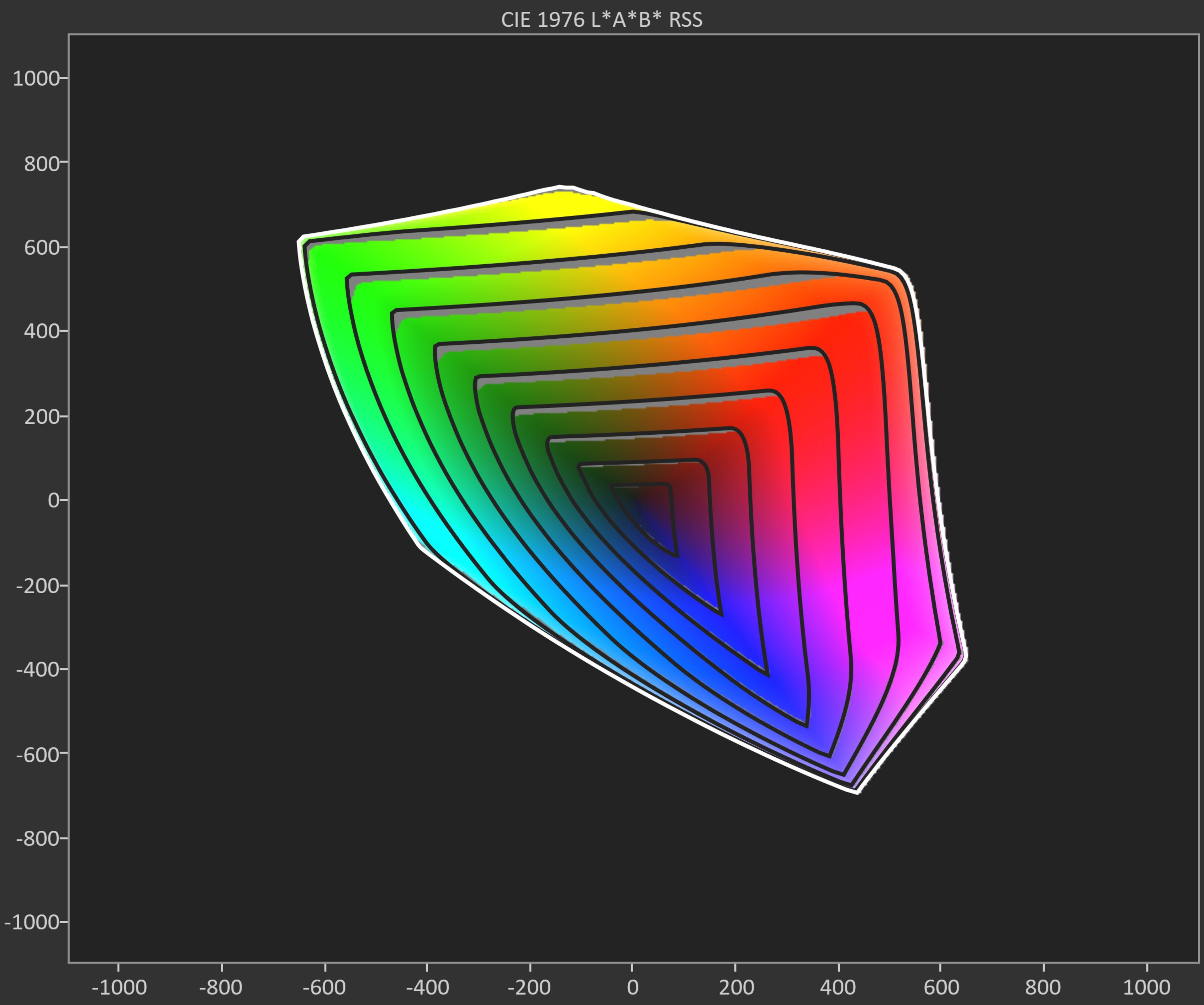 CIELAB DCI-P3 coverage: 89.42% |
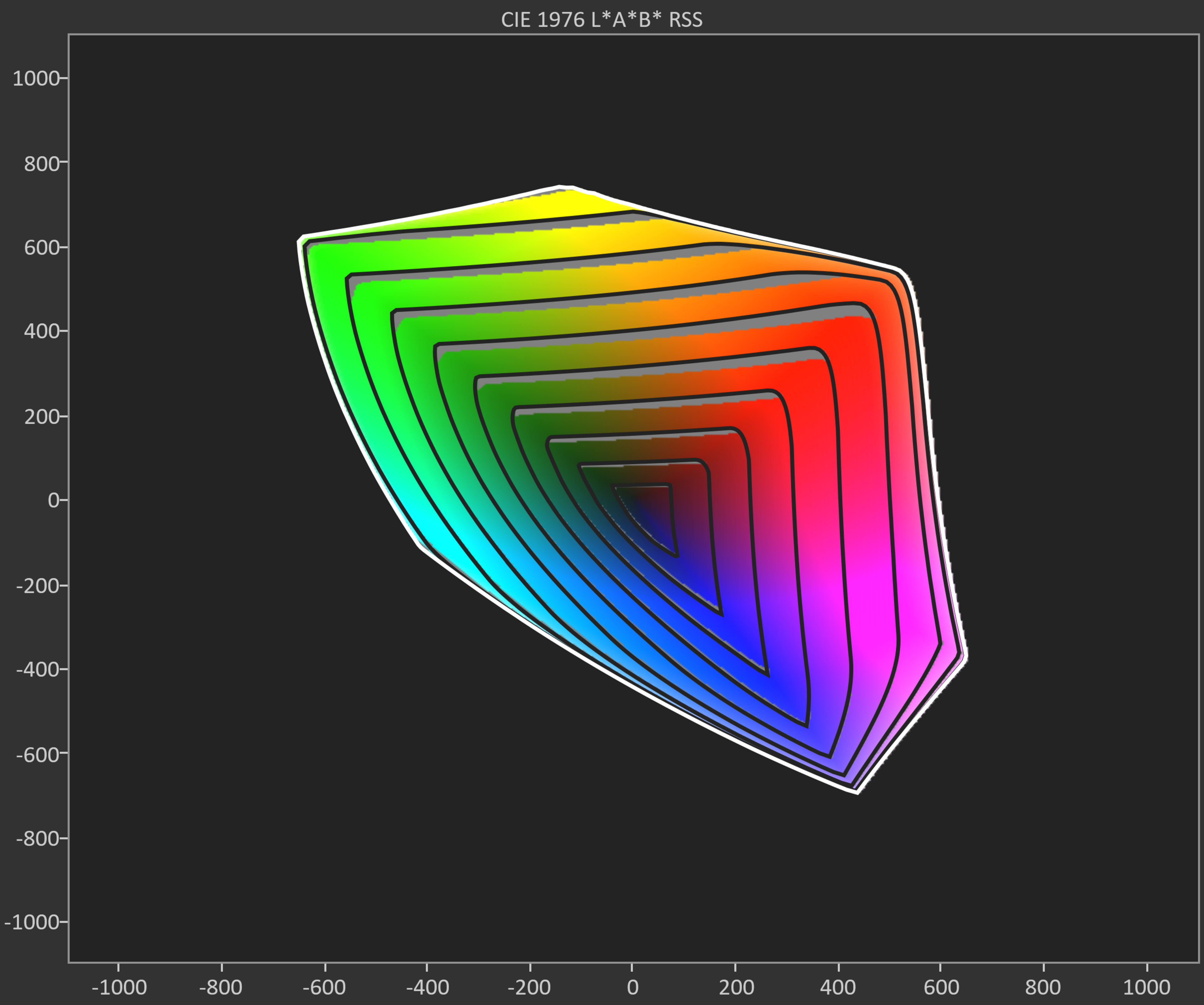 CIELAB DCI-P3 coverage: 88.38% |
SDR color volume is a representation of a TV's color performance when displaying SDR content, which is most of the content you'll find on DVDs, Blu-rays, and cable TV channels. Ideally, you want a TV with large coverage of the DCI-P3 and BT.2020 color spaces so your SDR content is as colorful and accurate as possible. Instead of showing a TV's color volume performance with a 3D graphic, as we do with our HDR Color Volume test, our SDR color volume test shows us a display's capabilities with an easier-to-understand 2D image, which is broken down into slices called gamut rings.
TVs with VA panels tend to produce a wide range of colors, making them a great choice for watching HDR content. Taking the three TVs above as an example, you can see that coverage of the commonly used DCI-P3 color space is excellent on the TCL and Sony TVs, but not as great on the Samsung. This is because while it plays a part, the LCD layer itself isn't the only important factor in color reproduction. The range of light produced by the backlight is just as important, so if you care about vivid colors, look for TVs that use a wide color gamut technology. These TVs usually combine VA panels with quantum dot technology, and are often marketed as QLED.
Viewing Angle
| Samsung DU7200 | TCL QM7K | Sony BRAVIA 9 |
|---|---|---|
A TV's viewing angle tells us when an image starts to look inaccurate when viewing off-center. Whether we've realized it or not, an image appears differently when viewed from the side, and some TVs retain image accuracy at an angle better than others. If you need a TV that looks good from various positions in a room with a wide seating arrangement, wide viewing angles are very important. However, if you sit directly in front of the TV, viewing angles aren't as important to you.
Viewing angles are often the main downside of VA panels. As you can see in the three videos above, the image degrades noticeably as the TV is turned, replicating what you'd see as you move off-center. Most of these TVs are noticeably washed out or faded at an angle, making them less than ideal for a wide seating arrangement or if you like to move around the room while the TV is playing, so they're not great for parties, either. There are very few exceptions to this behavior. As mentioned above in the contrast section, some VA TVs, such as the Sony BRAVIA 9, have an additional light-scattering layer. This helps to improve viewing angles slightly, but, as mentioned in the 'Dark Scene Performance' section above, it also reduces contrast. While this technology is designed to offer a best-of-both-worlds experience, with wide viewing angles and deep blacks, in practice, it doesn't significantly enhance the overall experience.
Motion Handling
| Samsung DU7200 | TCL QM7K | Sony BRAVIA 9 | |
|---|---|---|---|
| 60Hz | 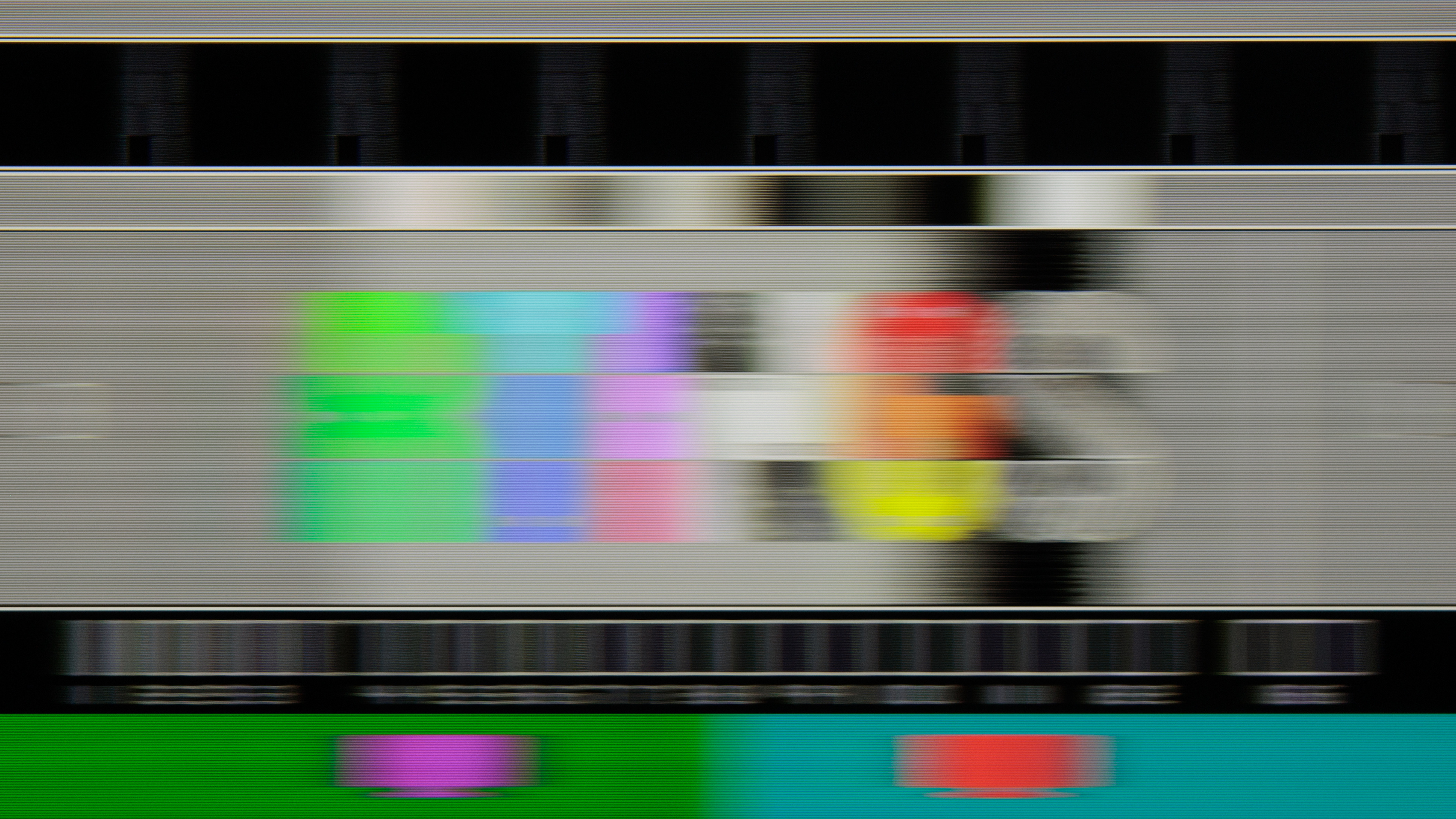 |
 |
 |
| 120Hz | Not Supported | 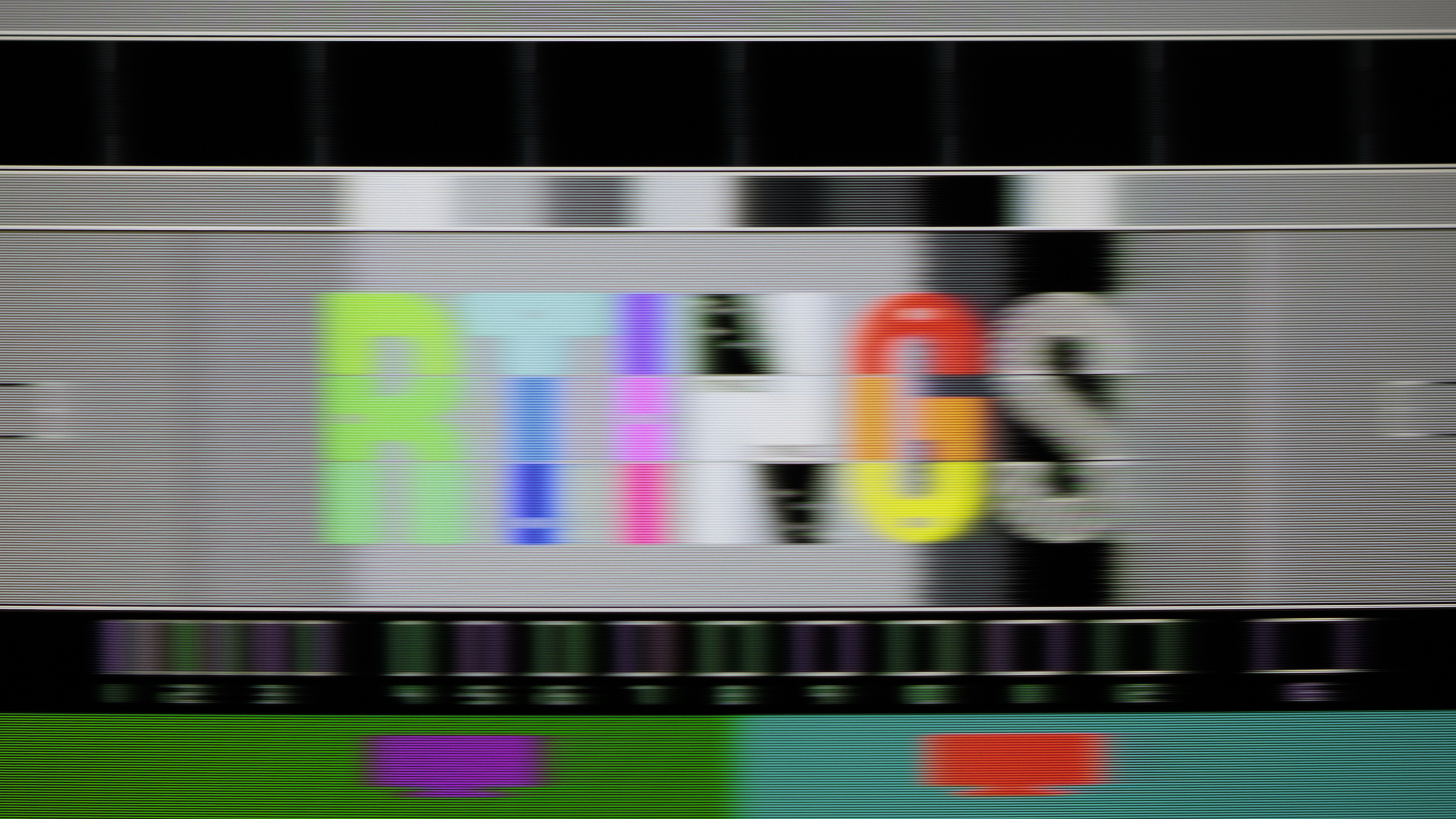 |
 |
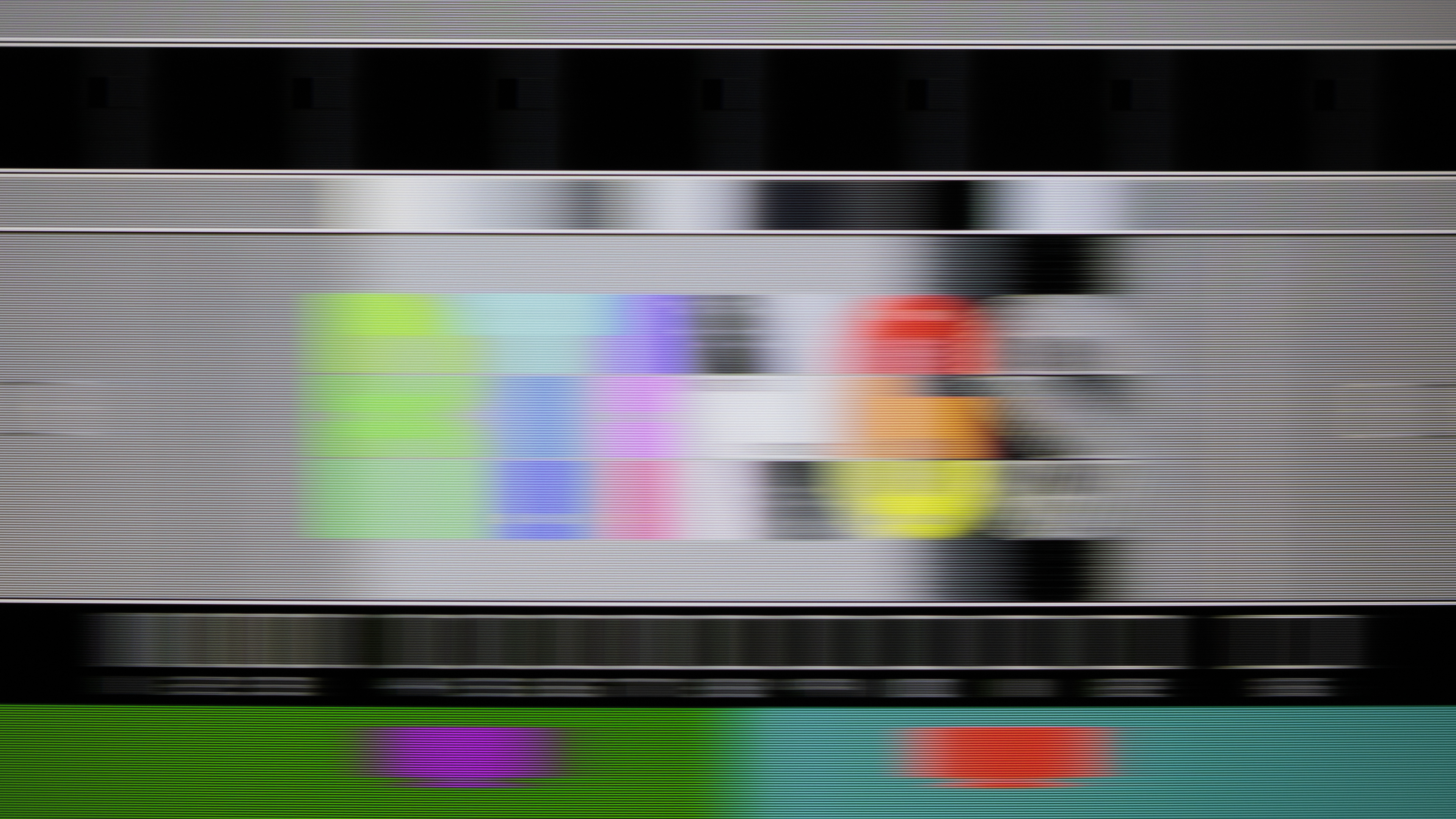
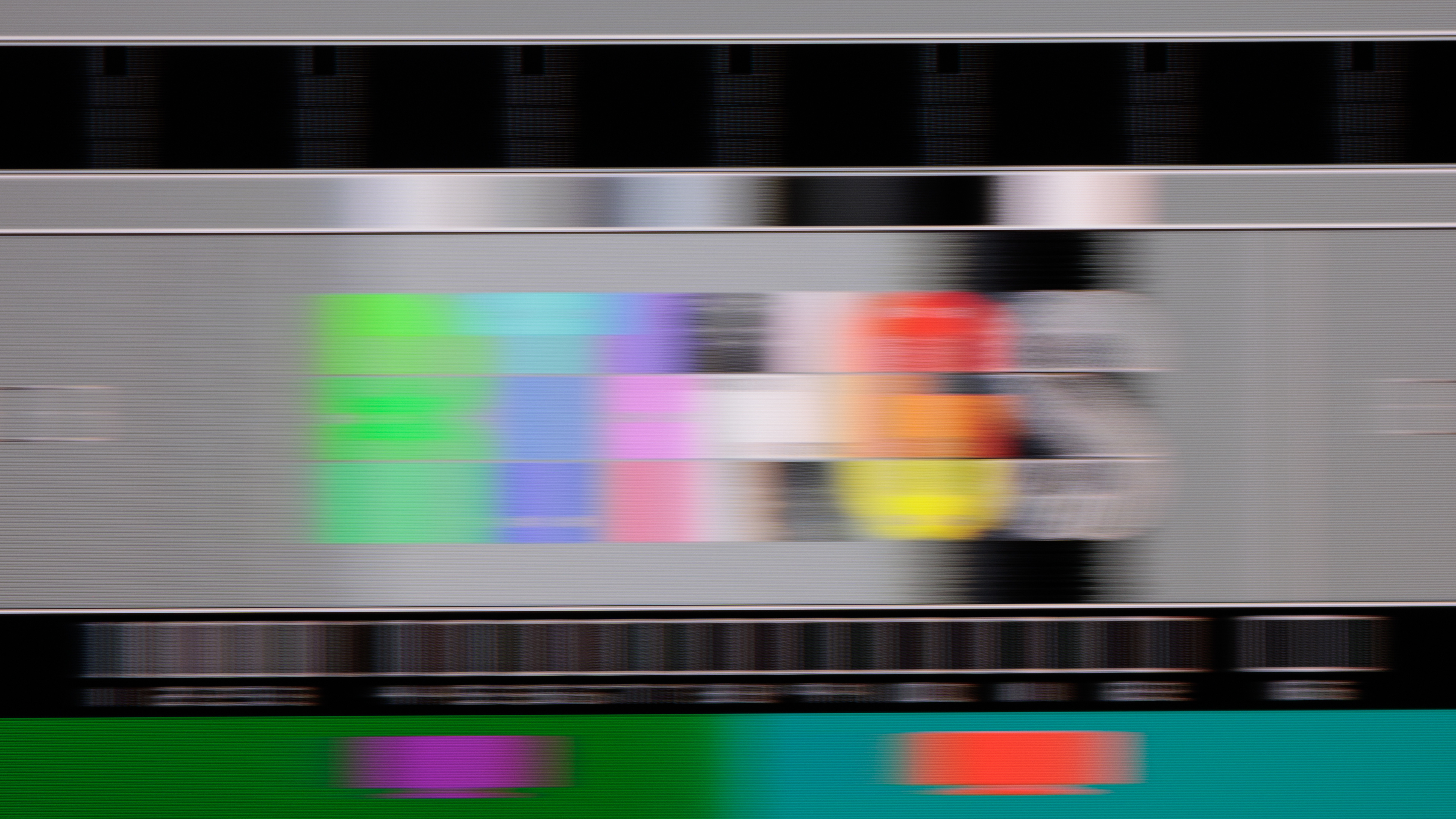
If you watch content with fast-moving objects, like in action movies or sports, having a TV with a fast response time is important if you don't want much motion blur. Response time affects motion blur, and a bad response time can result in artifacts, black smearing, or ghosting. That said, having a fast response time isn't perfect for watching movies, either, as it also causes stutter.
VA panels tend to have decent response times. They're a good choice for cinematic motion and gaming alike, and they usually strike a good balance between quick motion without adding too much stutter. They're not perfect, though, as most VA panels struggle with shadow details and when changing from a completely "off" state to something else. This often results in noticeable black smearing in dark scenes and blurry motion. So, overall, VA panels tend to have decent motion handling. They're not as quick as OLEDs, of course, but they're still fine for most users.
Looking at the three TVs above, you can see that at 60Hz, there's not much difference between them. This is largely due to the effects of persistence blur. Higher-end TVs with VA panels often support higher refresh rates. In the case of these examples, the TCL supports up to a 144Hz refresh rate while the Sony is limited to 120Hz. These higher refresh rates have significantly less persistence blur, as the image refreshes far more often, so the pursuit photo is more indicative of what the panel can actually do. The TCL here shows that motion is actually quite clear, while there's a bit more blur on the Sony. In short, if you care about motion handling, look for a VA panel that offers a higher refresh rate.
Compared To Other Display Technologies
How do VA displays compare to other technologies, like IPS or OLED?
Vs. OLED
Compared to OLED displays, even the best VA panels out there are still far short of their deep, inky blacks and perfect black uniformity. So if you plan on watching TV in a dark room or home theater, OLED is still the way to go. OLEDs also have much wider viewing angles, especially QD-OLED models, making them the better choice for a wide seating arrangement. VAs have some strengths, though, as they typically get brighter than OLEDs, especially in content where more of the screen gets bright at once, like most sports.
Vs. IPS
Compared to IPS models, VA panels typically have much deeper, more uniform blacks, making them the better choice for a dark room. This is starting to change, as newer technologies like Mini LED backlights help significantly improve black levels on IPS models, and some models even have better contrast than competing VA panels. VA displays typically have worse viewing angles than IPS models, though, so they're not as good for a wide seating arrangement, as the image degrades more rapidly when viewed from the side. Read more about IPS vs VA.
Conclusion
So, overall, should you buy a VA panel? Well, as we've shown, they tend to offer the best dark room experience, with deep blacks and good picture quality overall. They generally have decent motion handling and can produce vivid colors, depending on the backlight technology used. They struggle with wide seating arrangements, though, so they're not perfect for every room setup. Of course, it's also important to remember that not all TVs are created equally, and there are good and bad models of any panel type. Therefore, it's essential to look at reviews to see how a TV actually performs before making a buying decision.
Identifying VA Panels
If you're in a showroom and trying to identify which TVs use VA panels, the easiest way is to look at how the image changes as you move around. If the colors or brightness of the TV shift as you move off center, there's a good chance it uses a VA panel. You can also use the finger tap test, but be cautious when doing so to avoid applying too much pressure. Gently tap the screen with one finger; if you see a quick flash of light around the point of contact, then it's probably a VA panel.
If you have a good phone, you can also try to take a photo of the pixels themselves. It takes practice, but if you lean one side of your phone gently on the screen and hold the camera side about an inch from the screen, you should be able to see the individual subpixels. While it'll be difficult to see the exact shape of the pixels to determine if they're VA or not, you should be able to see the order of the pixels. This is important because VA panels almost always use a blue-green-red subpixel order, whereas IPS, ADS, and other panel types typically use a red-green-blue order. There are a few exceptions, such as the TCL QM8K below, which uses a new WHVA panel with a red-green-blue subpixel order; however, there are only a few TVs on the market with this feature.
 |
 |
 |