A VA panel is a type of LCD panel that monitors use. While VA monitors aren't the most popular LCD panel type, there's still a good amount to choose from, as you can get them in various sizes, resolutions, and refresh rates. The biggest advantage to getting a VA monitor is that it displays deep blacks in dark rooms, and those with Mini LED backlighting are often great choices for watching content or gaming in HDR. There are some known downsides, though, like black smearing with fast-moving objects and narrow viewing angles.
If you're wondering, "What is a VA panel?", this article breaks down the tech behind it and its pros and cons. You can also learn more about VA versus other panel types with our IPS vs VA, VA vs OLED, and LED vs OLED articles.
What is a VA Panel? The Tech Behind It
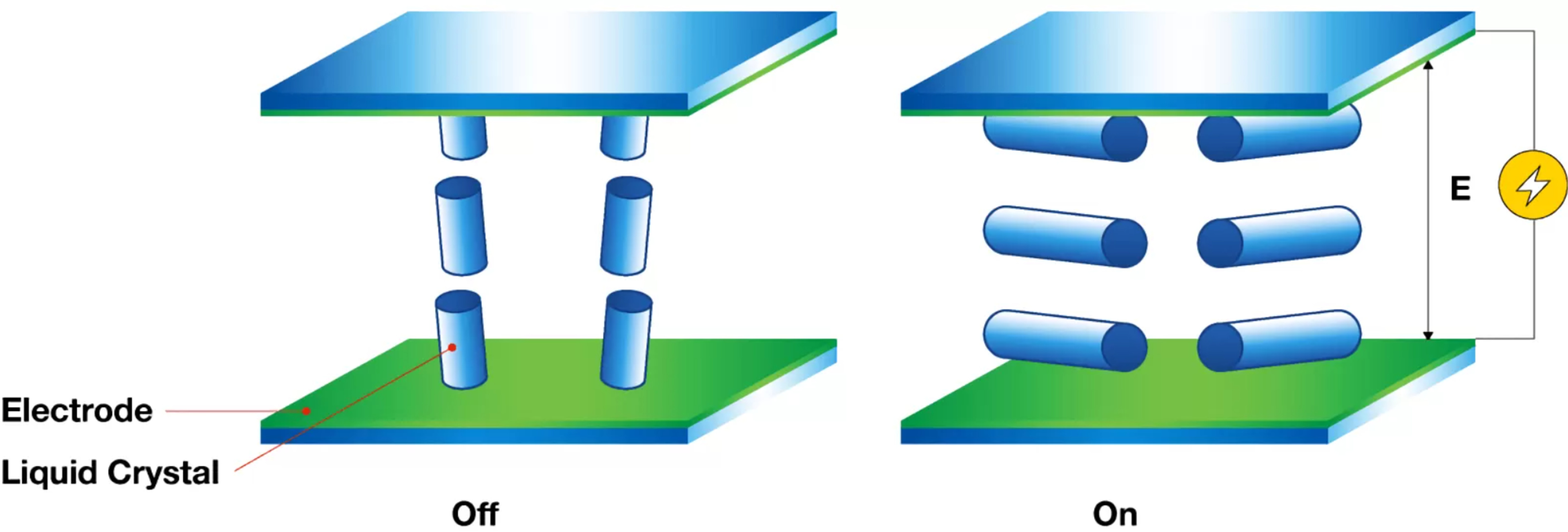
Vertical Alignment (VA) is a type of LCD panel. The VA panel is one of multiple layers within a monitor, sitting between the LED backlights, polarizers, and the glass substrate, amongst other elements. When there's no voltage applied to the liquid crystals, they sit vertically to each other, which is why it's called vertical alignment. They also block most light coming through, which is why VA panels have high contrast ratios with deep blacks. With voltage applied, they tilt perpendicular to the glass substrate to let light through, creating a viewable image.
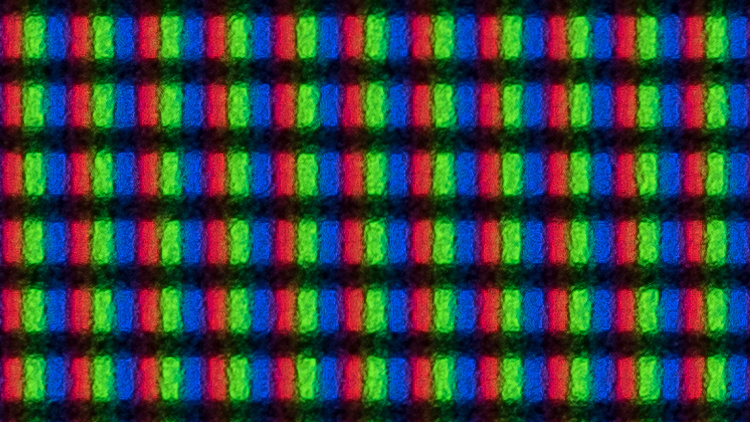
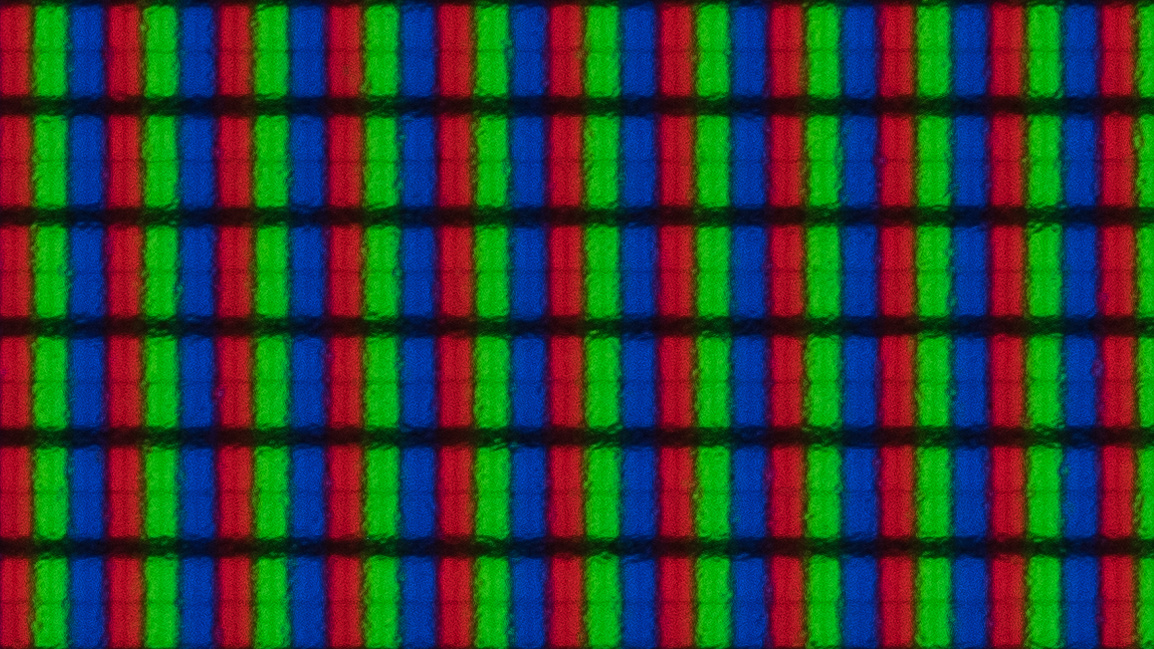
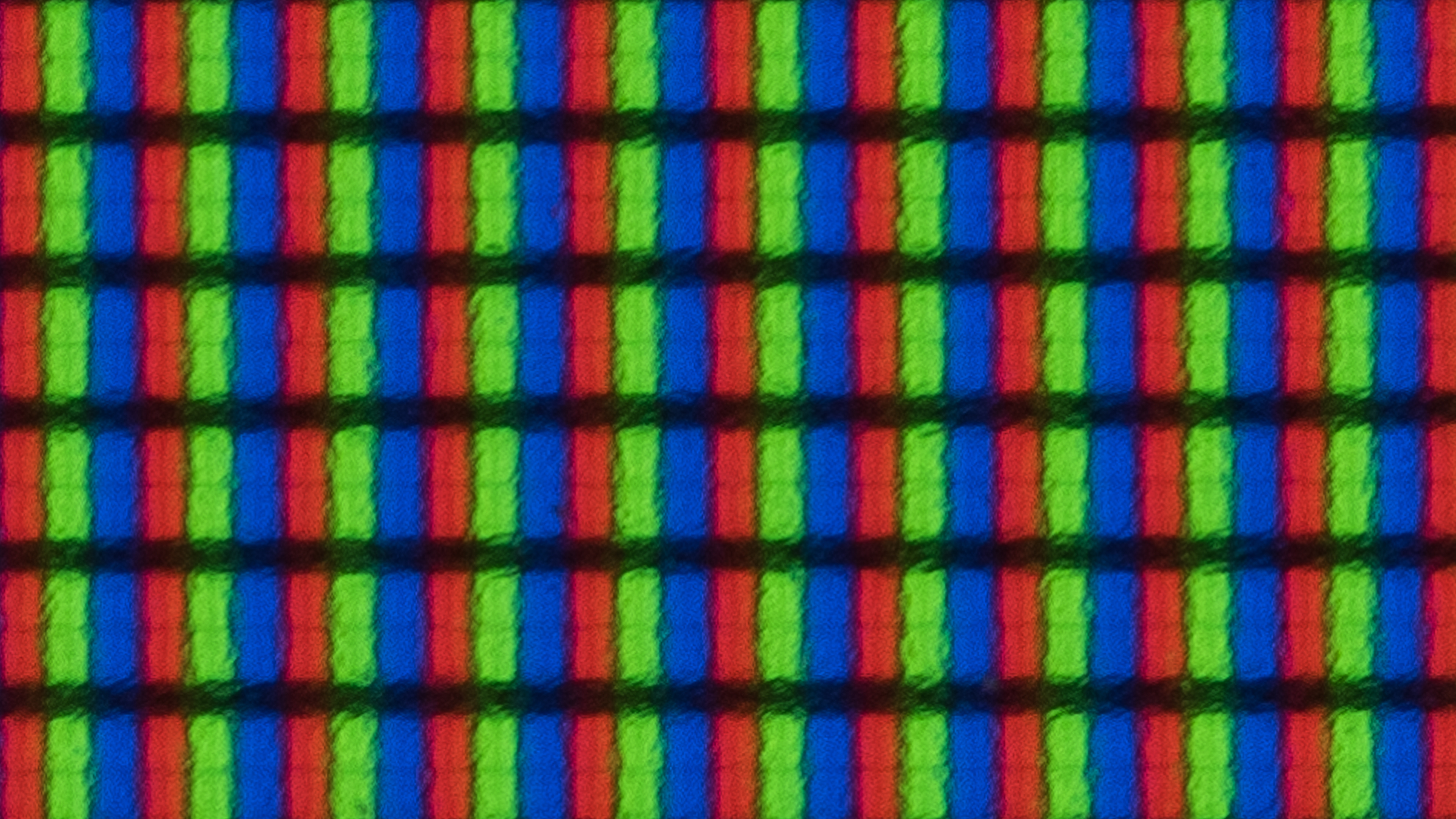
While there are many different manufacturers that produce VA panels, including Samsung Display, AU Optronics, Innolux, and Sharp, they all share the same common characteristics. It's hard to know which exact manufacturer produced the panel in your monitor without opening it up, but what's more important is how the monitor performs. You can see some photos of subpixels in VA panels below.
The Pros of VA Monitors
The main advantage of VA monitors is how well they perform in dark rooms due to their low black levels. Besides that, they don't risk burn-in like OLEDs, so you can use your screen for the same thing for hours on end, and not worry about damaging the screen over time. There are some VA monitors that have other strengths, like with brightness, colors, and uniformity, but these vary between units and aren't defining characteristics of VA panels. Even text clarity is something that varies depending on the monitor's size and resolution.
Contrast And Black Levels
The biggest strength of VA panels is their black levels. This means they display deep blacks in dark rooms and have high contrast ratios to display these deep blacks next to bright highlights. They're decent choices for watching content or gaming in HDR because of this, but keep in mind that there are other factors that impact HDR picture quality, like brightness and colors, so not all VA monitors are good for HDR.
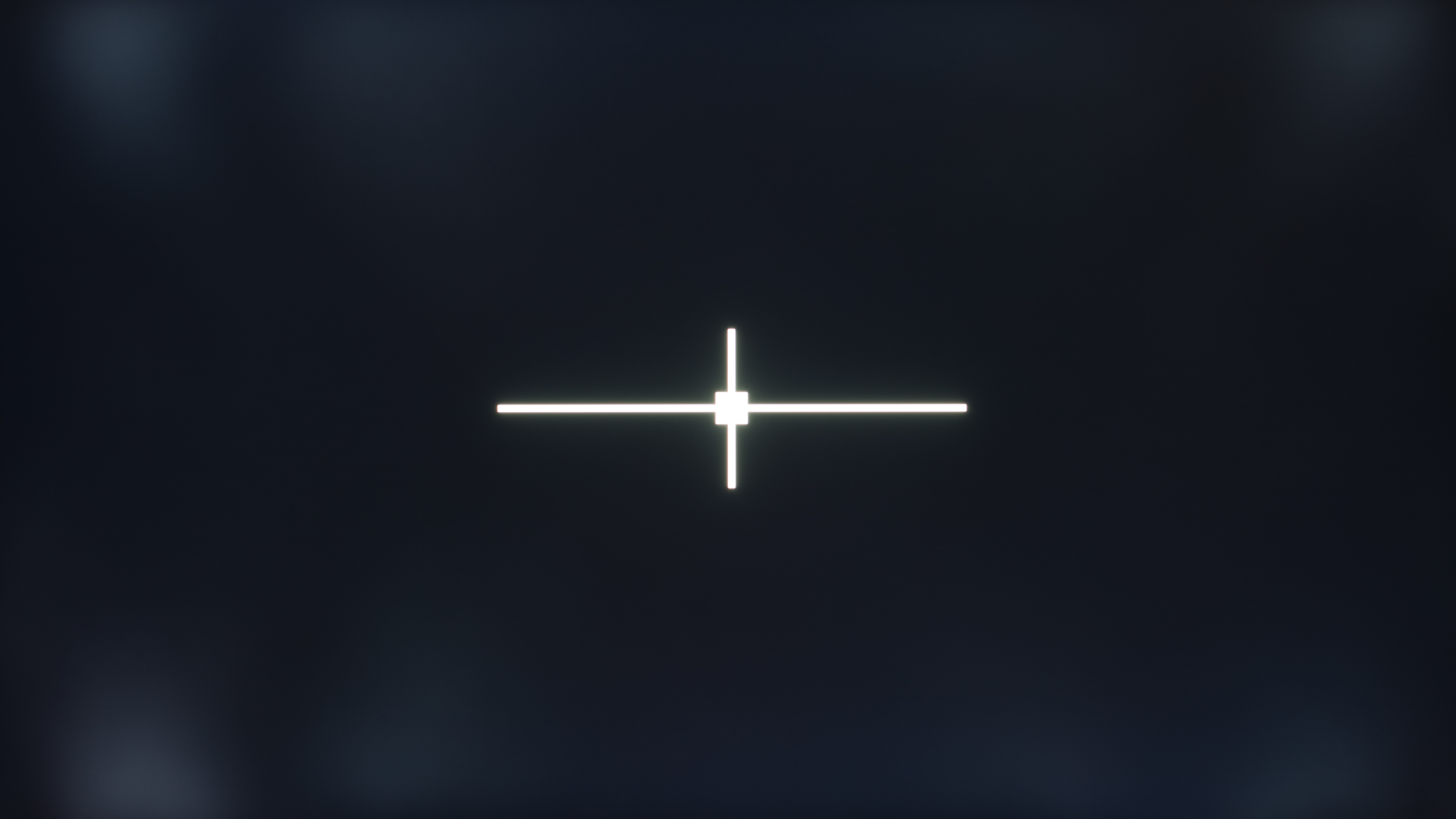
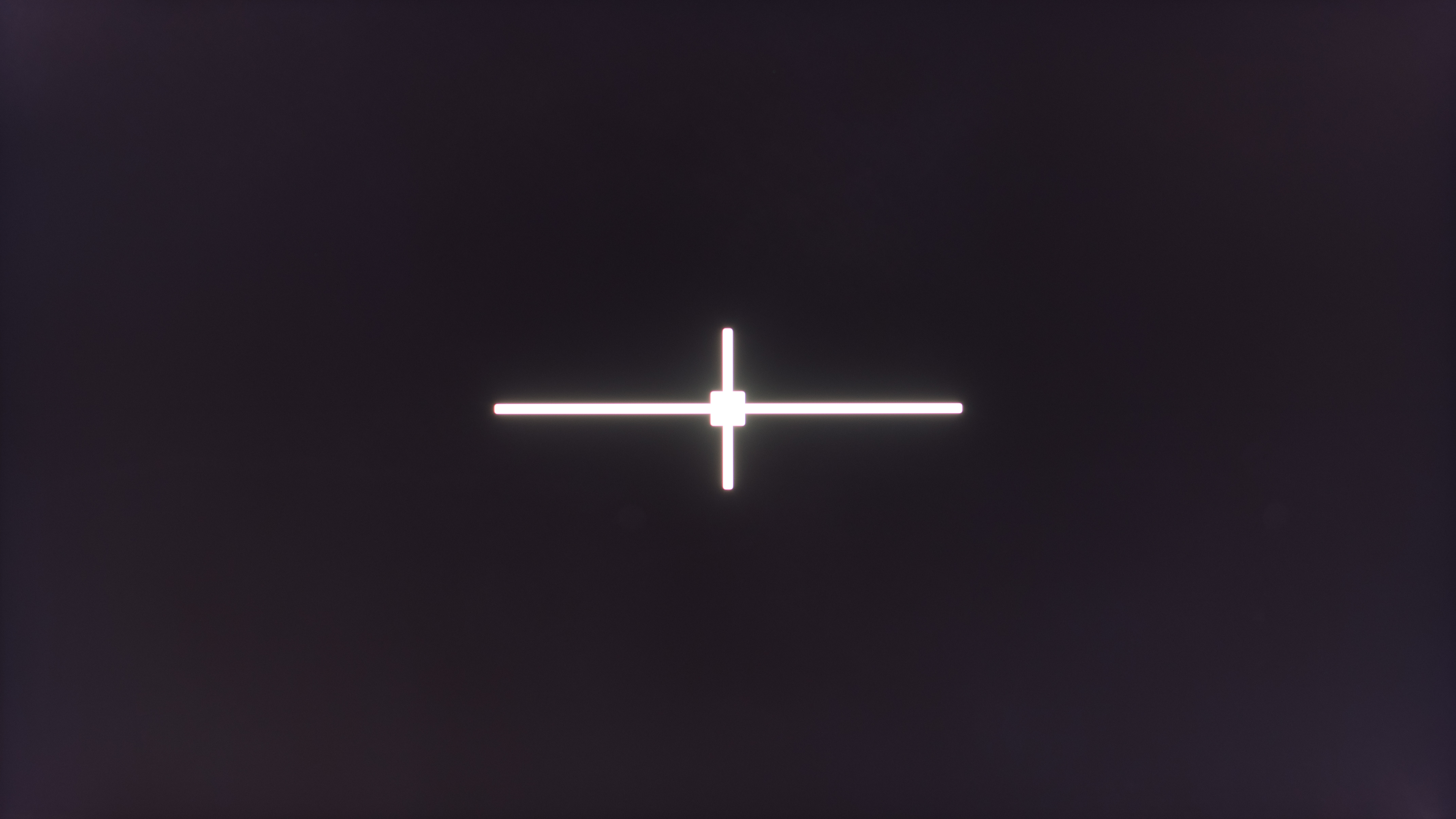
Out of 87 VA monitors that we've tested since 2017, the average native contrast ratio of them is 3,305:1, which is much higher than the average of 1,113:1 on all IPS monitors we've tested. VA monitors have the highest contrast ratio out of any LCD panel type, but they're still far off from the near-infinite contrast ratio that OLEDs have. Keep in mind that there are some VA panels with lower native contrast ratios, too, as some are closer to 2,000:1, and there are others that are closer to 4,000:1. That said, VA monitors with effective local dimming features, like those with Mini LED backlighting, can display deep enough blacks to rival those even on OLEDs.
You can see examples of monitors with different native contrast ratios (without local dimming) below, and how local dimming features can positively or negatively impact the contrast and black levels.
| Monitor | Native Contrast Ratio | Photos Without Local Dimming |
Contrast With Local Dimming | Photo With Local Dimming |
|
|---|---|---|---|---|---|
| MSI Optix G321CU | 2,174:1 | 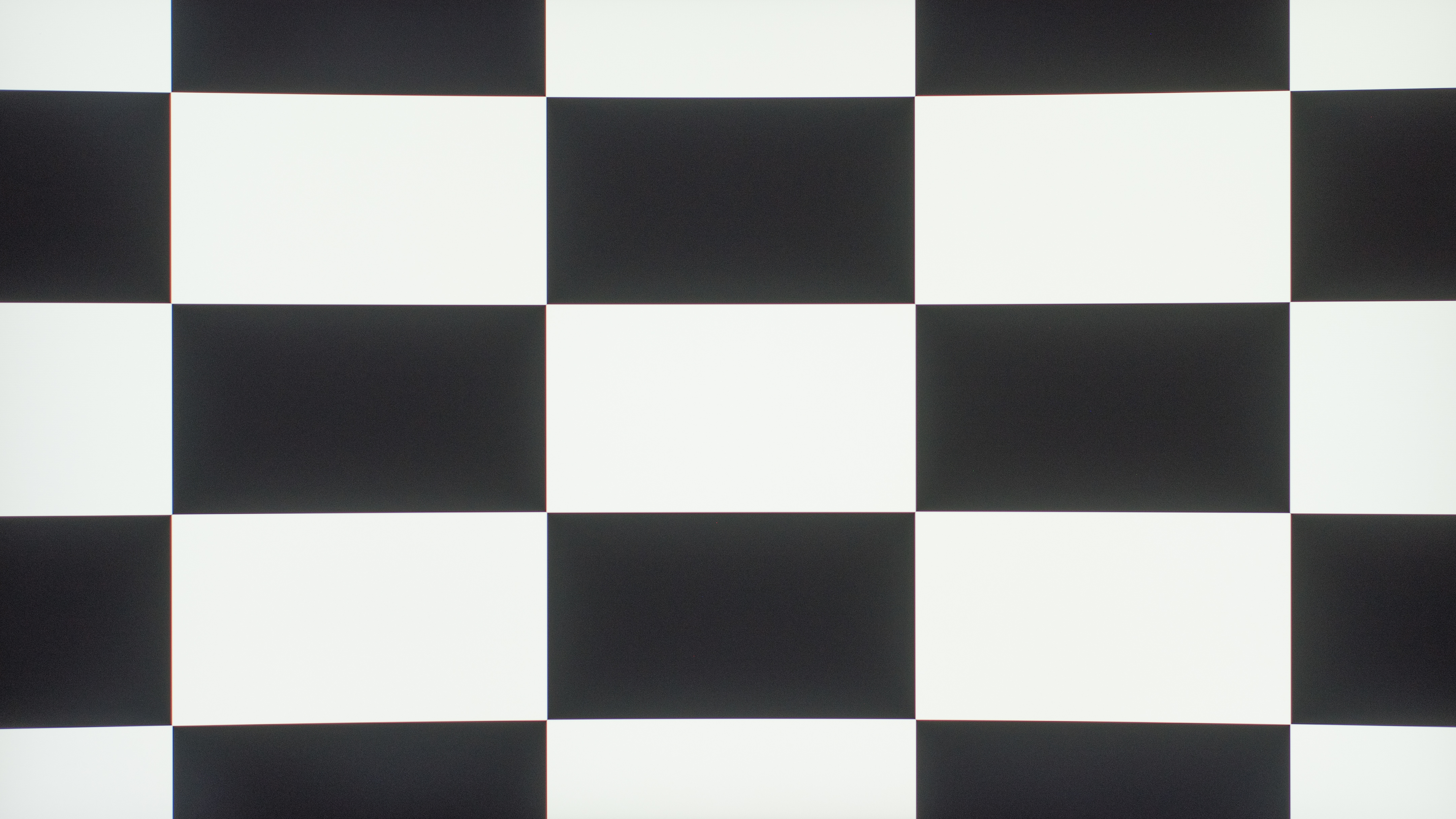 |
 |
- | |
| HP OMEN 27c | 2,402:1 | 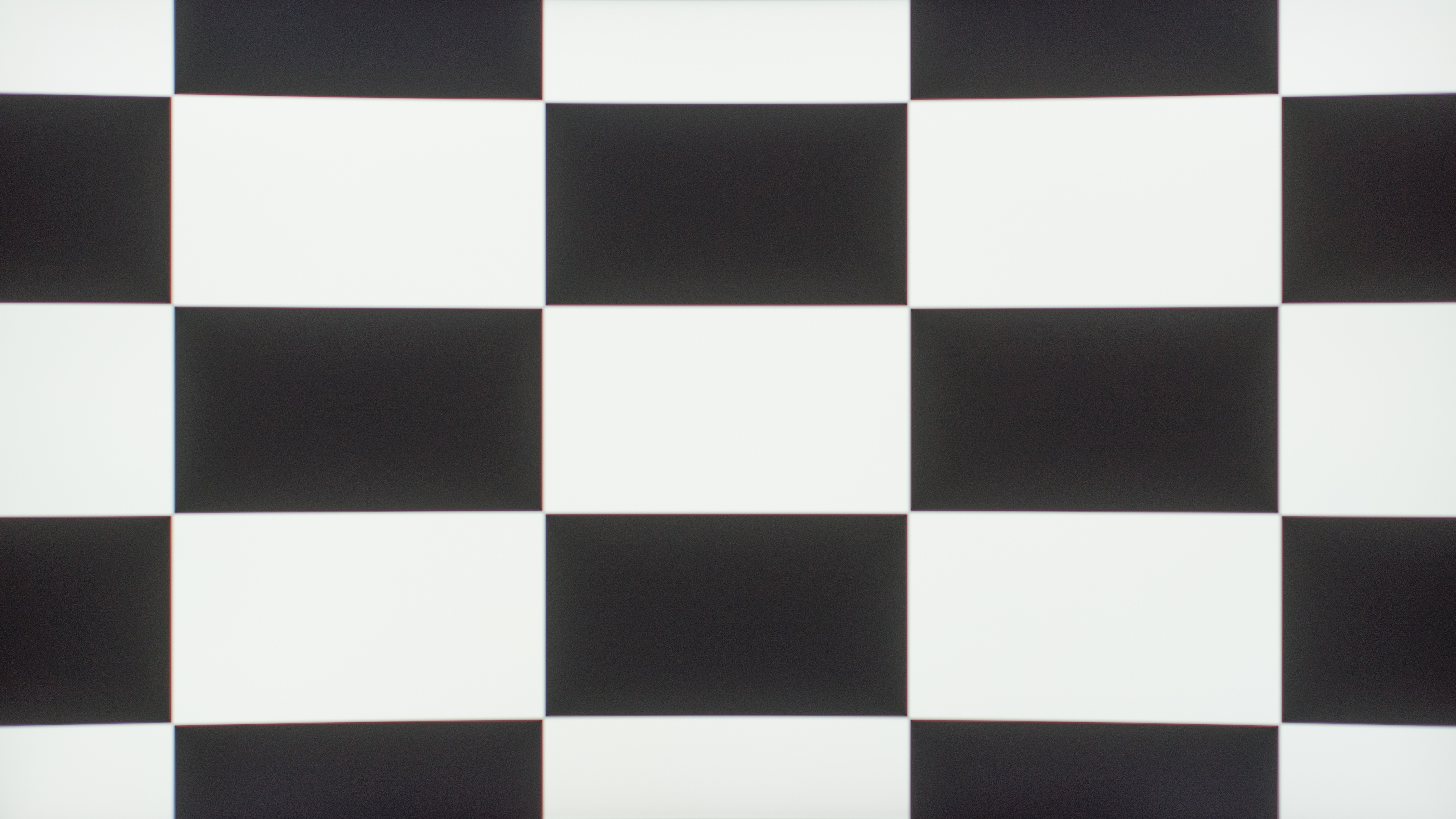 |
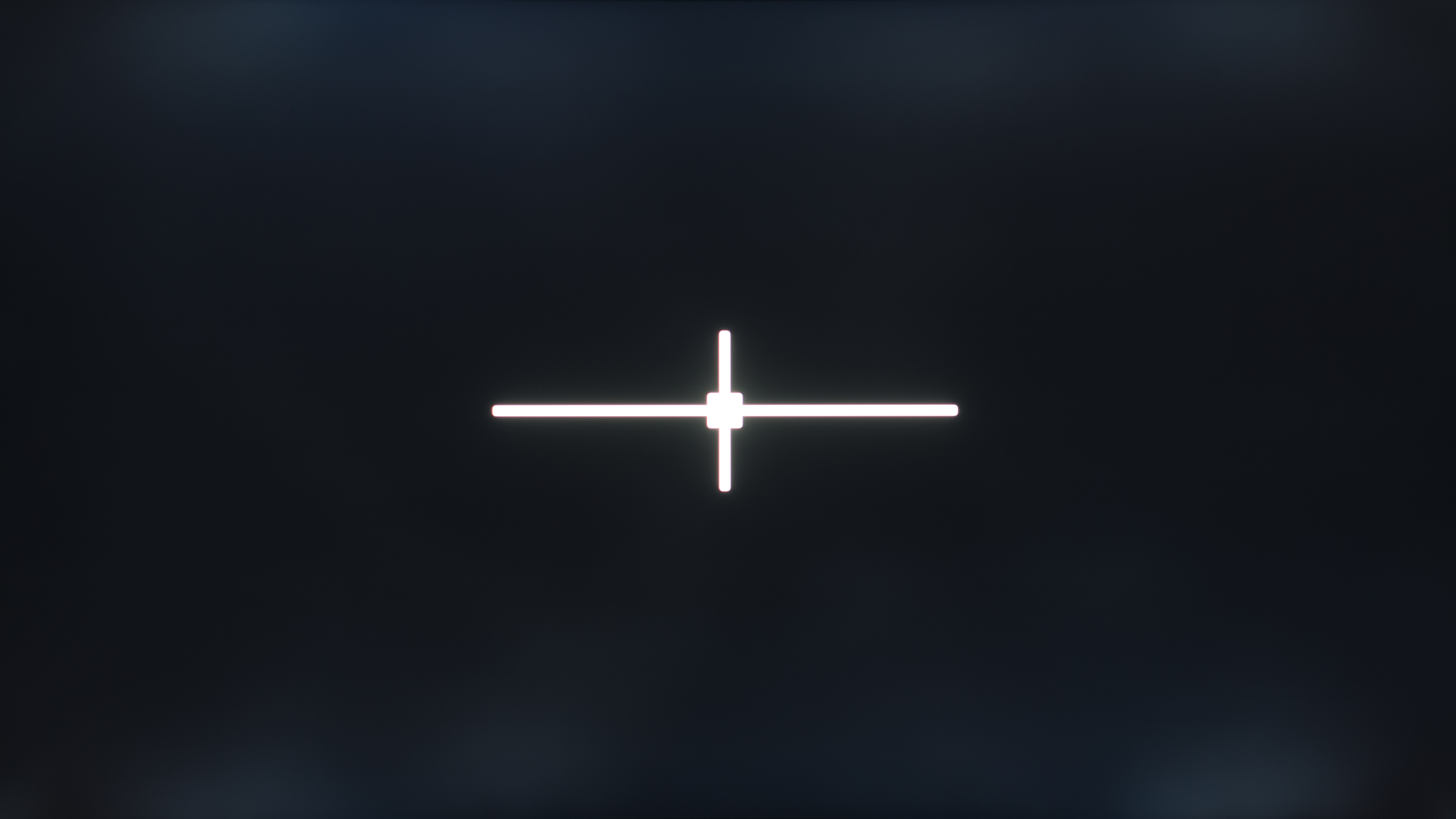 |
1,805:1 | 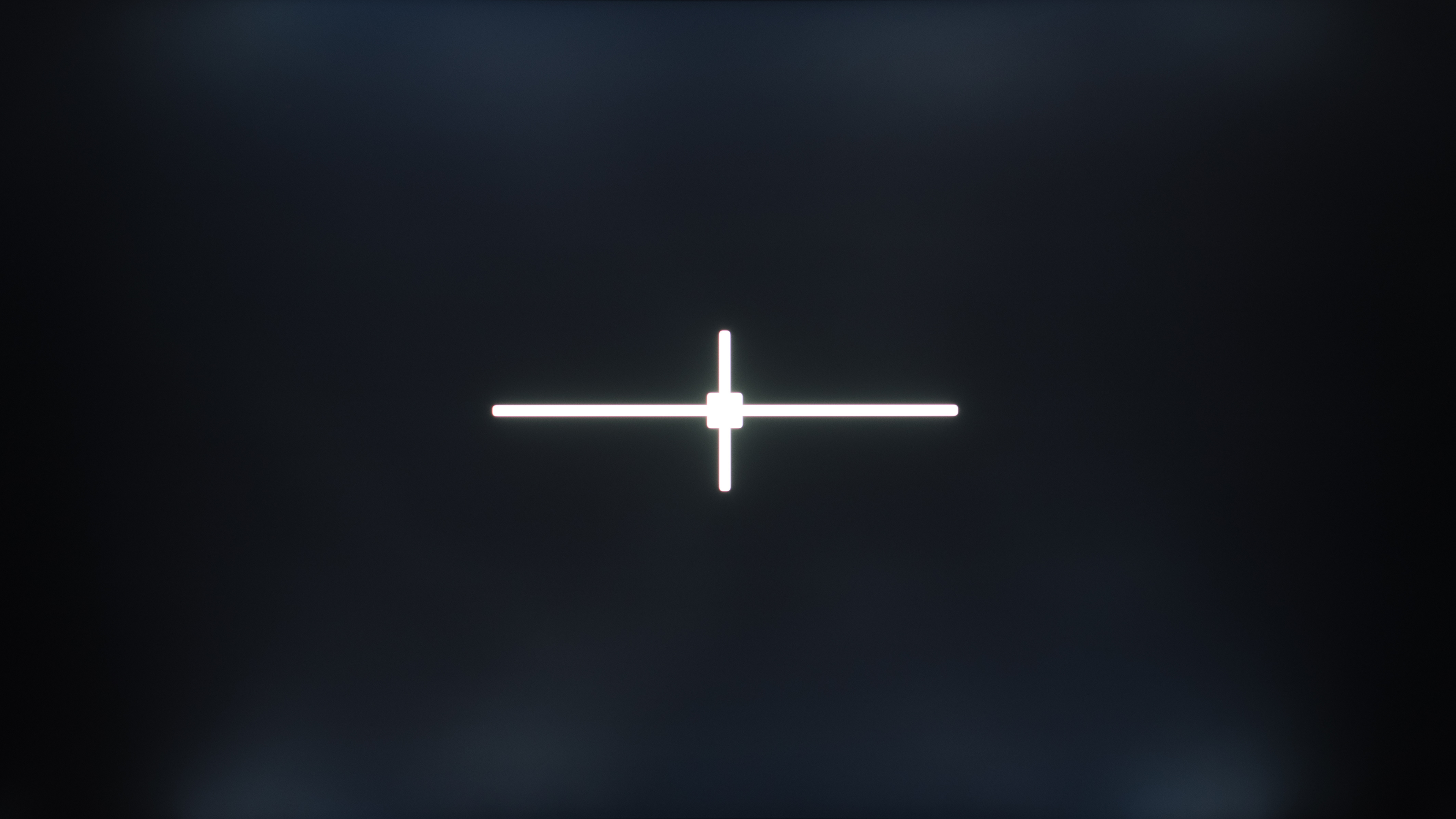 |
| Samsung Odyssey G6 S32BG65 | 3,515:1 | 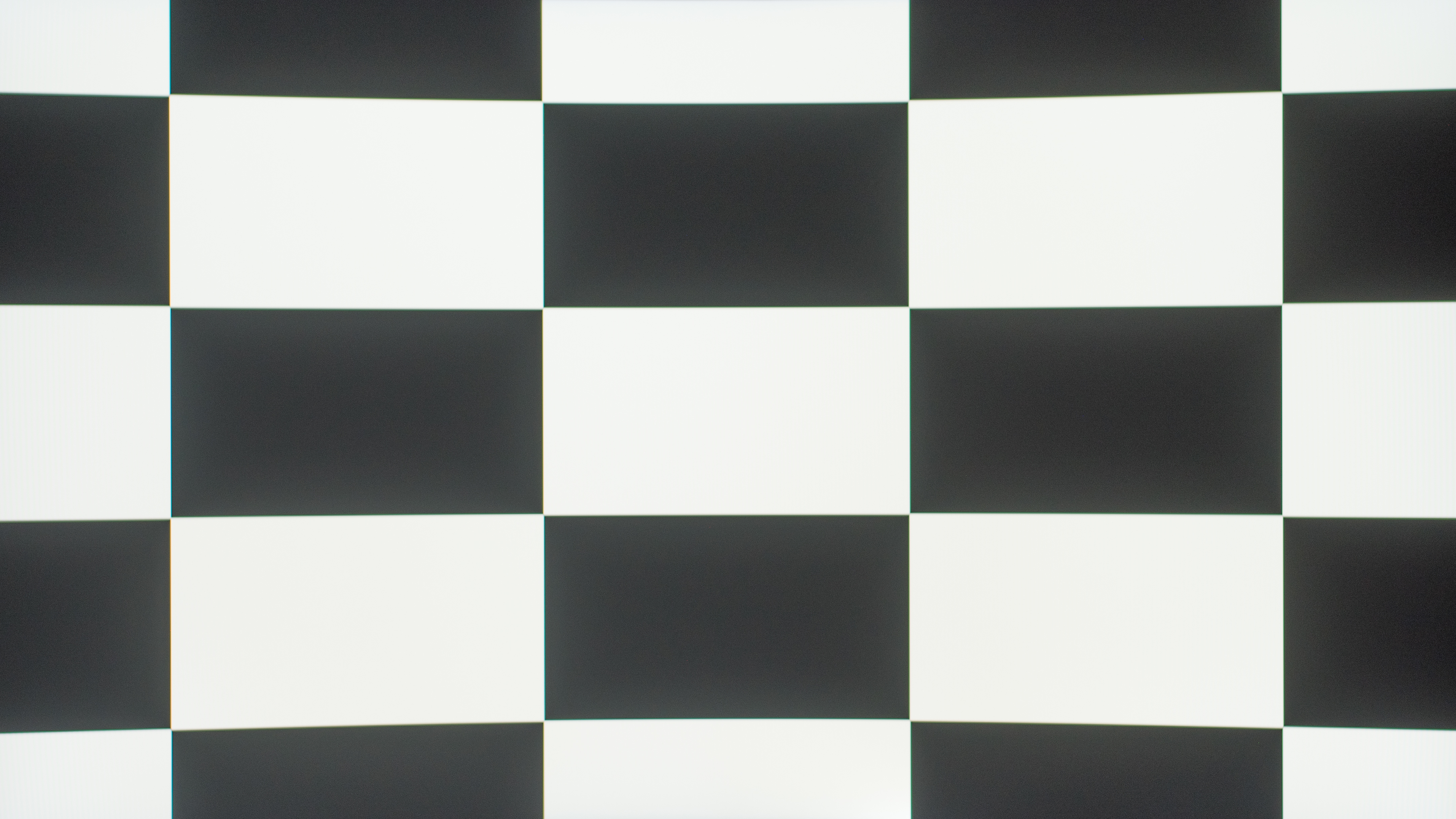 |
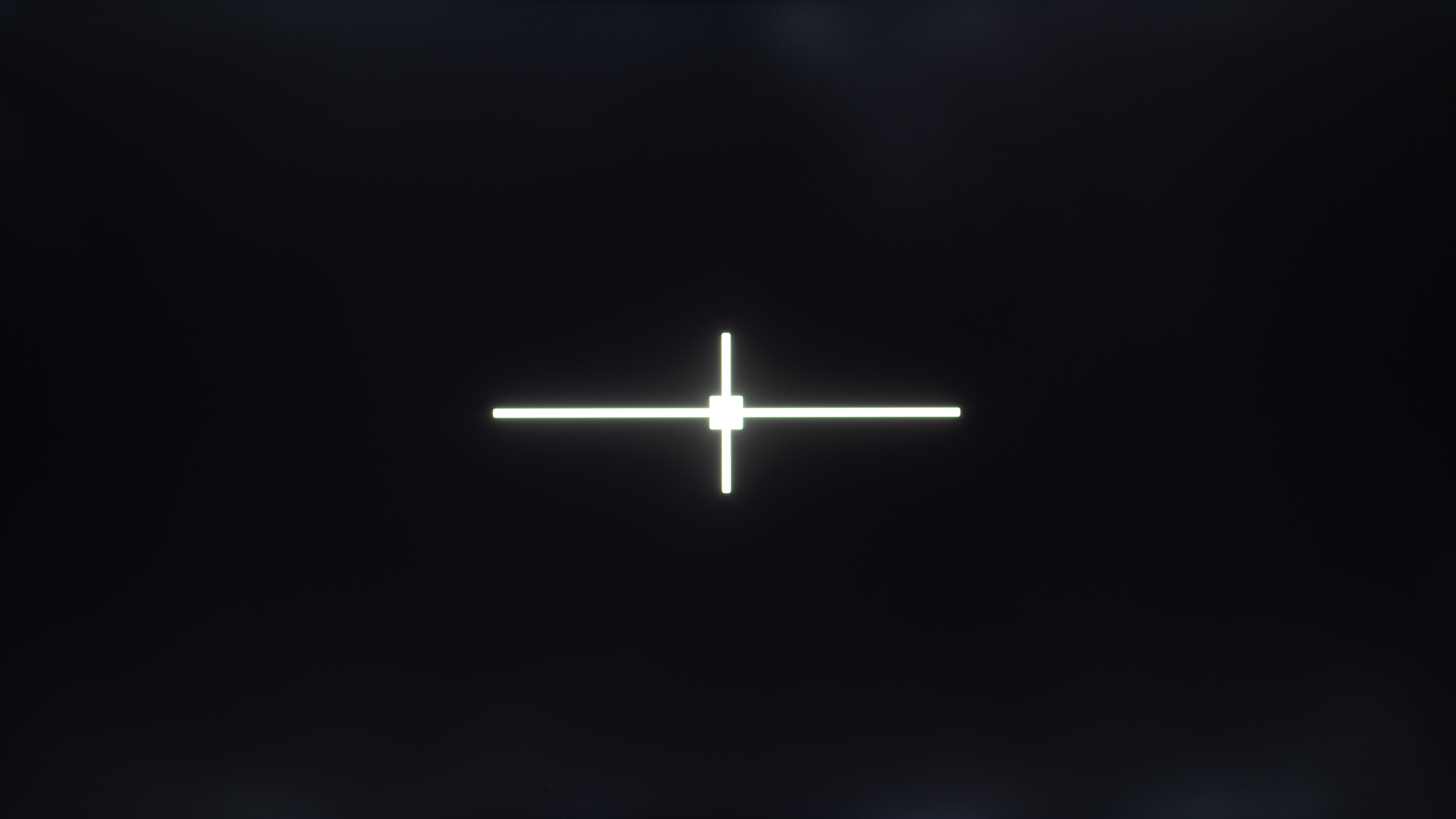 |
3,674:1 | 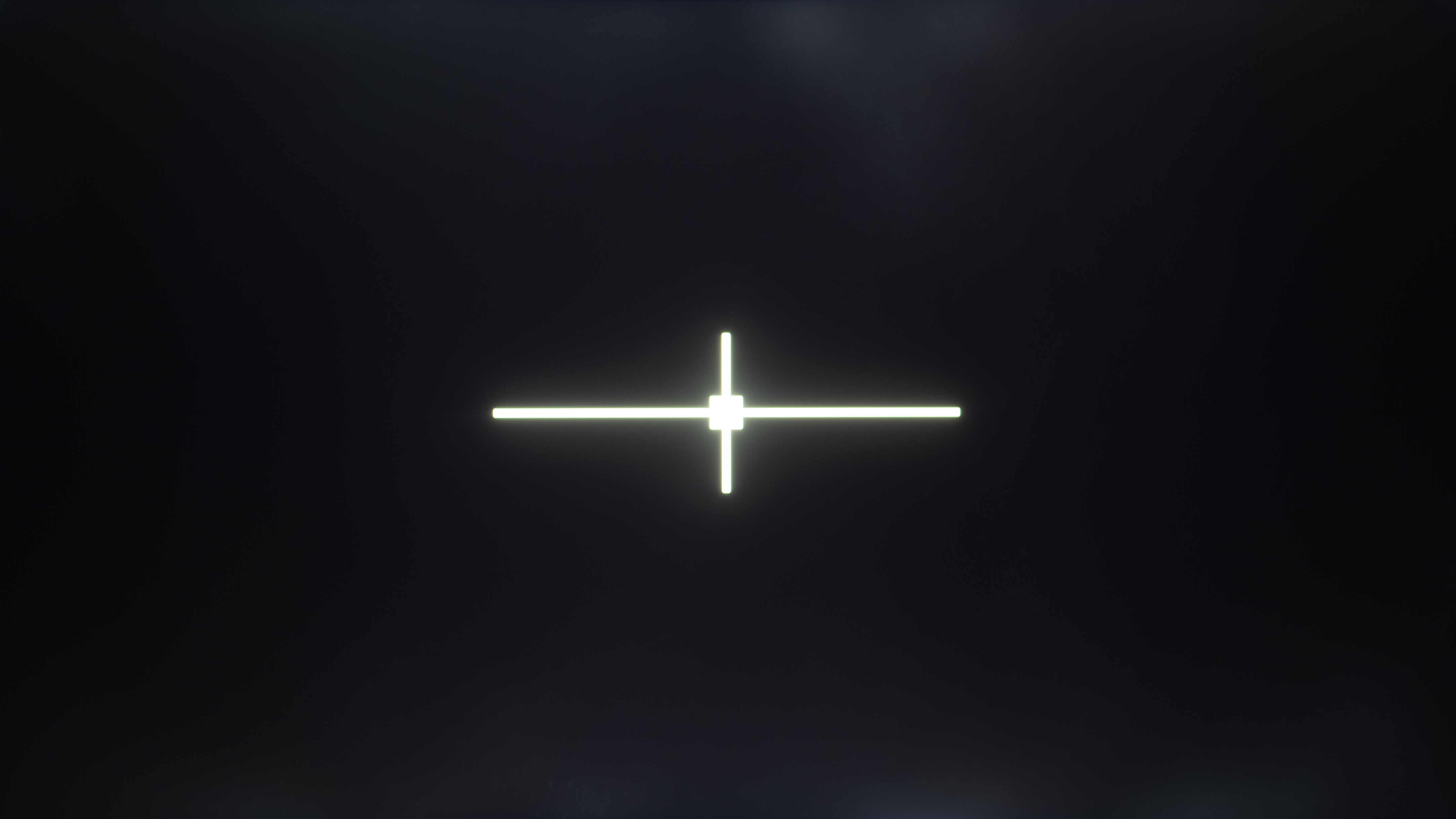 |
| AOC Q27G3XMN | 4,559:1 | 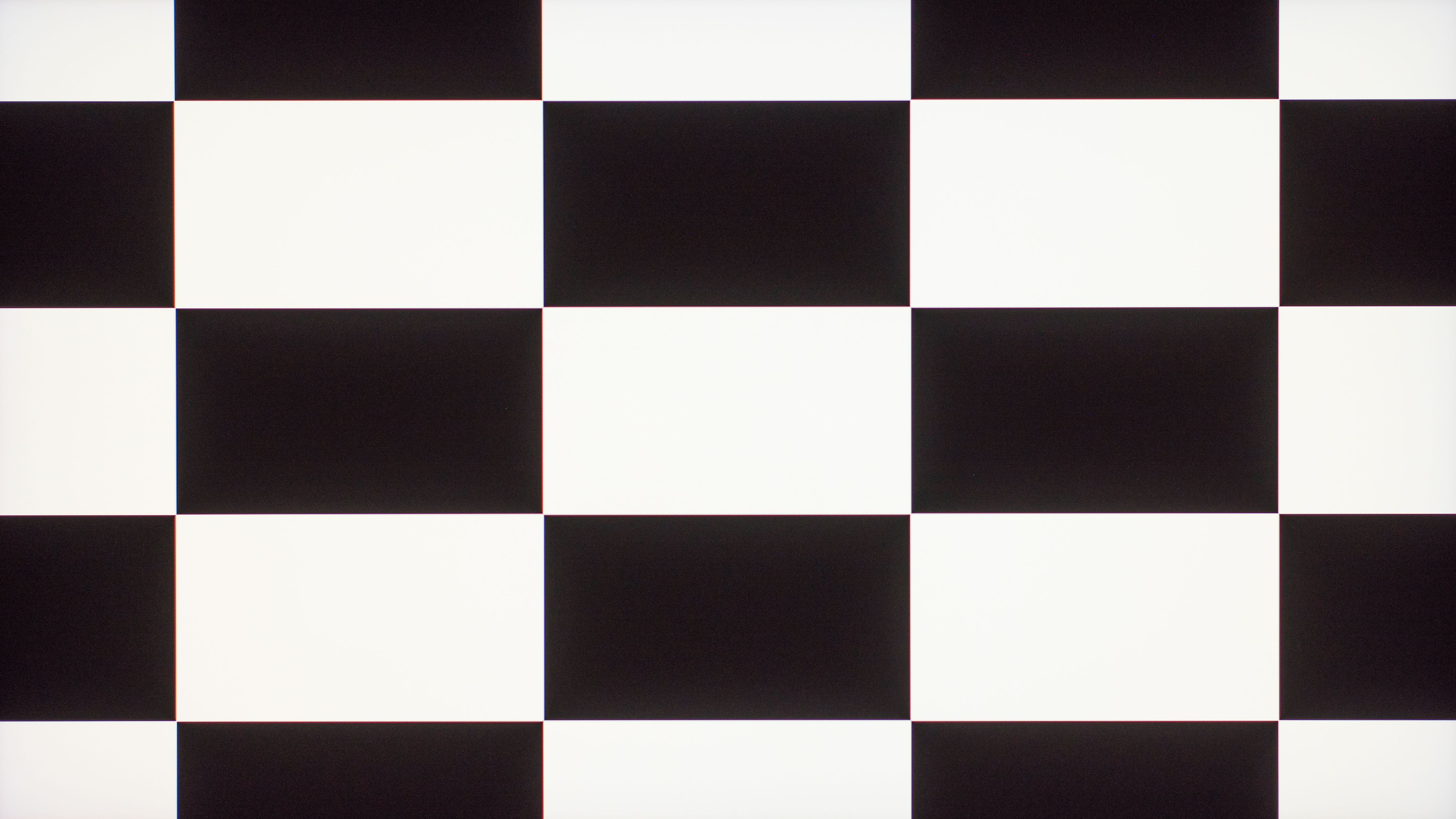 |
 |
9,613:1 | 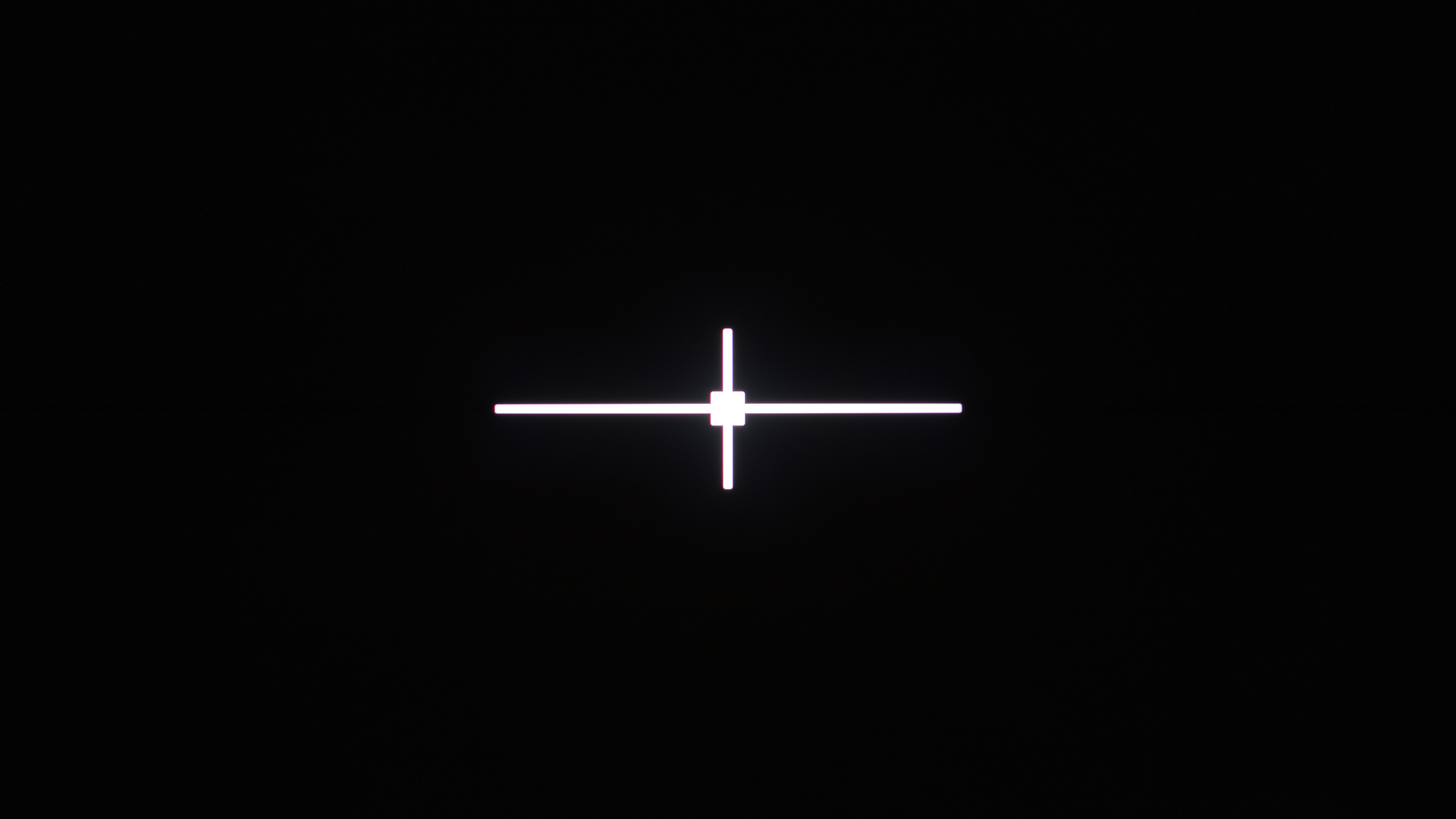 |
The Cons of VA Monitors
Unfortunately, there are a few downsides to getting a VA monitor. As many cheap, entry-level monitors use VA panels and have limited performance, some people may think that all VA monitors are bad, but overall performance still changes on a case-by-case basis. That said, there are some issues that plague all VA monitors.
Viewing Angles
The biggest downside of VA panels, especially compared to IPS and OLED displays, is their narrow viewing angles. This means the image washes out and loses accuracy when viewed from the sides, or if you sit close to the screen and you're looking at the edges. As a solution to this, many VA monitors are curved to bring the edges closer to you, so you see a more consistent image across the display compared to a flat monitor. That said, this only helps if you're sitting in front of the display, and combined with the narrow overall viewing angles, these displays are bad choices for multi-monitor setups or sharing your screen with others.
Below you can see examples of a curved VA monitor (Dell Alienware AW3225DM) and a flat VA monitor (Samsung Smart Monitor M80D S32DM80), and you'll notice how quickly the image washes out from the sides.
While there are some VA panel TVs that use wide-viewing-angle layers, like the Samsung QN90B, there aren't any monitors with this.
Black Smearing
One issue that plagues many VA monitors is black smearing behind fast-moving objects. This happens because VA panels have slow response times when transitioning from dark colors to brighter ones, and vice versa. Unfortunately, this is the case with pretty much any VA monitor, as even those with quick response times still have some sort of smearing with fast content.
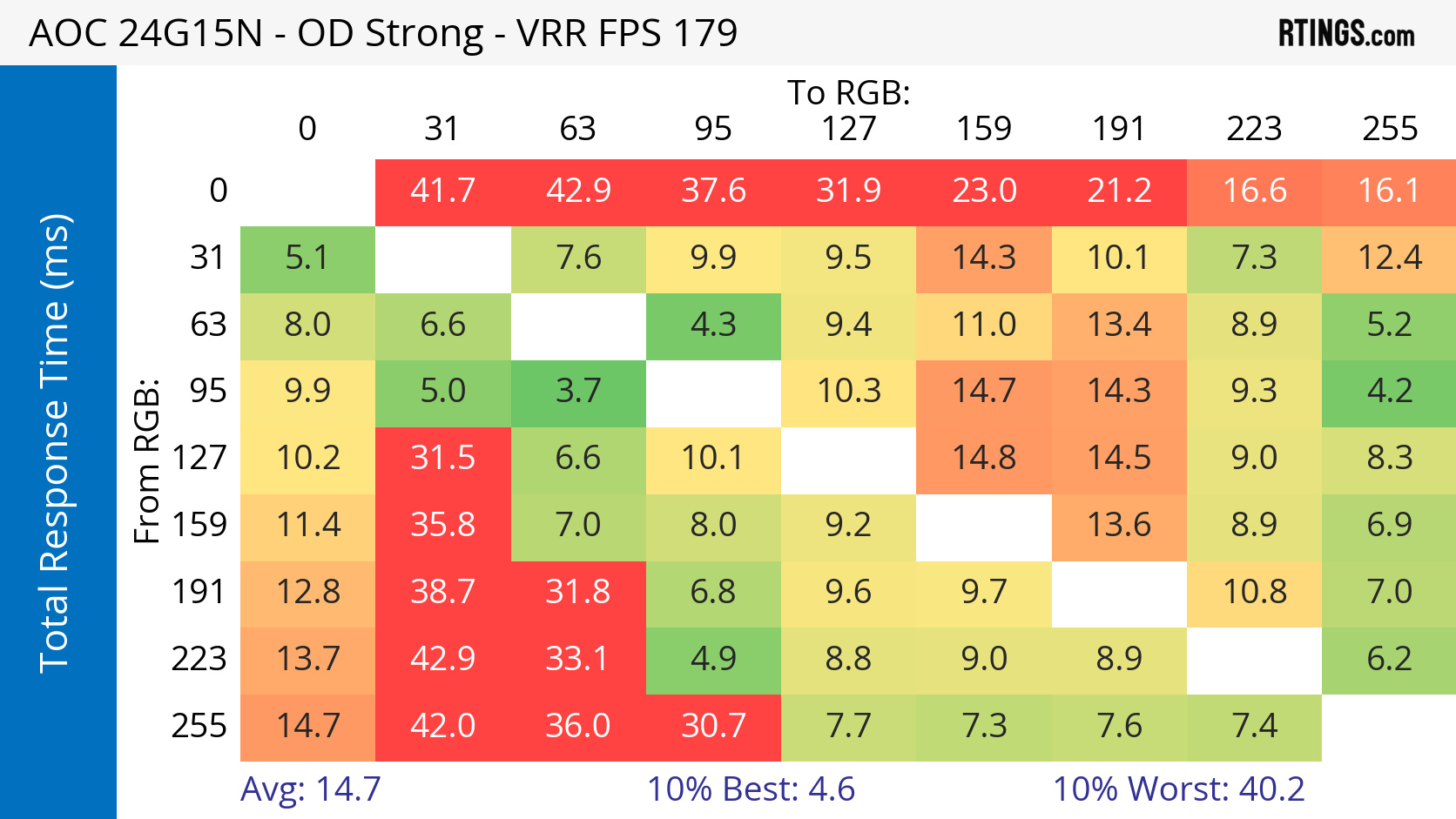
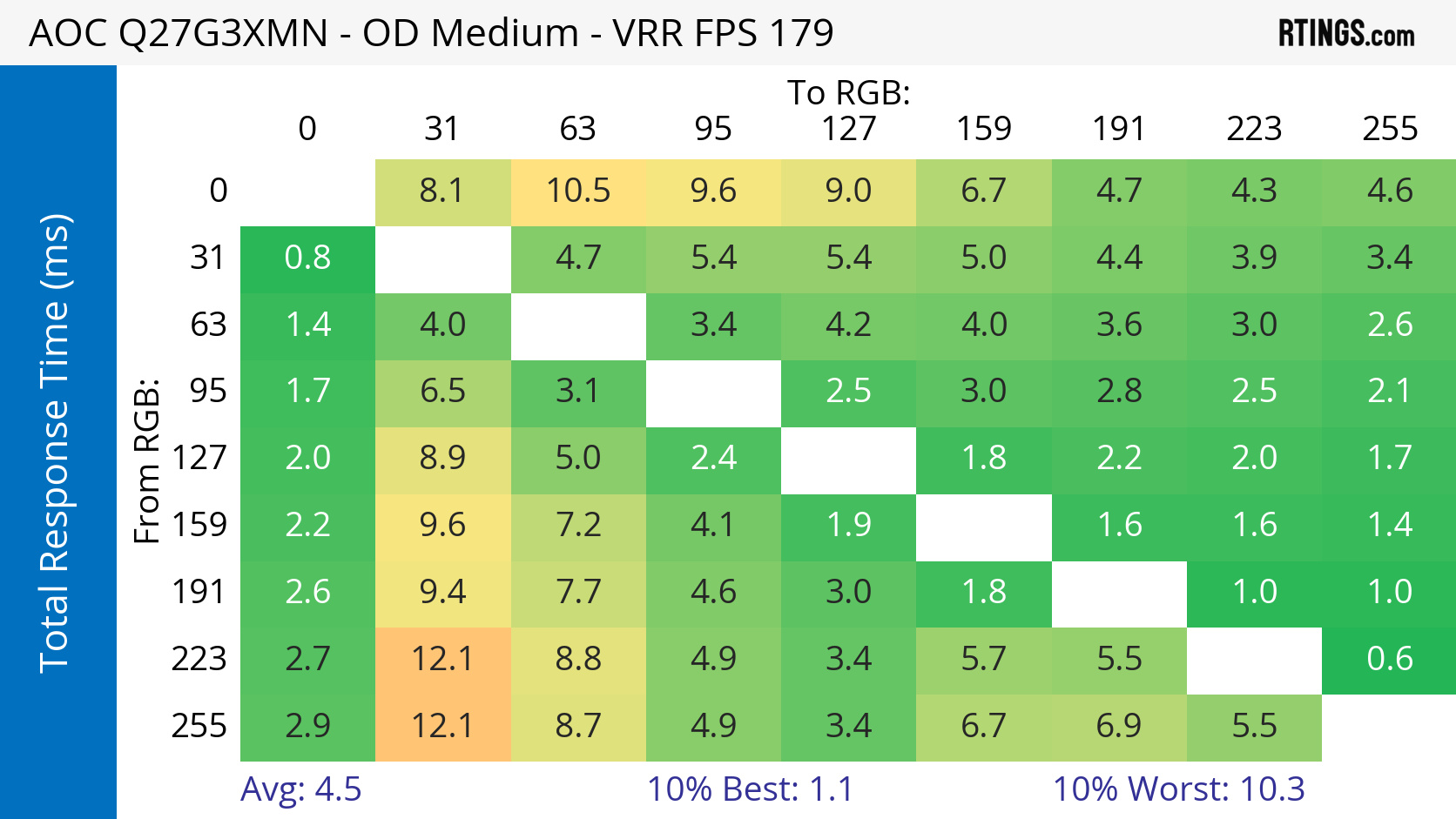
You can see examples of this below with two monitors on each extreme: the AOC 24G15N has one of the worst smearing we've seen on any VA monitor, while the AOC Q27G3XMN has one of the best motion handling for a VA panel. Motion is a blurry mess on the 24G15N, which shows clear dark streaks behind the monitors at the bottom of the pursuit photo. While the Q27G3XMN has a much faster response time and better overall motion handling, it still has some black smearing behind those same monitors. Plus, as you can see with the Total Response Time heatmaps, the slowest response times on each monitor are when they have to transition from dark to a brighter color and from bright colors to near-black. Unfortunately, this is the case with pretty much any VA monitor, and even though there are some that are better than others, it's inherent to this display technology to have some sort of black smearing.
| Model | Pursuit Photo | Total Response Time | Heatmap |
|---|---|---|---|
| AOC 24G15N |  |
Avg: 14.7 ms Worst 10%: 40.2 ms |
 |
| AOC Q27G3XMN | 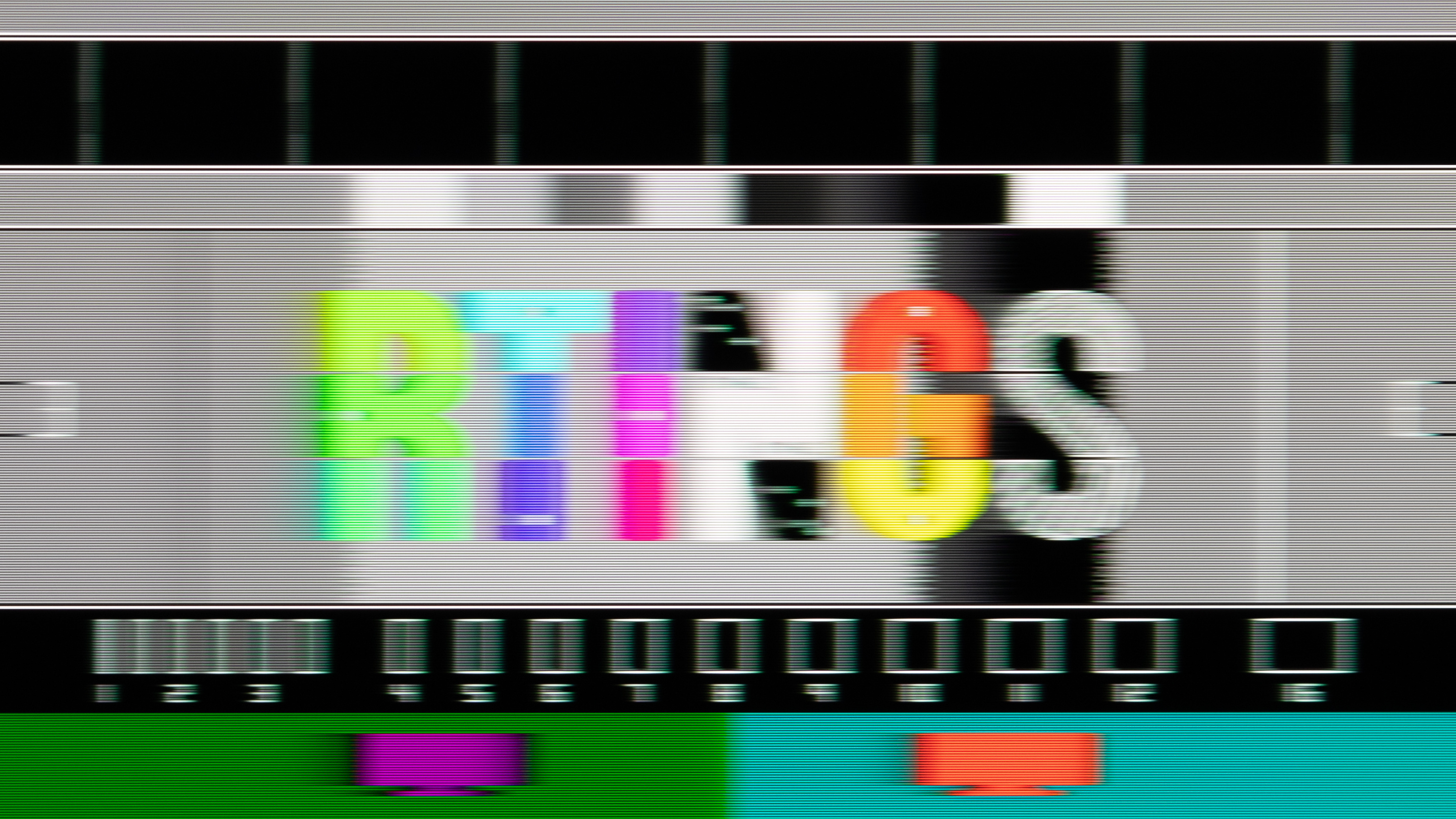 |
Avg: 4.5 ms Worst 10%: 10.3 ms |
 |
VRR Flicker
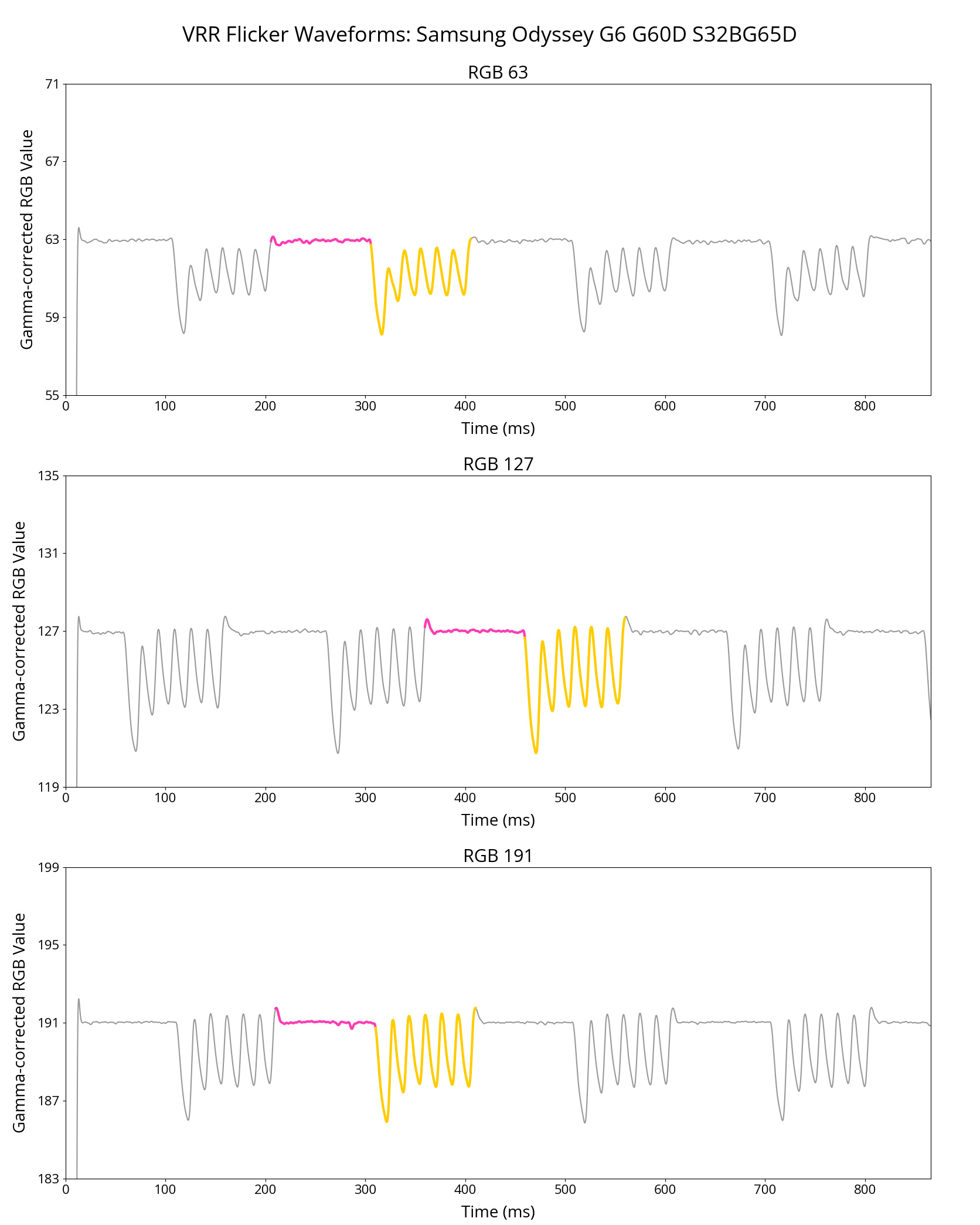
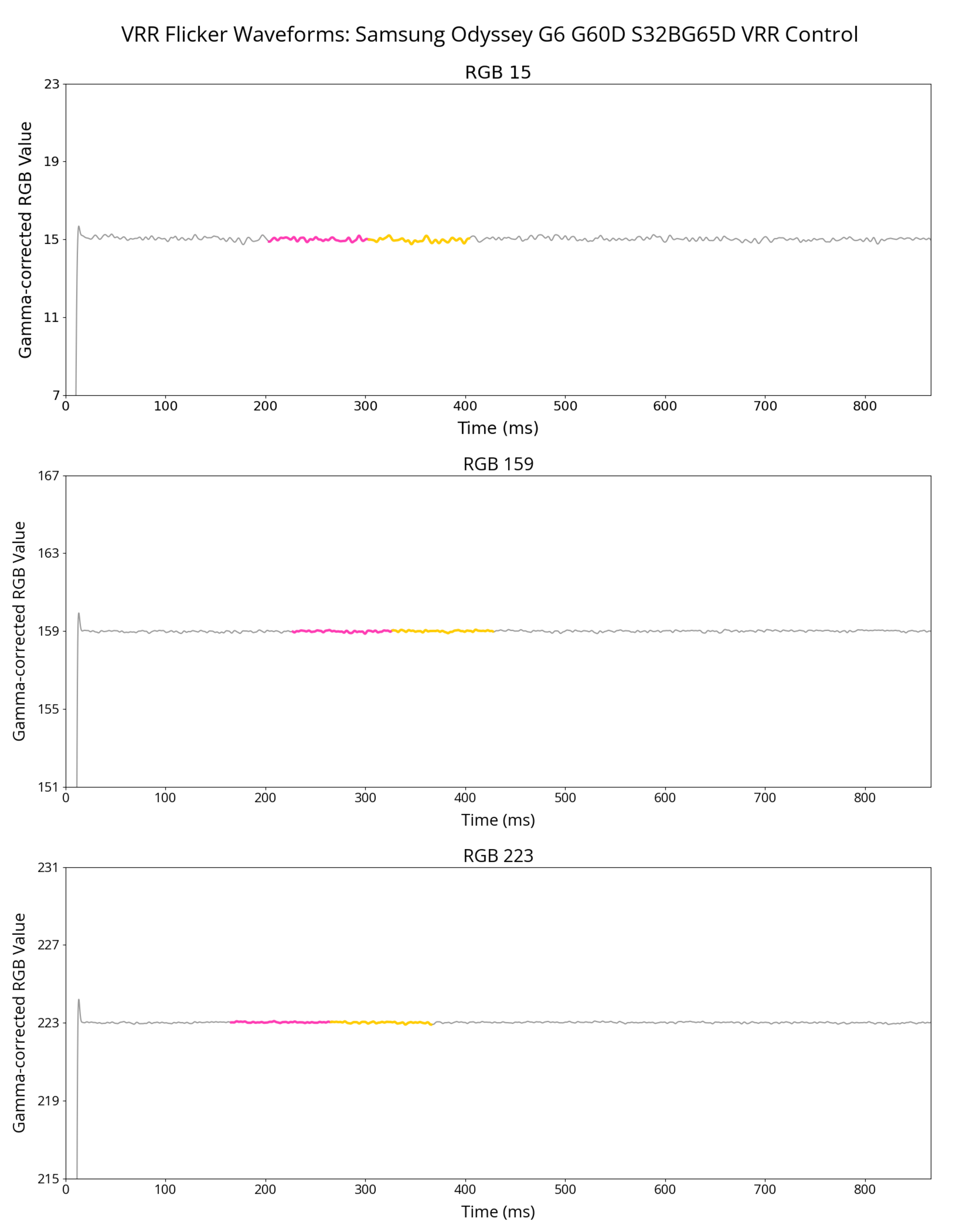
Another downside when it comes to motion and gaming is that VA monitors tend to have VRR flicker. This happens when there's a big change in the frame rate with VRR enabled, and it's most distracting in dark scenes. There are ways to reduce this flicker, like by setting a frame rate cap or using built-in settings on monitors, but overall, if you're using a VA monitor for gaming, expect some VRR flicker.
The monitor in the example below, the Samsung Odyssey G65D S32BG65D, has distracting VRR flicker. It does have a VRR Control setting that reduces the flicker, but it introduces stutter and increases the input lag instead, so there are trade-offs. Regardless, this is a good example of what VRR flicker looks like compared to what a monitor should be like without this flicker.
| VRR Control: Off | VRR Control: On |
|---|---|
 |
 |
Should You Get A VA Monitor?
| Gaming | Productivity | Content Creation | Multimedia & HDR |
|---|---|---|---|
| Decent | Okay | Okay | Decent. Better with Mini LED backlighting |
For the most part, VA monitors are decent choices for a variety of uses, but their limitations prevent them from being the best panel type for any specific usage. IPS monitors are better than VA monitors for productivity and content creation due to their wider viewing angles, and OLEDs are better for gaming and multimedia because of superior motion handling and picture quality. That said, if you're willing to accept some of the downsides of VA panels, or you want to get one for use in a dark room or for some HDR gaming, they're solid choices. Plus, you can get them in a variety of sizes, resolutions, and refresh rates, so you'll likely find what you need with a VA monitor.
For more specific buying guides, check out all our monitor recommendations.
Conclusion
VA panels are a type of LCD panel that a good number of monitors use. While most VA monitors are cheap, entry-level displays, you can still find them in various sizes, resolutions, and refresh rates, so you may be wondering whether or not it's worth getting a VA monitor when looking for a new display. The greatest strength of a VA panel is its ability to display deep blacks in dark rooms, as they have better contrast than other LCD panel types. However, there are a few disadvantages with VA panels, like the fact that they have narrow viewing angles, black smearing with fast-moving content, and VRR flicker with gaming. These are factors you have to consider before getting a VA monitor, but generally speaking, most displays with VA panels are decent choices for different usages.