Premium monitors tend to come with one of two panel technologies: Mini LED or OLED. Although they both provide fantastic picture quality, they're made very differently, and each has its own pros and cons. Generally speaking, OLEDs are better for dark rooms because they display perfect blacks without any haloing around bright objects. On the other hand, Mini LED monitors are better for bright rooms as they can get significantly brighter than OLEDs. Another thing to consider is that Mini LED monitors don't risk permanent burn-in with constant exposure to the same static elements over time, like with OLEDs.
In this article, we'll break down some of the differences between Mini LED vs OLED panel types and explain which is better depending on your needs. You can also learn more about LED panel types versus OLED.
Also see our recommendations for the best Mini LED monitors and the best OLED monitors.
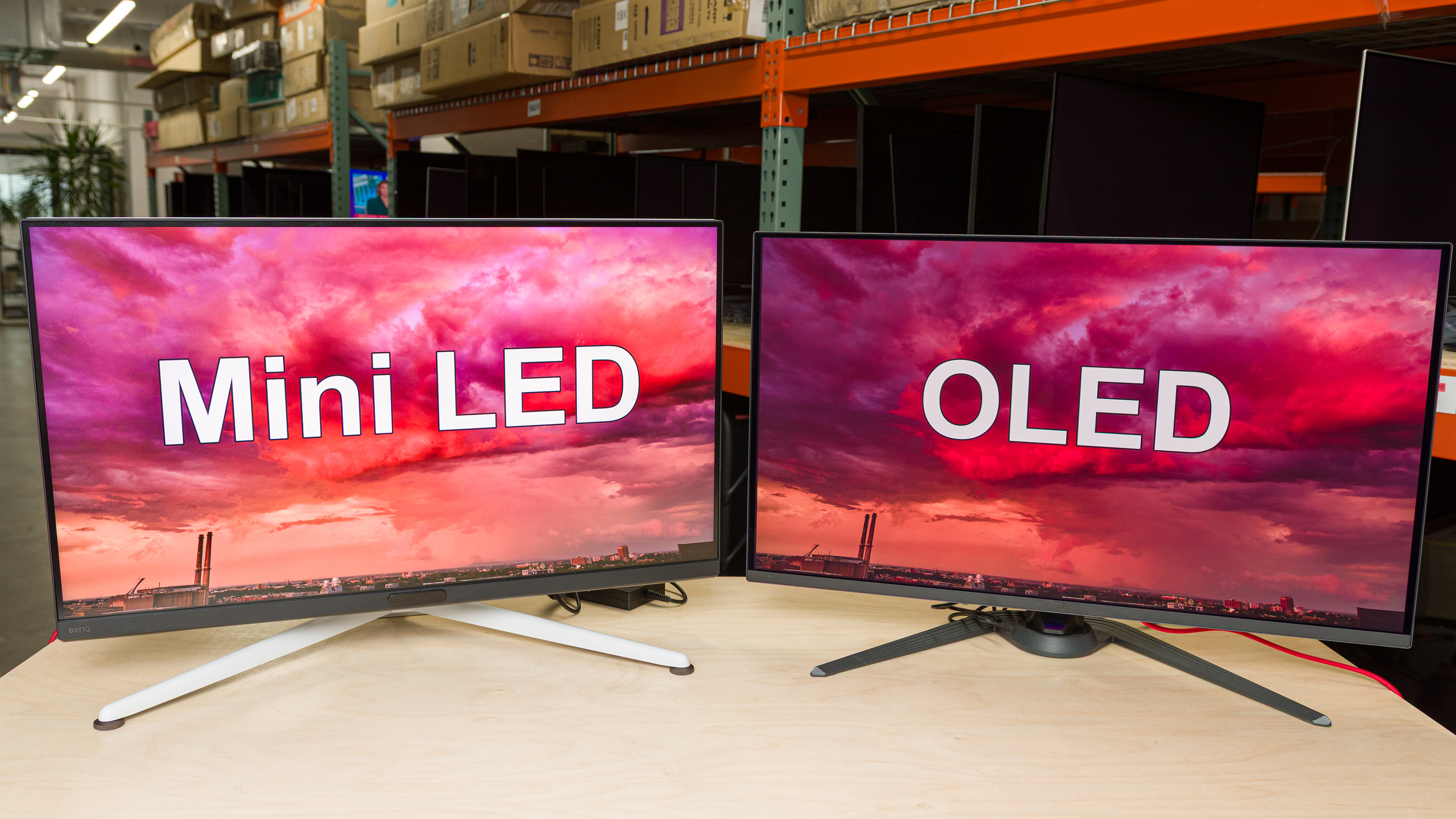
What Is Mini LED?
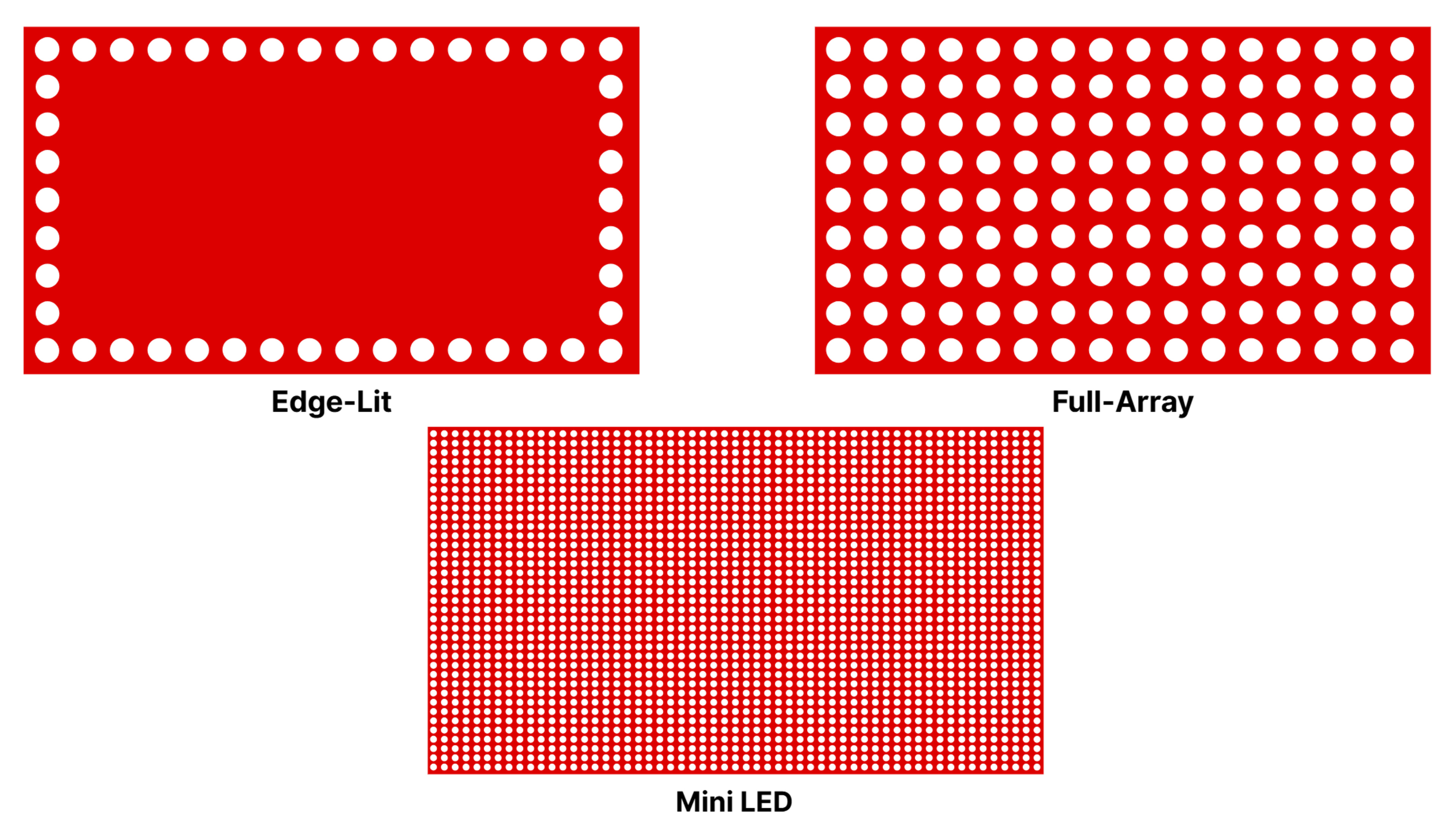
Mini LED isn't technically a panel technology in itself—rather, it describes the type of backlighting an LCD monitor has. All LCD monitors are lit with LED lights, but the number of LED lights and how they're arranged changes from model to model. Most LCD monitors are edge-lit, meaning there are LED lights placed along the edges of the screen. These can either be at the top and bottom edges or along all four edges. There are a lot of drawbacks to this technology, as they usually have limited picture quality with terrible local dimming features, as they only have a handful of horizontal dimming zones. As a solution, manufacturers started placing LED lights throughout, which is called full-array or direct-lit. This technology fixes some of the problems that edge-lit displays have, particularly when it comes to backlight control with local dimming features.
Mini LED is a type of full-array backlighting, but as the name suggests, it involves many small LED lights placed throughout the display—the number of lights may reach the tens of thousands, depending on the size of the screen. This is generally the best form of backlighting behind an LCD panel because it allows for finer control of backlighting zones with the local dimming feature, which in turn results in less haloing around bright objects and better contrast. The sheer amount of small lights also allows the monitor to get much brighter than edge-lit or full-array displays with standard LED lights.
It's important to remember that not all Mini LED monitors are created equally. They come with different LCD panel types, including VA and IPS, and various arrangements of LED lights, and in turn, the number of dimming zones changes from monitor to monitor. For example, the AOC Q27G3XMN is a 27-inch monitor with 336 dimming zones. The AOC Q27G40XMN is a newer model of the Q27G3XMN, and even though it has the same 27-inch screen size, it has 1,152 dimming zones. This is simply a decision that AOC made, but the number of zones doesn't guarantee any sort of performance either, as the monitor still needs a proper implementation of the local dimming feature. There are cases where the local dimming is so bad that you may prefer turning it off entirely, which defeats the purpose of having a Mini LED monitor.
All this means is that the performance of Mini LED monitors varies a lot, and it's rare that two Mini LEDs perform exactly like each other.
What Is OLED?
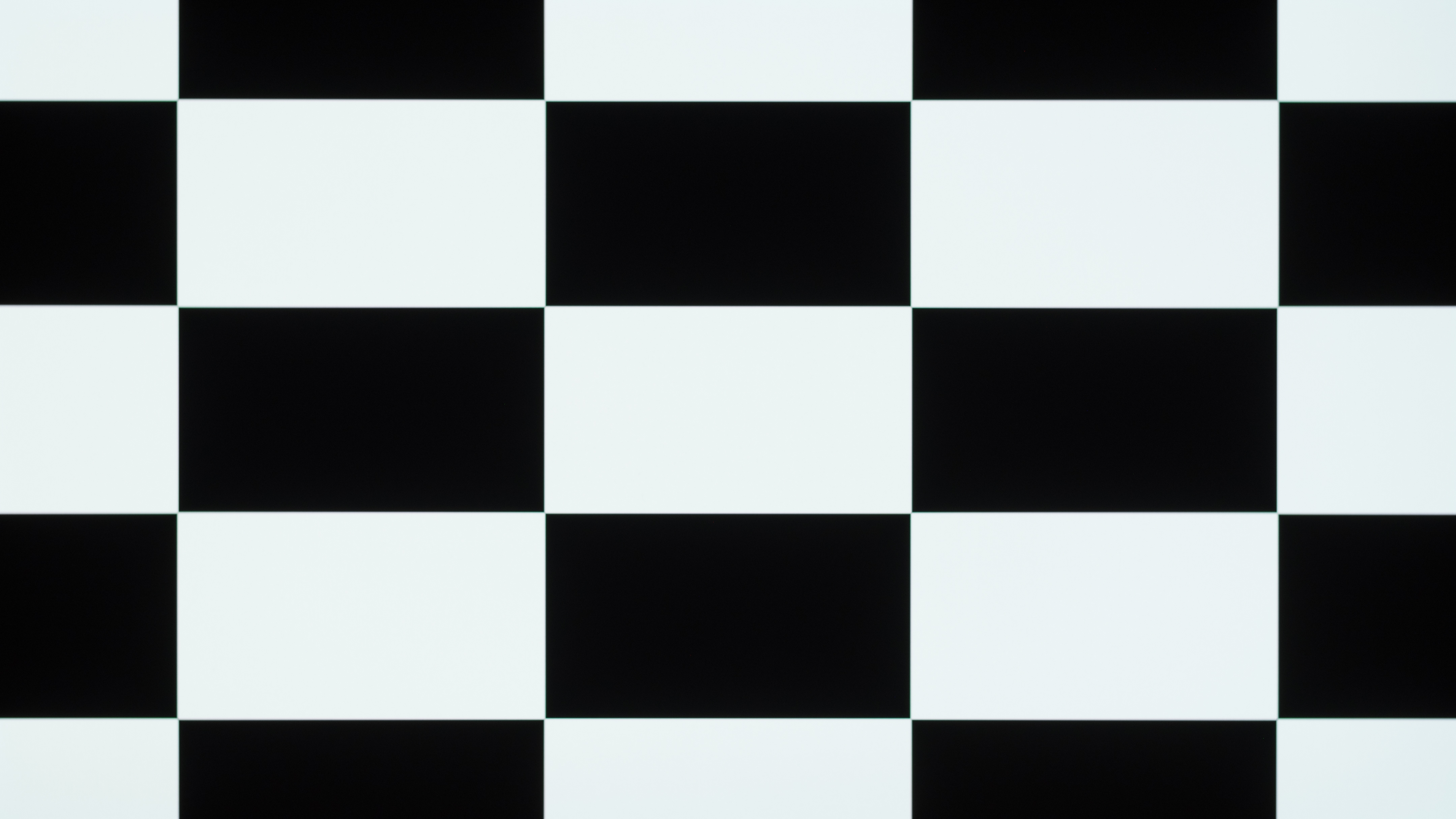
OLEDs are different from Mini LED displays because they don't have a backlight. Instead, they use organic light-emitting diodes, which is where the acronym OLED comes from. These are self-emitting pixels that produce their own light and turn on and off individually. This means that in a 4k OLED, there are 8,294,400 pixels that work independently of each other. The main advantage is that it allows for fine control of brightness around objects in any scene, so there isn't any haloing, and it also has a near-infinite contrast ratio for deep and inky blacks in dark rooms.
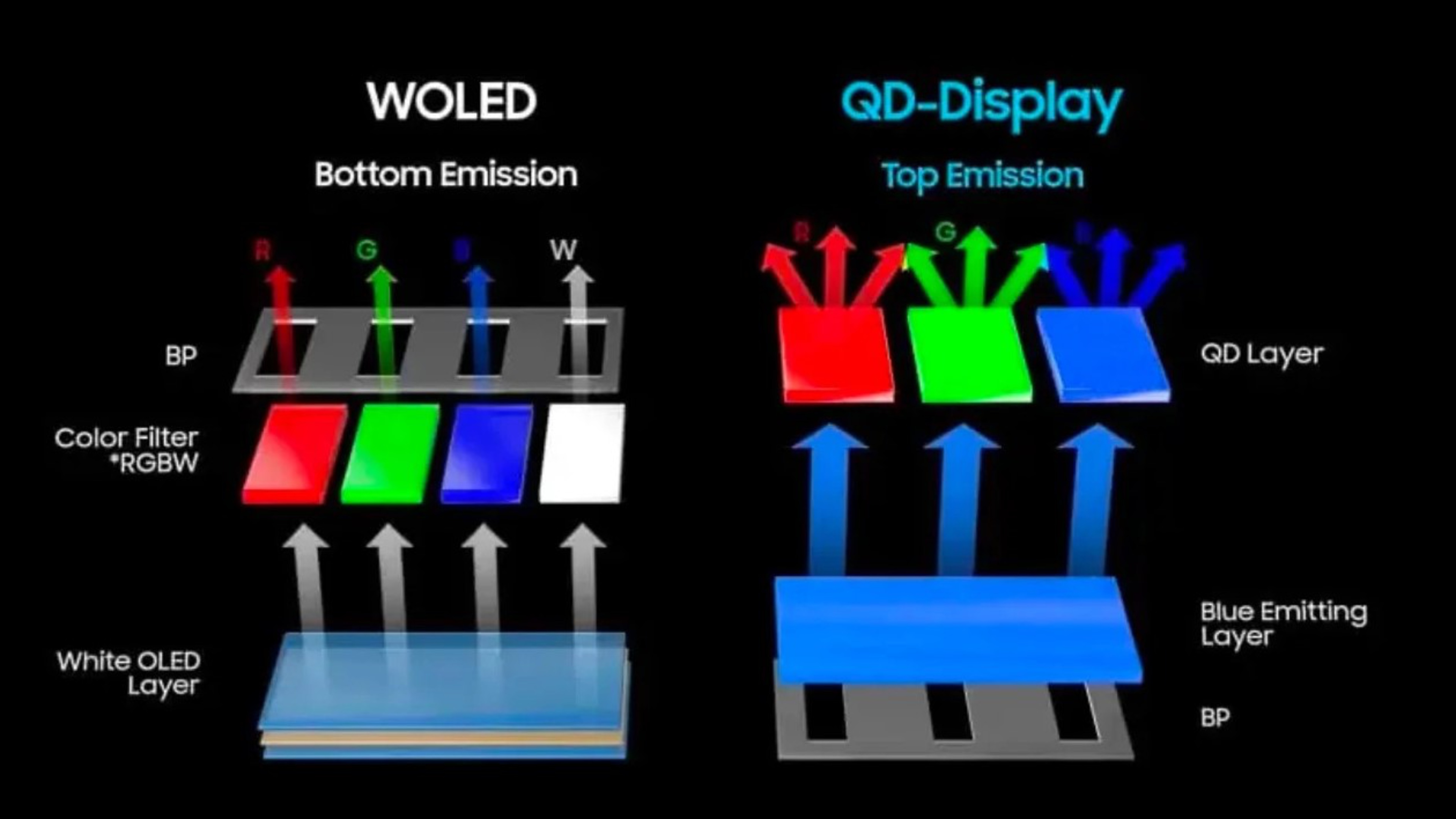
There are two different panel types of OLEDs made by two manufacturers: LG Display's WOLED and Samsung Display's QD-OLED. WOLEDs have four subpixels (red, green, blue, and white) with a white OLED layer that emits light. QD-OLEDs instead have a blue OLED layer behind a quantum dot layer with three subpixels (red, green, and blue). There are differences between WOLEDs and QD-OLEDs, particularly with colors and brightness, but they share the same near-infinite contrast ratio and no haloing that OLEDs are known for.
As OLEDs are available with one of these two panel types, even from brands other than Samsung or LG, performance doesn't vary much between WOLEDs and QD-OLEDs. This means that even without buying a monitor, you can estimate its performance based on its panel type's characteristics, but there are, of course, certain exceptions.
Which Panel Technology Is Better?
As OLEDs and Mini LED displays are technically very different, they each have their own strengths and weaknesses. Below are some of the main differences between the two, and which panel type is better.
| Contrast | Haloing | Brightness | Viewing Angles | Colors | Motion | Text Clarity | Cost | Burn-In |
| OLED | OLED | Mini LED | OLED* | QD-OLED* | OLED | Mini LED* | Mini LED* | Mini LED |
*Can vary, depending on the model
 ASUS ROG Strix OLED XG27AQDMG |
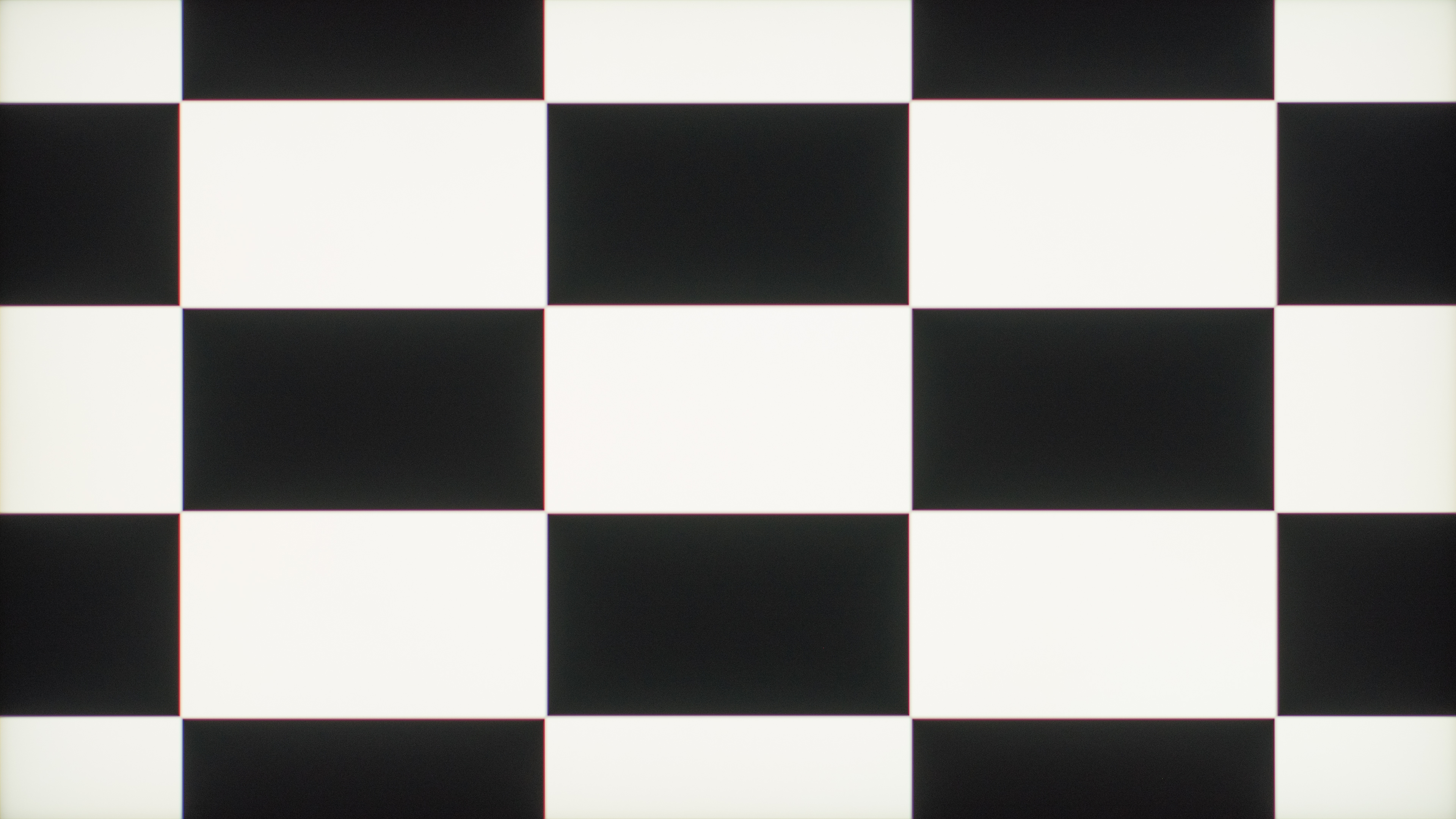 Acer Nitro XV275U P3biipx |
As you can see, OLEDs are better for the most part. The main advantage of these displays is that they have better picture quality, particularly in dark rooms, and they also have better motion handling for gaming. Mini LEDs are no slouch either, as they get incredibly bright, can maintain this high brightness with full-screen images, and don't risk burn-in like OLEDs.
Certain aspects vary a bit more, like viewing angles, colors, text clarity, and cost. Generally speaking, OLEDs have wider viewing angles, but there are Mini LED displays with IPS panels that also have wide viewing angles. That said, those with VA panels have narrow viewing angles. Mini LEDs with VA panels also have a high contrast ratio to display deep blacks, but they just aren't as deep as an OLED, and they usually have more haloing.
Another thing to consider is the cost. Generally speaking, OLEDs are premium models that cost a lot, and if you're on a tight budget, it's best to avoid looking for an OLED. The price of Mini LED monitors varies a lot more—from $200 to $1000+, so you'll likely find what you need depending on your budget.
Colors
In terms of colors, QD-OLED is the real winner here. They display bright and vivid colors very well, much better than WOLEDs, which struggle to properly display bright colors. Many Mini LED monitors are still close to QD-OLED and are better than WOLEDs in terms of bright colors, too, but WOLEDs are better at displaying dark colors. Below you can see examples of some of the best monitors from each panel type in terms of HDR Color Volume. Although the Mini LED display displays a wide range of vivid colors, the QD-OLED is even better.
| QD-OLED | WOLED | Mini LED |
|---|---|---|
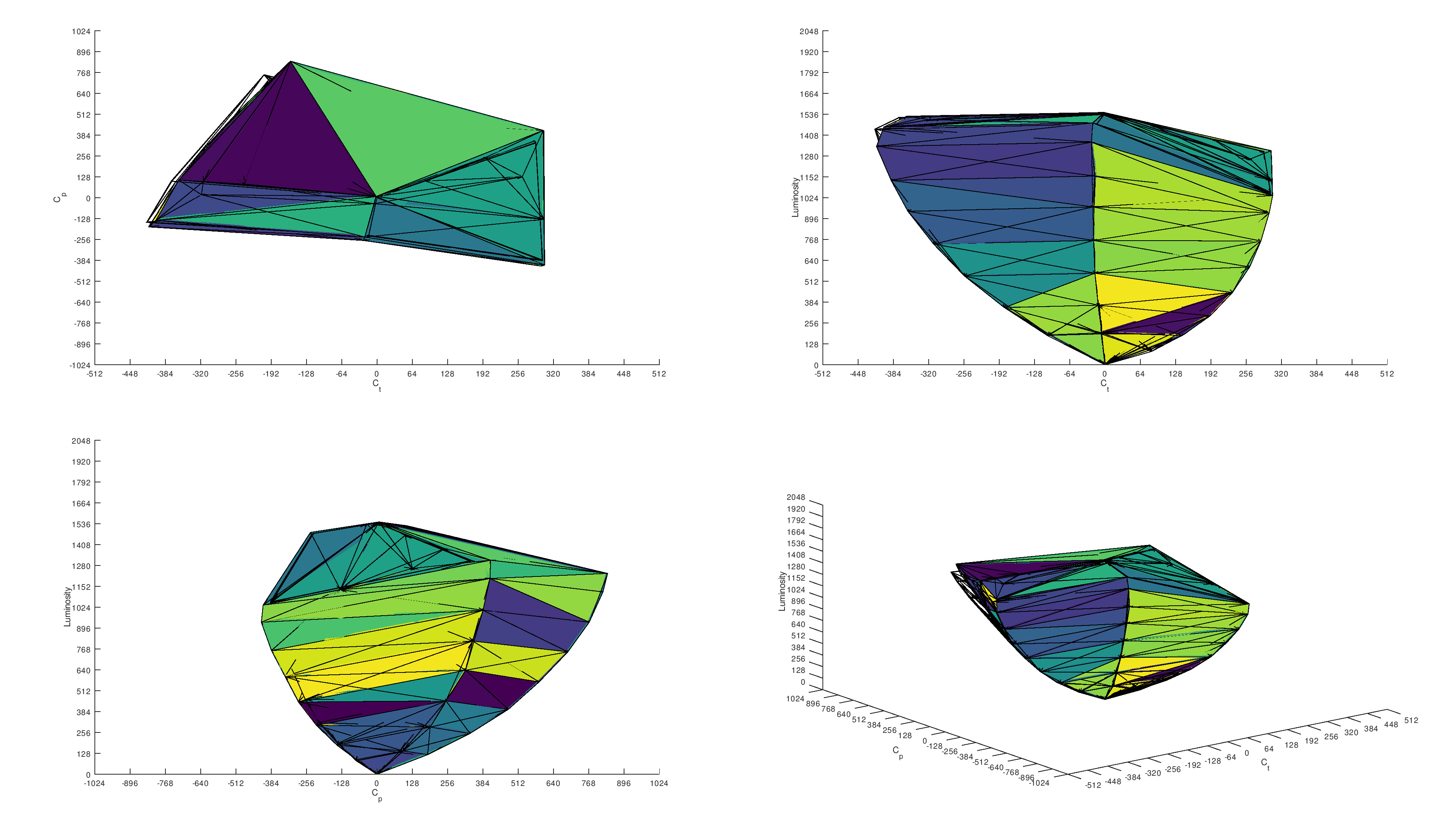 97.7% 1,000 cd/m² DCI-P3 Coverage ICtCp |
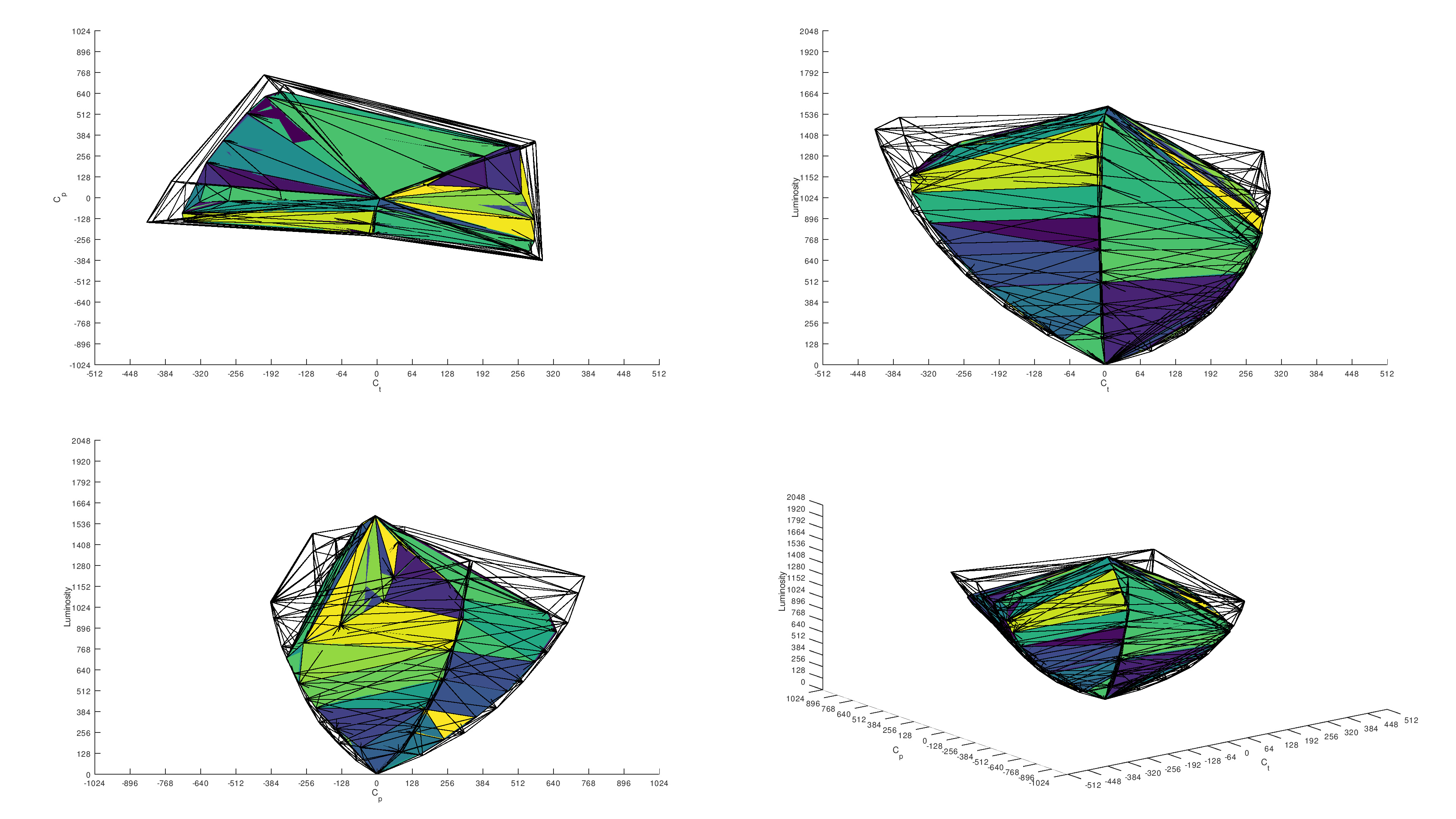 73.4% 1,000 cd/m² DCI-P3 Coverage ICtCp |
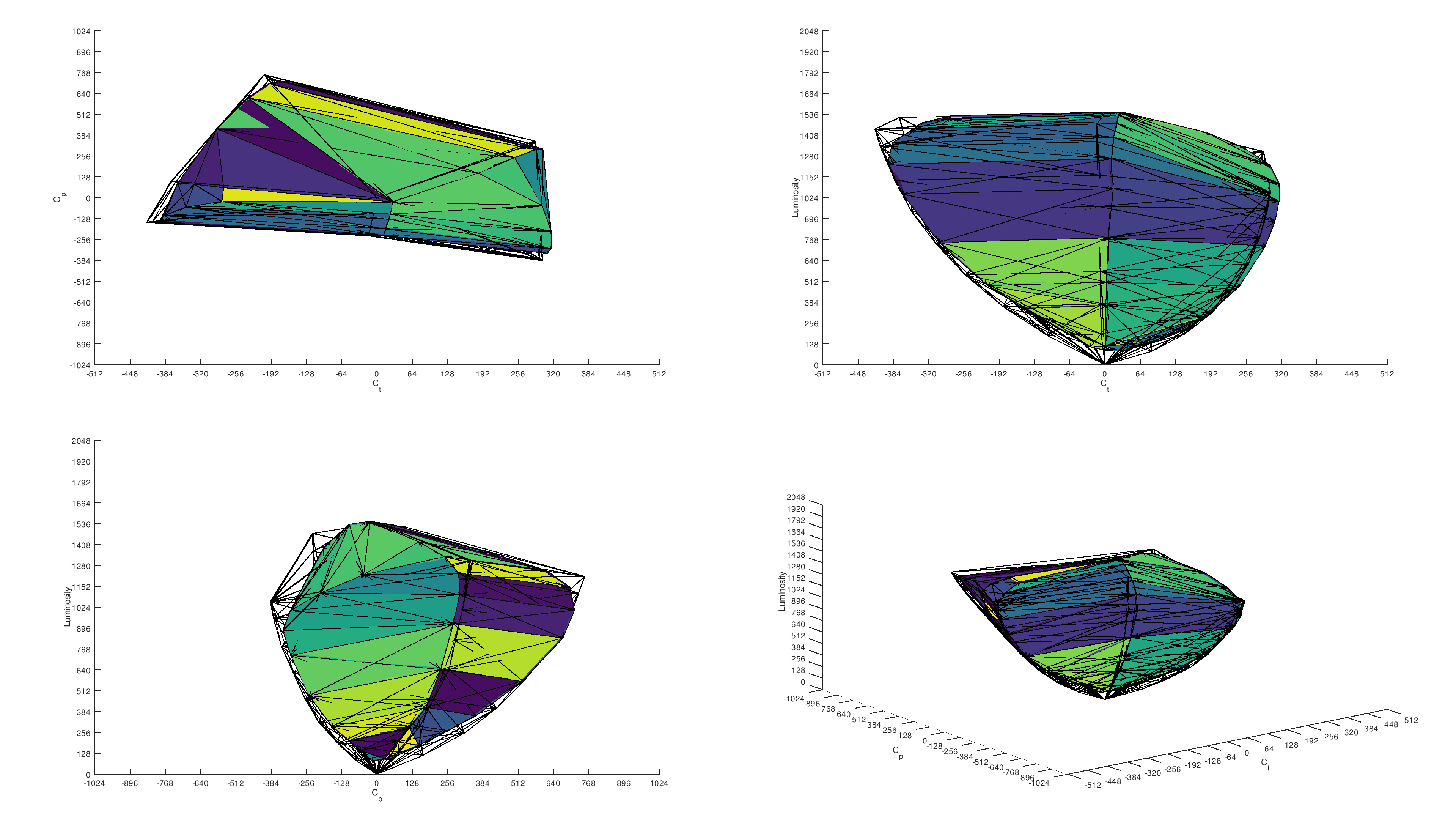 91.3% 1,000 cd/m² DCI-P3 Coverage ICtCp |
Color accuracy varies between monitors, even between units of the same model, so there's no panel type that's better than another for accuracy.
Text Clarity
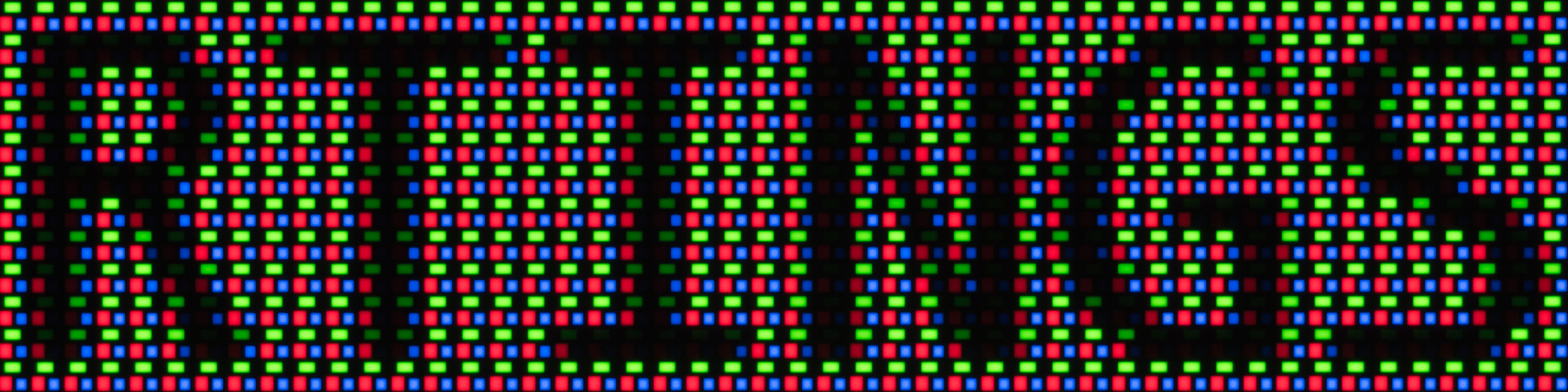
Text clarity also varies between QD-OLED and WOLED displays, but generally speaking, Mini LEDs are still better than any OLED panel. Multiple factors impact text clarity, including the subpixel structure, which is why there's a difference between Mini LED and OLED monitors. Windows ClearType is designed to properly render text with a typical RGB subpixel structure on Mini LEDs, and there can be problems with non-traditional subpixel structures of OLEDs.
Below, you can see three examples of 27-inch, 1440p displays that all have the same pixel density and are using Windows ClearType, but have different text clarity. The Mini LED display has the sharpest text, and even though text also looks sharp on the QD-OLED monitor, there's fringing around some letters. It's even worse on a WOLED, and ClearType fails to render text properly with the RWBG subpixel layout, resulting in noticeable fringing.
| QD-OLED Subpixel layout: Triangular RGB |
WOLED Subpixel layout: RWBG |
Mini LED Subpixel layout: RGB |
|---|---|---|
 |
 |
 |
These differences are less pronounced on displays with higher pixel density—4k, 27-inch QD-OLEDs have text that looks as sharp as on a Mini LED monitor with the same pixel density. That said, generally speaking, Mini LED monitors have the best text clarity compared to OLEDs with the same pixel density.
Motion
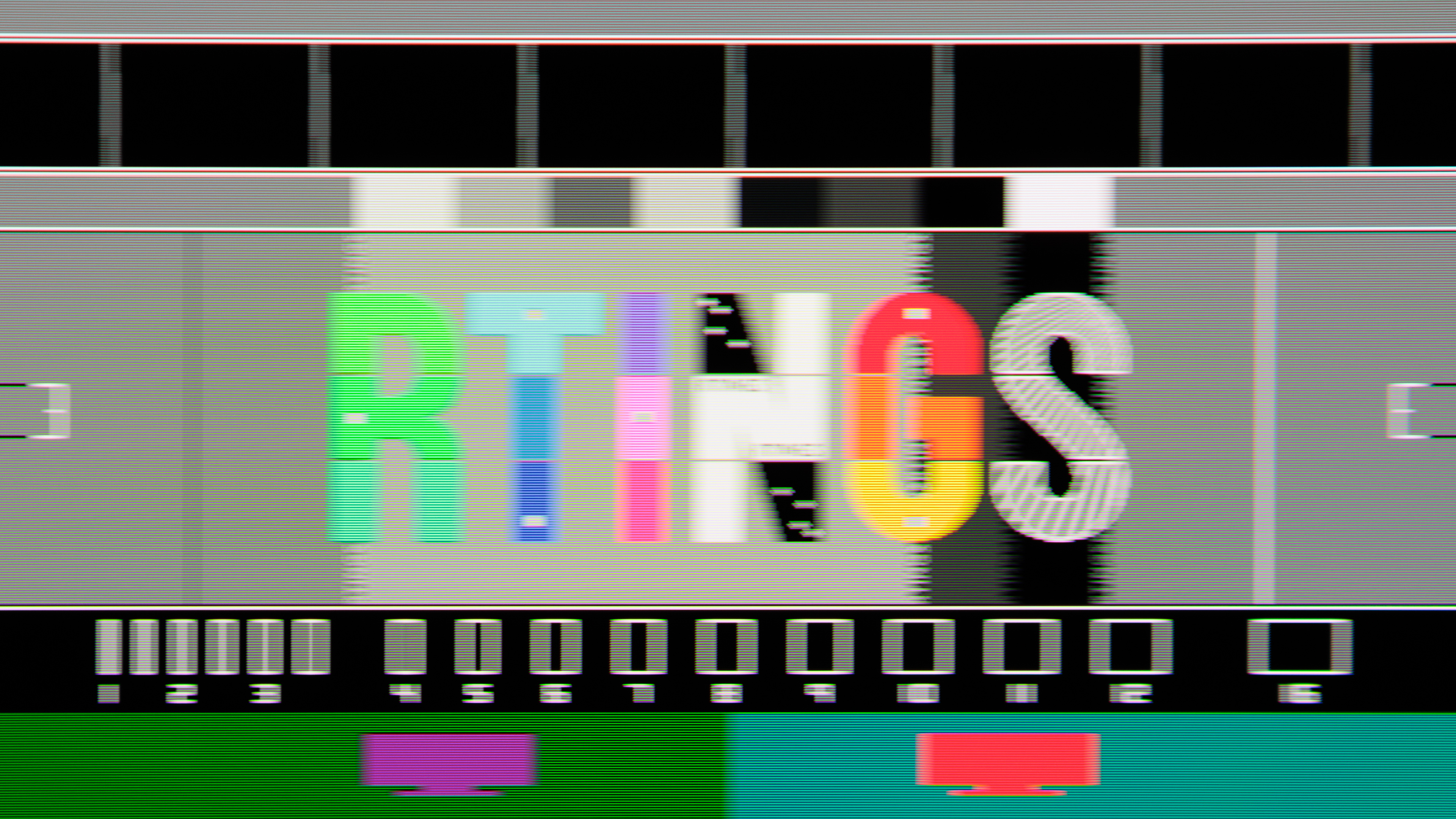
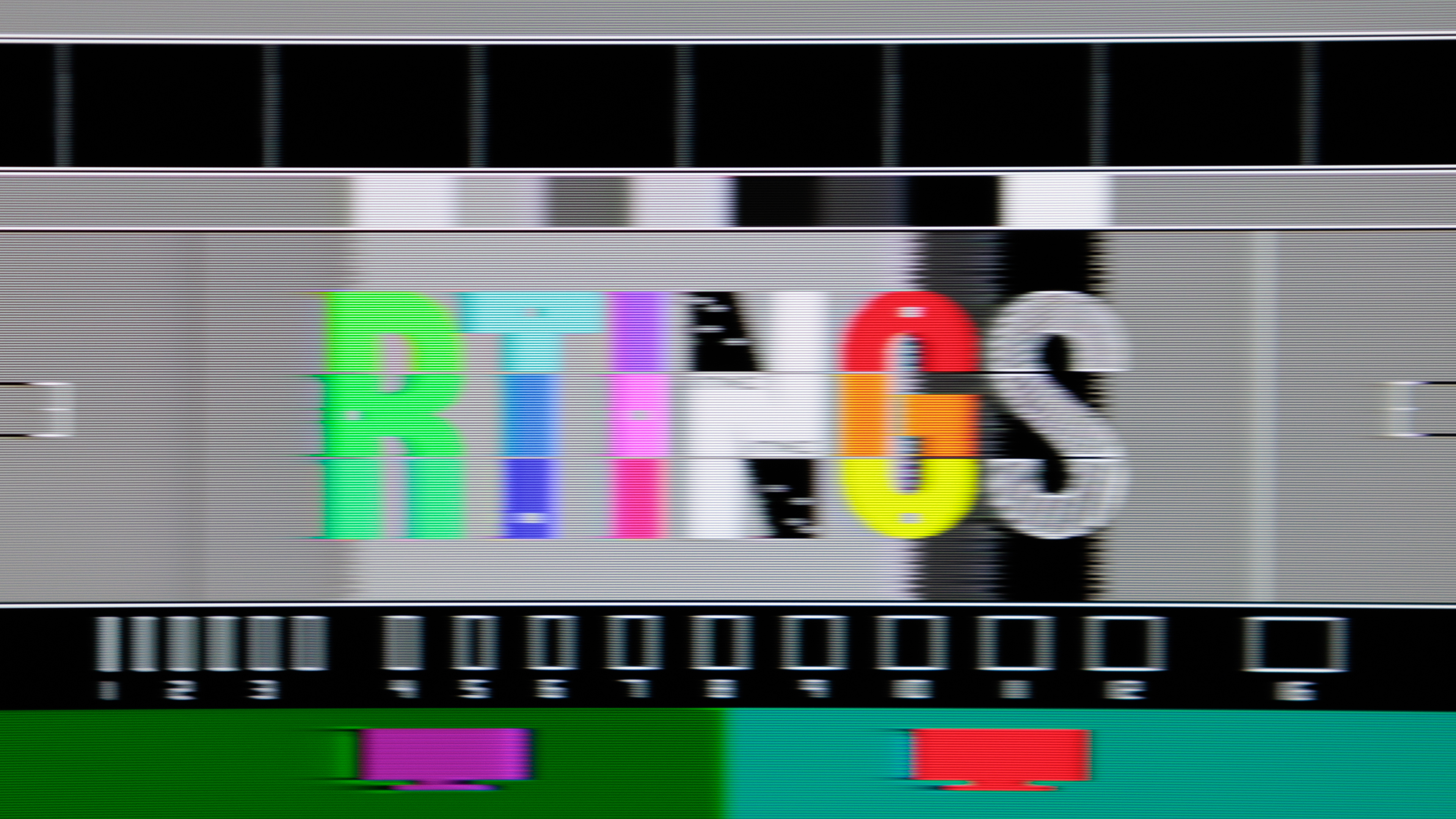
Lastly, OLEDs have a clear advantage when it comes to motion handling. This applies to both WOLED and QD-OLED displays, which each have a near-instantaneous response time for sharp motion. Even the best Mini LEDs can't compare to the crisp motion on OLEDs. Below you can see examples of two monitors that share the same 240Hz refresh rate, and it's clear how much better motion looks on an OLED.
| OLED | Mini LED |
|---|---|
 |
 |
| See full comparison between these two monitors | |
However, like with other aspects of Mini LED monitors, motion varies between models, meaning there are some that are better than others. There's less variation between OLEDs, and even though there are some exceptions, they usually have sharp motion at any refresh rate.
Which Panel Technology Is Better For You?
- Get an OLED if you want: the best picture quality with deep blacks in dark rooms and no haloing around bright objects, or if you play fast-paced games and want the best motion handling.
- Get a Mini LED if you want: something for use in bright rooms with the brightest possible screen, and/or you're worried about the risk of burn-in on OLEDs. You should also get a Mini LED if you need something for productivity with sharp text and don't have the budget for a premium OLED.
The Market of Mini LED vs OLED Monitors
Many brands produce OLED displays, and multiple models come out every year. Many models use the same panel—for example, the MSI MPG 271QRX QD-OLED, ASUS ROG Strix OLED XG27ACDNG, Dell Alienware AW2725DF, Samsung Odyssey OLED G60SD S27DG602S, and Gigabyte AORUS FO27Q3 all use the same 27-inch, 1440p, 360Hz QD-OLED panel from Samsung Display. This is the case with any panel that either LG Display or Samsung Display releases, as there are multiple monitors with the same specs.
More OLEDs are coming out in 2025, including models with a new 27-inch, 1440p, 500Hz QD-OLED panel. The next big advancement in OLED technology is the release of an RGB Tandem panel in 2025, which is a type of WOLED already included on TVs, like the LG G5 OLED. It's meant to get even brighter than QD-OLEDs with better color purity, and the first monitor that's supposed to come out with it is the Gigabyte MO27Q28G.
Although we're expected to see more OLED monitors available in the next few years, the market for Mini LED displays doesn't get as much attention. Some models, like the MSI MPG 274URDFW E16M, are coming out in 2025, but not all Mini LED models are available in every region internationally. This means you don't have as many options to choose from as with OLEDs.
The specs of Mini LED monitors also vary between models, but generally speaking, most have 27-inch screen sizes with a 1440p or 4k resolution.
Conclusion
When comparing OLED vs Mini LED, you'll notice they're technically very different types of monitor display technologies, each with their own subset of panel types and characteristics. However, you can still generalize the performance between the two, and OLEDs deliver better picture quality with deeper blacks and much better motion handling as well. Because of this, OLEDs are the better choice for playing games, especially in HDR. They aren't perfect in every way, though, as Mini LED monitors get brighter and they don't risk burn-in with constant exposure to the same static elements over time. Mini LED monitors can also cost less, but there are many different models available at various price points. These are various factors you may want to think about before deciding whether to get an OLED or Mini LED monitor.