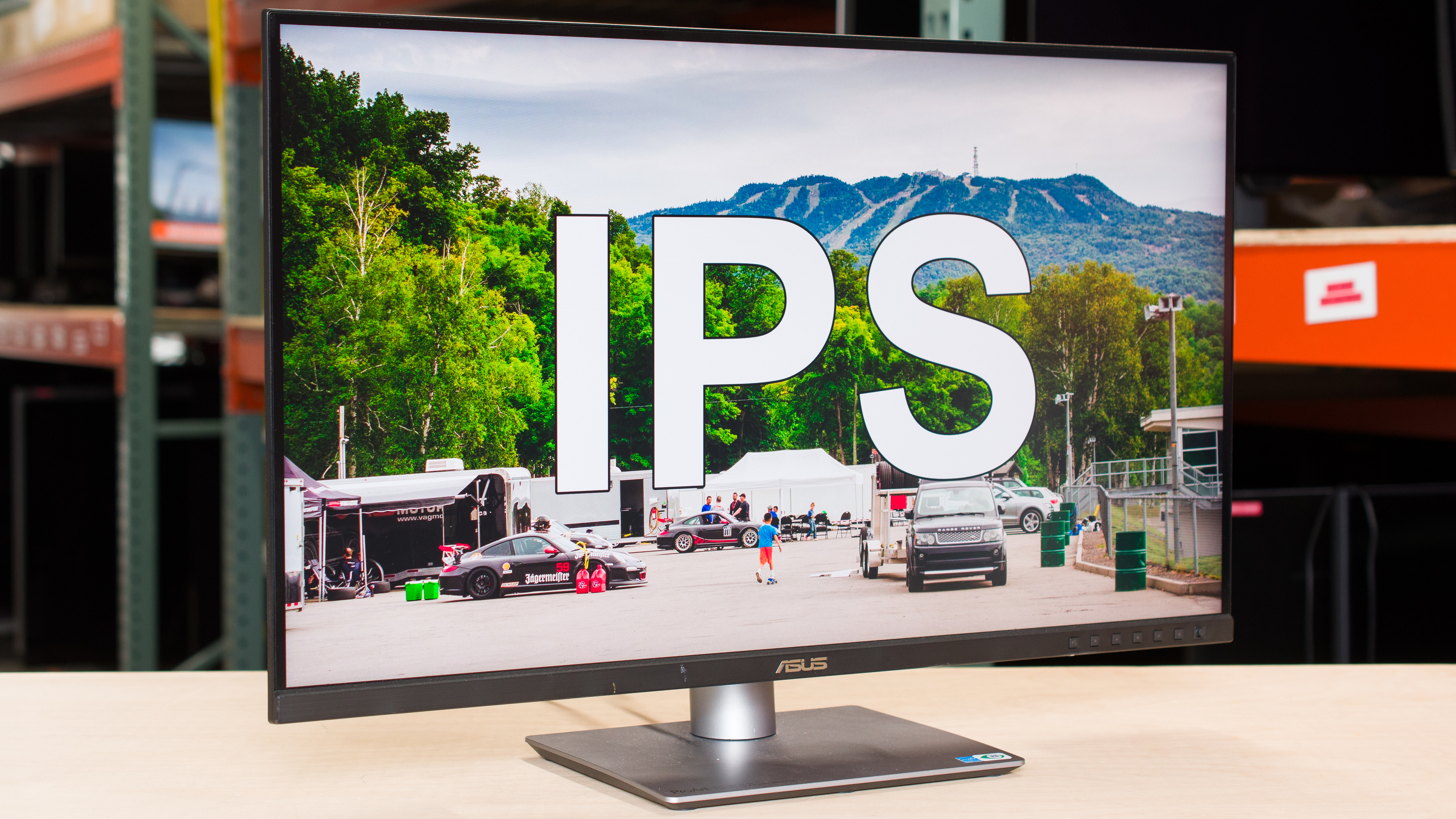
In-Plane Switching (IPS) panels are one of the most common panel types used with monitors. There are many different IPS panels made by various manufacturers, and while they each have their own small differences, they all share the same characteristics inherent to IPS panels. They're known for their wide viewing angles, color purity, and potential for sharp motion, while their main downsides are low black levels and IPS glow. There are IPS monitors available with various refresh rates, resolutions, and sizes, including those with Mini LED backlighting, so if you're in the market for an IPS monitor, you'll likely find what you're looking for.
If you're wondering what an IPS monitor is and all that comes with it, you don't have to worry, as this article breaks down the pros and cons of IPS displays.
You can also learn more about IPS panels versus other panel types:
What Is An IPS Monitor? The Tech Behind It
IPS is a type of LCD panel, meaning it uses liquid crystals that, when excited with voltage, rotate to let light pass through, creating a viewable image. The IPS panel is one of multiple layers within a monitor, sitting between the LED backlights, polarizers, and the glass substrate, amongst other elements. The liquid crystals sit horizontally next to each other when there's no voltage applied to them, blocking most light coming through, but not all. With voltage applied, they rotate parallel to the glass substrate to let light through, which goes through a color filter to produce a final image.
The rotation is what defines IPS panels versus other LCD panel types, as the crystals are rotating within the plane of glass substrates, which is why IPS is called in-plane switching.
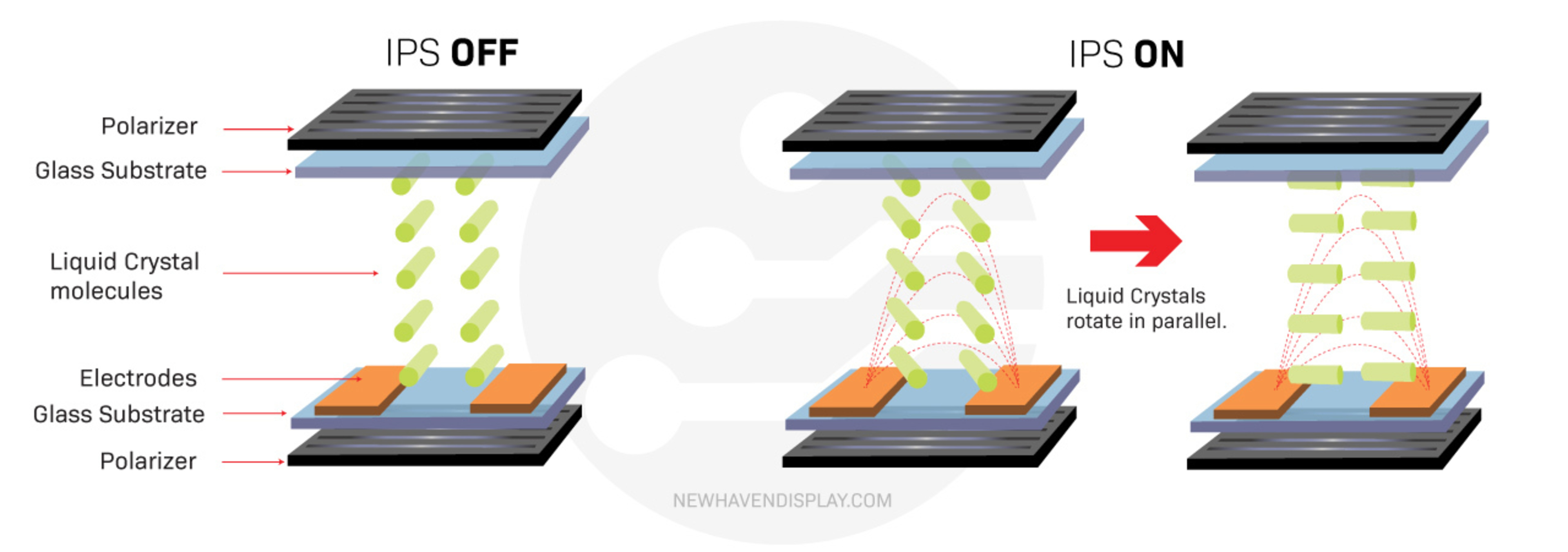
Source: NewhavenDisplay.com
It's important to keep in mind that there are many different types of IPS panels made by different manufacturers. This includes IPS, IPS Black, Nano IPS Black, and AH-IPS panels from LG Display, ADS panels from BOE, AAS from Innolux, AHVA from AU Optronics, and PLS from Samsung Display. All these are types of IPS panels with slight differences in exact performance, but share the same overall characteristics. You might be able to know which exact panel your IPS monitor uses based on its serial number or with its service menu, but overall, brands don't make it clear which panel their monitors use. Some models are even available with different panels, depending on the region. You may also see marketing terms like Fast IPS, Rapid IPS, SS IPS, and Agile-Splendor IPS, but these are once again all IPS panels. Despite taking thousands of measurements on each monitor, we don't check which manufacturer produced the panel in the monitor we're testing, as what's more important is how the monitor performs.
With all these different types of IPS monitors, the exact subpixel shape and structure also change between IPS monitors, with examples that you can see below. This includes a monitor with a BGR subpixel layout, which is different than the RGB subpixel layout on most IPS monitors.
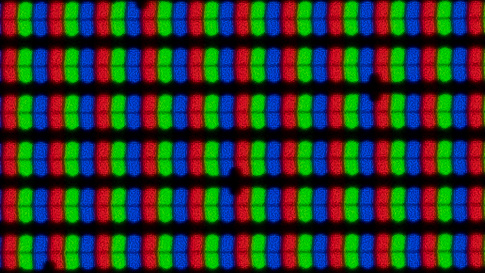 5k IPS panel |
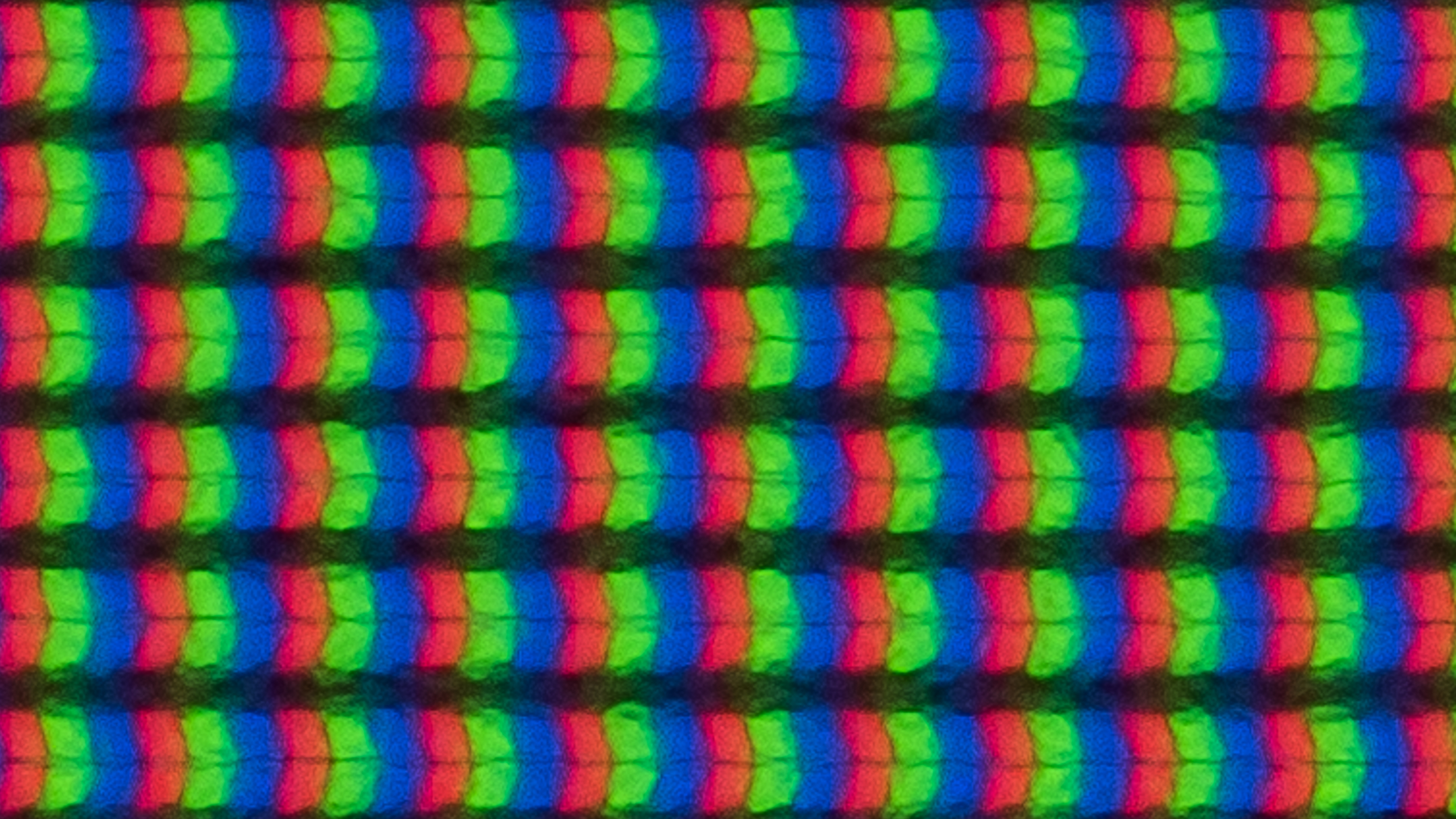 Enhanced IPS Black panel |
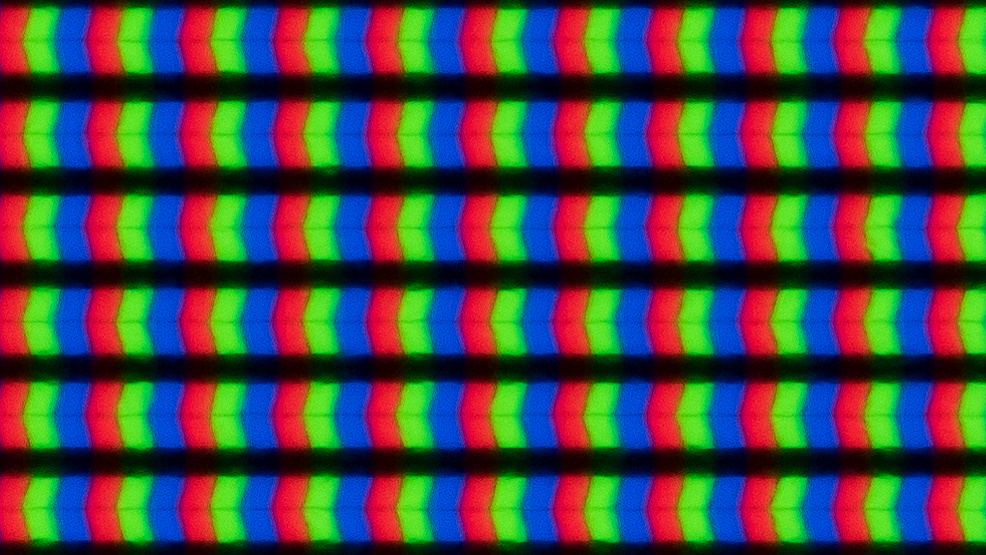 Chevron-shaped subpixels |
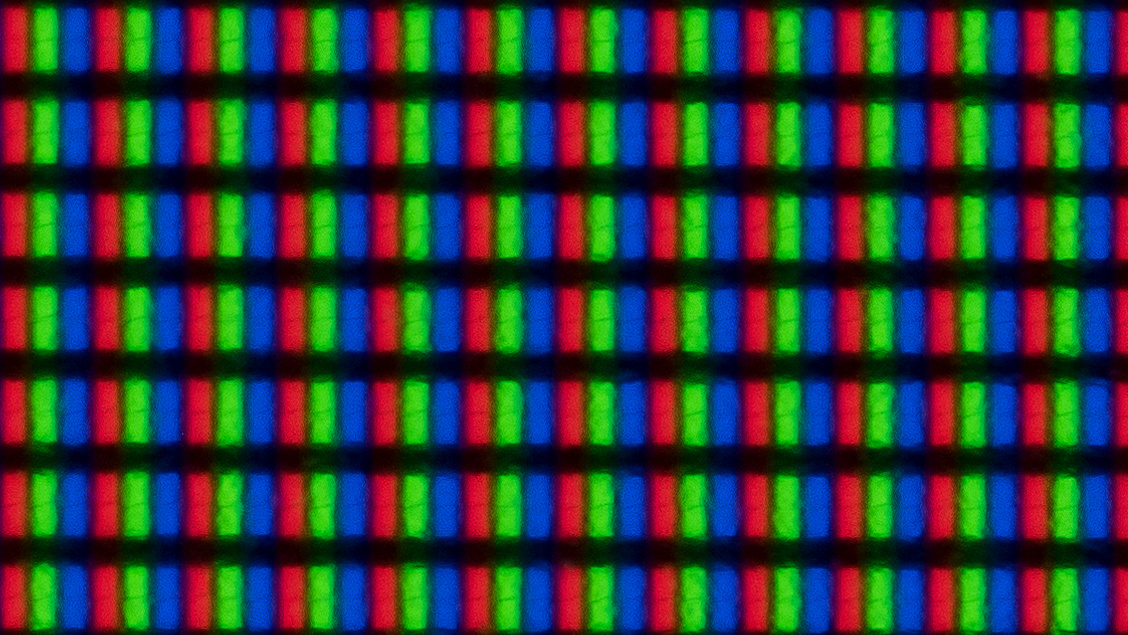 Rectangular-shaped subpixels |
 BGR subpixel layout |
The Pros Of IPS Monitors
An IPS panel monitor has many pros, including the fact that it doesn't risk burn-in with constant exposure to the same static elements over time. This means you can use your IPS monitor for many hours displaying the same thing and not worry about damaging the screen over time.
Viewing Angles
One of the main advantages of an IPS monitor is its wide viewing angles. This means the image remains consistent as you view it from the sides or if you're sitting in front of a big monitor and you're looking at the edges. That said, the viewing angles on IPS monitors are far from perfect, as the image tends to get darker or washed out at really wide angles. While IPS monitors aren't as good as OLEDs when it comes to viewing angles, they're still better than VA and TN LCD panel types.
As not all IPS panels are created equal, some have wider viewing angles than others. You can see examples of this below, including the angles at which the image starts to noticeably look different. It's clear that the BenQ has much wider viewing angles than the Sony, and it's the better choice if you need to share your screen with someone next to you. That said, the Sony is still fine if you're viewing it a bit off-center, but not from really wide angles.
| BenQ PD3255U | Sony INZONE M9 |
|
Color Washout From Left: 45° Color Shift From Left: 67° Brightness Loss From Left: 46° Black Level Raise From Left: 70° Gamma Shift From Left: 52° |
Color Washout From Left: 29° Color Shift From Left: 33° Brightness Loss From Left: 33° Black Level Raise From Left: 70° Gamma Shift From Left: 31° |
You can learn more about viewing angles here.
Colors
Another advantage of IPS monitors, especially compared to VA and TN panels, is their color purity. Generally speaking, IPS monitors display a wide range of colors in common color spaces, from sRGB to Rec. 2020. That said, the exact range of colors an IPS monitor displays varies from model to model, as some are better than others. You can see this below with the average gamut coverage and spread of 61 monitors we've tested on Test Benches 2.0.1 and 2.1, as most display more than 75% of colors needed in the sRGB, Adobe RGB, and DCI-P3 color spaces. That said, there's still a big spread amongst IPS monitors, especially with the Rec. 2020 color space used in some HDR content.
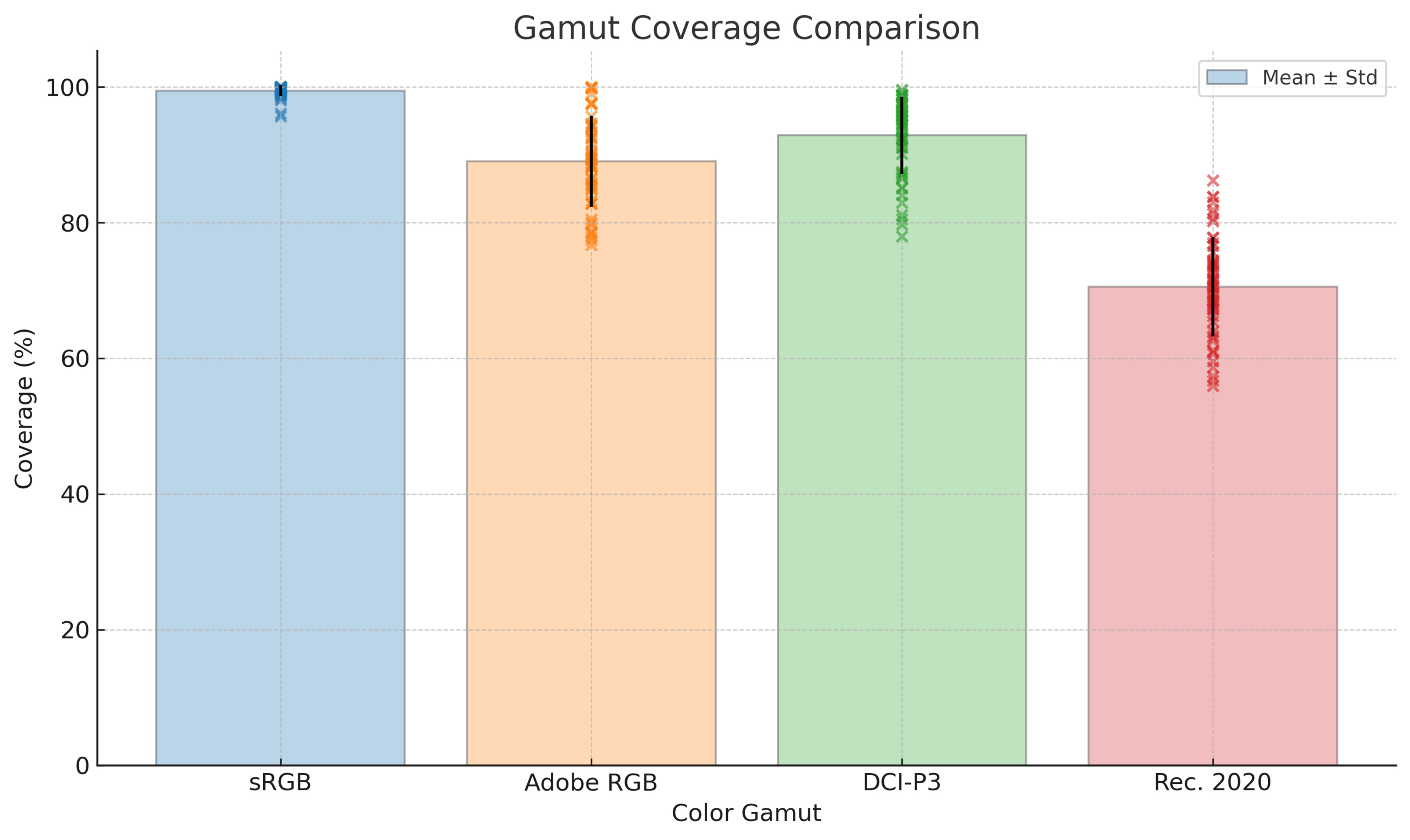
While most IPS monitors display a wide range of colors in these color spaces, many fail to properly display dark and bright colors. This is because many have limited color volume and fall behind other panel types for this. That said, there are Mini LED IPS displays, like the BenQ MOBIUZ EX321UX, that display bright colors vividly, so there are other factors besides just the panel type that impact the color volume.
Overall, though, IPS monitors are amongst the best LCD panel types for colors, but still fall behind OLEDs.
Motion
Many gaming monitors use IPS panels because of their consistent motion handling, which is another advantage of this panel type. While their response times aren't as fast as TN and OLED displays, they're usually good enough for most gamers. Plus, IPS panels don't have smearing like on VA panels. However, many IPS monitors have overdrive settings that boost their response times at the cost of more overshoot, which results in inverse ghosting. That said, you can also change the overdrive setting to avoid it.

Like with colors, the exact response time and motion handling varies between models. There are IPS monitors with better motion handling than others. Below, you can see examples of different response times on IPS monitors, each with a max refresh rate of 144Hz, as well as how changing the overdrive setting introduces inverse ghosting. The monitor with the fastest total response time, the LG using its 'Fast' overdrive setting, has the best motion handling.
| MSI MAG 274UPF | LG 32GR93U-B | |
 |
 |
 |
|
First Response Time: 8.2 ms Total Response Time: 8.2 ms RGB Overshoot: 0 RGB |
First Response Time: 5.5 ms Total Response Time: 5.7 ms RGB Overshoot: 0 RGB |
First Response Time: 2.7 ms Total Response Time: 11.1 ms RGB Overshoot: 26 RGB |
The Cons Of IPS Monitors
The biggest downside to getting an IPS monitor, especially those without Mini LED backlighting, is their limited picture quality. This is mainly due to the fact that they can't display deep blacks against bright highlights, so content looks washed out and muted.
Contrast Ratio
Most IPS monitors have a low contrast ratio, meaning blacks look gray next to bright highlights. Out of 178 IPS monitors that we've tested since 2017, excluding those with Mini LED backlighting and IPS Black panels, the average contrast ratio is 1,113:1. That's far behind the standard 3,000:1 contrast ratio that VA panels have, and way behind the near-infinite contrast ratio that OLEDs have. This means that most IPS monitors, and IPS displays in general, have limited HDR performance as they fall to deliver deep, inky blacks next to bright highlights needed for HDR.
That said, this doesn't mean that all IPS monitors have a low contrast ratio. There's a type of panel known as IPS Black, also called Enhanced IPS Black, that has a higher contrast ratio than regular IPS monitors, reaching around 2,000:1. Another way to improve the contrast ratio is with an effective local dimming feature that successfully dims LED lights around bright objects, so that there isn't any light in a dark area of the image. Mini LED monitors tend to have the best local dimming features, and can really improve the contrast ratio on an IPS monitor.
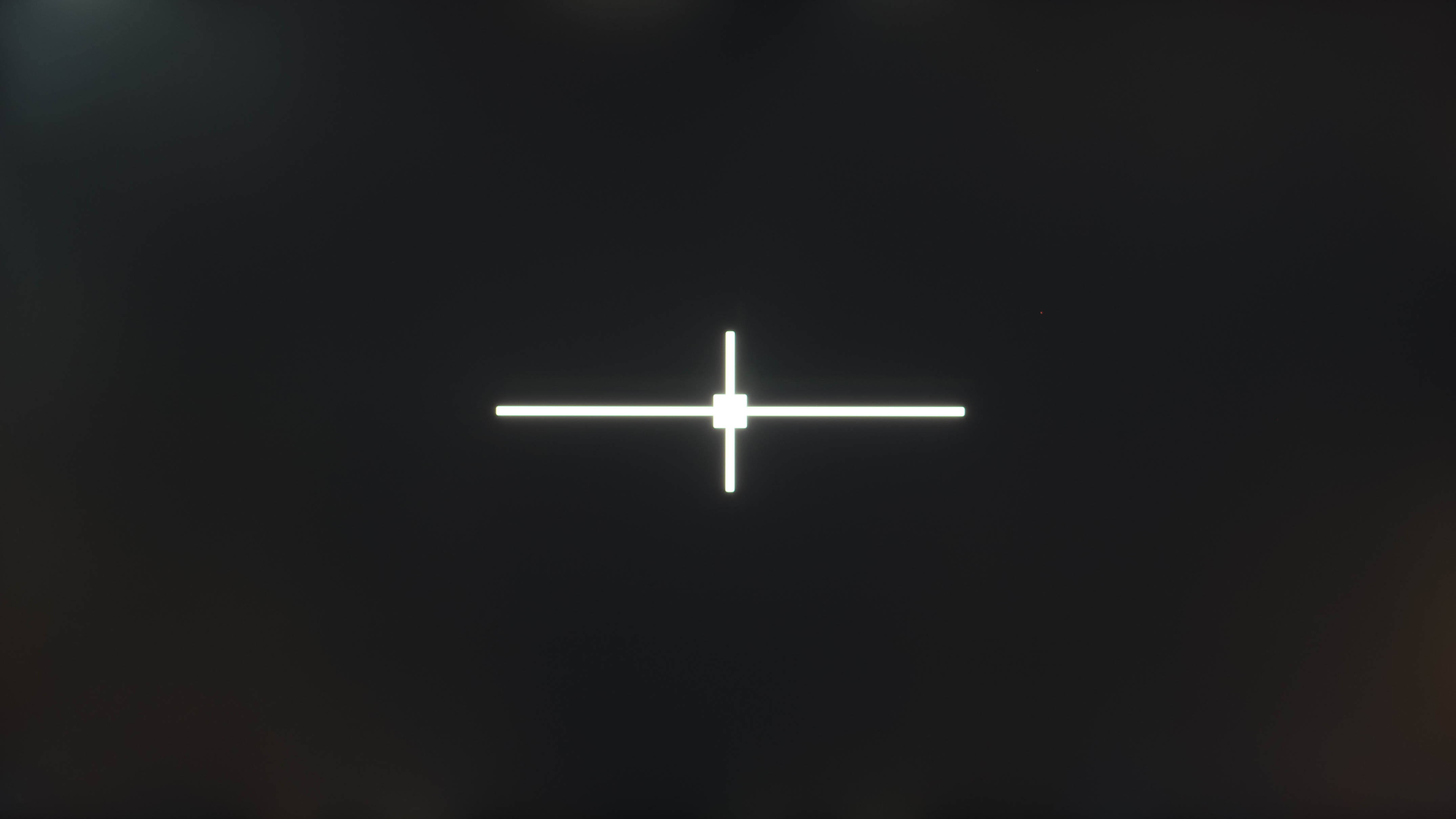
You can see examples of these differences below with the black uniformity photos on various IPS monitors, compared to an OLED for reference. Essentially, if you want deep blacks on an IPS monitor, go for one with Mini LED backlighting, otherwise blacks look closer to gray.
| Regular IPS | Enhanced IPS Black | Mini LED IPS | OLED |
|---|---|---|---|
| ASUS ProArt Display PA279CRV | Dell U2725QE | Xiaomi G Pro 27i | ASUS ROG Swift OLED PG27UCDM |
| Contrast Ratio: 920:1 | Contrast Ratio: 2,410:1 | Contrast Ratio: 8,208:1 | Contrast Ratio: Inf:1 |
 |
 |
 |
 |
IPS Glow
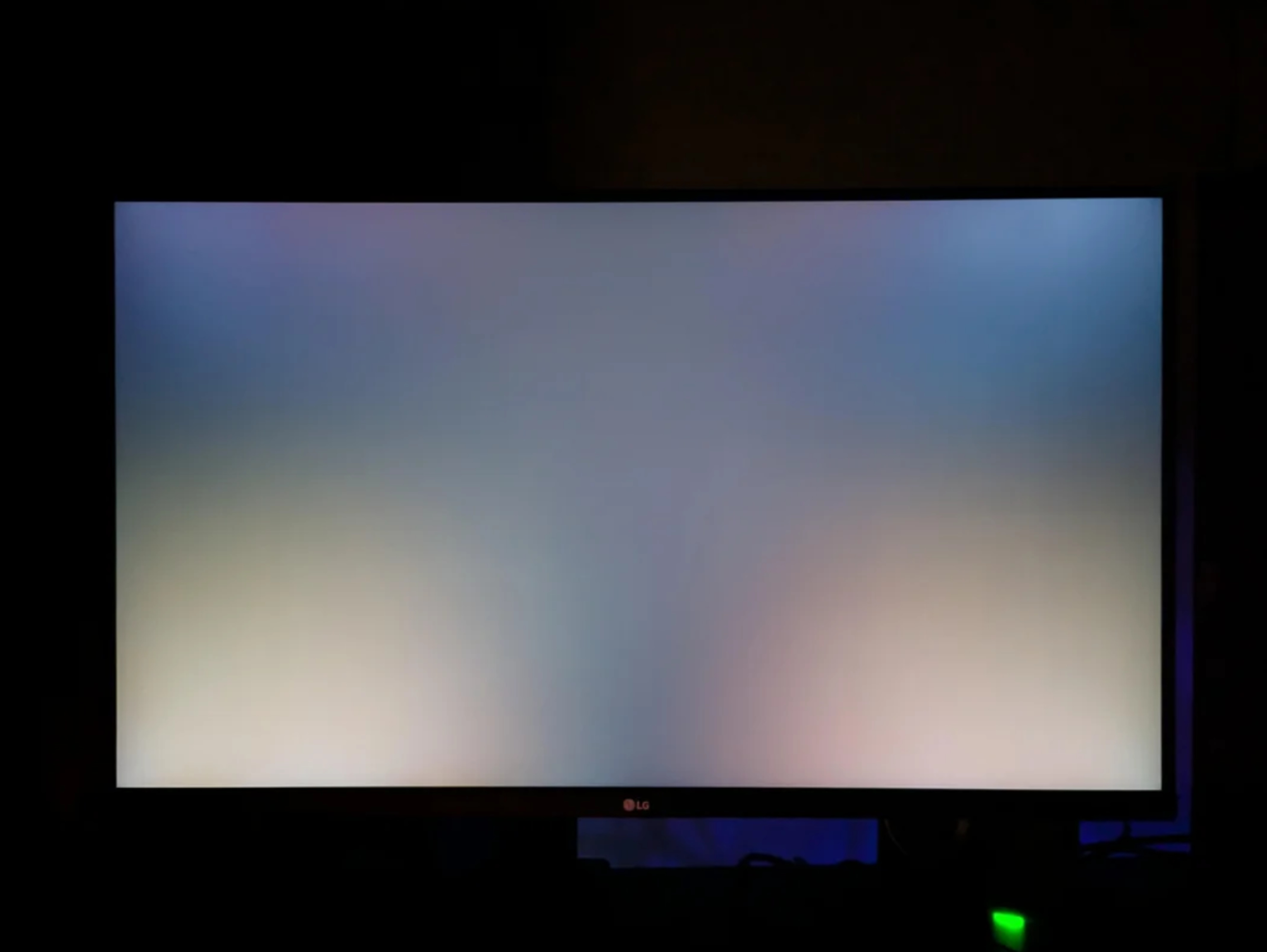
Another downside of IPS monitors is IPS glow, which is a characteristic of all IPS panels, and not something that changes from unit to unit. This happens when viewing a dark image or scene, and the corners of the screen have raised blacks, resulting in a brighter-looking image, which is where the glow name comes from. How much you notice this IPS glow also depends on your viewing angle, like if you're sitting too close to a large screen, or if you're viewing it in a dark room. The best way to avoid this distracting glow is by viewing the screen in a bright room, lowering the brightness, or viewing brighter content. A monitor with an effective local dimming feature also reduces IPS glow.
Source: Reddit
Should You Get An IPS Monitor?
| Gaming | Productivity | Content Creation | Multimedia & HDR |
|---|---|---|---|
| Good | Great | Decent | Mediocre, but better on Mini LED IPS monitors |
Knowing the pros and cons of IPS monitors, you may be wondering if an IPS monitor is the right choice for you. Generally speaking, IPS monitors are the best choices for work and productivity, as they offer wide viewing angles without having the risk of burning in. They're also useful for gaming and content creation, but there are other factors you may want to consider for those uses, like the monitor's refresh rate and response time for gaming, and its color accuracy and local dimming performance for content creation. Generally speaking, IPS monitors are bad choices for watching movies or shows, especially in HDR, unless they're Mini LED displays.
All that said, IPS displays are versatile options for different types of usage. Considering there are so many IPS monitors available, you'll likely find what you need if you're looking for one.
Conclusion
Most LCD monitors use IPS panels, and there are a ton of models available with various refresh rates, resolutions, and sizes. This means the exact performance varies between IPS displays, but they share many of the same characteristics. This includes wide viewing angles, a great range of colors, and generally good motion handling. That said, unless a monitor uses Mini LED backlighting, it tends to have low contrast, resulting in deep blacks that look gray in dark rooms. This means IPS monitors are usually mediocre choices for watching content in dark rooms or gaming in HDR, but considering their strengths, they're good choices for productivity and some gaming.