
The LAMZU Atlantis is a lightweight, wireless gaming mouse with a solid plastic shell and a symmetrical shape. Unlike many gaming models, this mouse is available in a range of vibrant colors, though it doesn't have any RGB lighting. It's among the first mice released from a smaller manufacturer using PixArt's flagship PAW 3395 sensor. It also features Huano Blue Pink Dot switches for its left- and right-click buttons and a TTC Gold scroll wheel encoder. The bottom plate of this mouse has an unusual sculptural design, which helps reduce the mouse's overall weight but leaves it more open to collecting dust and debris.
Our Verdict
Though not specifically designed for it, the LAMZU Atlantis is a satisfactory mouse for work use. The build quality is very good, and it has a comfortable symmetrical shape suitable for most hand sizes. Unfortunately, it doesn't support Bluetooth or multi-device pairing. Its scroll wheel also lacks tilt inputs and doesn't have a free-scrolling mode.
- Impressive build quality.
- Comfortable symmetrical shape.
- Scroll wheel lacks left and right tilts and doesn't unlock for free-scrolling.
- No support for Bluetooth or multi-device pairing.
The LAMZU Atlantis is an excellent FPS gaming mouse. It's remarkably lightweight with a comfortable symmetrical shape well-suited for most hand sizes. It has very low click latency and accurate and consistent sensor performance providing a snappy and responsive in-game experience. Overall its build quality is very good, and it has outstanding mouse feet that glide very smoothly on mousepads and desks. That said, there's minor left and right wobbling in the left- and right-click buttons and some creaking and flexibility in the body. Otherwise, the build quality is very good, and these minor issues don't affect performance during gameplay.
- Impressive build quality.
- Comfortable symmetrical shape.
- Remarkably lightweight.
- Excellent click latency.
- Impressive overall sensor performance.
- Somewhat higher 'delay to first movement' test result than most mice using the same sensor.
Though not designed specifically for this usage, the LAMZU Atlantis is good for MMO gaming. The sensor performance and click latency are excellent, producing a smooth and responsive in-game experience. This mouse doesn't have nearly as many side buttons as most dedicated MMO gaming mice. Also, while its build quality is very good overall, there's some minor flexibility in the body and minor wobbling in the left- and right-click buttons. However, this doesn't present any issues during regular use.
- Impressive build quality.
- Comfortable symmetrical shape.
- Excellent click latency.
- Somewhat higher 'delay to first movement' test result than most mice using the same sensor.
- Not nearly as many side buttons as a dedicated MMO model.
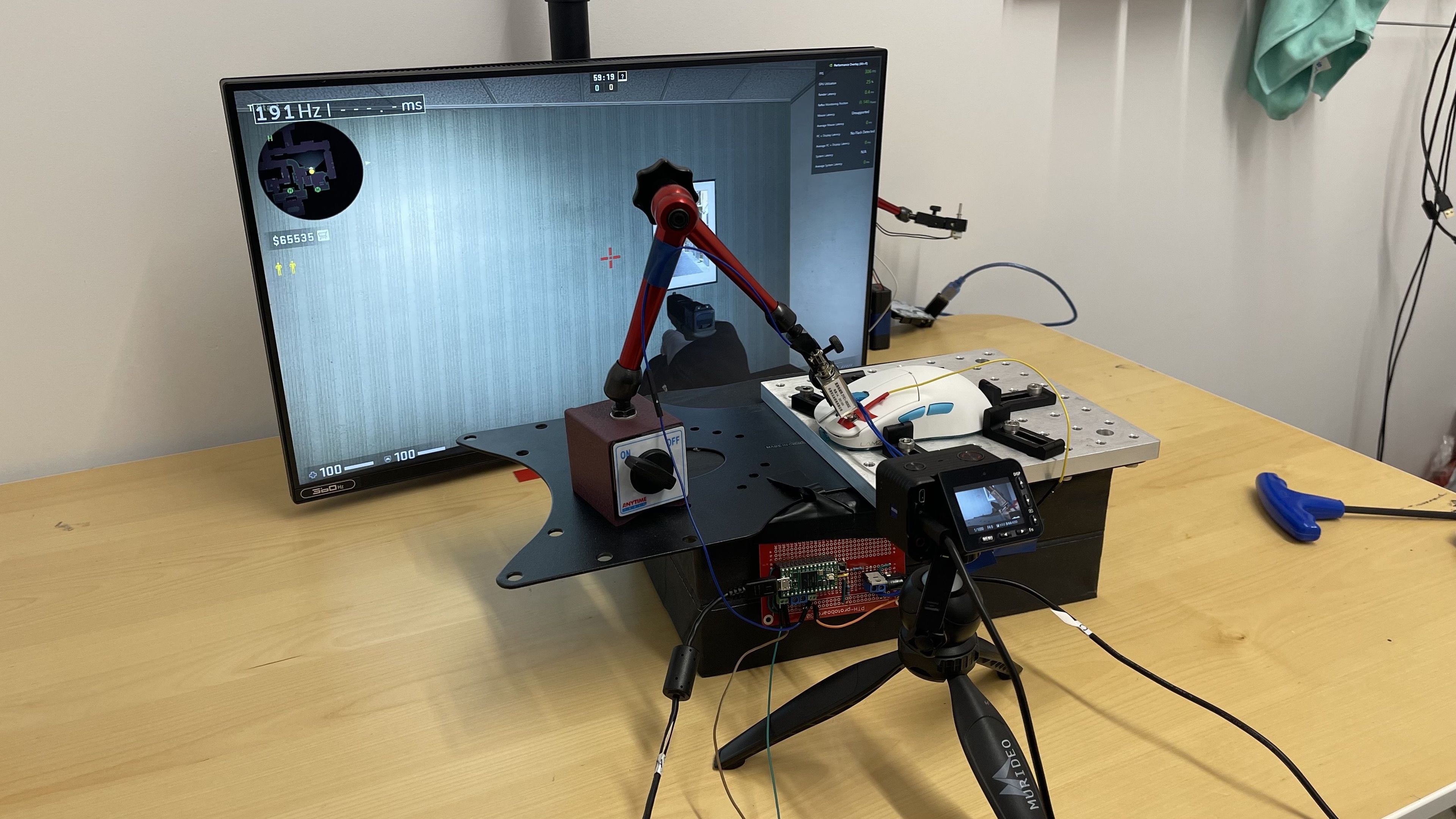
The LAMZU Atlantis has excellent raw performance. Its sensor is very accurate and consistent, and it has a maximum polling rate of 1000Hz, which produces smooth cursor movements and is the current standard for gaming mice. Its click latency is also excellent, so you won't notice a delay between your clicks and when in-game actions appear on-screen. However, while the result of the 'delay to first movement' test for this mouse is good, it's somewhat higher than most mice using the same sensor. You won't notice this additional delay during gameplay, but it may have a minor impact on gaming performance. For more details, see the Sensor Latency test below.
- Excellent click latency.
- Somewhat higher 'delay to first movement' test result than most mice using the same sensor.
Changelog
- Updated Aug 28, 2025: We've converted this review to Test Bench 1.5.1. This update removes less relevant or redundant elements, including several videos. We've also adjusted our Sensor Latency testing, resulting in minor score changes. See our full 1.5.1 changelog for details.
-
Updated Mar 25, 2025:
We've added a link to the WLmouse Strider in the Sensor Specifications section.
- Updated Apr 10, 2024: We've changed one of the test results in the Additional Buttons section of this review. Previously, we indicated the Number Of Programmable Inputs result was 6, but we've revised this total to 5, as the left-click function must always be assigned to a button.
- Updated Feb 20, 2024: We've updated the 3D scan in the Shape section of this review because the previous scan was off-centered.
Check Price
Differences Between Sizes And Variants
The LAMZU Atlantis is available in several colorways, including Miami Blue, Matcha Green, Pink, Polar White, and Black. The unit we purchased and tested is the Polar White version. You can see the label for our unit here. LAMZU has also indicated they will be releasing a somewhat smaller and slightly lighter variant of this mouse called the LAMZU Atlantis Mini.
Popular Mouse Comparisons
The LAMZU Atlantis is a lightweight wireless gaming mouse and is among the first mice released that uses PixArt's flagship sensor, the PAW 3395. This mouse is available in various colors and has an unusual open framework baseplate. This baseplate sets this mouse apart visually from many similar gaming mice, and it contributes to reducing the overall weight of the mouse, making it easier to move quickly and accurately for fast-paced games. It's a medium to large-sized mouse best suited for a claw or fingertip grip and bears close similarities to the shape of the Endgame Gear XM1r.
For more recommendations, see our picks for the best gaming mouse, the best wireless gaming mouse, and the best lightweight mouse.
The LAMZU Atlantis and the LAMZU MAYA are both lightweight, wireless gaming mice. The Atlantis is bigger with a more rearward hump and more aggressive curves. It's best suited for a claw grip. The MAYA is lighter and smaller and has a lower central hump. Its shape is more versatile and accommodating for palm, claw, or fingertip grip types.
The Pulsar X2 and the LAMZU Atlantis are lightweight wireless gaming mice with similar shapes. The Pulsar is slightly smaller and delivers somewhat better sensor performance. On the other hand, the LAMZU is a bit bigger, and its back end is a little wider. Each mouse is available in various colors, but the LAMZU has more colorway options.
The LAMZU Atlantis and the Ninjutso Sora are wireless gaming mice with similar symmetrical shapes and comparable gaming performance. The Ninjutso is slightly more lightweight and has a solid plastic baseplate. On the other hand, the LAMZU is available in a wider range of colors and has a sculptural, open-style baseplate made of semi-transparent plastic.
The LAMZU Atlantis and the LAMZU THORN are lightweight wireless gaming mice. The Atlantis has a lower profile and a symmetrical shape and is available in more colors than the THORN. The THORN has a right-handed design and has slightly better sensor performance than the Atlantis. The THORN also uses optical switches for its left- and right-clicks instead of the mechanical ones on the Atlantis.
Test Results

for pictures & test results


for pictures & test results








for pictures & test results




for pictures & test results




for videos & test results
