
The Pulsar X2 is a lightweight, wireless gaming mouse with a symmetrical shape. Available in several different color options, this mouse has a solid plastic shell, which is noteworthy because it's a bit lighter than previous Pulsar releases despite them having cutouts in their bodies to help reduce their overall weight. Regarding internal components, this mouse uses Kailh GM 8.0 main button switches and PixArt's flagship sensor, the PAW 3395, one of the most accurate and consistent sensors on the market. There's also a smaller version of this mouse called the Pulsar X2 Mini.
Our Verdict
The Pulsar X2 is decent for work, though it isn't designed specifically for this use. It feels very sturdy, and you can remap buttons using the customization settings. Unfortunately, while it connects wirelessly, it doesn't support multi-device pairing. Also, its scroll wheel lacks left/right tilt inputs and doesn't unlock for free scrolling.
- Comfortable symmetrical shape.
- Excellent build quality.
- Scroll wheel lacks tilt inputs and a free-scrolling mode.
- Lacks a storage compartment for its USB receiver.
- Many owners report the battery needs more frequent recharging than advertised.
The Pulsar X2 is an outstanding FPS gaming mouse. It's extremely lightweight with a comfortable symmetrical shape well-suited for most hand sizes. Performance-wise, It has excellent click latency and an exceptionally accurate and consistent sensor. It also has excellent build quality, and its feet glide very smoothly on mousepads and desks.
- Extremely lightweight.
- Excellent click latency.
- Comfortable symmetrical shape.
- Excellent build quality.
- Lightweight bottom plate design means the inside is open to dust and debris.
- Many owners report the battery needs more frequent recharging than advertised.
The Pulsar X2 is good for MMO gaming, but it doesn't have nearly as many side buttons as a dedicated MMO gaming mouse. It feels very well-built, and you can reprogram buttons and customize sensor settings using the customization software. The click latency and sensor performance are also excellent and more than capable of delivering a consistent and responsive feeling in-game.
- Excellent click latency.
- Comfortable symmetrical shape.
- Excellent build quality.
- Not nearly as many side buttons as a dedicated MMO gaming mouse.
- Lightweight bottom plate design means the inside is open to dust and debris.
- Many owners report the battery needs more frequent recharging than advertised.
The Pulsar X2 has superb raw performance. Its sensor delivers exceptional accuracy and excellent motion latency performance. Its click latency is also very low, providing a responsive-feeling experience more than adequate for gaming in any genre at any competitive level.
- Excellent click latency.
- Accurate and consistent sensor performance.
Changelog
-
Updated Sep 05, 2025:
We've added a link to the VXE R1 Pro in the Popular Mouse Comparisons section.
- Updated Aug 19, 2025: We've converted this review to Test Bench 1.5.1. This update removes less relevant or redundant elements, including several videos. We've also adjusted our Sensor Latency testing, resulting in minor score changes. See our full 1.5.1 changelog for details.
- Updated Sep 23, 2024: We've added new text to Our Verdict and Wireless Versatility sections following online feedback from owners who report needing to recharge the battery much more frequently than the advertised maximum of 70 hours.
- Updated Jan 05, 2024: We've updated the CPI graph displayed in the Sensor Latency section of this review. Our results remain the same, but these graphs have two new columns with results from the Delay At Half Movement and Delay To End Of Movement tests.
Check Price
Differences Between Sizes And Variants
The Pulsar X2 comes in several standard colorways and has several limited edition versions.
| Name | Size | Colorways | Switch Type |
| Pulsar X2 | Regular | Available in Black/White/Red | Mechanical |
| Pulsar X2 Founders Edition | Regular | Green | Mechanical |
| Pulsar X2 Bruce Lee Edition | Regular | Yellow with black accents | Optical |
| Pulsar X2 Mini | Mini | Available in Black/White/Red | Mechanical |
| Pulsar X2 Mini Rotobox Edition | Mini | Gray with colored accents | Mechanical |
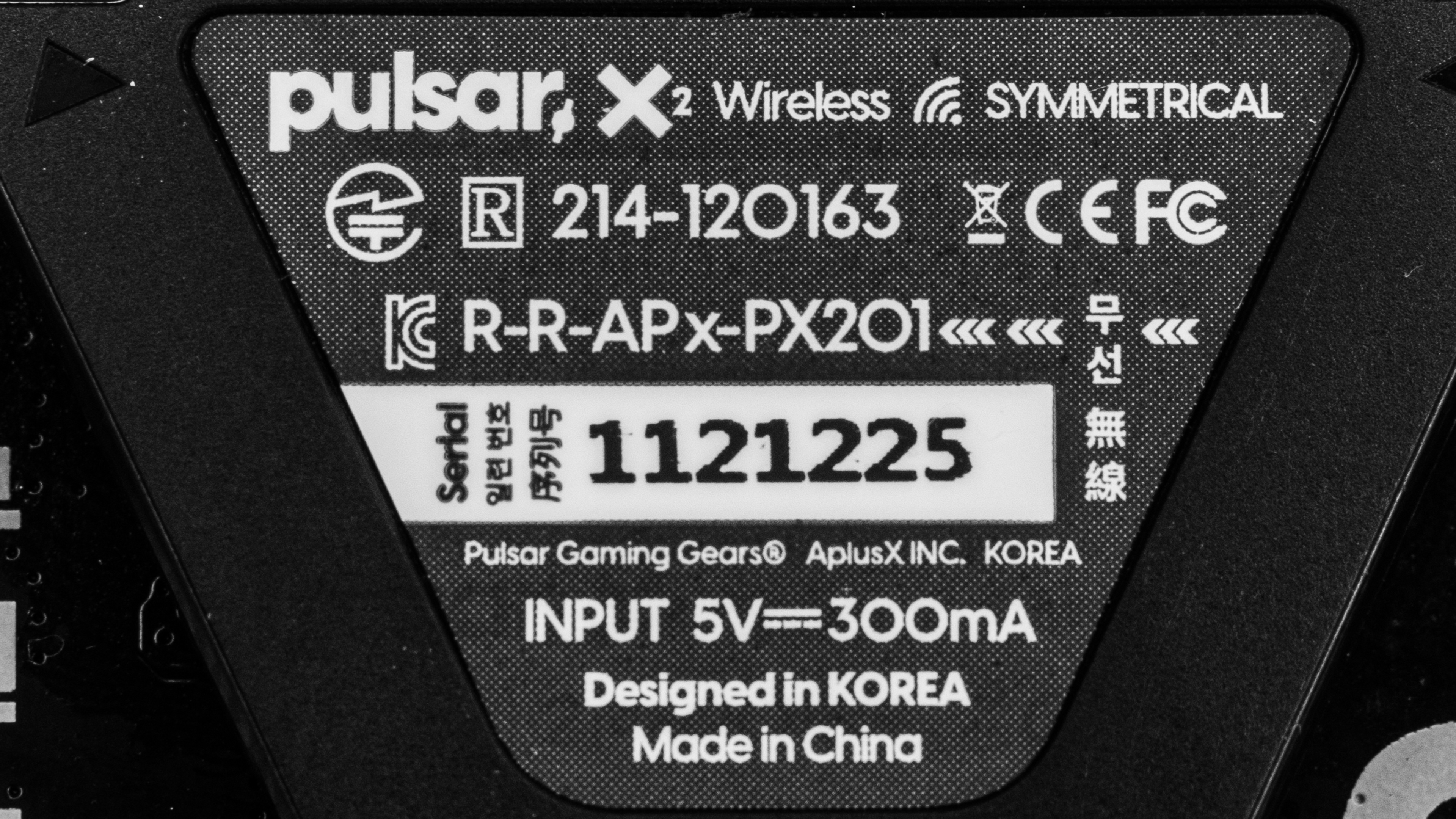
There's also a smaller version of this mouse called the Pulsar X2 Mini, which we've included in the table above. We expect this mouse to be better suited for smaller hands and to offer similar performance. We purchased the full-size Pulsar X2 mouse in black. You can see the label for our unit.
Popular Mouse Comparisons
The Pulsar X2 is an extremely lightweight wireless gaming mouse with a symmetrical shape. For its manufacturer, Pulsar, this mouse marks a departure from their earlier models, which had small cutout shapes in their bodies to help reduce their weight. This mouse has a solid plastic shell and a subdued look similar to flagship competitors like the Logitech G PRO X SUPERLIGHT or the Razer Viper V2 Pro. That said, newer releases such as the similarly shaped VXE R1 Pro also feature solid shells and deliver slightly better performance at a lower price, which makes the Pulsar X2 less competitive than it was at launch.
For more recommendations, see our picks for the best FPS mouse, the best gaming mouse, and the best lightweight mouse.
These two mice offer very similar performance. The Pulsar X3 has a right-handed ergonomic shape suited for claw or palm grips. It features a newer sensor that provides minor benefits, like tracking on transparent glass and slightly better stability at higher polling rates. It also uses optical switches, which are generally more durable than the mechanical switches on the Pulsar X2. In comparison, the X2 has a symmetrical shape that's versatile but best suited for claw or fingertip grips.
The Pulsar X2 and the LAMZU Atlantis are lightweight wireless gaming mice with similar shapes. The Pulsar is slightly smaller and delivers somewhat better sensor performance. On the other hand, the LAMZU is a bit bigger, and its back end is a little wider. Each mouse is available in various colors, but the LAMZU has more colorway options.
The Pulsar X2V2 and the Pulsar X2 are lightweight wireless gaming mice in the same lineup. The X2V2 is newer and features an updated build that feels slightly higher quality. It also uses optical switches for its left- and right-click buttons, and it supports a 4000Hz polling rate by purchasing a separate dongle. The X2 is older, uses mechanical left- and right-click switches, and is heavier by a very small margin.
The Pulsar X2 and the Endgame Gear XM1r are lightweight wireless gaming mice with similar symmetrical shapes and comparable gaming performance. The Pulsar is somewhat lighter but has an open bottom plate design that is more prone to collecting dust and debris. On the other hand, the Endgame Gear feels marginally sturdier and has a bottom plate design. The Endgame Gear also has optical switches, which are typically more durable than the mechanical switches used by the Pulsar.
Test Results

for pictures & test results


for pictures & test results








for pictures & test results




for pictures & test results



for videos & test results
