Logitech G PRO 2 LIGHTSPEED  Mouse Review

Reviewed Nov 22, 2024 at 10:22am
Tested using Methodology v1.5.1 
Logitech G PRO 2 LIGHTSPEED
7.2
Work 
8.6
Video Games (FPS) 
8.2
Video Games (MMO) 
9.2
Raw Performance 
 3

The Logitech G PRO 2 LIGHTSPEED is a wireless gaming mouse that continues Logitech's G PRO lineup. It retains the same symmetrical shape as its predecessor, the Logitech G Pro Wireless, and features the same true ambidextrous design with customizable side buttons on both sides. Internally, this new model has an updated HERO 2 sensor and now uses a USB-C cable for charging. It also incorporates Logitech's newer LIGHTFORCE optical switches, which aren't prone to developing double-clicking issues as they age, an experience many people encountered with previous models in this lineup.

Our Verdict

7.2
Work 

The Logitech PRO 2 LIGHTSPEED mouse is decent for work. It has impressive build quality, an accommodating symmetrical shape, and programmable side buttons on either side. Unfortunately, it doesn't support Bluetooth connectivity or multi-device pairing. Its scroll wheel also lacks helpful productivity features like free scrolling and left/right tilt inputs.

Pros
  • Impressive build quality.

  • True ambidextrous design with a pair of removable side buttons on either side.

Cons
  • No Bluetooth connectivity.

  • Scroll wheel lacks productivity features like free scroll and left/right tilt inputs.

8.6
Video Games (FPS) 

The Logitech PRO 2 LIGHTSPEED mouse is great for FPS games. It has impressive build quality, and its symmetrical shape is a good fit for most hand sizes and grip types. It also has customizable side buttons on both sides, making it a standout pick for right- or left-handed users. In terms of performance, it has excellent sensor latency and remarkably low click latency, making it more than suitable for playing at a competitive level.

Pros
  • Impressive build quality.

  • Excellent sensor performance.

  • Remarkably low click latency.

  • True ambidextrous design with a pair of removable side buttons on either side.

Cons
  • Heavier than most FPS mice.

8.2
Video Games (MMO) 

The Logitech PRO 2 LIGHTSPEED mouse is a great pick for MMO gaming. While it has fewer programmable buttons than most dedicated MMO mice, it has a pair of side buttons on either side, which is more than most dedicated FPS mice. It also has impressive build quality, a shape that's comfortable for just about anyone, and excellent all-around raw gaming performance.

Pros
  • Impressive build quality.

  • Excellent sensor performance.

  • Remarkably low click latency.

  • True ambidextrous design with a pair of removable side buttons on either side.

Cons
  • Fewer programmable buttons than dedicated MMO mice.

9.2
Raw Performance 

The Logitech PRO 2 LIGHTSPEED mouse offers excellent raw performance with very low sensor and click latency. It's suitable for playing games in any genre, at any competitive level. That said, this mouse doesn't support higher polling rates. While the benefits from higher polling rate settings are small and often unnoticeable for most people, they're becoming much more common for wireless gaming mice in this price range and can provide more consistent peak performance if you play at an extremely high competitive level.

Pros
  • Excellent sensor performance.

  • Remarkably low click latency.

Cons
  • No support for higher polling rates.

  • 7.2
    Work
  • 8.6
    Video Games (FPS)
  • 8.2
    Video Games (MMO)
  • 9.2
    Raw Performance
  • Changelog

    1.  Updated Aug 19, 2025: We've converted this review to Test Bench 1.5.1. This update removes less relevant or redundant elements, including several videos. We've also adjusted our Sensor Latency testing, resulting in minor score changes. See our full 1.5.1 changelog for details.
    2.  Updated Jun 13, 2025: 

      We've retested the CPI after receiving user feedback about our previous results and updating the mouse's firmware. It now has a lower worst tracking error result.

    3.  Updated Nov 22, 2024: Review published.
    4.  Updated Nov 13, 2024: Early access published.

    Differences Between Sizes And Variants

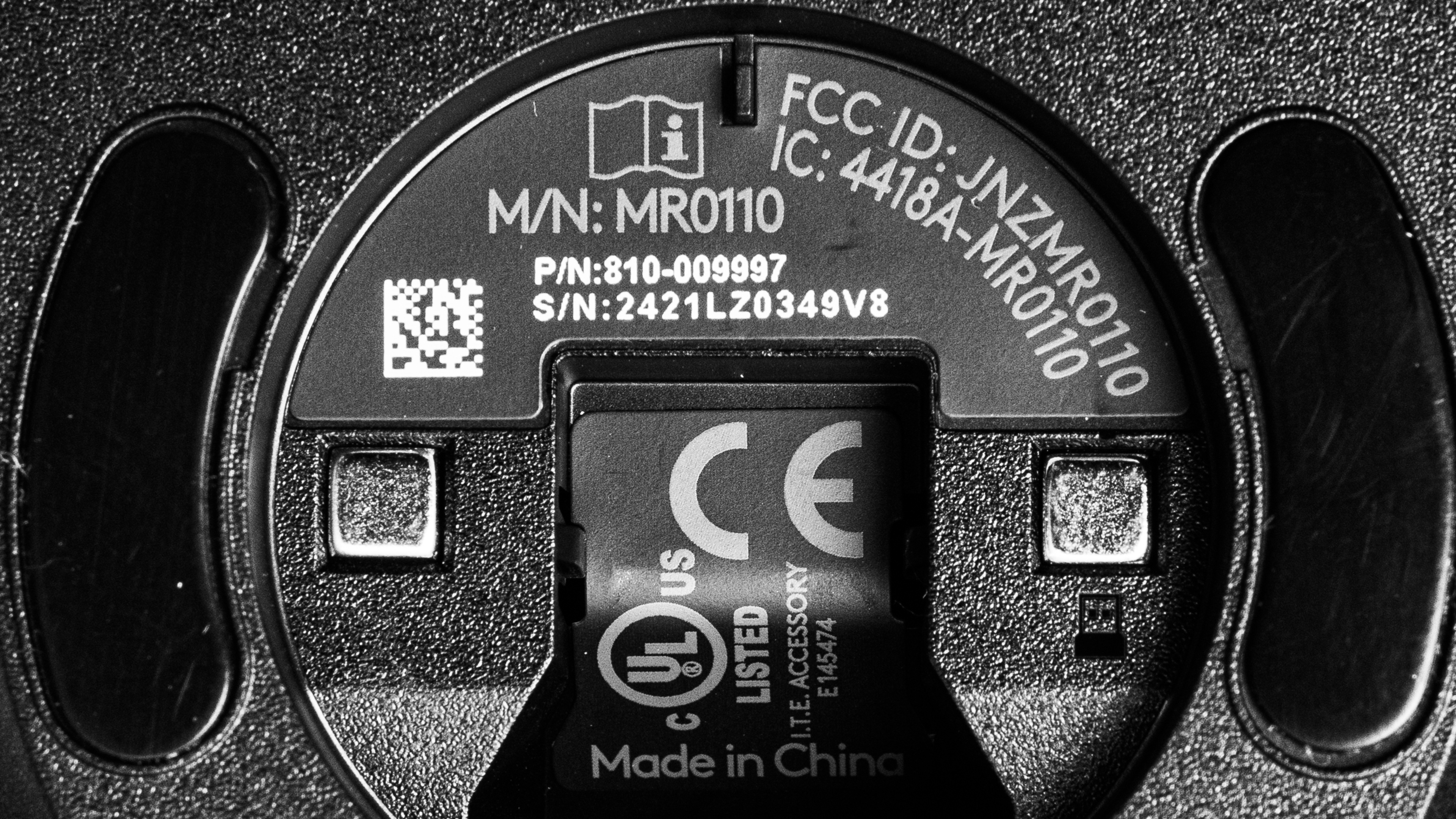
    The Logitech G PRO 2 LIGHTSPEED is available in 'Black,' 'White,' or 'Pink' color options. Note that some online retailers may refer to 'Pink' as 'Magenta,' but they're the same color. We bought the 'Black' model. Here's an image of our unit's label.

    Popular Mouse Comparisons

    The Logitech G PRO 2 LIGHTSPEED shares its shape with both its predecessor, the Logitech G Pro Wireless, and Logitech's flagship model, the Logitech G PRO X SUPERLIGHT 2. While it isn't as lightweight and lacks peak performance features like higher polling rates, it stands out both from the SUPERLIGHT 2 and other wireless gaming mice for its truly ambidextrous design, featuring customizable side buttons on both sides. This design makes it an excellent choice for left-handed users, but it's also a solid option for anyone who prefers a slightly heavier wireless gaming mouse with an ambidextrous shape.

    For more recommendations, see our picks for the best mouse, the best wireless mouse, and the best gaming mouse. For more options from Logitech, see our picks for the best Logitech mouse.

    Logitech G PRO X SUPERLIGHT 2

    The Logitech G PRO X SUPERLIGHT 2 and the Logitech G PRO 2 LIGHTSPEED are wireless gaming mice with the same shape. The G PRO X SUPERLIGHT 2 is Logitech's more premium, flagship model. It's significantly lighter, has better sensor and click latency performance, and supports a higher maximum polling rate. On the other hand, the G PRO 2 LIGHTSPEED has a true ambidextrous design with customizable buttons on both sides. It also has an RGB lighting zone in the palm rest, a feature the SUPERLIGHT 2 lacks.

    Logitech G PRO X SUPERLIGHT

    The Logitech G PRO X SUPERLIGHT and the Logitech G PRO 2 LIGHTSPEED are wireless gaming mice with exactly the same shape. The SUPERLIGHT is lighter and offers better gaming performance, but the LIGHTSPEED has customizable side buttons on both sides and an RGB zone. It also uses newer optical switches which offer better durability and aren't prone to developing double-clicking issues. Lastly, it recharges with a USB-C cable while the SUPERLIGHT uses an older micro USB cable.

    Razer Viper V3 Pro

    Both the Razer Viper V3 Pro and the Logitech G PRO 2 LIGHTSPEED are wireless gaming mice with symmetrical shapes. The Razer is significantly lighter, offers better raw performance, and supports a higher maximum polling rate. Comparatively, the G PRO 2 LIGHTSPEED has a true ambidextrous design with customizable side buttons on both sides. It also has an RGB lighting, which the Razer lacks.

    Logitech G Pro Wireless

    The Logitech G Pro Wireless is an earlier version of the Logitech G PRO 2 LIGHTSPEED. They both share the same shape and true ambidextrous design with customizable side buttons on both sides. New features on the G PRO 2 LIGHTSPEED include an updated sensor and optical switches, which aren't prone to developing double-clicking issues. It also uses a USB-C cable for charging while the older G Pro Wireless model uses a micro USB cable.

    Logitech G305 LIGHTSPEED

    The Logitech G305 LIGHTSPEED and the Logitech G PRO 2 LIGHTSPEED are both wireless gaming mice with symmetrical shapes. The G305 has more of an egg-like shape and only has side buttons on the left side. It also uses replaceable batteries. On the other hand, the G PRO 2 LIGHTSPEED has a true ambidextrous design with customizable side buttons on both sides. It's lighter and uses an internal battery with a USB-C cable for charging. It also uses optical switches, which aren't prone to developing double-clicking issues with extended use, and it has an RGB lighting zone, which the G305 lacks.

    Test Results
    perceptual testing image
    Sort:
    RATINGS
    Category:
    All
    Design
    Style
    Type
    Standard
    Coating
    Matte
    Lighting ColorRGB

    This mouse has a minimal style and a smooth matte plastic coating. We bought the Black version of this mouse, but it's also available in White or Pink. There's also a single RGB lighting zone in the Logitech logo on the palm area.

    Shape
    Length4.9" (126 mm)
    Width2.5" (63 mm)
    Height1.6" (40 mm)
    Grip Width
    60 mm
    Ambidextrous
    True Ambidextrous
    Left-Handed Friendly
    Yes
    Finger Rest
    No

    Note that there are small white flecks visible in the 3D scan from a powdered aerosol spray we used as the scanner had issues representing the textures of the plastic finish. The accuracy of the scan dimensions are unaffected.
     

    8.0
    Build Quality

    This mouse has impressive overall build quality. The body feels sturdy and is made of smooth matte plastic. It has a pleasant finish that isn't slippery, but it is fairly easy to mark and scratch. That said, there aren't any creaking sounds when you squeeze the mouse or any loose or rattling parts if you shake it.

    That said, there's some very minor unevenness in the size of the gaps in the seams where the top of the shell meets the bottom plate. However, this is a tiny visual element that doesn't affect usability, and you can't feel these slight gaps when holding the mouse in your hand.

    This mouse also has a pair of customizable side buttons on both sides. These buttons are held securely in place with magnets. There's also an included set of blank plastic covers that you can install to disable these buttons. That said, with these covers installed, it's still possible to activate the switches underneath if you press forcefully, but there's little risk of this issue when using your mouse normally as it takes a deliberate effort.

    7.8
    Weight
    Lowest Weight
    76.0 g
    Default Weight
    77.5 g
    Weight Distribution
    Centered
    Extra Weights
    No

    The lowest weight measurement is achieved by removing the plastic puck that comes pre-installed on the mouse.

    Hand Size Recommendation
    Palm Grip Hand Recommendation
    Claw Grip Hand Recommendation
    Fingertip Grip Hand Recommendation

    The shape of the Logitech G PRO 2 LIGHTSPEED is identical to its predecessor, the Logitech G Pro Wireless, as well as Logitech's more premium flagship gaming mouse, the Logitech G PRO X SUPERLIGHT 2.

    It has a comfortable, medium-sized, symmetrical shape well-suited for most hand sizes that easily accommodates all grip types.

    This mouse also has a true ambidextrous design well-suited for right- or left-handed users with customizable side buttons on either side, held in with magnets.

    7.2
    Wireless Versatility
    Maximum Of Paired Devices
    1
    Bluetooth
    No
    Receiver
    Yes
    Battery Type
    Rechargeable
    Use When Charging
    Yes
    On/Off Activation
    Auto Off And On/Off Switch
    Receiver Extender
    Yes
    Receiver Storing
    Yes
    Battery IndicatorYes

    This mouse has a maximum advertised battery life of up to 95 hours of constant motion with RGB lighting off and up to 60 hours with default lighting on.

    Using the 'optical only' setting in the software for the LIGHTFORCE switches will consume battery at a slightly faster rate.

    This mouse is also compatible with Logitech's G PowerPlay wireless charging mousepad, sold separately.

    Cable
    ConnectivityWireless
    Cable Length
    6.2 ft (1.9 m)
    Cable Type
    Rubber
    Permanent Kink
    No
    Port Type: Mouse End
    USB-C
    Port Type: PC End
    USB-A

    This mouse comes with a rubber USB-A to USB-C cable. It's decently flexible and doesn't have any kinks from its packaging. However, like other rubber cables, it's prone to drag a bit on tables and can get caught on itself, especially compared to higher-quality paracord-like cables.

    7.5
    Mouse Feet
    Gliding Experience
    Ok
    Material
    PTFE
    Extra Included
    No

    This mouse features dyed black PTFE feet that glide reasonably well on both hard and soft mousepads and directly on desks. However, they generate noticeably more friction compared to the higher-quality virgin-grade PTFE feet found on most other gaming mice in this price range.

    In The Box

    • USB-A LIGHTSPEED wireless receiver
    • Receiver extender
    • USB-A to USB-C cable
    • 2x side buttons (two additional side buttons, not pictured come pre-installed on the mouse)
    • 2x side button covers (two additional button covers, not pictured come pre-installed on the mouse)
    • User documentation
    Control
    Main Button
    See details on graph tool
    See details on graph tool
    Switch Type
    Optical
    Switch Model
    LIGHTFORCE

    This mouse uses what Logitech calls their LIGHTFORCE optical-mechanical switches (sometimes referred to by their model name, Omron D2FP-FH1).

    In the configuration software, you can toggle these switches between an 'optical only' mode and a 'hybrid' mode. The switches feel the same in both modes, but the hybrid mode consumes less battery at the cost of latency performance.

    7.9
    Additional Buttons
    Total Number Of Buttons
    8
    Number Of Side Buttons
    4
    Number Of Programmable Inputs
    15
    Profile Switching Button
    Yes
    Gesture Support
    No

    You can reprogram all of the buttons on the Logitech PRO 2 LIGHTSPEED mouse, including the left- and right-click buttons and the button on the underside that toggles between CPI settings by default. You can also assign what Logitech calls a 'G-Shift' button that allows you to toggle to a secondary layer of programmable controls.

    This mouse comes with buttons installed on the left side of the mouse out of the box. You can also install two side buttons on the right side of the mouse, which is especially helpful if you're a left-handed user.

    The box includes a full set of four plastic pieces that you can insert into the side button sockets which sit flush with the body to disable the buttons.

    9.2
    Click Latency
    See details on graph tool
    Expected Connection
    3.4 ms
    Wired
    1.5 ms
    Receiver
    3.4 ms
    Bluetooth
    N/A

    The Logitech G PRO 2 LIGHTSPEED delivers remarkably low click latency. It's well-suited for playing casual or competitive games in any genre.

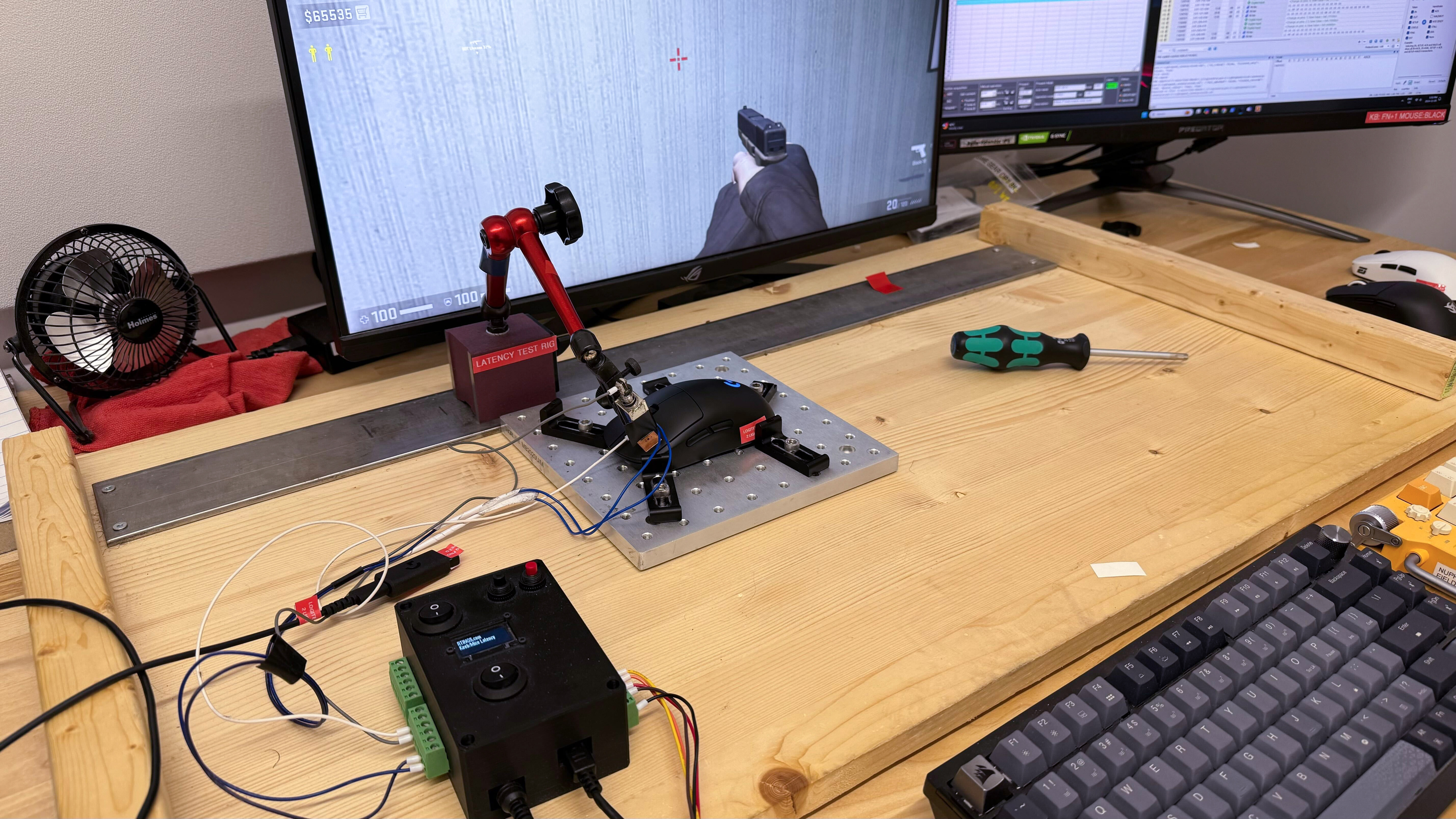
    We conducted this test with the maximum wireless polling rate of 1000Hz, with 'optical only' switch settings and Surface Calibration set to off.

    9.2
    CPI
    See details on graph tool
    SRAV @ 1600 CPI
    0.10%
    SRAV @ 800 CPI
    0.17%
    SRAV @ 400 CPI
    -0.75%
    SRAV @ Fixed CPI
    N/A
    Precision Error Between Speeds
    0.34%
    Precision Error Between CPI
    0.57%
    Worst Tracking Error
    -6.50%
    Minimum CPI
    100 CPI
    Maximum CPI
    44,000 CPI
    CPI Adjustment Steps
    1 CPI

    This mouse delivers very accurate and consistent tracking during mouse movements based on your chosen CPI setting.

    The above test results are achieved using the mouse's maximum polling rate of 1000Hz.

    8.7
    Sensor Latency
    See details on graph tool
    Delay To Start Of Movement
    12.9 ms
    Delay At Half Movement
    4.7 ms
    Delay To End Of Movement
    6.5 ms

    The Logitech G PRO 2 LIGHTSPEED has excellent sensor latency. The sensor reacts very quickly to your inputs without any noticeable delay.

    This test was conducted at the maximum wireless polling rate of 1000Hz.

    Sensor Specifications
    Sensor Technology
    Optical (LED)
    Sensor Model
    HERO 2
    Works On Glass
    No
    Minimum Lift Off Distance
    1.2 mm
    Maximum Polling Rate
    1000 Hz

    This mouse's polling rate options are 125Hz, 250Hz, 500Hz, and 1000Hz.

    Note that the software does display additional options for wireless polling rates higher than 1000Hz, but they're greyed out and can't be selected. Logitech may increase the maximum wireless polling rate with a future firmware update, but they haven't made any announcements yet.

    Mouse Wheel
    Scroll Wheel Type
    Notched Wheel
    Scroll Wheel Tilt
    No
    Thumb Wheel Type
    No

    The scroll wheel is made of plastic and has a rubberized strip with small ridges for added grip. Scrolling feels smooth and precise, and the middle click button is relatively quiet.

    Noise
    Click Noise
    Loud

    The left- and right-click buttons are on the louder side and may irritate those around you in noise-sensitive environments.

    The scroll wheel, middle button click, and the side buttons on both sides of the mouse are quieter.

    Operating System And Software
    Configuration Software
    Software NameLogitech G HUB
    Software Windows Compatibility
    Yes
    Software macOS Compatibility
    Yes
    On-Board Memory
    Yes
    CPI (DPI) Adjustment
    Yes
    Polling Rate Adjustment
    Yes
    Profile Configuration
    Yes
    Profile Auto-Switching
    Yes
    RGB On/Off
    Yes

    The software has a clear layout and is fairly intuitive. It allows you to customize expected settings including CPI, polling rate, button assignments, and custom macros. You can also perform a surface calibration and adjust the RGB lighting.

    Additionally, you can toggle the left- and right-click switches between a default 'optical only' mode, which provides the best performance for gaming, and a power-saving 'hybrid' setting.

    Like similar software options from other major manufacturers, Logitech's G HUB software is a source of frequent criticism from the broader community. While we didn't experience any issues during the testing of this mouse, many users online identify this software as requiring frequent updates and taking up disproportionate system resources, among other complaints. This software may be frustrating if you prefer more lightweight software options or no software at all.

    10
    Mouse Compatibility
    Windows CompatibilityFully
    macOS CompatibilityFully