
The SteelSeries Aerox 5 Wireless is a lightweight, multi-genre gaming mouse, and a wireless version of the SteelSeries Aerox 5. It has a plastic body with diamond-shaped cutouts to reduce its overall weight, a dedicated CPI button behind the scroll wheel, and five side buttons. This mouse has the same sensor and an identical, right-handed shape as the wired version, but you can connect it wirelessly with a USB receiver or via Bluetooth and recharge its internal battery with the included cable.
Our Verdict
The SteelSeries Aerox 5 Wireless is very good for office and multimedia use. Its build quality feels great, and it has lots of buttons you can program using the customization software. It connects wirelessly with its USB receiver or via Bluetooth. Its comfortable, right-handed shape is suitable for all grip types; however, the size and button placement make it better suited for larger hands. Unfortunately, the scroll wheel lacks L/R tilt buttons and a free-scrolling mode.
- Feels well-built.
- Connects wirelessly with a USB reicever or Bluetooth.
- All buttons are programmable using the customization software.
- Isn't suitable for small hands using any grip type.
- Bulky; not designed to fit in laptop bags or cases.
- Scroll wheel lacks L/R tilt buttons and a free-scrolling mode.
The SteelSeries Aerox 5 Wireless is a great mouse for FPS gaming. It's lightweight and the build quality feels very good. Performance-wise, it has a very low lift-off distance and a very wide CPI range, though you can't adjust the CPI as precisely as on many competing mice. Although the click latency is very good, it's slightly higher than many similarly-priced gaming mice.
- Lightweight.
- Feels well-built.
- Very good click latency.
- Isn't suitable for small hands using any grip type.
- Can't adjust CPI settings as precisely as most high-end gaming mice.
- Bulky; not designed to fit in laptop bags or cases.
The SteelSeries Aerox 5 Wireless is a very good MMO gaming mouse, though it doesn't have quite as many side buttons as some dedicated MMO gaming mice. That said, you can reprogram all of the buttons it has using the customization software. The build quality feels very good, and the mouse has a comfortable right-handed shape, though it's best suited for larger hands. Performance-wise, it has very good click latency and a very broad CPI range. Unfortunately, you can't adjust the set CPI as precisely as you can on many other premium gaming mice.
- Feels well-built.
- Very good click latency.
- All buttons are programmable using the customization software.
- Isn't suitable for small hands using any grip type.
- Can't adjust CPI settings as precisely as most high-end gaming mice.
- Bulky; not designed to fit in laptop bags or cases.
- Feels well-built.
- Bulky; not designed to fit in laptop bags or cases.
Changelog
- Updated Aug 19, 2025: We've converted this review to Test Bench 1.5.1. This update removes less relevant or redundant elements, including several videos. We've also adjusted our Sensor Latency testing, resulting in minor score changes. See our full 1.5.1 changelog for details.
- Updated Jan 05, 2024: We've updated the CPI graph displayed in the Sensor Latency section of this review. Our results remain the same, but these graphs have two new columns with results from the Delay At Half Movement and Delay To End Of Movement tests.
- Updated Dec 01, 2023: We've converted this review to Test Bench 1.5. This update adds a new Main Button test group, which provides button actuation data and switch information. We've also made minor changes to how we calculate the Office usage score. For more details, you can see our full changelog here.
- Updated Mar 01, 2023: We've converted this review to Test Bench 1.4. This update modifies our Hand Size Recommendation test, adding a more granular hand size recommendation chart. We've moved several minor tests into different test groups, removed the Travel usage, and added a new Raw Performance usage. For more details, you can see our full changelog here.
Check Price
Differences Between Sizes And Variants
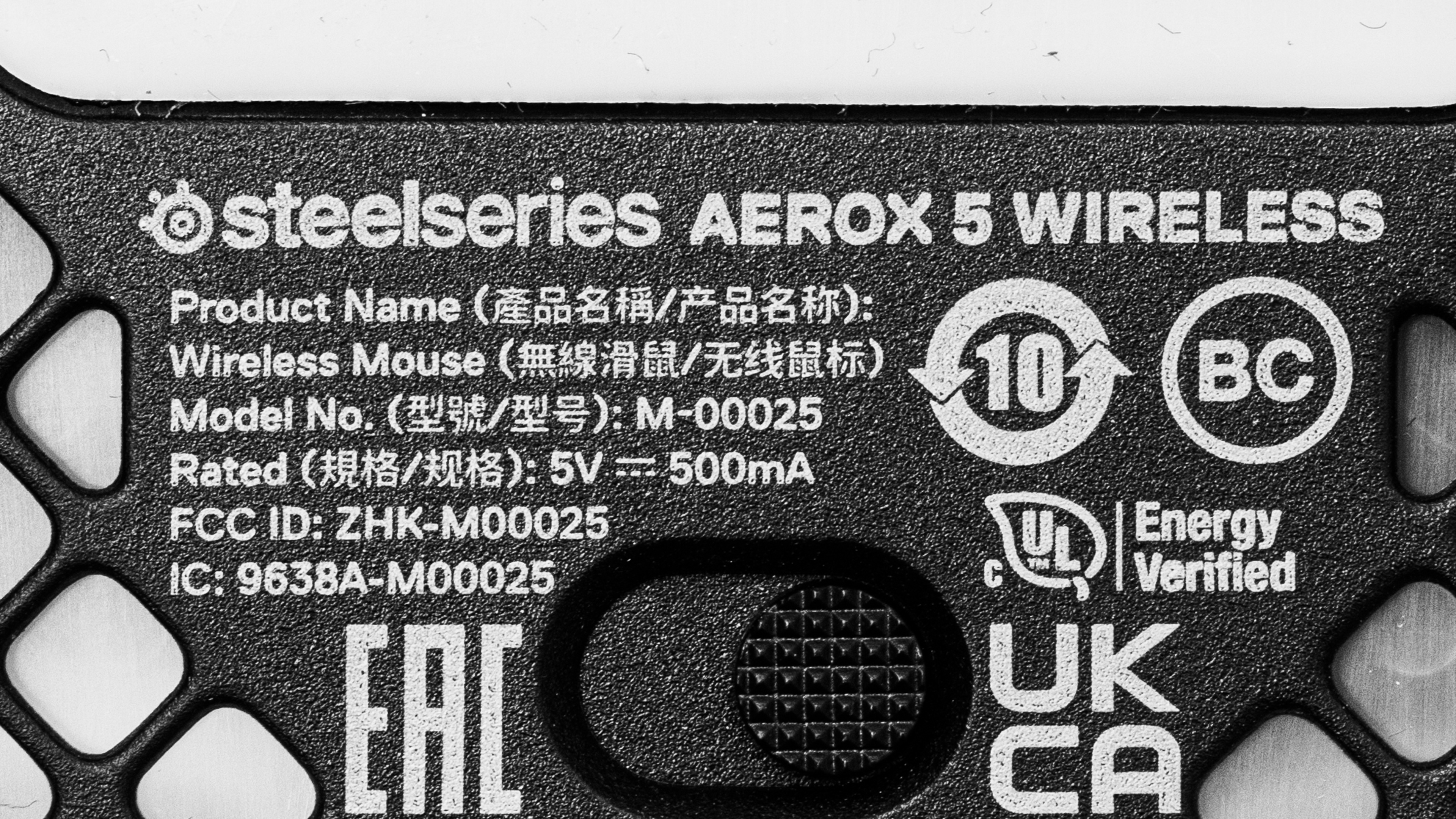
The SteelSeries Aerox 5 Wireless we tested is black. There are no other color variants. You can see the label for our unit here.
Popular Mouse Comparisons
The SteelSeries Aerox 5 Wireless is a lightweight wireless gaming designed for multiple gaming genres. It's the wireless version of the SteelSeries Aerox 5 and shares the same shape as the similar but much heavier SteelSeries Rival 5. Unlike some of the most popular wireless multi-genre mice like the Logitech G502 LIGHTSPEED or the Razer Basilisk Ultimate, this mouse is designed to be as lightweight as possible. Unfortunately, while it has a comparable number of buttons as these other mice, it's missing extra features such as ergonomic thumb or finger rests and a scroll wheel with a free-scrolling mode and L/R tilt inputs. The lack of these features makes this mouse somewhat less suitable for productivity use, but you may decide this is a worthwhile tradeoff if you're interested in this mouse exclusively for gaming.
For other recommendations, see our picks for the best lightweight mice, the best gaming mice, and the best wireless gaming mice.
The Logitech G PRO X SUPERLIGHT and the SteelSeries Aerox 5 Wireless are lightweight, wireless gaming mice. The Logitech is mainly intended for FPS gaming. It's lighter and feels sturdier, and you can adjust the CPI more precisely in a wider range. It also has better click latency. On the other hand, the SteelSeries is designed to handle a range of games. It has four additional programmable buttons and Bluetooth support.
The SteelSeries Aerox 3 Wireless (2022) and the SteelSeries Aerox 5 Wireless are similar wireless gaming mice from the same lineup, but they're designed for different gaming genres. The Aerox 3 Wireless (2022) is somewhat lighter, making it more suitable in its role as an FPS-focused option. On the other hand, the Aerox 5 Wireless has more programmable buttons and is designed to be versatile enough for multiple-gaming genres. It also feels sturdier overall and has marginally lower click latency.
The SteelSeries Aerox 5 Wireless is the wireless version of the SteelSeries Aerox 5. They're the exact same shape and perform very similarly, but they have minor differences in weight and weight distribution as the wireless version has an internal, rechargeable battery.
The Razer Viper Ultimate and the SteelSeries Aerox 5 Wireless are lightweight wireless gaming mice. The Razer has an ambidextrous shape and is designed mainly with FPS games in mind. It has a pair of side buttons on both sides, making it a great choice if you're right- or left-handed. It also has lower click latency and supports Bluetooth. On the other hand, the SteelSeries has a right-handed shape and is designed to be versatile enough for multiple game genres. It only has side buttons on the left side, but it has more programmable buttons overall, so it's a better choice for games with more complex controls like MOBAs and MMOs.
Test Results

for pictures & test results


for pictures & test results








for pictures & test results




for pictures & test results



for videos & test results
