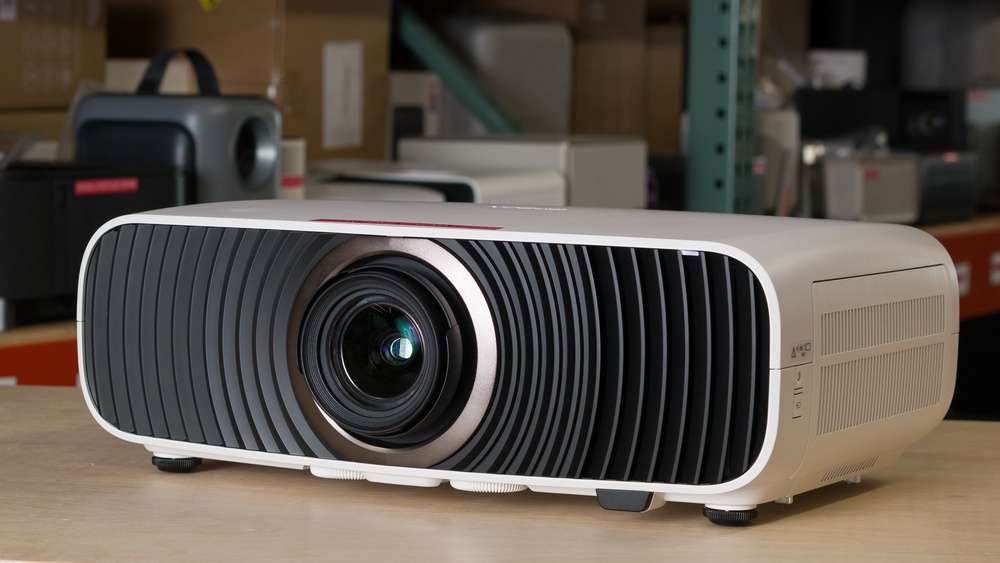
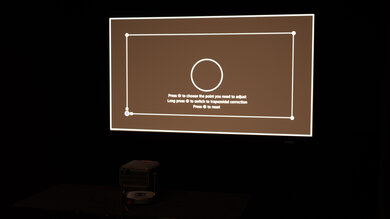
The Epson Home Cinema LS7500 is an LCD projector with a pixel-shifted 4k resolution and a laser light source. It features a 1.3x manual optical zoom, giving you some flexibility when positioning the projector. It also has manual lens shift, allowing you to adjust the image horizontally and vertically without compromising image quality. However, it's relatively light on screen adaptation features, as it only has manual focus and manual keystone correction. With a 1.00–1.31:1 throw ratio, it can project images ranging from 40 to 300 inches, but it doesn't support 3D. It has two HDMI 2.1 ports, including one with eARC for connecting a soundbar or receiver. For gaming, it supports up to 4k @ 120Hz, although it lacks VRR and has high input lag even in Game Mode. It passes through commonly used Dolby audio formats but doesn't support DTS formats. It also doesn't have a built-in smart OS or speakers, so you'll need separate devices for streaming and audio.
Our Verdict
The Epson LS7500 is good for a home theater. Although it doesn't display very deep blacks, it has good contrast that does a decent job of giving the image depth across all scenes. It removes judder from streaming devices that can output a signal matching the frame rate of the content you're watching, like an Apple TV or Blu-ray player, leading to smooth motion in movies and shows. However, it doesn't eliminate judder on devices that output movies and shows at 60Hz, resulting in choppy motion. Colors have excellent accuracy out of the box, but the projector has poor color volume, so colors that should be well-saturated in content that utilizes wider color spaces look muted. Fortunately, this is a bright projector that produces a punchy image in a dark room, and it's entirely free of the rainbow effect, which is good if you're sensitive to it. It also does a very good job of keeping fan noise to a minimum.
Good contrast gives the image depth.
Removes judder from sources with frame rate matching.
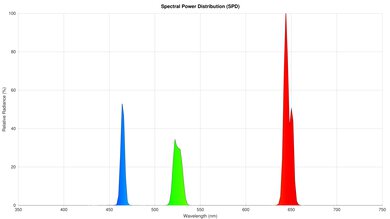
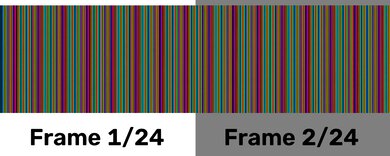
No rainbow effect.
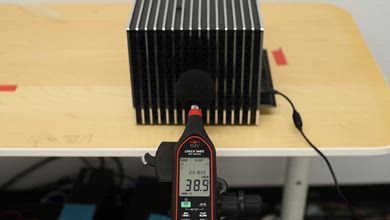
Quiet fan.
Excellent color accuracy out of the box.
Doesn't display a wide range of colors.
No built-in smart OS.
Doesn't remove judder from 60Hz sources.
The Epson LS7500 is okay for outdoor use, mainly due to its excellent brightness. This brightness allows it to withstand glare without looking faded, so you can use it in a shaded area or in the evening before the sun completely goes down. Unfortunately, it's a hassle to bring outside since it's big and heavy. It has a zoom lens and lens shift to help align the image to your screen or wall without physically moving it, but it's limited to manual focus and manual keystone correction, so you can't rely on automatic screen adaptation tools to set it up quickly.
Has a zoom lens and lens shift to help with setup.
Bright enough to withstand glare.
Only has a limited selection of manual screen adaptation tools.
No built-in battery.
No built-in smart OS.
No built-in handle or carrying case.
Too big and heavy to move around frequently.
The Epson LS7500 is inadequate for a bedroom. It's too big and heavy to regularly move between rooms, and it's hard to fit onto a night table next to your bed. Since it lacks automatic screen adaptation tools, you need to take time to set it up and align the image with your screen or wall. It also lacks a gimbal stand, so you can't project an image onto your ceiling. Fortunately, you can adjust the image size and make vertical and horizontal adjustments without moving it. It also has a fairly quiet fan, but you might still hear it if the projector is next to your bed and you're watching content at low volume.
Has a zoom lens and lens shift to help with setup.
Quiet fan.
Only has a limited selection of manual screen adaptation tools.
No built-in smart OS.
Can't project an image onto your ceiling.
Too big and heavy to move around frequently.
The Epson LS7500 is alright for gaming. It's bright enough to use in a room with ambient lighting without the image looking washed out, and it looks very punchy in a dark room. It also has good enough contrast for games to have depth and avoid looking flat, but colors do look a bit muted in many games. Despite supporting 4k @ 120Hz without downscaling the image, its gaming performance is really held back by its very high input lag, which makes gaming feel sluggish. Additionally, its LCD imaging technology causes noticeable motion blur, especially in fast-paced games.
Good contrast gives the image depth.
No rainbow effect.
Supports 4k @ 120Hz.
Doesn't display a wide range of colors.
Has very high input lag and doesn't support VRR.
Visible motion blur.
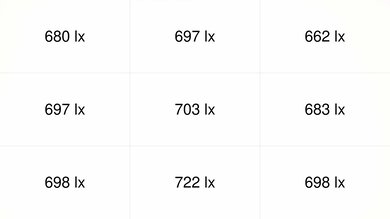
The Epson LS7500 has excellent brightness. The image is very punchy in a dark room, and it can withstand glare in a room with ambient lighting without looking faded. It also has equal light output for colors and whites, so colorful highlights in neon-soaked video games like "Cyberpunk" are just as bright as white highlights in more naturally lit movies and shows.
Bright enough to withstand glare.
Colors are just as bright as whites.
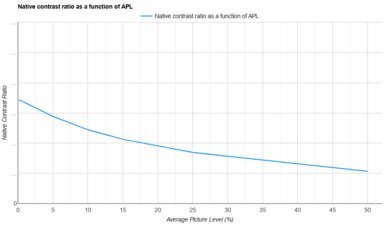
The Epson LS7500 has good contrast overall. It maintains decent contrast across all scenes, so even though blacks never look very deep, the image has enough depth in both dark and bright scenes to avoid looking flat.
Good contrast gives the image depth.
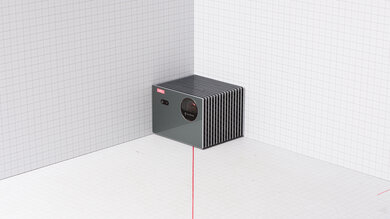
The Epson LS7500 has bad portability. It's a very big and heavy model that lacks a built-in handle or a carrying case, so it's primarily designed to stay in one place. It has a manual zoom lens and lens shift, so you can make adjustments during alignment without moving it, which helps simplify setup. However, since it's very light on digital screen adaptation tools, you can't easily set it up in a pinch in a suboptimal room.
Has a zoom lens and lens shift to help with setup.
Only has a limited selection of manual screen adaptation tools.
No built-in battery.
No built-in smart OS.
No built-in handle or carrying case.
Too big and heavy to move around frequently.
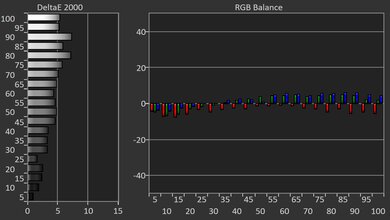
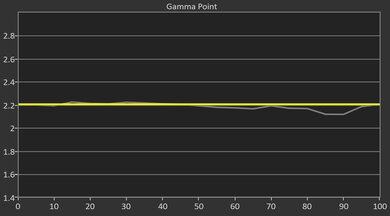
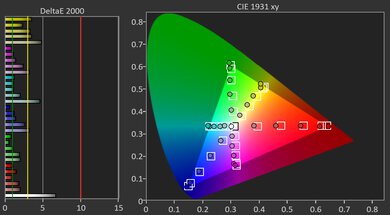
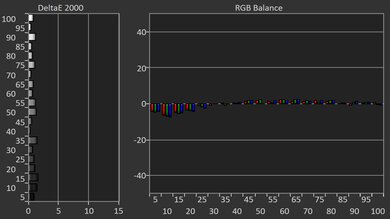
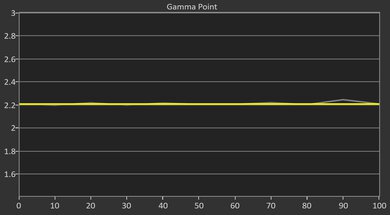
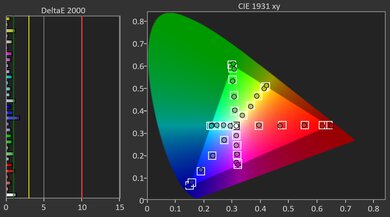
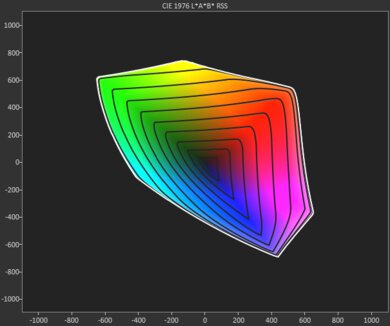
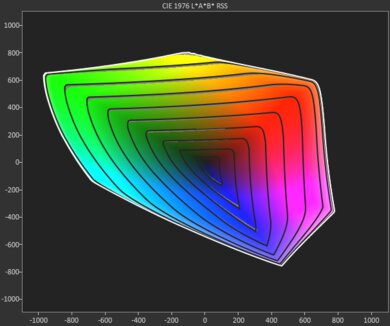
The Epson LS7500 has decent colors overall. It has excellent color accuracy out of the box, so colors in movies, shows, and games mostly look the way they should without requiring calibration. Unfortunately, it has inadequate color volume, so it doesn't display the well-saturated colors offered by content that utilizes wider color spaces, like HDR content.
Excellent color accuracy out of the box.
Doesn't display a wide range of colors.
The Epson LS7500 has poor gaming responsiveness. Even though it supports up to 4k @ 120Hz without downscaling the image, it has poor input lag, even at higher refresh rates. This makes it a very poor choice for competitive gaming, and even single-player titles feel pretty sluggish. It also utilizes LCD imaging technology, which leads to visible motion blur, especially in fast-paced titles.
Supports 4k @ 120Hz.
Has very high input lag and doesn't support VRR.
Visible motion blur.
Performance Usages
Check Price
Differences Between Sizes And Variants
The Epson Home Cinema LS7500 doesn't have any variants and is only available in white. There are also the Epson Home Cinema LS5000 and the Epson Home Cinema LS6000, which are part of the same lineup, but both are lower-end models, and the results in this review aren't valid for them. The main advertised differences between the three models are highlighted in the table below.
| Projector | Advertised Brightness | Advertised Dynamic Contrast | Throw Ratio | Optical Zoom |
|---|---|---|---|---|
| Epson Home Cinema LS5000 | 2,500 ISO lumens | 800,000:1 | 1.32–2.15:1 | 1.62x |
| Epson Home Cinema LS6000 | 3,400 ISO lumens | 800,000:1 | 1.32–2.15:1 | 1.62x |
| Epson Home Cinema LS7500 | 3,500 ISO lumens | 1,000,000:1 | 1.0–1.3:1 | 1.3x |
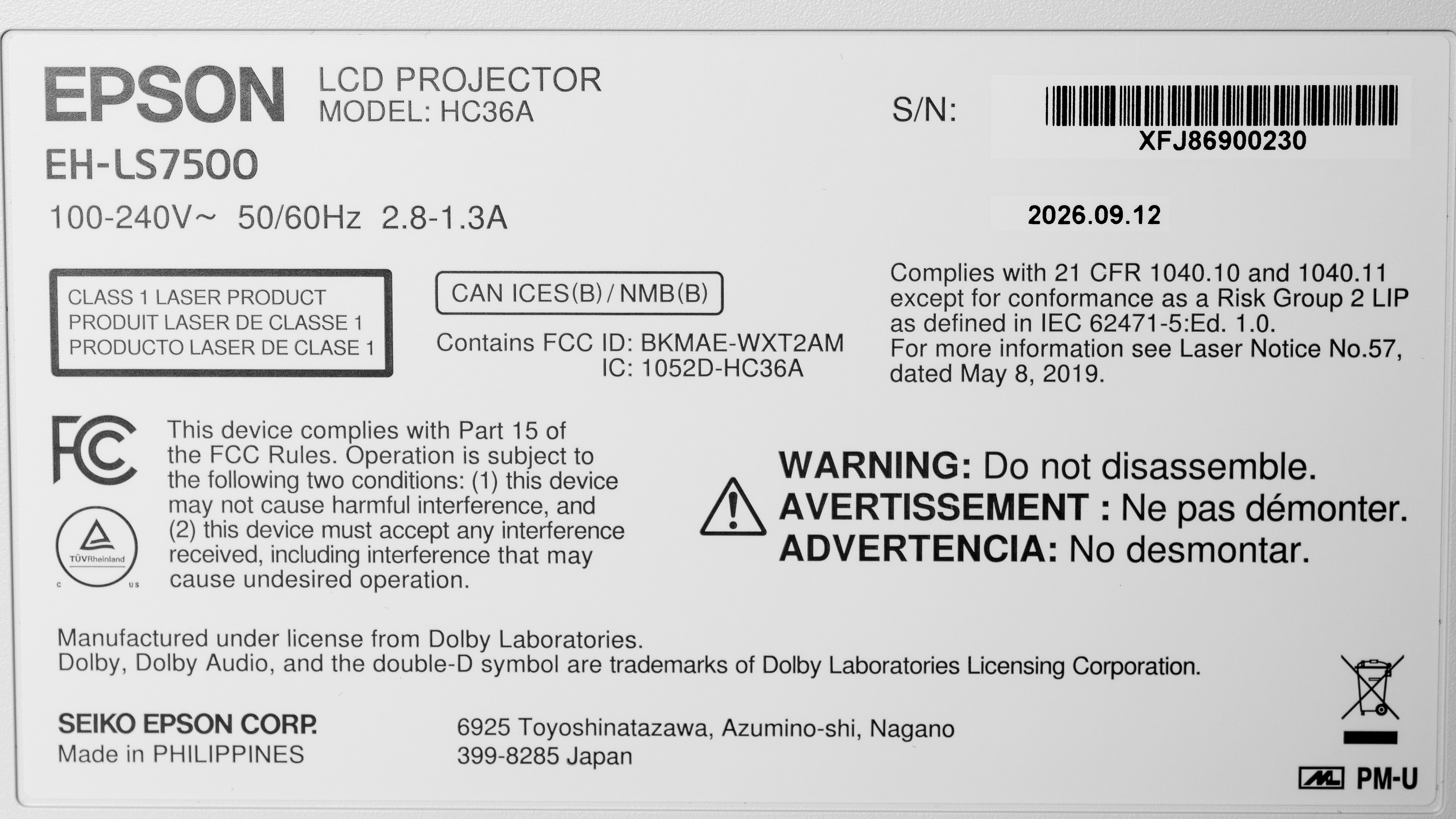
Our unit was made in the Philippines in September 2026.
Popular Projector Comparisons
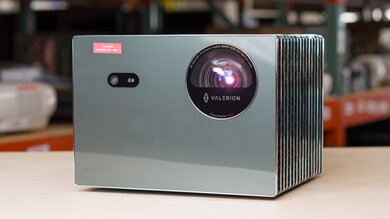
The Epson Home Cinema LS7500 isn't a bad projector by any means, but it's hard to recommend unless you're very sensitive to the rainbow effect that most DLP projectors have. Most people are better off getting similarly priced projectors like the JMGO IRIS Ultra, XGIMI HORIZON 20 Max, or the Valerion VisionMaster Max, as all of those models offer superior image quality and gaming performance while also doing a solid job of keeping the rainbow effect to a minimum. You can even get the XGIMI TITAN Noir, which is one of the best projectors on the market, for around the same cost as the LS7500 when it's on sale. Unfortunately, the Epson LS7500 just underperforms against other projectors in its price range.
If you're looking for a projector for a dark room, check out our recommendations for the best home theater projectors. Is gaming performance your top priority? If so, take a look at our picks for the best gaming projectors. You can also check out the best 4k projectors to see our top recommendations at different price points.
The XGIMI HORIZON 20 Max is better than the Epson Home Cinema LS7500. The XGIMI is brighter, has better contrast, and displays a much wider range of vibrant colors, so it provides much better image quality. The XGIMI's motorized zoom lens, better lens shift, and wider range of screen adaptation tools also make it easier to set up. Although the Epson supports 4k @ 120Hz without downscaling the image, gaming also feels more responsive on the XGIMI due to its lower input lag, and it supports VRR to reduce screen tearing. The XGIMI has some minor rainbow effect, but the Epson doesn't have any at all, so it's better if you're very sensitive to it.
The Valerion VisionMaster Max is better than the Epson Home Cinema LS7500. The Valerion's better colors and contrast lead to a more vibrant image with more depth. The Valerion also has a built-in smart OS, supports 3D and more HDR formats, and passes through more audio formats, making it more versatile. It's also easier to set up thanks to its much wider range of screen adaptation tools. Although the Epson supports 4k @ 120Hz without downscaling the image, it has very high input lag, so gaming feels better on the Valerion. The Valerion does an outstanding job of reducing the rainbow effect, but the Epson doesn't have any at all, so the latter is a bit better for those who are extra sensitive to it.
The XGIMI TITAN Noir is significantly better than the Epson Home Cinema LS7500. The only reason to choose the Epson is if you're incredibly sensitive to the rainbow effect. The XGIMI does an excellent job of keeping the rainbow effect to a bare minimum, but the Epson has none at all. However, the XGIMI has superior image quality, removes judder from more sources, and is easier to set up. The XGIMI also supports 3D, passes through more audio formats, and even has a quieter fan, so it's more well-rounded. The Epson supports 4k @ 120Hz without downscaling the image, but most gamers will prefer the XGIMI's lower input lag and VRR support.
The JMGO IRIS Ultra is better than the Epson Home Cinema LS7500. The JMGO has superior contrast, leading to deeper blacks and an image with more depth. It's also more accurate out of the box, and its colors are significantly more vibrant. On top of that, the JMGO has a built-in smart OS, supports 3D, and is easier to set up thanks to its wider selection of screen adaptation tools. Both models support 4k @ 120Hz, but the JMGO's support for VRR and much lower input lag make it the easy choice for gamers. On the other hand, the Epson is brighter, so it's a better choice for rooms with ambient lighting. The Epson also doesn't produce any rainbow effect, which is important if you're very sensitive to it.
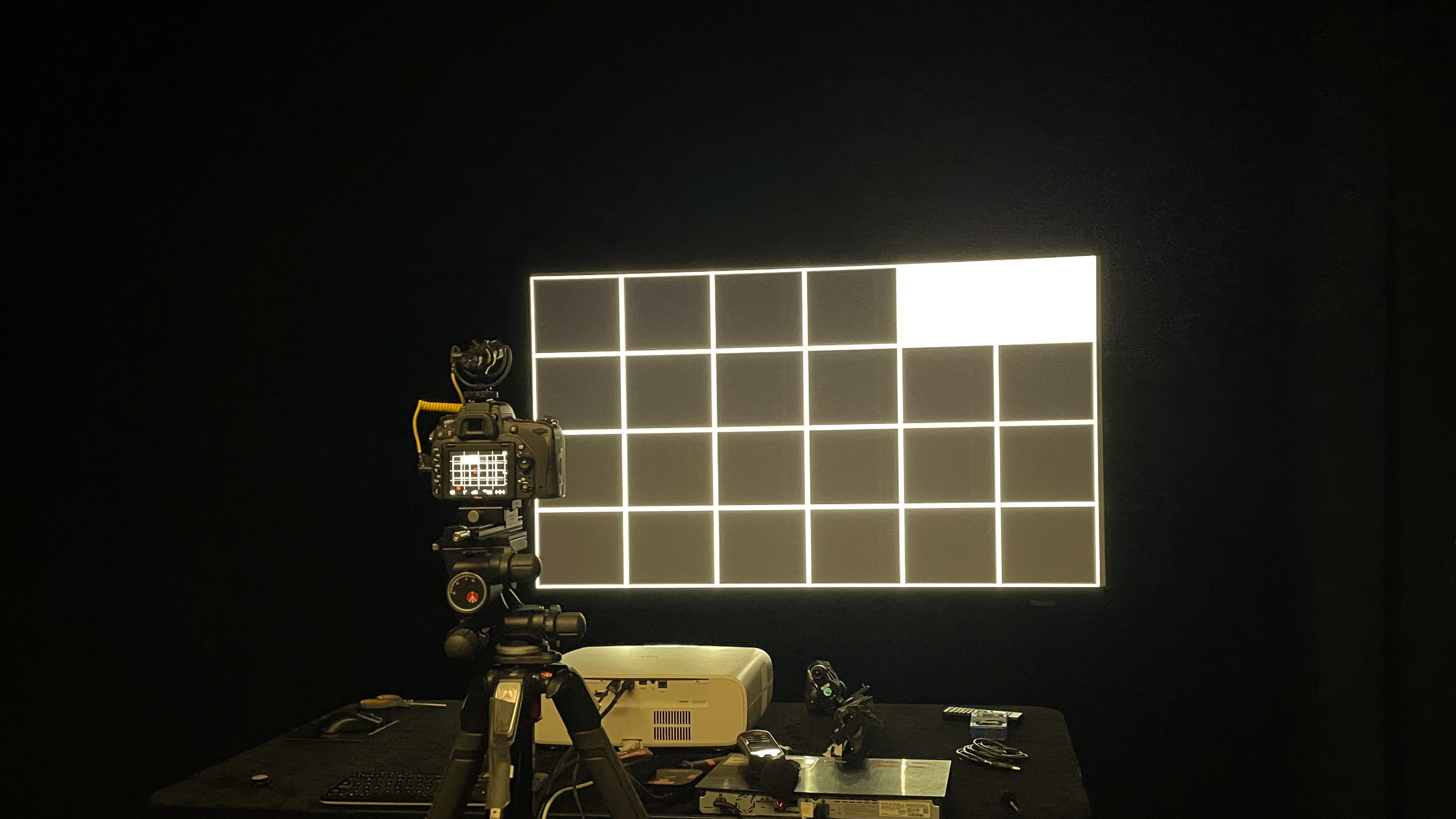
We've independently bought and tested over 100 projectors and published detailed results for each, so you can decide which one to buy. These have all been tested under the same standardized methodology, allowing you to compare them side by side. We still have all these projectors in our lab, so we can continually go back and compare them to ensure our reviews are still accurate. All our test methodologies are also public on our website, so you can validate the results yourself.
Throw Calculator
Global Controls
Test Results
for pictures & test results
for pictures & test results



for pictures & test results