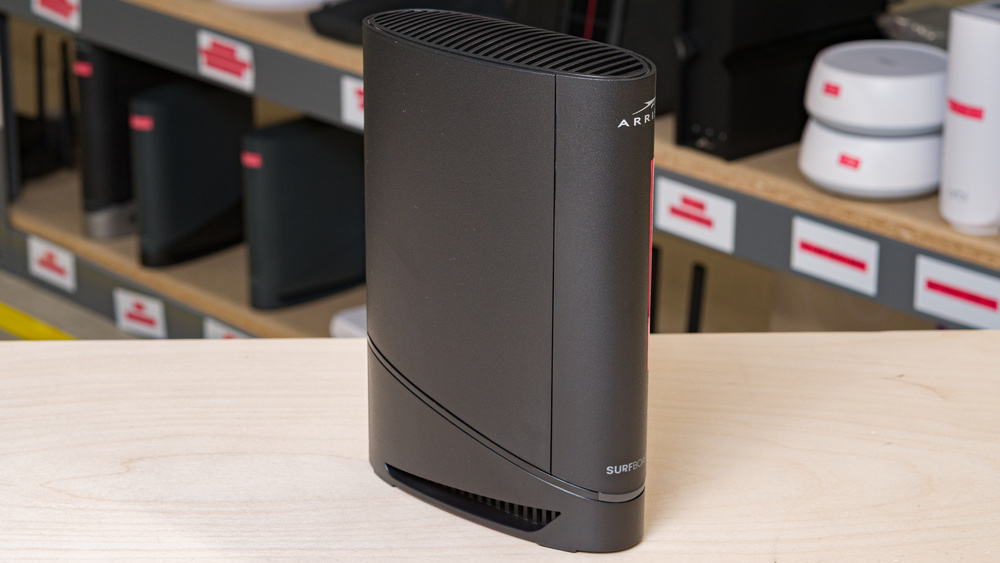
The ARRIS SURFboard G20 is a two-in-one DOCSIS 3.1 cable modem and dual-band Wi-Fi 6 router with 2.4GHz and 5GHz bands. It has a slim, upright black chassis with ventilation along the top and bottom, plus a small LED status light near its base. Around back, the G20 sports one 10Gbps coaxial cable connection, along with two 1Gbps Ethernet ports. You can configure the gateway through its web interface or via the SURFboard Central app.
Note: We only test the Wi-Fi capabilities of this unit and don't evaluate its performance as a DOCSIS 3.1 modem.
Our Verdict
The ARRIS G20 is a very good option for an apartment or condo. It delivers great peak speeds for everyday use and has very good range to cover most single-story homes. Its slim, upright design and built-in DOCSIS 3.1 modem help you save on space while cutting down on cable clutter, but it doesn't have a 6GHz band for newer Wi-Fi 6E or Wi-Fi 7 devices. Its two 1Gbps ports are also limiting if you need faster speeds or room for more than two Ethernet connections.
Impressive peak speeds.
Built-in DOCSIS 3.1 cable modem.
Wi-Fi 6 doesn't take full advantage of new Wi-Fi 6E or 7 devices.
Only two LAN ports, both limited to 1Gbps.
Lacks support for mesh expandability.
The ARRIS G20 is very good for multi-level homes. It has good range and maintains impressive 5GHz speeds at longer distances, making it suitable for browsing, streaming, and video conferencing across larger floor plans. Its built-in modem is convenient and cost-effective for cable internet users, but its utility as a router is limited, with no multi-gig Ethernet options or mesh support for expandable range.
Impressive peak speeds.
Very good range.
Built-in DOCSIS 3.1 cable modem.
Wi-Fi 6 doesn't take full advantage of new Wi-Fi 6E or 7 devices.
Only two LAN ports, both limited to 1Gbps.
Lacks support for mesh expandability.
The ARRIS G20 is decent for gaming over Wi-Fi. Its top speeds are fast enough to handle large downloads and game updates quickly, and its range is good for a standalone gateway. Its median latency and jitter are low enough for everyday online play, though, like always, competitive multiplayer games are better played over a wired connection to one of the G20's Ethernet ports.
Impressive peak speeds.
Decent latency for everyday use and casual gaming.
Unsuitable for competitive gaming over Wi-Fi.
The ARRIS G20 maintains impressive top speeds suitable for internet connection speeds up to ~800Mbps. While its Dynamic Frequency Selection (DFS) support helps the G20 manage congestion in busy environments, newer Wi-Fi 6E and Wi-Fi 7 devices don't have a third 6GHz band to take advantage of.
Impressive peak speeds.
Wi-Fi 6 doesn't take full advantage of new Wi-Fi 6E or 7 devices.
The ARRIS G20 has good long-range performance that's suitable for most living spaces. As a standalone device with no mesh compatibility, it's best suited to smaller spaces where a single router can provide enough coverage.
Very good range.
Lacks support for mesh expandability.
The ARRIS G20's latency levels are decent for everyday tasks over Wi-Fi, with low jitter that makes it suitable for browsing, video calls, and casual online games. While it has one of the better latency scores we've seen from a Wi-Fi router so far, we still recommend using a wired connection if you need the most consistent and stable performance.
Decent latency for everyday use and casual gaming.
Unsuitable for competitive gaming over Wi-Fi.
Changelog
- Updated Jun 22, 2026: We've updated this review to Test Bench 0.9.1! This is a minor change that makes the router type easier to see at the top of each review. Read the changelog for more info.
- Updated Jun 10, 2026: Review published.
- Updated May 29, 2026: Early access published.
- Updated May 10, 2026: Our testers have started testing this product.
Check Price
Differences Between Sizes And Variants
We bought and tested the ARRIS G20, a Wi-Fi 6 cable modem/router combo from the company's SURFboard lineup. We've also tested the ARRIS SURFboard G18, the ARRIS SURFboard G34, the ARRIS SURFboard G36, and the ARRIS SURFboard G54.
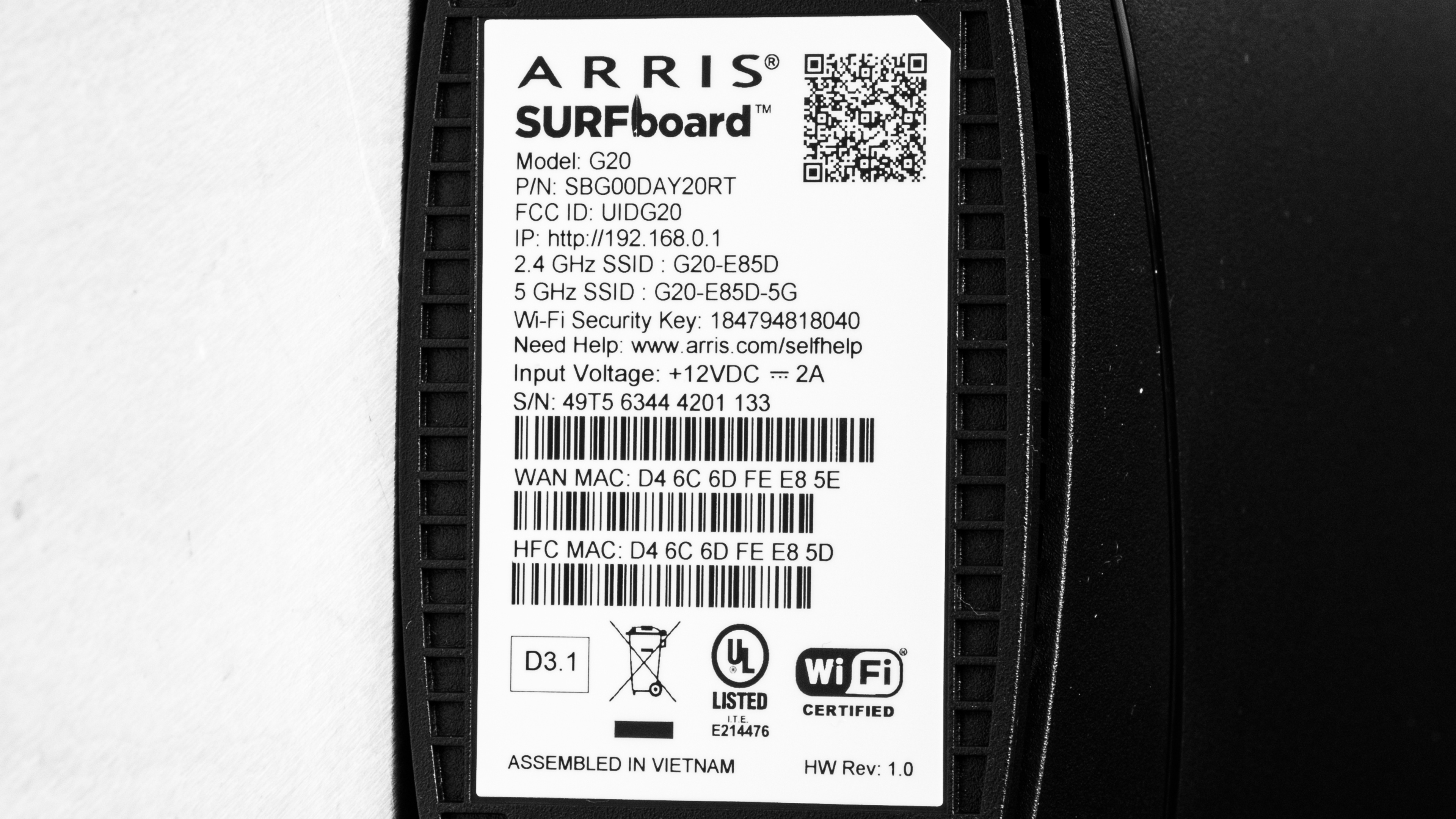
See a photo of our unit's label.
Popular Router Comparisons
The ARRIS SURFboard G20 is a dual-band router and DOCSIS 3.1 modem for cable internet users looking to simplify their home network. It sits above the ARRIS SURFboard G18 with stronger wireless speeds, better range, and slightly lower latency, but it retains the same basic configuration of two 1Gbps Ethernet ports. The ARRIS SURFboard G36 is a solid alternative if you need additional LAN ports or a faster 2.5Gbps wireless throughput, while the ARRIS SURFboard G54 remains the company's flagship combo device with Wi-Fi 7 technology, a quad-band array, and a 10Gbps WAN port for high-speed internet plans.
The G20 performs better than some mid-range standalone options like the TP-Link Archer AX55 and NETGEAR Nighthawk RS90, while offering additional utility and savings as a cable modem. With that said, multi-story layouts and newer devices might find more value in expandable mesh options like the eero Pro 6, or a Wi-Fi 7 router with 6GHz support like the TP-Link Archer BE550.
For more recommendations, check out our guides to the best routers for Spectrum, the best routers for streaming, and the best Wi-Fi 6 routers.
The ARRIS SURFboard G20 sits alongside the ARRIS SURFboard G18 in ARRIS' lineup of DOCSIS 3.1 modem/router combos, with the same compact design, Wi-Fi 6 standard, and limited two-port gigabit wired connectivity. Despite an identical appearance, the G20 offers modest improvements across the board with faster top speeds, a wider range, and lower latency. While the G20 has the edge overall, its advantages over the G18 are fairly incremental. It's also worth noting that neither model supports mesh expansion.
The ARRIS SURFboard G54 is a more powerful cable modem/router combo than the ARRIS SURFboard G20, although each has its strengths. The former employs a quad-band Wi-Fi 7 design with a 6GHz band, delivers much faster top speeds, and has a more capable wired setup with a 10Gbps WAN port and four additional 1Gbps LAN ports. The latter is a simpler yet serviceable dual-band Wi-Fi 6 model with a 1Gbps WAN port and just two additional Ethernet ports, but it fares much better at long distances and maintains slightly lower latency. Its smaller footprint also makes it easier to work with if you're tight on space.
The ARRIS SURFboard G20 and ARRIS SURFboard G36 are both DOCSIS 3.1 cable modem and Wi-Fi router combos, but the G20 has an edge in wireless performance. It posts stronger range, faster top speeds, and lower latency, making it the better choice in terms of Wi-Fi connectivity. The G36 offers higher theoretical bandwidth thanks to its upgraded 2.5Gbps WAN port, and it sports five LAN ports (one of which is 2.5Gbps) while the G20 is limited to two. While the G20 is technically smaller, both SURFboards are slim and fit comfortably into tighter spaces.
The TP-Link Archer BE700 is a more capable standalone router than the ARRIS SURFboard G20. The TP-Link boasts Wi-Fi 7 technology, a 6GHz band, higher peak speeds, a 10Gbps WAN port, and a wider selection of Ethernet ports for stronger wired utility. The ARRIS is a DOCSIS 3.1 cable modem/router combo, so it makes more sense if you're looking for a single device to power your cable internet setup. The G20 also offers slightly lower latency and a slimmer design, but its gigabit-limited ports and lack of 6GHz support make it a weaker router than the TP-Link.
Test Results
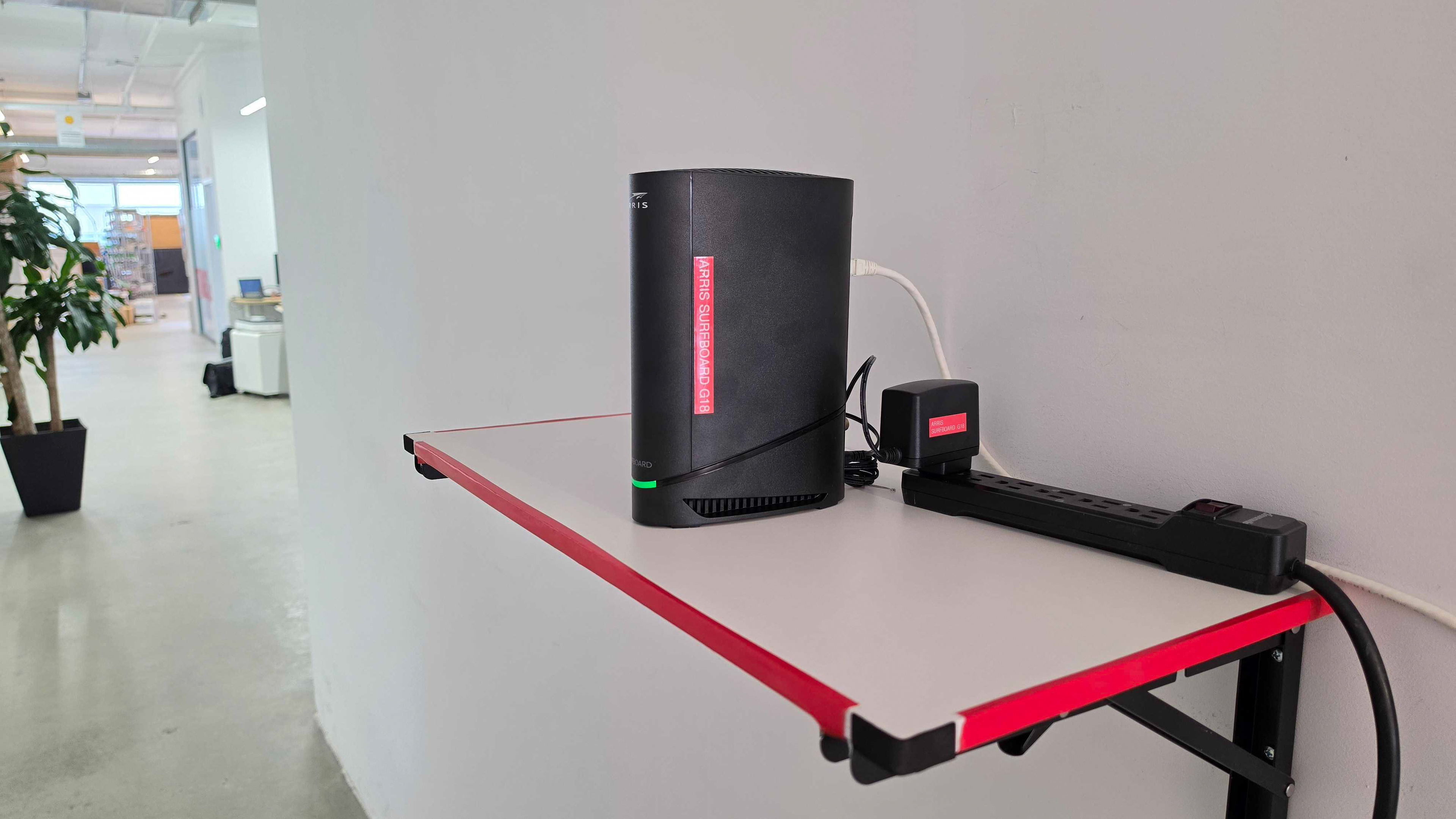

for pictures & test results

While the G20's coaxial port supports speeds up to 10Gbps, we tested its performance as a router by configuring one of its 1Gbps Ethernet ports as the WAN port.


for pictures & test results

for pictures & test results

for pictures & test results

While the G20 has one of the better latency scores we've seen from a Wi-Fi router so far, it's still only decent; we recommend using a wired connection if you need the most consistent and stable performance for latency-sensitive games or applications.