The NETGEAR Nighthawk RAX50, also known as the NETGEAR Nighthawk AX6 or AX5400, is a dual-band Wi-Fi 6 router with 2.4GHz and 5GHz bands. It supports 160MHz-wide channels on its 5GHz band for faster connections with compatible devices. It features four 1 Gbps LAN ports and a USB 3.0 port for local file sharing. You can set it up and change settings using the Nighthawk mobile app.
Our Verdict
The NETGEAR AX5400 is a good router if you live in an apartment, condo, or single-story home. It delivers speeds suitable for quickly downloading large files or for multiple users streaming 4k content across a single floor. Its support for additional DFS (Dynamic Frequency Selection) channels may also help reduce interference in apartment buildings with many nearby networks. It's an average-sized router and has screw head slots on the bottom so you can mount it to a wall or the ceiling. It has a USB 3.0 port for local file sharing.
- Great top speeds.
- Supports Dynamic Frequency Selection (DFS) for better performance in congested wireless environments.
- Wi-Fi 6 doesn't take full advantage of new Wi-Fi 6E or 7 devices.
The NETGEAR Nighthawk RAX50 is decent for multi-level homes. Its very good wireless speeds and decent range are suitable for everyday activities across multiple floors, although performance drops as you move farther from the router. It lacks native mesh expansion, which can make it less convenient if you need additional coverage for a large home or areas with thick walls. Its four Gigabit Ethernet ports and USB 3.0 connection offer useful wired connectivity, although there are no multi-gigabit ports.
- Great top speeds.
- Supports Dynamic Frequency Selection (DFS) for better performance in congested wireless environments.
- Only decent range and no mesh capabilities.
- Wi-Fi 6 doesn't take full advantage of new Wi-Fi 6E or 7 devices.
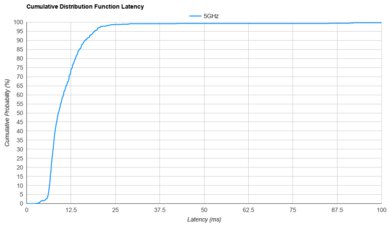
The NETGEAR Nighthawk RAX50 is decent for gaming over Wi-Fi. Its fast peak speeds make downloading large games and updates quick, and its range gives you decent flexibility in where you play. Its wireless latency is less consistent, with occasional spikes that may affect competitive gaming. A wired connection is preferable for latency-sensitive tasks.
- Great top speeds.
Acceptable latency for everyday use and light gaming over Wi-Fi.
- Only decent range and no mesh capabilities.
Not suitable for competitive gaming over Wi-Fi.
The NETGEAR Nighthawk RAX50 isn't designed for travel. Although you can remove its external antennas for packing, its conventional wide design and power adapter make it inconvenient to carry. It also lacks useful travel networking features like WISP mode for sharing hotel Wi-Fi, cellular tethering, and power over USB-C.
Bulky design isn't suitable for travel.
Limited advanced networking features.
The NETGEAR NIGHTHAWK AX5400 delivers great speeds suitable for an internet connection of up to 1 Gbps. It supports Dynamic Frequency Selection (DFS), so it can use less-congested DFS-only channels to deliver better speeds in noisy wireless environments. That said, it's only Wi-Fi 6, so it doesn't have a faster 6GHz band for your Wi-Fi 6E or 7 devices to use.
- Great top speeds.
- Supports Dynamic Frequency Selection (DFS) for better performance in congested wireless environments.
- Wi-Fi 6 doesn't take full advantage of new Wi-Fi 6E or 7 devices.
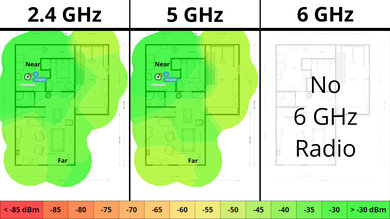
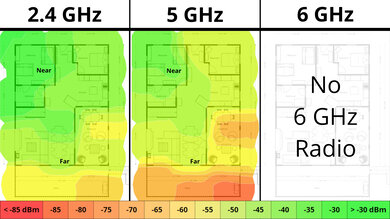
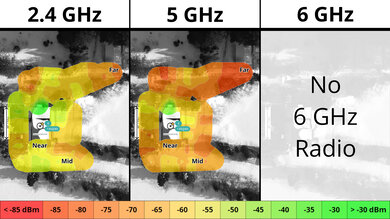
The NETGEAR NIGHTHAWK AX5400 has a decent range. It's a standalone router without mesh capabilities, so its speed drops linearly over distance. That said, it still has fast enough 4k video streaming at longer distances. If the range is a priority for you, consider getting a mesh setup.
- Only decent range and no mesh capabilities.
The NETGEAR Nighthawk RAX50's wireless latency performance is adequate and in line with most standard Wi-Fi routers. Its response times are suitable for most everyday activities, although a wired connection is generally recommended for more latency-sensitive applications, such as competitive gaming.
Acceptable latency for everyday use and light gaming over Wi-Fi.
Not suitable for competitive gaming over Wi-Fi.
The NETGEAR Nighthawk RAX50 has very good configurability for everyday home networking. Its web interface gives you extensive control over your network traffic and connected devices, while its mobile app is streamlined for easy on-the-go management. However, more advanced options are limited, with no VPN client support, WAN failover, or native mesh capabilities. Additionally, most parental control features require a paid subscription.
Solid basic configuration options, with an optional app.
Limited advanced networking features.
Most parental controls require a subscription.
Performance Usages
Changelog
- Updated Oct 30, 2026: We've updated this review to Test Bench 0.10! This update adds Portability and Configurability testing to evaluate how suitable routers are for travel and to show how configurable their settings are. Read the changelog for more info.
- Updated Jun 22, 2026: We've updated this review to Test Bench 0.9.1! This is a minor change that makes the router type easier to see at the top of each review. Read the changelog for more info.
- Updated May 08, 2026: We've updated this review to Test Bench 0.9! This update adds wireless latency testing to evaluate router gaming performance. Read the changelog for more info.
- Updated Dec 16, 2025: We've added an MLO Implementation test for Test Bench 0.8.2! Read the changelog for more details.
Check Price
Differences Between Sizes And Variants
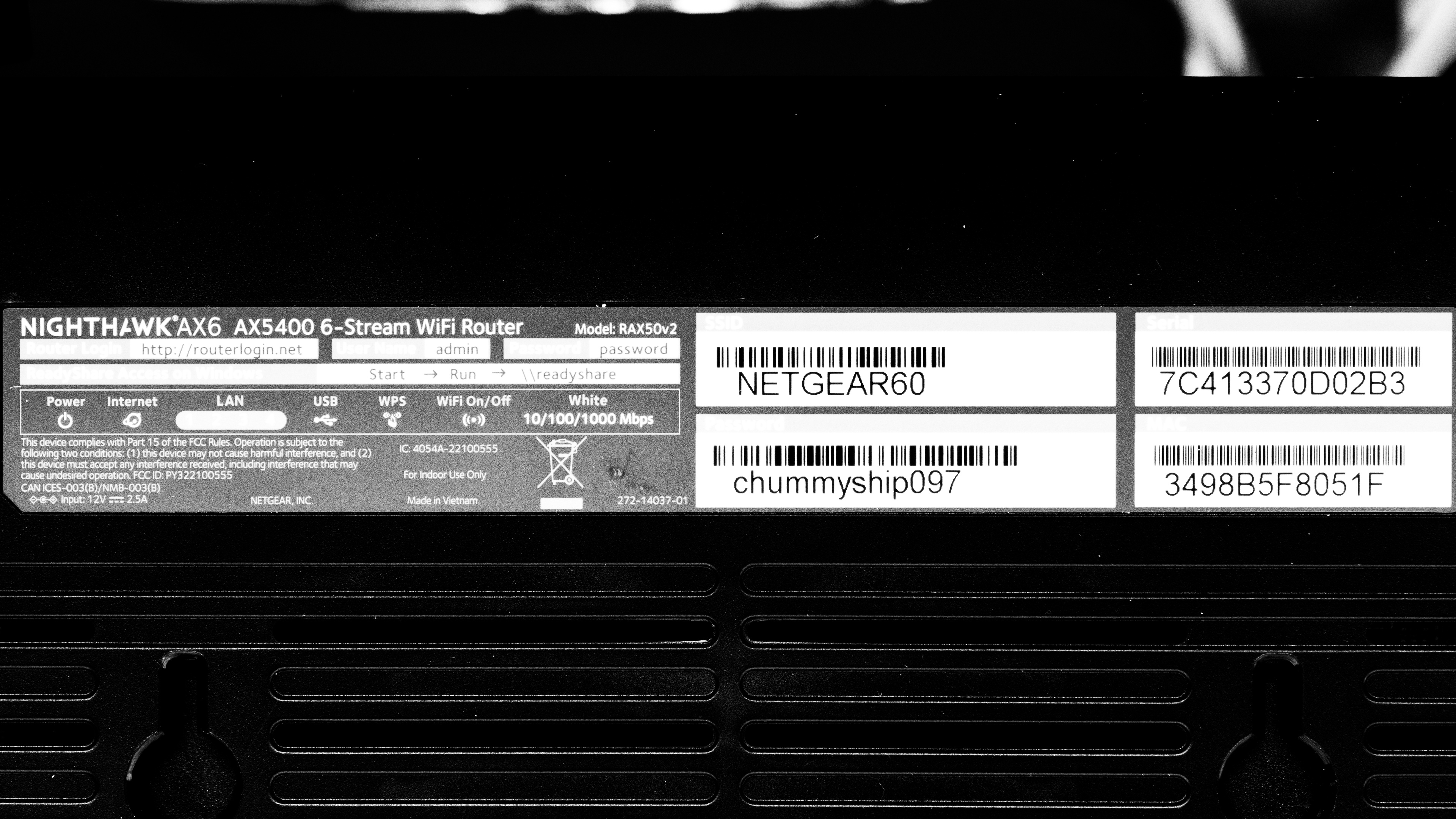
We tested the NETGEAR Nighthawk RAX50v2. NETGEAR also sells an earlier RAX50 hardware revision, which uses a different firmware branch. We haven't tested that version, so its features and performance may differ. See a photo of our unit's label.
Popular Router Comparisons
The NETGEAR Nighthawk AX5400 is a dual-band Wi-Fi 6 router with 2.4GHz and 5GHz bands. It supports the wider 160MHz channel bandwidth on the 5GHz band and has a USB 3.0 port for local file sharing. However, unlike other routers in its price range, it doesn't support mesh networking.
It performs similarly in speed to other routers in its price range, like the TP-Link Archer AX4400 and the ASUS RT-AX3000, but its range is worse.
For more recommendations, check out the best Wi-Fi 6 routers, the best Wi-Fi routers, or the best routers for streaming.
The NETGEAR Nighthawk RS300 is a better router than the NETGEAR Nighthawk RAX50. It's Wi-Fi 7 capable, is faster, has more networking ports, and is physically smaller. While the RAX50 has better 5GHz range, the RS300 has better 6GHz range.
Test Results
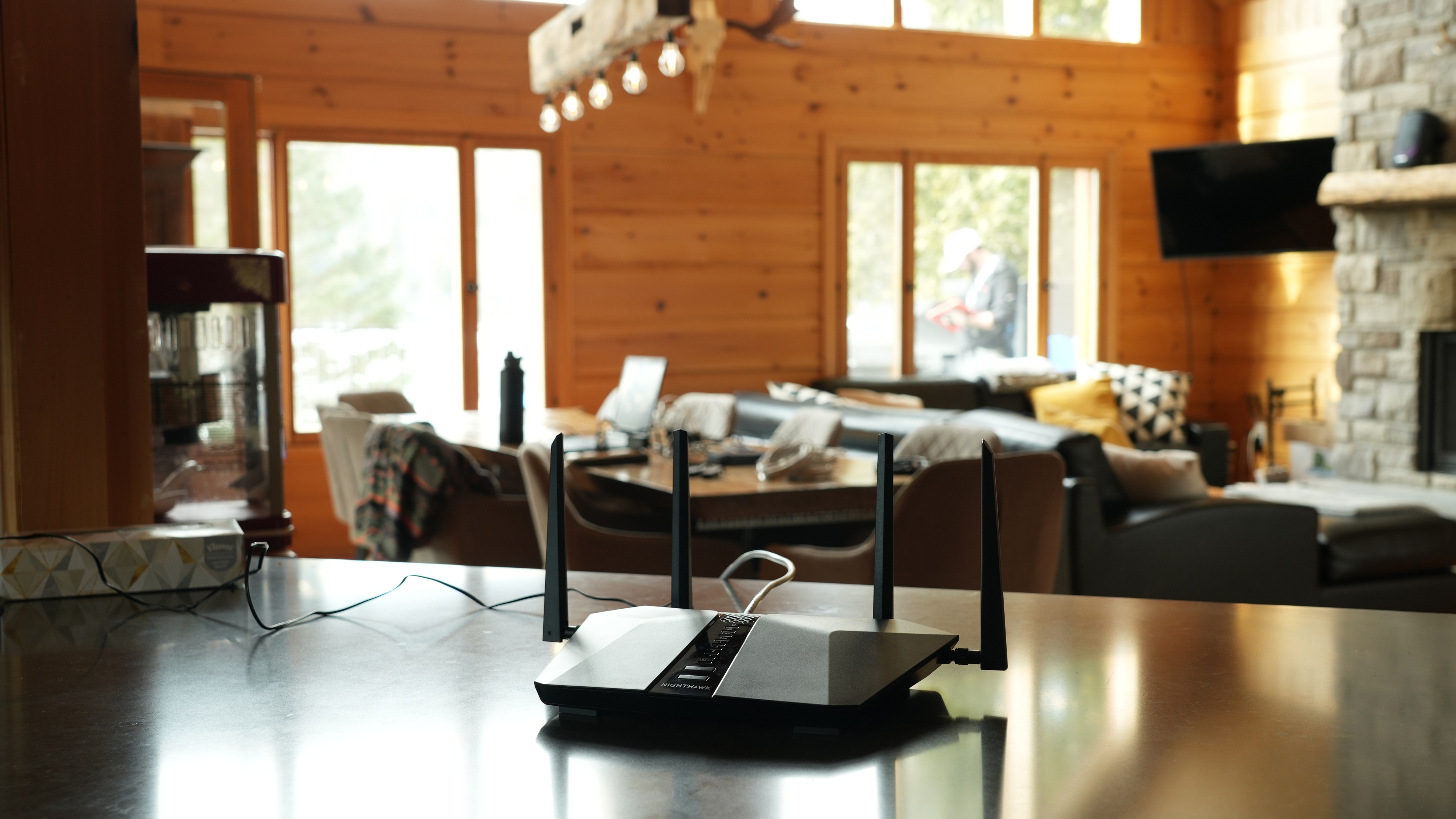
for pictures & test results
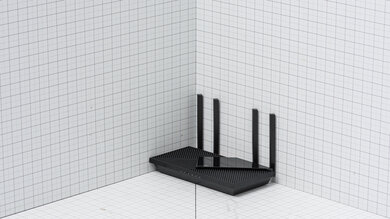
If you're looking for a router with RGB lighting, check out the Netduma R3.
for pictures & test results
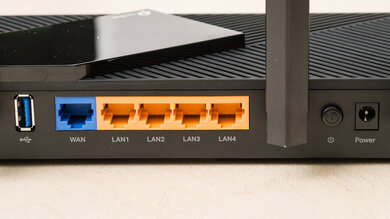
for pictures & test results
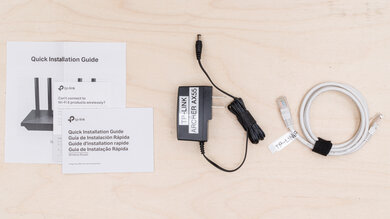
- Ethernet cable
- Power adapter
- User documentation
for pictures & test results
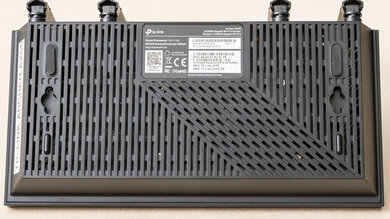
This router has a pair of screw head slots on the bottom, so you can easily mount it to your wall or ceiling.
This router offers adequate parental controls, including free options to manage devices and pause internet access. However, automatic scheduling, content filtering, and daily usage limits all require a paid subscription. Its built-in service-blocking rules are more technical and don't replace straightforward website or app filtering.
for pictures & test results
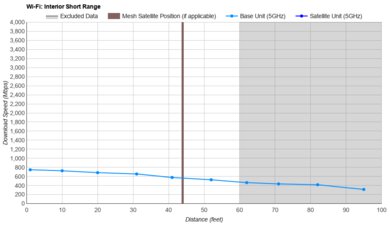
This is a standalone router without mesh capabilities, so the mesh satellite position line on this graph isn't applicable.
for pictures & test results
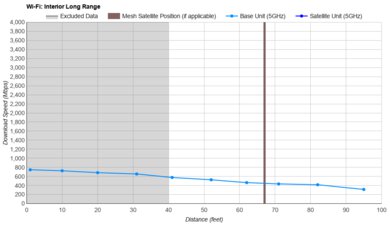
This is a standalone router without mesh capabilities, so the mesh satellite position line on this graph isn't applicable.
for pictures & test results