Ducky One 2 Mini V1  Keyboard Review

Reviewed Jan 20, 2020 at 09:11am
Test bench update Nov 28, 2023 at 09:20am
Tested using Methodology v1.3.1 
Ducky One 2 Mini V1
8.1
Gaming 
7.4
Office 
2.8
Mobile/Tablet 
7.7
Programming 
2.9
Entertainment / HTPC 
7.9
Raw Performance 
 0
Notice: This keyboards was replaced by Ducky One 2 Mini V2

The Ducky One 2 Mini V1 is an excellent gaming keyboard with a unique style. The variant we tested has Cherry MX Browns, but this keyboard is available with various switches, so you can get your preferred type. There are also different sizes to choose from, as you can get a 60%, 65%, TKL, or full-size variant. It provides one of the best typing experiences we've tested so far, and it offers a lot of features built directly into the board, as it doesn't have an interfaced software. Unfortunately, its latency is a bit high for a wired keyboard and might not be ideal for fast, reaction-based games. On the upside, it allows for a lot of customization thanks to its full RGB backlighting and extra colored keycaps. It's been replaced by the Ducky One 2 Mini V2.

Our Verdict

8.1
Gaming 

The Ducky One 2 Mini V1 is an excellent gaming keyboard; however, it has fairly high latency for a wired keyboard and might not be ideal for serious gamers looking for the lowest input lag. On the plus side, the Cherry MX Brown switches on our unit have a short pre-travel distance and are easy to actuate. It's also very well-built and has full RGB backlighting. The board is very customizable, although you have to do everything on the keyboard itself as there's no interface available.

Pros
  • Outstanding typing quality.
  • Great customization options.
  • Excellent backlighting.
Cons
  • Built-in software can be confusing to use.
  • High latency.
7.4
Office 

The Ducky One 2 Mini V1 is very good for office use. While its ergonomics aren't the best, it does have two incline settings, which helps you get a comfortable typing position. Our Cherry MX Brown variant provides one of the best typing experiences we've tested so far, but some people might not like the lack of arrow keys on the Mini version of the keyboard. The Brown switches are also quiet, which is great for a noise-sensitive office environment.

Pros
  • Outstanding typing quality.
  • Great customization options.
Cons
  • Built-in software can be confusing to use.
  • Lack of dedicated arrow keys makes navigating text harder.
2.8
Mobile/Tablet 

The Ducky One 2 Mini V1 isn't designed to be used with mobile devices or tablets.

7.7
Programming 

The Ducky One 2 Mini V1 is a great programming keyboard thanks to its outstanding typing quality, great build quality, and full RGB backlighting. However, the Mini version without arrows might not be the best option if you regularly rely on them to navigate, so you might want to look at a bigger variant. It's fully compatible with Windows, and only the calculator hotkey doesn't work on macOS and Linux.

Pros
  • Outstanding typing quality.
  • Great customization options.
  • Excellent backlighting.
Cons
  • Built-in software can be confusing to use.
  • Lack of dedicated arrow keys makes navigating text harder.
2.9
Entertainment / HTPC 

The Ducky One 2 Mini V1 is bad for use with a home theater PC. It's a wired-only keyboard, and the included cable might not be long enough to reach your computer from the couch, not to mention that you would have a cable running across the room. Also, it lacks a trackpad and dedicated media controls.

Pros
  • Outstanding typing quality.
  • Great customization options.
  • Excellent backlighting.
Cons
  • Built-in software can be confusing to use.
  • Wired-only.
  • No trackpad.
7.9
Raw Performance 

Pros
  • Outstanding typing quality.
Cons
  • Built-in software can be confusing to use.
  • 8.1
    Gaming
  • 7.4
    Office
  • 2.8
    Mobile/Tablet
  • 7.7
    Programming
  • 2.9
    Entertainment / HTPC
  • 7.9
    Raw Performance
  • Changelog

    1.  Updated Nov 29, 2023: We've converted this review to Test Bench 1.3.1, which adds a new estimated PCB latency test to the Single-Key Latency section and a new Analog test to the Switches section of this review. You can see the full changelog here.
    2.  Updated Oct 30, 2023: We've converted this review to Test Bench 1.3, which overhauls how key input is evaluated. We've added new tests for Single Key Latency, Multi Key Latency, Data Transmission, and Chord Split. We've also introduced a new Raw Performance usage and adjusted how the Gaming and Office usage scores are calculated. You can see the full changelog here.
    3.  Updated Jun 21, 2023: We've converted this review to Test Bench 1.2. This update introduces new Backlight Features and Backlight Clarity test boxes. We've also added a new Switches test box, added additional test comparisons to our Hardware Customizability test box that we introduced with our last Test Bench. For an in-depth look at our changes, you can see our full changelog here.
    4.  Updated May 31, 2023: We've converted this review to Test Bench 1.1. This update adds several new tests addressing Hardware Customization, Macro Keys And Programming, and Wireless Mobile Compatibility. We've also added new objective evaluations to the Typing Noise test, and we've simplified several tests and removed several others that were no longer relevant. For an in-depth look at all our changes, you can see our full changelog here.

    Check Price

    Differences Between Sizes And Variants

    We tested the Ducky One 2 Mini V1 in Pure White with Cherry MX Brown switches. There's a new version called the Ducky One 2 Mini V2 which is nearly identical except for a firmware update, updated DIP switch functions, and two additional LEDs under the spacebar. Also, there are some variants with different sizes, like the full-sized Ducky One 2, the TenKeyLess Ducky One 2 RGB TKL, and the Ducky One 2 SF, which has a 65% layout with dedicated arrows keys. There's also a limited edition HyperX x Ducky One 2 Mini, which features RGB backlighting and HyperX switches. The Ducky One 2 Mini V1 is available in the following variants:

    Model Backlighting Cherry MX Switches Gateron Switches Kailh Switches TTC Switches HyperX Mechanical switches Notes
    Pure White RGB

    Black
    Blue
    Red
    Brown
    Silver
    Silent Red
    Silent Black

    Brown
    Red
    Yellow
    Silent Brown

    BOX White
    BOX Brown
    BOX Red
    BOX Thick Jade
    BOX Silent Pink 
    Speed Pro Burgundy
    Speed Copper

    Gold Pink
    Bluish White


    Skyline

    White

     Black
    Blue
    Red
    Brown
    Silver
    Silent Red

     -  -  -  
    Bon Voyage White 

    Black
    Blue
    Red
    Brown
    Silver
    Silent Red

     -  -  
    Good in Blue White None 

     Black
    Blue
    Red
    Brown
    Silver
    Silent Red 

     -  -  
    Horizon White
    None

    Black
    Blue
    Red
    Brown
    Silver
    Silent Red  

     -  -  
    Frozen Llama RGB Black
    Blue
    Red
    Brown
    Silver
    Silent Red 
     - MK exclusive
    HyperX x Ducky RGB   -    Limited edition collaboration with HyperX

    If you have a Ducky One 2 Mini V1 that doesn't correspond to our review, please let us know in the discussions and we'll update it.

    Popular Keyboard Comparisons

    The Ducky One 2 Mini V1 is one of the most customizable keyboards we've tested to date. You can get it in a variety of switches, and Ducky's lineup includes TKL and full-sized keyboards, so you can get the type of keyboard you prefer the most. Despite its compact size, it offers outstanding typing quality, even better than the Razer BlackWidow Lite, so it's also a good choice for office use. Also see our recommendations for the best mechanical keyboards, the best keyboards for writers, and the best gaming keyboards

    Obinslab Anne Pro 2

    The Obinslab Anne Pro 2 and the Ducky One 2 Mini V1 are both compact 60% mechanical keyboards. However, the Ducky is wired-only, while the Obinslab can be used wired or wirelessly through Bluetooth. The Obinslab is available with a variety of different switches, including Gateron and Cherry MX, while the Ducky is available with Cherry MX only. On the other hand, the Obinslab has software available, while the Ducky can only be customized by pressing keys on the keyboard itself. For gaming, the Obinslab has lower latency, but only if you use it over a wired connection.

    Razer Huntsman Mini

    The Razer Huntsman Mini and the Ducky One 2 Mini V1 are very similar keyboards overall. However, the Razer is much better for gaming because it has significantly lower latency, and it has dedicated software, making it easier to reprogram any buttons. The Razer is available with clicky and linear optical switches, while you can get the Ducky in a variety of Cherry MX switches, so you can get the ones that suit your needs.

    SteelSeries Apex Pro

    The SteelSeries Apex Pro and the Ducky One 2 Mini V1 are very different. The SteelSeries is a full-size keyboard, while the Ducky has a compact 60% design. The SteelSeries has a better build quality and is more comfortable to type on. It also has more features, like an OLED screen and a USB passthrough. The SteelSeries is better for gaming because it has lower latency, and it lets you customize the pre-travel distance to your liking. That said, the Ducky provides a better typing experience, and you can choose the type of switch that you want.

    Ducky MIYA Pro

    The Ducky One 2 Mini V1 and the Ducky MIYA Pro are very similar overall. The main difference is that the MIYA Pro is a 65% keyboard, while the One 2 Mini V1 is a 60%. They have similar latency and are both available in various Cherry MX switches. The MIYA Pro feels better built and is more comfortable to type on for long periods. It has customization software, which the One 2 Mini V1 lacks, but it's difficult to use.

    GLORIOUS GMMK PRO

    The Ducky One 2 Mini V1 is an excellent prebuilt keyboard for gaming, while the GLORIOUS GMMK PRO is a barebones keyboard for mixed usage. The Ducky is much more compact and lacks the dedicated function row and arrow keys that the GLORIOUS has. The Ducky is available with a variety of switches and in different colors. On the other hand, the GLORIOUS doesn't come with any switches or keycaps, so you can choose whichever ones you want. It comes in two colors, and there's a programmable rotary knob which you can also swap for a different color. The GLORIOUS also has lower latency, as long as you have it updated to the latest firmware.

    Ducky One 2 Mini V2

    The Ducky One 2 Mini V1 and the Ducky One 2 Mini V2 are nearly identical, except for some minor differences. Both are wired, 60% compact keyboards, but the V2 has a slightly longer cable. Also, the V2 has a much higher latency than the V1, so it isn't recommended for serious gamers since there may be a noticeable lag. Otherwise, they both have full RGB backlighting and macro-programmable keys. Also, both lack customization software, so any setting changes you make need to be done on the keyboard directly.

    Drop SHIFT

    The Drop SHIFT and the Ducky One 2 Mini V1 are two great options for gaming but with different designs. The Ducky is a very compact 60% keyboard that doesn't take much space, but that could feel a bit limiting as it doesn't have dedicated arrow keys. Just like the Drop, it's available in a wide variety of mechanical switches and offers an outstanding typing experience overall. The Drop is slightly bigger, but it has all the same keys as a full-sized model and feels more solid. It also has much better latency, so it should give you a more responsive gaming experience.

    Dierya x KEMOVE DK61 Pro

    The Dierya x KEMOVE DK61 Pro and the Ducky One 2 Mini V1 are quite different despite having the same compact 60% layout. The Dierya is a wireless keyboard with a multi-device pairing feature, while the Ducky is a wired-only keyboard. The Dierya has lower latency for gaming, but only if you use it wired, and its Gateron Brown switches have a lower operating force than the Cherry MX Browns on the Ducky, making them easier to actuate. However, the Ducky provides a better typing experience because the Dierya's high profile can cause a bit of fatigue over time. That said, both keyboards are available in different switch types, so the typing experience may differ depending on which you get. The Dierya's wireless connectivity makes it more versatile as it can be used with a wider variety of devices, and it has software for customization, which the Ducky lacks.

    Ducky One 2 RGB TKL

    The Ducky One 2 RGB TKL is essentially a larger variant of the Ducky One 2 Mini V1; however, there are some slight differences. The One 2 RGB TKL has better build quality, lower latency, and software for customization.

    Varmilo VA87M

    The Ducky One 2 Mini V1 and the Varmilo VA87M are both wired mechanical keyboards, but the Ducky has a 60% layout, while the Varmilo is a TKL. The Ducky has macro-programmable keys and customization software, which the Varmilo lacks. Both keyboards are available in multiple switch options.

    Ducky One 2 SF

    The Ducky One 2 Mini V1 is a slightly smaller variant of the Ducky One 2 SF. They perform very similarly, as they have the same features and are available in a wide variety of switches. The main difference is that the One 2 SF has a few more navigation keys on the right side. They both provide an outstanding typing experience; however, the Cherry MX Blues on the One 2 SF require more force to actuate and are much louder than the Cherry MX Browns on the One 2 Mini.  They both have higher latency than most wired keyboards, which might disappoint gamers looking for the lowest input lag.

    GLORIOUS GMMK

    The Ducky One 2 Mini V1 and the GLORIOUS GMMK are fairly different boards. While we reviewed the full-size format of the GLORIOUS, it's also available in a compact 60% or TKL  layout. The GLORIOUS has a hot-swap board, making it a lot more versatile than the Ducky because you can choose and easily swap the switches without soldering. That said, the Ducky is also available in various switch options. The Ducky comes with better PBT keycaps that feel thicker, and it provides a better typing experience overall. Both keyboards have somewhat high latency, though the Ducky is a bit better.

    Wooting one

    The Ducky One 2 Mini V1 is very different than the Wooting one keyboard. The Ducky has a smaller compact design while the Wooting is a TKL design. Also, the Ducky uses more typical mechanical switches while the Wooting uses optical switches, and allows for analog inputs. These switches also allow for pre-travel distance customization and everything can be controlled inside a nice app, which the Ducky lacks.

    Ducky Mecha Mini V2

    The Ducky One 2 Mini V1 and the Ducky Mecha Mini V2 are two very similar keyboards, and their differences come down to how they're built. The One 2 Mini has a plastic frame, while the Mecha uses an aluminum frame. They're overall the same keyboard.

    Razer Huntsman

    The Razer Huntsman and the Ducky One 2 Mini V1 are rather different keyboards. The Razer is a full-size keyboard with proprietary Optical Clicky switches, while the Ducky is a 60% keyboard with Cherry MX Brown switches. However, the Ducky is available in more formats and switch types. Unfortunately, the Ducky doesn't have software and all customization has to be done on the board directly. Also, its latency is much higher, making it less ideal for fast-paced gaming.

    AUKEY KM-G9

    The Ducky One 2 Mini V1 is a far better keyboard than the AUKEY KM-G9. It has full RGB lighting, all its keys are programmable, and it's better built. It also offers one of the best typing quality we've tested. On the other hand, the lack of dedicated arrow keys on the Ducky might be a deal-breaker for some, and the AUKEY has them.

    Vortex Race 3

    The Ducky One 2 Mini V1 is better than the Vortex Race 3, although mainly because it has backlighting, which the Vortex lacks. The Vortex has better build quality, and it's better for gaming because it has lower latency. Also, even though both of our units are fitted with Cherry MX Brown switches, the Vortex's are lighter and easier to actuate. The Ducky provides a better typing experience. That said, both keyboards are available in a wide variety of switches, so the typing experience depends on which ones you get.

    HyperX Alloy Origins

    The Ducky One 2 Mini V1 and the HyperX Alloy Origins are very different keyboards. Unlike the HyperX, which is designed for gaming, the Ducky is better suited for productivity, mainly because it has high latency. That said, some might prefer its compact design over the HyperX's full-size layout, and it also provides a better typing experience. The HyperX has more customization options because it has software support.

    Corsair K95 PLATINUM

    The Ducky One 2 Mini V1 is very different than the full-sized Corsair K95 PLATINUM. The Ducky has doubleshot PBT keycaps and offers an excellent typing quality. However, it doesn't have dedicated macro keys or navigation arrow keys like the Corsair. The Corsair is also available in very quick Cherry MX Speed switches.

    SteelSeries Apex 7 TKL

    The Ducky One 2 Mini V1 and the SteelSeries Apex 7 TKL are both excellent gaming keyboards with some noteworthy differences. The SteelSeries is a TenKeyLess keyboard with significantly better latency, an attached wrist rest, and several extra features, including an OLED screen, a volume wheel, and a USB passthrough. The unit we tested has tactile SteelSeries Brown switches, and it’s also available with linear Red and clicky Blue switches. The Ducky is a compact (60%) keyboard available in a wide variety of Cherry MX switches, including Cherry MX Red, Blue, Brown, Silver, and Silent Red. The unit we tested has tactile Cherry MX Brown switches that provide an outstanding typing quality but require slightly more force to actuate than those on the SteelSeries.

    Razer Huntsman Tournament Edition

    Although the Ducky One 2 Mini V1 and the Razer Huntsman Tournament Edition are both designed for gaming, the Razer performs better. The Razer has much lower latency, and its Linear Optical switches are more responsive due to their shorter pre-travel distance and lighter operating force. However, the Ducky provides a better typing experience because the Razer's Linear Optical switches are too sensitive for general typing, leading to more typos. Also, the Razer is only available with one switch type, while the Ducky can be configured with your preferred type of Cherry MX switches. The Razer has software for customization, which the Ducky lacks.

    Test Results

    perceptual testing image
    Sort:
    RATINGS
    Category:
    All
    Design
    Dimensions
    Size
    Compact (60%)
    Height
    1.5" (3.8 cm)
    Width12.4" (31.5 cm)
    Depth
    4.2" (10.7 cm)
    Depth With Wrist Rest
    N/A
    Weight
    1.32 lbs (0.600 kg)

    The Ducky One 2 Mini is a very compact 60% keyboard that doesn't take up much space on your desk. Note, however, that this keyboard is available in TKL, full-size, and a 65% variant, the Ducky One 2 SF. If you want a compact 75% keyboard with a function row, then consider the Keychron K3.

    8.0
    Build Quality
    Keycap MaterialPBT

    The Ducky One 2 Mini's build quality is great. The frame is made out of solid plastic, which feels durable. The board does have a bit of flex, but this won't matter too much for normal usage. The PBT double-shot keycaps have a high-end feel, and longer keycaps have Cherry MX switch stabilizers, which is great. The only downside is the generic cable that comes with it. It has markings on it and gives off a cheap feel. On the upside, it's detachable so you can easily replace it. If you want a similar keyboard but with even better build quality, check out the Ducky Mecha Mini V2.

    6.0
    Ergonomics
    Curved/Angled
    No
    Split Keyboard
    No
    Key Alignment
    Staggered
    Minimum Incline
    5.8°
    Medium Incline
    Maximum Incline
    13.6°
    Home Row Height
    31.2 mm (1.2")

    This keyboard has acceptable ergonomics. It has two incline settings, but it doesn't come with a wrist rest. That said, typing on it feels nice, and you shouldn't feel any fatigue due to the board's design.

    6.0
    Hardware Customizability
    Replaceable Cherry Stabilizers
    Yes
    Stabilizer Fixation
    Plate-Mounted
    Spacebar Stabilizer Size
    6.25u
    Size Of Right Mod Keys
    1.25u
    Hot-Swappable Switches
    No
    Switch Stem Shape
    Cherry MX Style
    Switch PCB Socket
    Soldered
    North-Facing Cherry MX Interference
    Yes
    8.5
    Backlight Features
    BacklightingYes
    RGB
    Yes
    Per-Key Backlighting
    Yes
    Effects
    Yes
    Software Controllable
    No

    The Ducky One 2 Mini has superb backlighting. It supports full RGB lighting, and it's bright enough to see when using the keyboard in a well-lit environment. However, all the settings must be controlled on the board, as the software is built-in, and you don't have a downloadable interface.

    9.0
    Backlight Clarity
    Cable & Connector
    ConnectivityWired
    Detachable
    Yes (Wired Only Keyboard)
    Length5.2 ft (1.6 m)
    Connector (Keyboard side)
    USB type-C

    The Ducky One 2 Mini's cable is disappointing as it just seems to be a generic, cheap-feeling USB-C cable. On the upside, you can easily replace it because it's detachable.

    0.0
    Wireless Versatility
    Bluetooth
    No
    Bluetooth Multi-Device Pairing
    No
    Proprietary Receiver
    No
    Battery Type
    No Batteries

    This keyboard is wired only and can't be used wirelessly. If you'd like a compact keyboard that can be used wirelessly, consider the Dierya x KEMOVE DK61 Pro.

    1.5
    Macro Keys And Programming
    Dedicated Macro Keys Count0
    Onboard Macro Programming
    Yes
    Macro Programming With Software
    No
    Extra Features
    Media Keys
    Non-Dedicated
    Trackpad / TrackballNo
    Scroll Wheel
    No
    Control Knob
    No
    USB Passthrough
    No
    NumpadNo
    Windows Key Lock
    Yes
    Lock IndicatorCaps Lock

    The Ducky One 2 Mini has a lot of features; however, everything is built into the keyboard itself because it doesn't have any interfaced-software. This keyboard has two layers of hotkeys, one with the 'Fn' key and one with 'Fn+Alt'. There are also DIP switches on the bottom of the board, so you can change the location of the Windows key, Fn key, Caps Lock, etc. We expect that only enthusiasts will look at this and can find the instructions inside the manual.

    In The Box

    • Ducky One 2 Mini V1 keyboard
    • USB-A to USB-C cable
    • Red Enter, Backspace, Escape keycaps
    • 4x red arrow keycaps
    • 1x Year of the Pig spacebar
    • 2x red keycaps
    • Keycap removal tool
    • Manuals
    Typing Experience
    9.0
    Typing Quality
    Key Spacing
    19.0 mm (0.748")

    The Ducky One 2 Mini's typing quality is outstanding. It's one of the nicest feeling keyboards we've tested so far. The keys are very stable, and the brown switches offer nice tactile feedback just before the actuation of the keys. The mini version of the keyboard is a bit restrictive as it doesn't have dedicated arrows, so it might be a bit hard to navigate through your text, but some variants of this keyboard have them. Even if the board is small, the spacing between the keys is wide enough, which helps reduce typos. If you prefer a board with dedicated arrow keys, get the SF version of this keyboard or take a look at the Ducky MIYA Pro.

    8.7
    Typing Noise
    Average Loudness
    46.9 dBA
    High Pitch Clicks
    No

    Update 03/26/2021: We retested the typing noise and changed the result from 'Loud' to 'Quiet'.

    The Cherry MX Brown switches on our unit are quiet. This keyboard is available in a variety of switches, and the typing noise will be different for other switches.

    Switches
    Switch Name
    Cherry MX Brown
    Switch Type
    Mechanical
    Feel
    Tactile
    Analog
    No
    Keystrokes
    See details on graph tool
    Operating Force
    55 gf
    Actuation Force
    44 gf
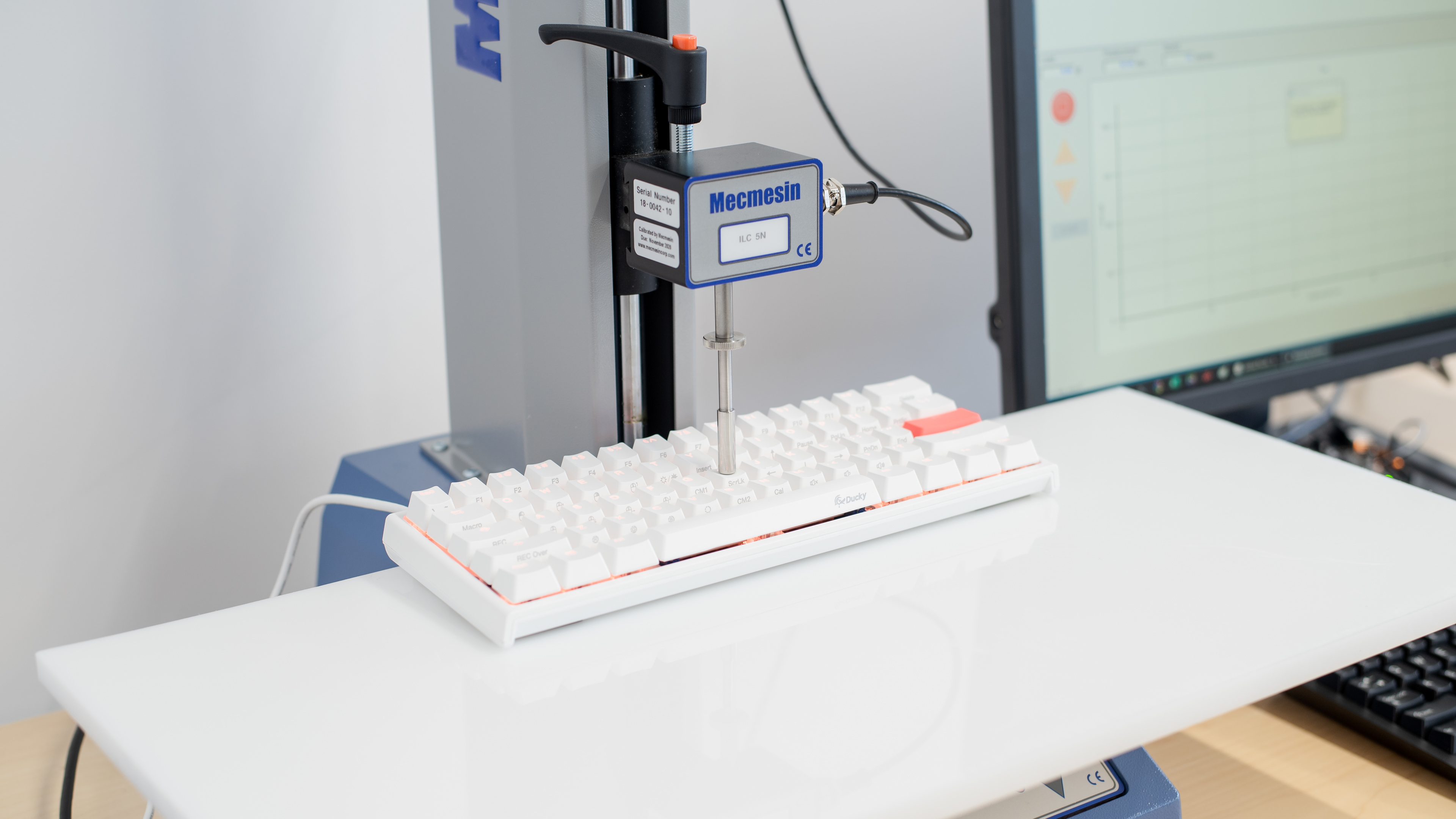
    Pre-Travel
    2.1 mm
    Total Travel
    4.0 mm

    The Ducky One 2 Mini keyboard variant we tested uses Cherry MX Brown switches. It seems to take a bit more force to actuate than other brown switches and have a bit more pre-travel, but most people won't notice this.

    Note: This keyboard is available in Cherry MX Red, Brown, Blue, Silver, and Silent Red switches, which will result in a different typing experience. If you prefer having the freedom to swap out your switches, check out the GLORIOUS GMMK instead.

    Performance
    7.9
    Single-Key Latency
    See details on graph tool
    Best Connection
    15.8 ms
    Best Connection Std Dev±0.7 ms
    Wired
    15.8 ms
    Receiver
    N/A
    Bluetooth
    N/A
    PCB (Estimated)
    13.8 ms

    Update 02/11/2022: This keyboard's latency was retested as part of a series of retests on Ducky keyboards. The lowest debounce settings were used, and the results were identical to those of the initial testing. No changes were made to the review.

    The latency is a bit high for a wired keyboard. It should be okay for general desktop use, but it might disappoint gamers looking for the lowest input lag. If you're looking for a 60% compact keyboard with much better latency, consider the Corsair K65 RGB MINI or the HyperX Alloy Origins 60. For a 96% compact keyboard with lower latency, check out the Drop SHIFT.

    7.7
    Multi-Key Latency
    See details on graph tool
    Connection EvaluatedWired
    Key Press
    16.0 ms
    Key Release
    6.4 ms
    8.7
    Data Transmission
    Connection EvaluatedWired
    USB Polling Rate
    1,000 Hz
    Effective Update Rate
    1,000 Hz
    N-Key Rollover (NKRO)
    Yes
    Multiple Keys Per USB Report
    Yes
    7.6
    Chord Split
    See details on graph tool
    4 Chord Split Delay
    6.2 ms
    8 Chord Split Delay
    13.9 ms
    Software and Operating System
    Configuration Software
    Software NameNo Software
    Software Windows Compatible
    No
    Software macOS Compatible
    No
    Onboard Memory
    Yes
    Profiles
    6+

    Unfortunately, it seems like the Ducky One 2 Mini isn't compatible with the Ducky RGB software, while other size variants of this keyboard are, just like the Ducky Shine 7. Instead, the Mini has all features built inside the board, so it still has the features, but without an interface. You can create six different profiles and can play around with the RGB settings or record macros by using the Fn key. Using all the features can get pretty complicated, even if they are marked on the keycaps. We suggest taking a look at the manual to get a better description of each key's functions.

    If you want a compact keyboard that has software support, check out the Razer Huntsman Mini or the Ducky One 2 RGB TKL.

    10
    Computer Compatibility
    Windows
    Fully Compatible
    macOS
    Fully Compatible
    Linux (Ubuntu 22)
    Fully Compatible
    Media Key Compatibility
    Windows, MacOS & Linux

    All default keys function on Windows and Linux. On macOS, some hotkeys behave differently, and the calculator hotkey does nothing.

    0.0
    Wireless Mobile Compatibility
    Android
    Not Compatible
    iOS
    Not Compatible
    iPadOS
    Not Compatible
    Media Key Compatibility
    Not Compatible