
The Logitech K380 is an excellent portable keyboard that lets you type comfortably wherever you want. It can be used with nearly any device that's Bluetooth-capable, and its small size makes it easy to carry around. It has a multi-device pairing feature and media control hotkeys, but it lacks backlighting and macro programmable keys. Typing on this keyboard isn't fatiguing and the resulting noise is quiet enough for any office setting. Although there's software support, the customization options are pretty slim.
Our Verdict
The Logitech K380 is mediocre for gaming. There's no backlighting or macro programmable keys, and its customization software has very few options. It can only connect to devices via Bluetooth and has a fairly high click latency for gaming.
- Light typing experience.
- Fairly high click latency.
- No backlighting.
- Can only reprogram some function keys to preset list of options.
The Logitech K380 is a good office keyboard. Even without any incline settings or wrist rest, it's comfortable to type on this keyboard due to its low profile. It isn't fatiguing when typing for long periods and typing noise is minimal, so it shouldn't bother your surrounding colleagues.
- Light typing experience.
- Decent ergonomics.
- ABS keycaps feel a bit cheap.
The Logitech K380 is an excellent keyboard for use with mobile devices. It can be used with any device that has a Bluetooth connection, and it has excellent compatibility with most mobile operating systems. It's easy to carry around, and it has a multi-pairing feature so you can pair it with your computer and smartphone at the same time.
- Light typing experience.
- Light and compact design.
- Multi-device pairing with up to three devices.
- ABS keycaps feel a bit cheap.
The Logitech K380 is mediocre for programming. Its low operating force and short pre-travel distance provide a light typing experience, but there aren't any macro programmable keys or backlighting. It's compatible with most operating systems, though customization options are rather limited through the dedicated software.
- Light typing experience.
- Decent ergonomics.
- No backlighting.
- Can only reprogram some function keys to preset list of options.
The Logitech K380 is disappointing for HTPC use. Even though it can connect to your TV via Bluetooth, it doesn't have a trackpad and may be hard to see in a dark environment due to the lack of backlighting. On the plus side, it has media hotkeys, allowing you to pause and play your content easily.
- Bluetooth support.
- Media hotkeys.
- No backlighting.
- Lack of trackpad.
Changelog
- Updated Aug 28, 2024: We've added a link for the newly-reviewed Logitech Keys-To-Go 2 to the Dimensions section.
- Updated Nov 29, 2023: We've converted this review to Test Bench 1.3.1, which adds a new estimated PCB latency test to the Single-Key Latency section and a new Analog test to the Switches section of this review. You can see the full changelog here.
- Updated Oct 16, 2023: We've converted this review to Test Bench 1.3, which overhauls how key input is evaluated. We've added new tests for Single Key Latency, Multi Key Latency, Data Transmission, and Chord Split. We've also introduced a new Raw Performance usage and adjusted how the Gaming and Office usage scores are calculated. You can see the full changelog here.
- Updated Jul 05, 2023: We've added a link to the newly-reviewed Logitech MX Keys S to the Backlight Features section of this review.
Check Price
Differences Between Sizes And Variants
We tested the Logitech K380 in black, and it's also available in rose and off-white in North America, as well as blue in Europe. We expect our results to be valid for the other variants as well.
Popular Keyboard Comparisons
The Logitech K380 is an excellent keyboard for mobile devices; however, aside from its outstanding portability and multi-device pairing, it doesn't stand out from the crowd. It provides a typing experience that's similar to the Logitech K780, but its build quality isn't as good and it lacks a NumPad. For other options, check out our recommendations for the best wireless keyboards, the best keyboards, and the best keyboards for writers.
The Logitech K380 is significantly better than the Logitech K480 for most uses. The K380 uses scissor switches, and the K480 uses rubber domes. The K380 is more portable due to its smaller size and weight, and its much shorter pre-travel distance makes the keyboard feel more responsive. However, the K480 has a cradle for mobile devices, which the K380 doesn't.
The Logitech K380 is a better mobile keyboard than the Logitech K780 because its more compact and lightweight design makes it easier to carry around. However, the K780 provides a better typing experience, and it might be a better choice for those who use the Numpad regularly.
The Logitech MX Keys is a much better overall keyboard than the Logitech K380. The MX Keys has a better build quality, better typing experience, and has white backlighting. The K380 is smaller and lighter so it's much easier to carry around and, like the MX Keys, has multi-device pairing with up to three devices via Bluetooth. The MX Keys is more suited for in-office use while the K380 is designed to be used on-the-go.
The Logitech K380 and the Logitech MX Keys Mini are both compact wireless boards, but the MX Keys Mini is better overall. It has a rechargeable battery instead of disposable AAA batteries like the K380, and it has white backlighting to help you see the key legends when in the dark. Also, you can remap a few more keys on the MX Keys Mini than on the K380, and you can also create profiles for specific programs.
Test Results
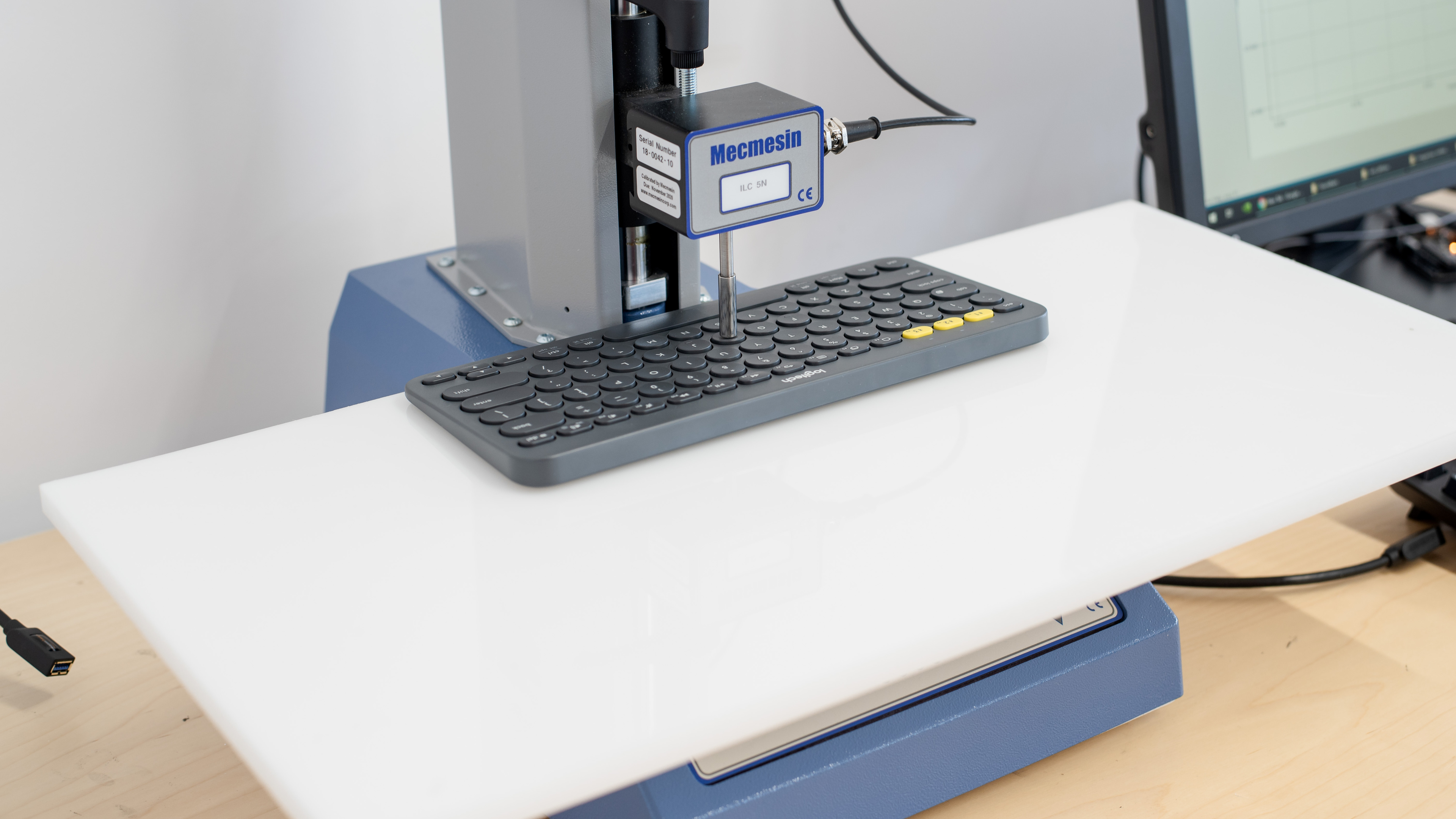


for pictures & test results

for pictures & test results

for pictures & test results





for pictures & test results



for pictures & test results


for videos & test results
