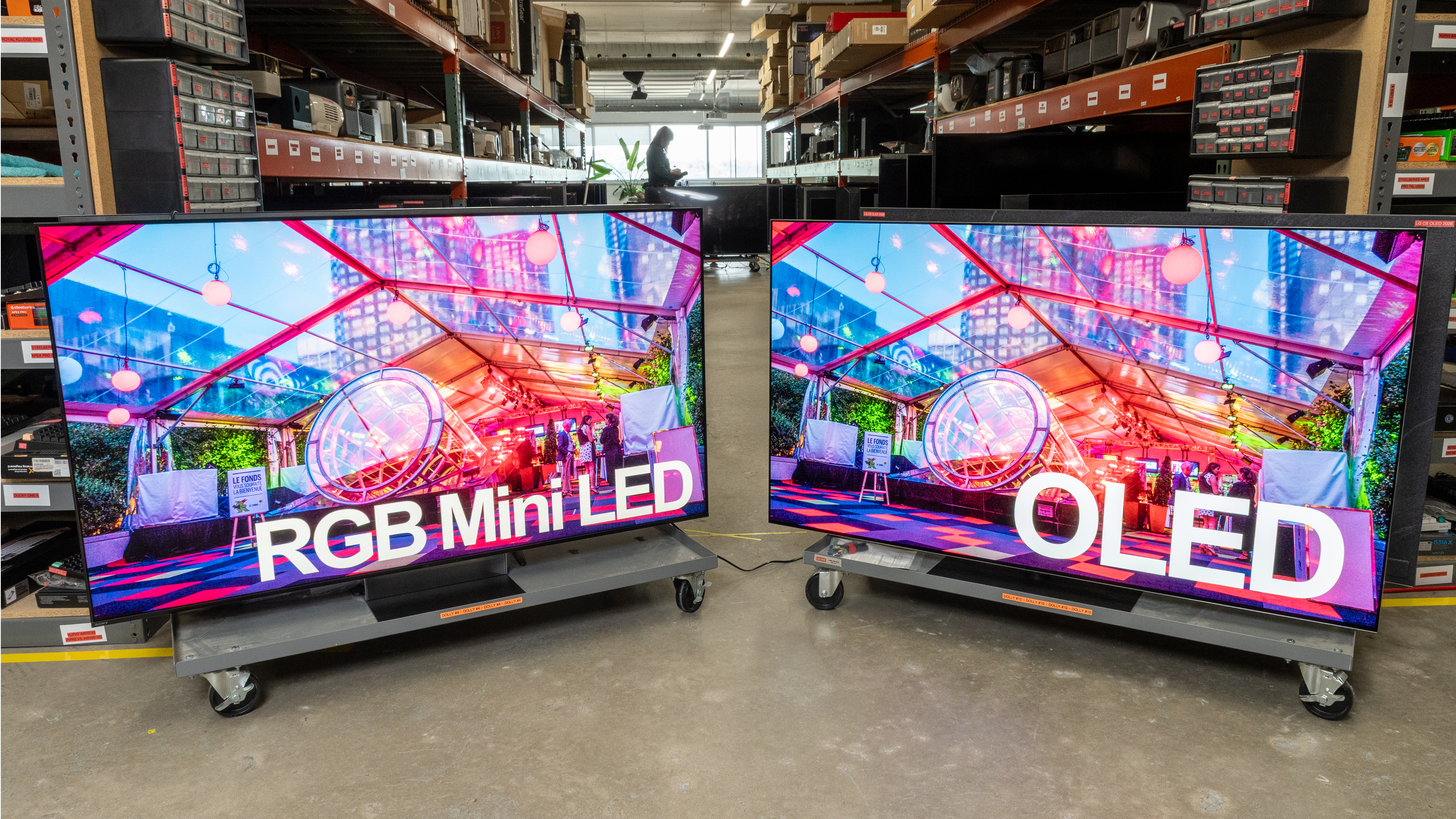
RGB Mini LED is primarily advertised for its brighter, more vibrant colors, whereas OLED is still the undisputed king of contrast. Trying to choose between RGB Mini LED and OLED isn't easy, though. These two technologies are vastly different under the hood, yet have a lot in common. Do the results match the marketing, though? Or have these panels finally started to break the mold? In this article, we'll break down the main differences between RGB LED vs OLED TVs to help you decide which panel type is right for you. This article takes a look at how these technologies compare, but if you've made your pick and want to start shopping, check out our recommendations for the best RGB Mini LED TVs or the best OLED TVs.
RGB LED vs. OLED - Which One Is Better?
To better understand how these technologies compare, we'll break down a few key performance characteristics that show how these technologies compare. To showcase how they perform, we'll use the Sony BRAVIA 9 II as an example of an RGB Mini LED TV, and the Samsung S95H OLED as an example of an OLED. These two examples represent the state of the art in 2026, but like anything, performance varies between models, so you should only take these as examples. Always make sure to read the full review of any TV you're interested in buying to know how that model specifically performs. It's also good to keep in mind that OLED technology has had more than a few years to mature, whereas RGB Mini LED is brand new. The technology will likely continue to evolve and improve in the coming years. There are also multiple types of OLED technology, including QD-OLED and WOLED, and this article looks at both types when comparing them.
Dark Scene Performance
 |
 |
 |
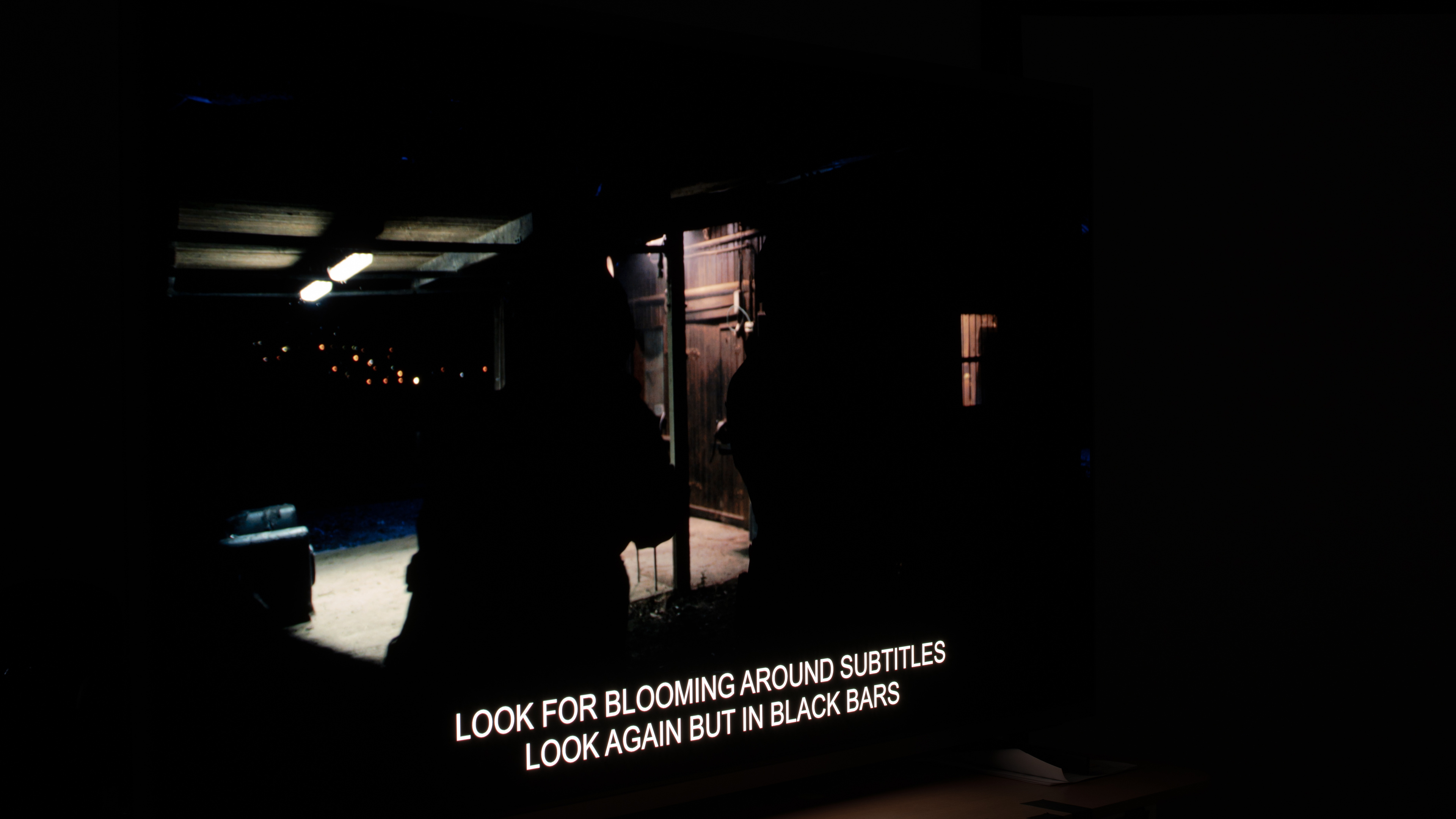 |
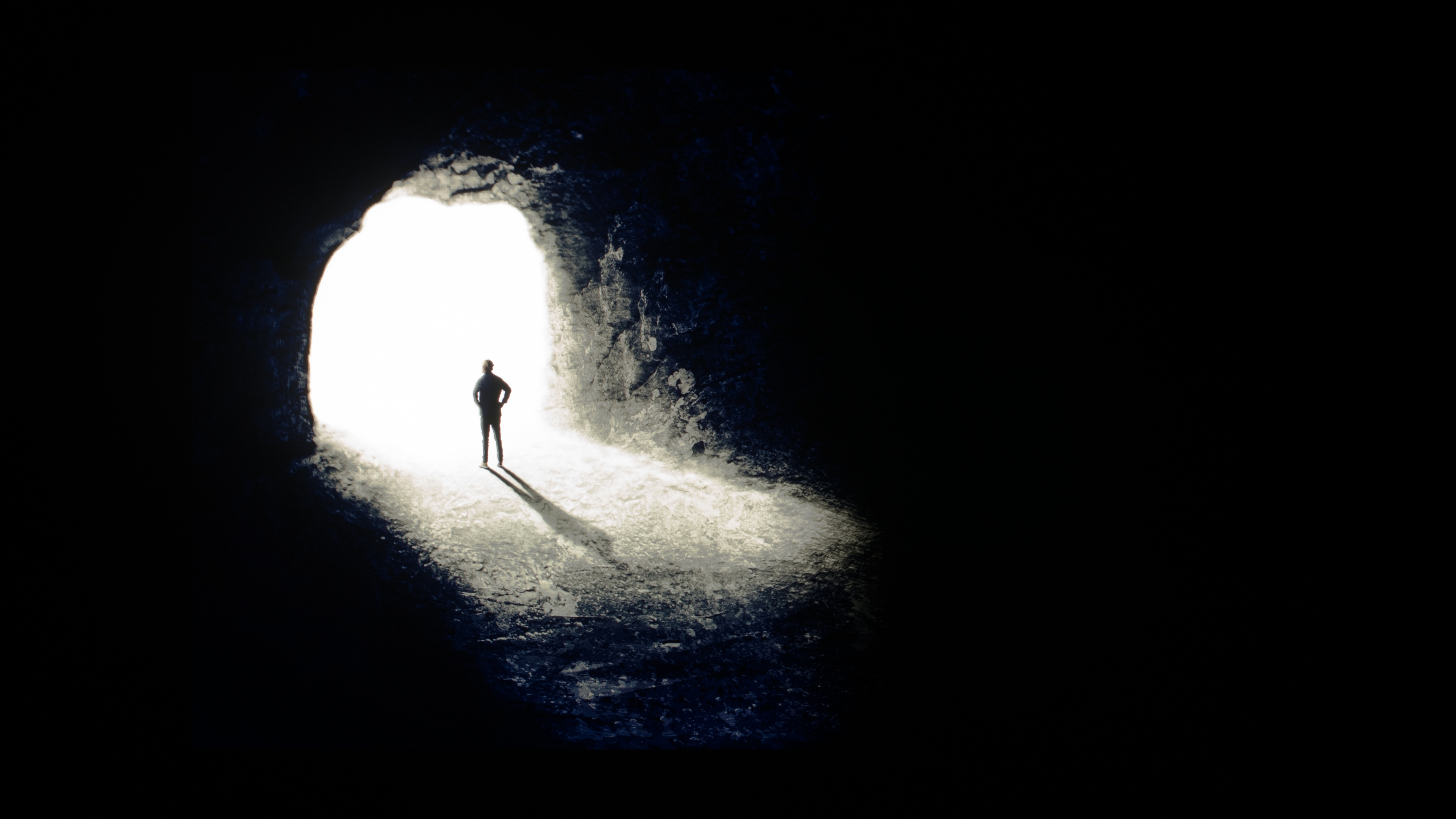
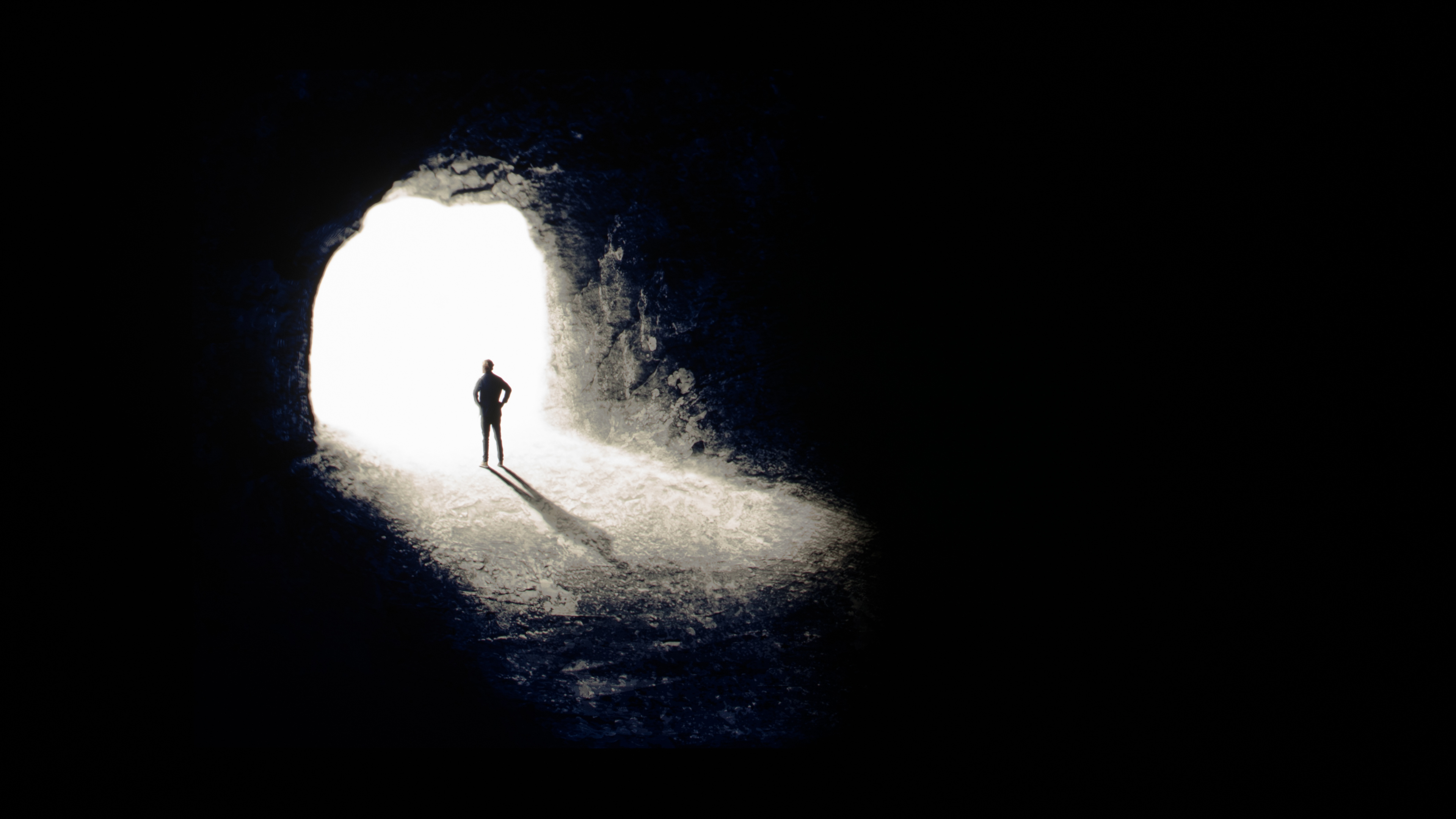
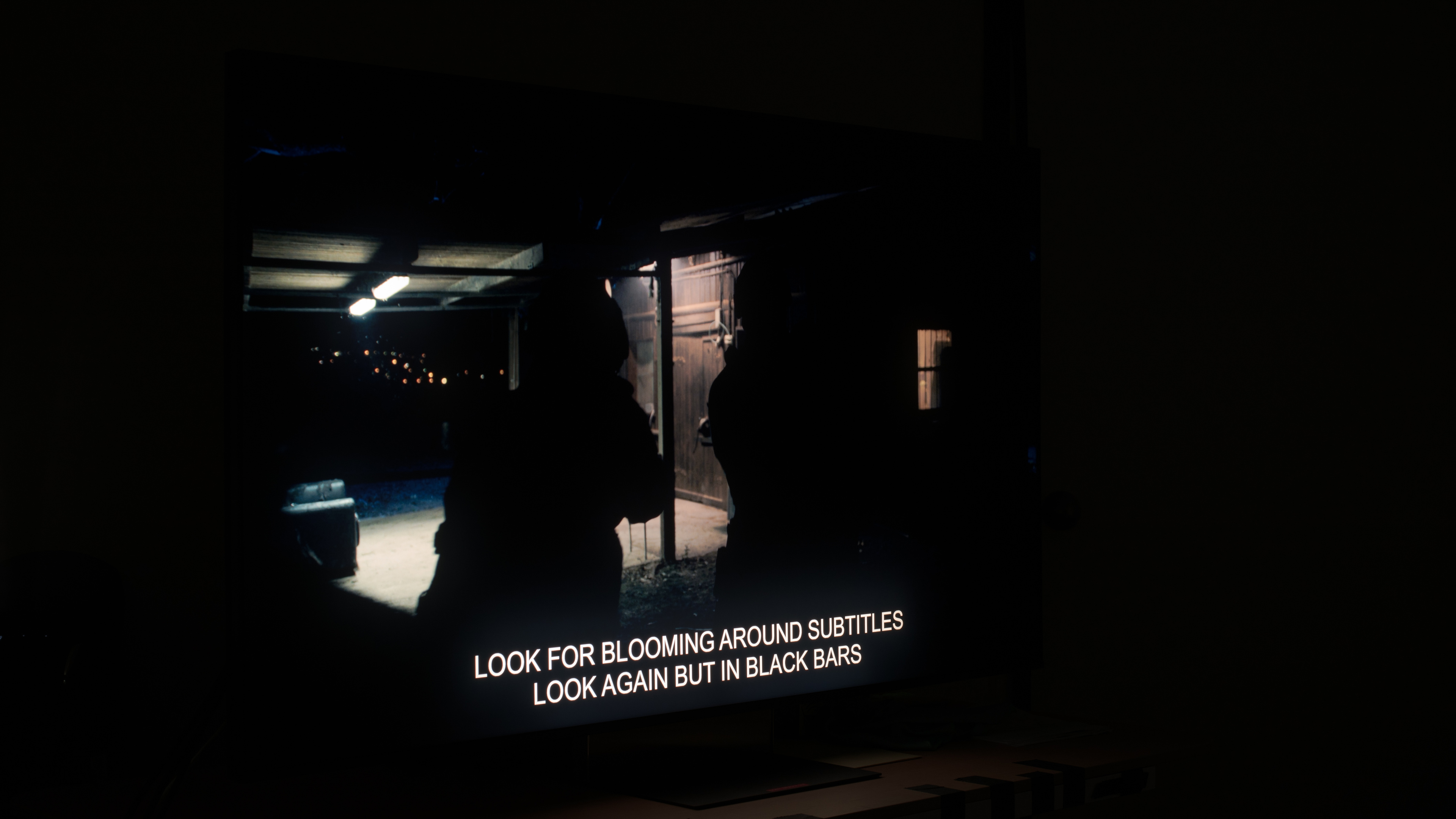
One of the biggest questions surrounding RGB Mini LED technology is how well it improves dark scene performance compared to older LED technology. Two key metrics we use to measure that are contrast and lighting zone precision. Contrast, shown in the first row, tells us how well the TV can display both dark and bright patches at the same time. RGB Mini LED TVs achieve deep blacks through the use of a feature known as local dimming, which works by dimming the LEDs behind dark parts of the scene. The lighting zone precision test, shown in the second row, shows us how accurately a TV can dim around bright details like the lamps on a dark background or the subtitles on the bottom of the screen.
OLEDs, like the Samsung S95H above, are able to control the light output of each individual pixel. This results in perfect contrast, as the TV can dim or completely turn off each individual pixel. Looking at the two tests above, you can see that there's no trace of haloing around the bright areas of the contrast test or the precision test. Subtitles are displayed perfectly, and blacks remain incredibly deep and uniform around them. This results in an effectively infinite contrast ratio. The Sony BRAVIA 9 II, on the other hand, looks excellent, but it's not perfect. There's still some noticeable haloing around the bright parts of the scene and around the subtitles on the bottom.
The reason why you're still seeing this is that RGB Mini LED technology doesn't actually improve on local dimming over regular Mini LED TVs. In fact, it may actually make it worse. Since each physical zone now has three LEDs to control, the electronics that handle the local dimming zones have to work harder and be able to physically address more LEDs. This, in turn, means that RGB Mini LED TVs can't have as many true zones as their regular Mini LED counterparts. Say a TV's chipset can support 15,000 LEDs. If there's one LED per zone, that means it could support 15,000 individual dimming zones. If a competing TV needs to address the red, green, and blue LEDs in each zone separately, then it could only support 5,000 individual zones.
This means that, unfortunately, RGB Mini LED TVs still don't quite achieve the same deep, inky blacks as OLEDs do. It's likely that this will improve significantly in the next few years with advances in chipsets and better processors, but for now OLEDs remain the undisputed king of contrast, and they'll likely keep that title for a few more years at least.
Brightness
 |
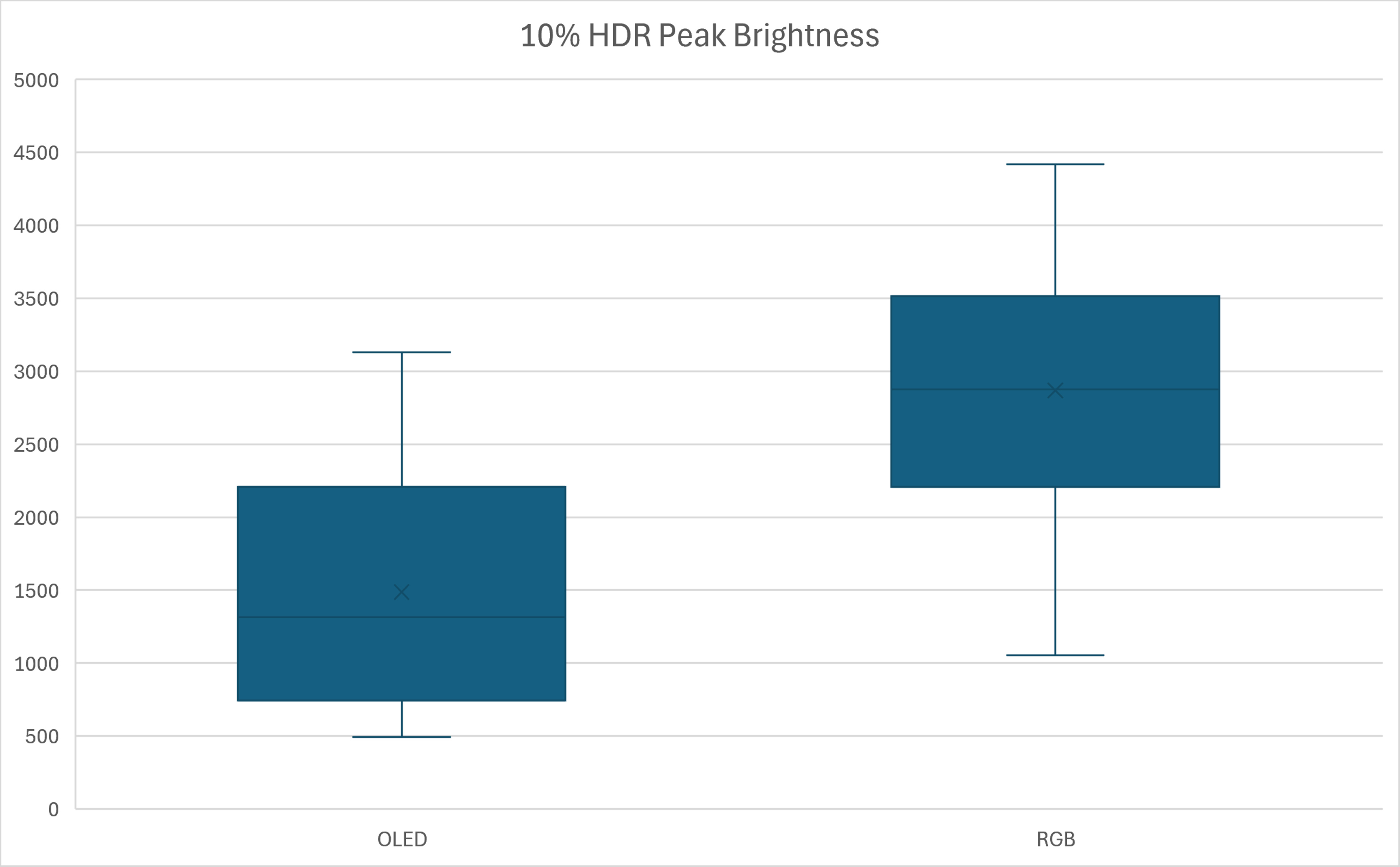 |
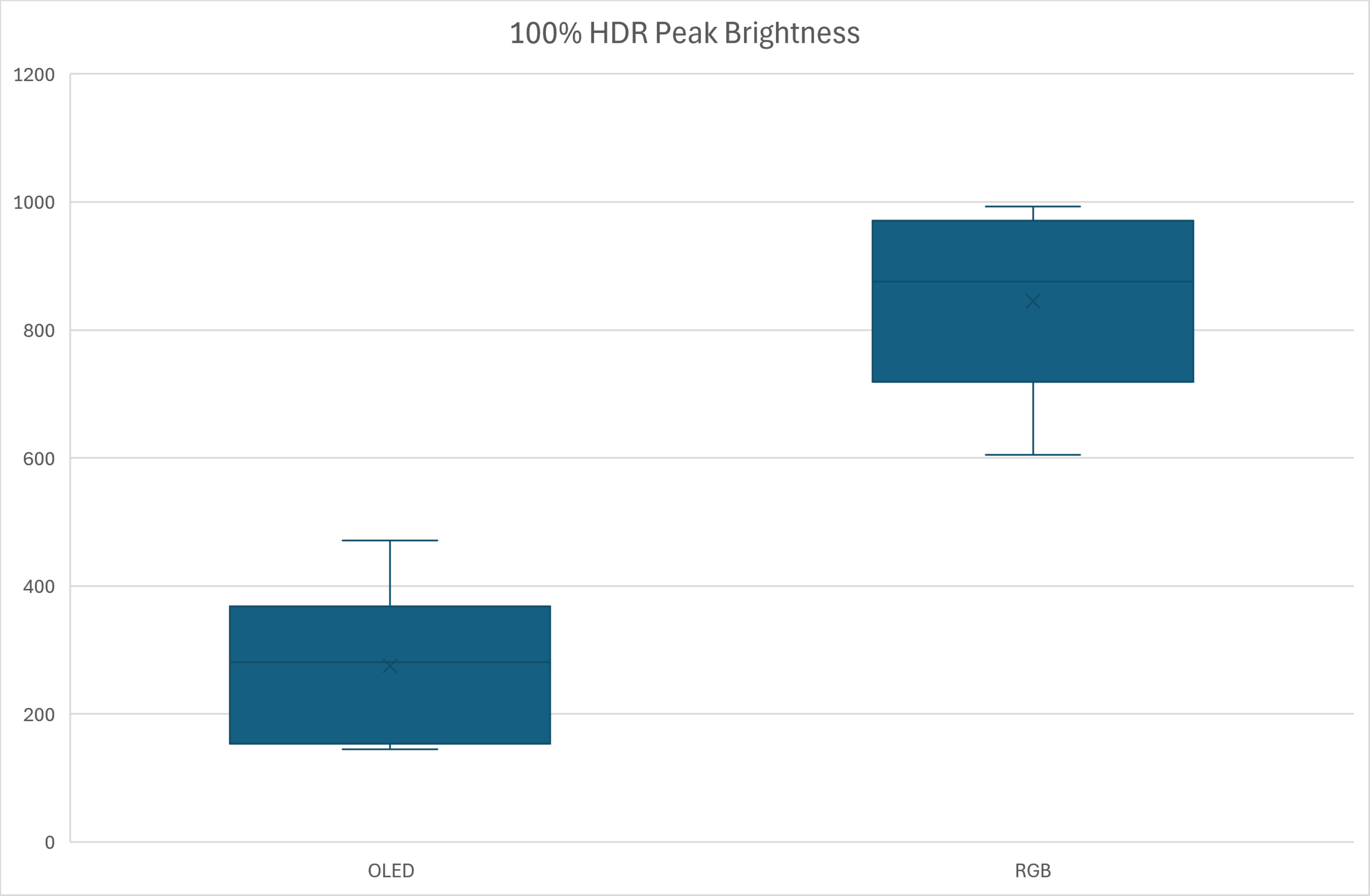
Higher peak brightness is one area where RGB Mini LED models are without a doubt the undisputed king. This is especially true when more of the screen is bright at once, like when watching sports. One way we can compare this is to use a synthetic test window that covers the entire screen. As you can see above, when we compare the range of 100% brightness measurements for 2026 models, we can see that even the dimmest RGB Mini LED model is brighter than the brightest OLED on the market. RGB Mini LED models are, on average, about 2.5x brighter than OLED models when displaying very bright content. When less of the screen is bright at once, though, the difference is less significant, but RGB Mini LED models are still brighter on average.
This doesn't mean that OLEDs are dim, though. Many of the latest OLED panels are plenty bright enough for the vast majority of content, and their higher contrast allows them to still deliver a very impactful viewing experience. RGB Mini LED models are slightly better for a bright room, though, as they can handle more daytime glare without impacting visibility. Most of them also handle bright details, like the glint of the sun reflecting off a car or the tips of a flame, better, and they stand out more.
Colors
 |
 |
 |
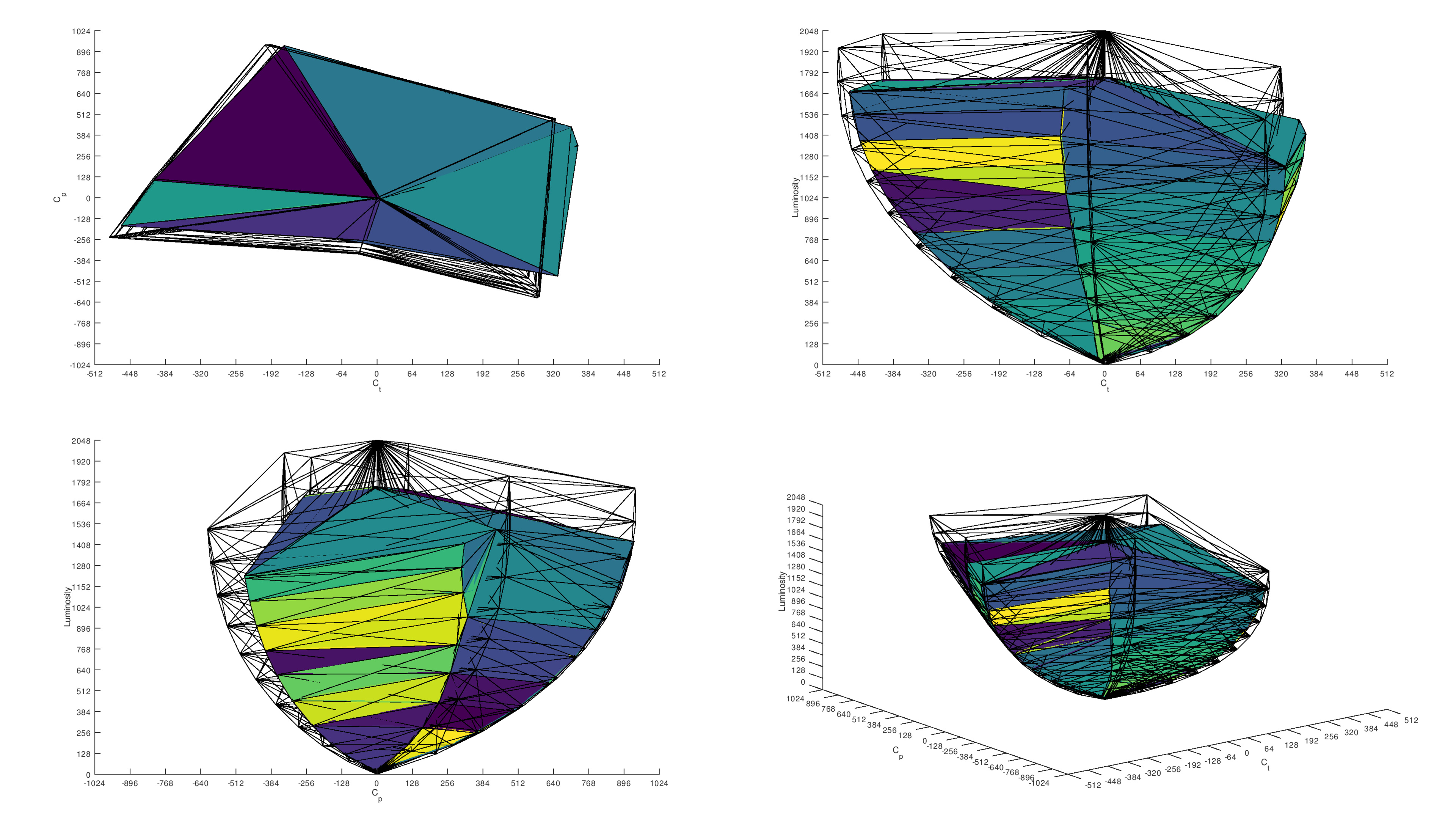 |
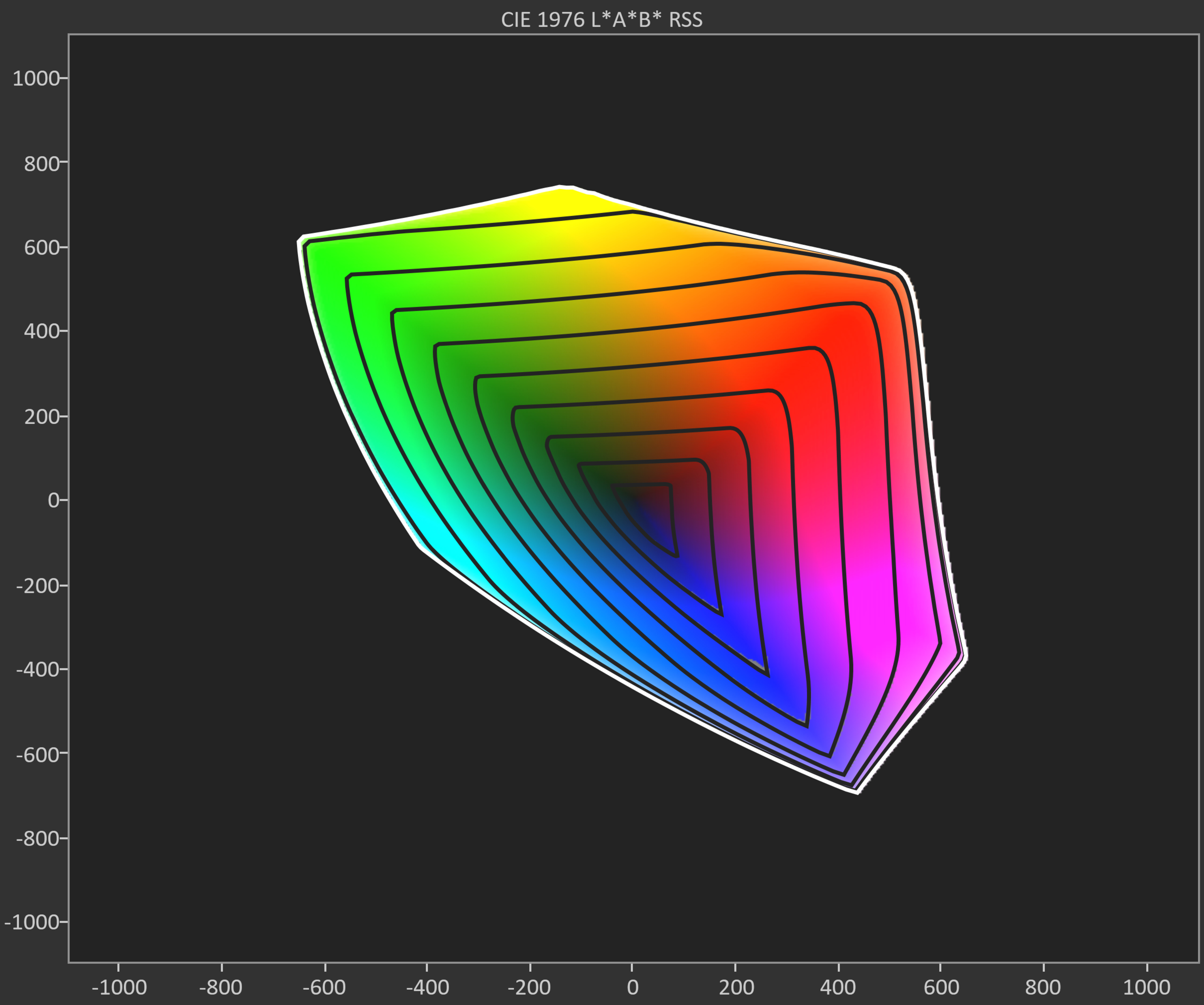
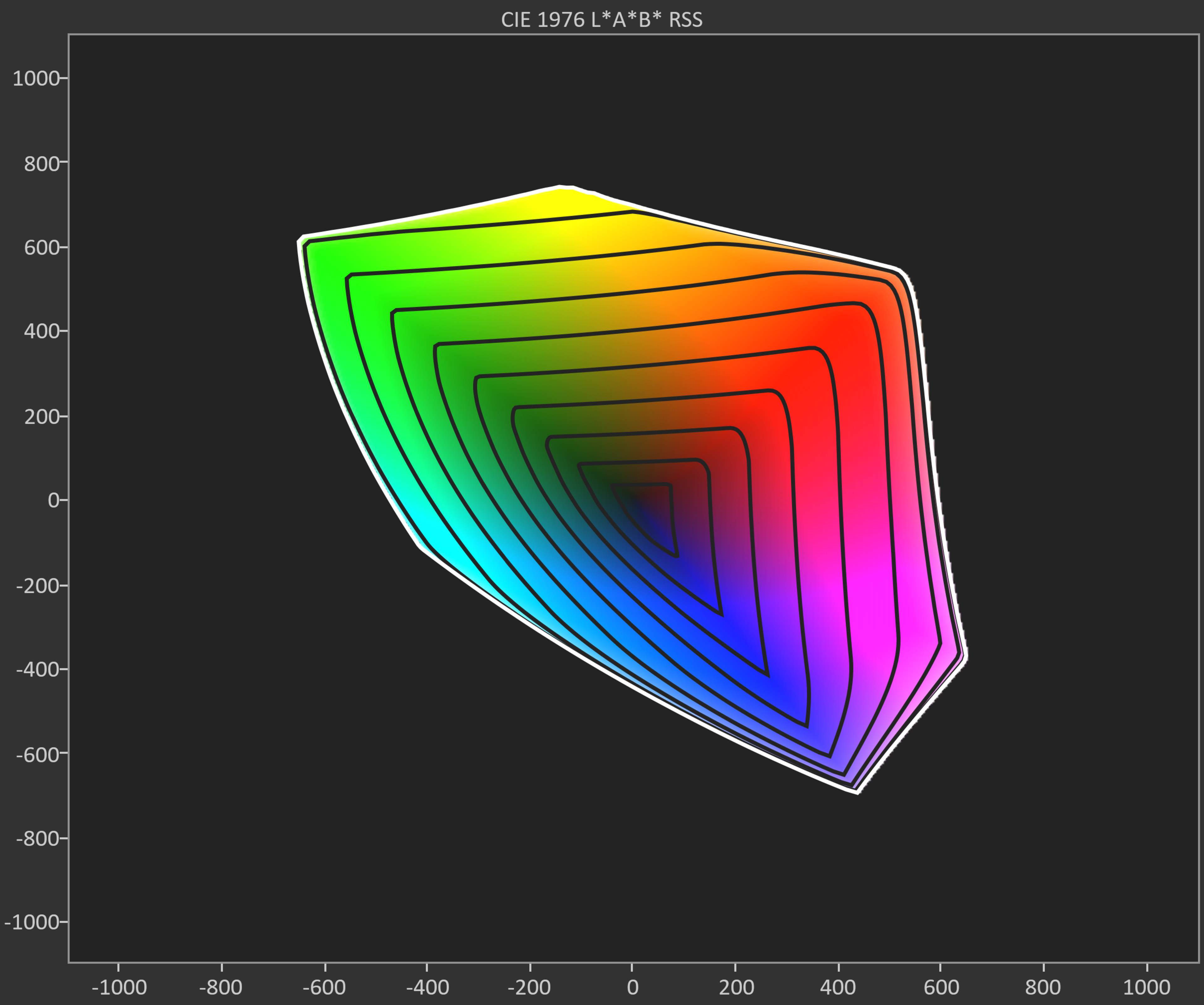
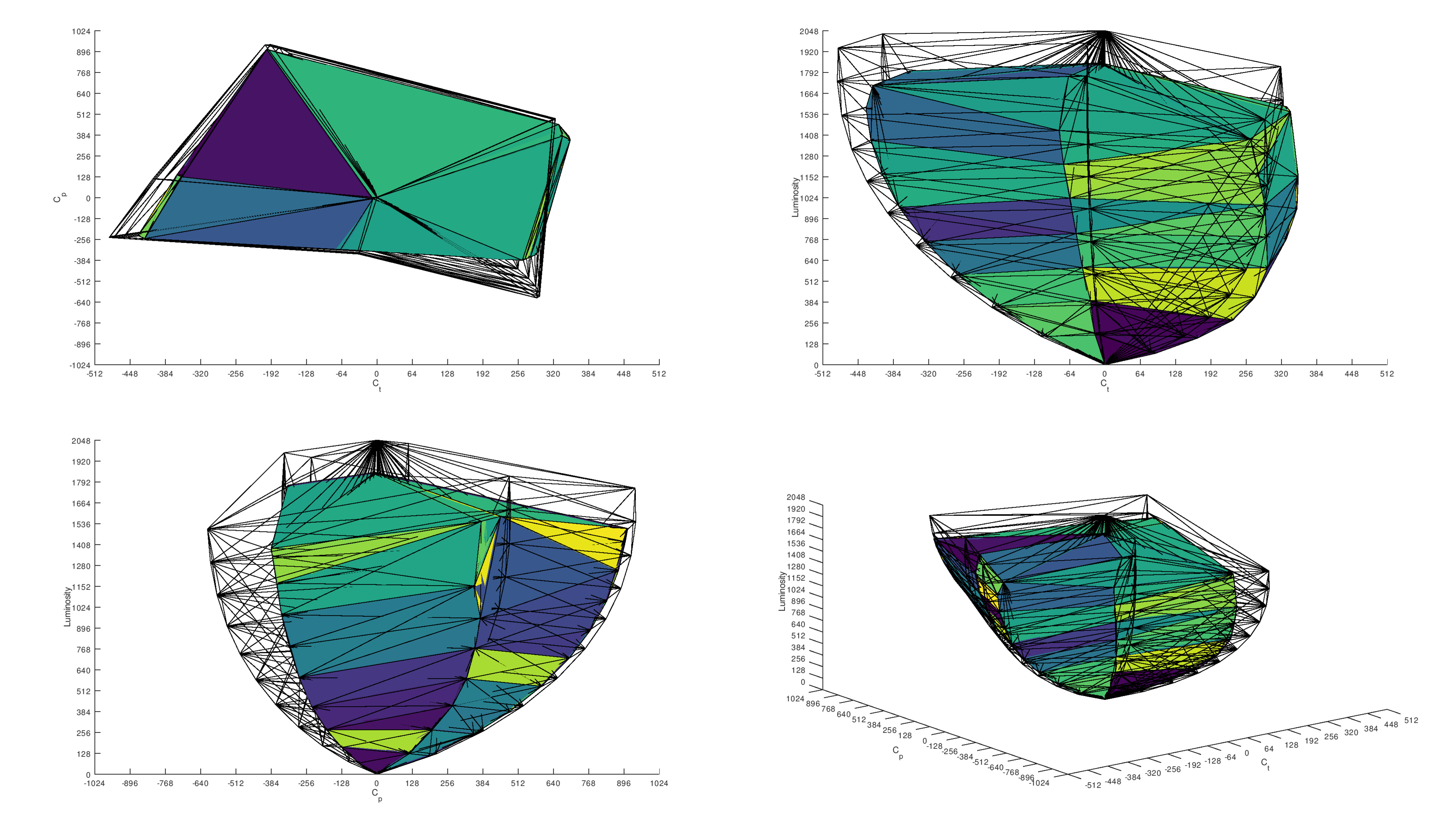
When it comes to colors, it's a bit more complicated. RGB Mini LED TVs like the Sony BRAVIA 9 II are designed to produce brighter, more vibrant colors than traditional LED TVs. For the most part, they achieve that goal, but they're not perfect. Issues like color crosstalk mean that you won't always get the same saturated colors in all scenes, and performance varies greatly between individual models depending on how the manufacturer controls the LEDs. OLEDs aren't all created equally, either. QD-OLED panels like the one used on the Samsung S95H OLED produce a wider range of colors than other types of OLED technology, like WOLED panels used in the LG C6 OLED 2026. There are also RGB Tandem panels, like the ones used on the LG C6H OLED and the LG G6 OLED, which offer better color saturation than regular WOLED panels.
RGB Mini LED TVs have a few very clear advantages, though. Thanks to their higher peak brightness, RGB Mini LED models tend to have brighter, more vibrant colors than most OLED TVs. This is especially true when comparing to WOLED models, as those TVs have an additional white subpixel that's needed to push high peak brightness. Colors often appear washed out in very bright scenes, making WOLED TVs appear dull and flat in comparison to some RGB Mini LED TVs. Overall, this is one area where it really just depends on the specific models you're looking at. If you want your TV to have bright, saturated colors, then you should consider either RGB Mini LED TVs or an OLED with a QD-OLED panel, but avoid WOLED ones.
Cumulative Absolute Deviation
 |
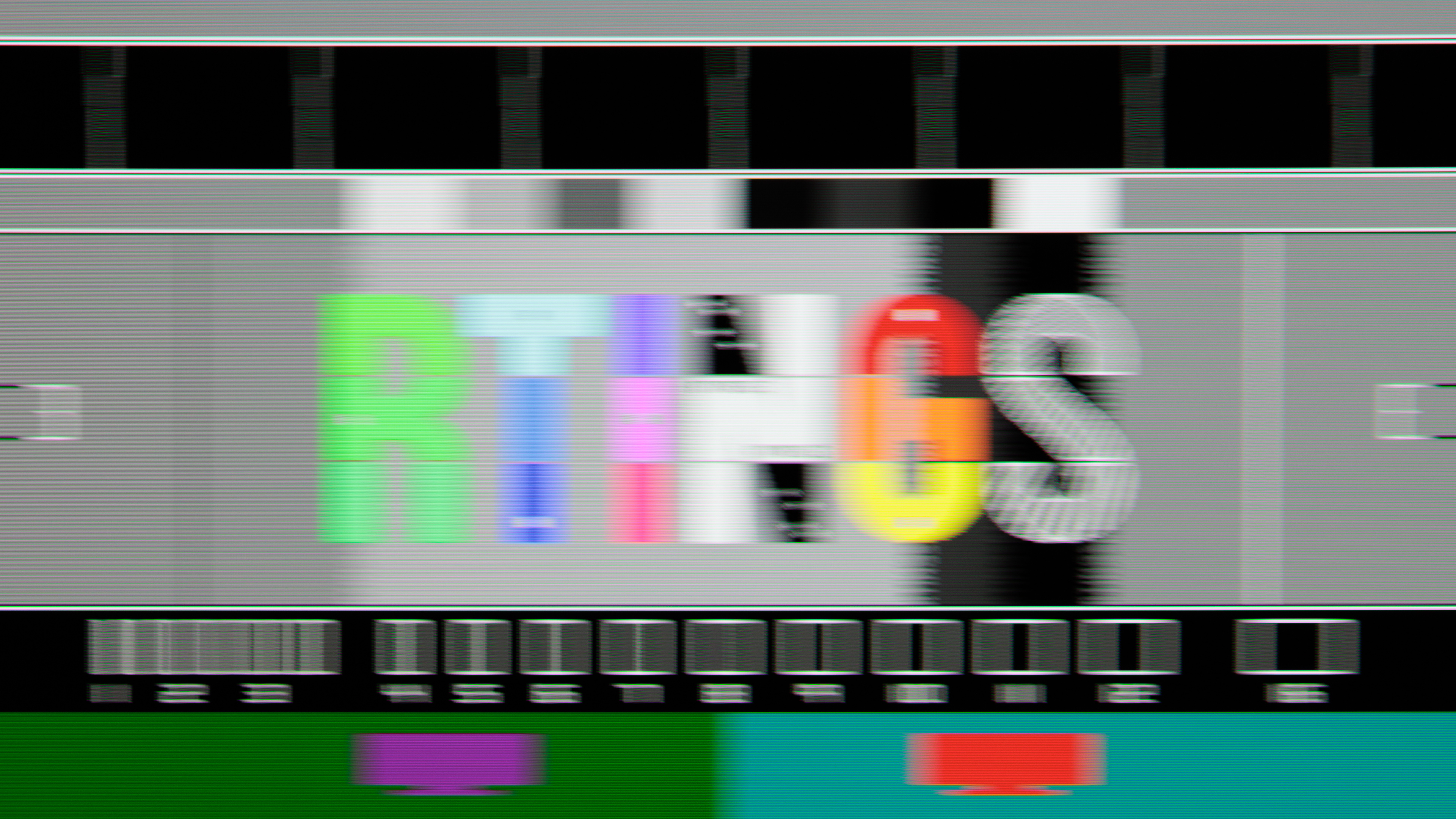 |
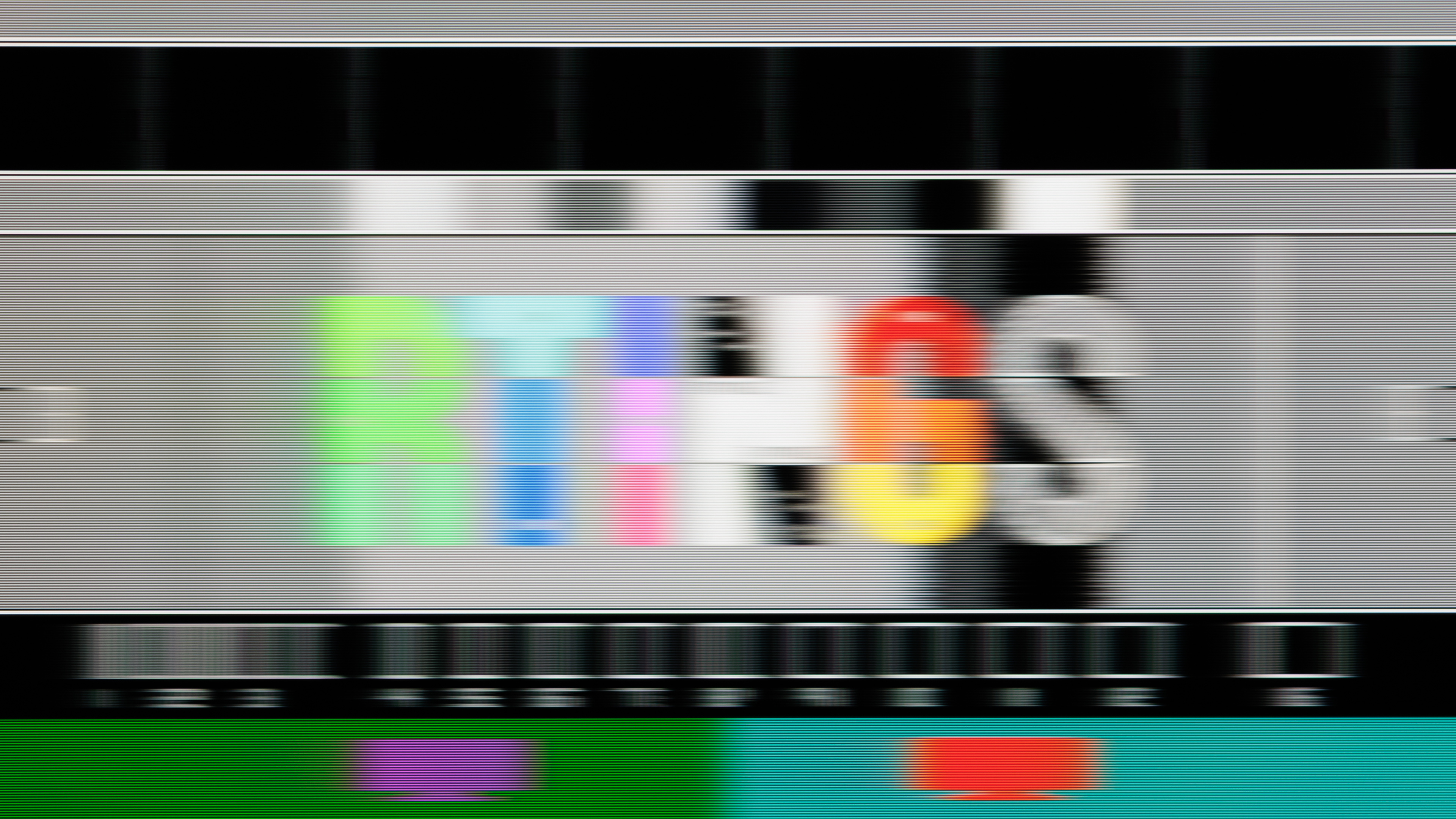
Cumulative absolute deviation is the measure of how quickly a pixel changes from one shade to another, and it's an important indicator of how clear motion will look. While this mainly matters for gaming, it's also important for fast action when watching content like sports. This is also one area where the difference between RGB Mini LED models and OLEDs is very clear and very consistent. While the exact performance varies between LED models, they're all considerably slower than any OLED TV on the market. You can see this difference in the pursuit photos above. The Samsung S95H OLED is much clearer than the Sony BRAVIA 9 II. The RTINGS logo is sharp and clear, whereas the logo on the Sony TV is slightly blurry, almost as if it was taken out of focus. While it's not necessarily bad, if you care about clear motion, OLED is the definite way to go.
The quick response time on OLEDs isn't all great news, though, as this comes with a noticeable downside. The lack of blur between frames can make cinematic content like movies look unnatural, as moving objects appear to jump between positions on the screen. This jarring effect is known as stutter, and all OLEDs have it. There are ways to reduce it, like motion interpolation, but these features come with their own set of downsides. Overall, if you care mainly about cinematic motion and aren't gaming, RGB Mini LED TVs offer a more natural image.
Color crosstalk
Unfortunately, RGB Mini LED TVs all have one very obvious downside: color crosstalk. This issue occurs when you have a very bright saturated color in one part of the screen with something lighter next to it. You can see an example of this in the video above, shot on the Samsung R95H. As the colored bars move close to the white circle in the middle, you can see the hue change on the circle, and it looks more like whatever color is approaching it. This happens because the LEDs are bleeding into nearby zones. Like the other tests above, the exact implementation matters a lot here. We didn't include an example from the Sony BRAVIA 9 II because this issue is far less noticeable on that model. Sony chose to take a more conservative approach to their RGB backlighting, and when there are complicated scenes on the screen, it falls back to a white backlight.
Burn-in
Unfortunately, all OLED TVs, regardless of the specific type, are likely to experience burn-in with cumulative exposure to static elements. The good news is that our extended research into burn-in has shown that this shouldn't be an issue with mixed usage. LED TVs have never been shown to experience burn-in so we don't expect RGB Mini LED TVs to have this issue, so if you're concerned about static elements burning in over time, they're a slightly safer choice. Our research into burn-in dealt mainly with older panel types, including first-generation QD-OLEDs, so to try to see if newer models are any less likely to burn-in, we've launched a new Longevity 3.0 test. There are a few RGB Mini LED TVs running on that test as well, and while we don't expect them to burn in, we want to see if the LEDs' uneven aging could cause any uniformity issues similar to burn-in over time.
Conclusion
Overall, RGB Mini LED and OLED TVs perform exactly the way everyone expected them to. OLEDs still deliver the best dark room experience, with deep, inky blacks and no trace of haloing. RGB Mini LEDs, meanwhile, are the best choice for a bright room, as they get bright enough to overcome bright glare during the day. New and improved panels, both OLED and RGB Mini LED, are pushing the limits of both technologies, though, blurring the boundaries between them. While these guidelines still hold true in 2026, they should mainly be used as a starting point when deciding which panel technology is best for you. Always look at the individual performance of each model before choosing.