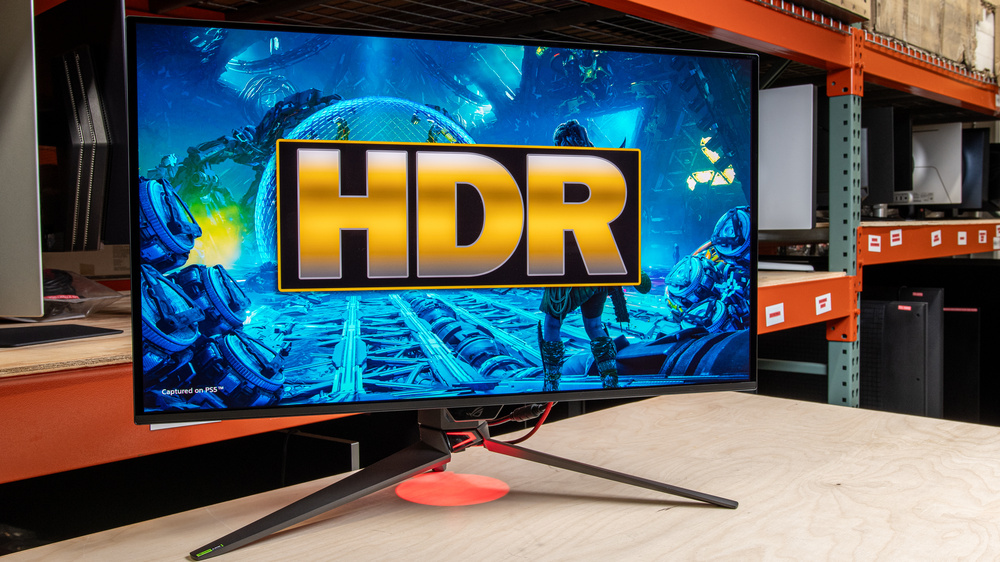
HDR is a display signal format that uses a wider range of colors and higher, more dynamic brightness levels compared to SDR formats. While most monitors support HDR, this doesn't guarantee good performance. You need it to display deep blacks, get bright enough to make highlights pop, and make colors look vivid for an impactful viewing experience. Although most monitors are behind TVs when it comes to HDR, and only some support advanced formats like Dolby Vision, they're catching up with more OLED and Mini LED options available. The advantage of choosing a monitor over a TV is that they're smaller and more versatile for gaming or productivity.
In general, QD-OLED panels offer the best HDR picture quality, with more vivid colors than WOLEDs, but newer Tandem WOLED panels aren't far behind in terms of color vividness. However, these OLED monitors tend to cost a lot, so you have to be prepared to pay a lot for the best HDR experience. While many budget monitors have limited picture quality, there are some that are still good enough for an impactful HDR experience.
We've bought and tested more than 415 monitors, and below, you'll find our recommendations for the best monitors for HDR, including the best 4k HDR monitors. Check out our recommendations for the best HDR gaming monitors, the best Mini LED monitors, the best OLED monitors, and the best multimedia monitors. However, if you don't think a monitor is right for you, check out the best TVs for movies instead.
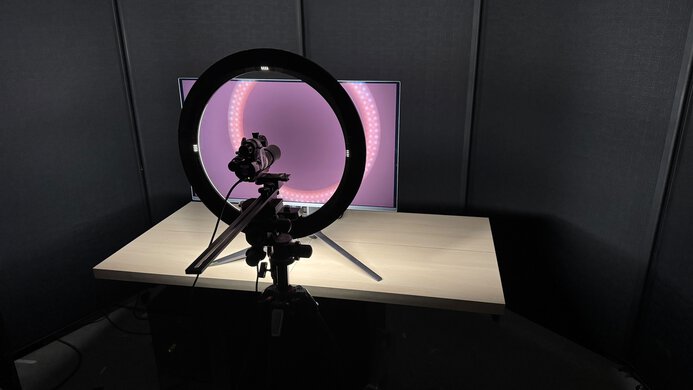
We buy and test more than 30 monitors each year, all of which we purchase ourselves, without cherry-picked units or samples. We put a lot into each unbiased, straight-to-the-point review, and there's a whole process from purchasing to publishing, involving multiple teams and people. We do more than just use the monitor for a week; we use specialized, custom tools to measure various aspects and deliver objective, data-driven results. We also consider multiple factors before making any recommendations, including the monitor's cost, its performance compared to the competition, and whether it's easy to find.
-
Best HDR Monitor
 HDR PictureEditingPC GamingHDR Color VolumeHDR Color GamutHDR BrightnessSize32"Panel TypeOLEDSub-TypeQD-OLEDMax Refresh Rate240 HzNative Resolution3840 x 2160See all our test resultsDolby Vision
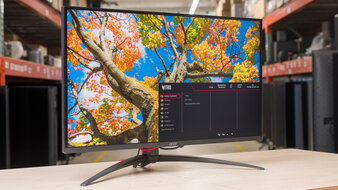
The best HDR monitor we've tested is the ASUS ROG Swift OLED PG32UCDM Gen3. It's a premium 32-inch, 4k, QD-OLED that delivers superb picture quality. This is because it displays deep, inky blacks next to bright highlights in dark rooms, and there's no haloing around objects against dark backgrounds, like a starfield. Additionally, it produces bright enough highlights to make small details stand out, is accurate in HDR, and features vivid colors for a lifelike image no matter the content you watch.
Although other high-end models use a QD-OLED panel, this monitor is better suited for HDR than the competition because it supports Dolby Vision. It enables full utilization of Dolby Vision sources, such as an Xbox Series X|S or a Blu-ray player. It even has more picture modes and customizable settings in HDR than competing models. However, it performs best in a dark room because the black levels rise in a bright room, causing them to look gray and negatively impacting the picture quality. If you're looking for a display for a bright room, the LG 32GX870B-B is an alternative that features exceptionally low black levels in well-lit spaces. It's a 4k WOLED with many of the same benefits, but colors aren't as vivid.
-
Best Upper Mid-Range HDR Monitor
HDR PictureEditingPC GamingHDR Color VolumeHDR Color GamutHDR BrightnessSize27"Panel TypeOLEDSub-TypeQD-OLEDMax Refresh Rate240 HzNative Resolution3840 x 2160See all our test resultsDolby VisionShould you find the ASUS ROG Swift OLED PG32UCDM Gen3 too expensive, the Dell Alienware AW2725Q is a solid alternative you can get for less. It's another 4k QD-OLED, but there are some notable differences in performance. It's an older panel that doesn't get as bright, so highlights don't pop as much. It also performs worse in a bright room because it has worse black level raise, so blacks look purple as opposed to gray, which is the case with the ASUS. It's also less accurate in HDR than the ASUS, with content appearing brighter than intended, so some details in darker scenes can look washed out.
It at least supports Dolby Vision like the ASUS, so it makes full use of sources that also support it, like an Xbox or Blu-ray player. Besides that, it displays the same deep blacks in dark rooms with no haloing around bright objects, and colors are equally as vivid as on the ASUS. You may also want to check out the Dell S3225QC if you want a similar option that costs less, but it's less versatile if you want something for gaming, as it has a lower refresh rate.
-
Best Mid-Range HDR Monitor
HDR PictureEditingPC GamingHDR Color VolumeHDR Color GamutHDR BrightnessSize27"Panel TypeOLEDSub-TypeQD-OLEDMax Refresh Rate360 HzNative Resolution2560 x 1440See all our test resultsDolby VisionIf the Dell Alienware AW2725Q is out of your budget, you can save money by getting the Dell Alienware AW2725DF. It's a lower-end model that differs from the AW2725Q in that it has a lower 1440p resolution, which means it doesn't deliver the same detailed and sharp images. It doesn't support Dolby Vision either, which is a trade-off for getting something cheaper and a downside to consider for gaming with an Xbox or watching Blu-ray movies.
That said, it's still fantastic for HDR as it's another QD-OLED with all the benefits of that panel technology. This includes deep blacks in dark rooms, no haloing around bright objects, and a wide range of vivid colors for an impactful HDR viewing experience. It also has similar brightness to the AW2725Q, but instead of overbrightening content in HDR, it makes content look darker than intended, so some details are hard to see in dark scenes, like in shadows. You can check out the Gigabyte MO27Q28G if you want something with better HDR accuracy, but its colors are less vivid, and it can be harder to find at times.
-
Best Lower Mid-Range HDR Monitor
HDR PictureEditingPC GamingHDR Color VolumeHDR Color GamutHDR BrightnessSize27"Panel TypeLCDSub-TypeIPSMax Refresh Rate320 HzNative Resolution3840 x 2160See all our test resultsDolby VisionIf you don't have the budget for an OLED, the Acer Nitro XV275K P5biipruzx offers great value at a lower cost. It's worth getting when you can find it on sale for less than the Dell Alienware AW2725DF. This monitor is different from the Dell because it doesn't have an OLED panel with the same deep blacks in dark rooms, which is a trade-off for getting this cheaper alternative. It instead uses Mini LED backlighting with an alright local dimming feature. This local dimming helps improve black levels in dark scenes, but it has black crush instead, resulting in a loss of detail in dark scenes, as well as haloing around bright objects.
An advantage of this monitor is its brightness, which helps it handle glare well and makes highlights pop in HDR. However, it has slightly worse reflection handling than the Dell. Besides that, it displays a wide range of colors in HDR, making them look vivid. It even has a higher 4k resolution than the Dell, so it delivers more detailed images, which is great when streaming 4k content.
-
Best Budget HDR Monitor
HDR PictureEditingPC GamingHDR Color VolumeHDR Color GamutHDR BrightnessSize27"Panel TypeLCDSub-TypeVAMax Refresh Rate180 HzNative Resolution2560 x 1440See all our test resultsDolby VisionWhile most budget monitors have limited HDR performance, a few offer good HDR picture quality, such as the AOC Q27G3XMN. It's similar to the Acer Nitro XV275K P5biipruzx because it also uses Mini LED backlighting. You may actually prefer its overall HDR performance, as it offers an improved local dimming feature and a higher native contrast ratio, resulting in deeper blacks. It also has less black crush and haloing in dark scenes.
The downside of getting the AOC over the Acer is that it has a lower 1440p resolution. This means images aren't as detailed, but this is what you have to expect in the budget category. Another negative is that this monitor has more black smearing with fast-moving objects in dark scenes than the Acer, which is something to consider if you watch fast-paced content. You can check out the KOORUI S2721PM if you prefer a Mini LED option with better motion handling, but it has a low contrast ratio, so blacks aren't as deep.










Notable Mentions
-
ASUS ROG Swift OLED PG27UCDM:
The ASUS ROG Swift OLED PG27UCDM is a smaller and cheaper alternative to the ASUS ROG Swift OLED PG32UCDM Gen3. It performs similarly for the most part, but it isn't as bright.
See our review -
Samsung Odyssey OLED G80SH S32HG802S:
The Samsung Odyssey OLED G80SH S32HG802S is a high-end OLED that competes with the ASUS ROG Swift OLED PG32UCDM Gen3 and uses the same panel. The main difference is that the Samsung has a matte coating for better reflection handling. However, it has less clear images than the ASUS.
See our review -
Samsung Odyssey OLED G73SH S32HG732S:
The Samsung Odyssey OLED G73SH S32HG732S is an upper mid-range 4k OLED. It uses a WOLED panel with deeper blacks in bright rooms than the Dell Alienware AW2725Q, and it gets slightly brighter. However, colors are less vivid on the Samsung.
See our review -
TCL 32R84:
The TCL 32R84 is a 4k Mini LED monitor that's slightly higher-end than the Acer Nitro XV275K P5biipruzx. The TCL has a higher contrast ratio for deeper blacks, and its local dimming feature performs better. However, the TCL costs more.
See our review -
MSI MAG 274QPF X30MV:
The MSI MAG 274QPF X30MV is an entry-level monitor that competes with the AOC Q27G3XMN. The MSI also uses Mini LED backlighting with a similarly performing local dimming feature, and it gets brighter. However, it's more expensive than the AOC.
See our review
Recent Updates
Oct 27, 2026:
We replaced the ASUS ROG Strix OLED XG27ACDNG with the Dell Alienware AW2725Q in the upper mid-range category because the Dell has a higher resolution. In the mid-range category, we replaced the LG 27GX700A-B with the Dell Alienware AW2725DF, which has more vivid colors. We also updated the Notable Mentions to reflect these changes, including adding the Samsung Odyssey OLED G73SH S32HG732S, the TCL 32R84, and the MSI MAG 274QPF X30MV.
Jul 29, 2026:
We replaced the ASUS ROG Swift OLED PG27UCDM with the brighter ASUS ROG Swift OLED PG32UCDM Gen3. We also replaced the hard-to-find Dell S3225QC and the KOORUI S2741LM with the LG 27GX700A-B and the Acer Nitro XV275K P5biipruzx, respectively. In the Notable Mentions, we made several changes to better reflect the current recommendations and market.
May 08, 2026:
We replaced the ASUS ROG Strix OLED XG27AQDMG with the Dell S3225QC, which has more vivid colors. We also replaced the Acer Nitro XV275K P5biipruzx with the KOORUI S2741LM for consistency with other recommendations. In the Notable Mentions, we removed the Gigabyte MO27Q28G and added the LG 27GX790B-B, the ASUS ROG Strix OLED XG27AQWMG, the LG 27GX704A-B, and the Acer XV275K.
Feb 20, 2026:
We added the Acer Nitro XV275K P5biipruzx as the 'Best Lower Mid-Range HDR Monitor' to give another option. We also replaced the BenQ MOBIUZ EX321UX and the Gigabyte AORUS FO27Q3 with the Gigabyte MO27Q28G and the Dell S3225QC in the Notable Mentions.
Dec 05, 2025:
We've moved the ASUS ROG Swift OLED PG32UCDM to the Notable Mentions section and renamed the ASUS ROG Swift OLED PG27UCDM as the 'Best HDR Monitor' for consistency with other recommendations. In the Notable Mentions, we also removed the MSI MPG 321URX QD-OLED, the Xiaomi G Pro 27i, and the Acer Nitro XV275K P3biipruzx, and added the BenQ MOBIUZ EX321UX and the Acer Nitro XV275K P5biipruzx.
All Reviews
Our recommendations are based on what we think are the best HDR monitors available, including the best HDR monitors in the United States. They're adapted to be valid for most people in each price range. The rating is based on our review, feedback from visitors, and price. For example, two monitors may perform the same, but the cheaper one will be recommended. We also consider availability, as we don't recommend a monitor that's hard to find.
If you would prefer to make your own decision, here's the list of all the reviews of monitors that support HDR. Be careful not to get too caught up in the details. Most monitors are good enough to please most people, and the things we fault monitors for are often not noticeable unless you really look for them.