
OLEDs are the best monitor panel type for gaming thanks to their incredibly sharp motion, deep blacks, and bright highlights. The latest high-end monitors feature OLED panels. Despite their premium price tags, they're not without their flaws. An issue that's come to the forefront as OLED monitors have become more popular is a gamma shift at low refresh rates, causing raised blacks and a loss of details in dark scenes
Discussion online revolving around this topic has focused on the fact that WOLEDs suffer the most from this issue. We put that theory to the test by investigating a handful of monitors with different panel types, including WOLEDs, QD-OLEDs, and LCDs. We found that it is indeed true that there's a gamma shift at low refresh rates on WOLED monitors. Other panel types, such as QD-OLEDs, don't have this issue because they maintain a consistent gamma at any refresh rate. So, what can you do if you experience it, and are certain WOLED models avoiding this issue altogether?
If you want to learn more about OLED panel types, check out our article about QD-OLED vs WOLED.
What Is Gamma Shift At Low Refresh Rates On OLEDs?
Gamma is a function meant to translate a signal into a brightness of an image. In other words, it defines how bright and dark an image should be. A low gamma results in a bright image, whereas a high gamma makes the image dark, causing a loss of details. A monitor with proper gamma tracking displays the image at the intended brightness.
| Gamma 1.8 - Too Bright | Gamma 2.2 - Proper Brightness | Gamma 2.6 - Too Dark |
|---|---|---|
 |
 |
 |
Theoretically speaking, a monitor's gamma shouldn't change based on the refresh rate. However, this isn't the case with certain OLED monitors, where a change in the refresh rate causes a shift in gamma. We've already seen this with our VRR flicker test, where a change in the frame rate causes a gamma shift, which is perceived as flicker when the frame rate changes rapidly with VRR enabled. While you may hear that disabling VRR eliminates this type of flicker, it doesn't stop the gamma shift.
The gamma shift is related to the technological properties of OLED panels. OLED pixels have a dip in brightness that corresponds to the frame rate. In other words, every time the screen refreshes itself, there's a slight dip in brightness. At low frame rates, there's a longer time between dips, causing a brighter image than at higher frame rates, which have a short time between dips. You can see this difference in the backlight flicker graphs below of two OLEDs with different refresh rates.
| 120Hz | 360Hz |
|---|---|
 |
 |
However, the goal of our investigation isn't to understand why there's a gamma shift at low refresh rates and what causes it, but rather to determine which panel types are most affected by it.
Investigation: Testing Different OLED Panel Types
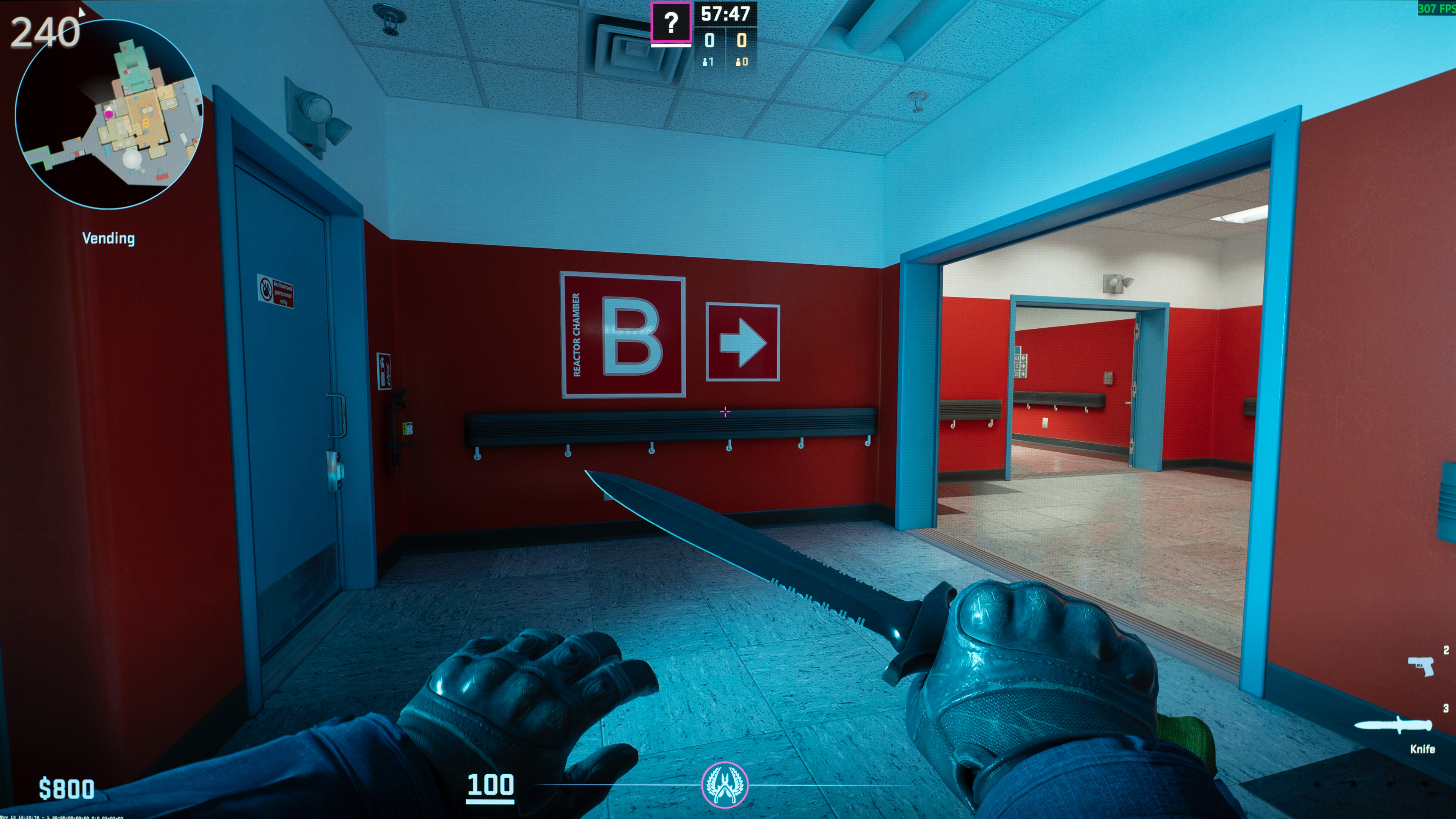
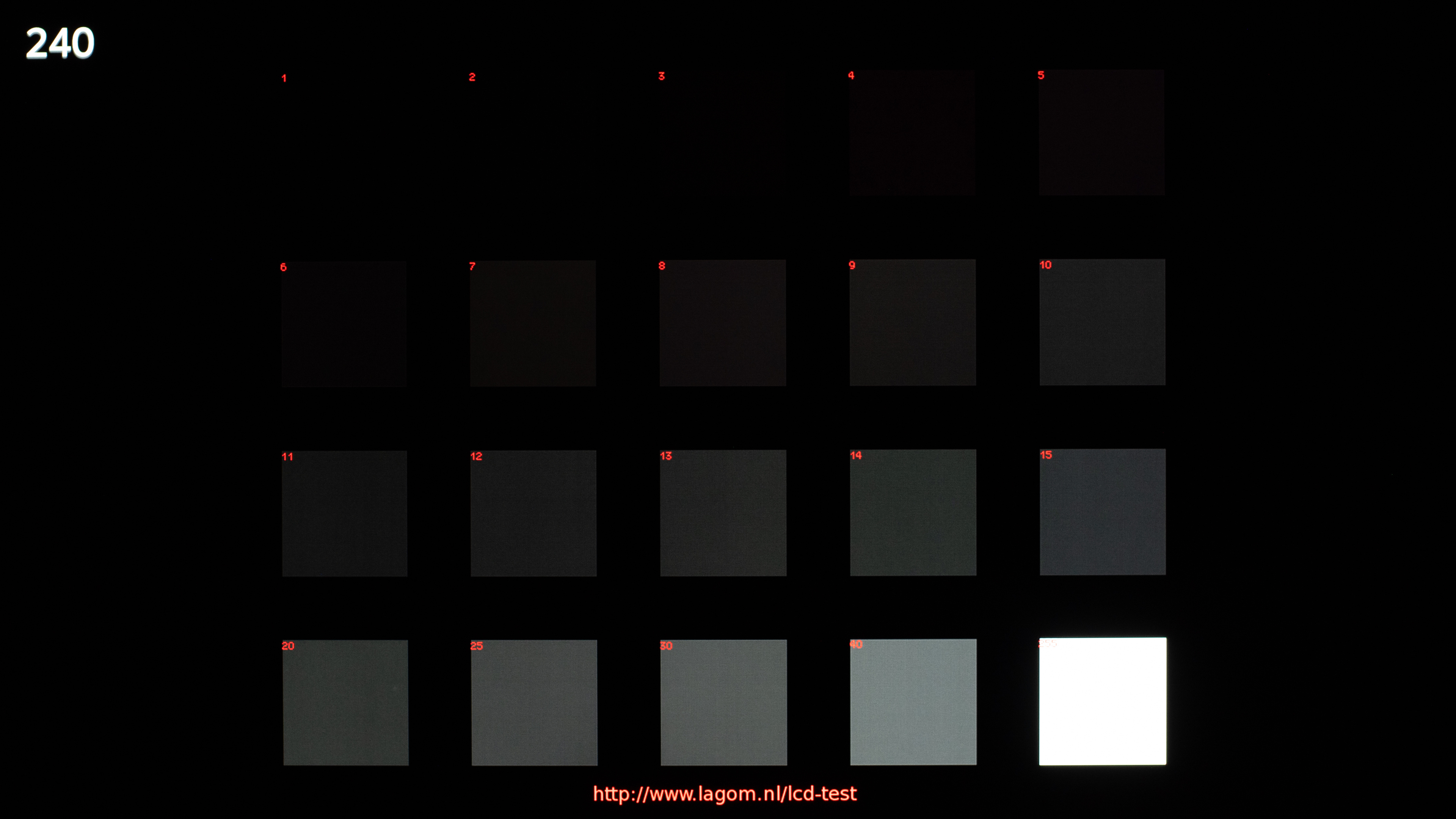
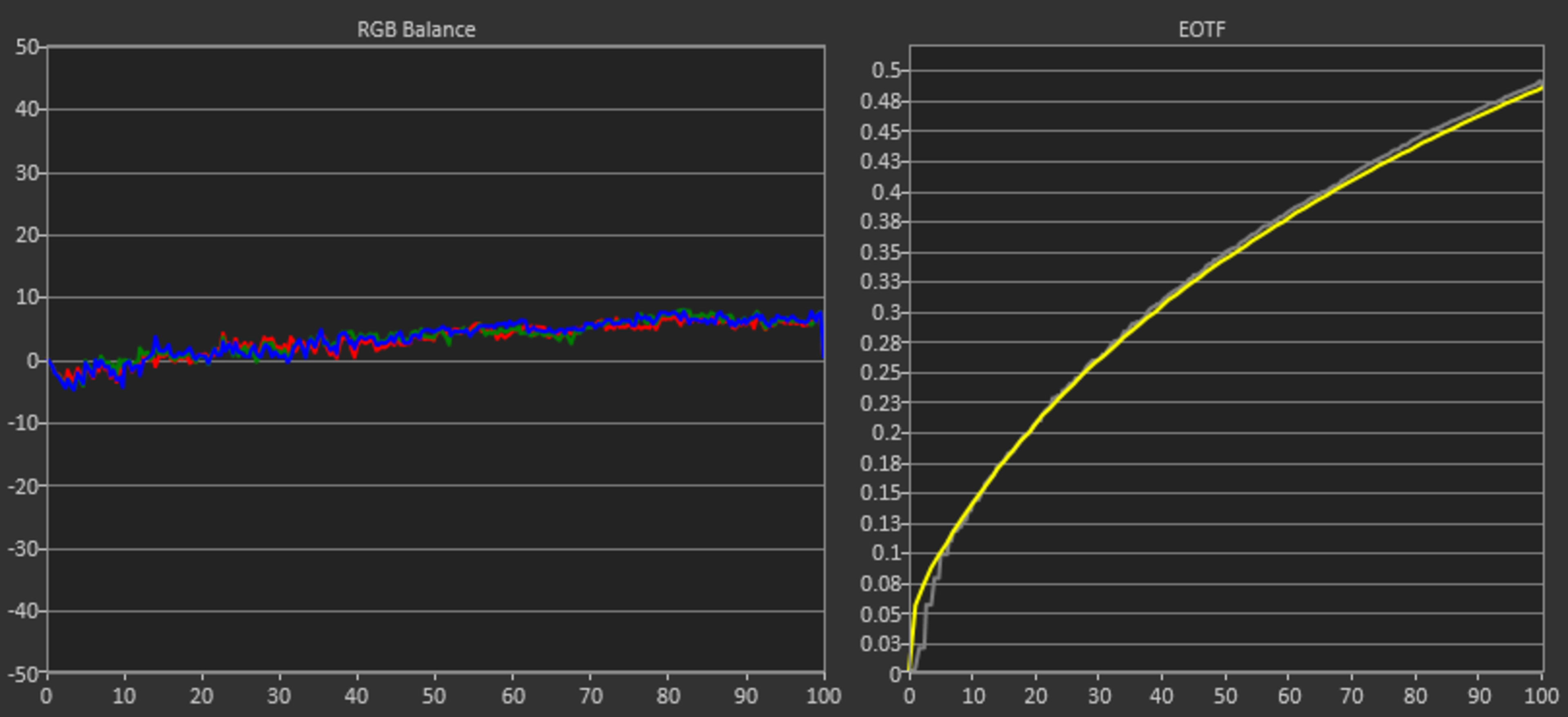
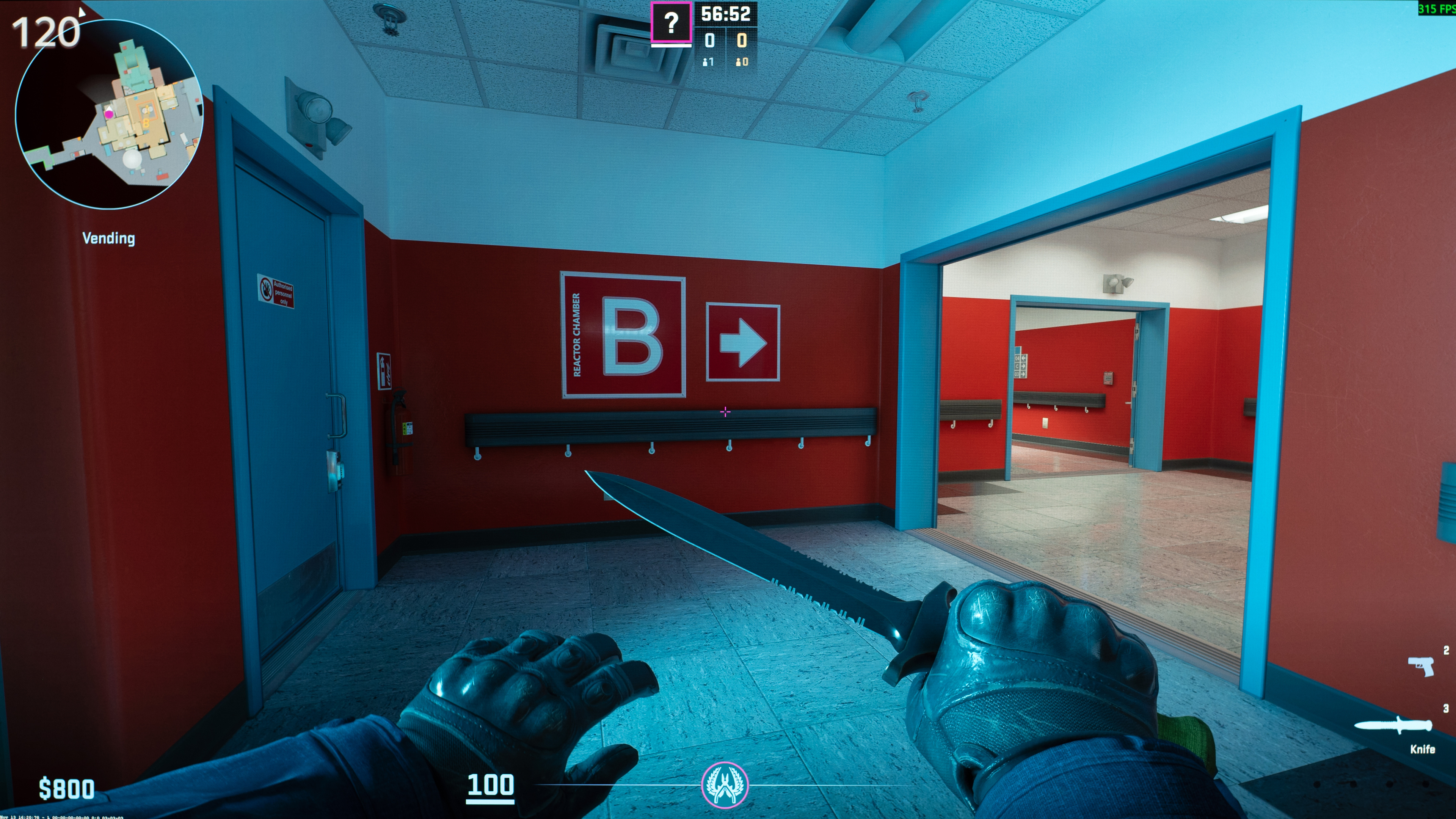
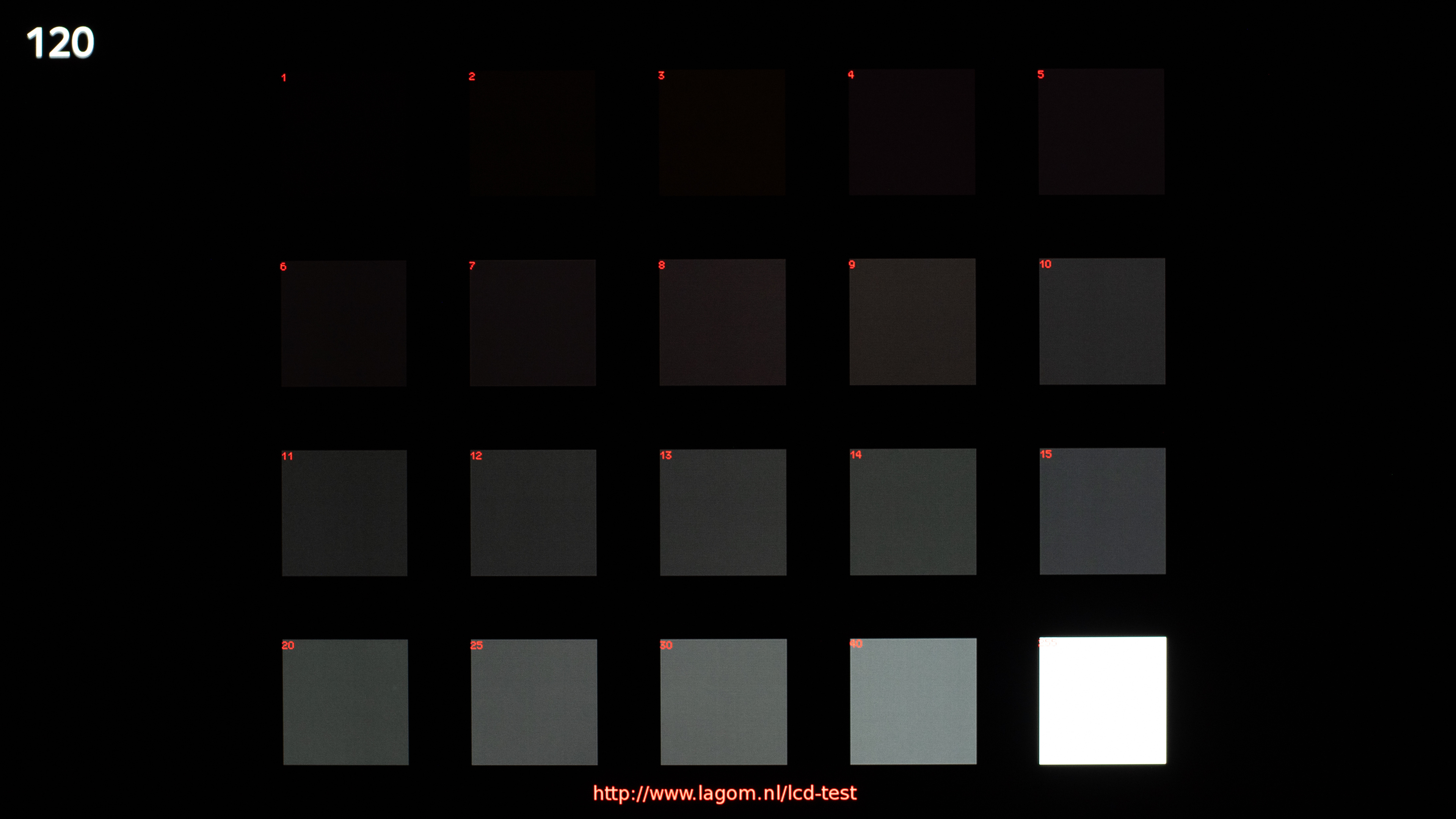
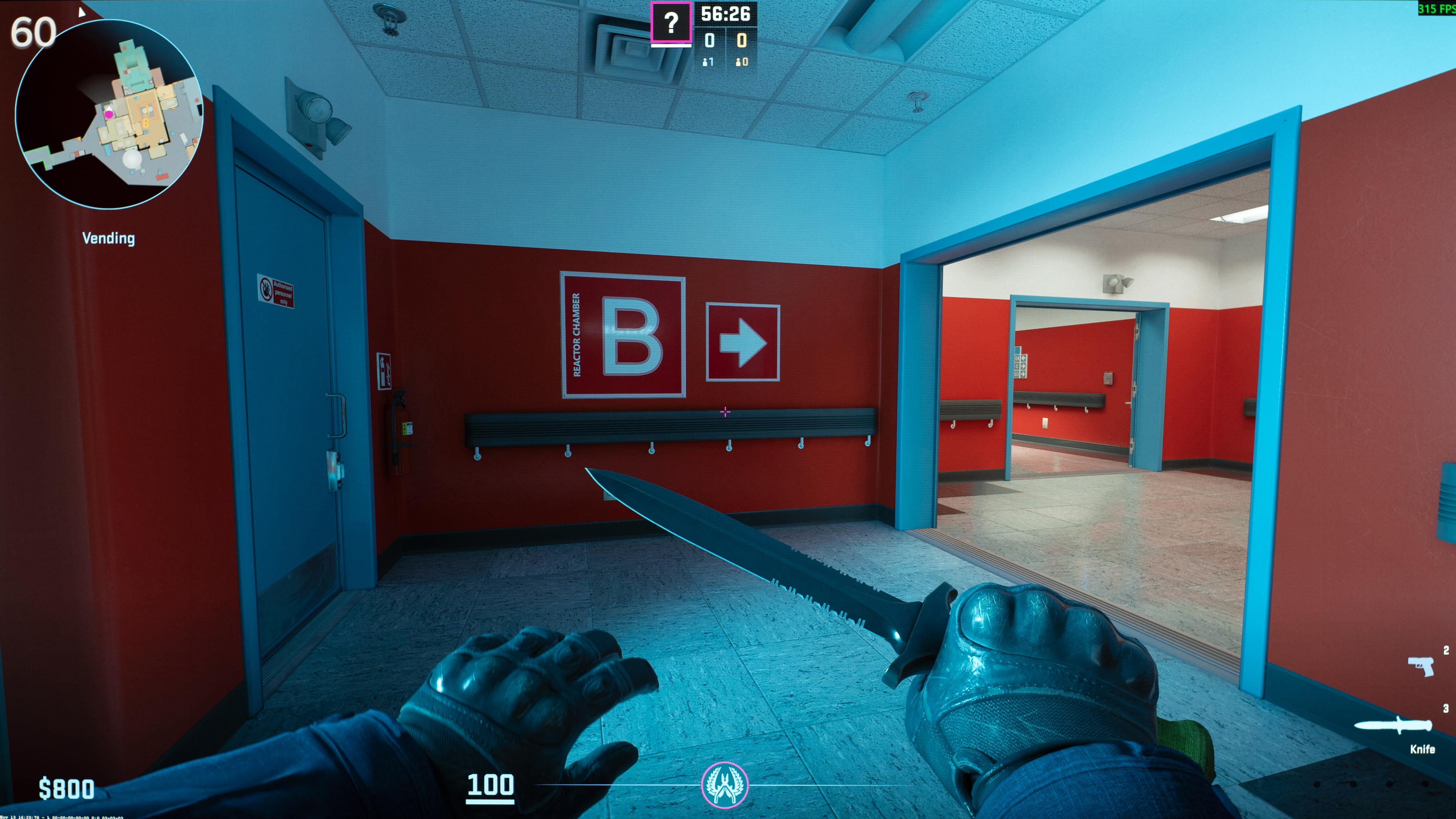
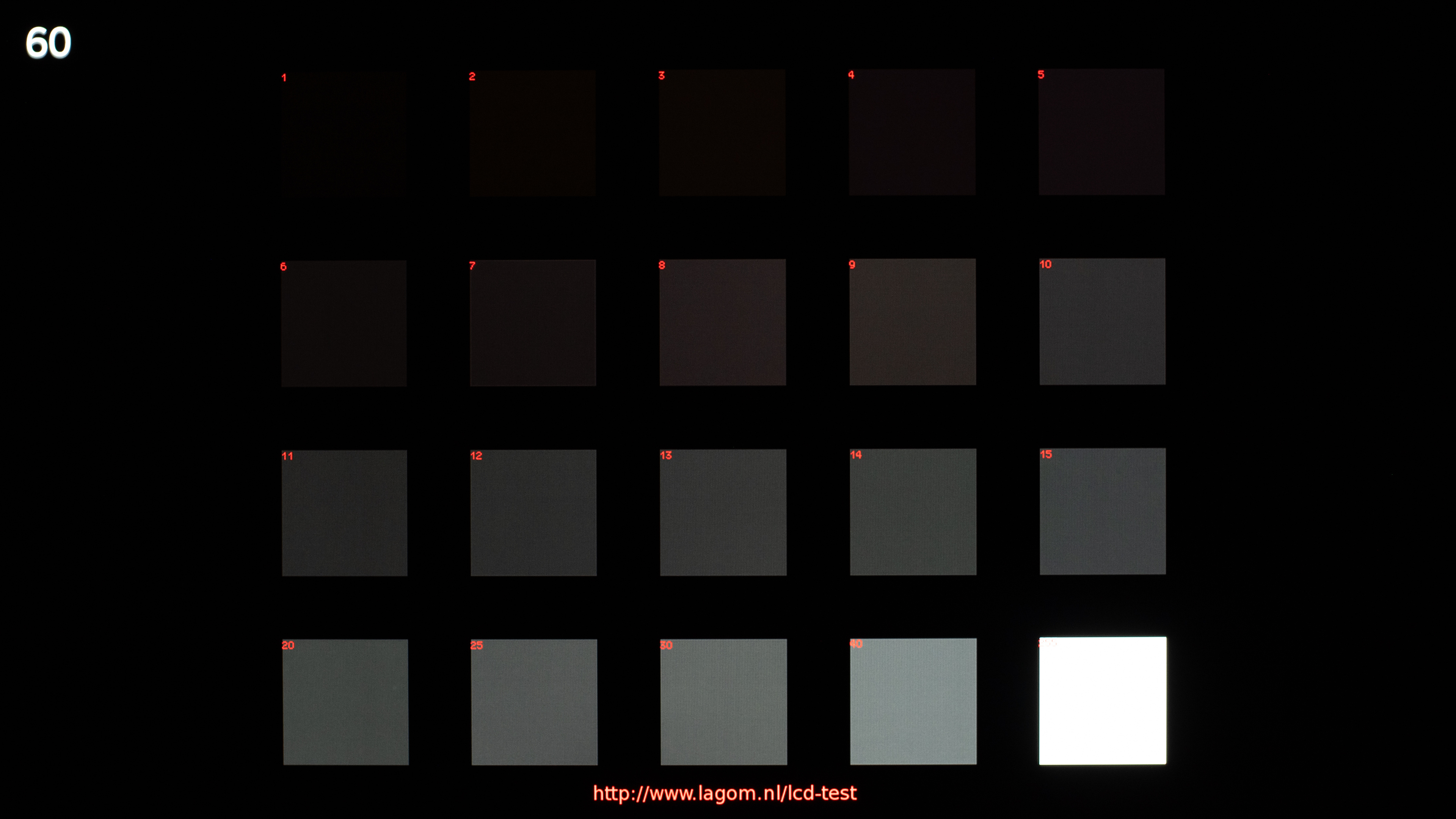
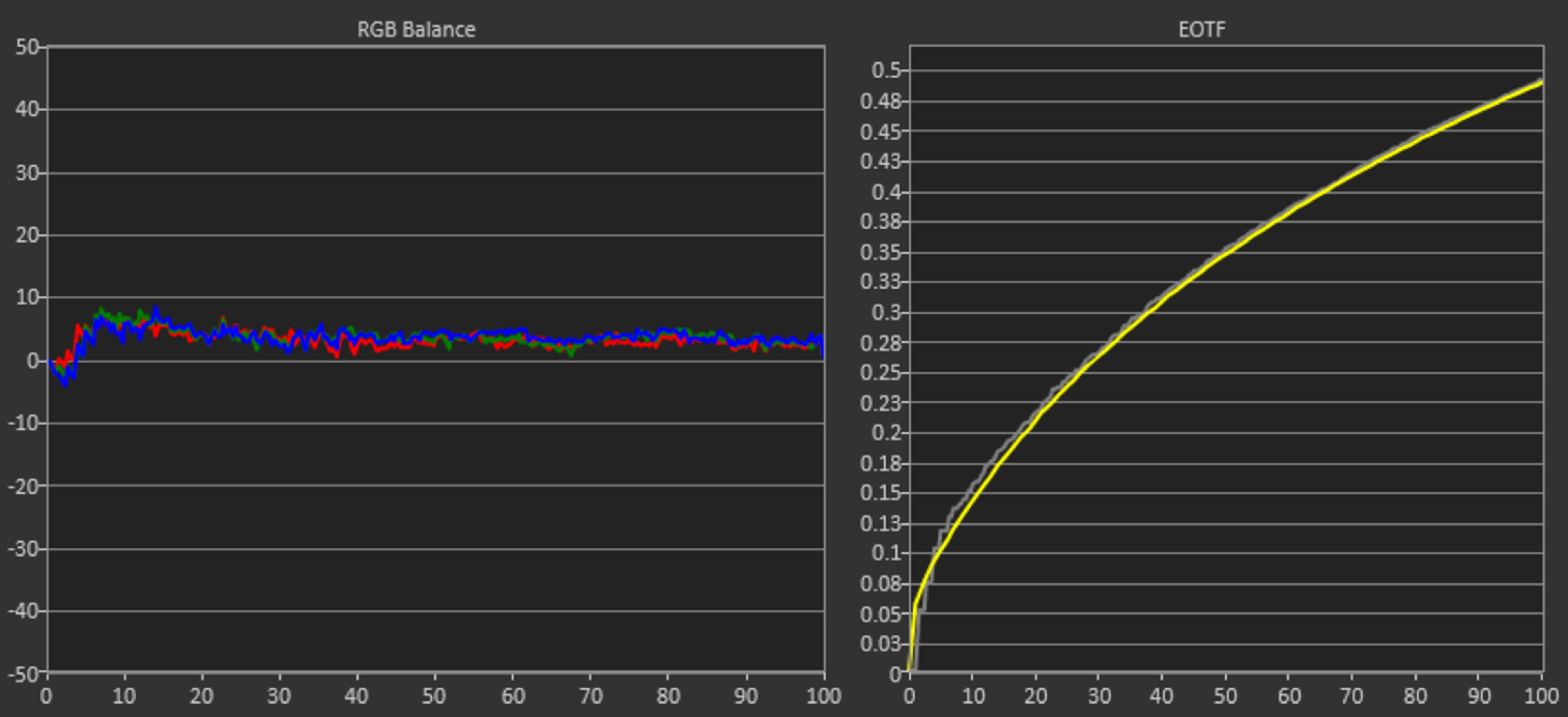
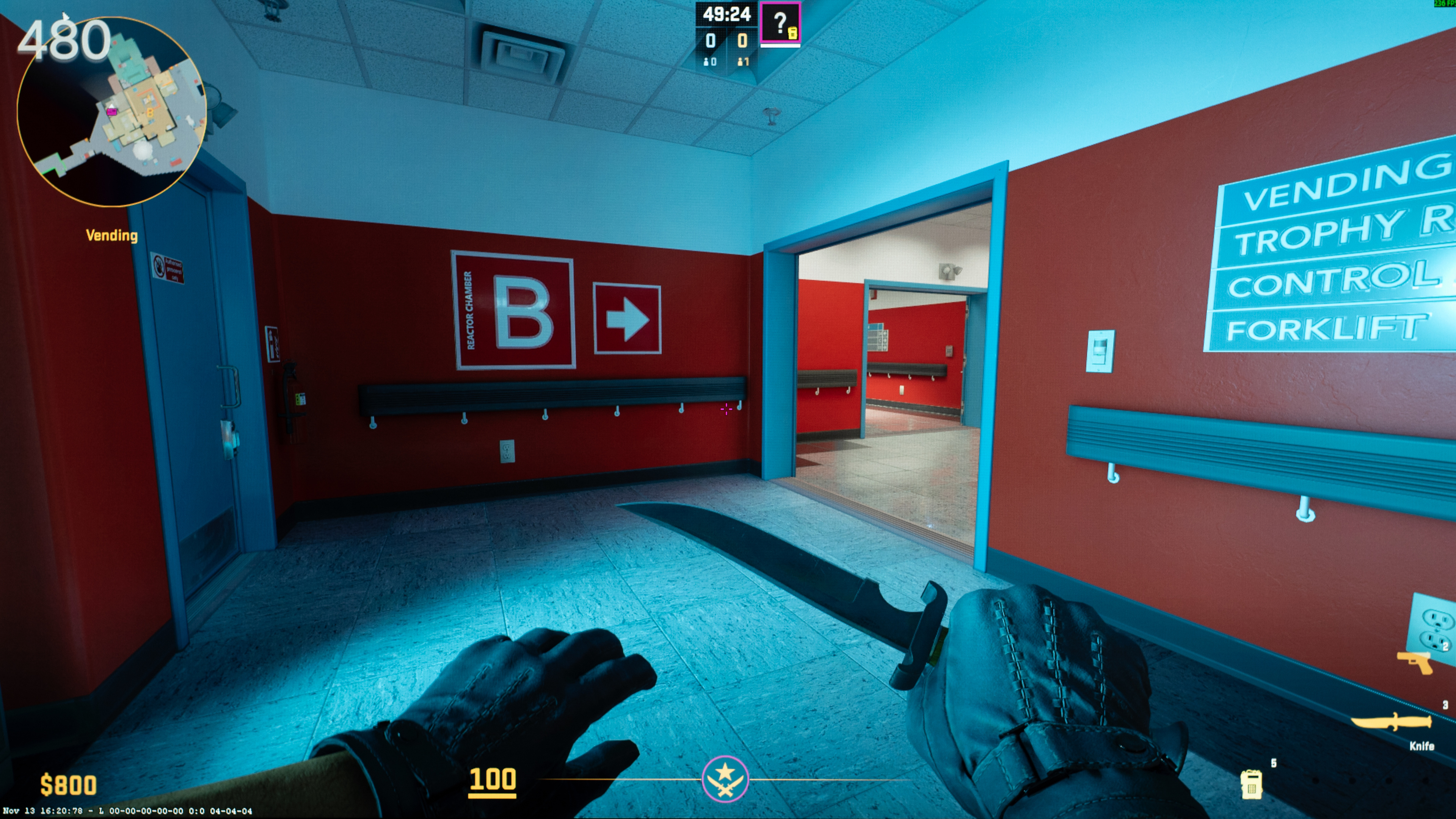
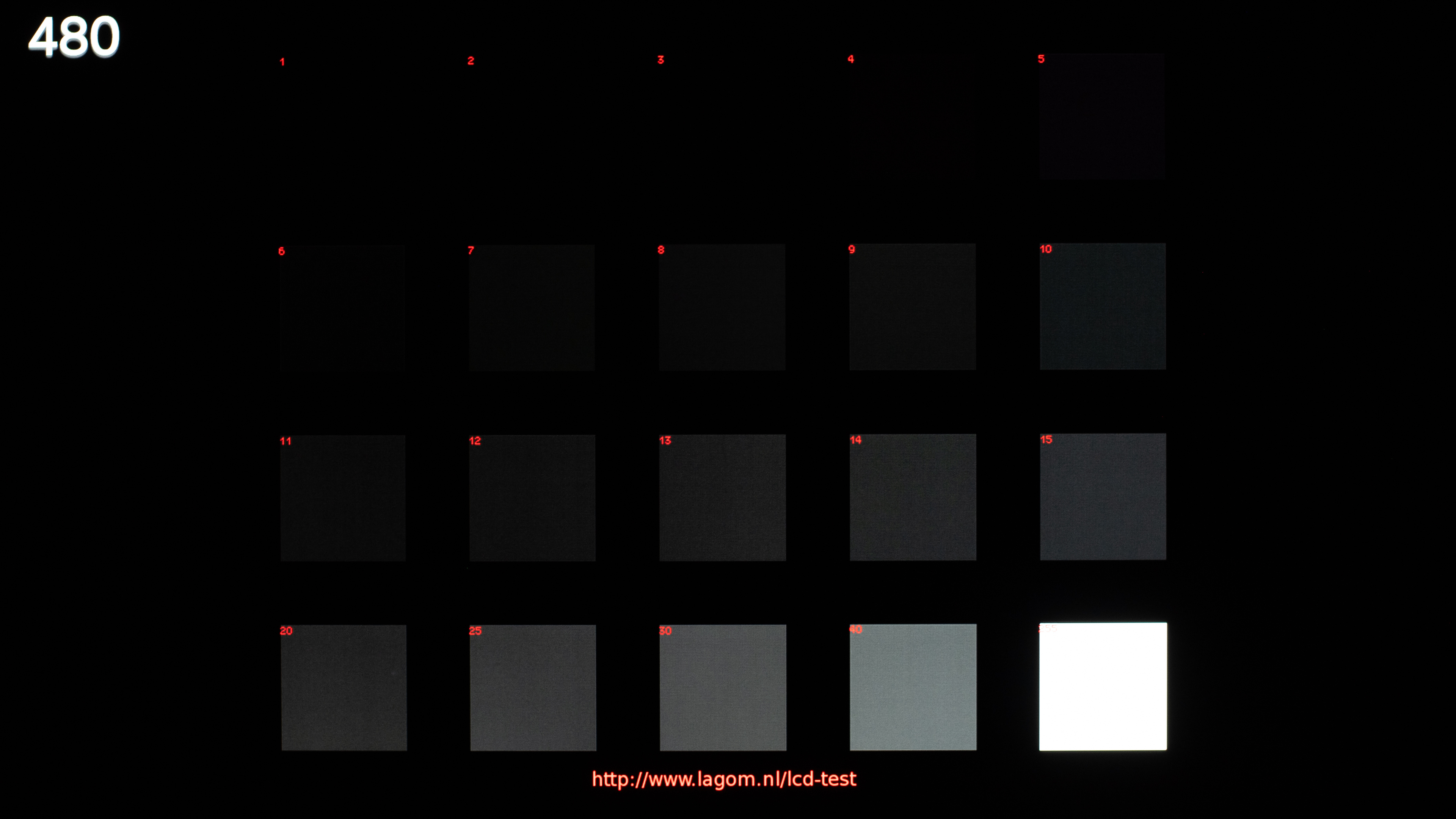
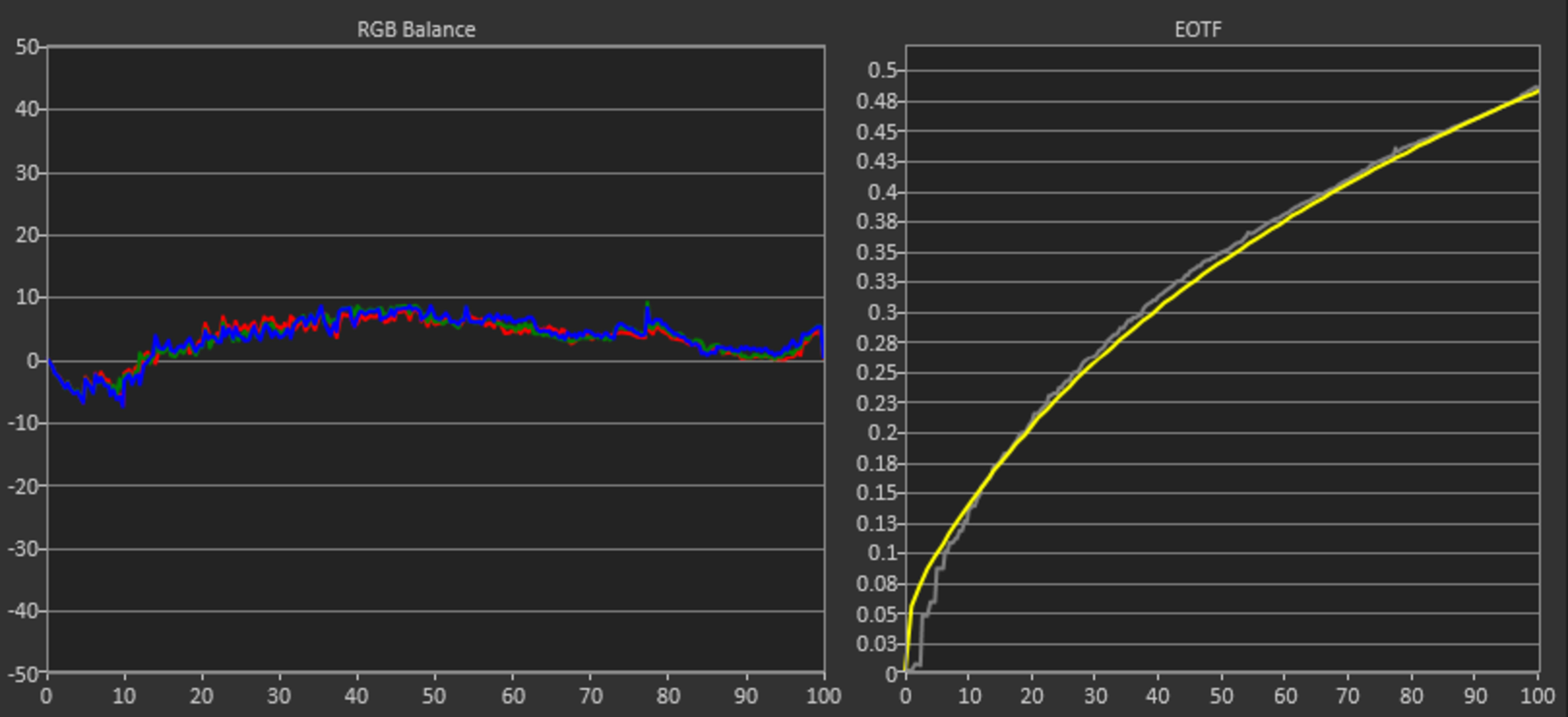
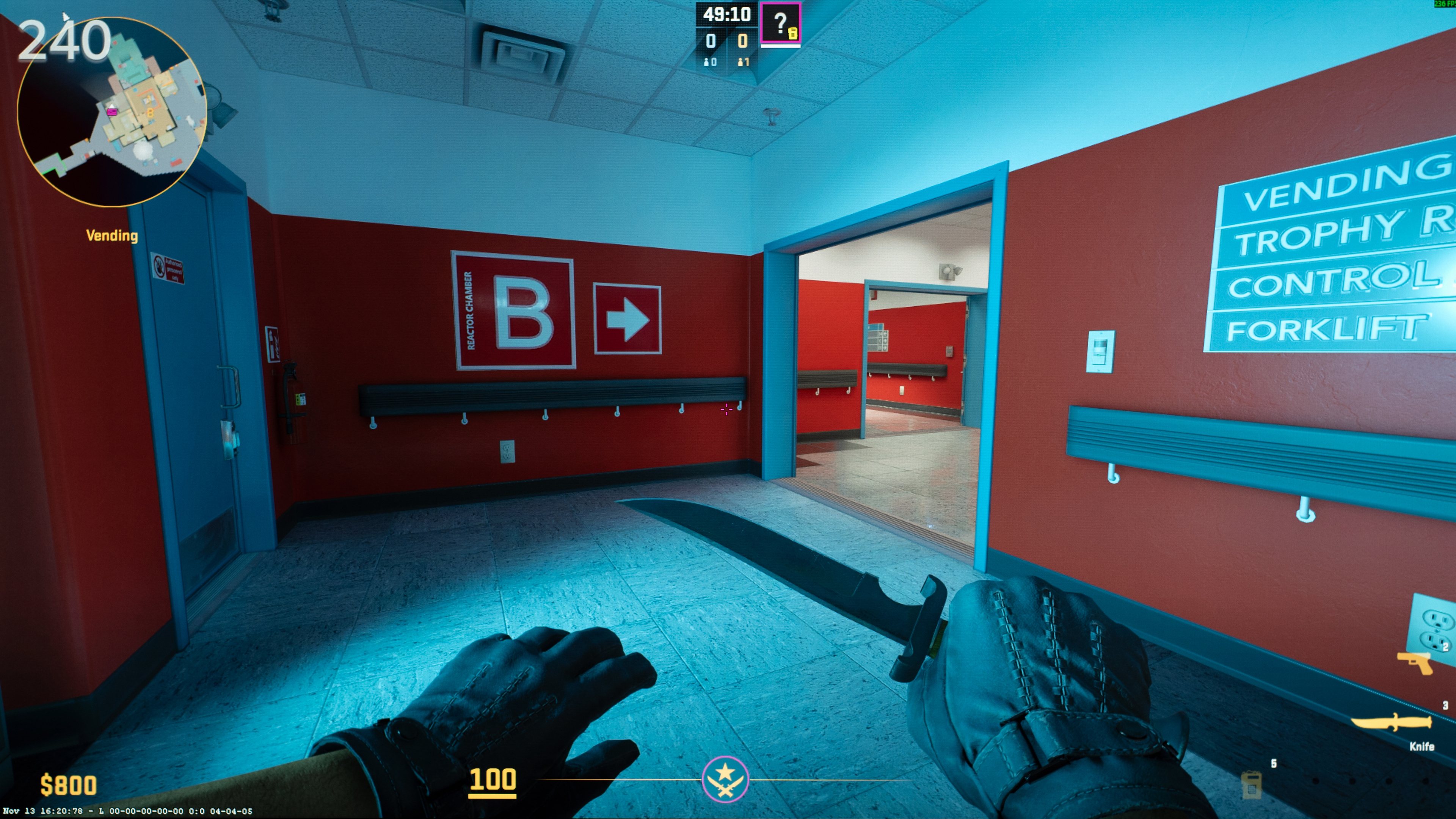
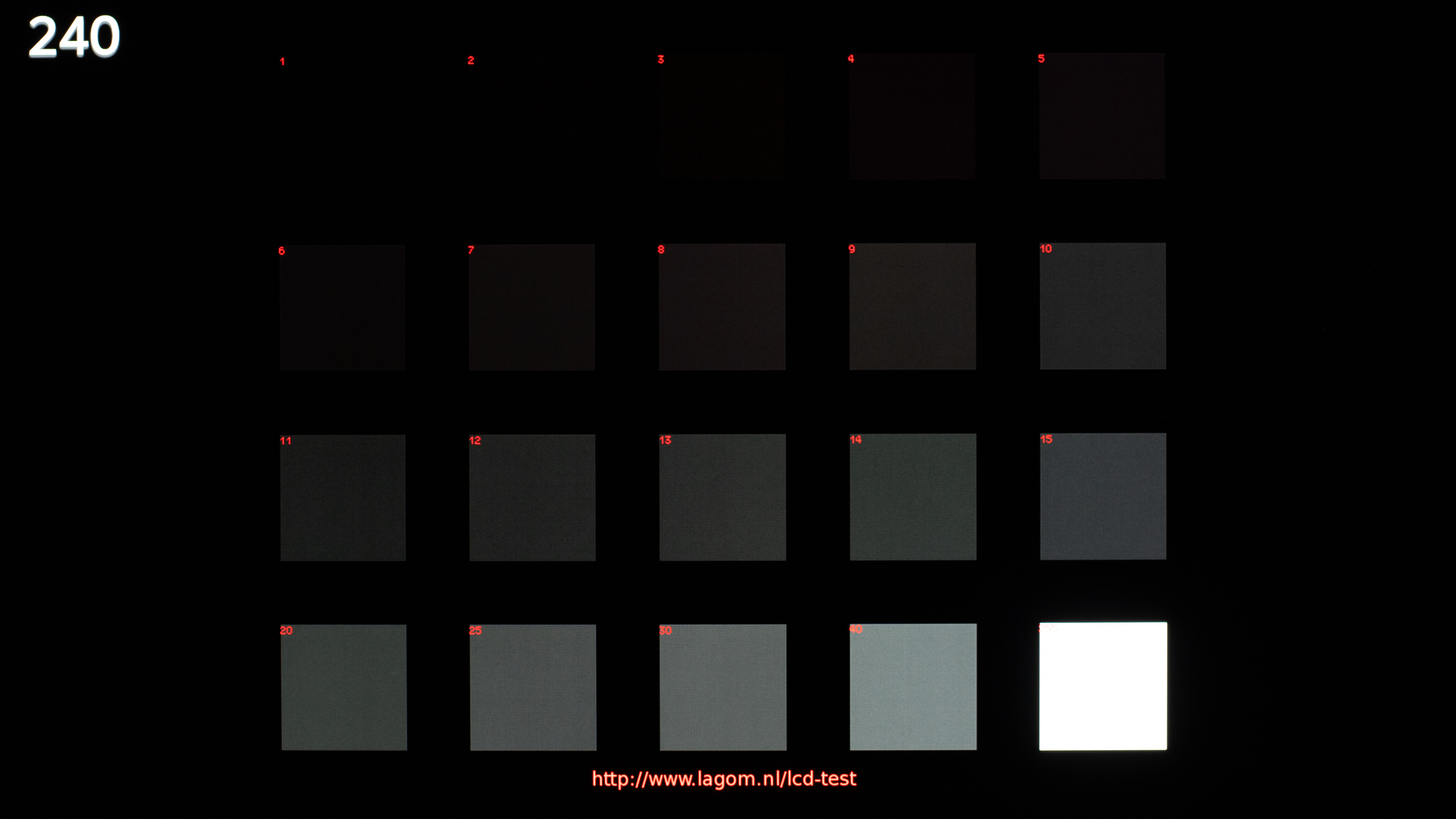
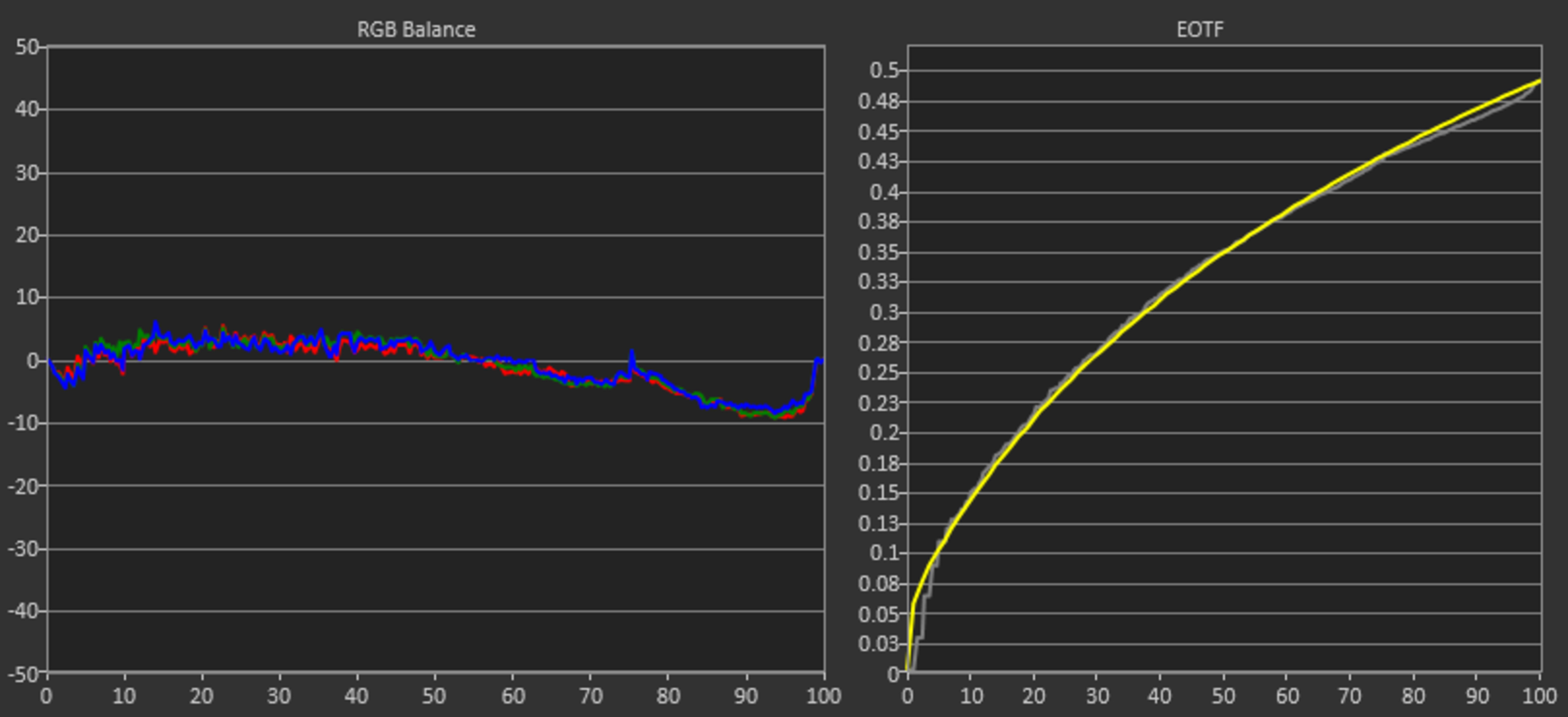
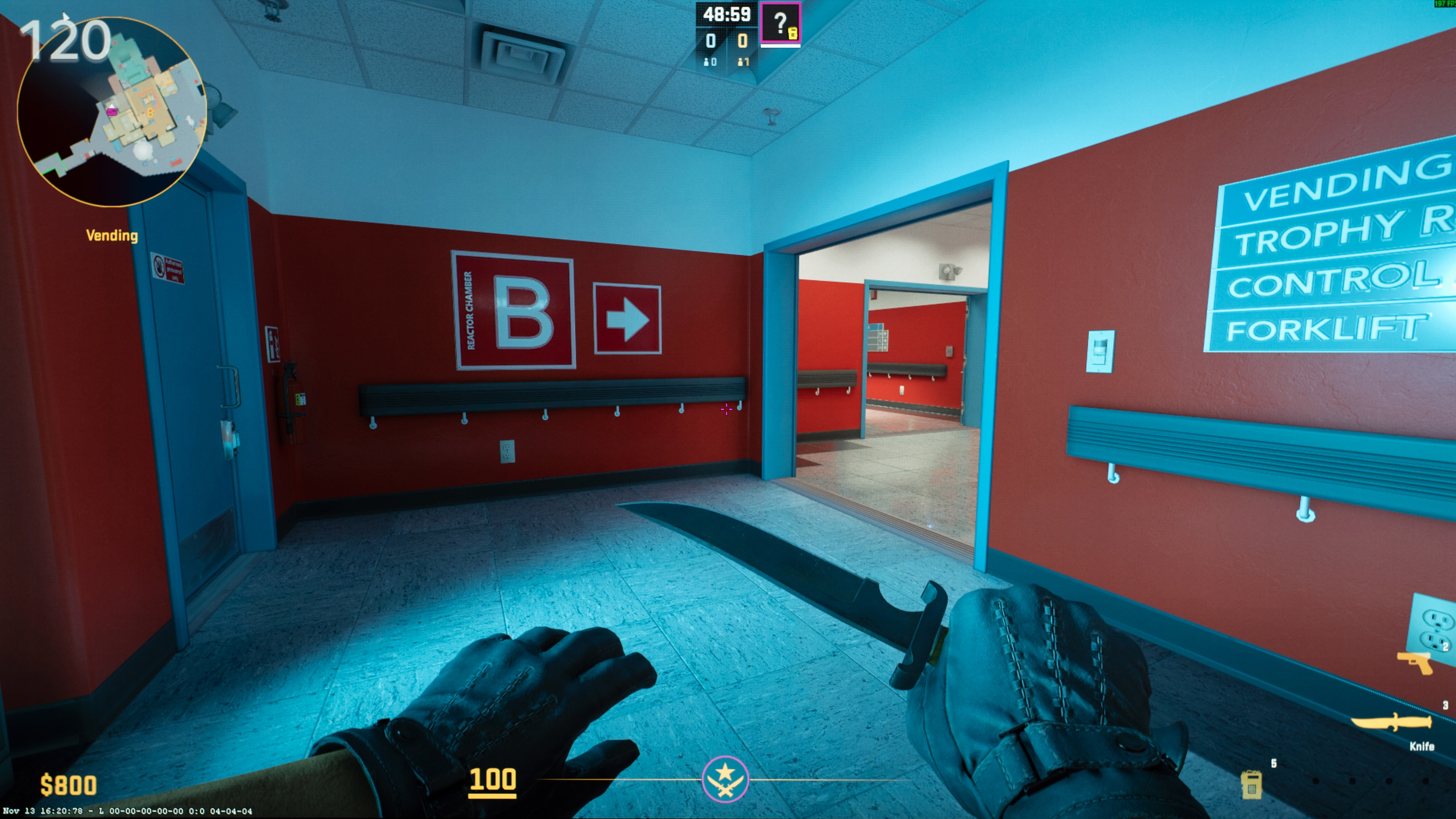
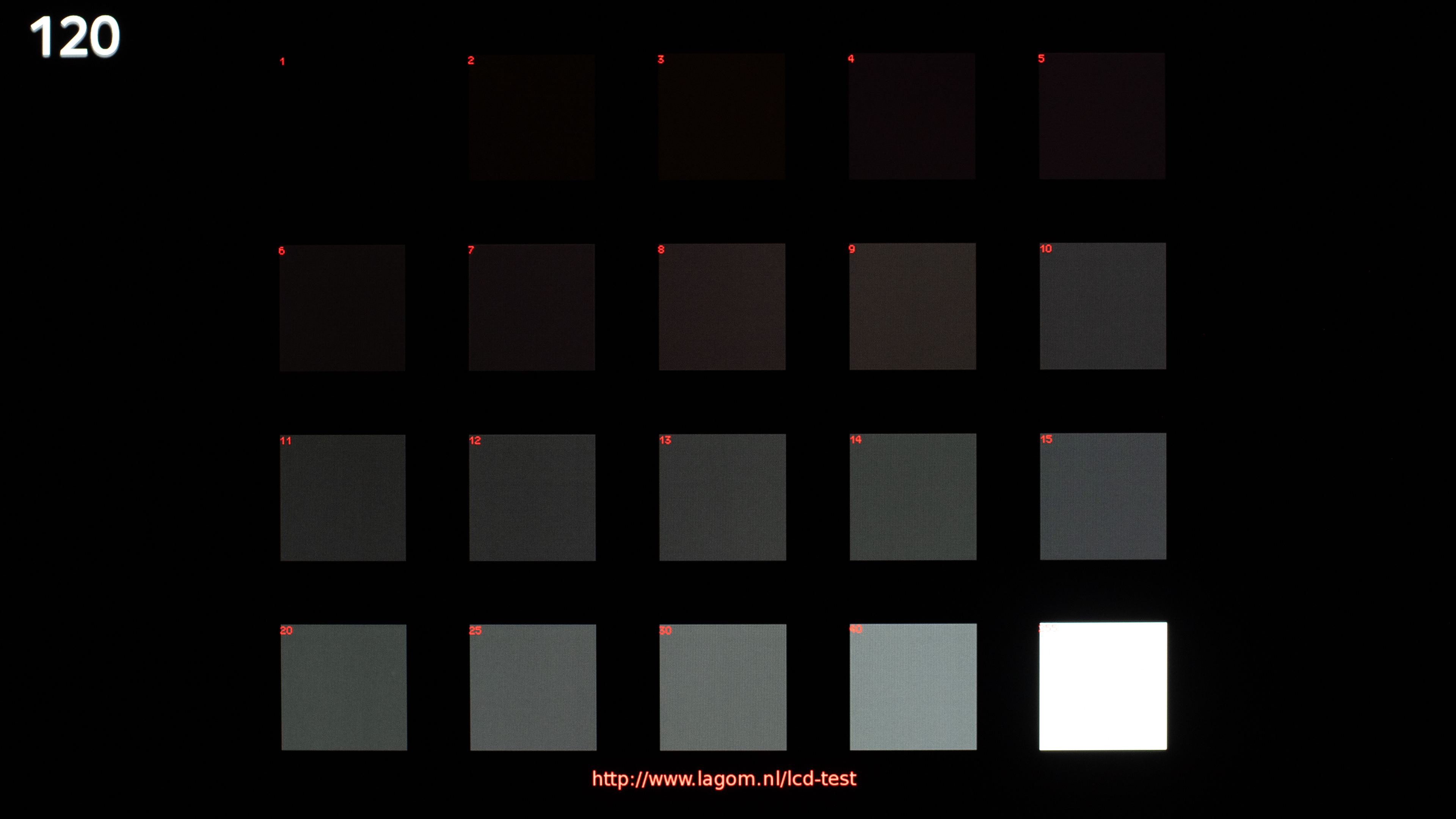
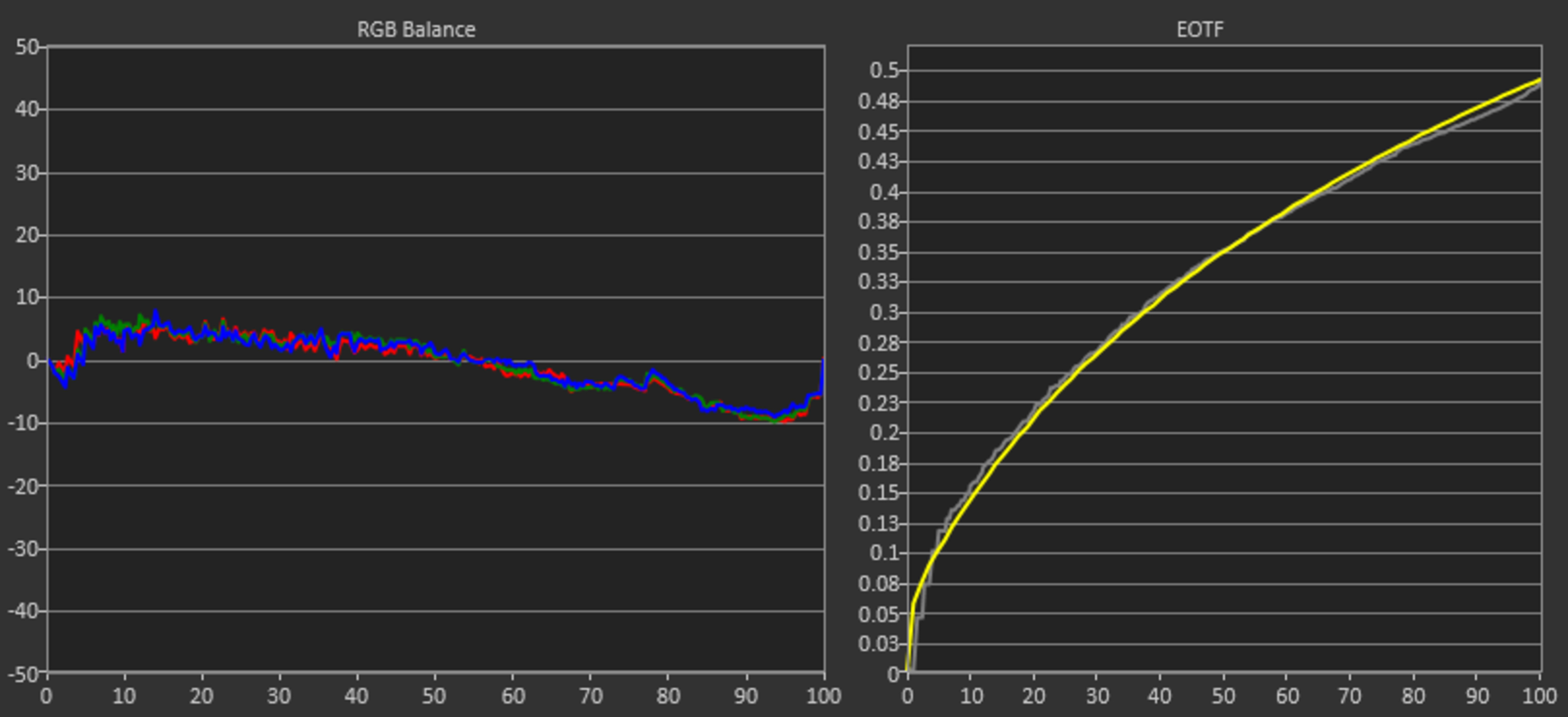
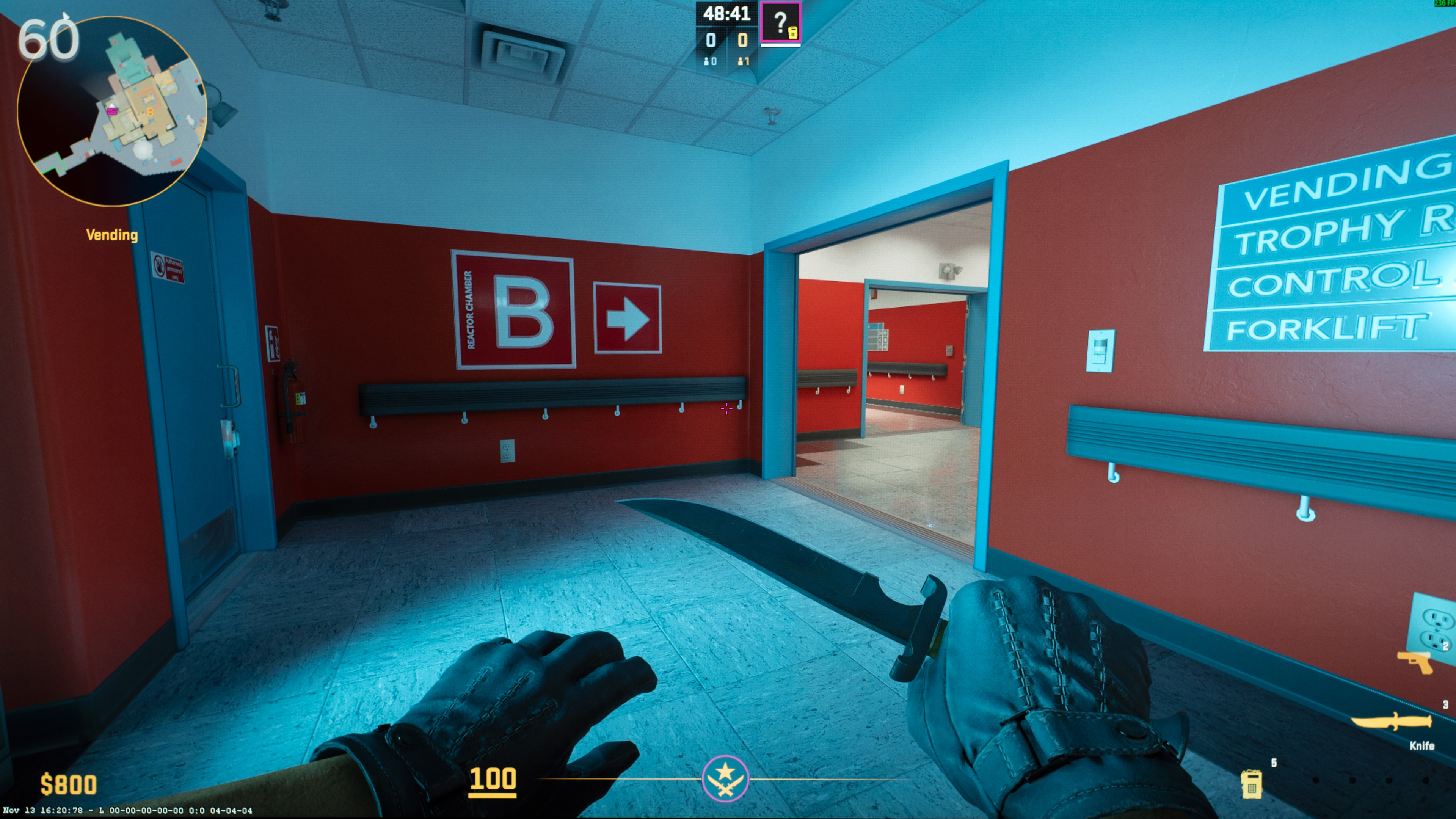
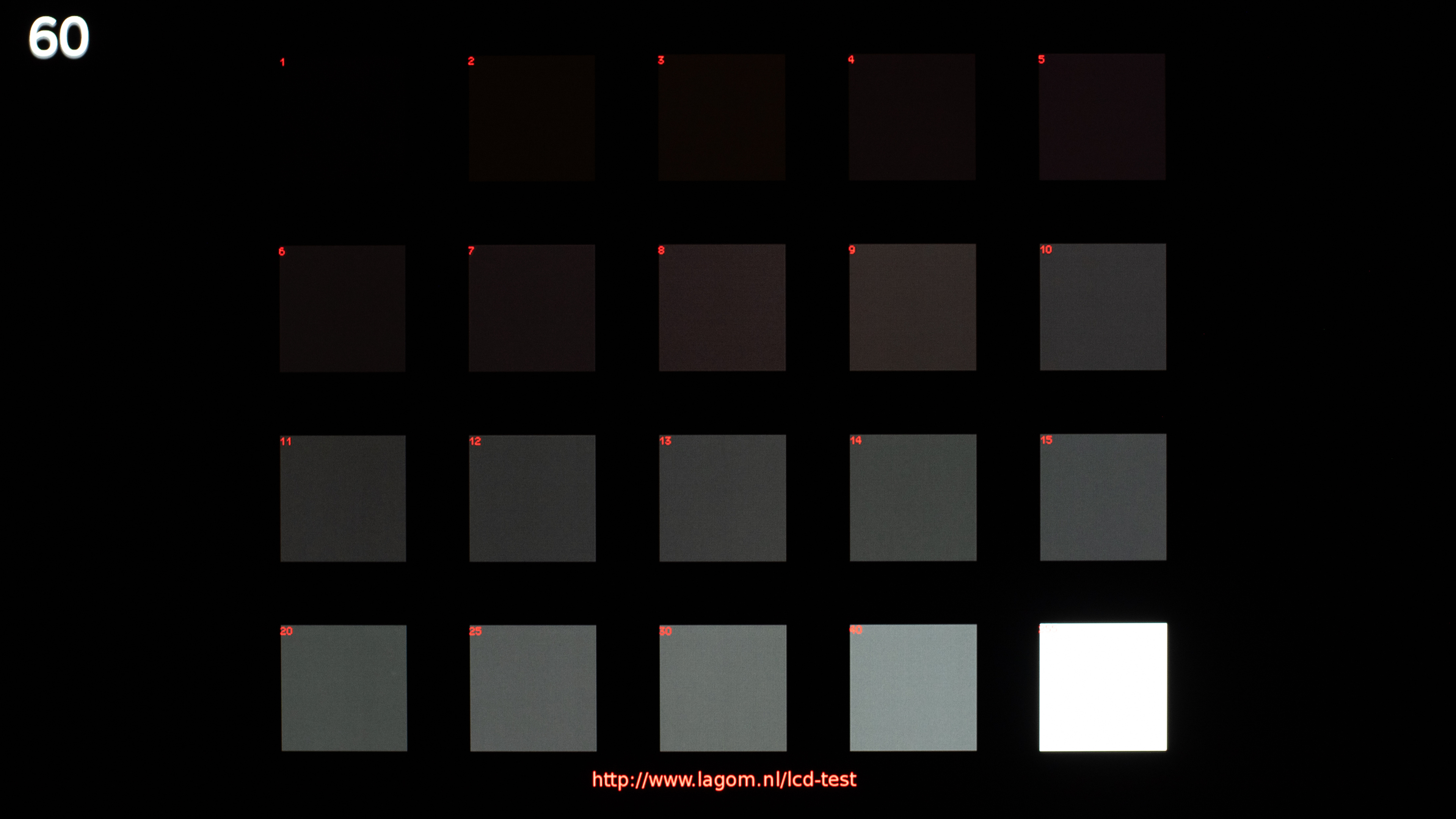
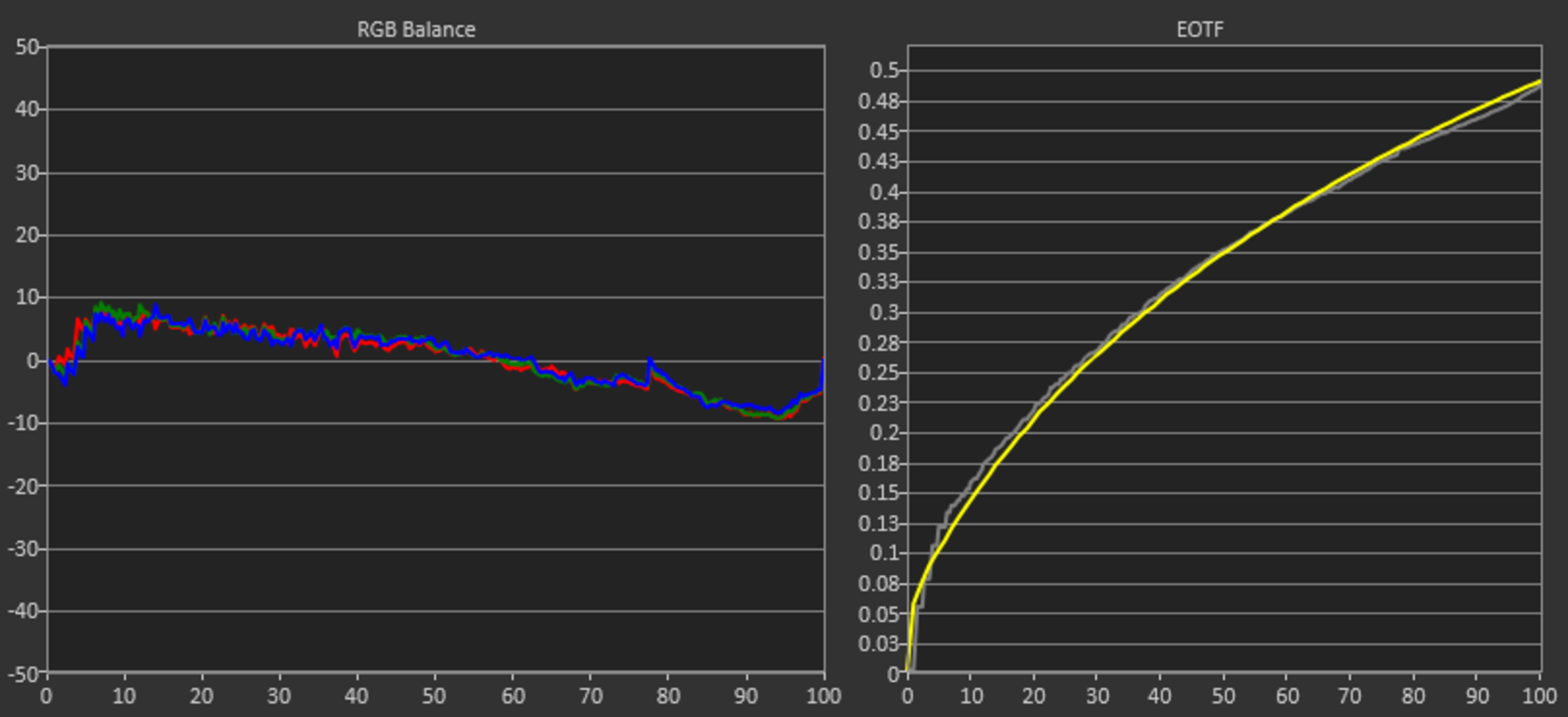
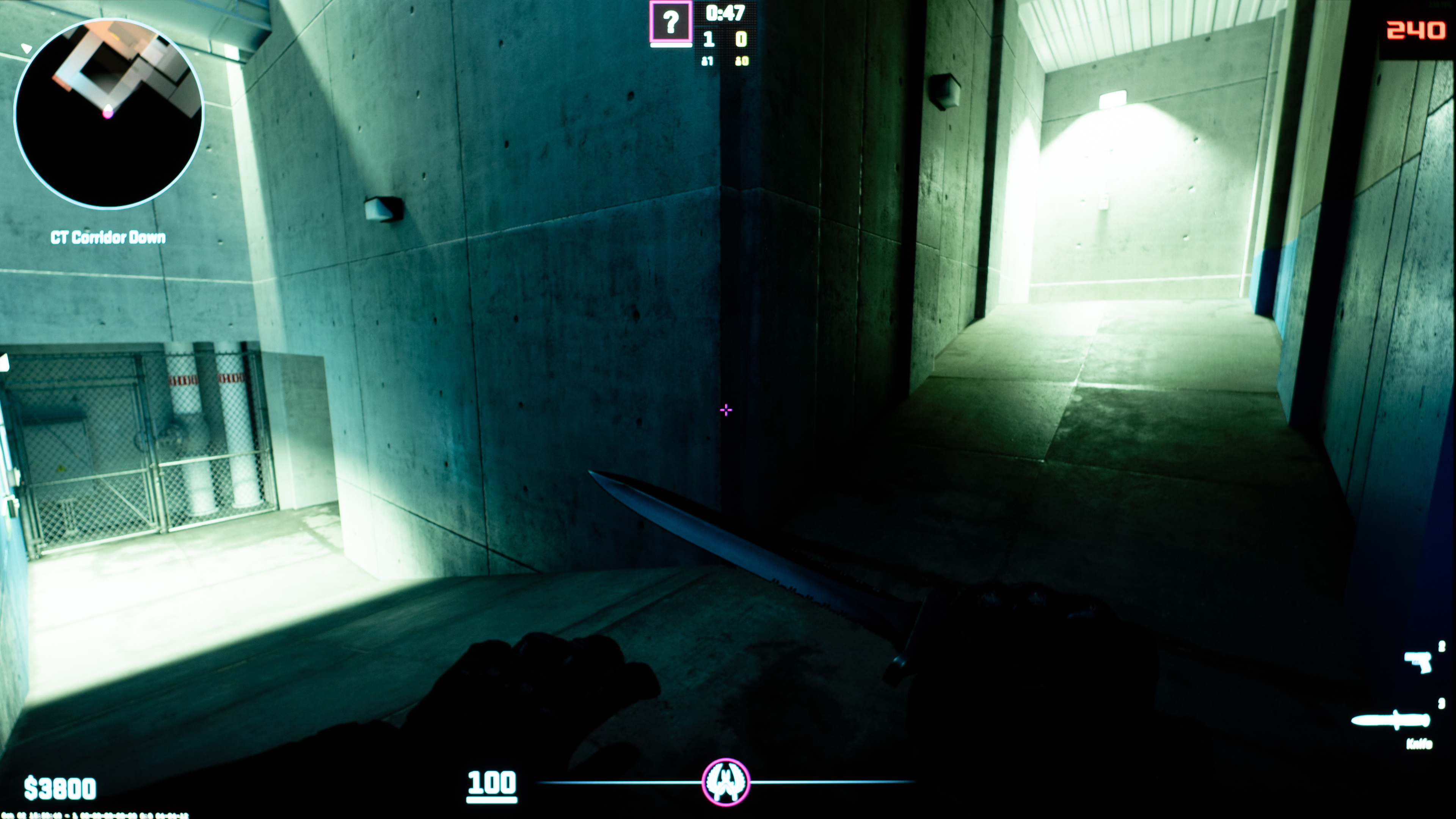
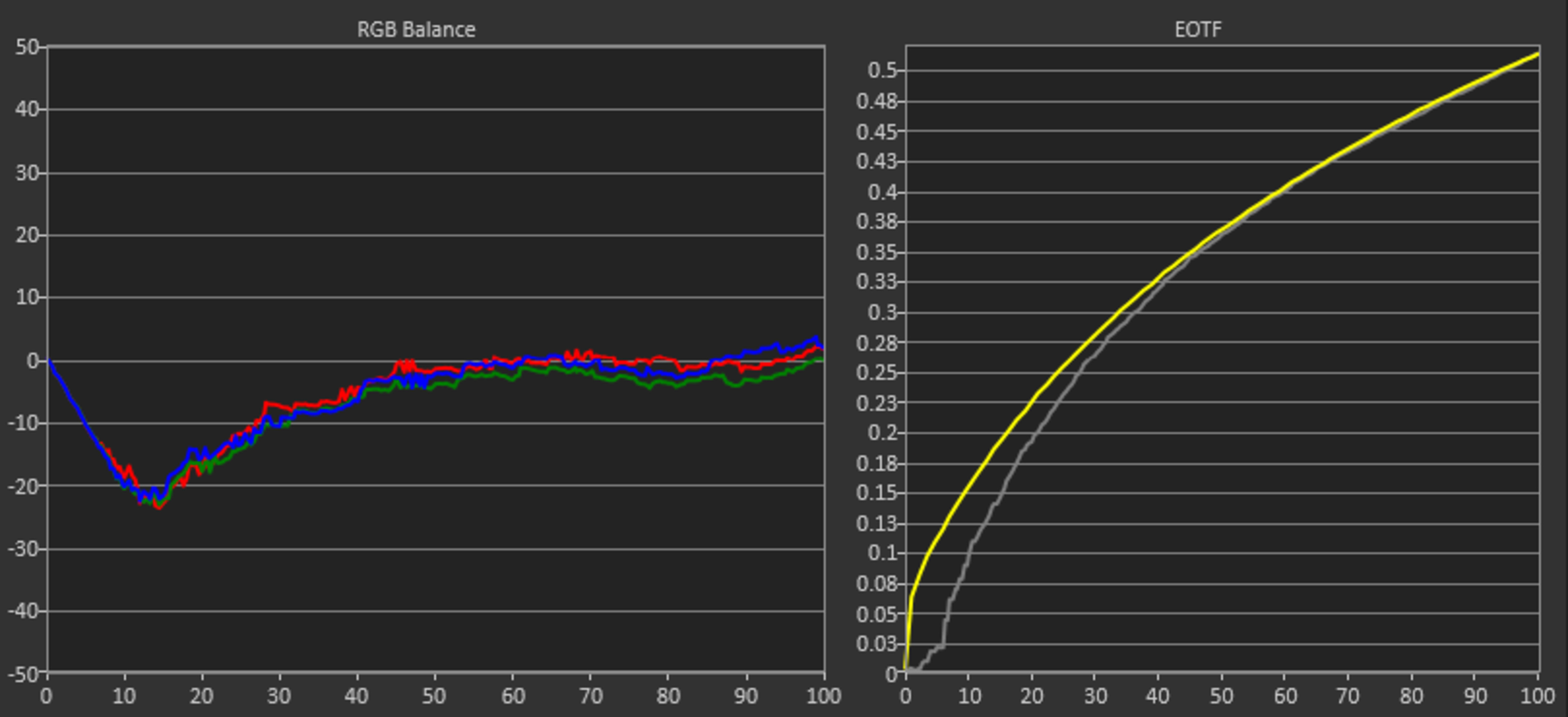
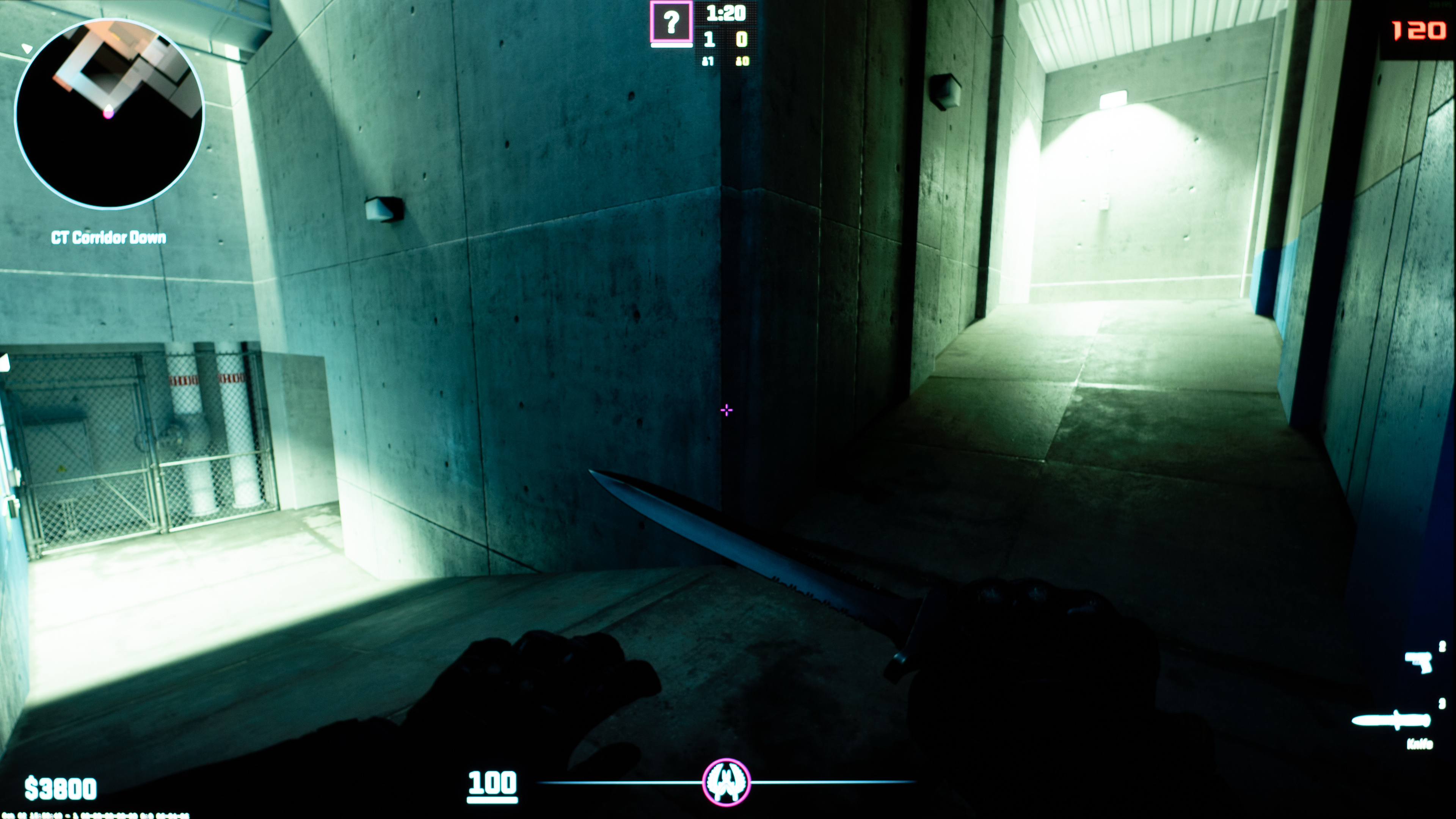
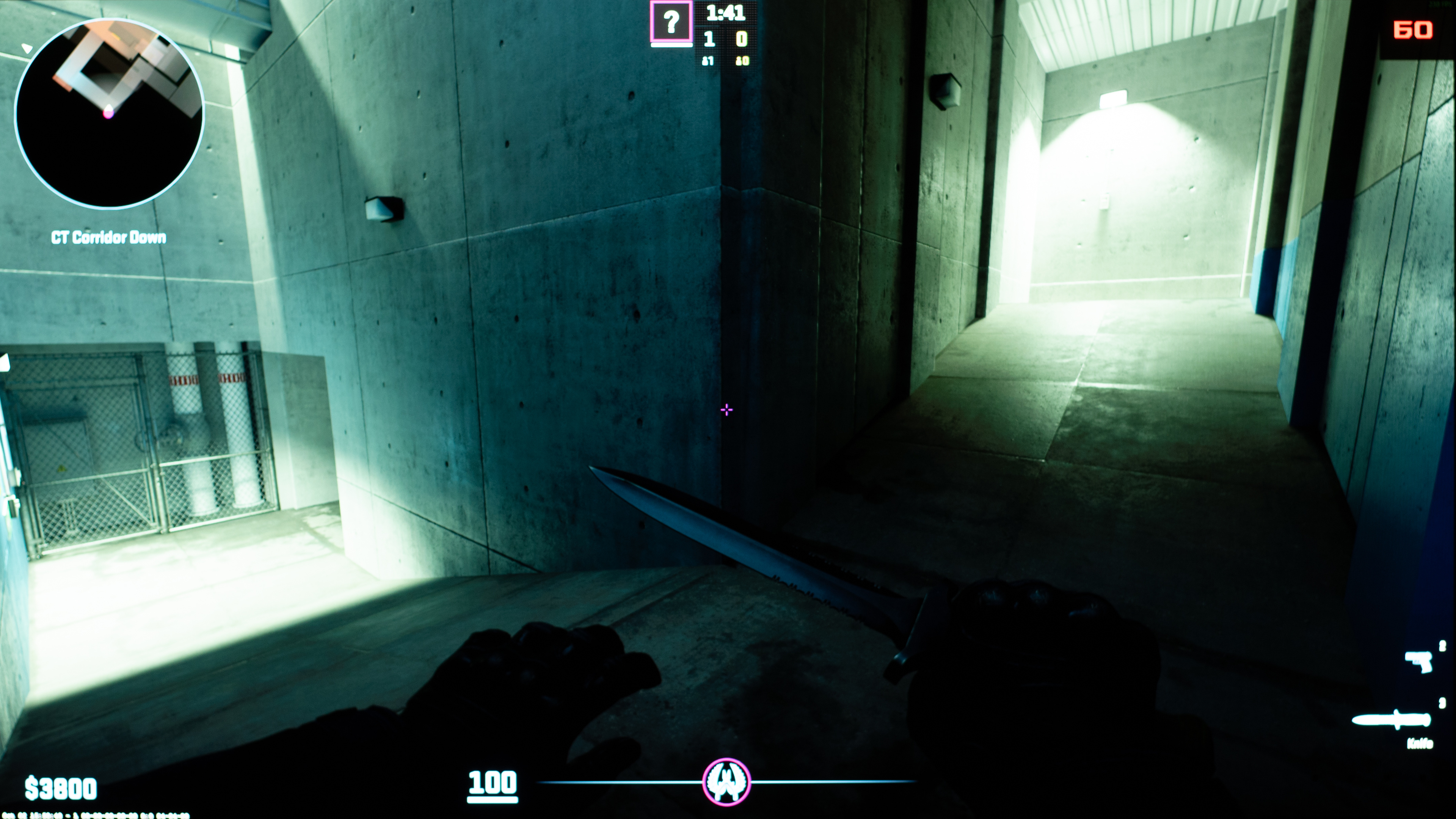
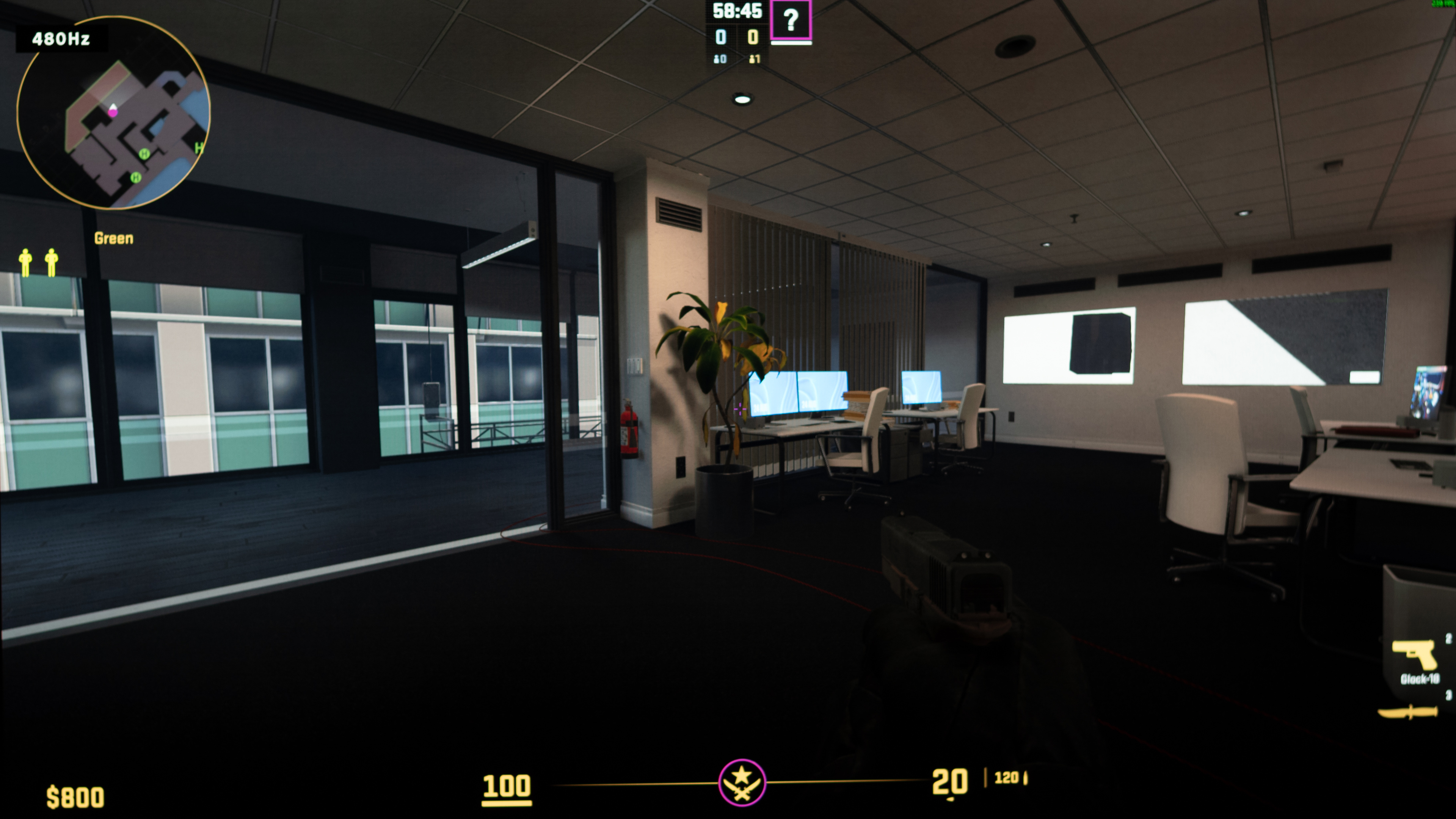
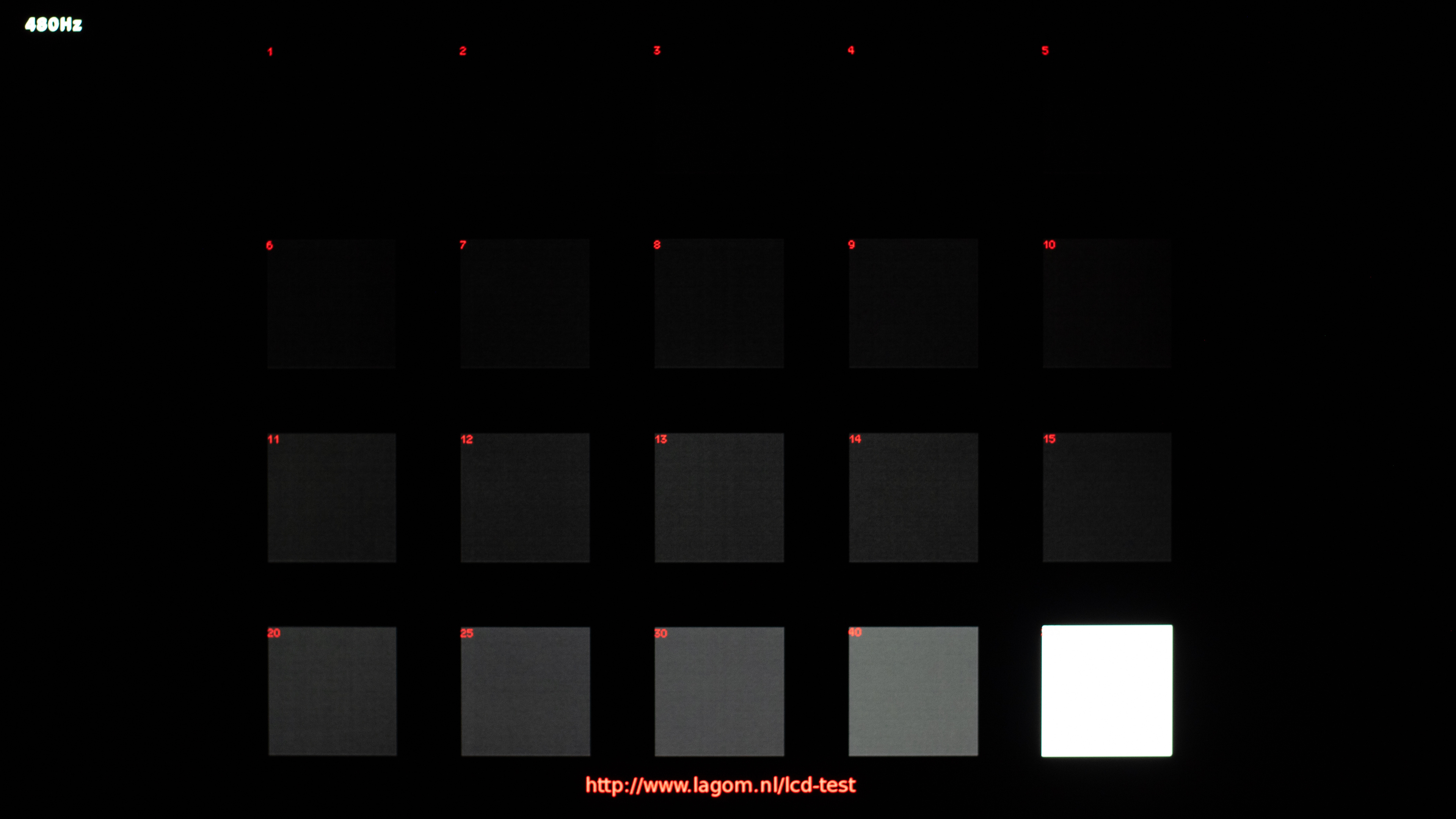
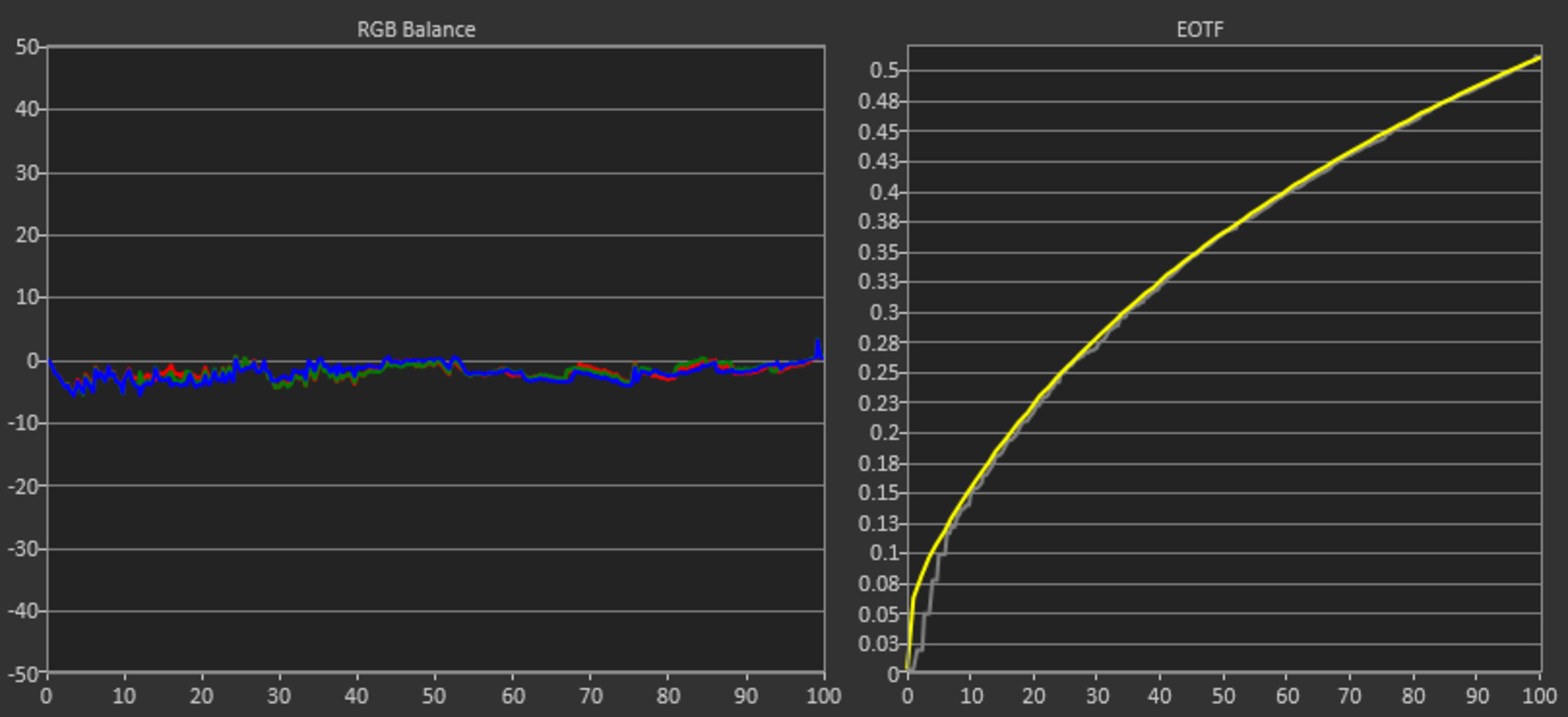
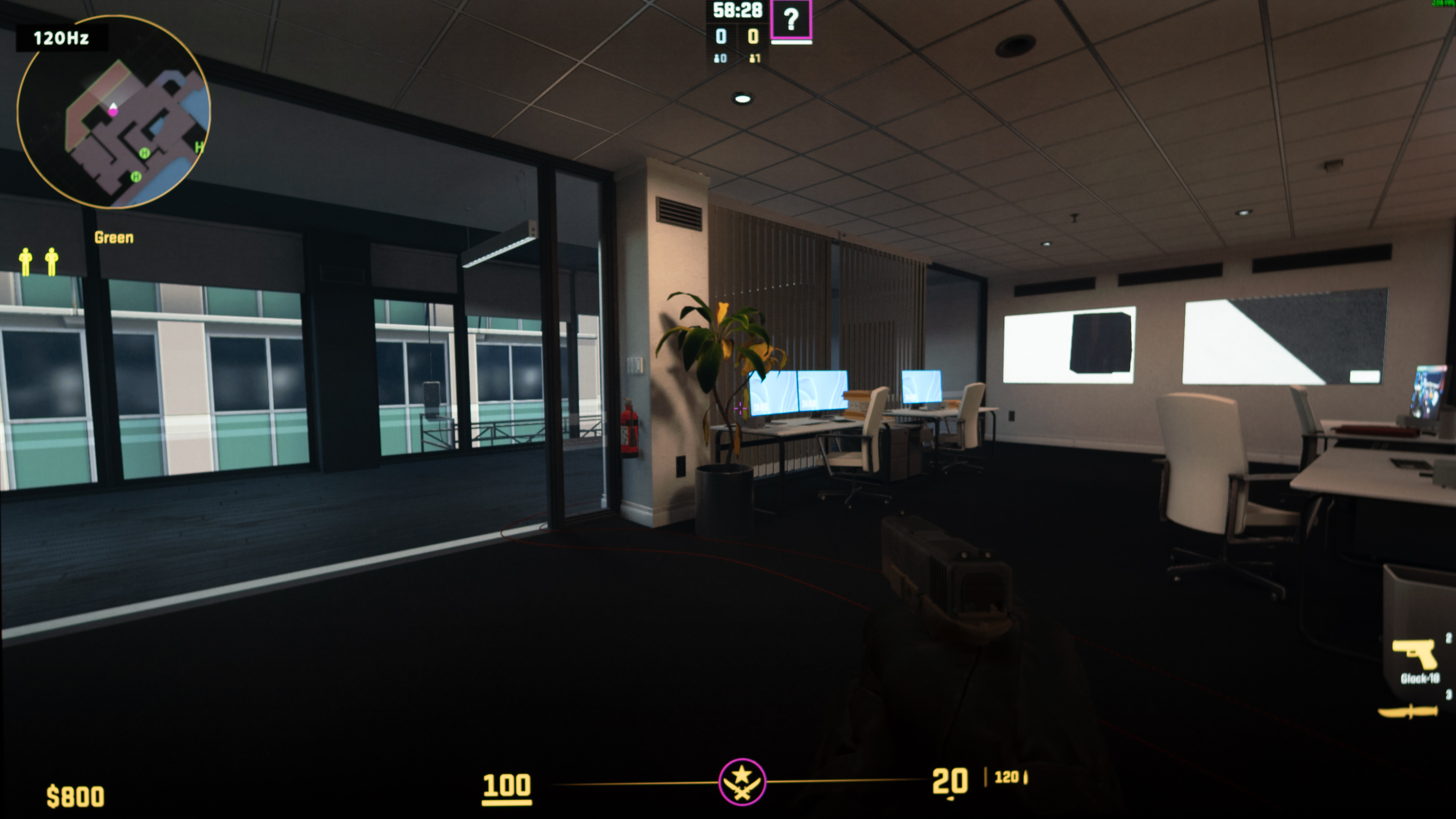
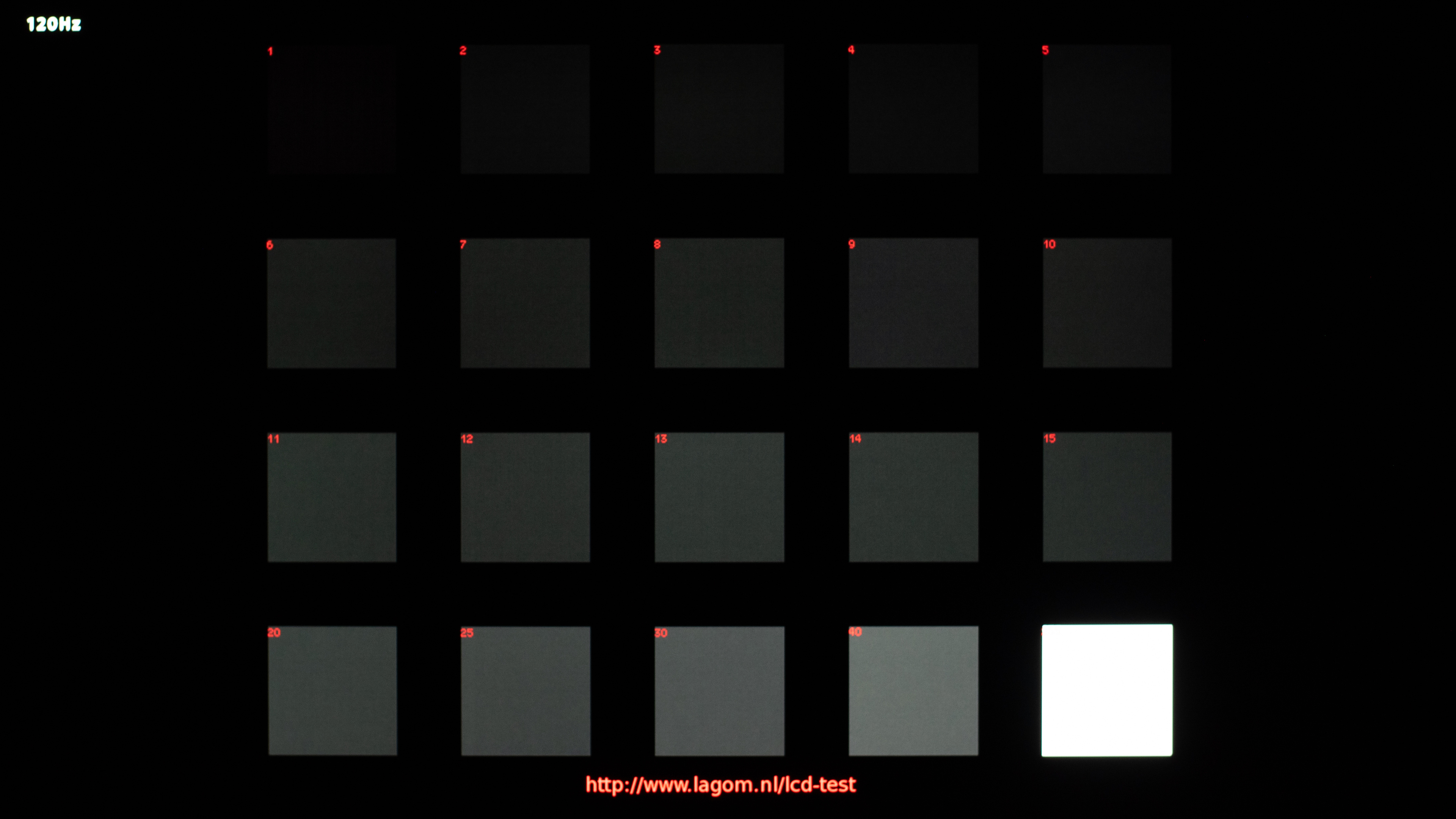
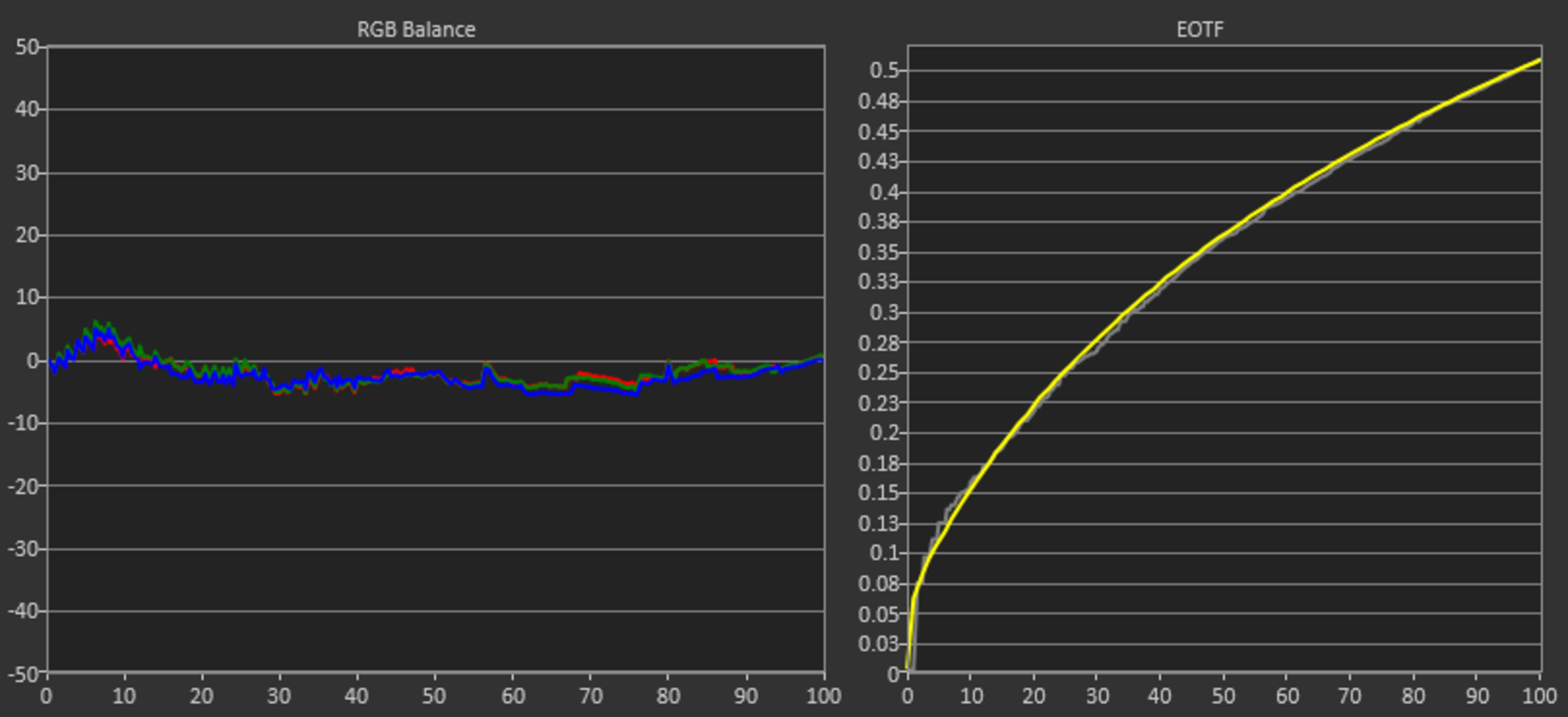
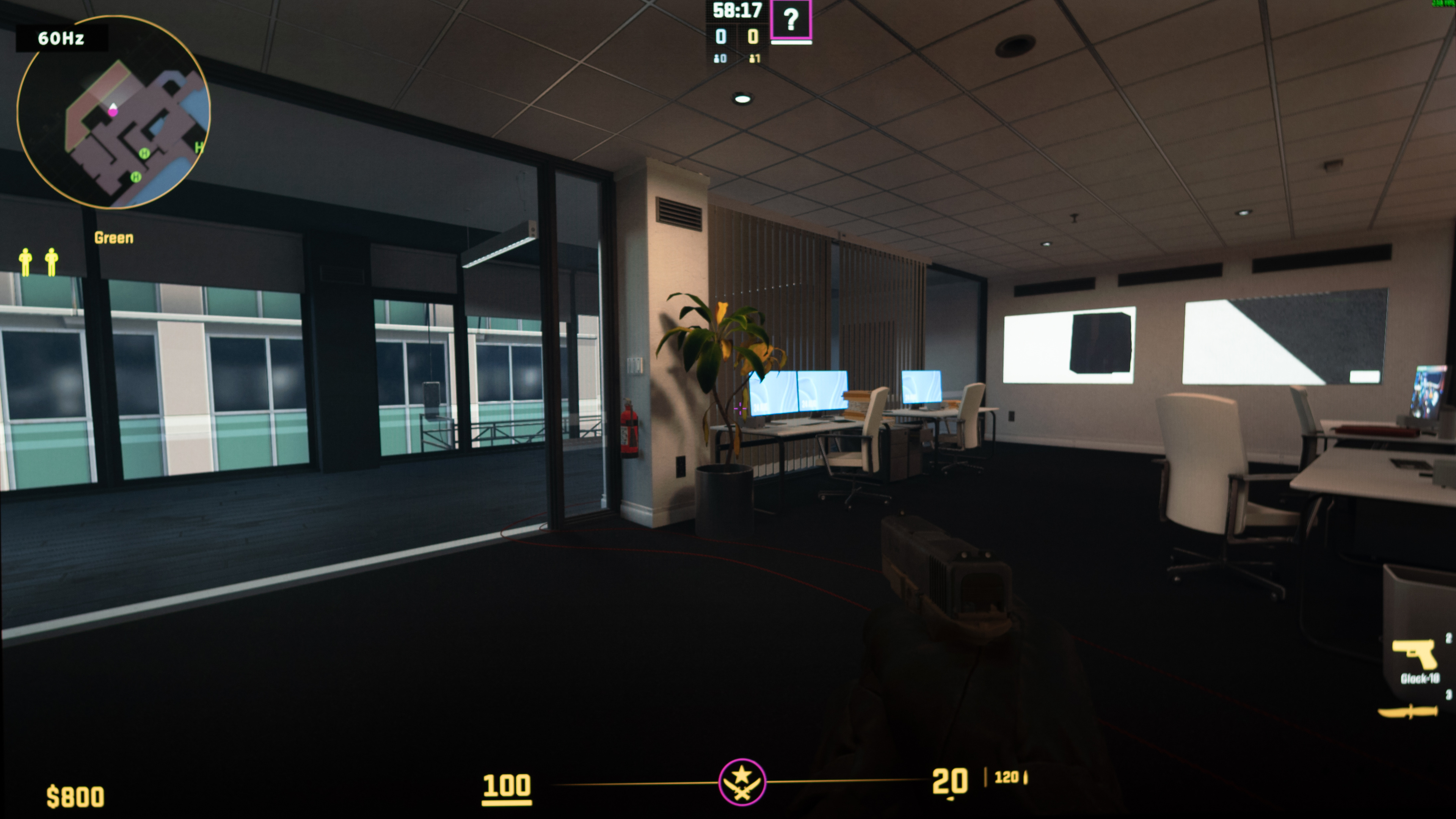
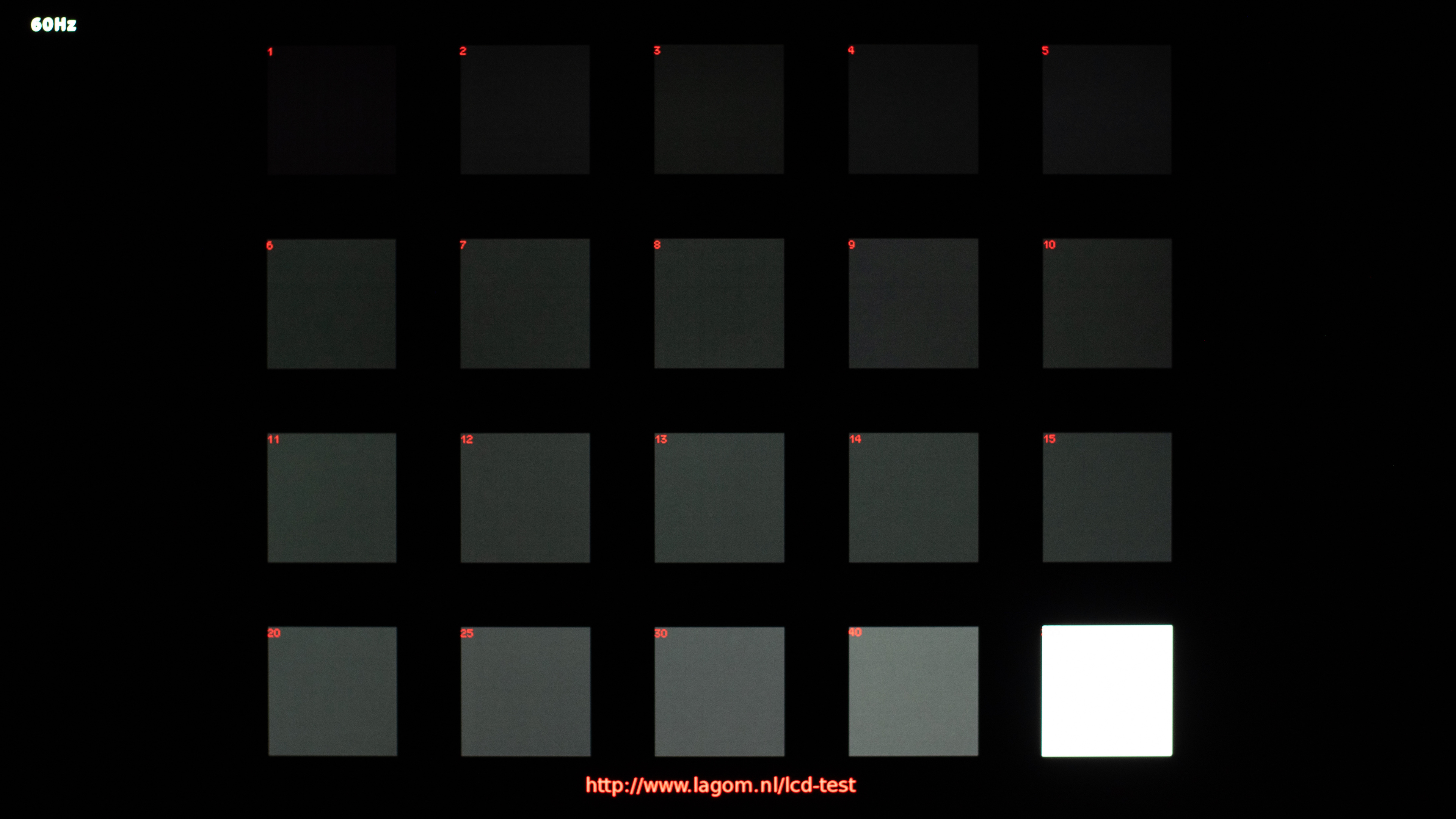
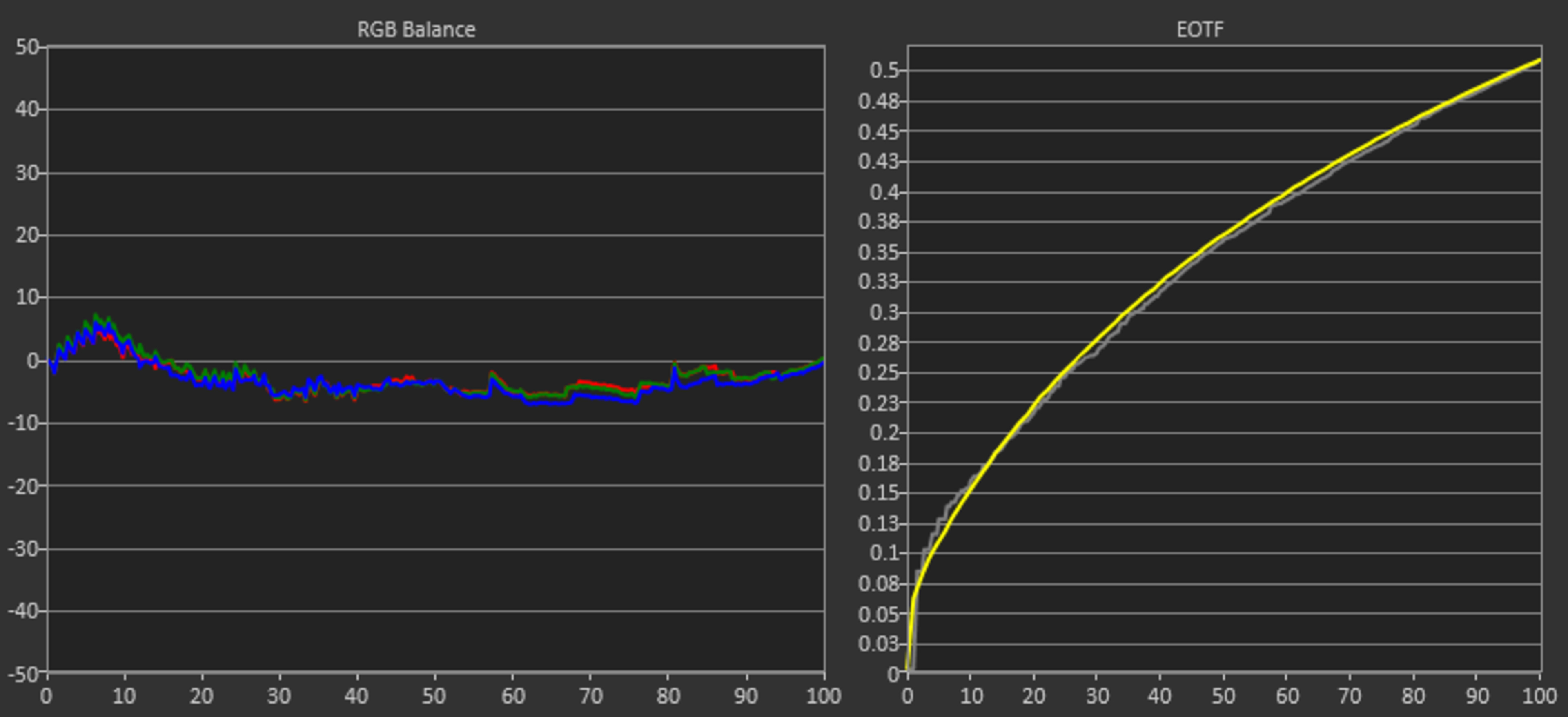
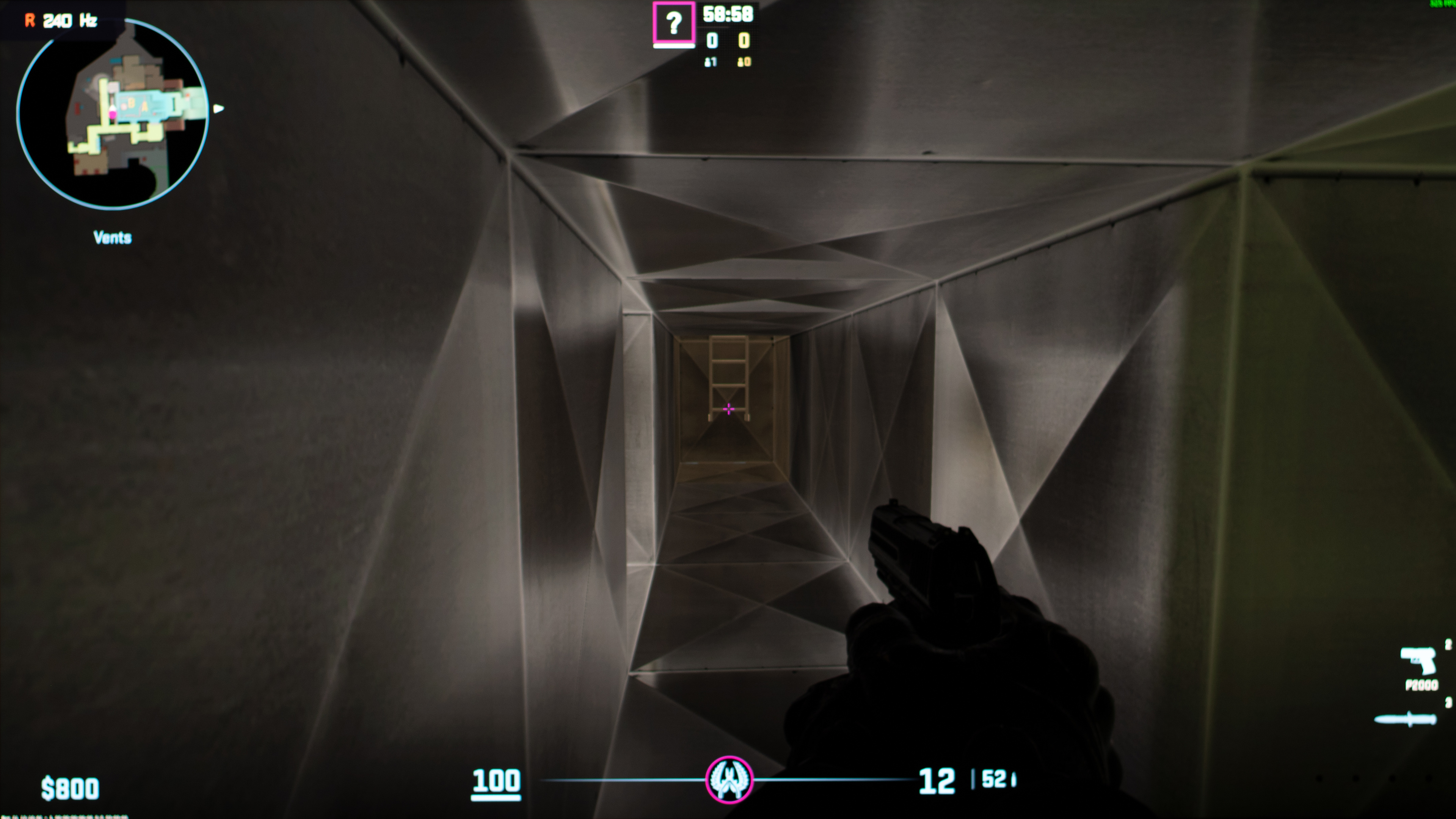
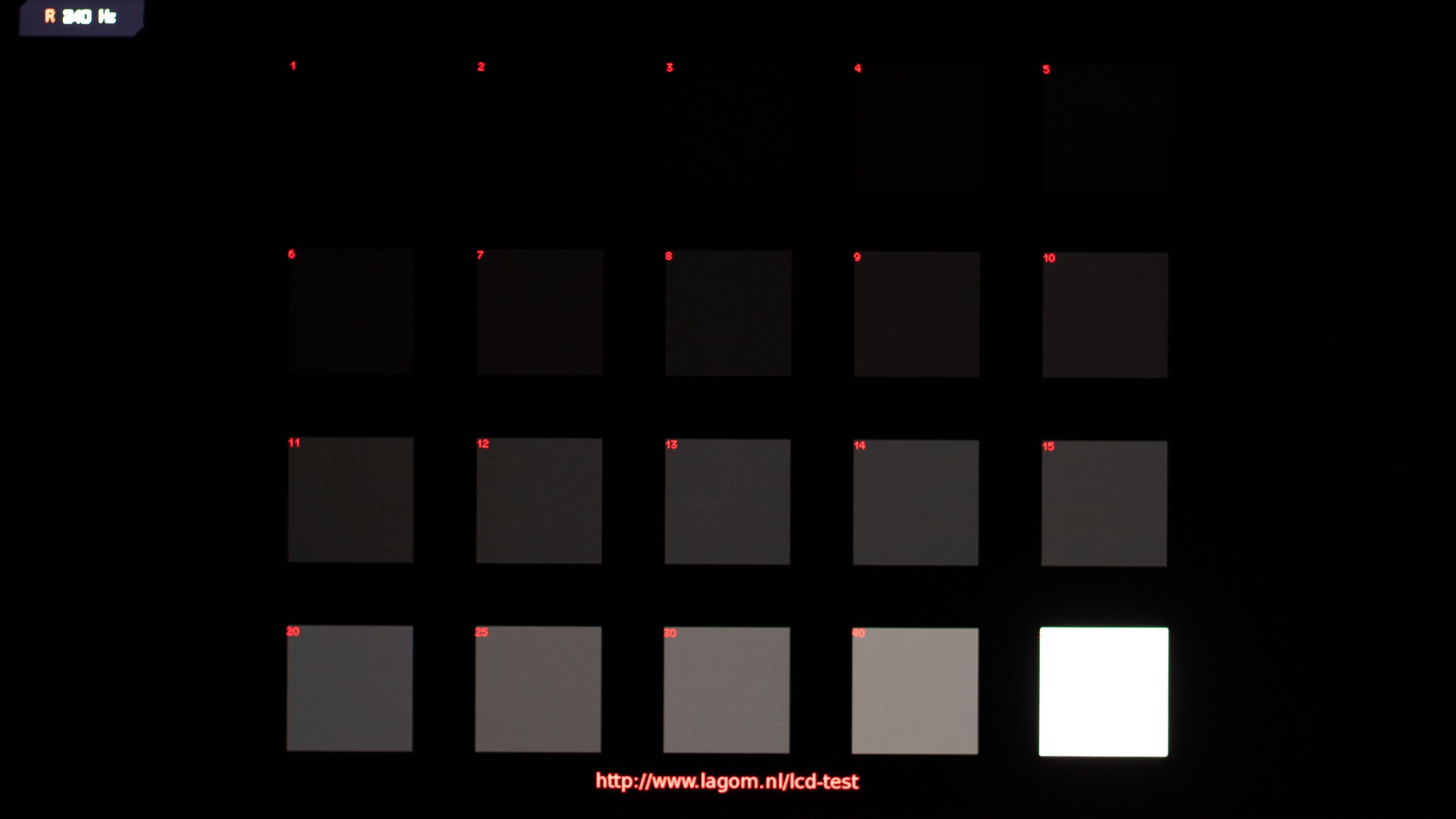
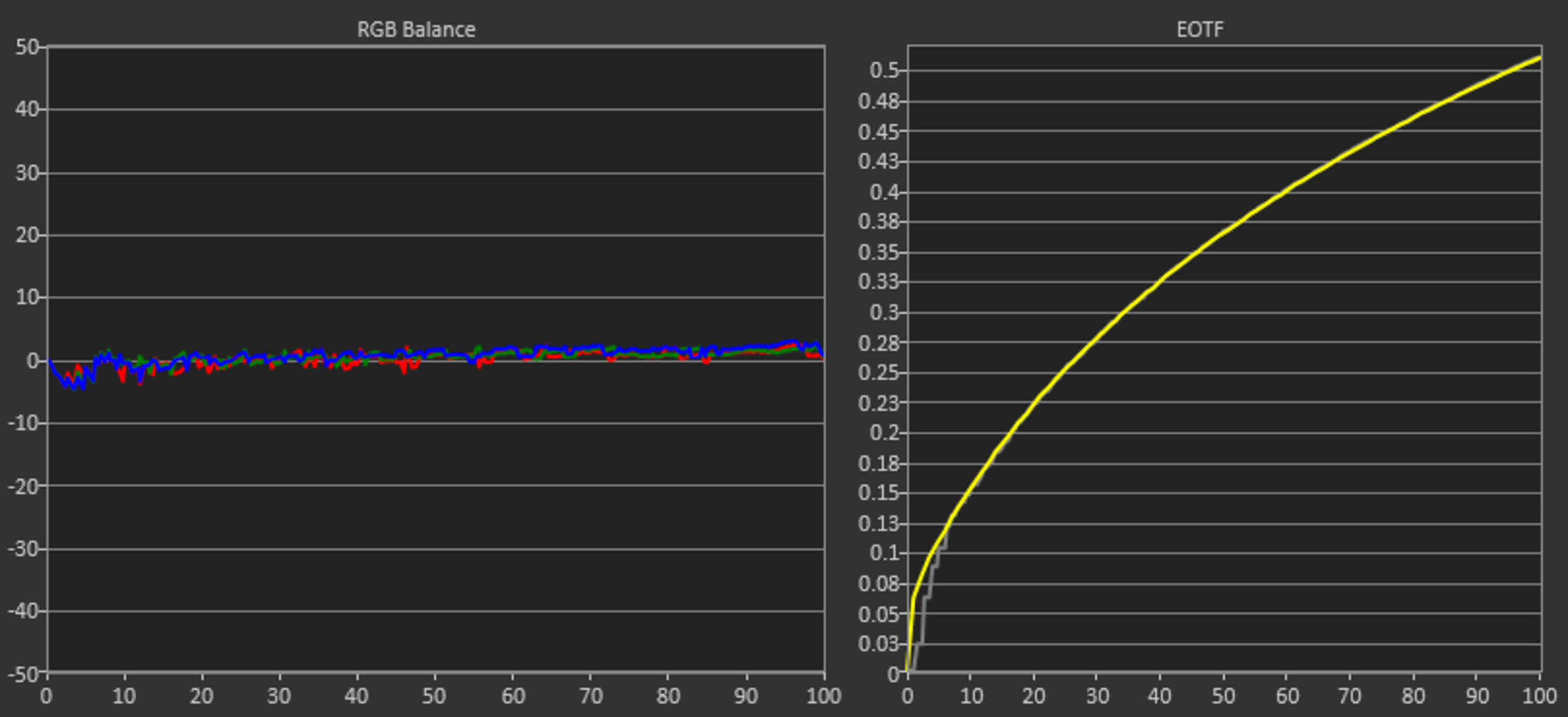
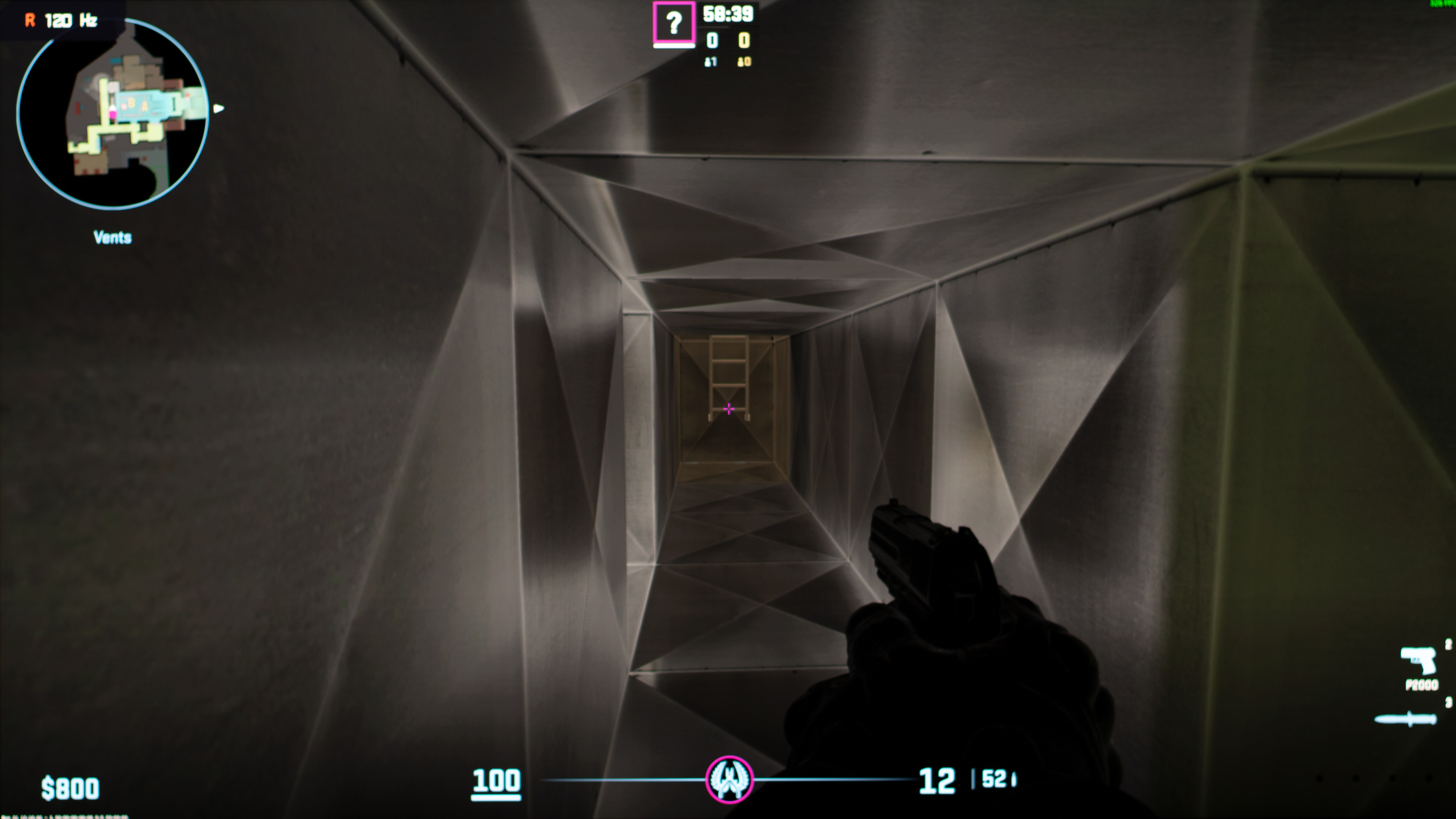
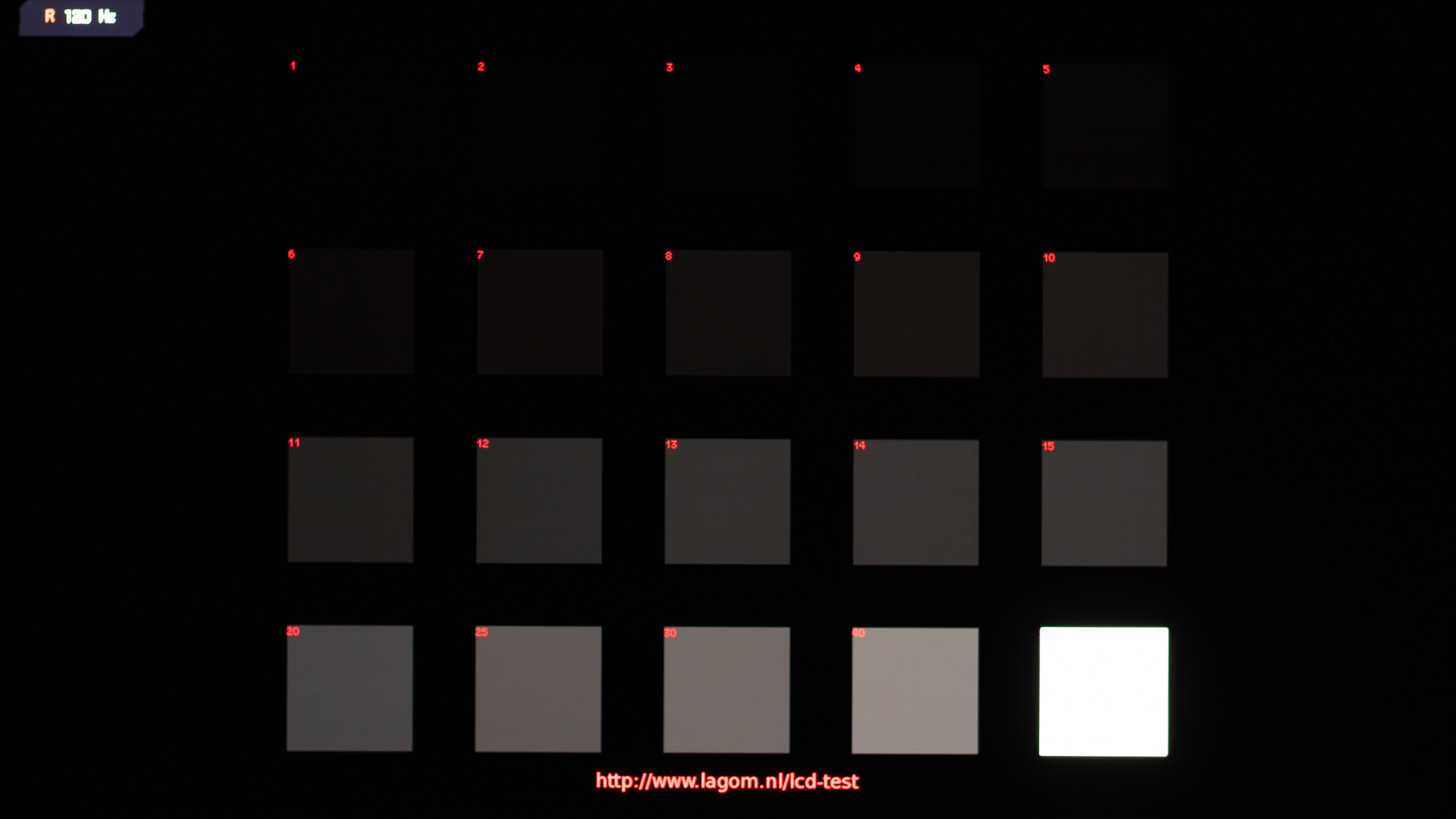
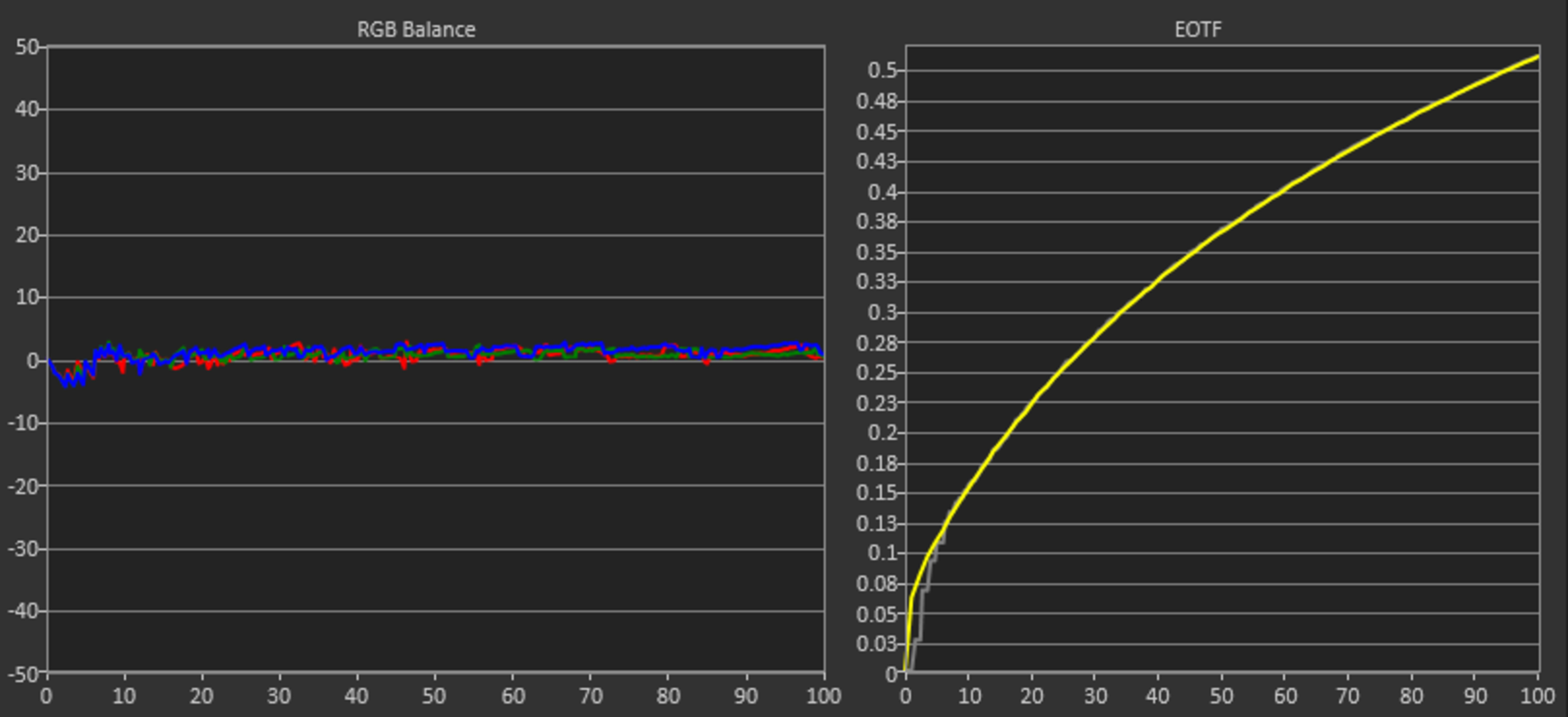
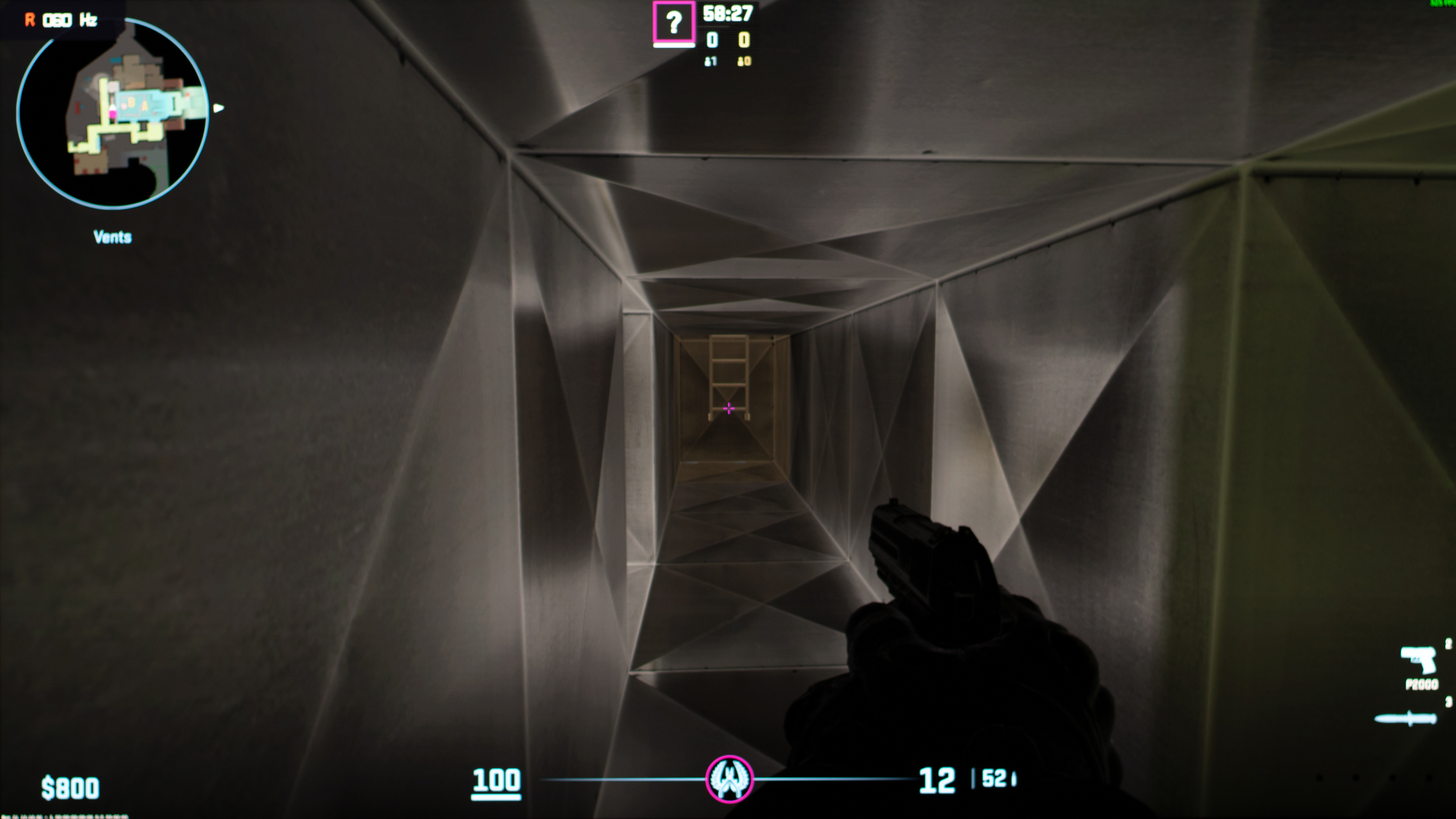
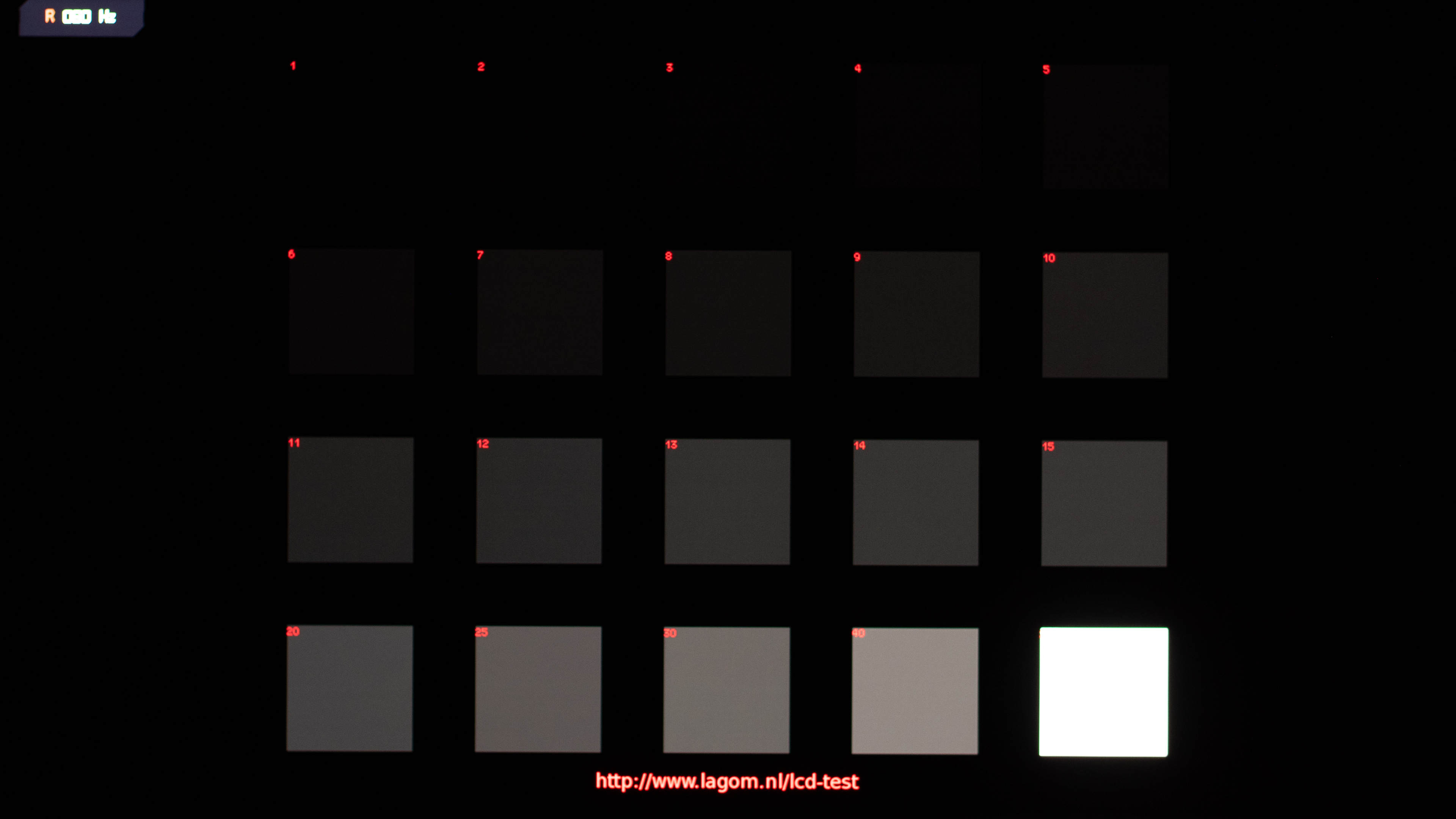
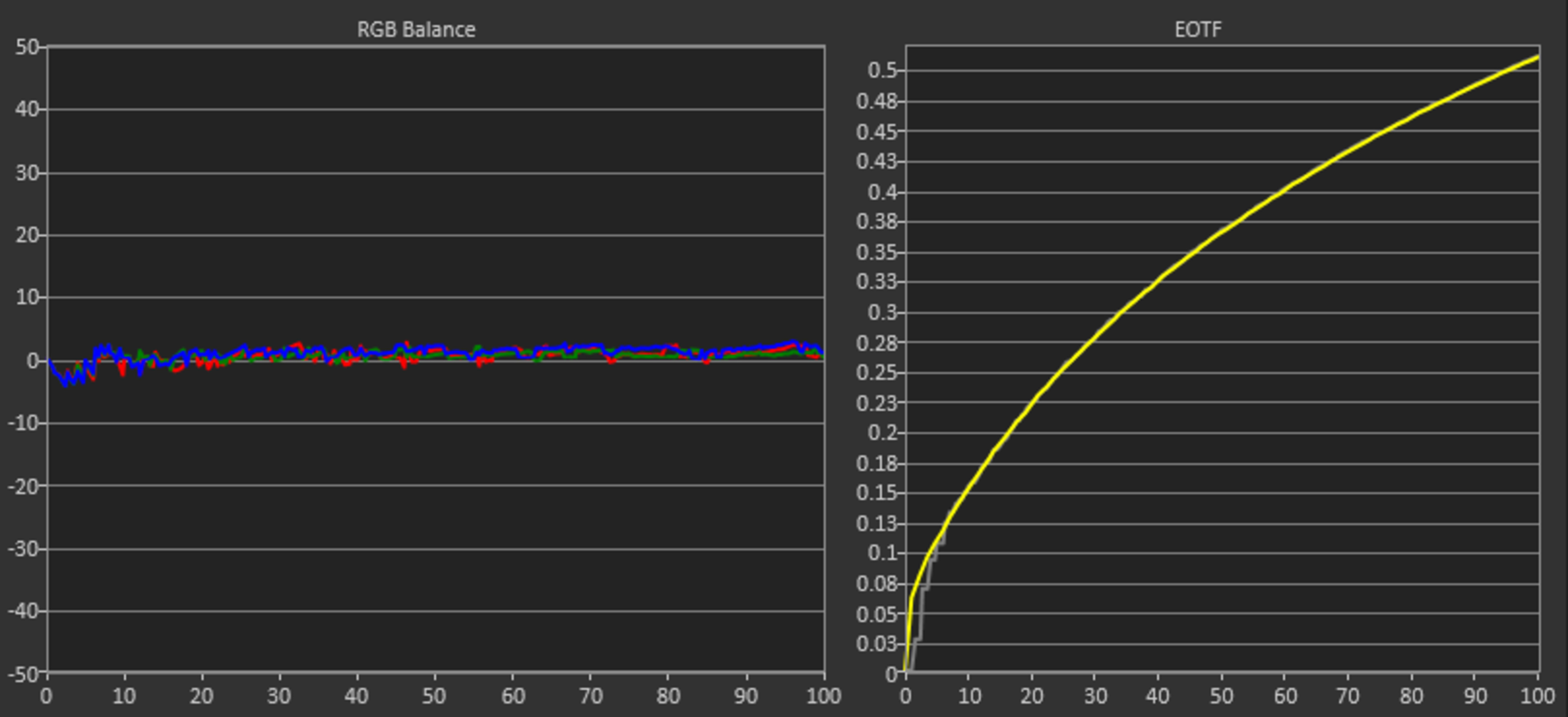
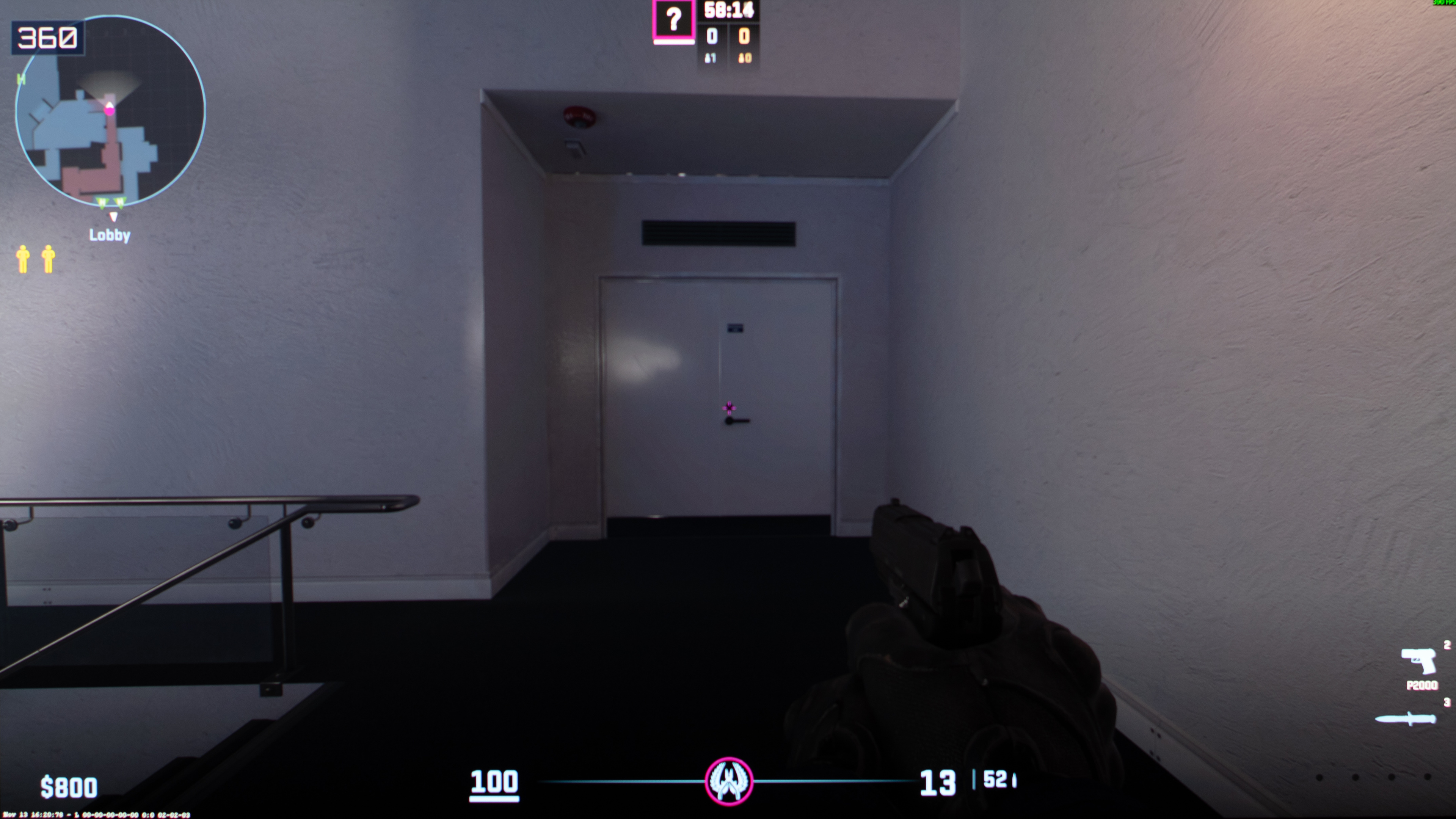
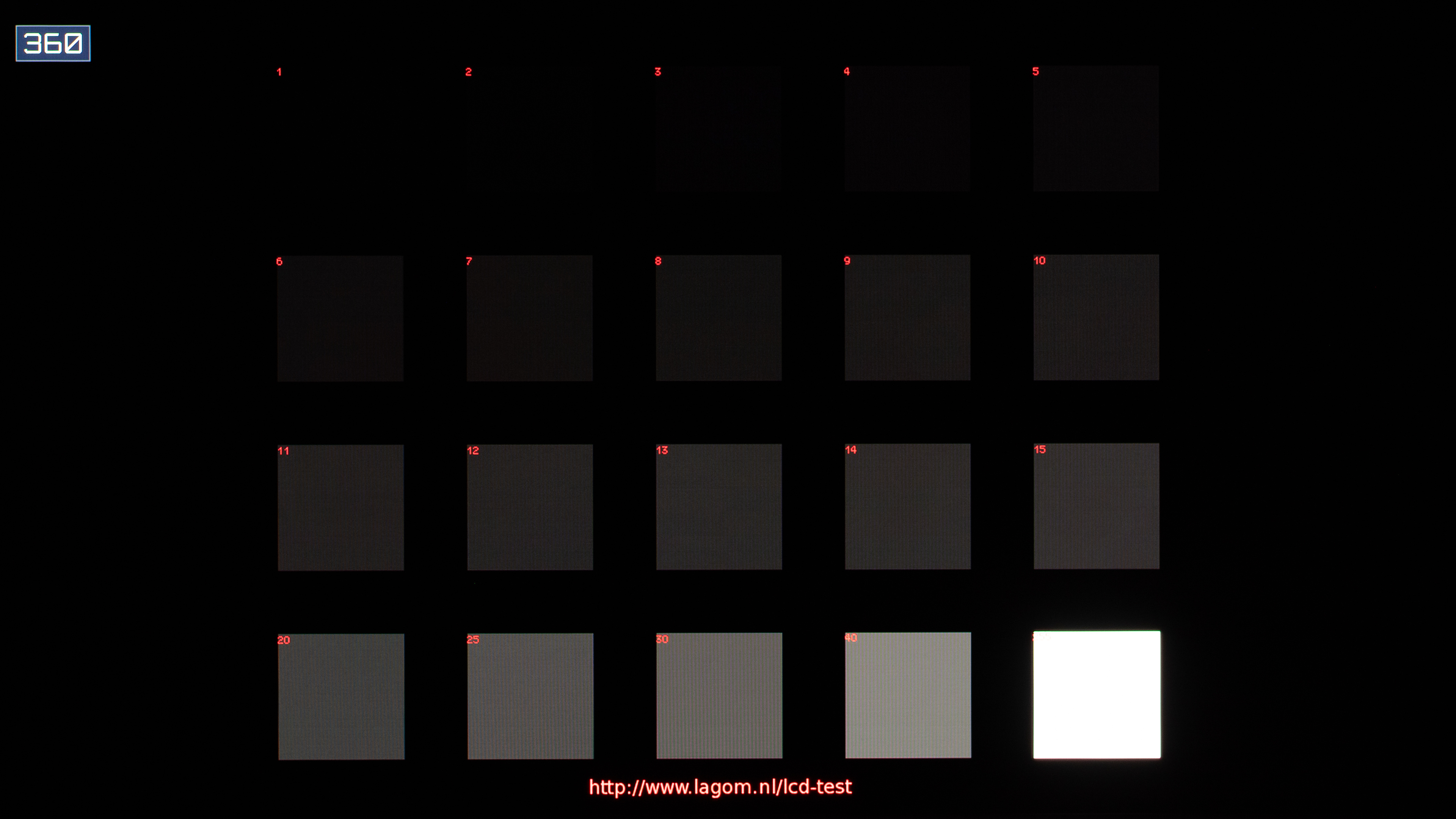
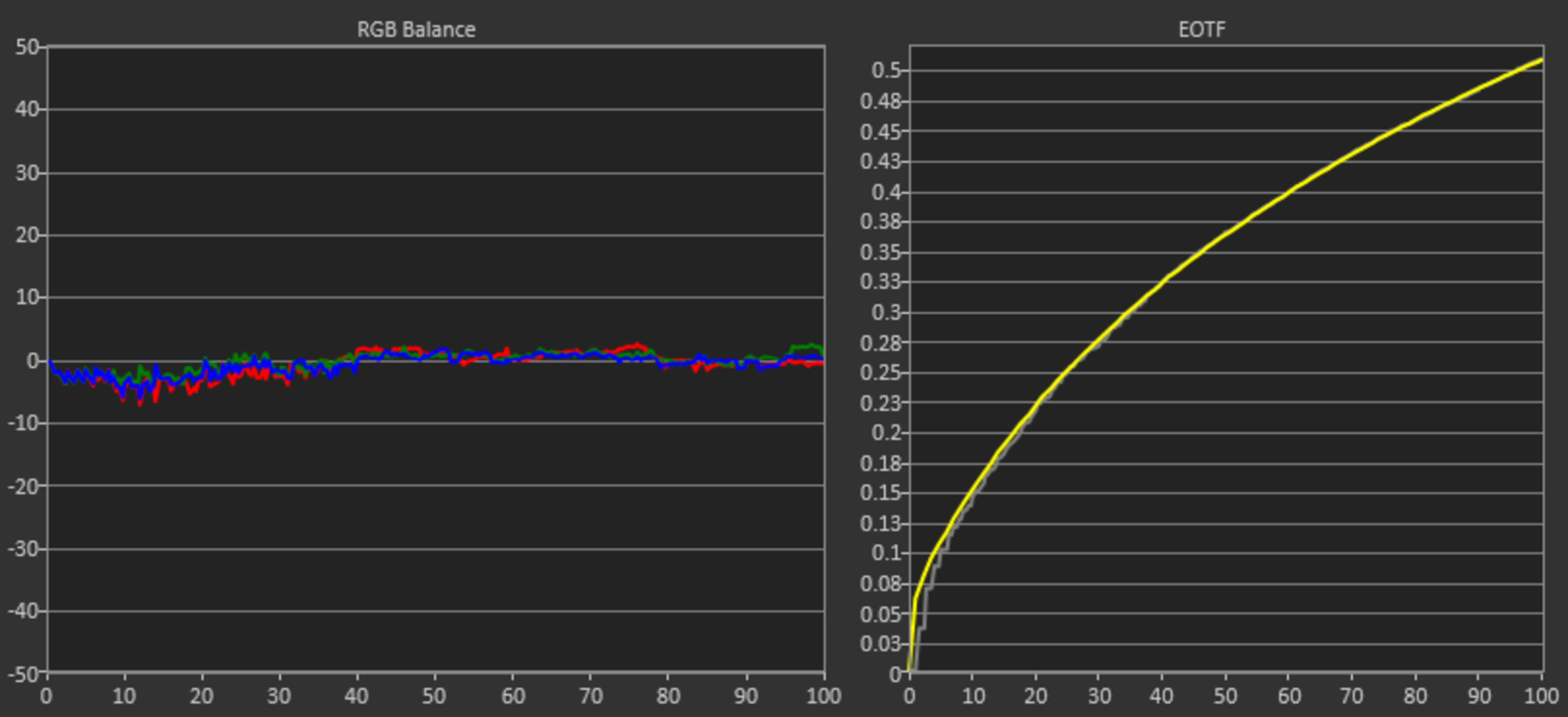
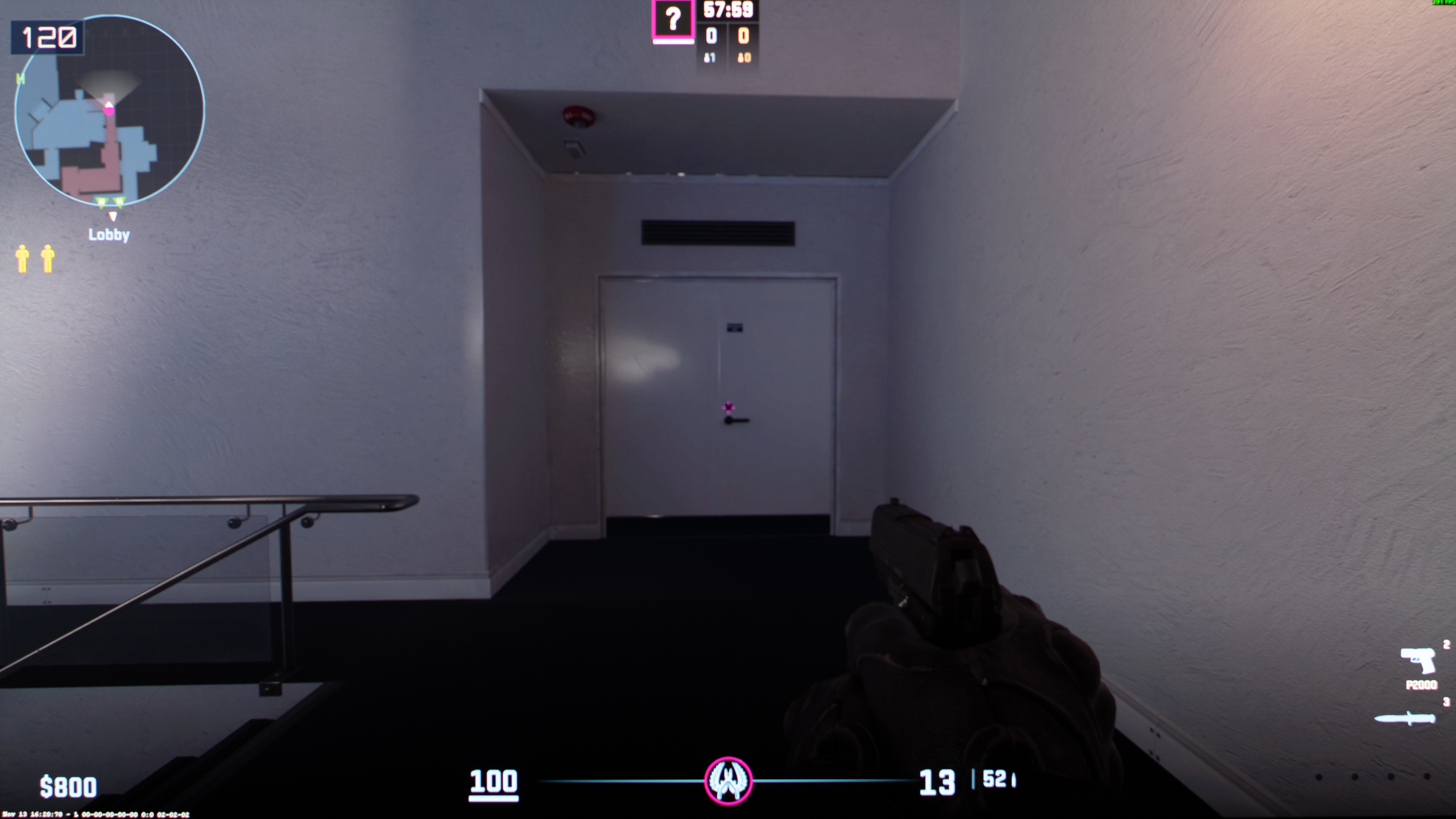
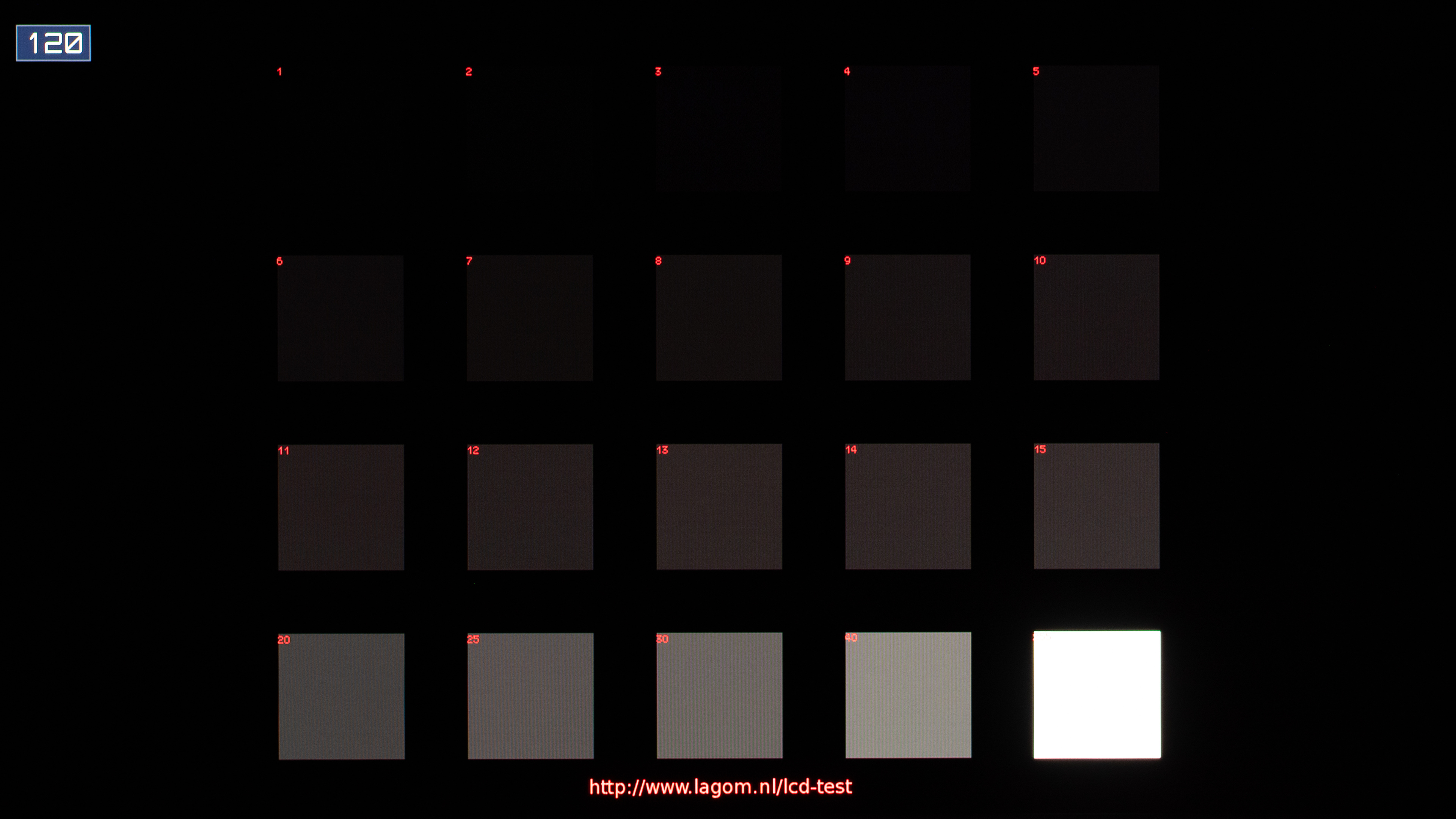
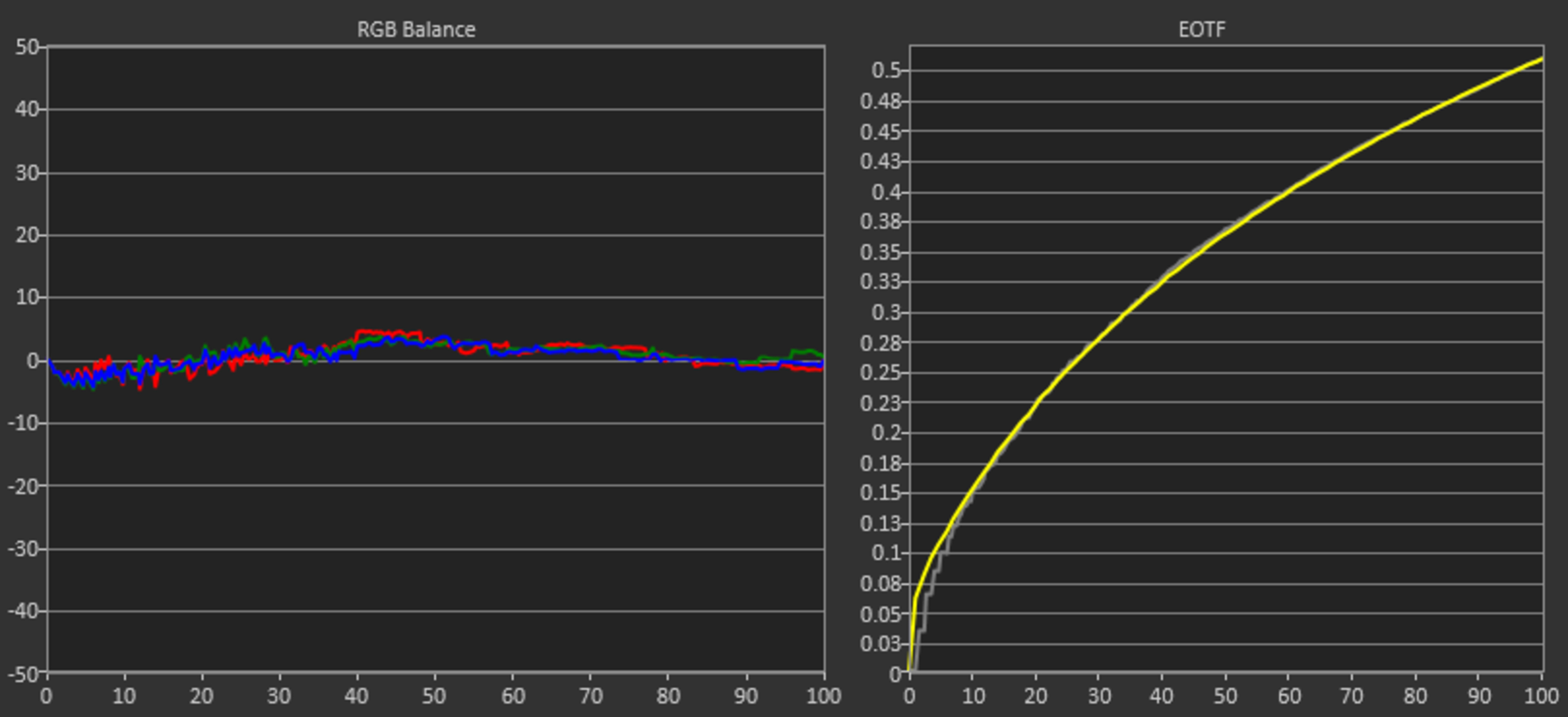
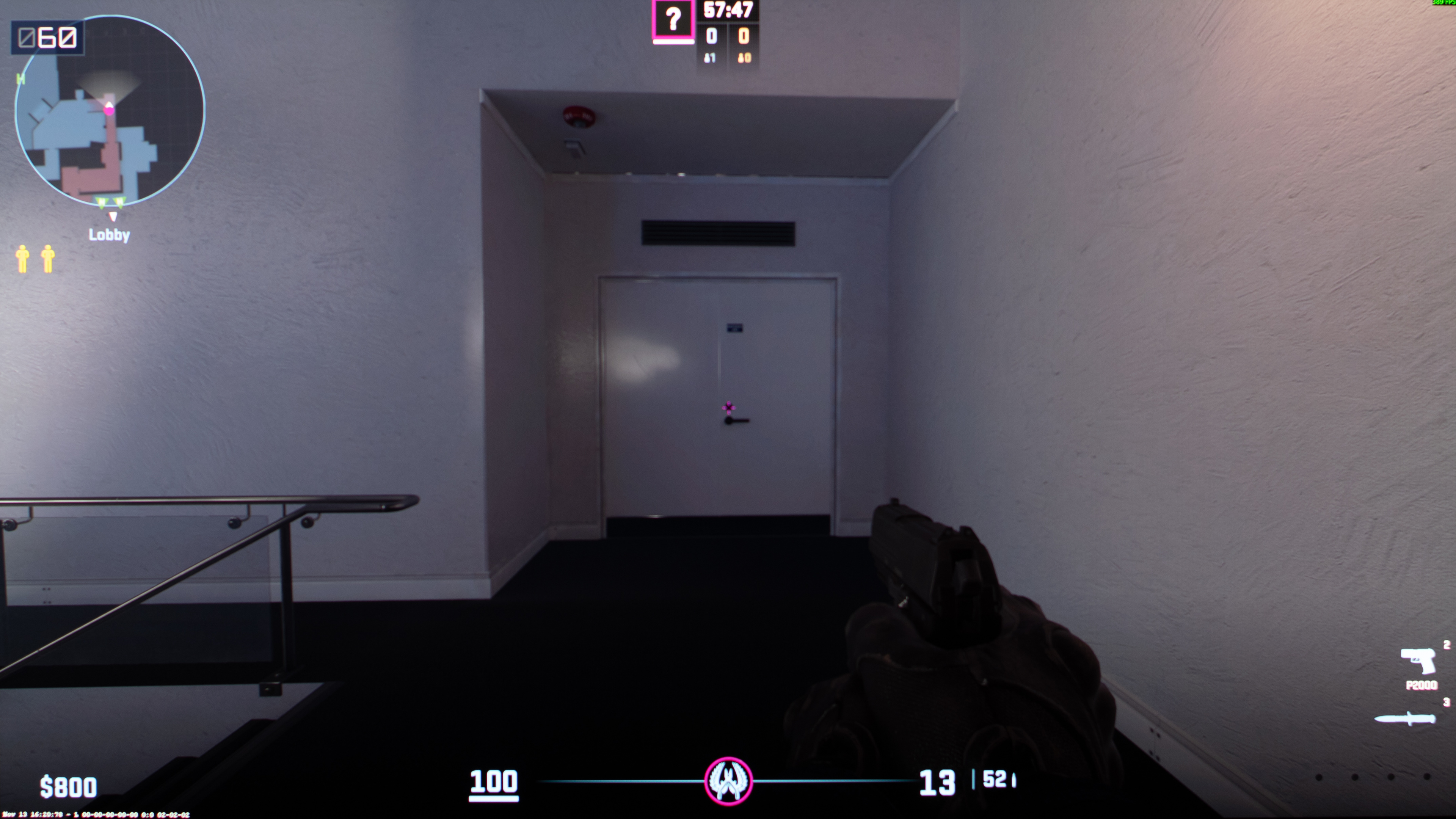
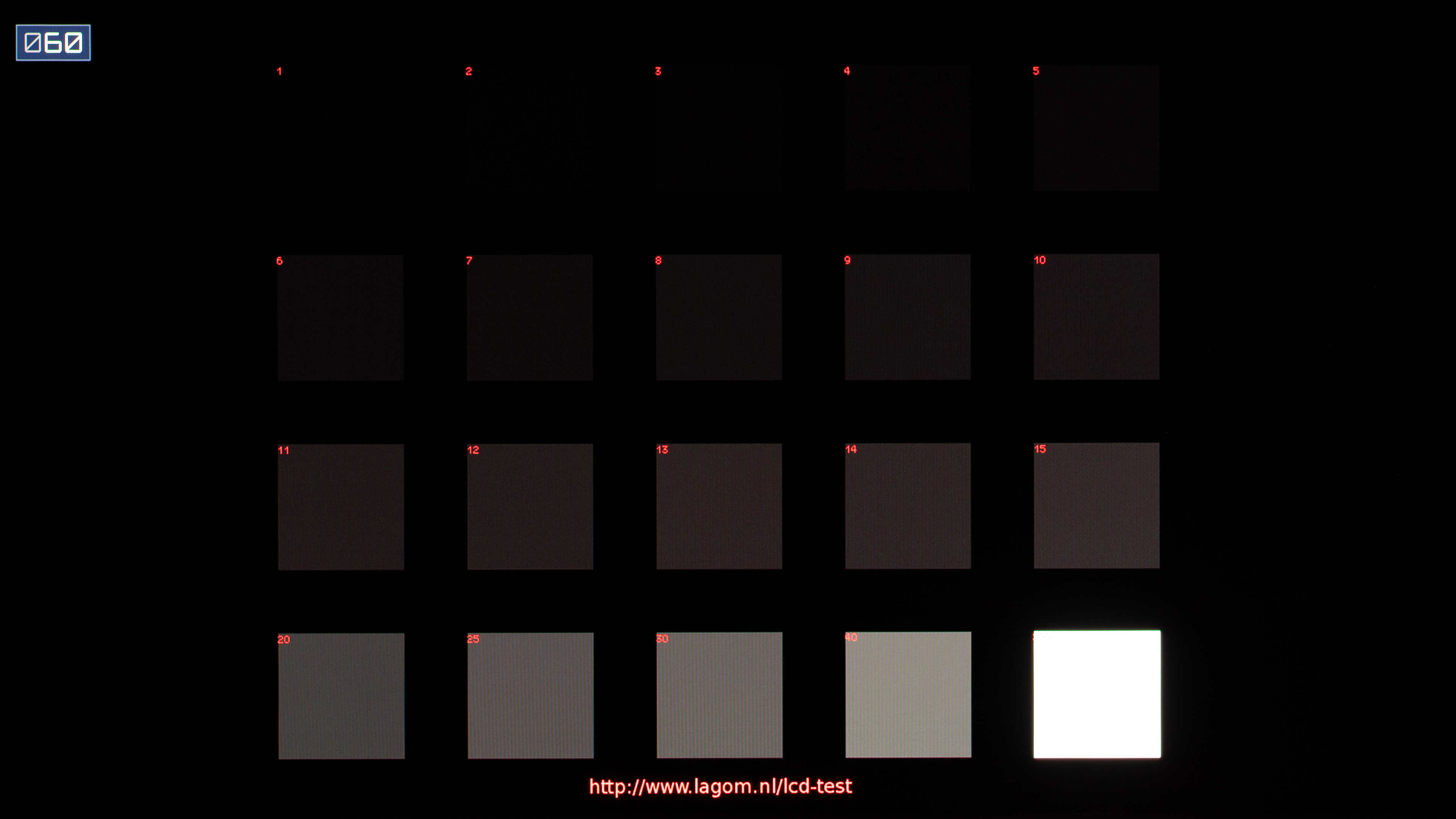
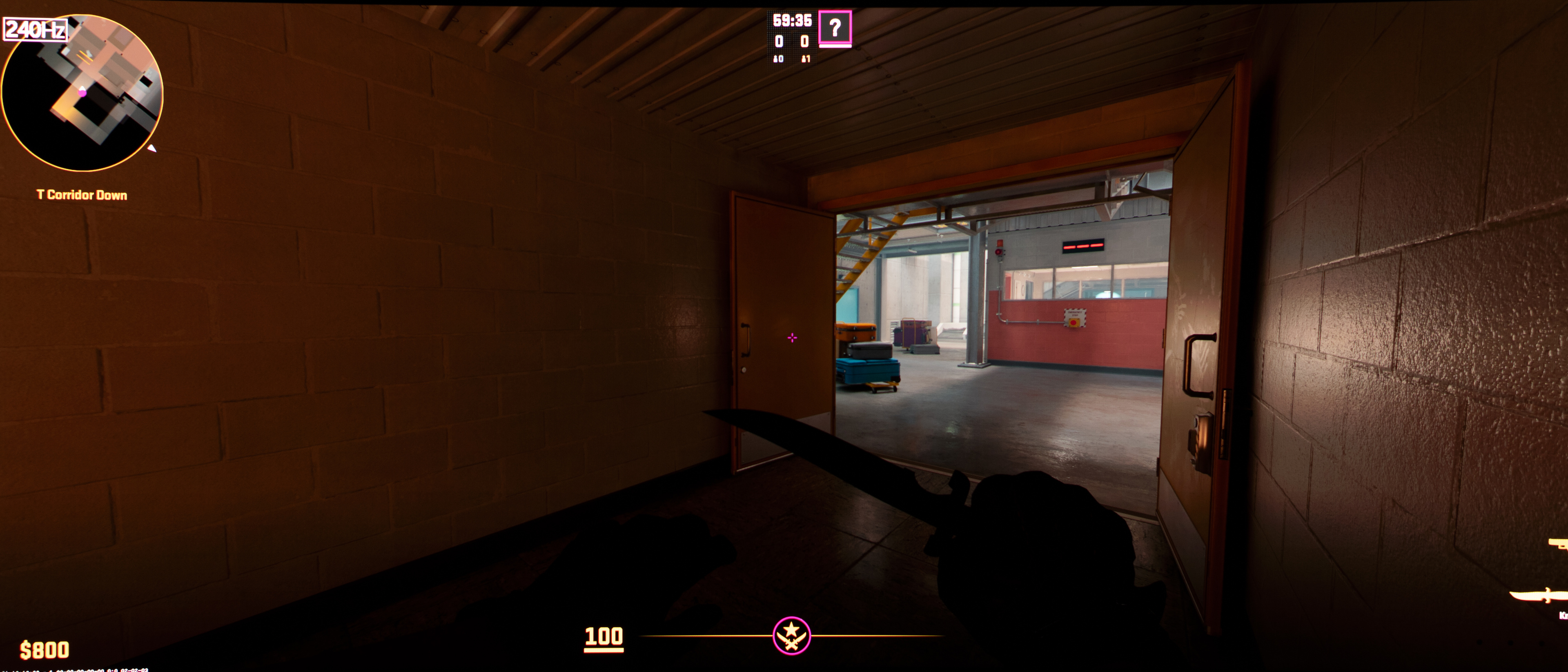
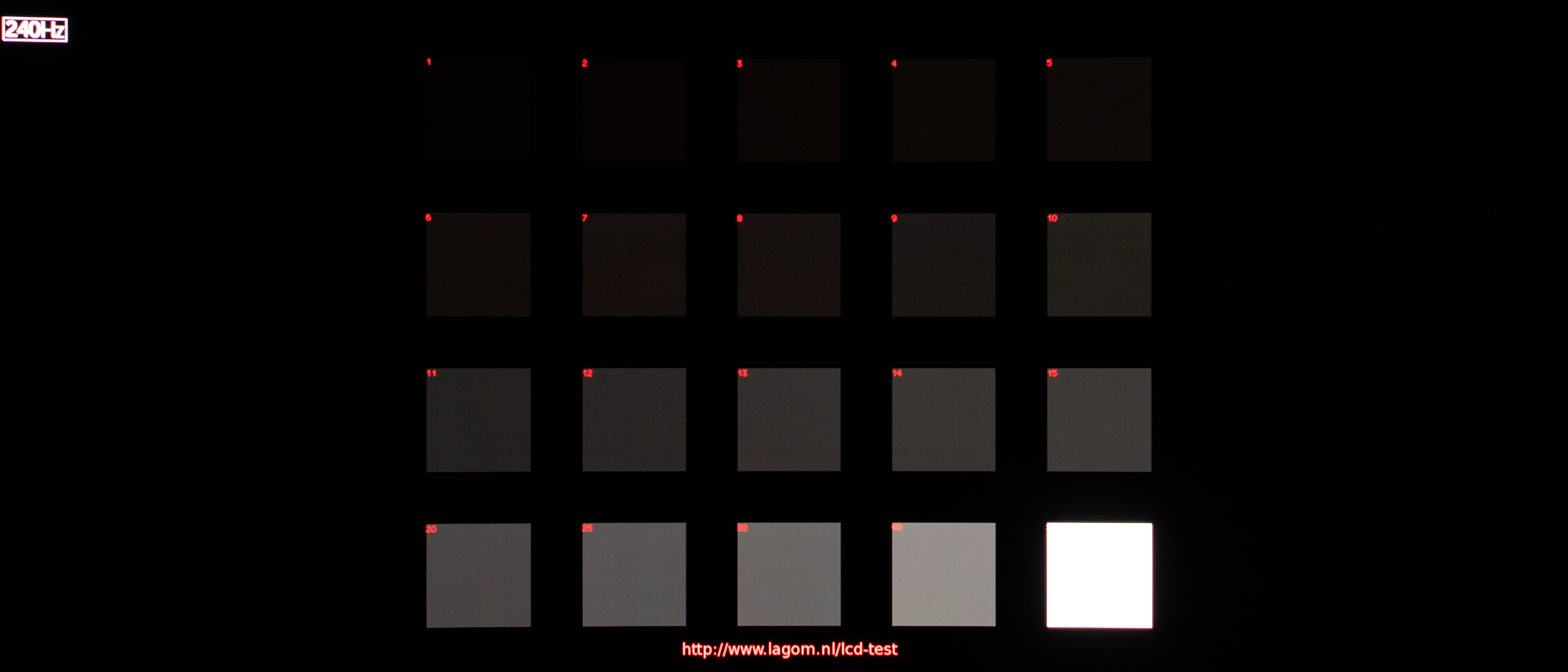
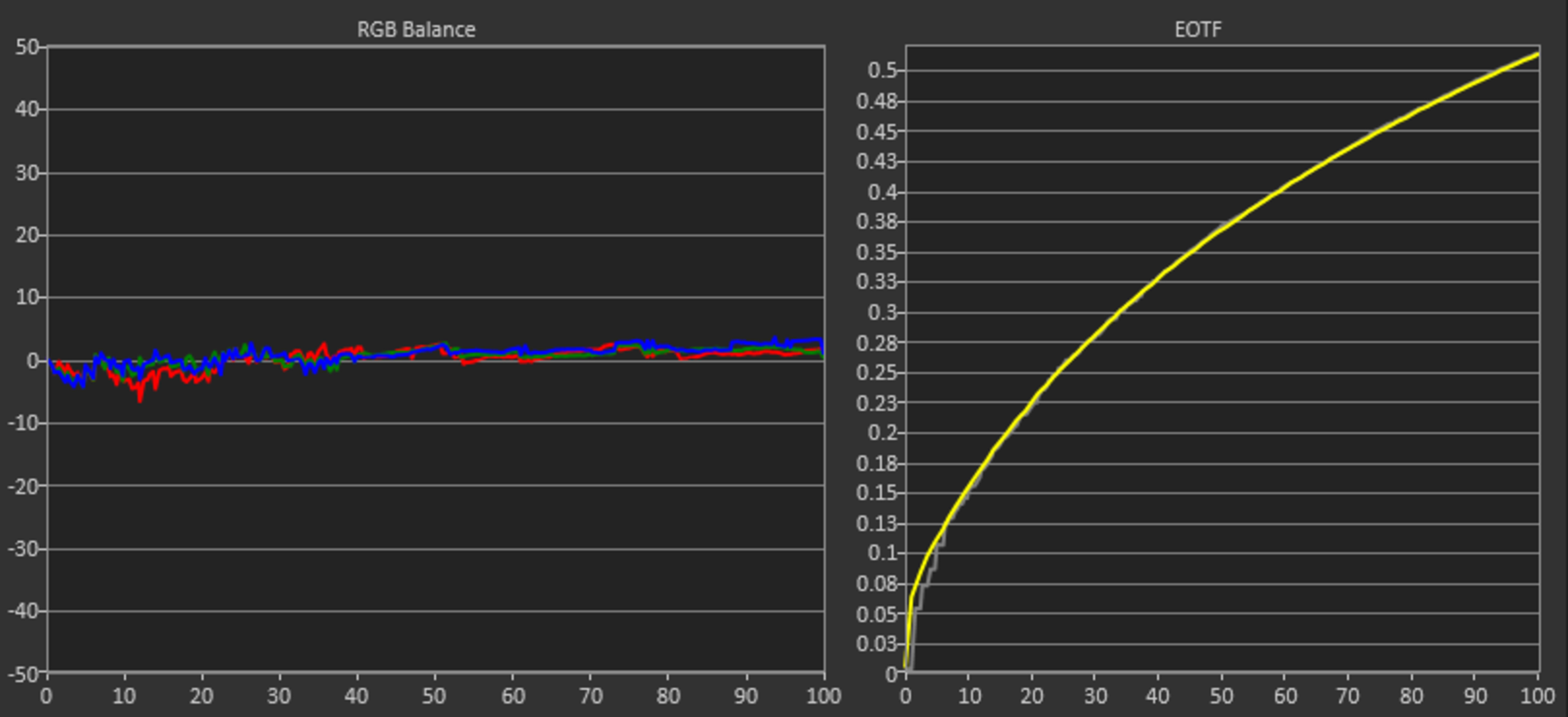
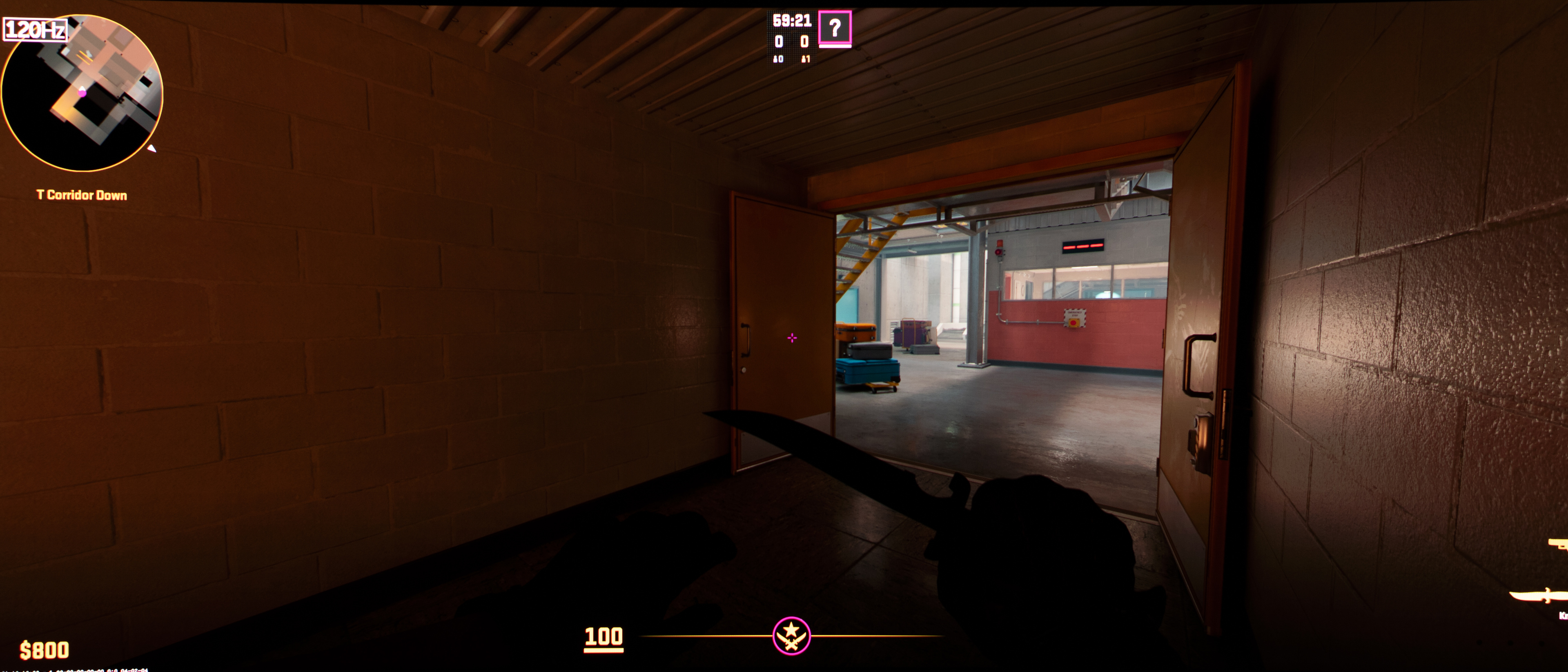
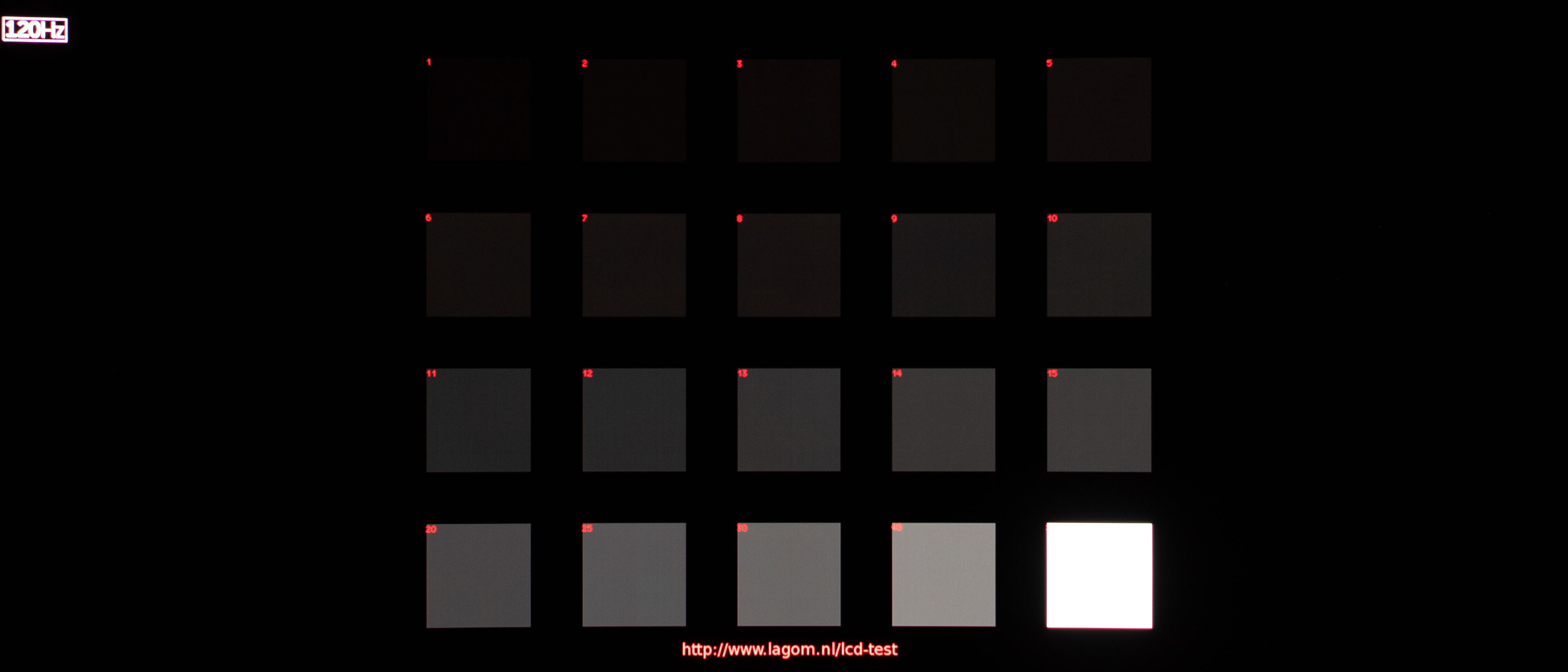
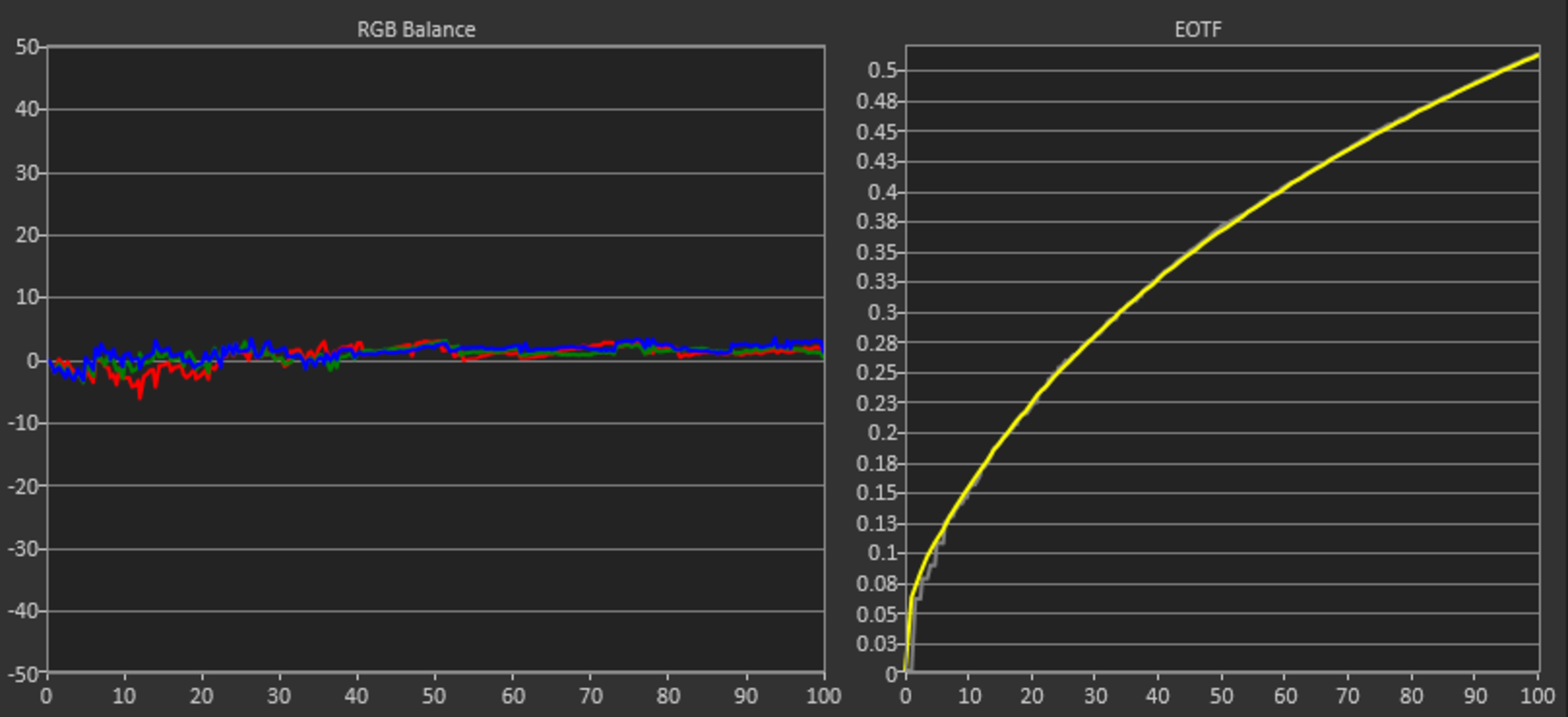
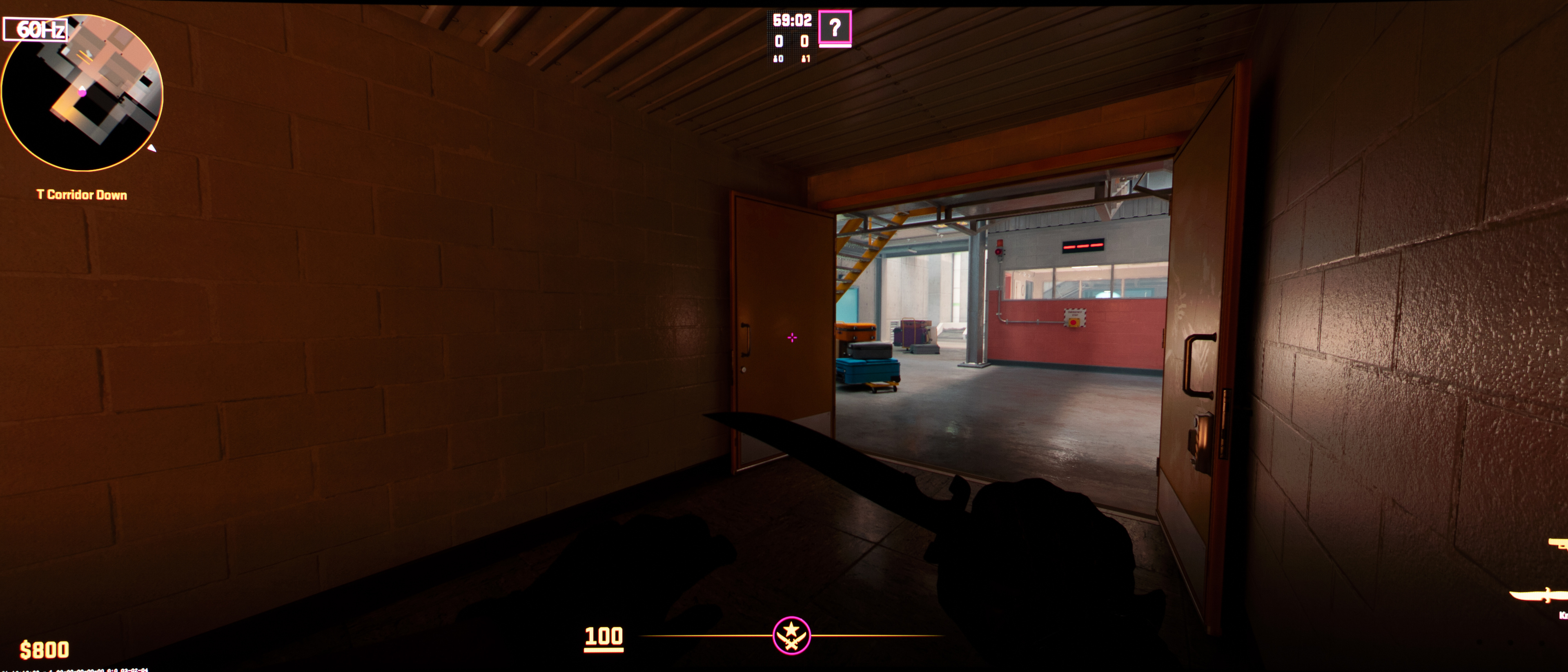
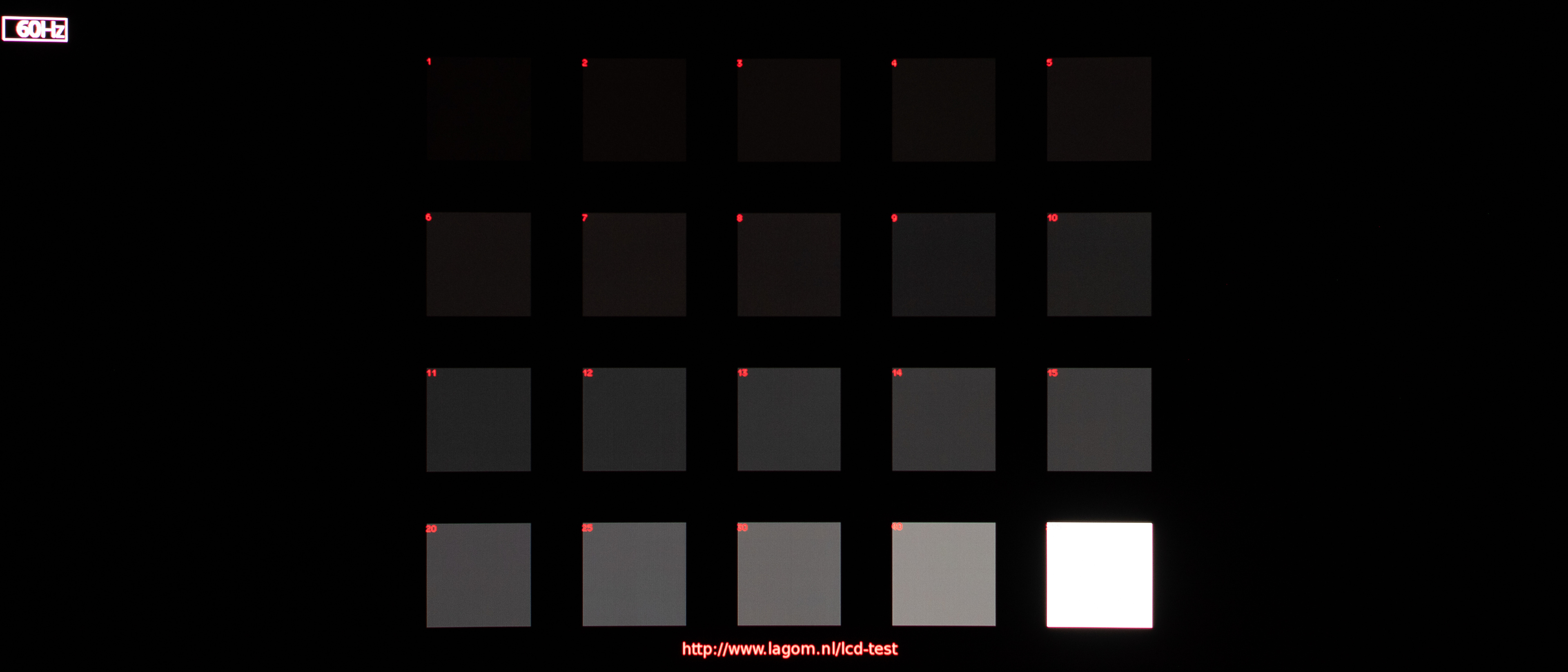
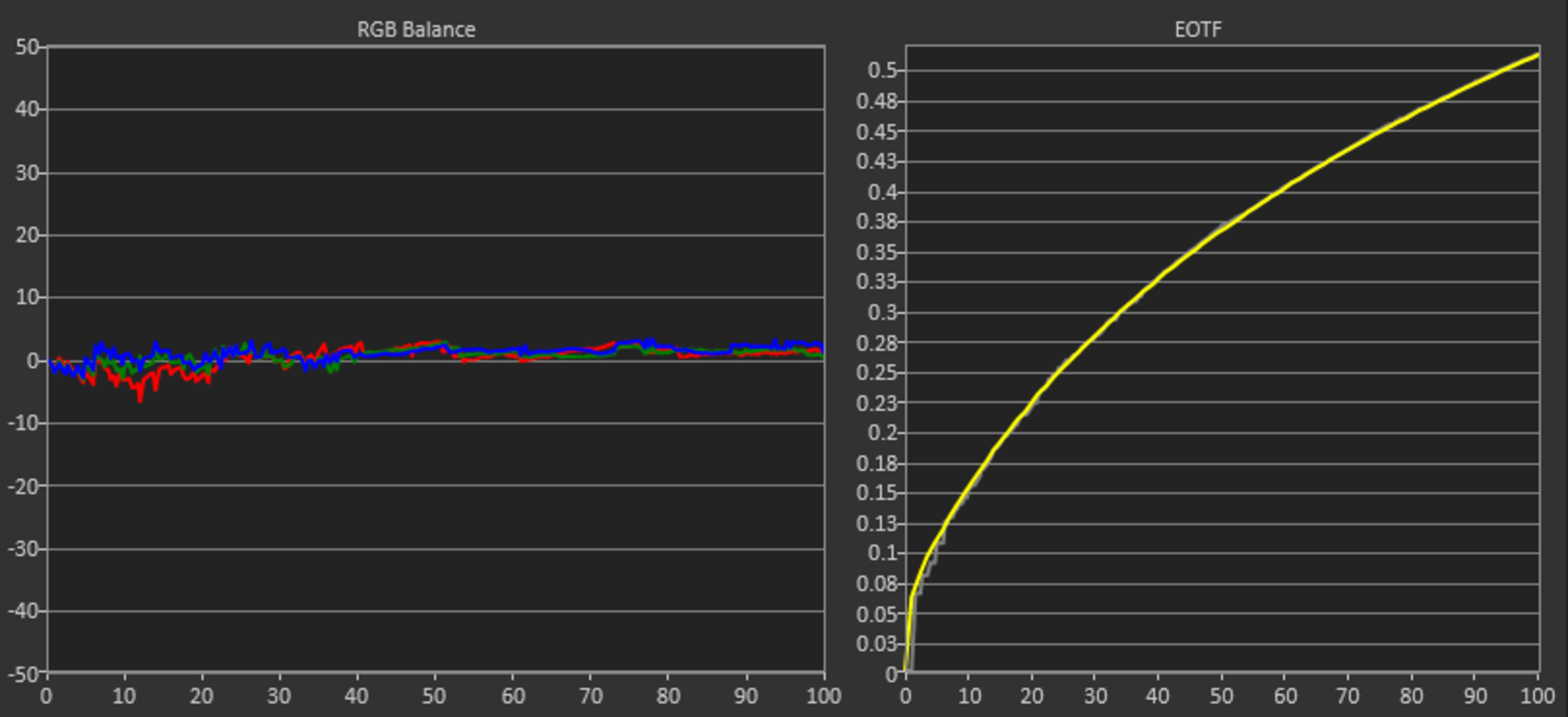
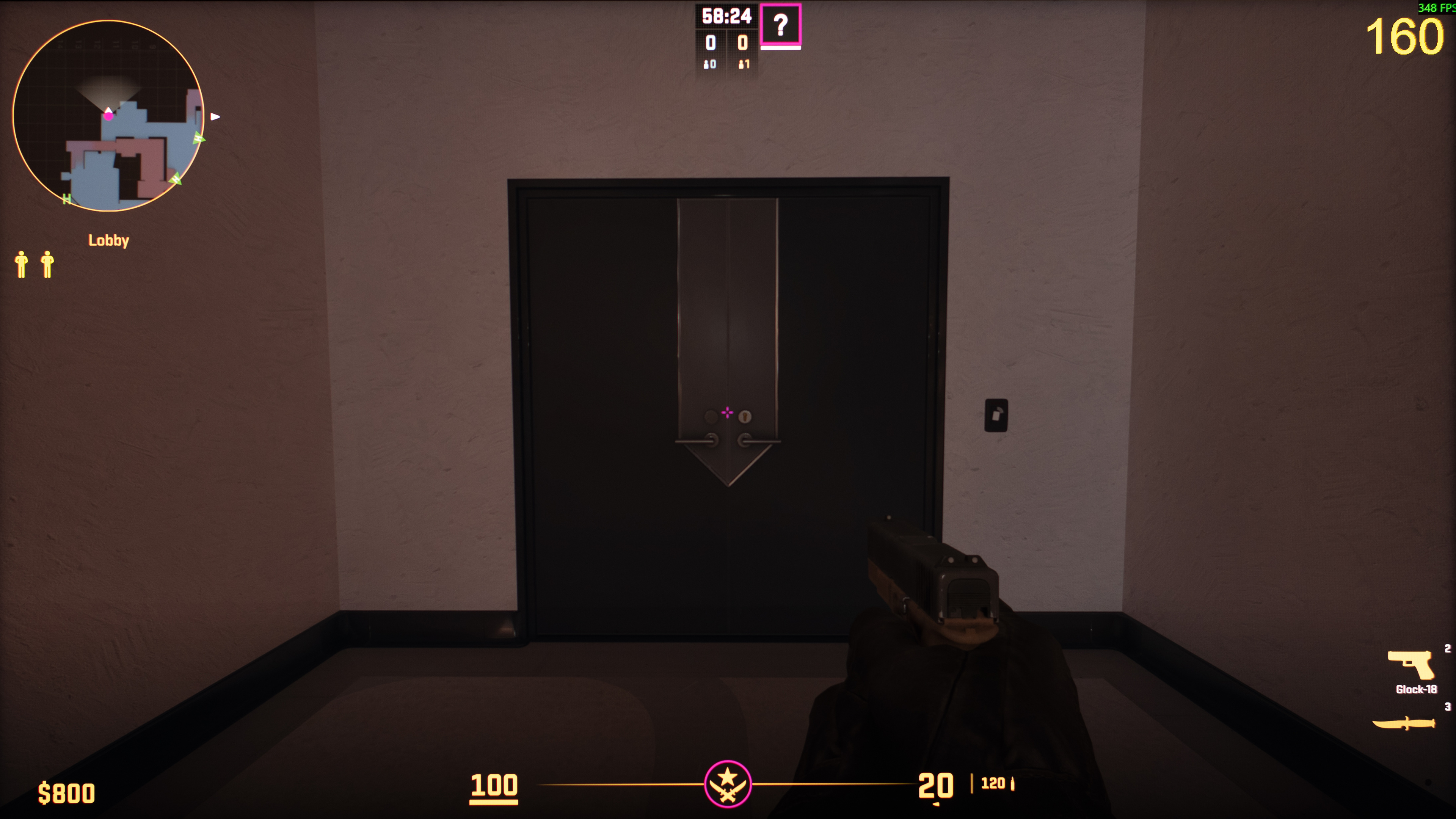
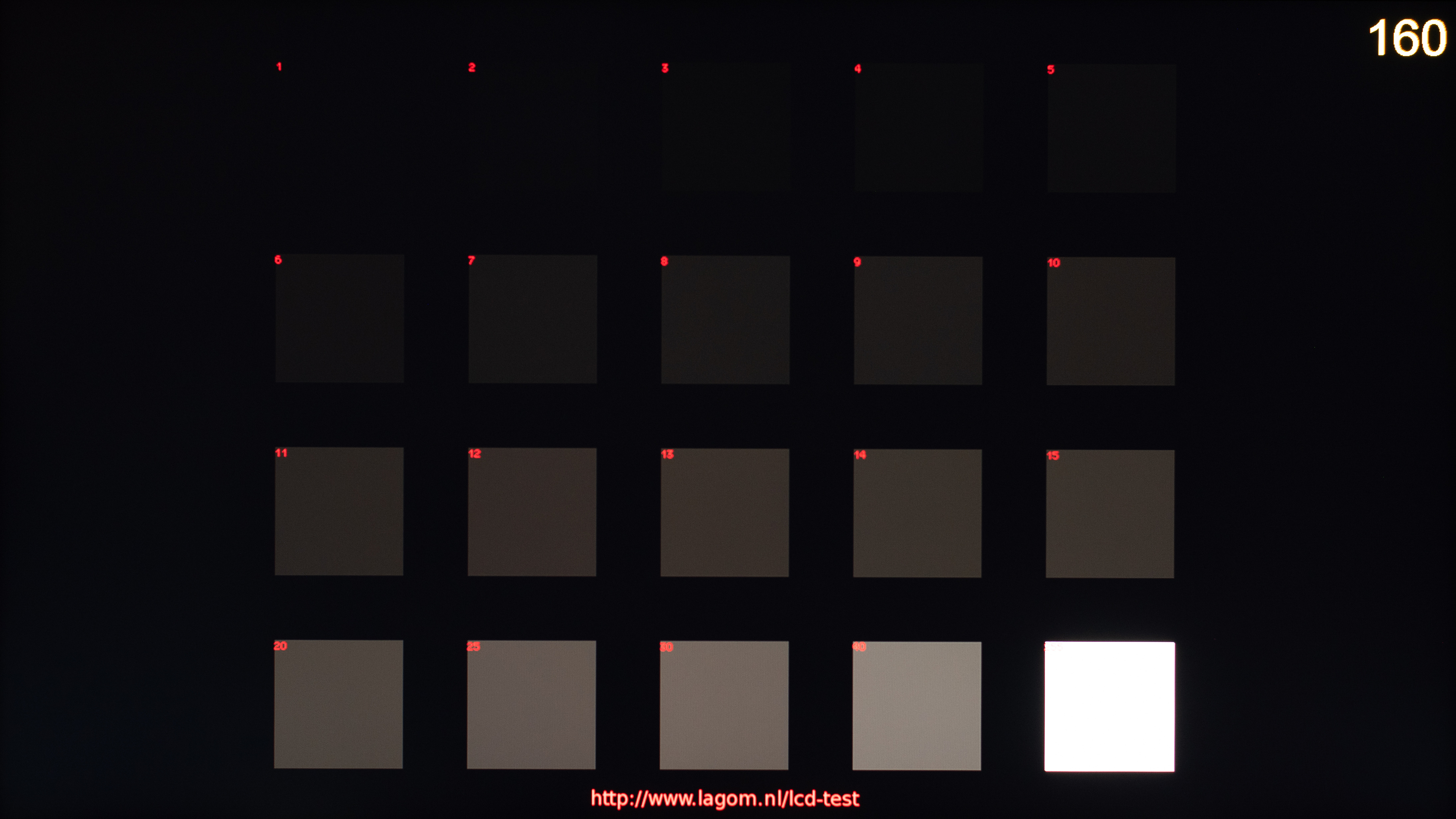
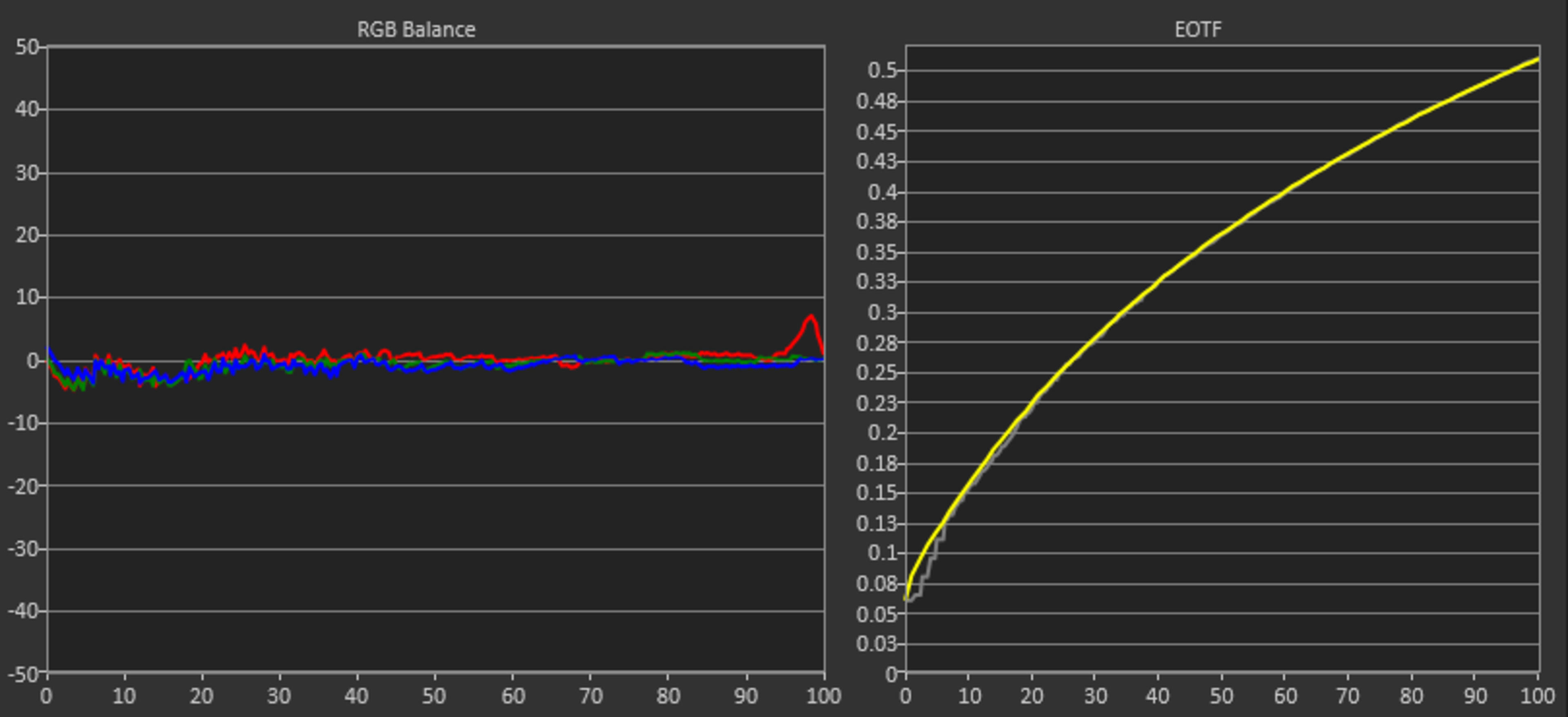
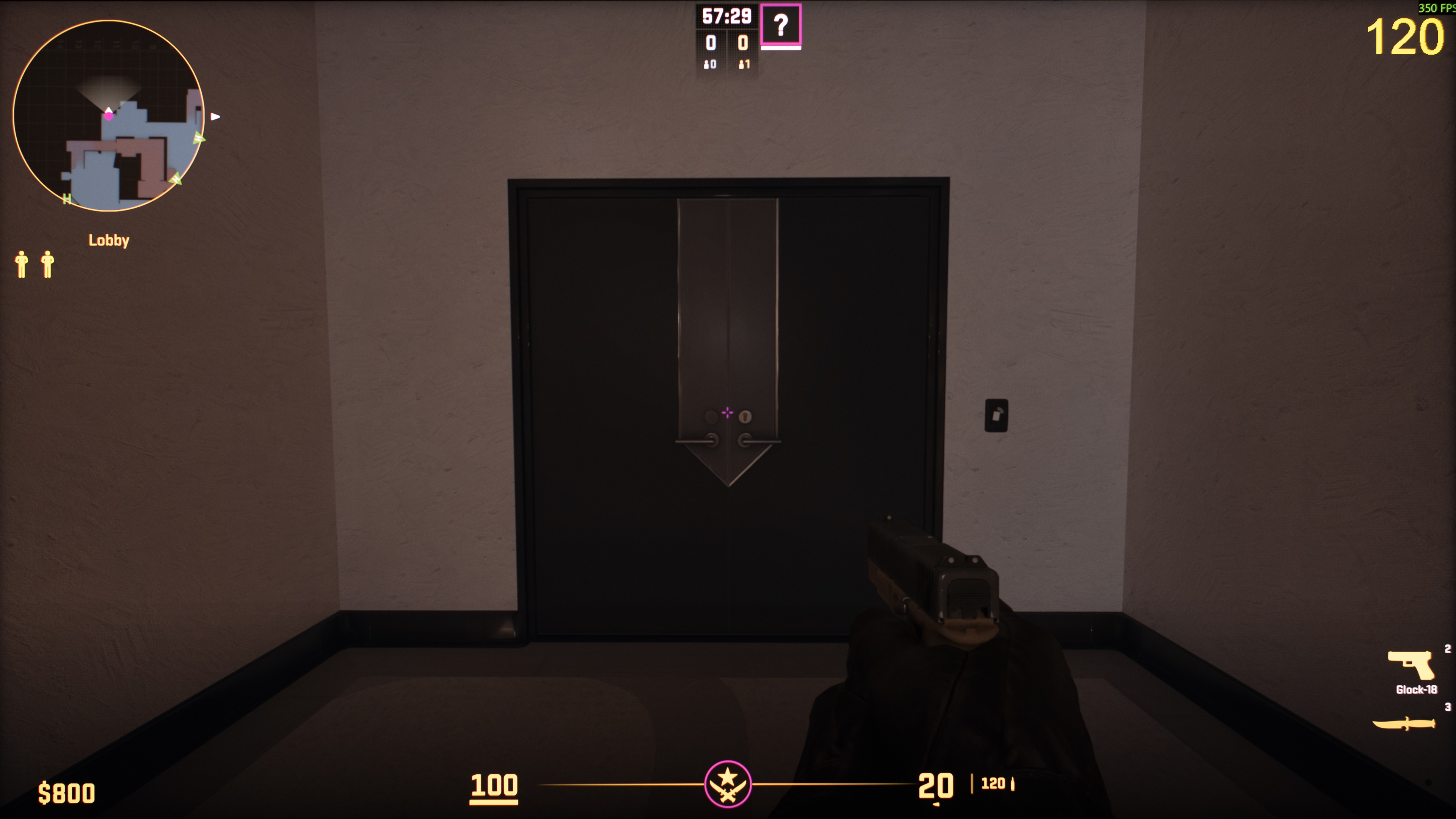
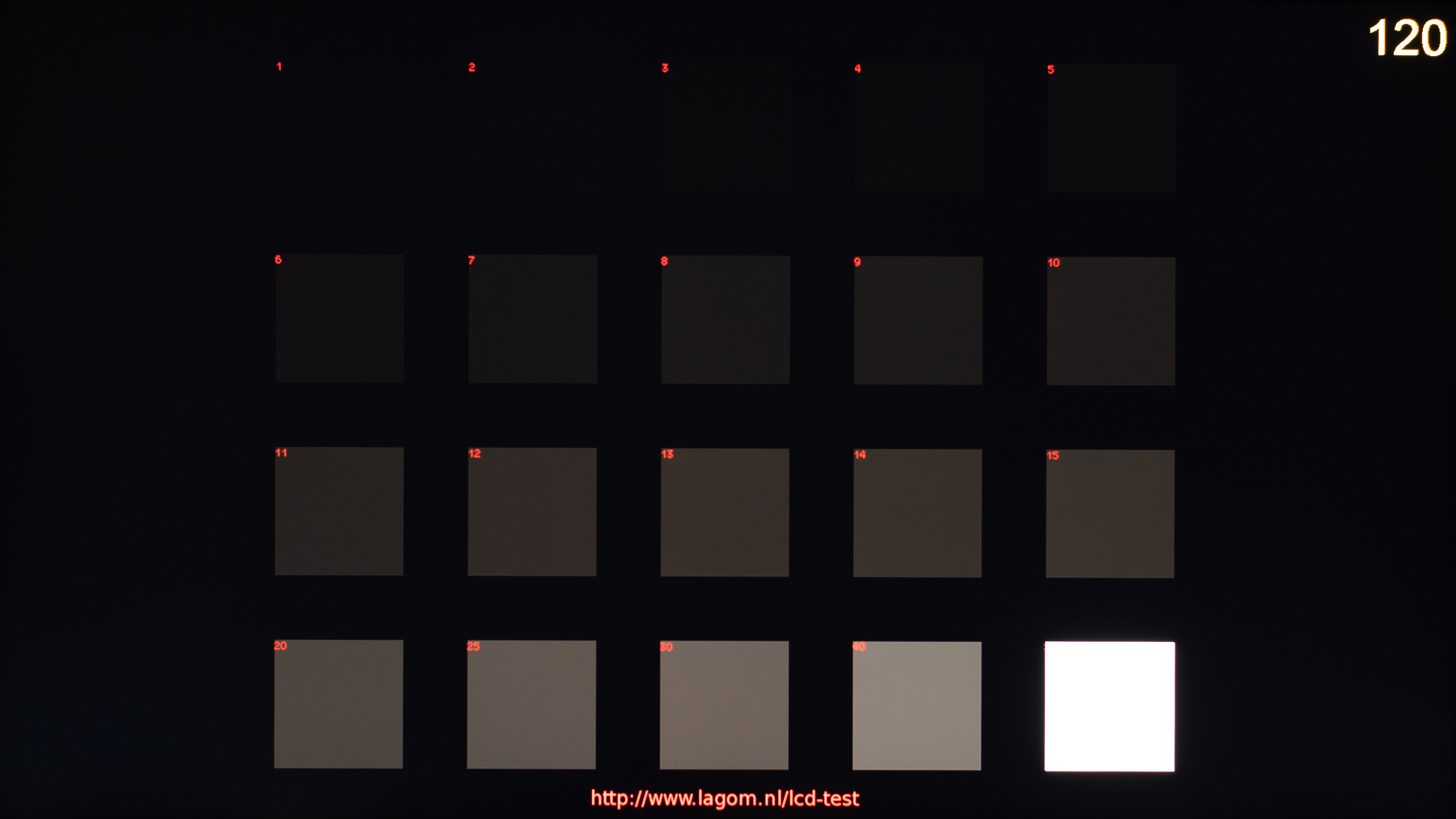
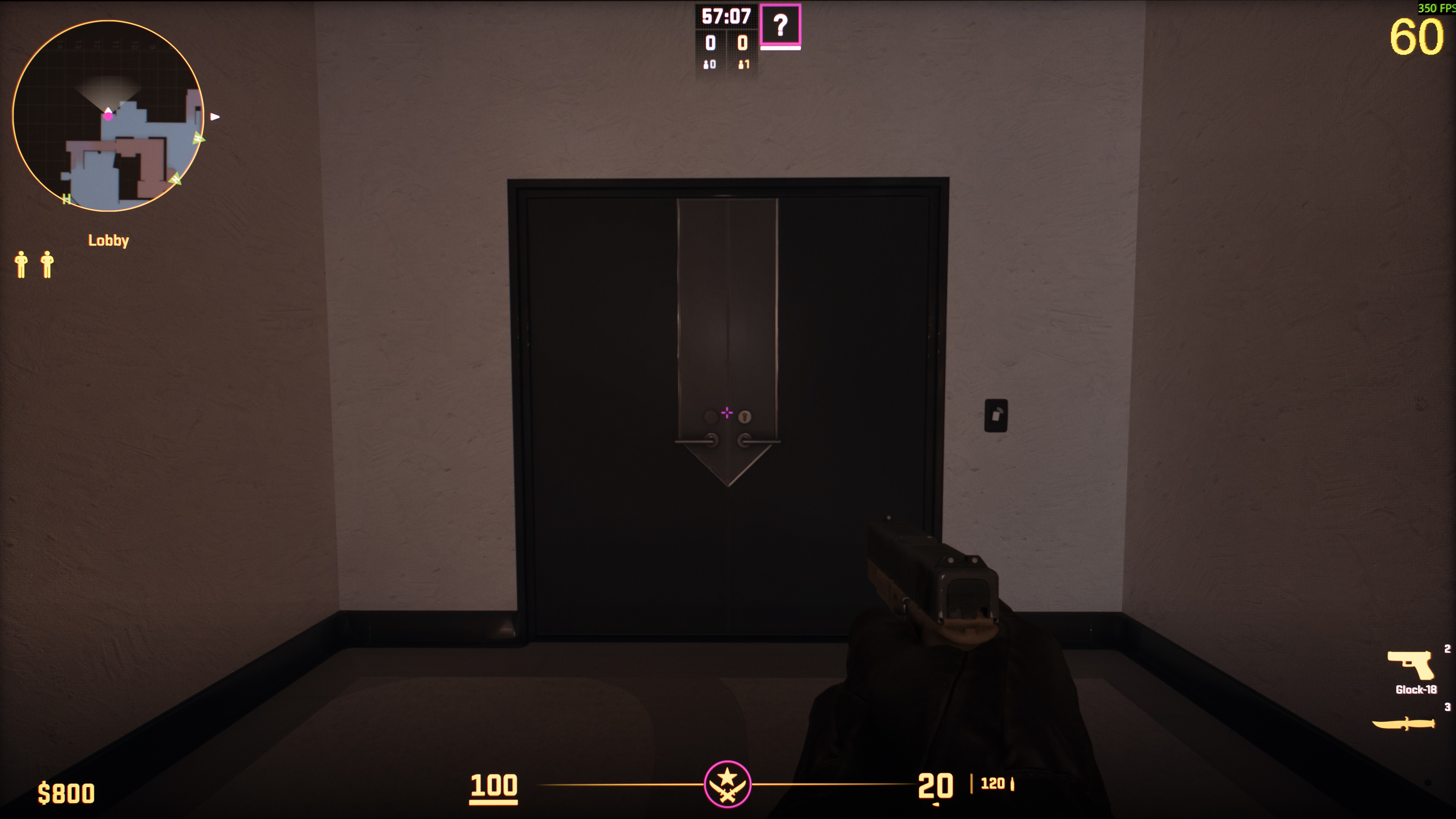
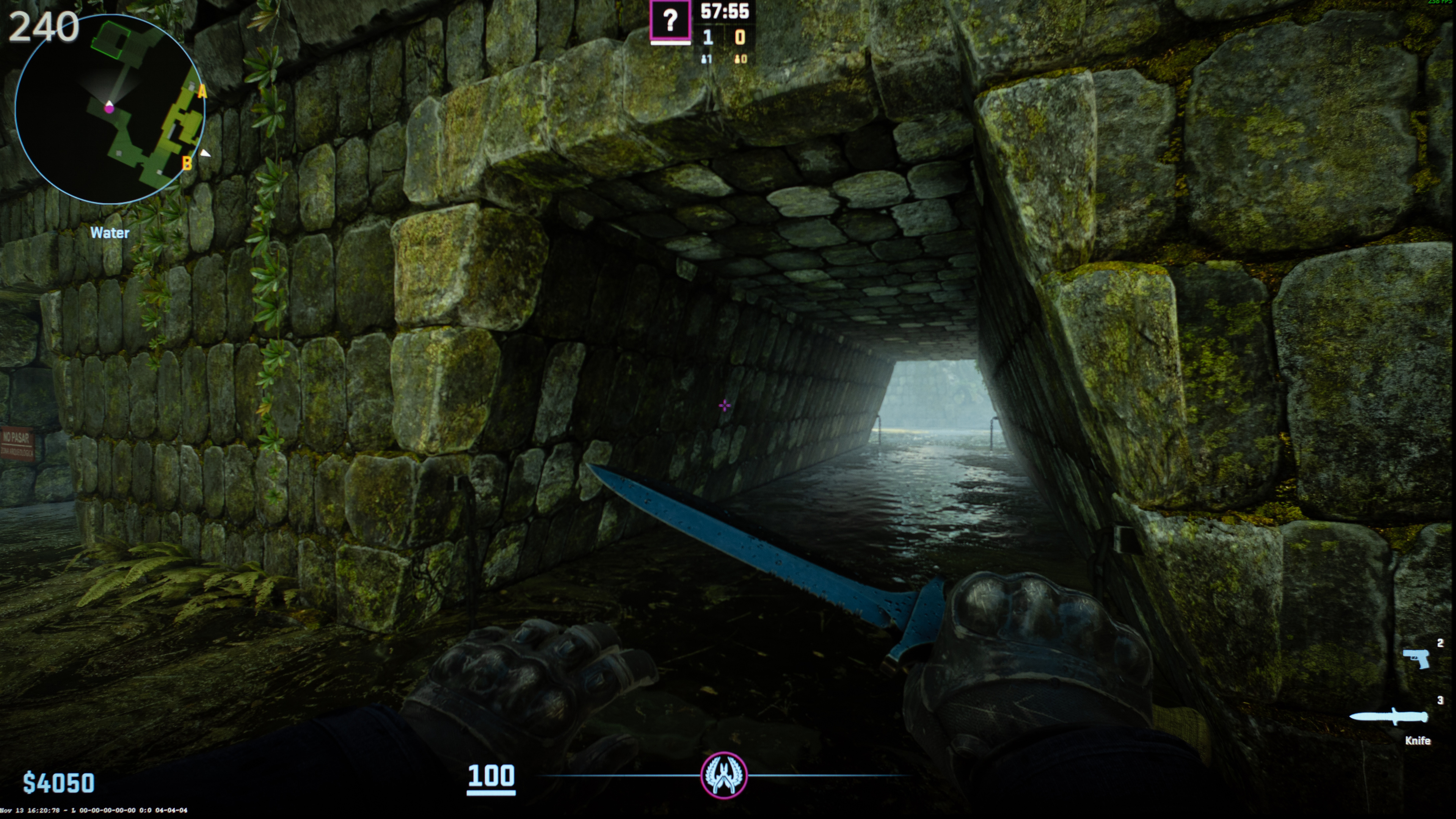
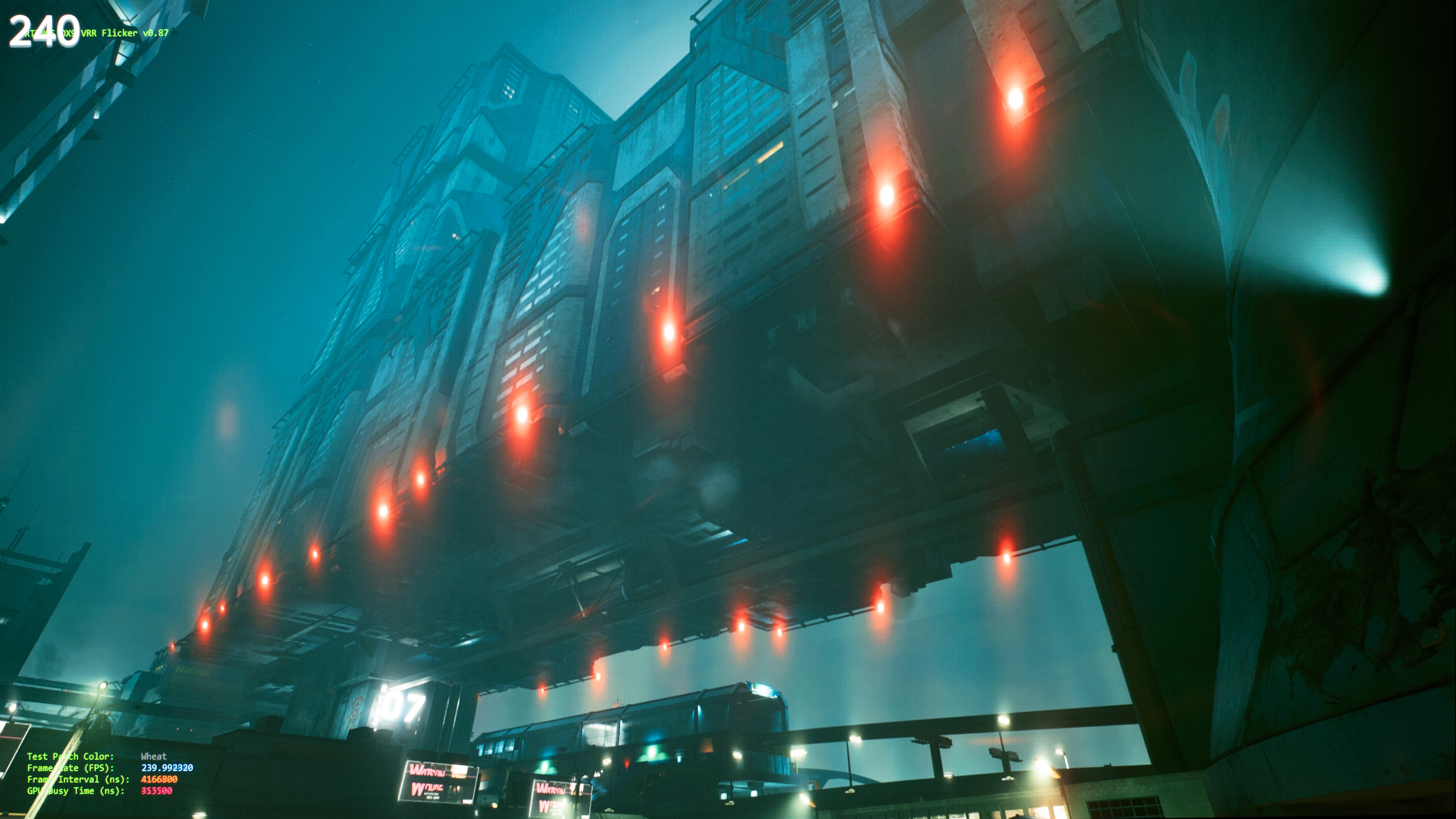
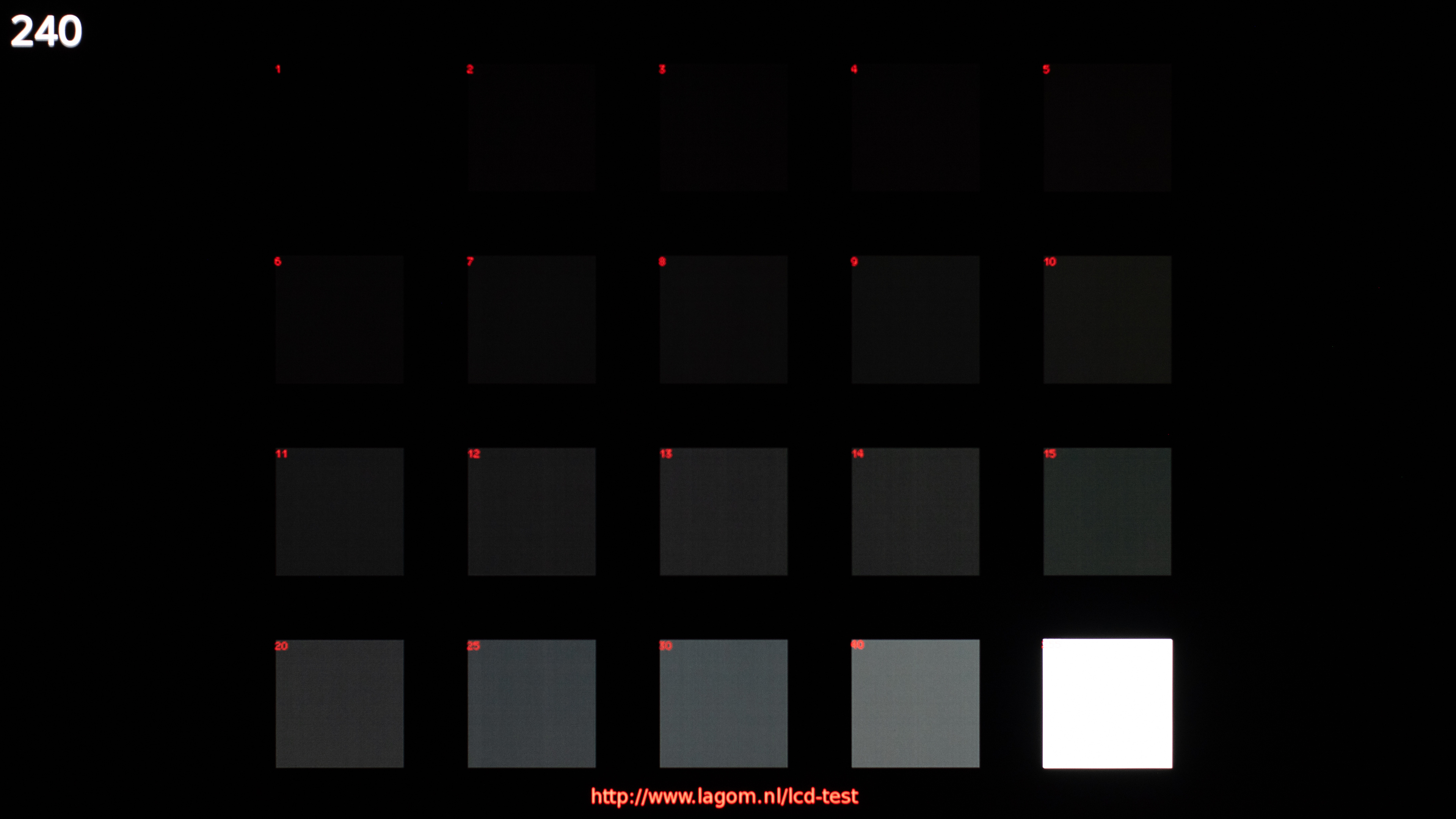
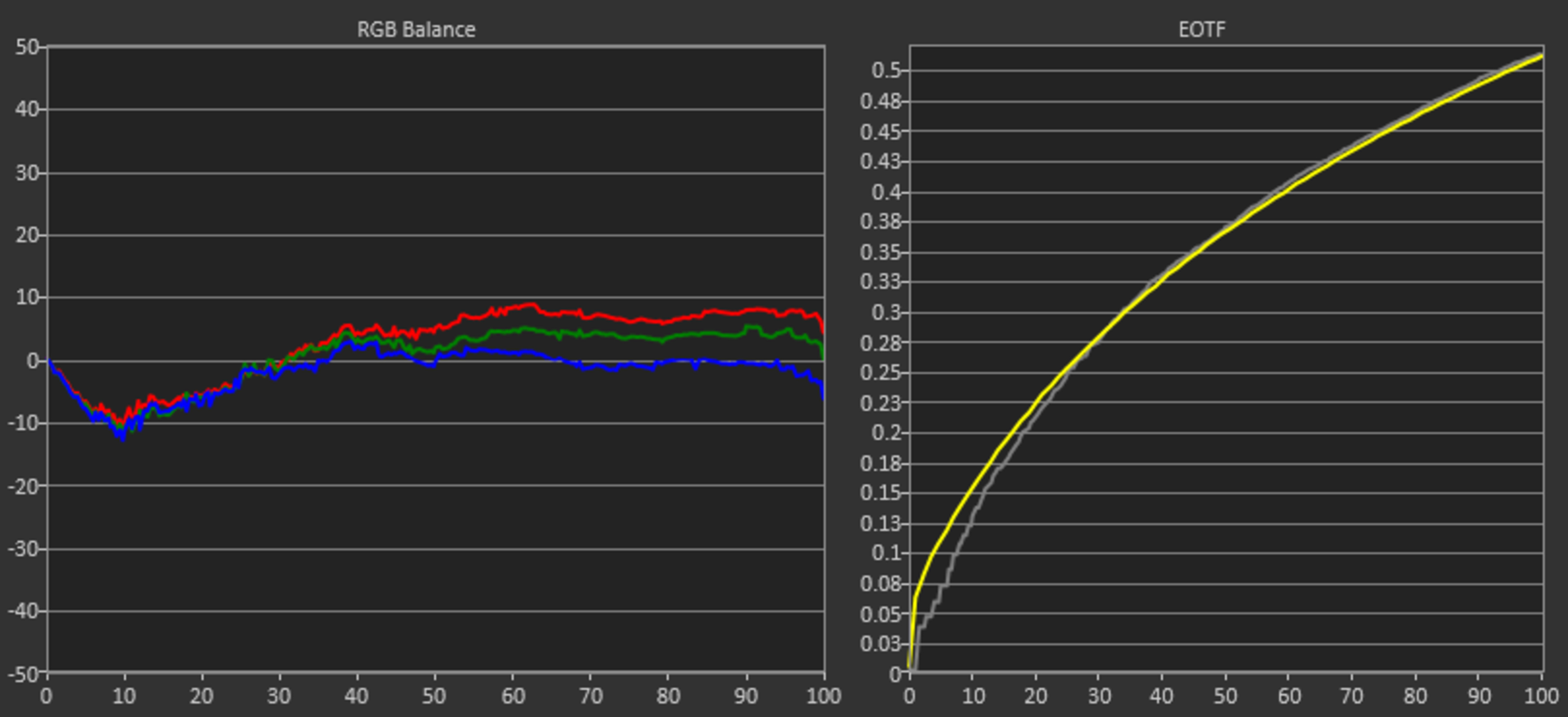
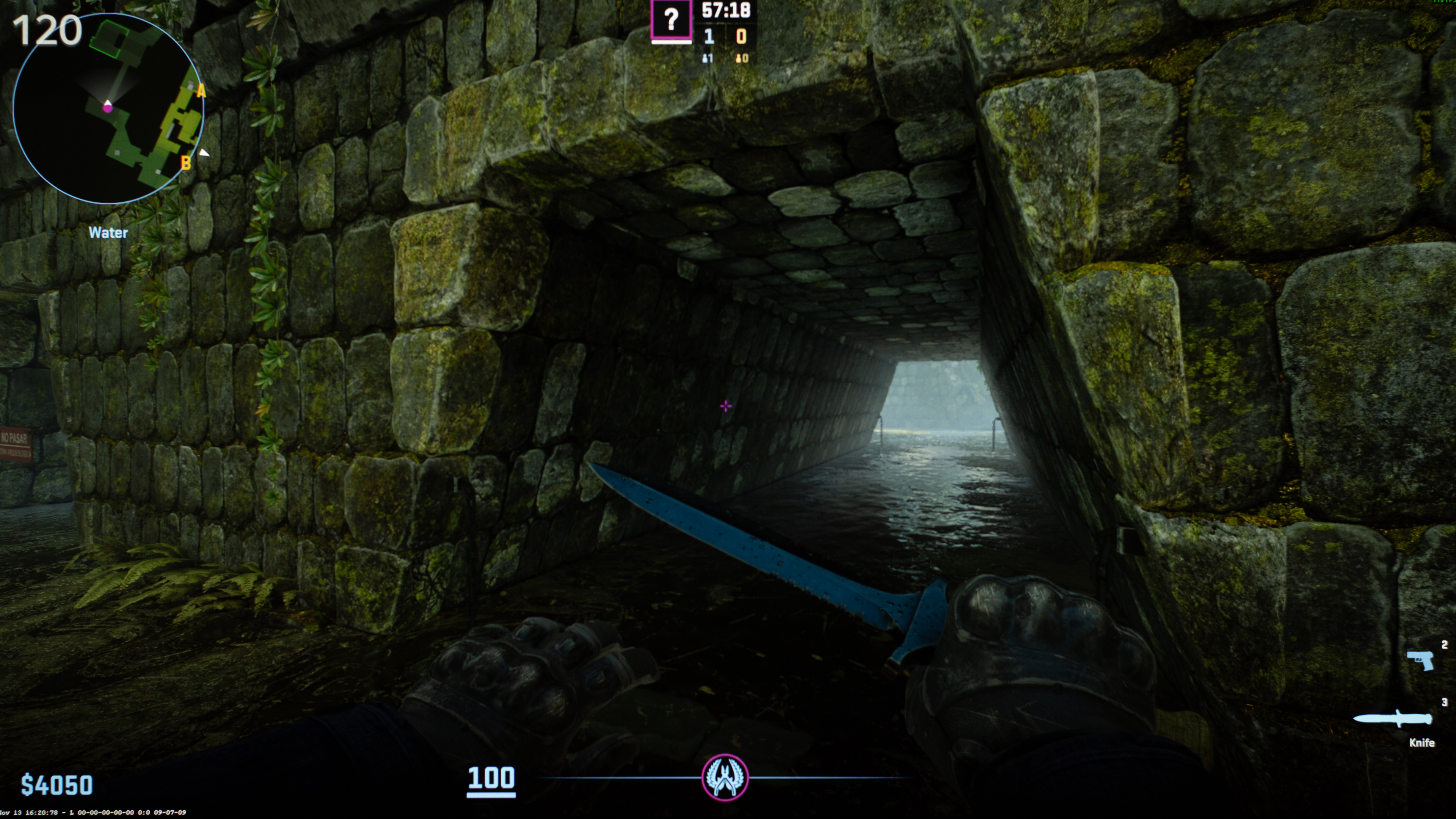
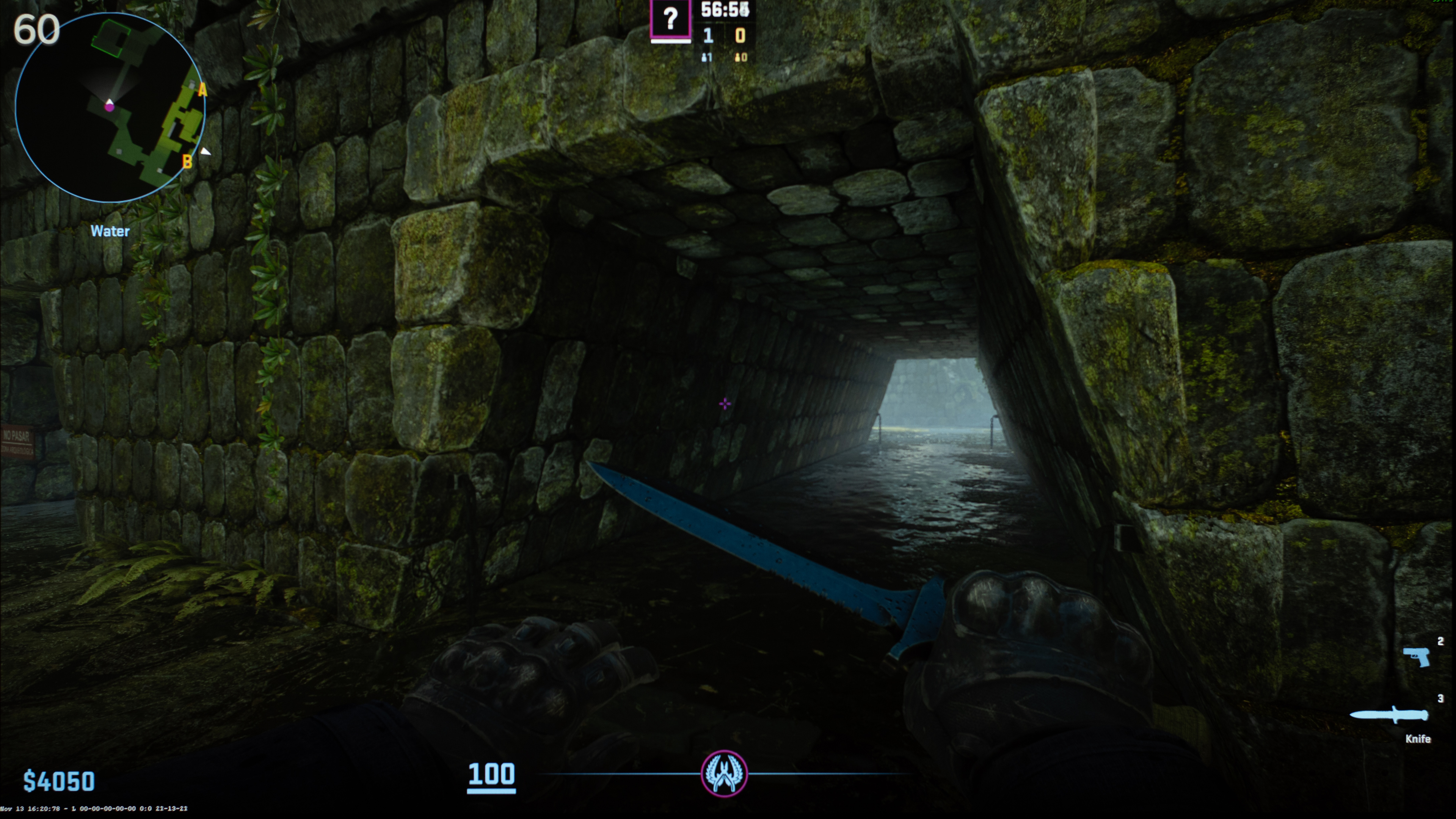
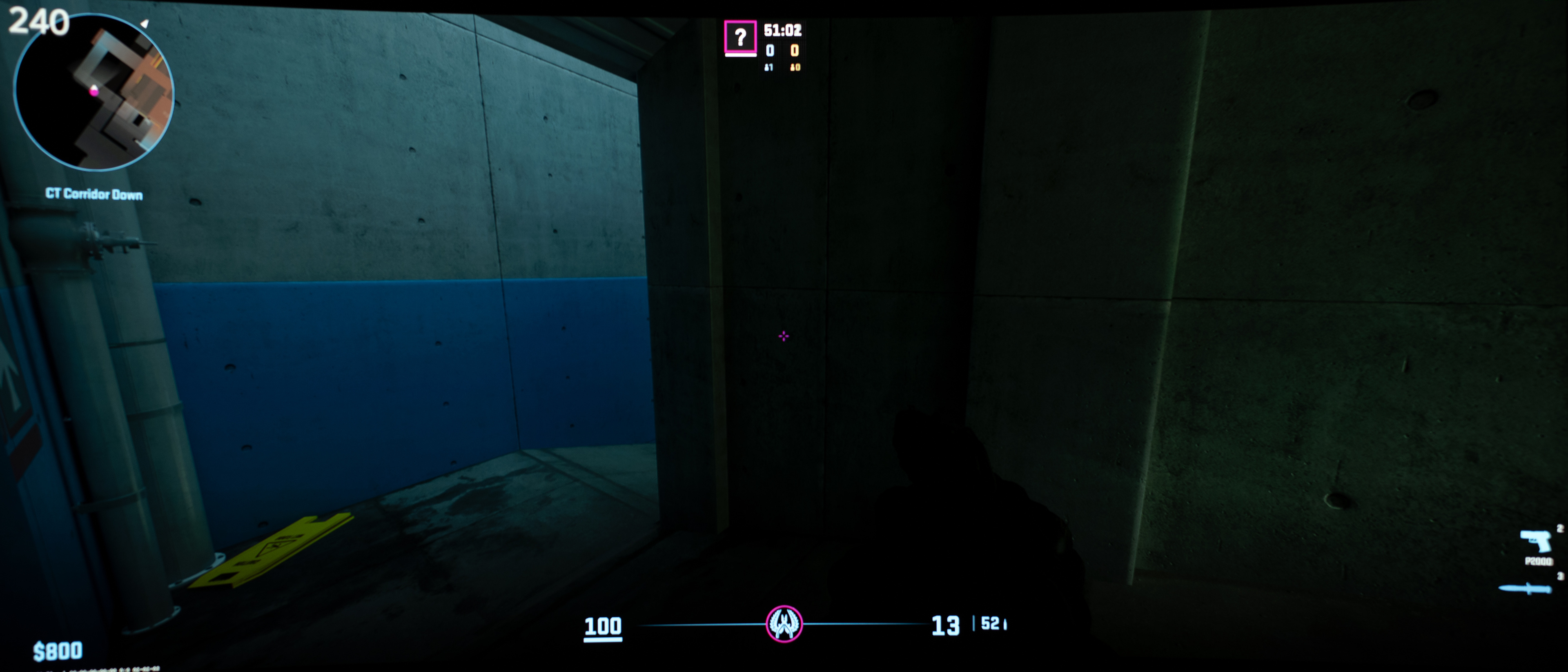
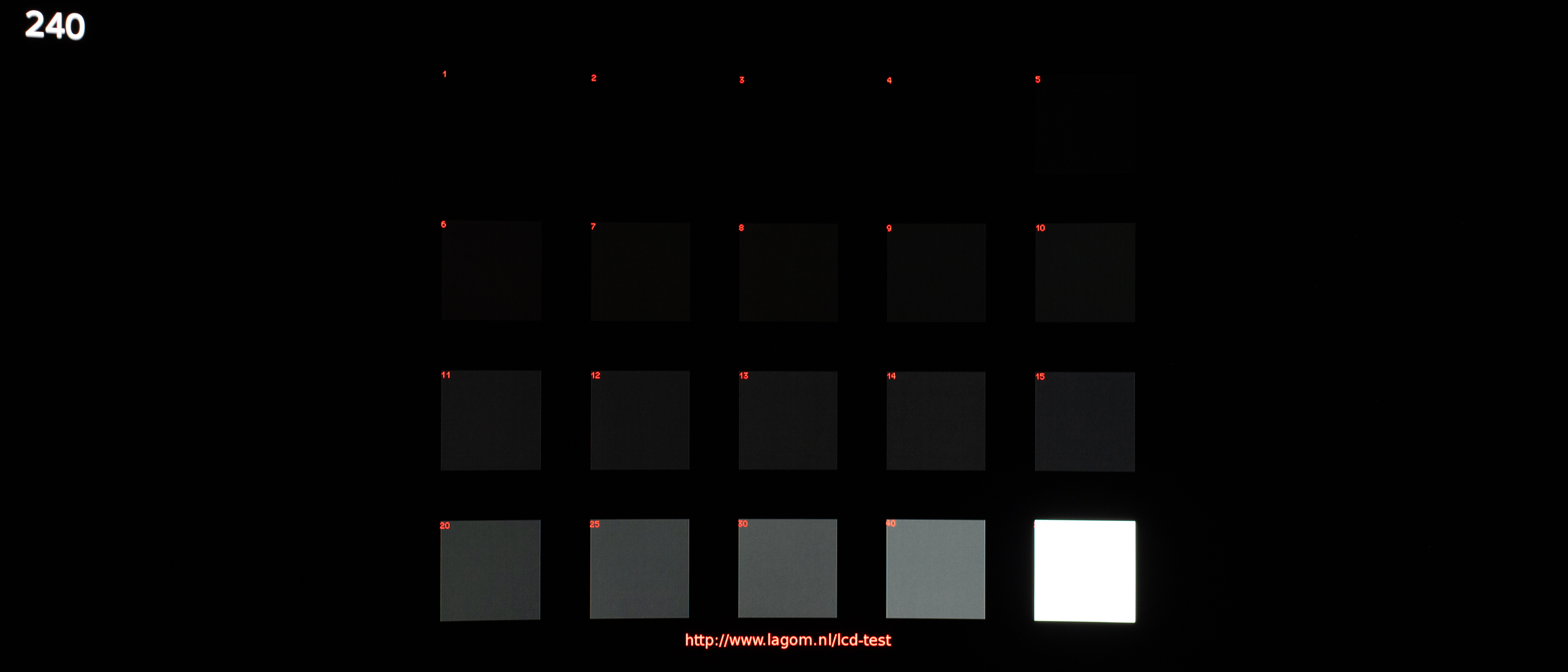
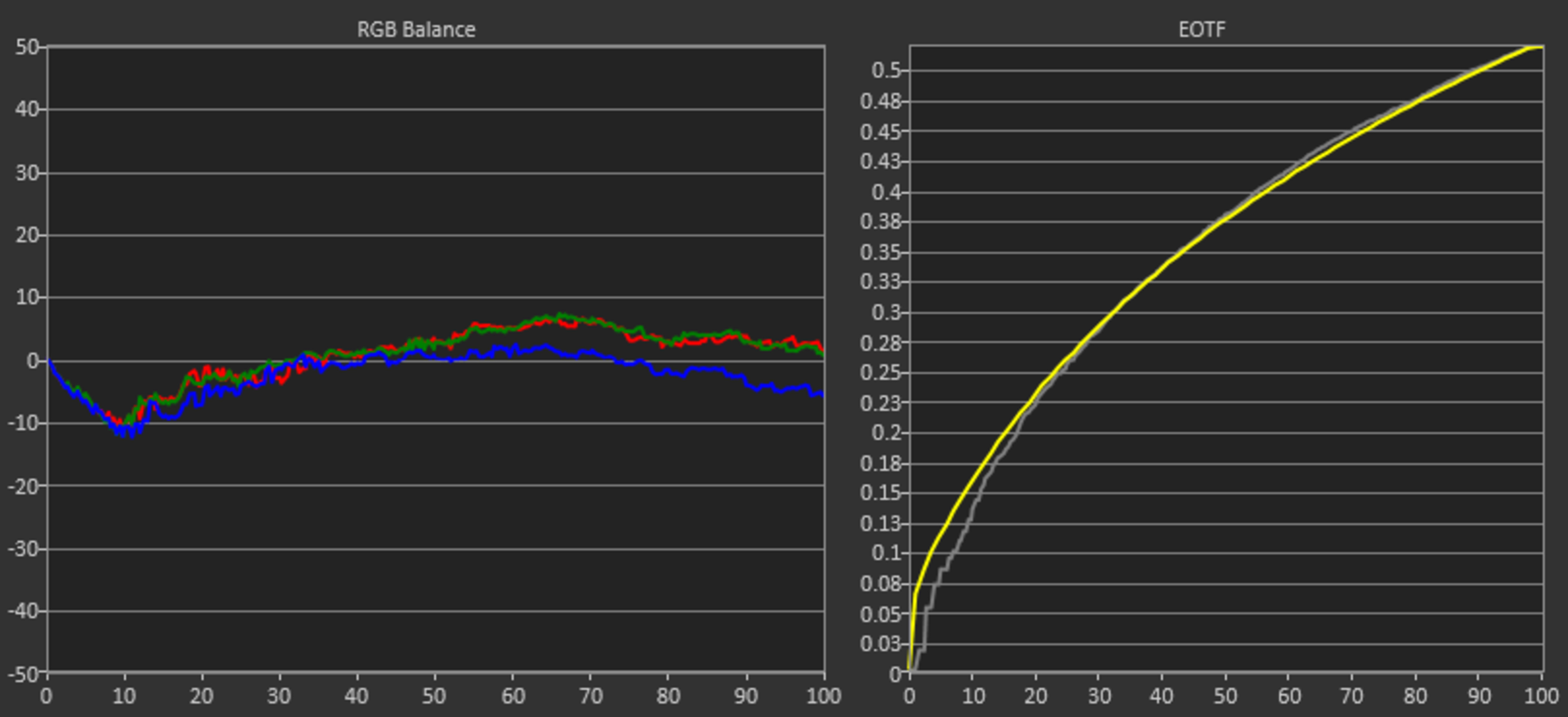
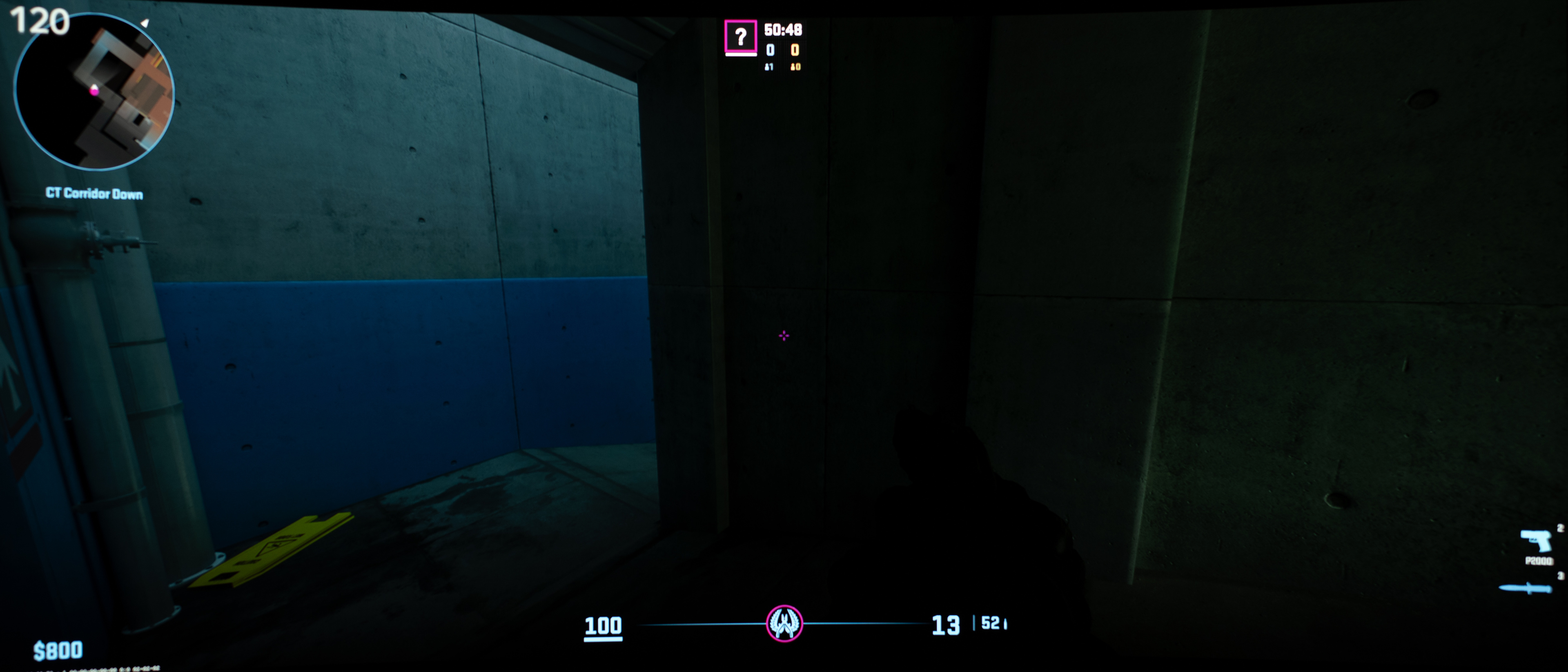
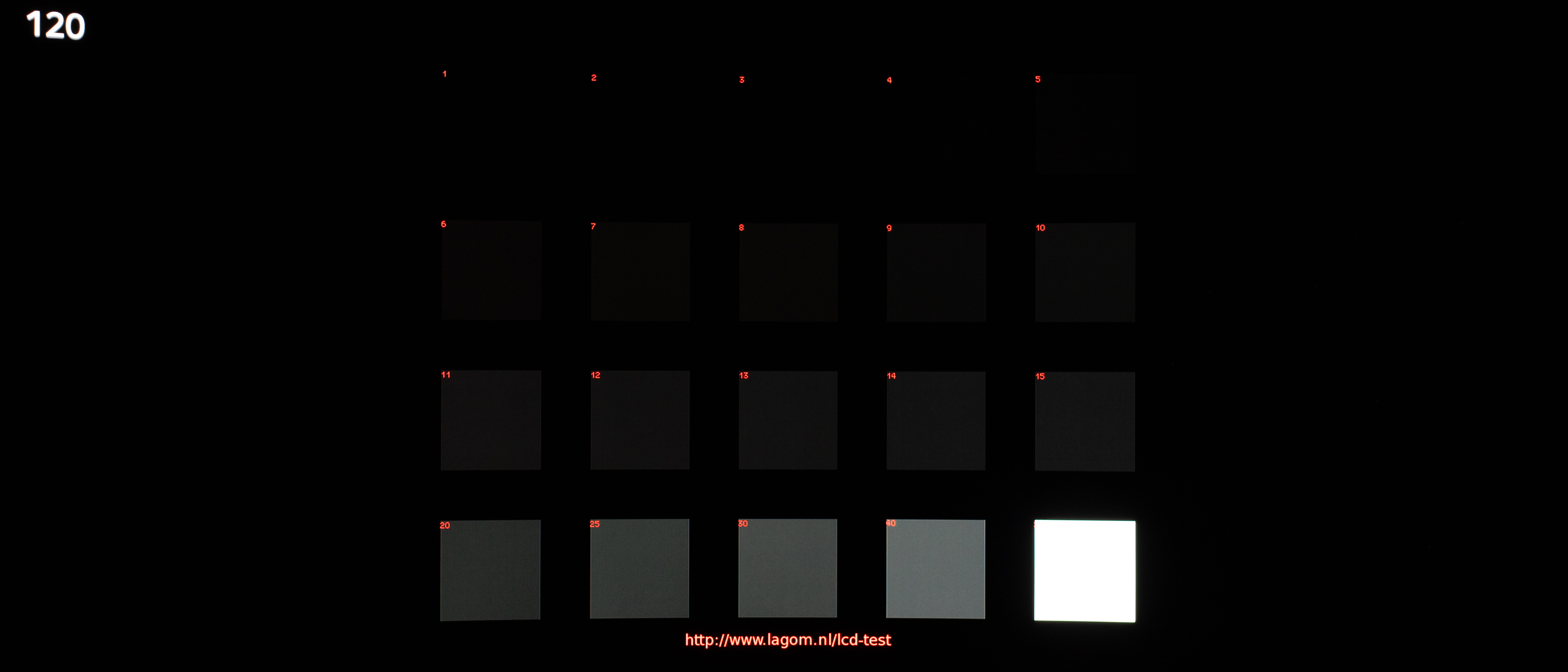
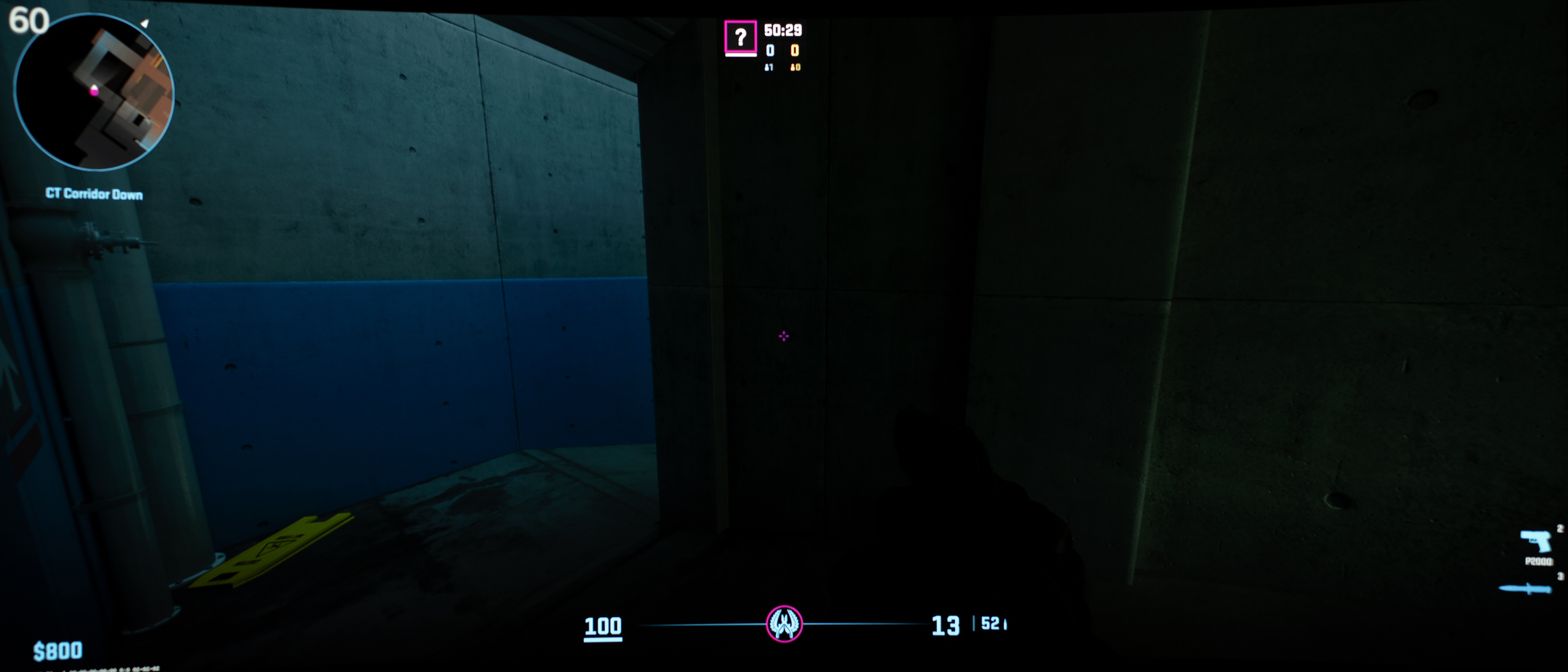
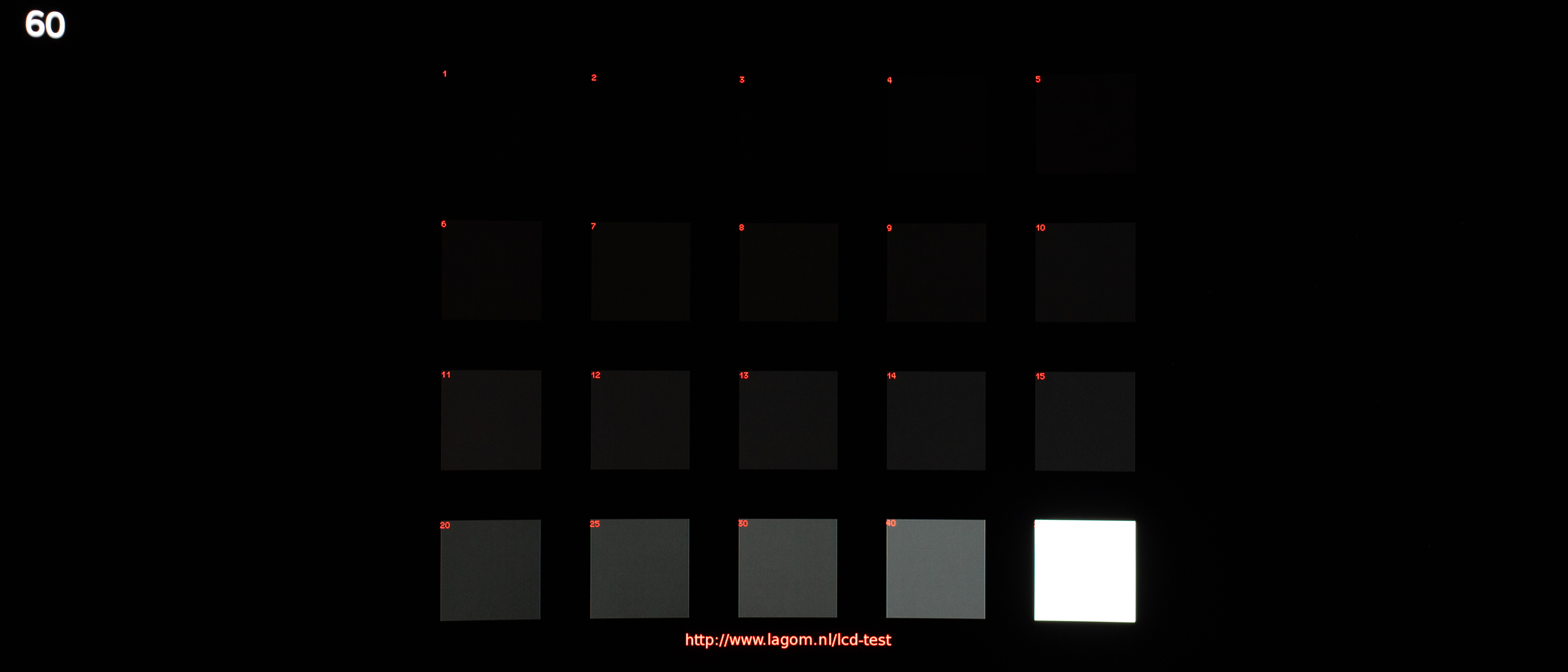
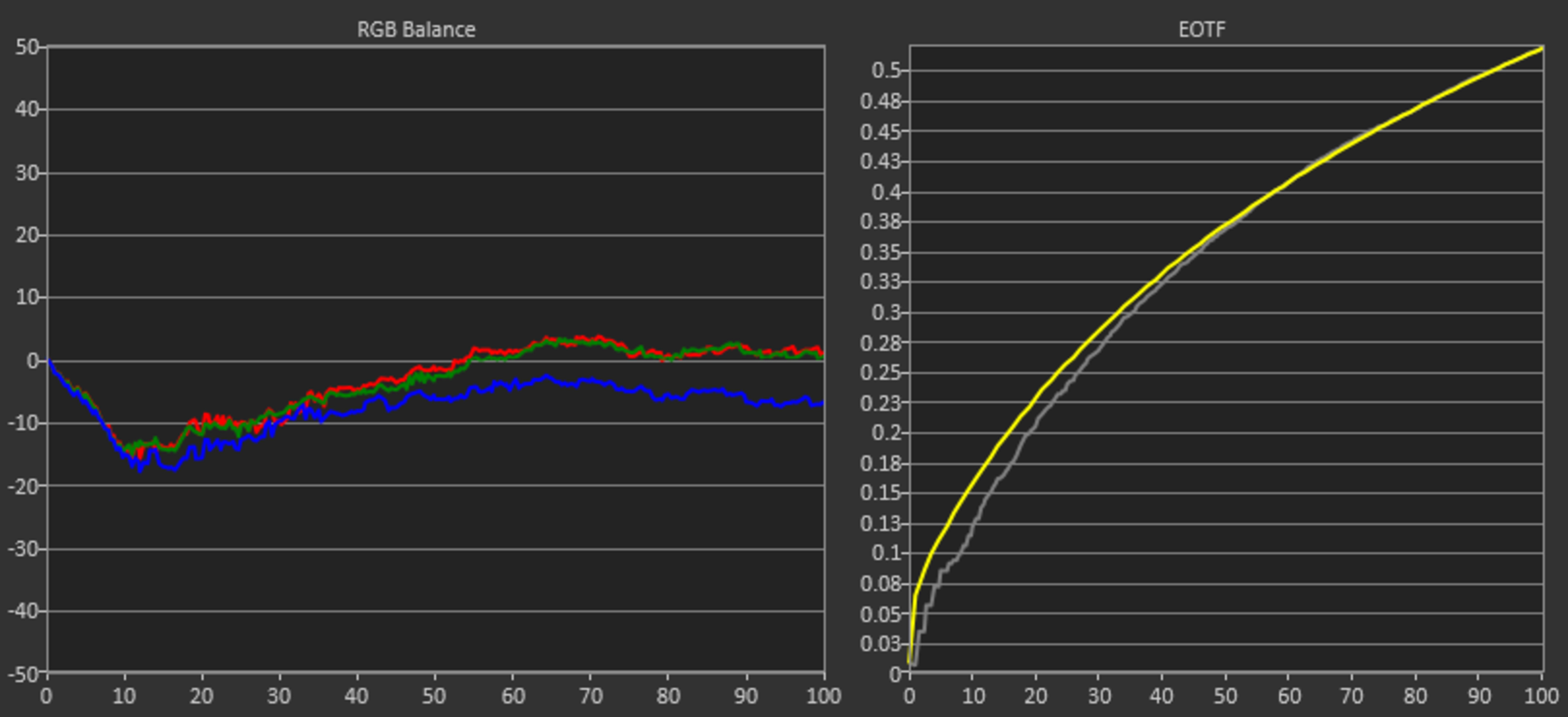
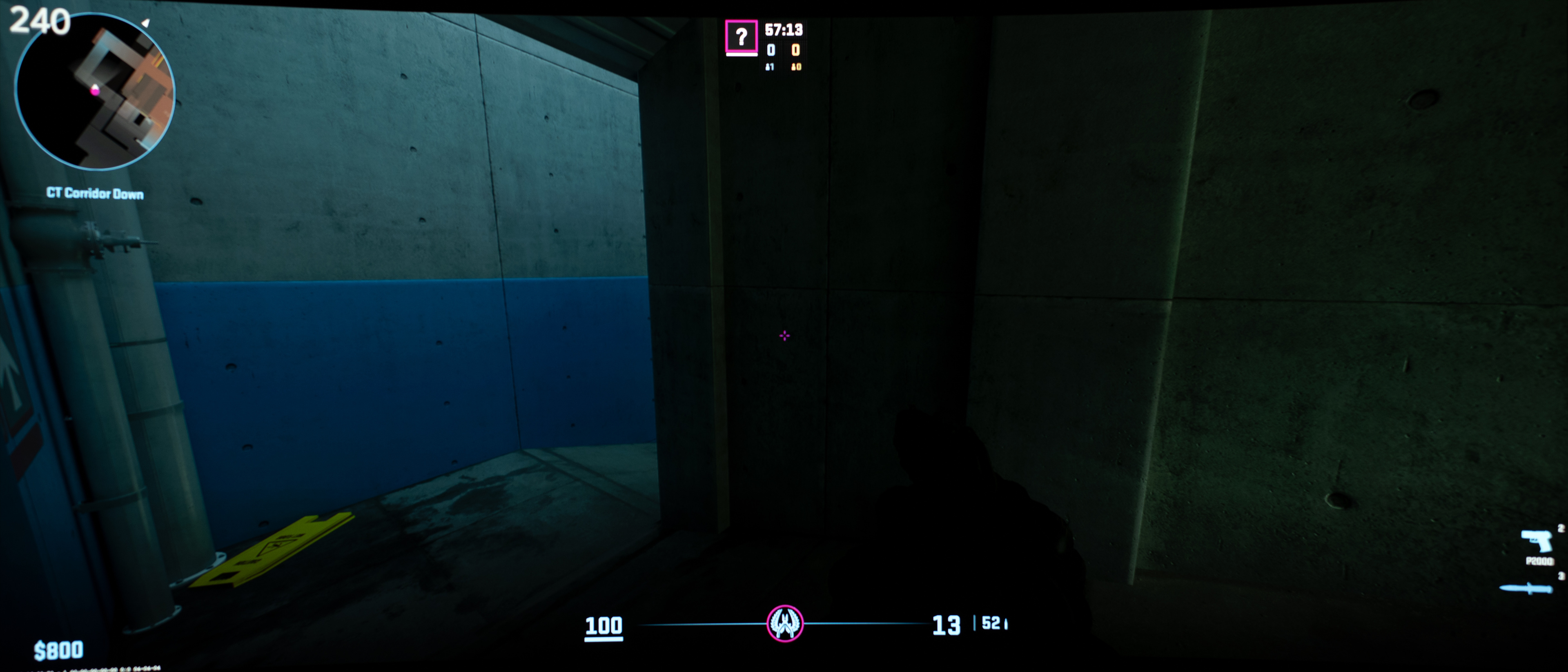
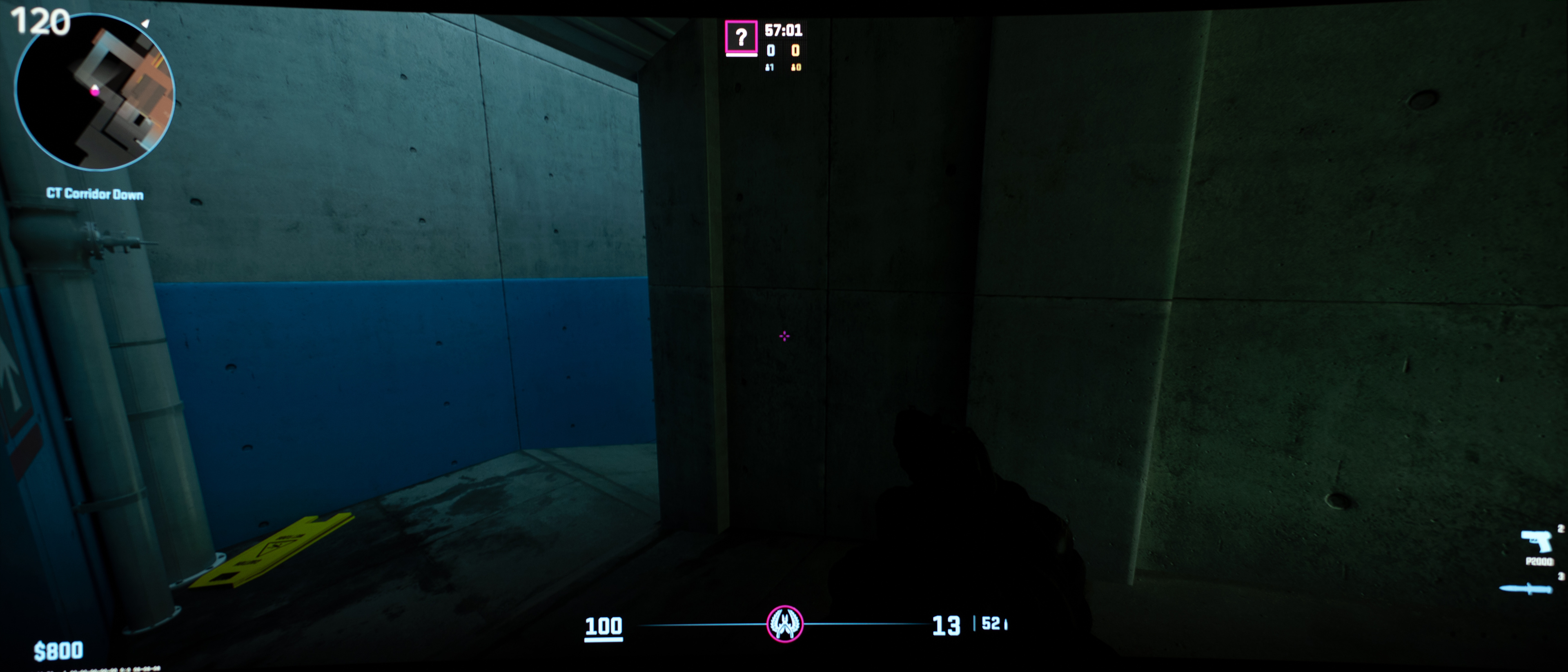
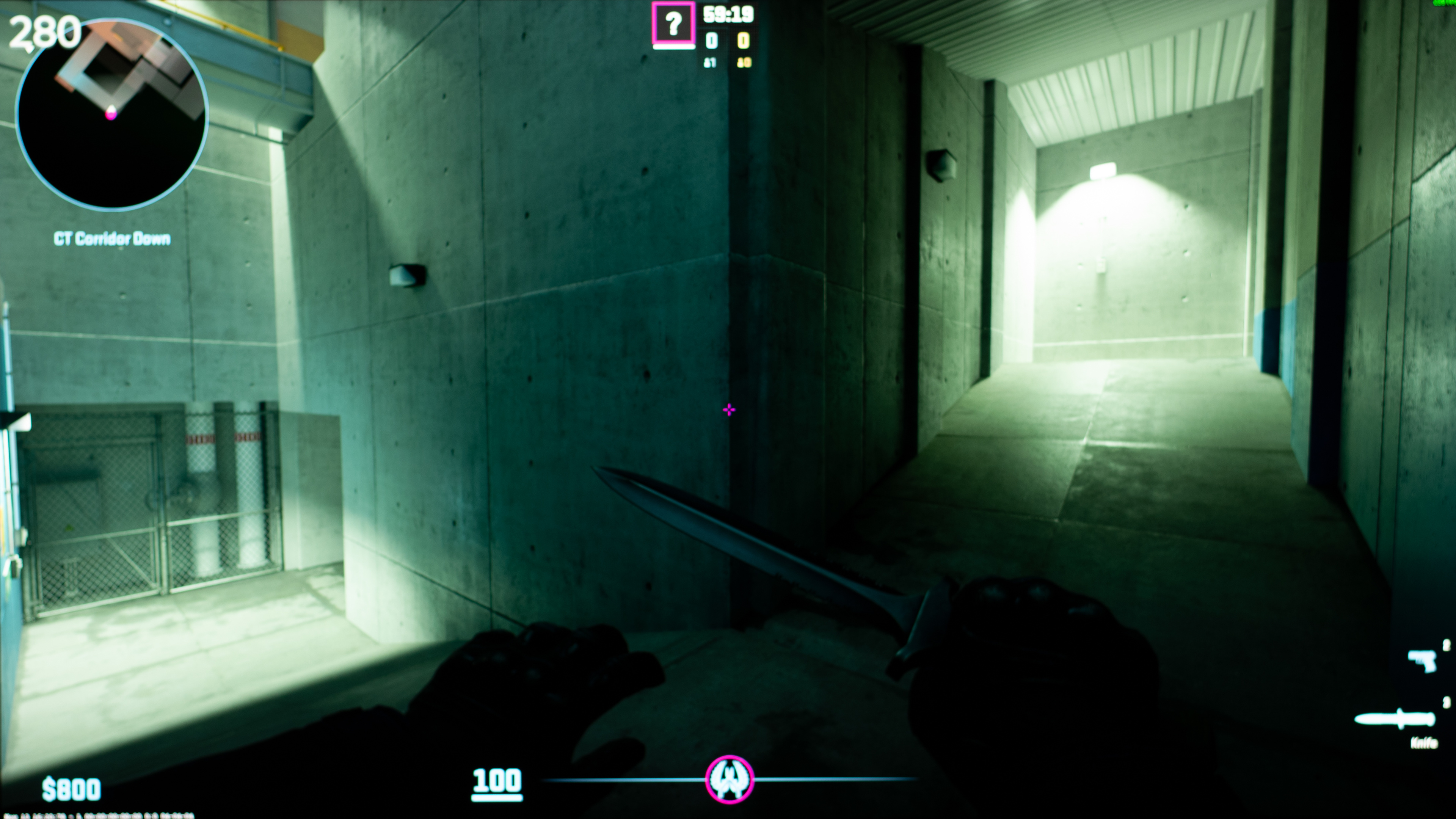
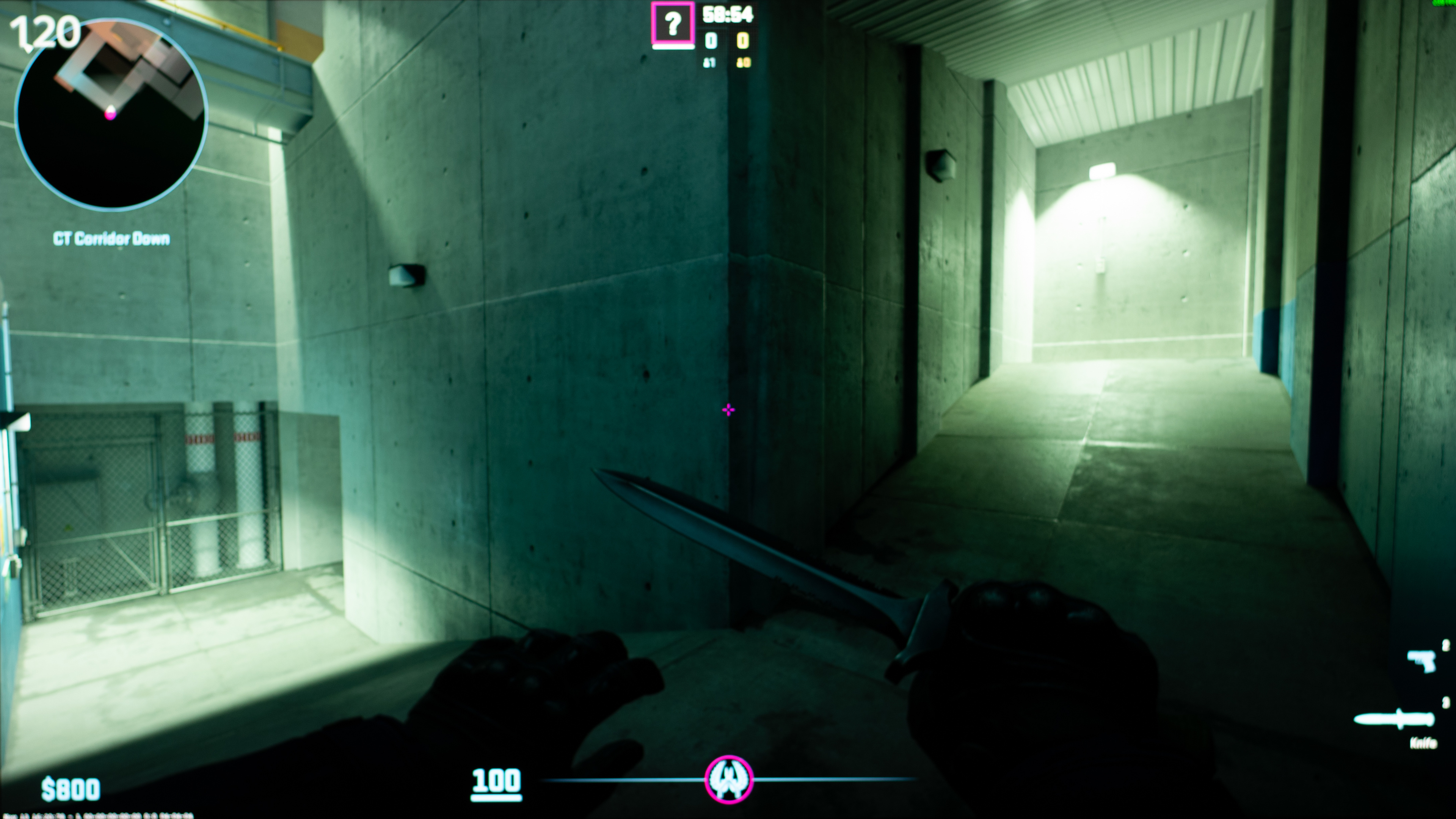
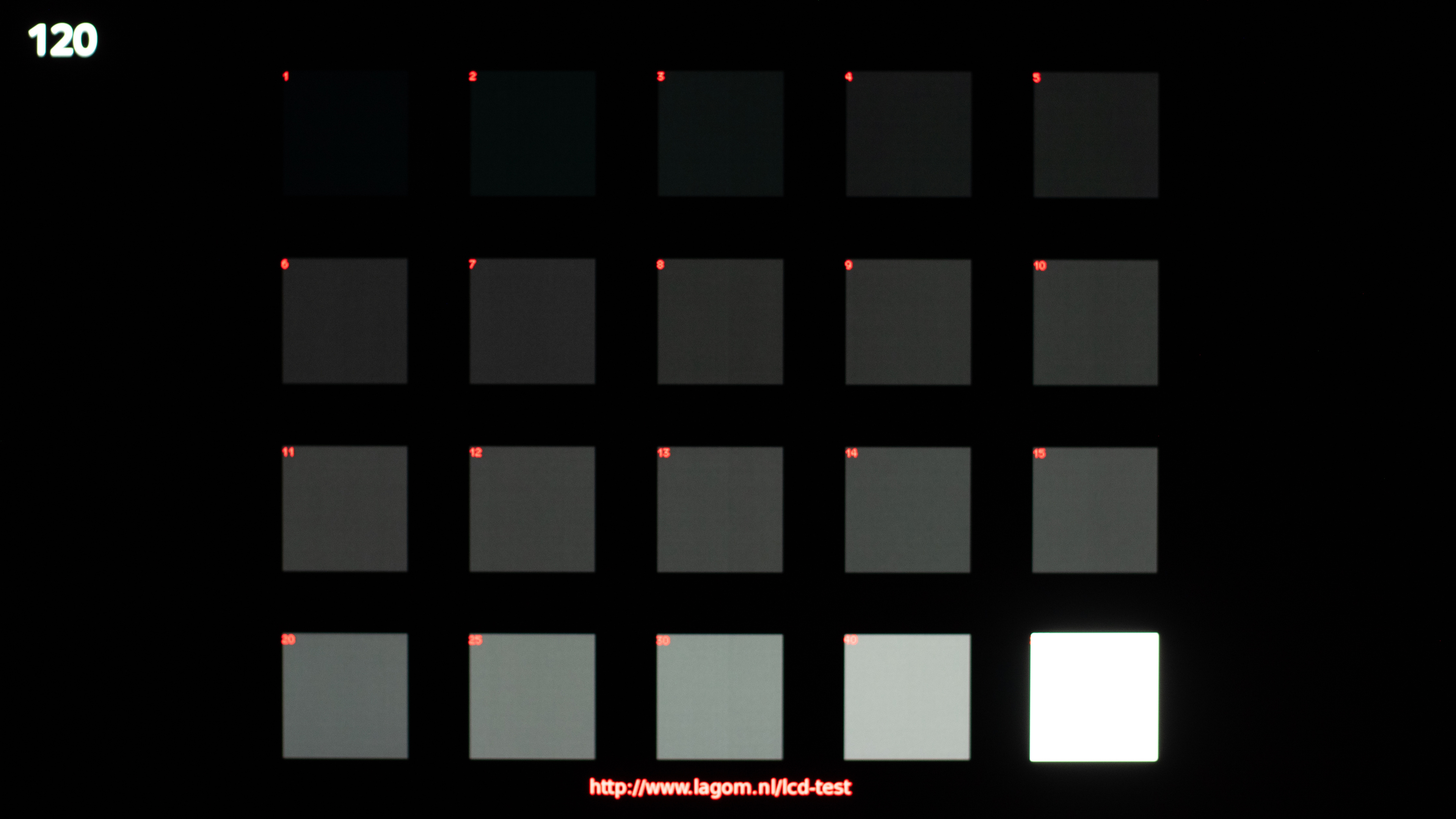
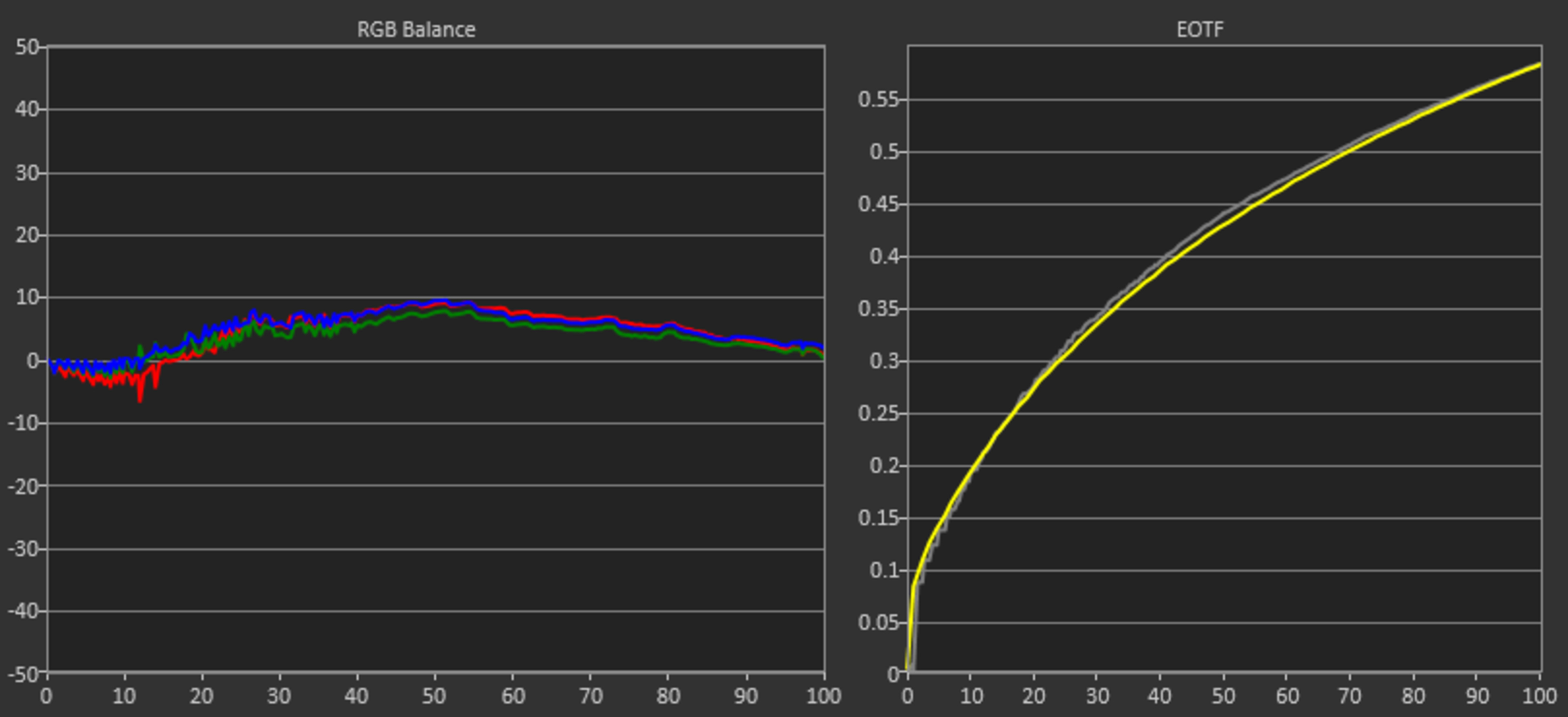
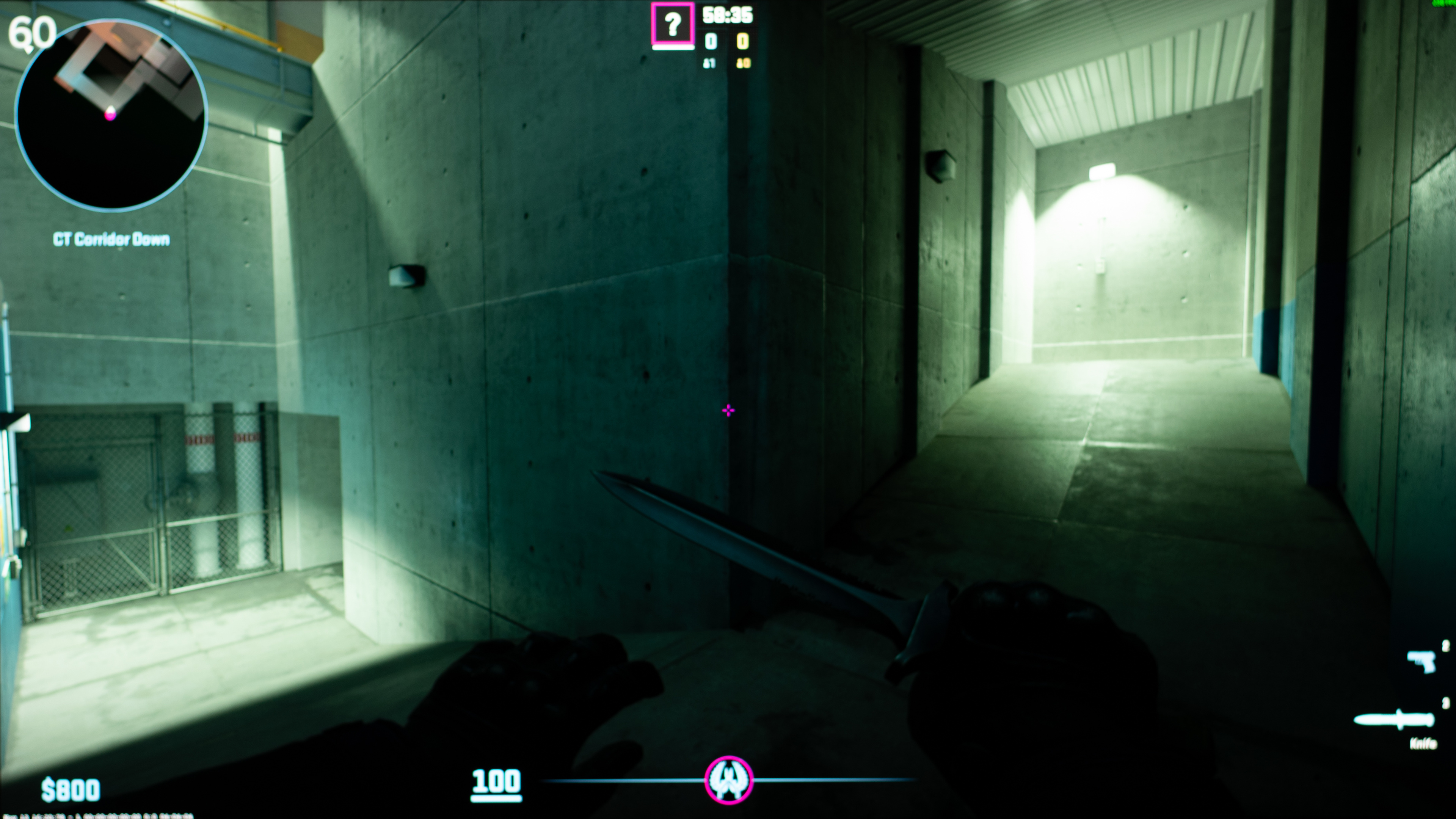
For this investigation, we took photos of a dark area in Counter-Strike 2 and of Lagom's Black Level test image at the monitor's max refresh rate, at 120Hz, and at 60Hz. We recalibrated each of these monitors to gamma 2.2, and took each of the photos and measurements at a brightness of 100 cd/m2 after the display warmed up. The black level test photos are slightly overexposed to highlight the gamma shifts. We also measured gamma tracking at each refresh rate. Unless mentioned, these photos/measurements are with VRR disabled.
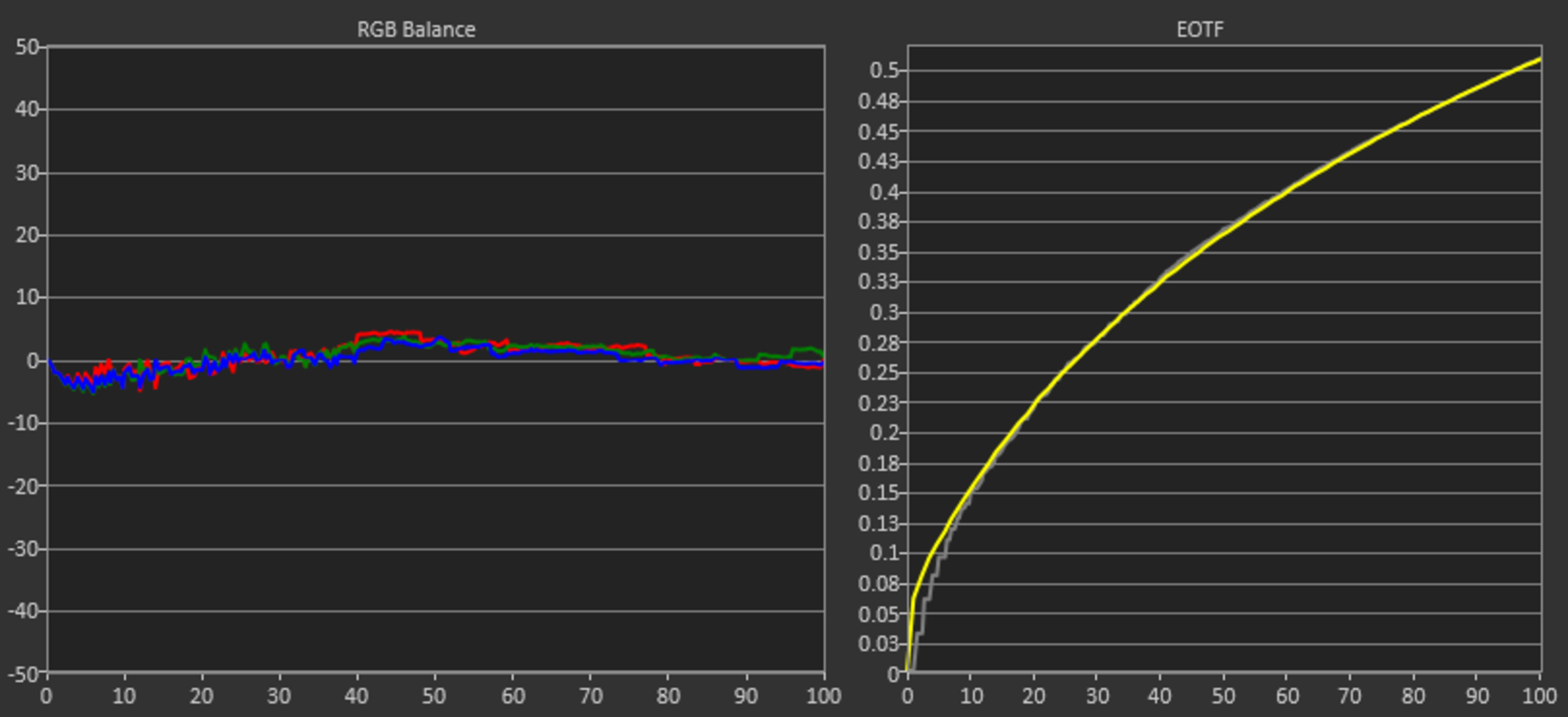
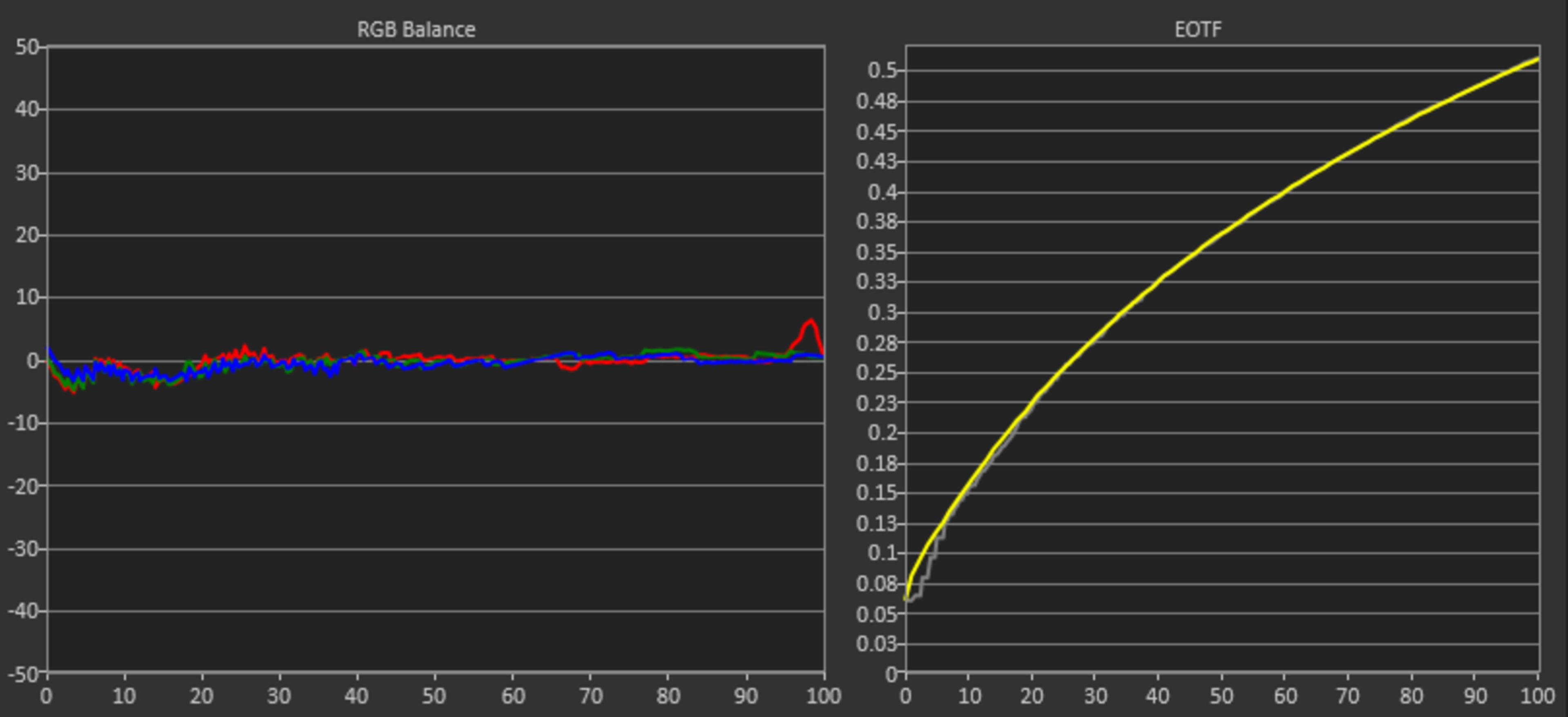
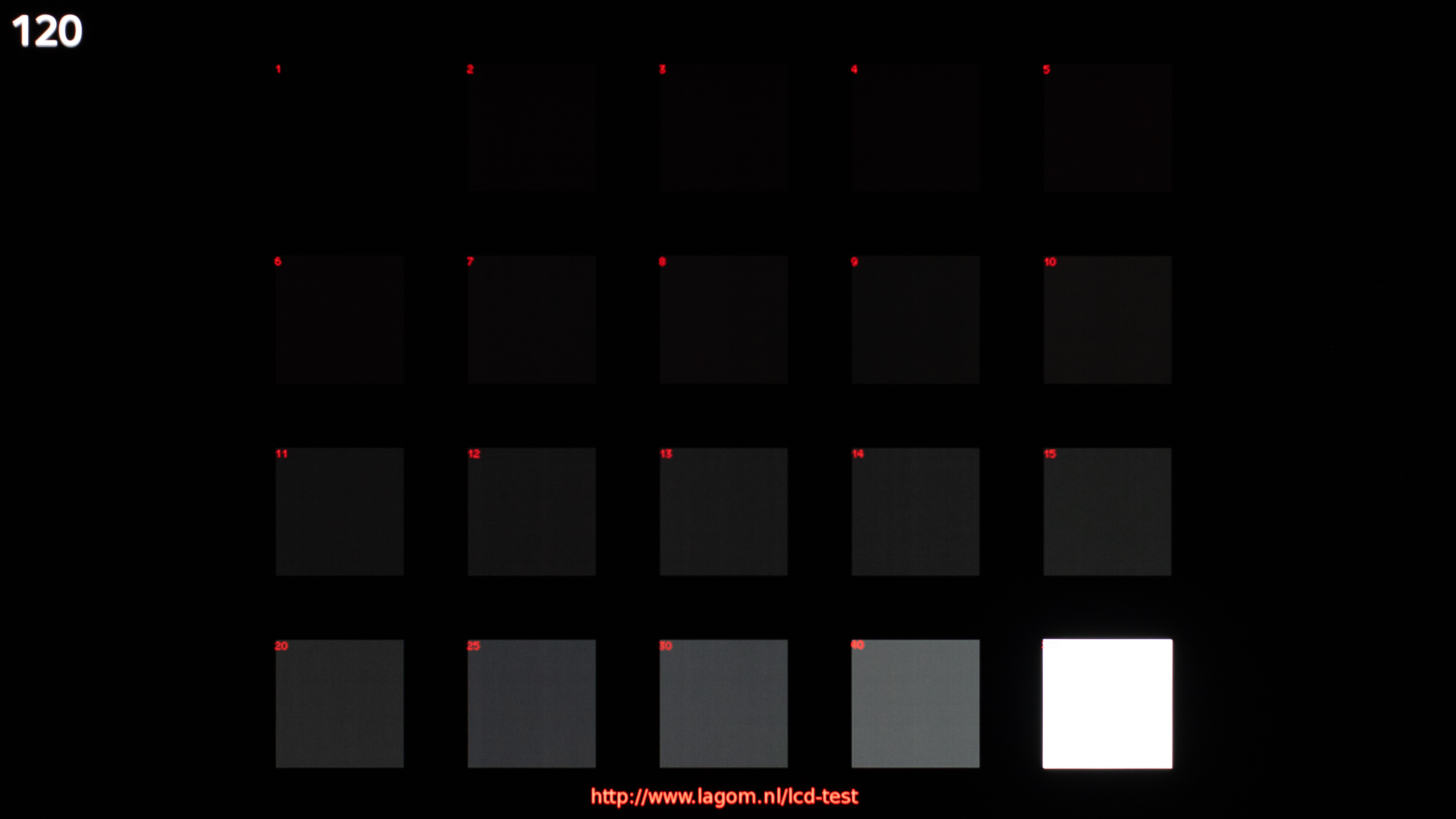
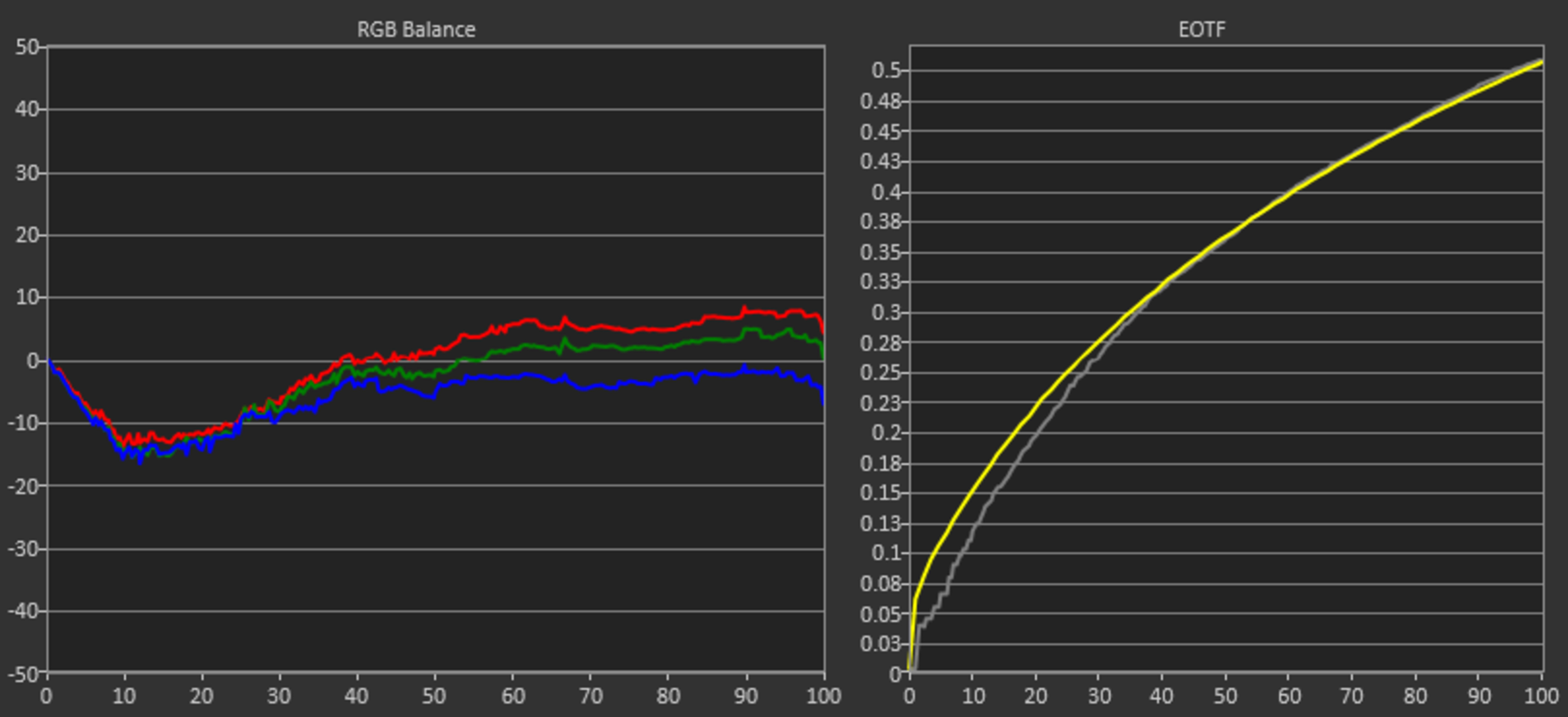
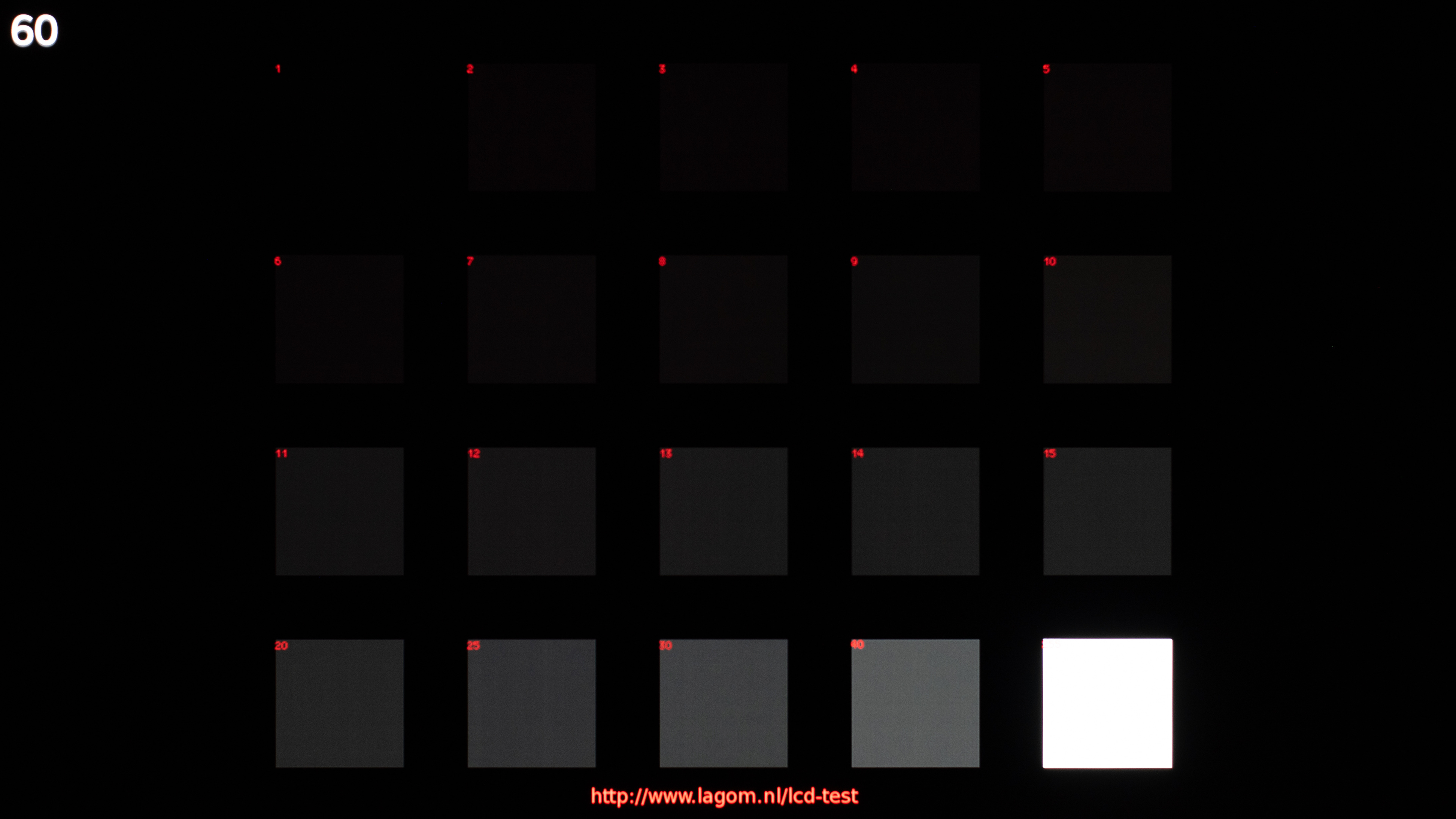
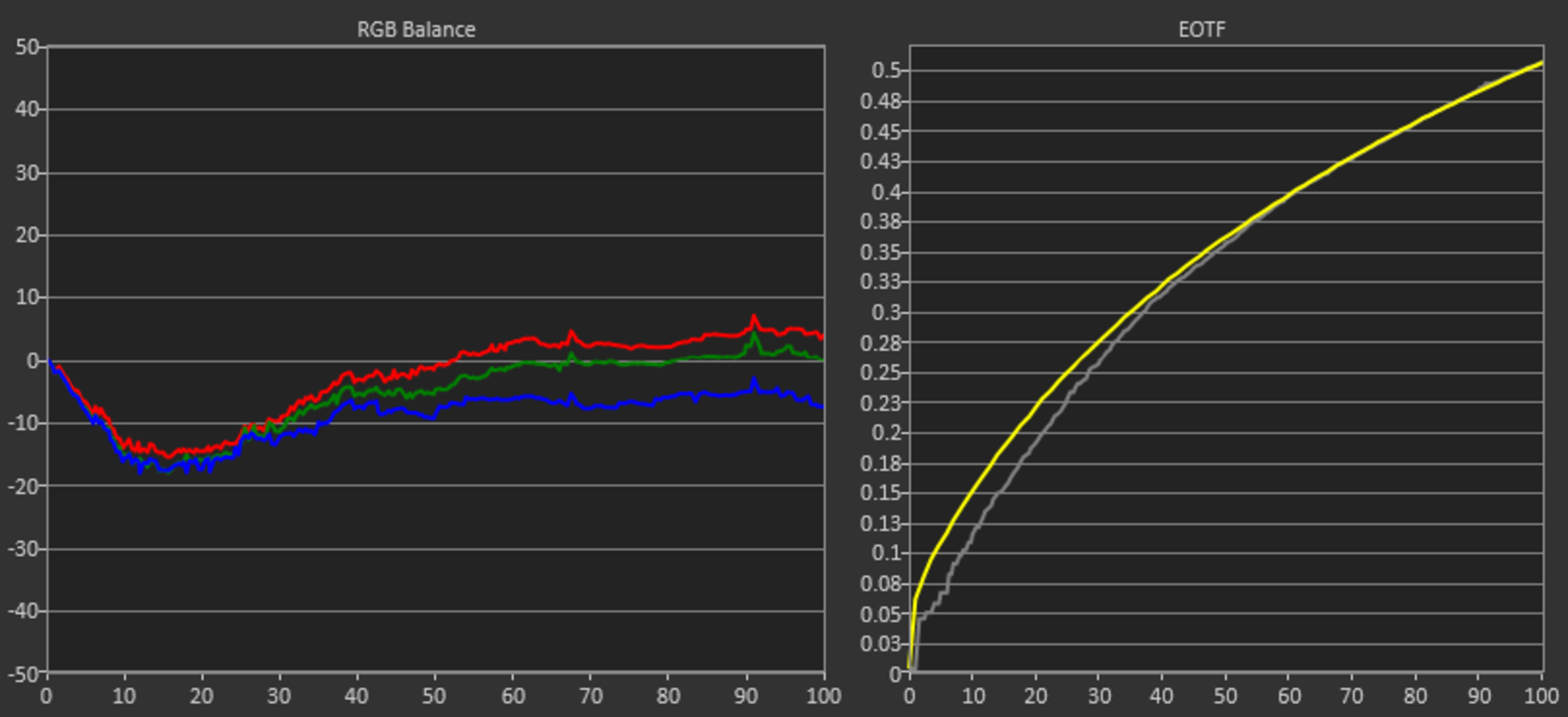
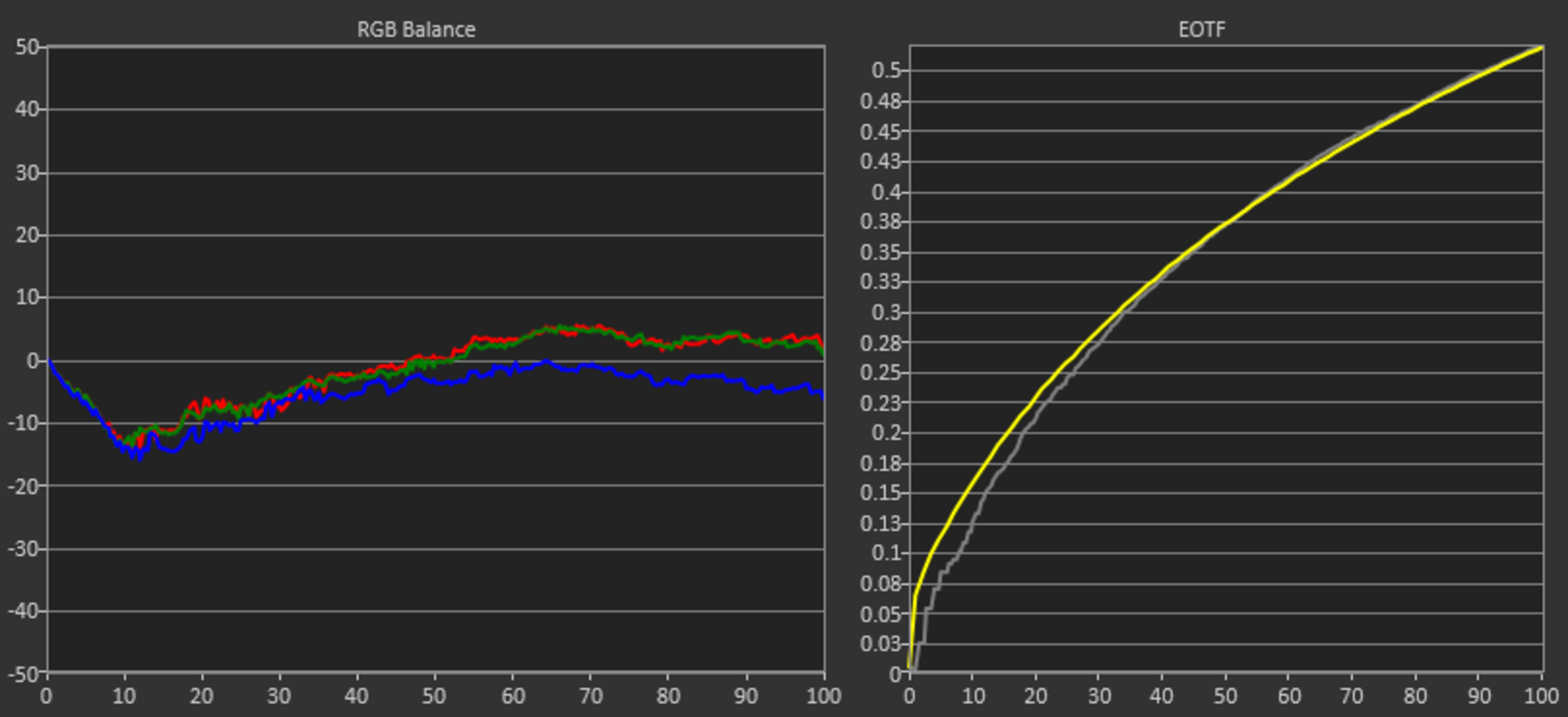
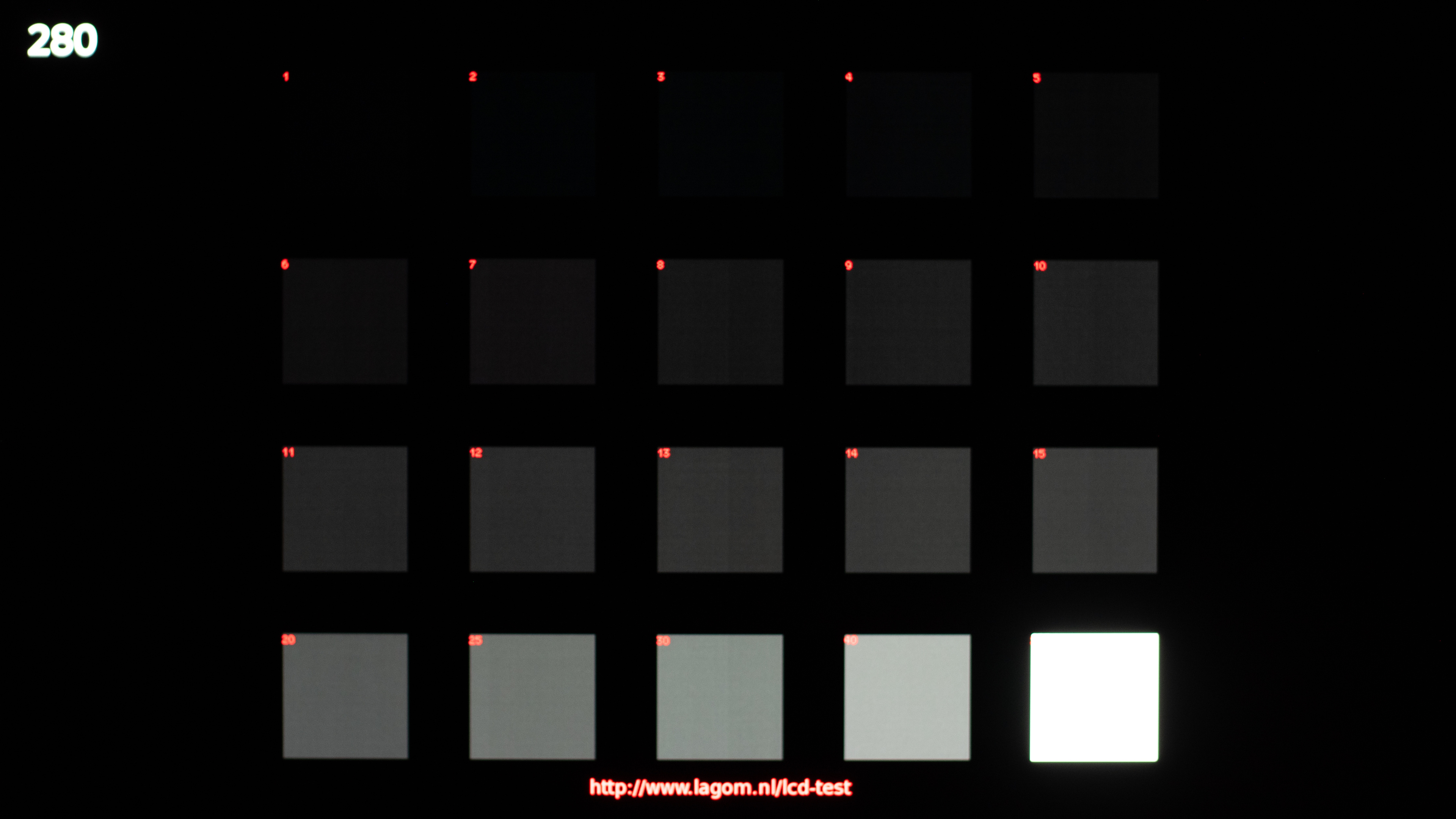
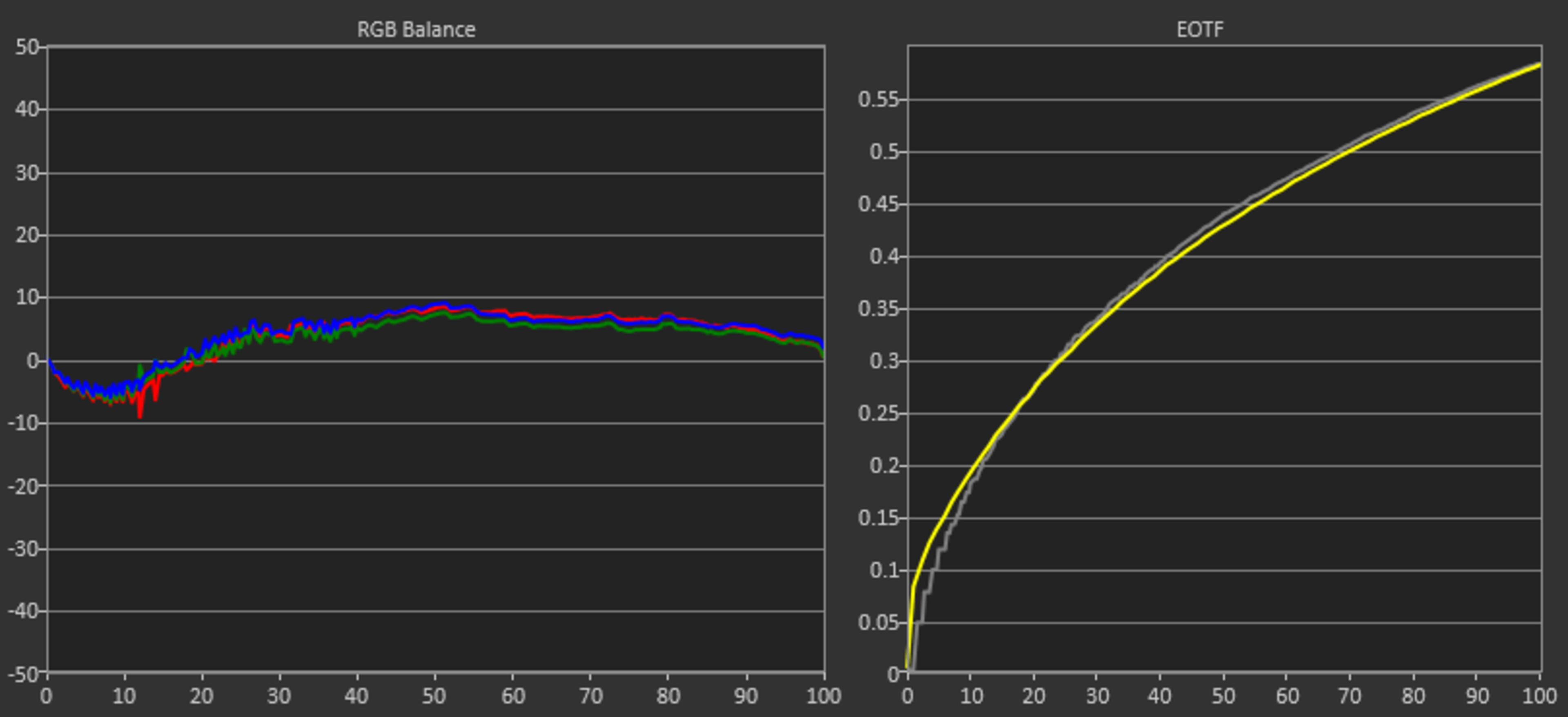
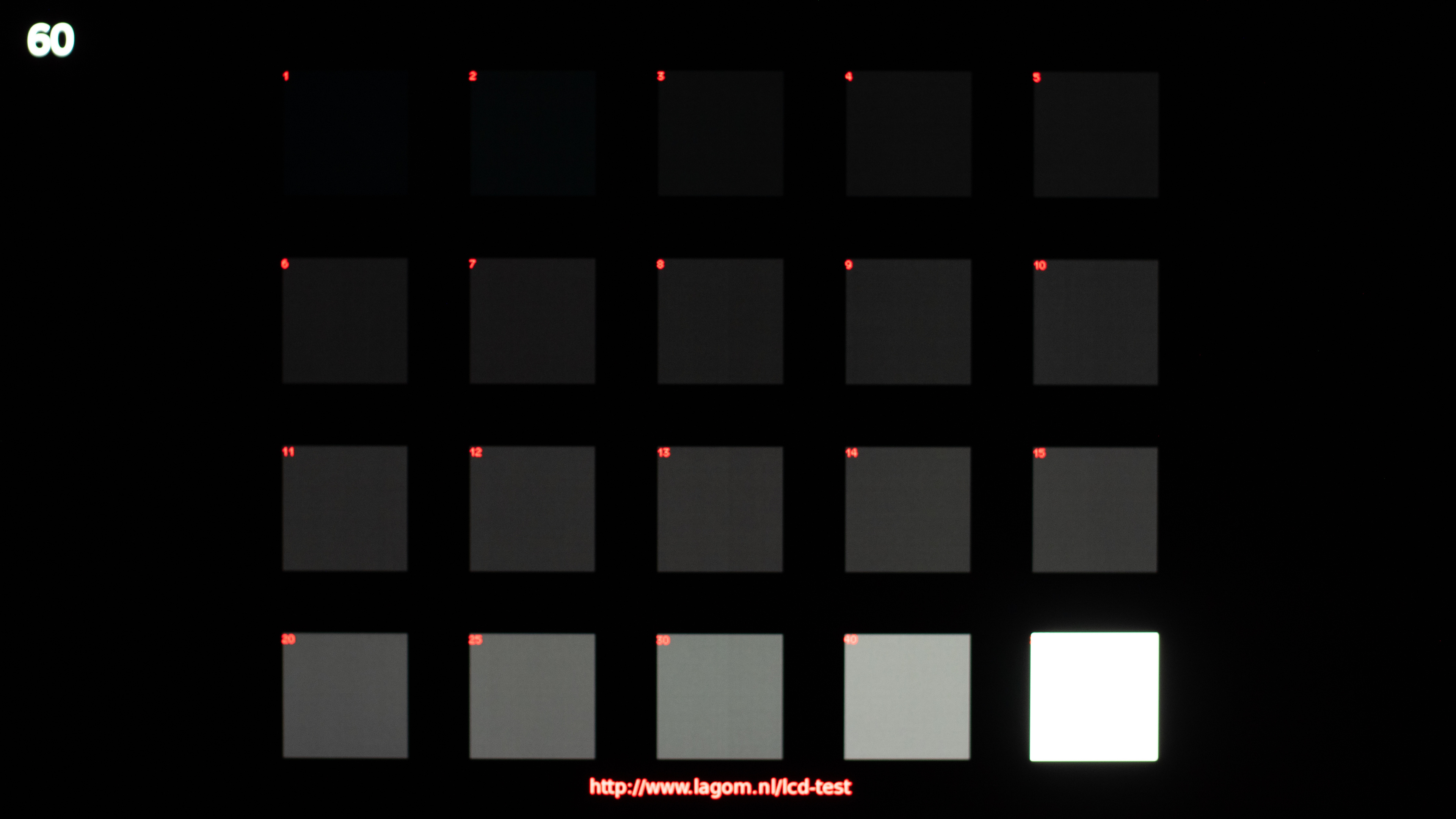
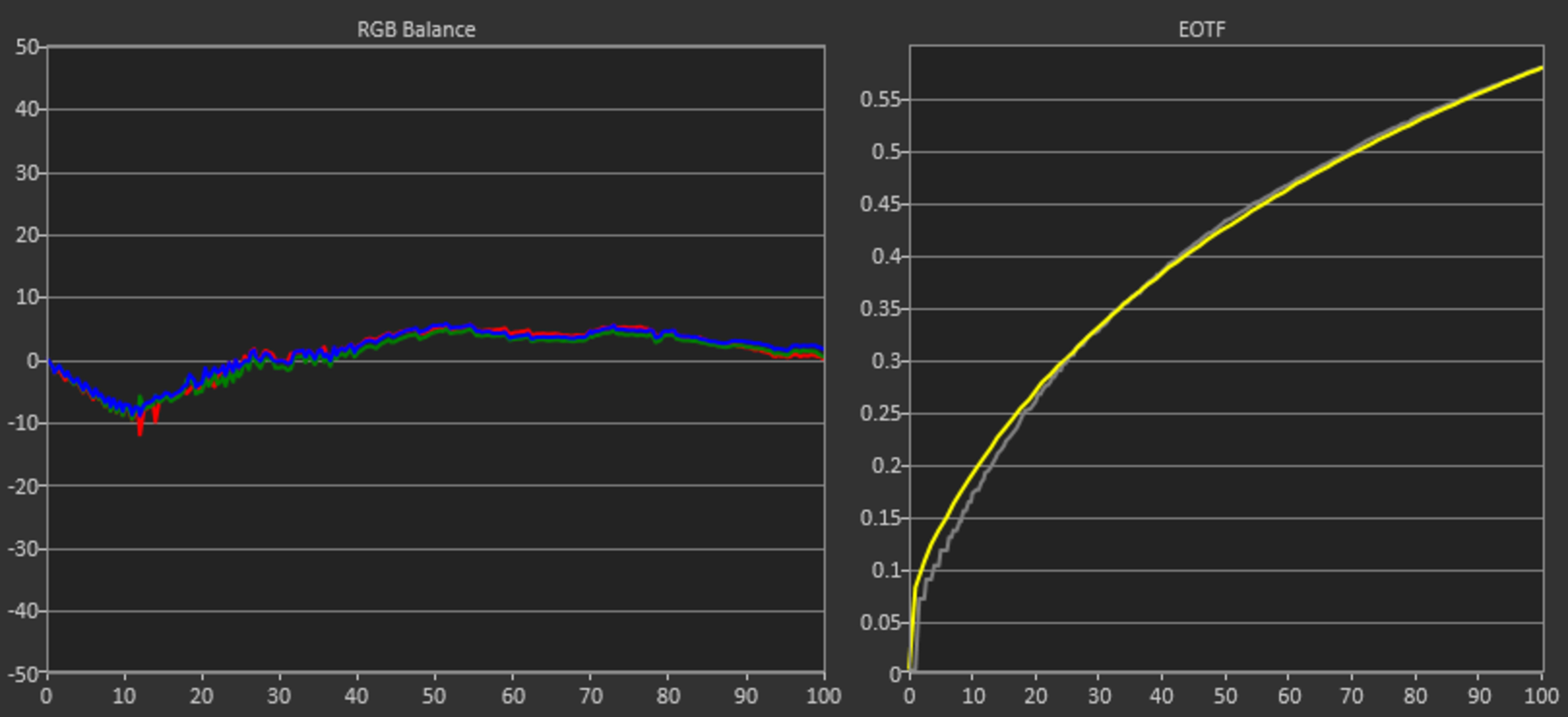
To understand whether or not the monitor has gamma shift, you should compare each of the squares at different refresh rates in the black level photos. Squares 6-15 easily show a gamma shift, causing raised black levels. Regarding the gamma chart, when the gray line is above the yellow target line, blacks appear brighter than they should.
Note: For each photo, you can click on it to view a full-sized image. It's much easier to see the test results this way.
WOLED Monitors
Specs: 4k, 240Hz (standard mode)
| Counter-Strike 2 | Black Level | Gamma Measurement |
|---|---|---|
 |
 |
 |
 |
 |
 |
 |
 |
 |
1080p, 480Hz Dual-Mode
| Counter-Strike 2 | Black Level | Gamma Measurement |
|---|---|---|
 |
 |
 |
 |
 |
 |
 |
 |
 |
 |
 |
 |
Specs: 1440p, 240Hz
| Counter-Strike 2 | Black Level | Gamma Measurement |
|---|---|---|
 |
 |
 |
 |
 |
 |
 |
|
 |
Specs: 1440p, 480Hz
| Counter-Strike 2 | Black Level | Gamma Measurement |
|---|---|---|
 |
 |
 |
 |
 |
 |
 |
 |
 |
QD-OLED Monitors
Specs: 4k, 240Hz
| Counter-Strike 2 | Black Level | Gamma Measurement |
|---|---|---|
 |
 |
 |
 |
 |
 |
 |
 |
 |
Specs: 1440p, 360Hz
| Counter-Strike 2 | Black Level | Gamma Measurement |
|---|---|---|
 |
 |
 |
 |
 |
 |
 |
 |
 |
Specs: 3440x1440, 240Hz
| Counter-Strike 2 | Black Level | Gamma Measurement |
|---|---|---|
 |
 |
 |
 |
 |
 |
 |
 |
 |
LCD Monitors
Specs: 4k, 160Hz IPS
| Counter-Strike 2 | Black Level | Gamma Measurement |
|---|---|---|
 |
 |
 |
 |
 |
 |
 |
 |
 |
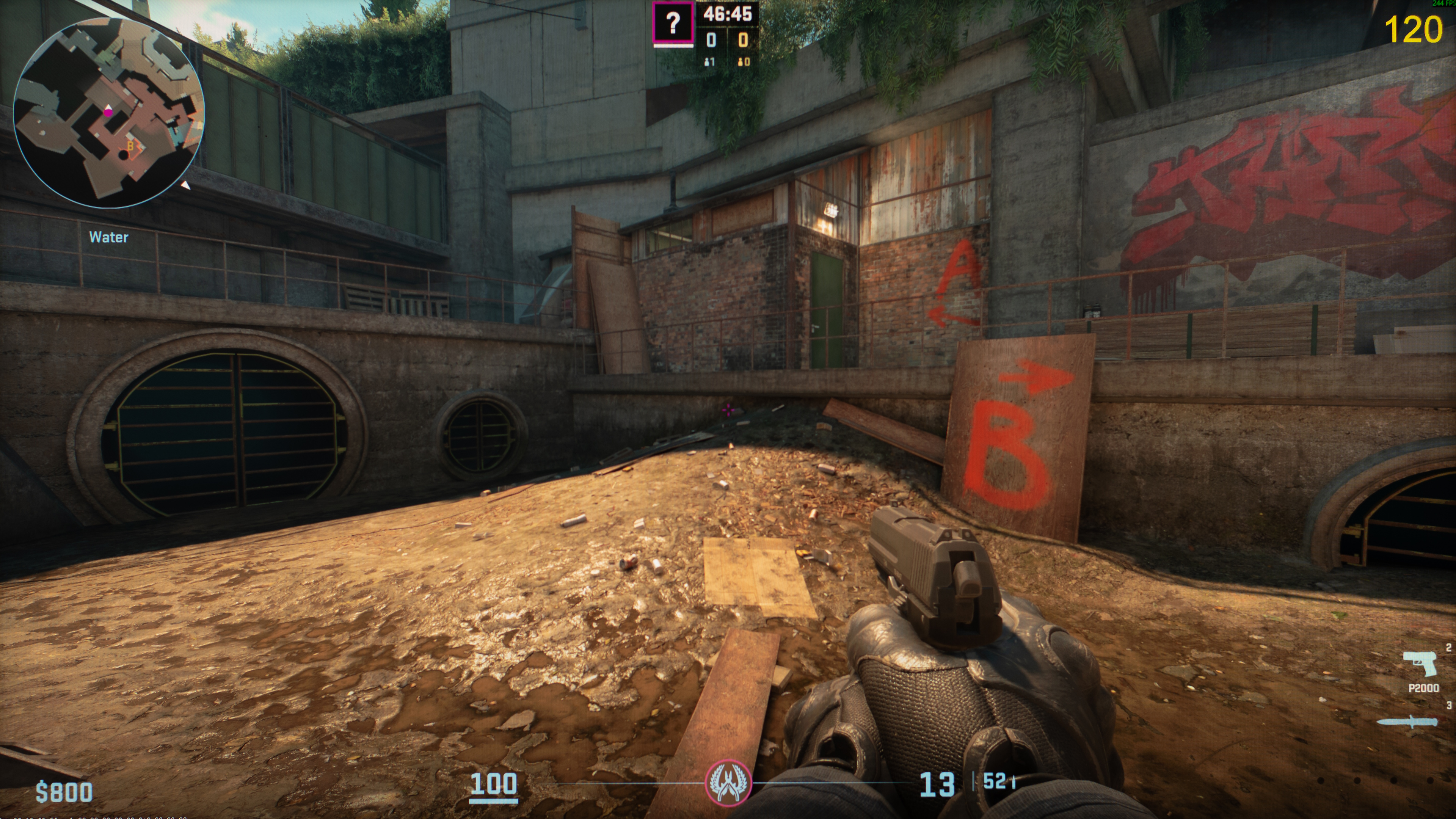
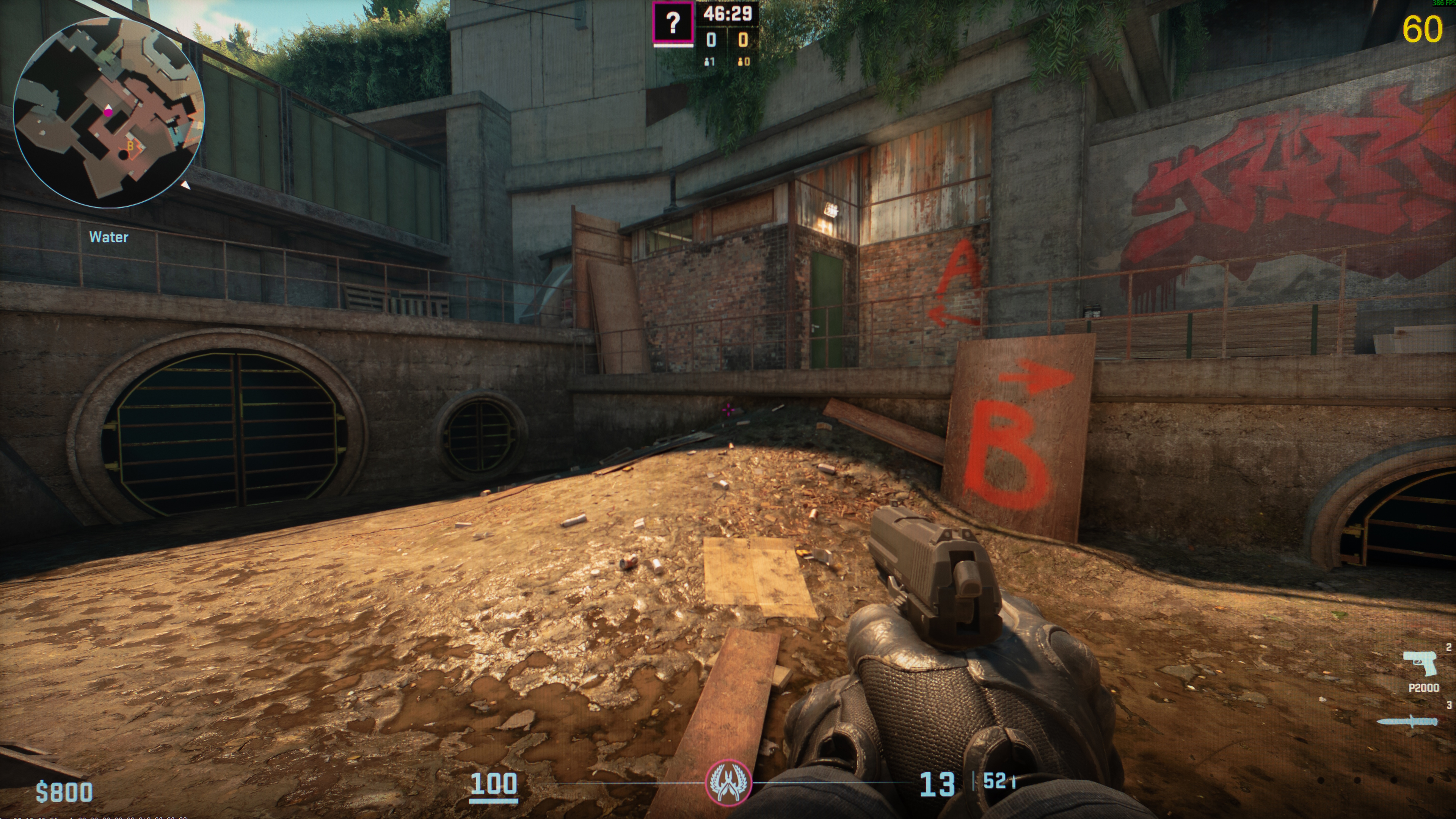
Spec: 1440p, 170Hz VA
| Counter-Strike 2 | Black Level | Gamma Measurement |
|---|---|---|
 |
 |
 |
 |
 |
 |
 |
 |
 |
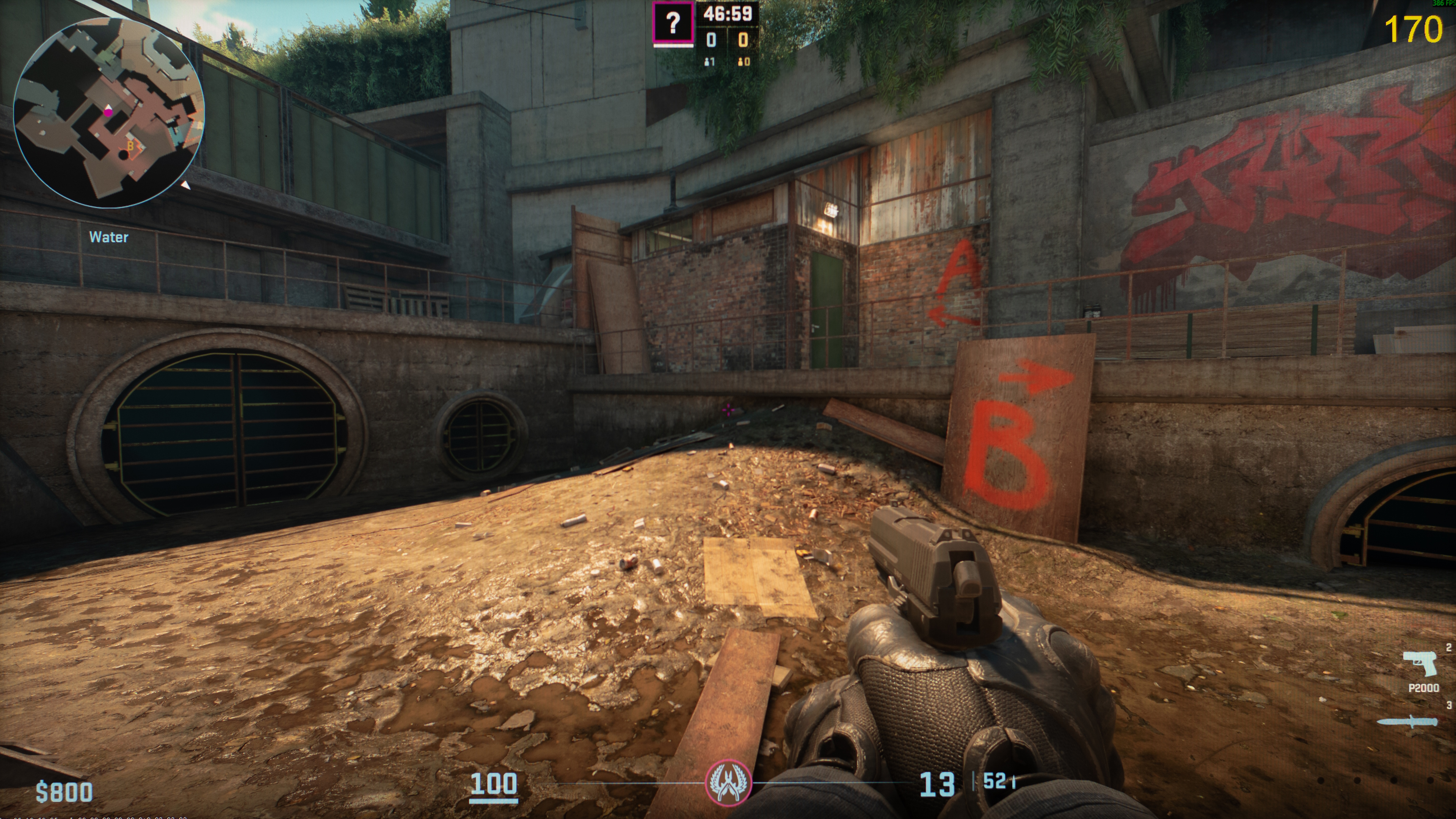
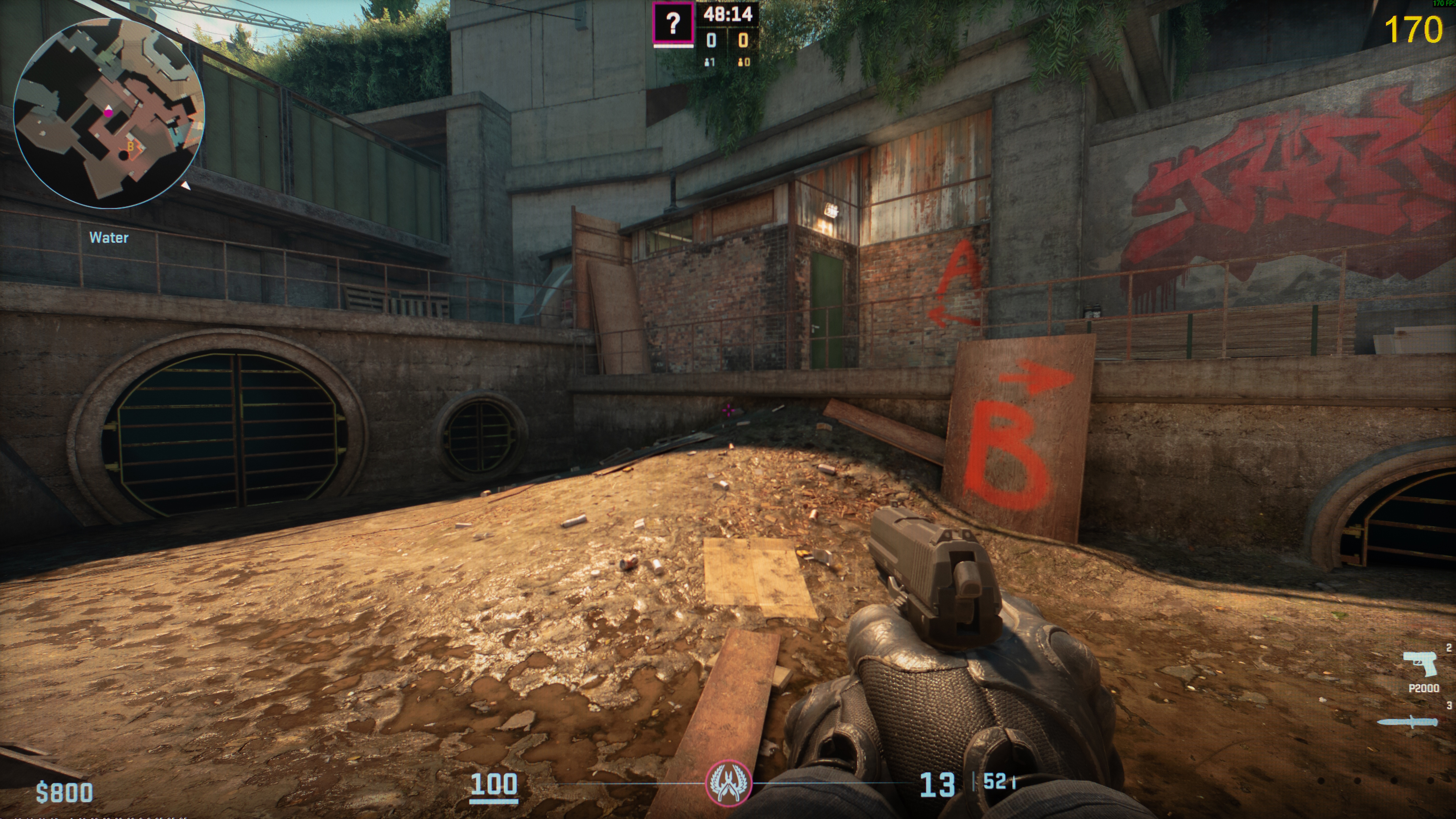
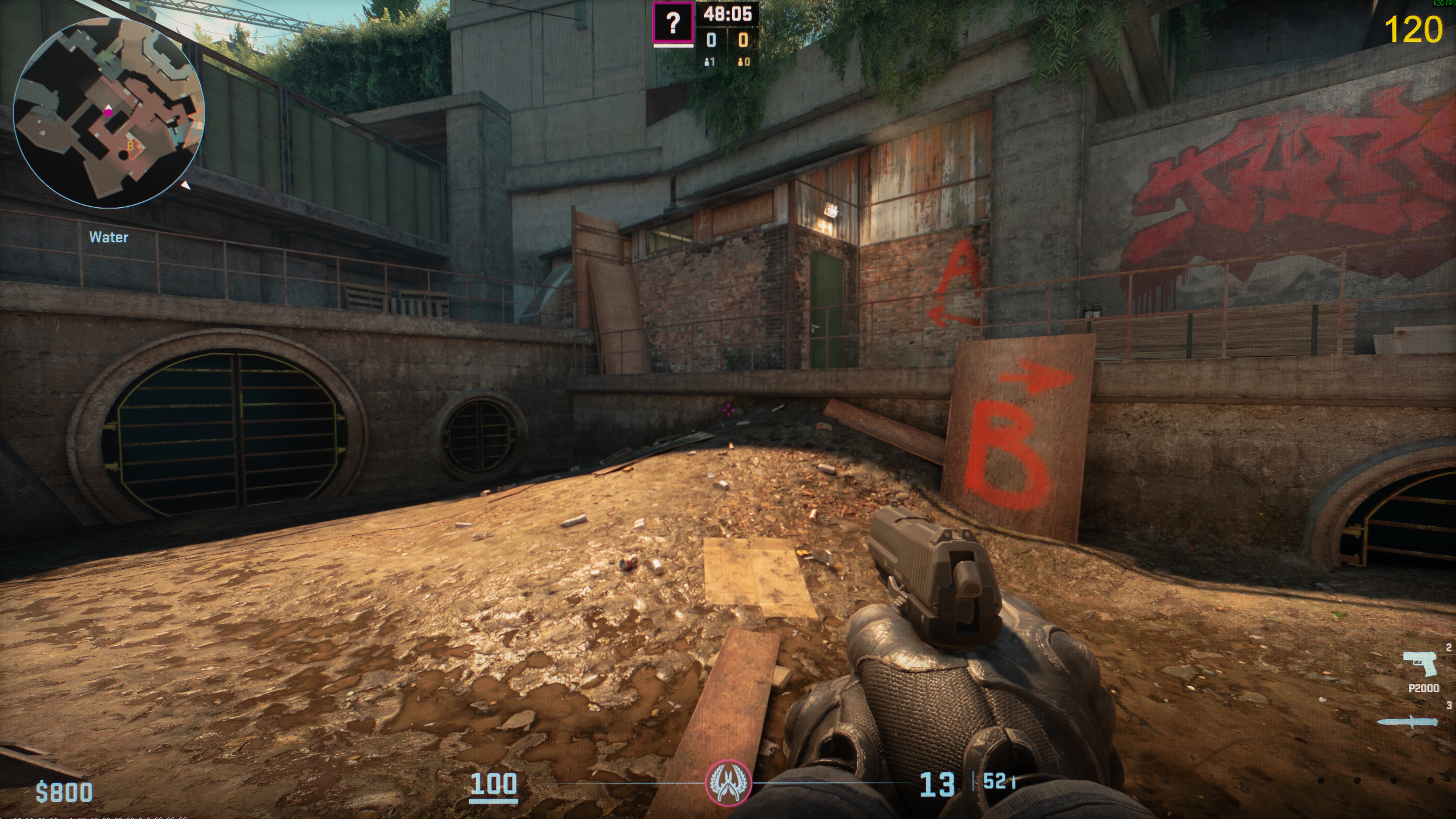
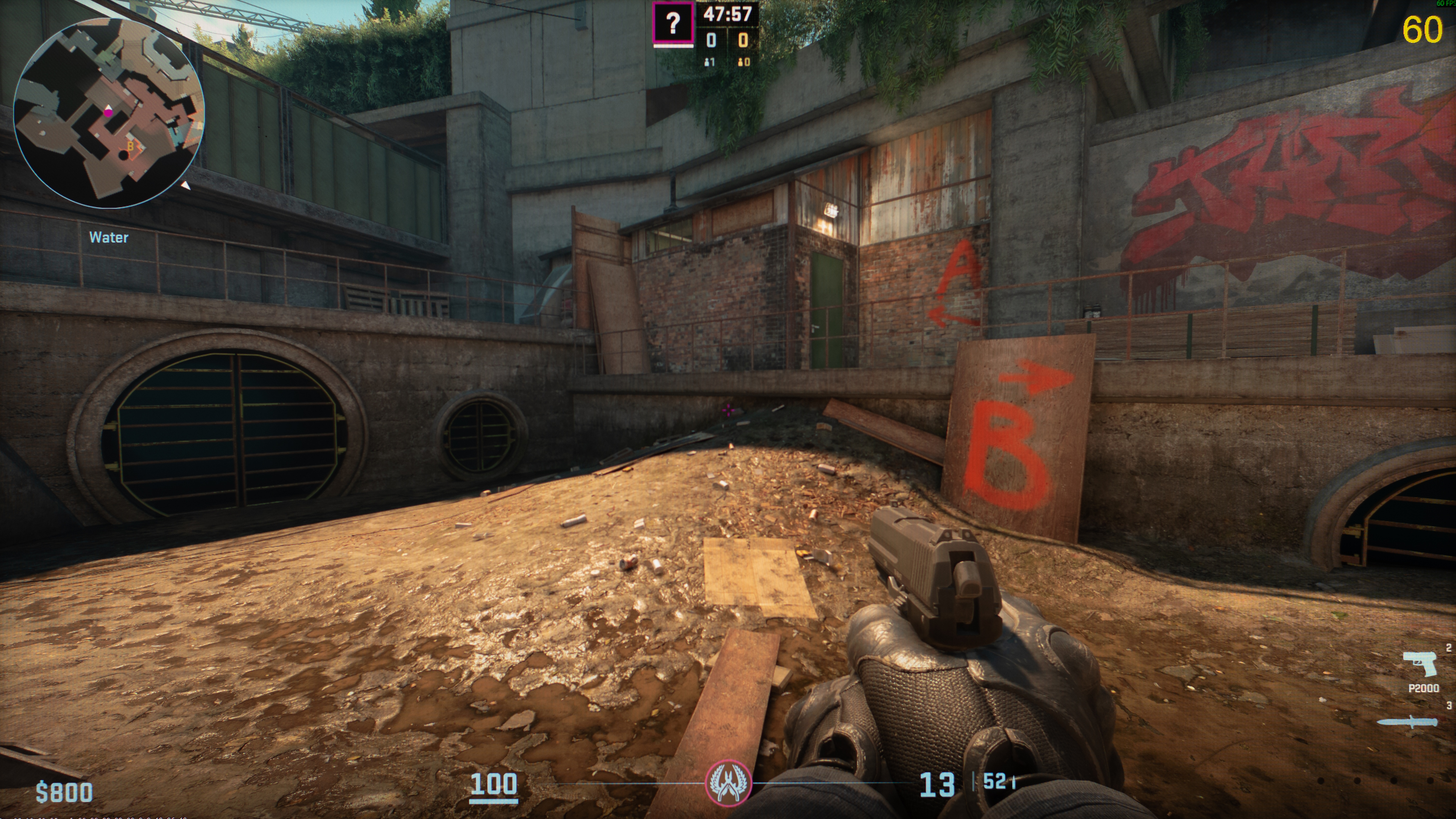
With this monitor, gamma behavior changes depending on whether VRR is enabled or not. Although it's hard to see in the test photos, gamma increases slightly at lower refresh rates without VRR, causing the entire image to appear darker. However, with VRR enabled, there's some gamma rise across the entire image at low refresh rates, making the image brighter than intended.
You can see in-game photos with VRR enabled:
 |
 |
 |
QD-OLED vs WOLED: Which One Has Worse Gamma Shift?
By analyzing these preliminary investigation results, it's clear that only WOLEDs suffer from gamma shifts at low refresh rates, causing a brighter image. With QD-OLEDs, gamma doesn't change depending on the refresh rate. You can see this just by looking at the gamma graphs in the results, where WOLEDs have raised black levels at lower refresh rates. This impacts the picture quality with raised shadows in dark scenes, causing a loss of details.
While we know that WOLEDs have gamma shift at low refresh rates, we can't quantify by how much worse they are than QD-OLEDs. We'd have to implement a standardized test on all our monitors to properly quantify it, so let us know in the comments if you'd like to see this as part of our regular testing.
VRR Flicker Versus Low-Refresh-Rate Gamma Shift
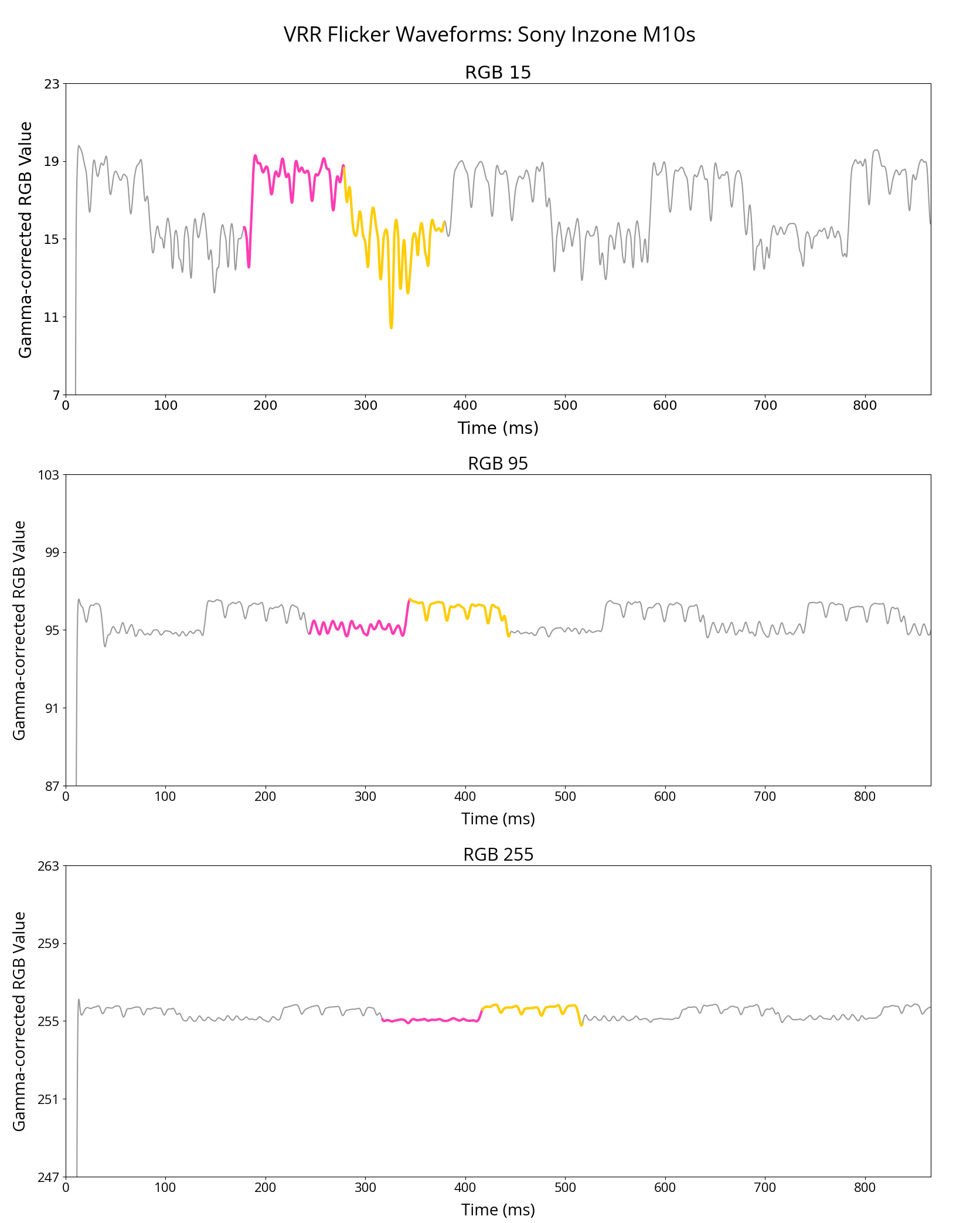
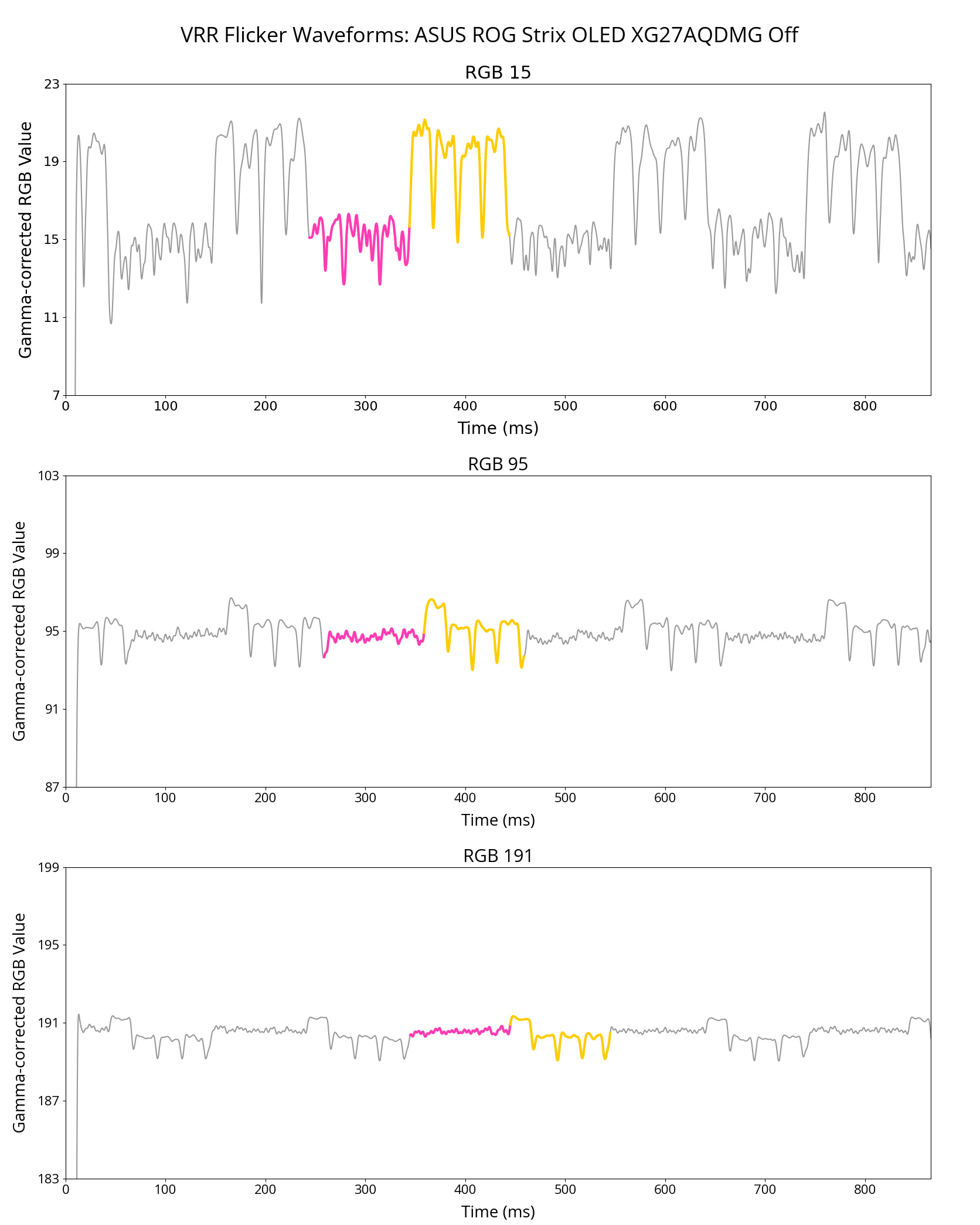
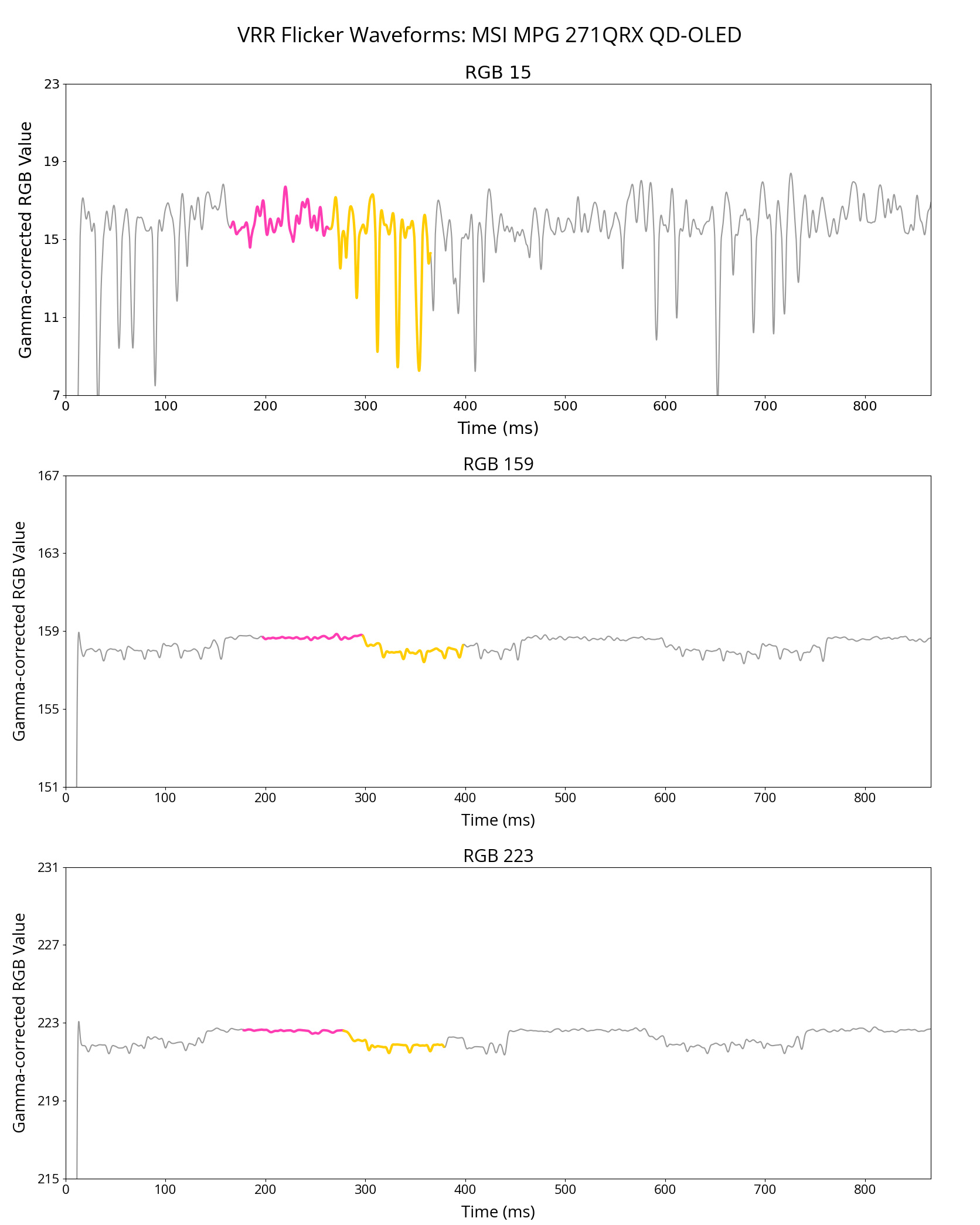
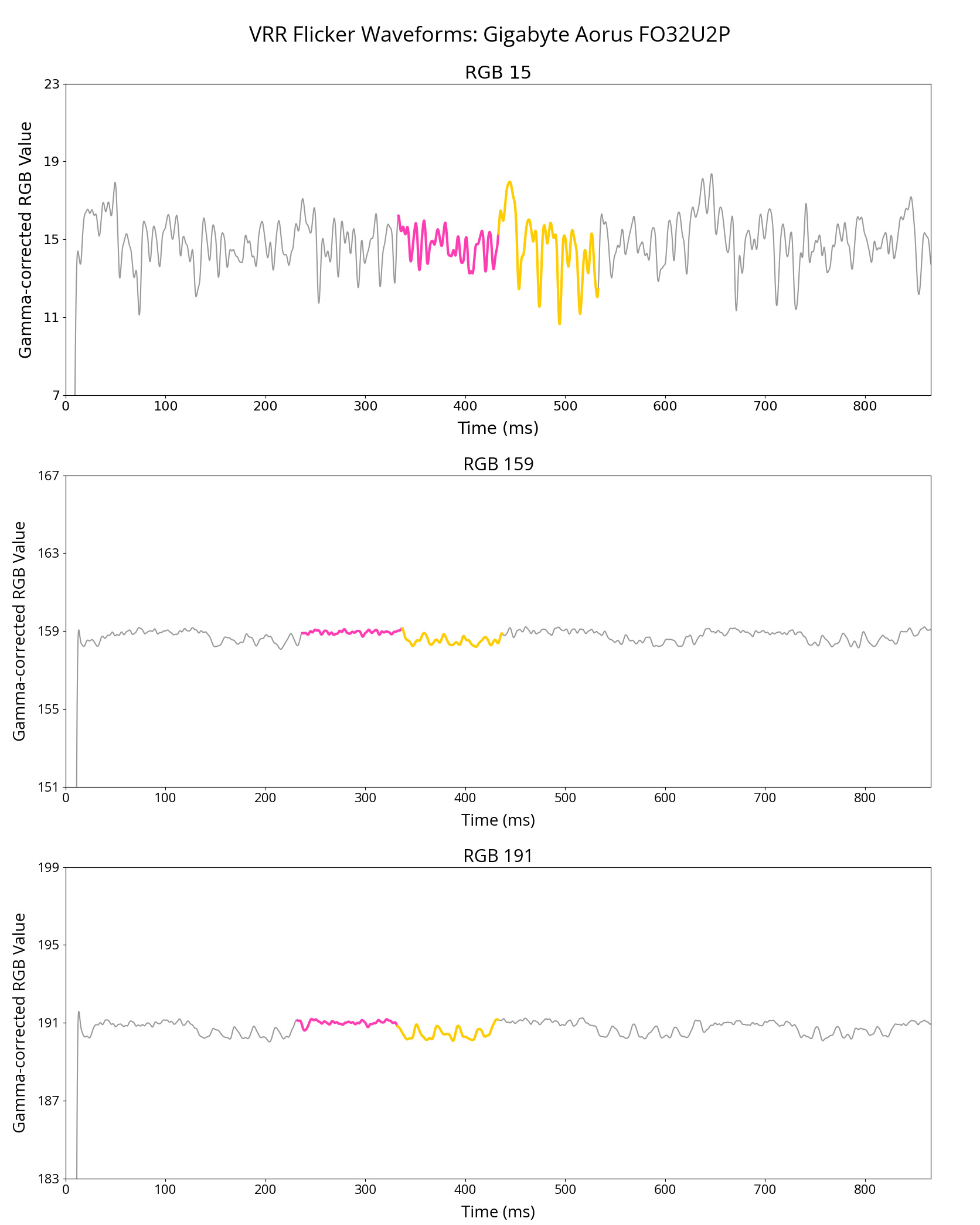
This gamma shift on WOLEDs doesn't only exhibit itself with fixed refresh rates, as we also see this as part of our VRR Flicker test. In that test, we measure the change in gamma of dark, mid-tone, and bright grays as the frame rate rapidly shifts from high to low. Using the same QD-OLED and WOLED monitors in the investigation, we can examine their VRR flicker graphs below, which indicate whether the gamma shifts are brighter or darker than the original target.
| WOLED | ||
|---|---|---|
 |
 |
 |
| QD-OLED | ||
|---|---|---|
 |
 |
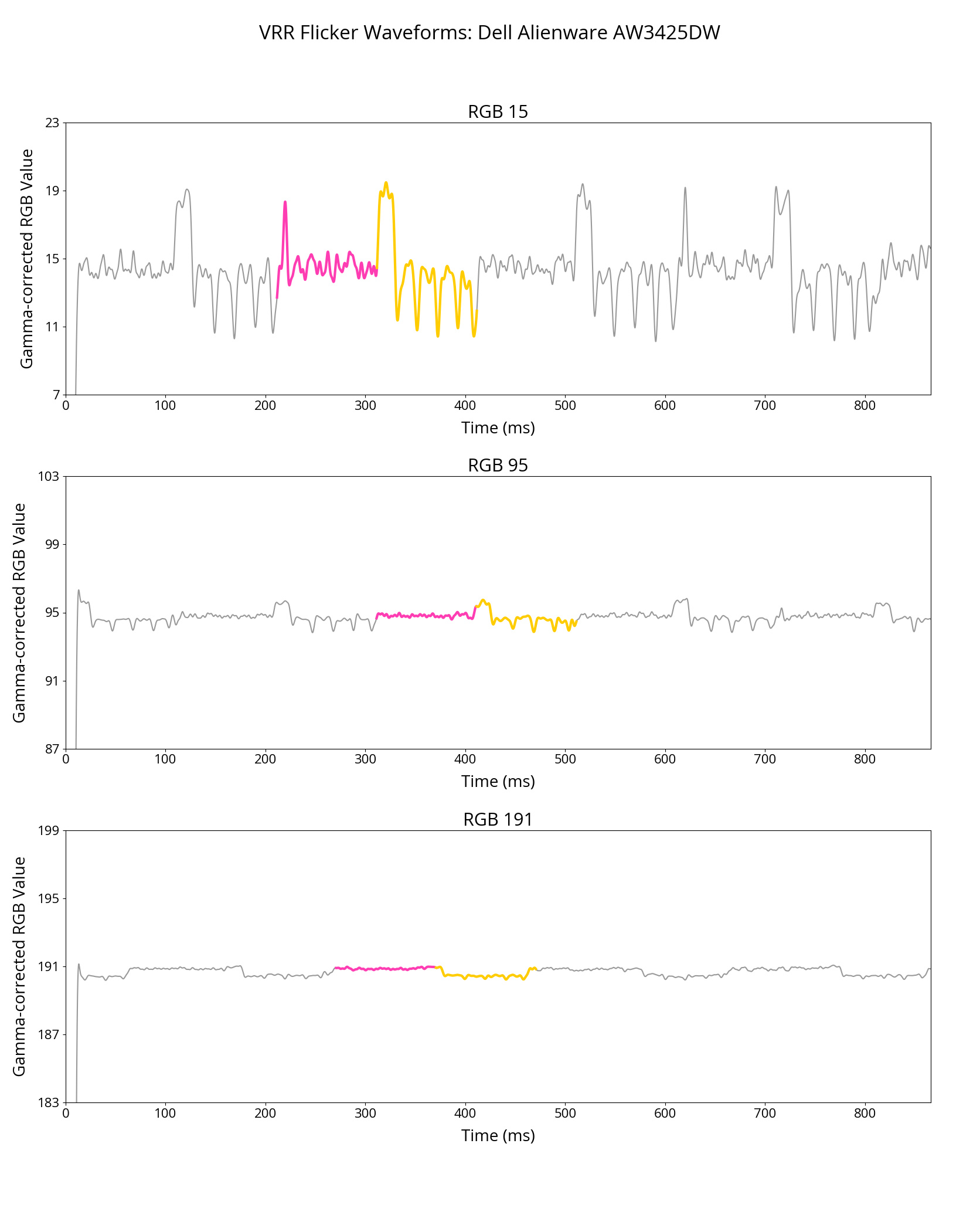 |
As you can see with the WOLED monitors, their gamma shift causes an increase in brightness as the frame rate drops. While there's gamma shift with any shade of gray, the shift is most noticeable with dark grays because of how we perceive the differences in light more with darker colors than brighter ones. QD-OLEDs still exhibit VRR flicker, but the gamma range of these displays is more variable, allowing for higher and lower values.
You can learn more about VRR flicker here.
Are LCD Panels Affected By Gamma Shift At Low Refresh Rates?
As far as we know, IPS panels are immune to both gamma shift at low refresh rates and VRR flicker, so their gamma remains constant regardless of the refresh rate. VA panels have VRR flicker, but it's unclear if they have gamma shift at low refresh rates the same way WOLEDs have. Based on the only VA monitor we tested as part of this investigation, the Acer Nitro XV275U P3biipx, the gamma shift depends on whether VRR is used or not; however, our sample size is too small to draw a definitive conclusion.
We'd have to test more VA monitors to better understand the issue.
How Certain Models Are Avoiding the Issue
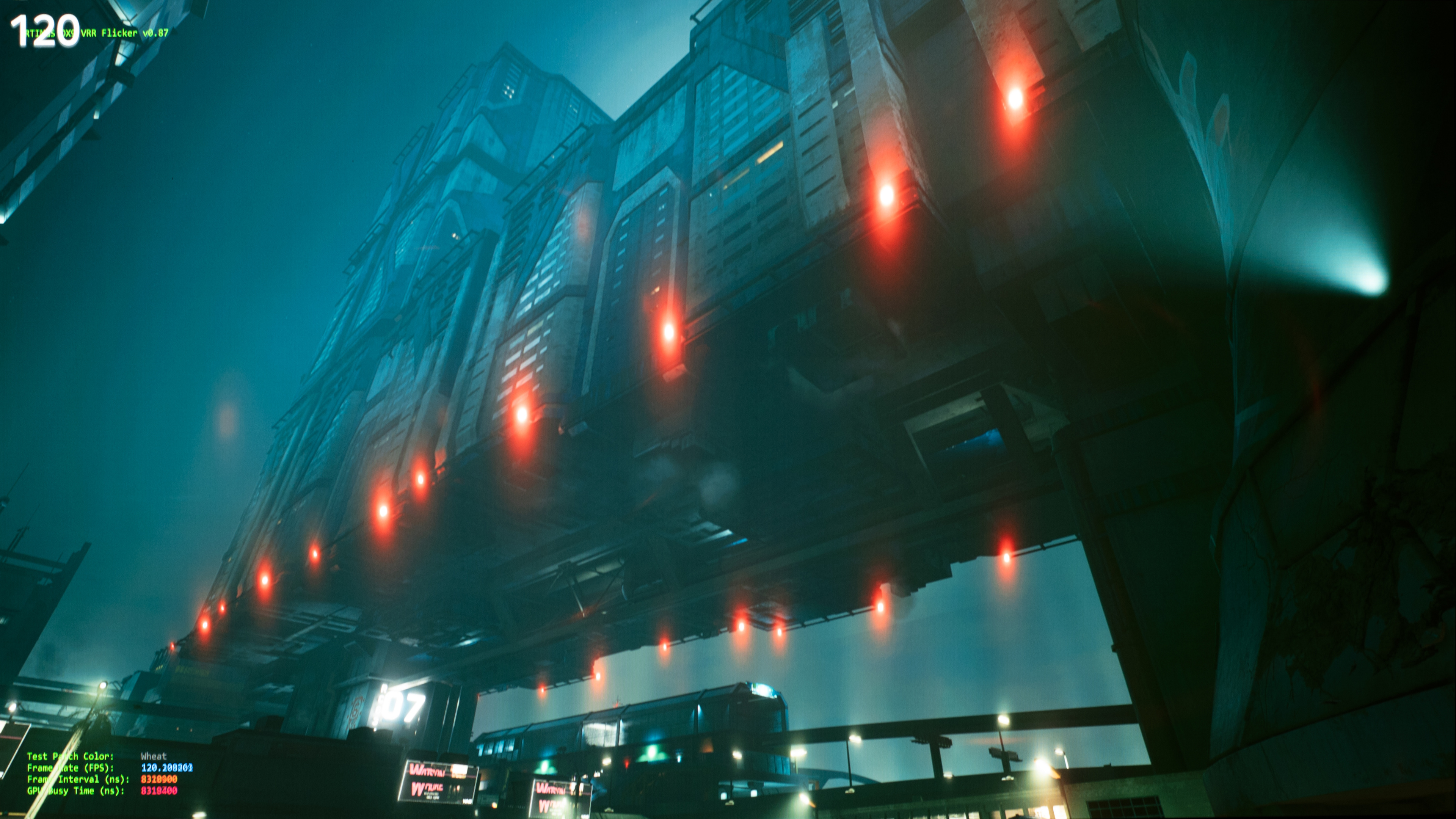
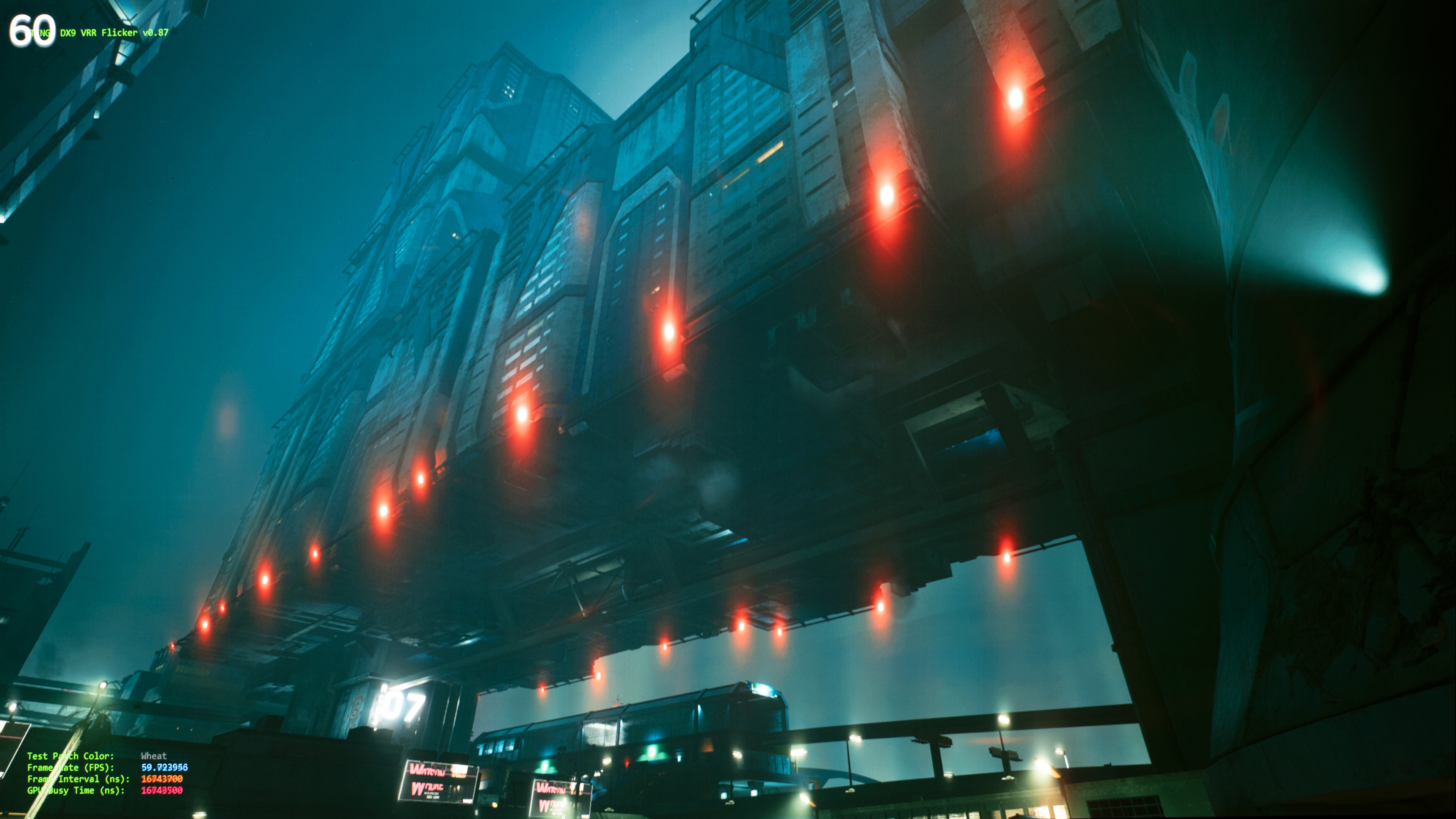
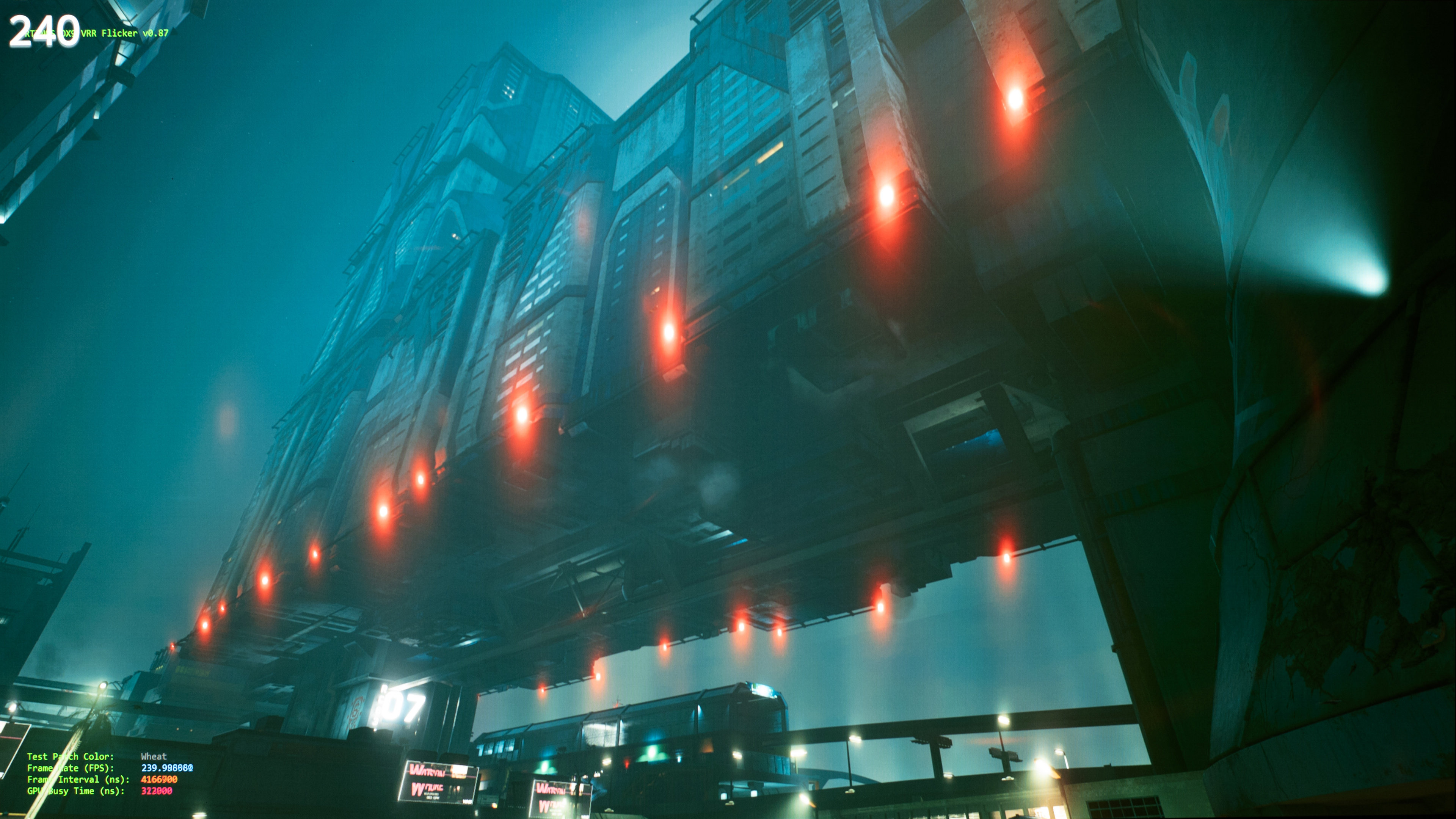
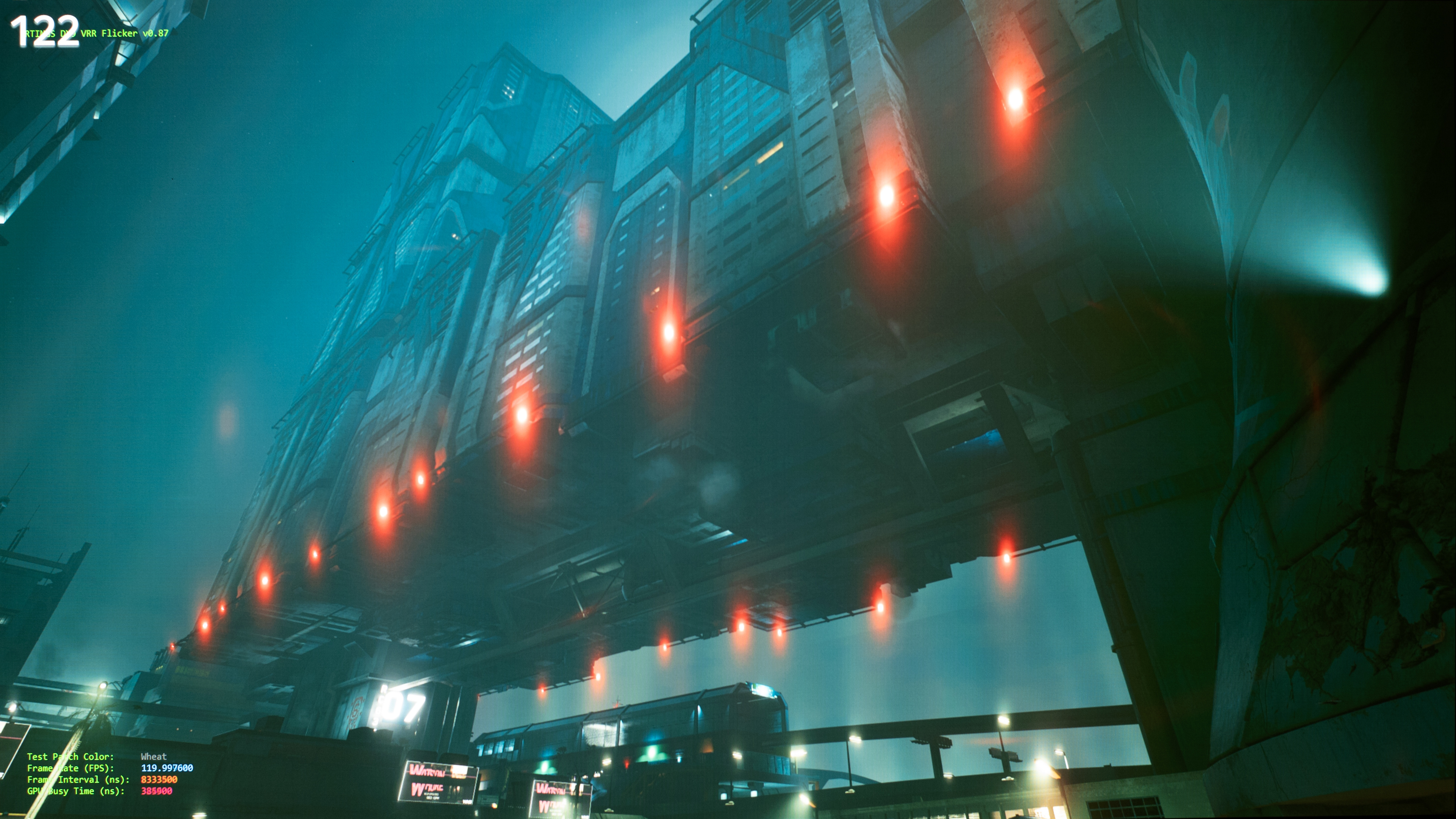
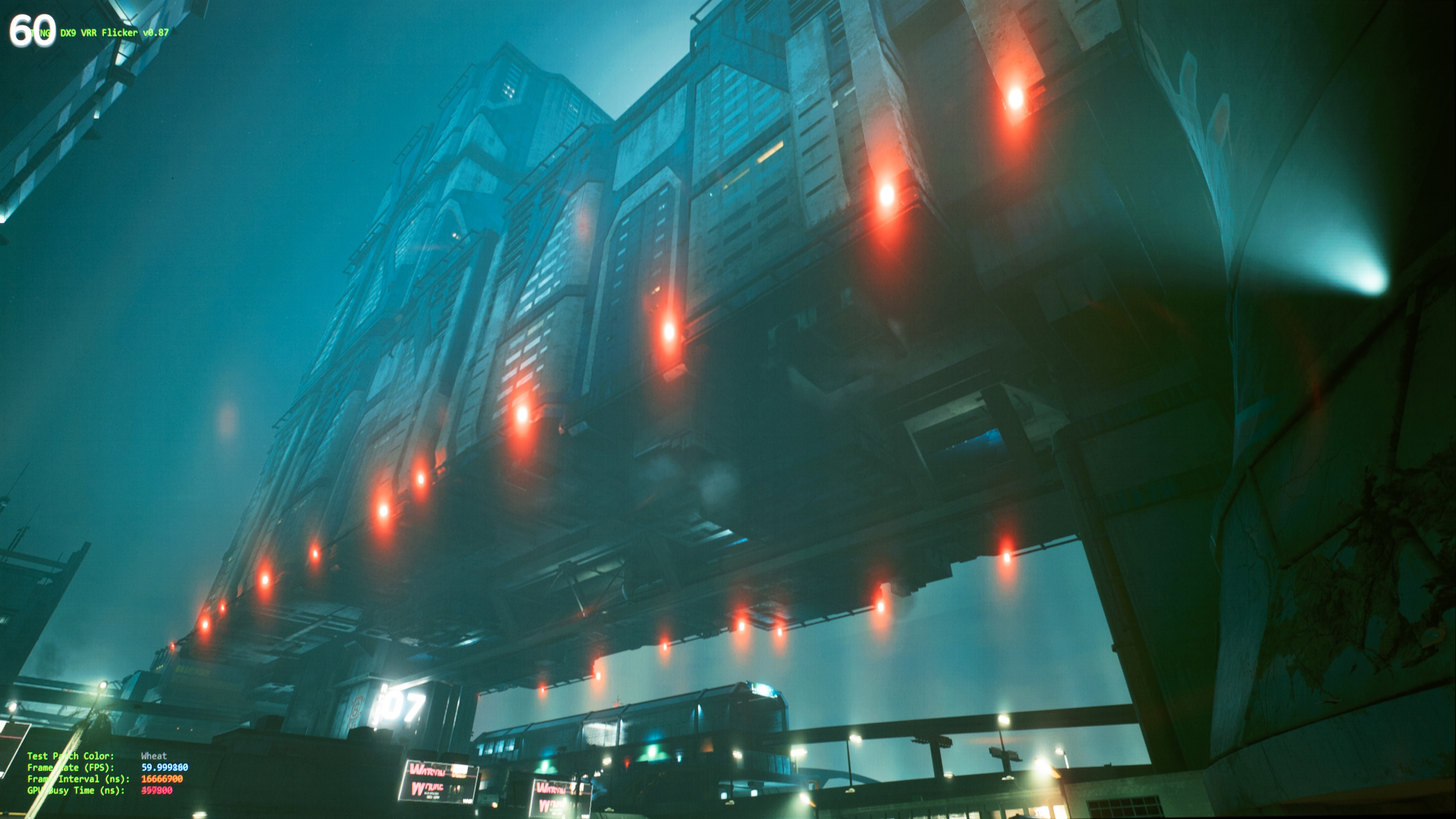
While there's a general trend for WOLEDs to have a gamma shift at low refresh rates, it still varies on a case-by-case basis, as not all WOLEDs have this issue. We tested three WOLEDs (LG 34GS95QE-B, LG 27GS95QE-B, and LG 27GX700A-B) that don't have an increase in image brightness at the lowest refresh rates. In fact, the 34GS95QE-B and the 27GS95QE-B, which are both third-gen WOLEDs, have darker images at low refresh rates with VRR disabled, which is the opposite of what's expected. However, with VRR enabled, the image brightness rises like on other WOLEDs.
You can see the results with each of these monitors with VRR on and off below:
LG 27GS95QE-B - VRR Off
| Counter-Strike 2 | Test Image | Black Level | Gamma Measurement |
|---|---|---|---|
 |
 |
 |
 |
 |
 |
 |
 |
 |
 |
 |
 |
LG 27GS95QE-B - VRR On
 |
 |
 |
LG 34GS95QE-B - VRR Off
| Counter-Strike 2 | Black Level | Gamma Measurement |
|---|---|---|
 |
 |
 |
 |
 |
 |
 |
 |
 |
LG 34GS95QE-B - VRR On
 |
 |
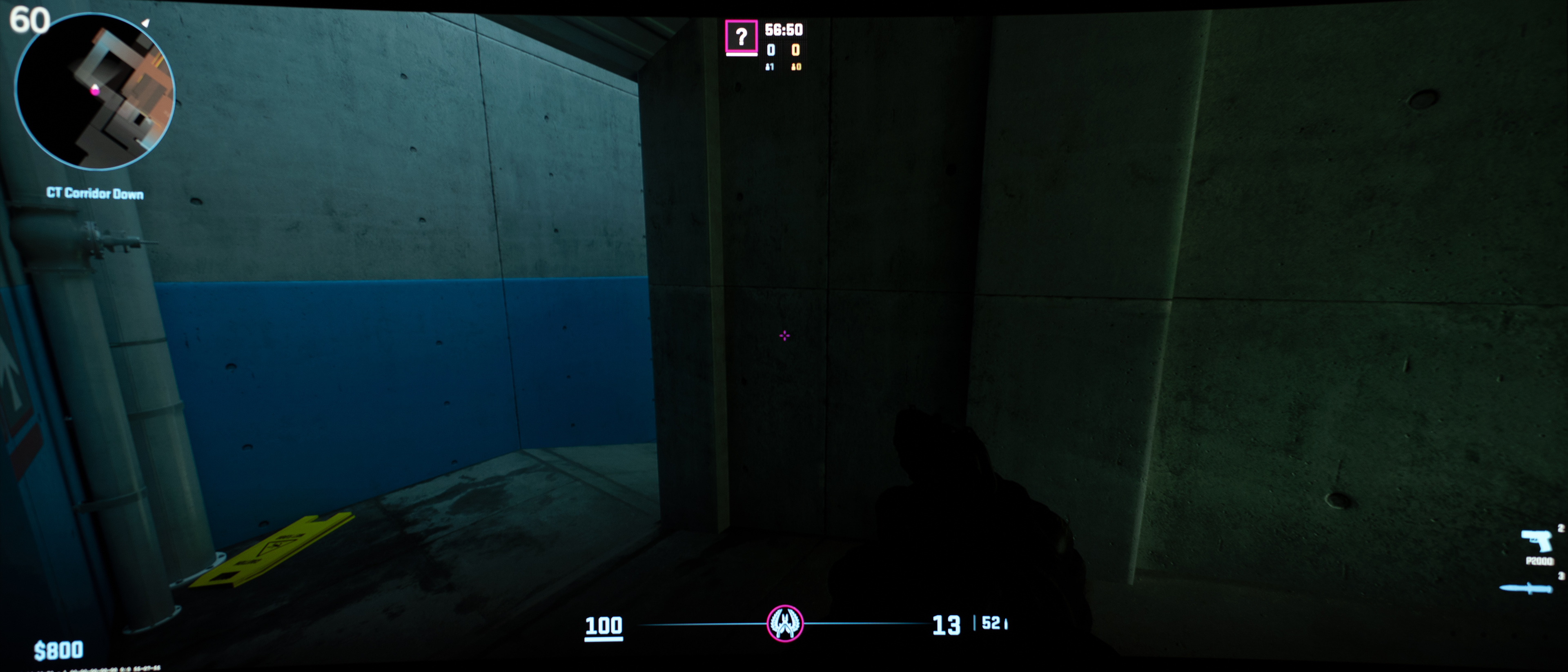 |
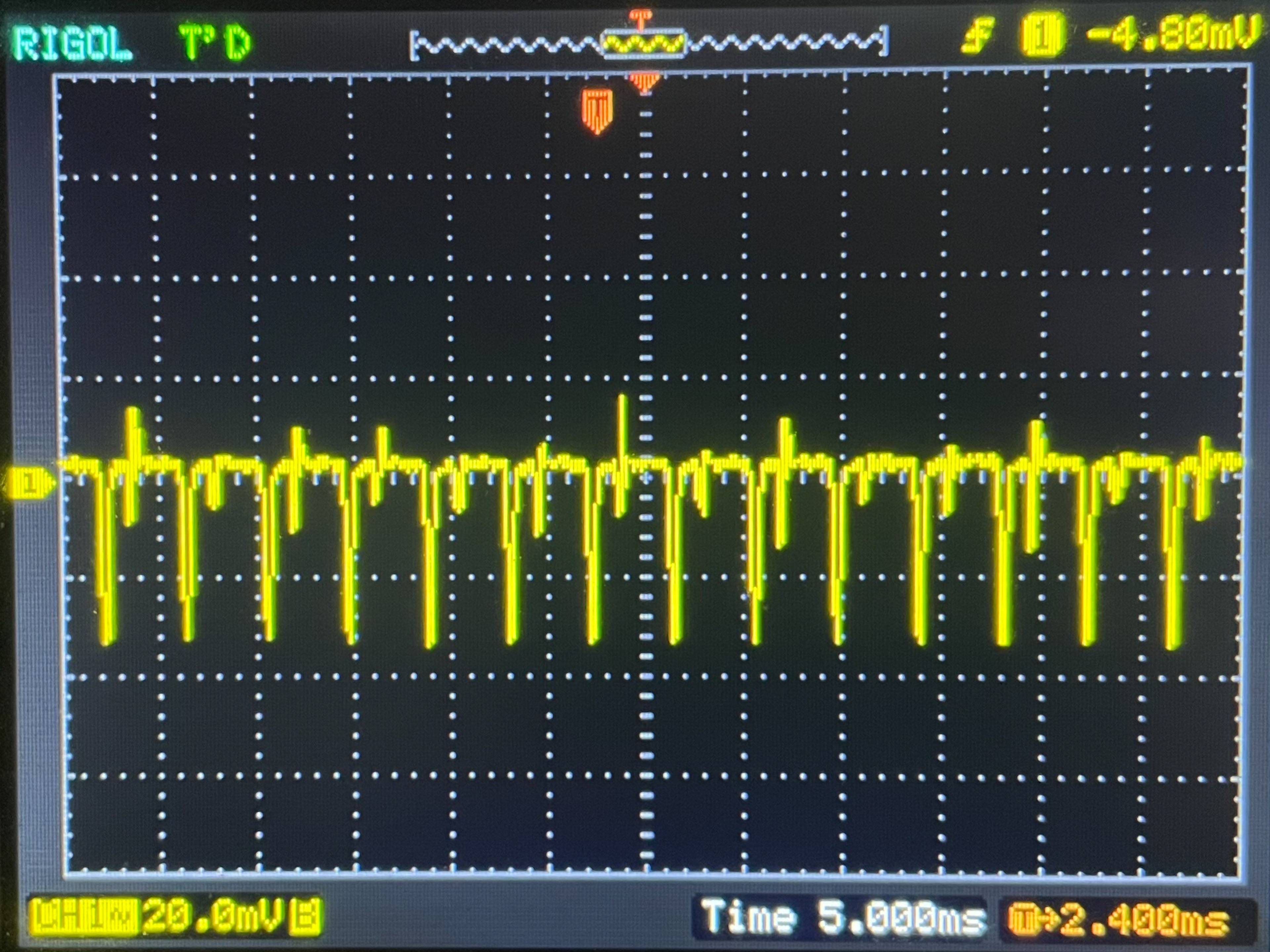
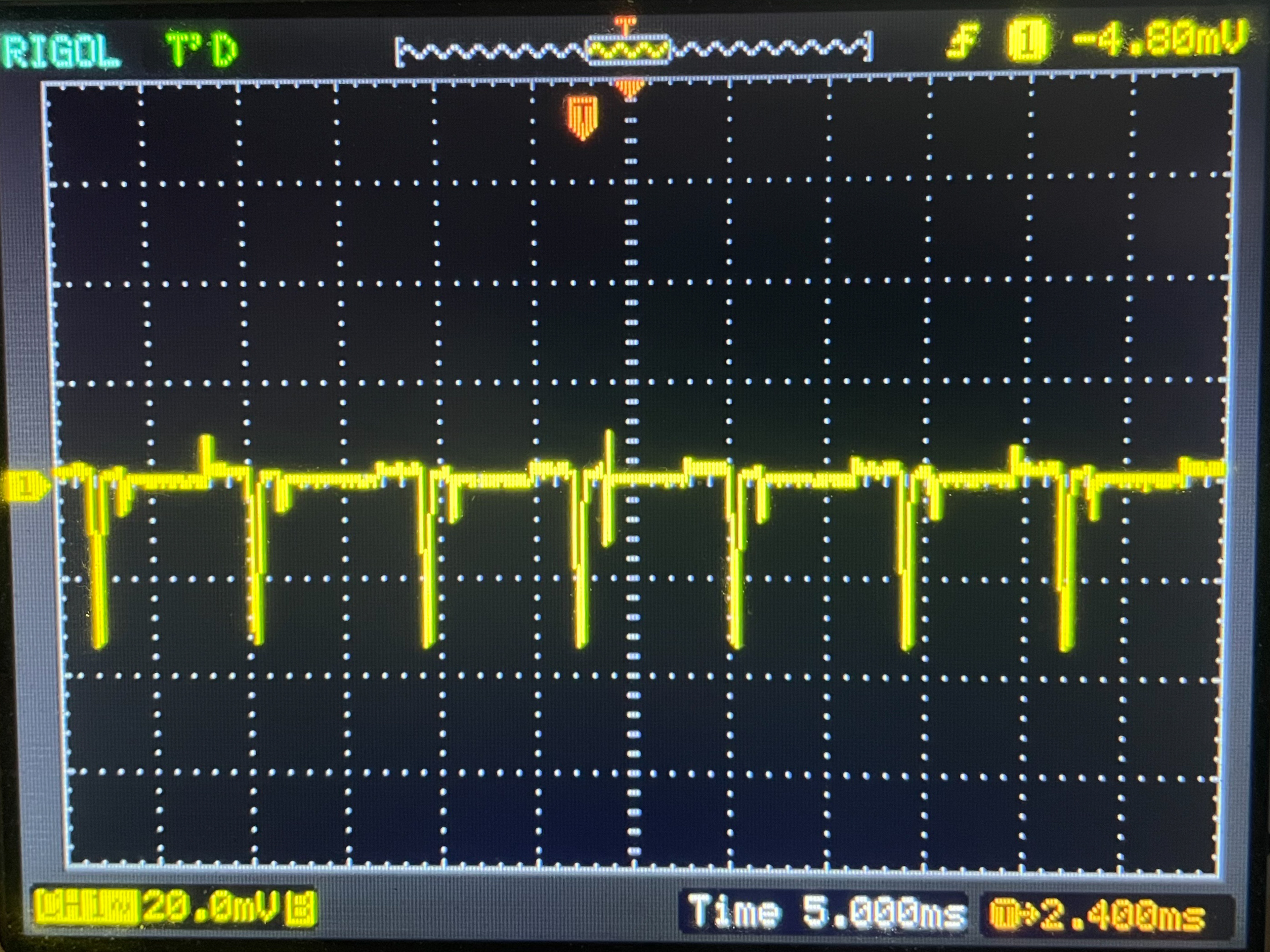
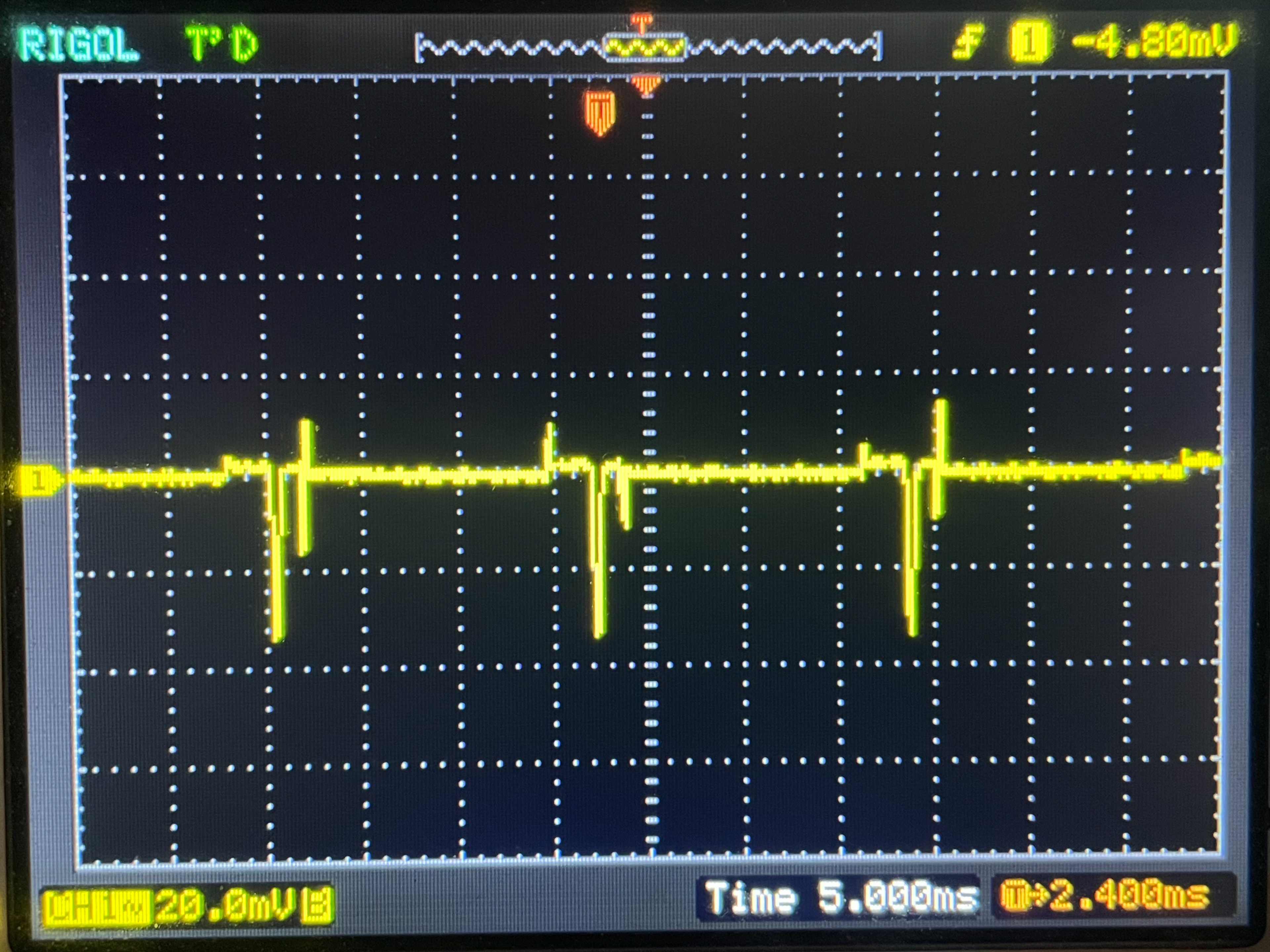
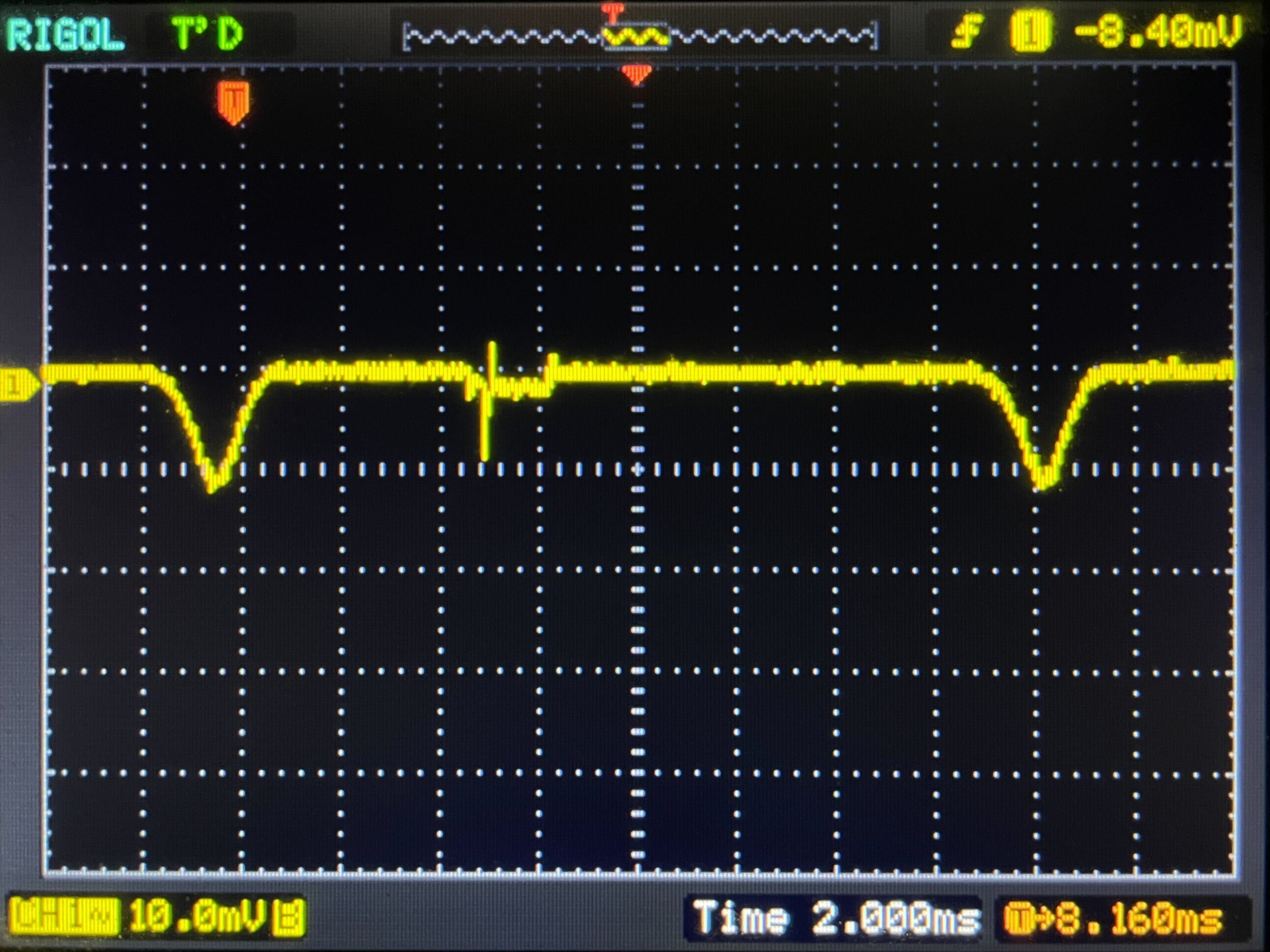
We aren't sure why this is happening and whether it's an intentional implementation or not, but it's interesting to see, regardless. We also used an oscilloscope to measure the backlight intensity of these two monitors with VRR on and off. What we noticed here is that with VRR disabled, the backlight exhibits greater brightness fluctuations at low refresh rates than with VRR enabled. This could be causing the darker image at these low refresh rates, as there's less light output, but this is just speculation, and we aren't exactly sure what's causing this.
| 27GS95QE-B - VRR Off | ||
|---|---|---|
 |
 |
 |
| 27GS95QE-B - VRR On | ||
|---|---|---|
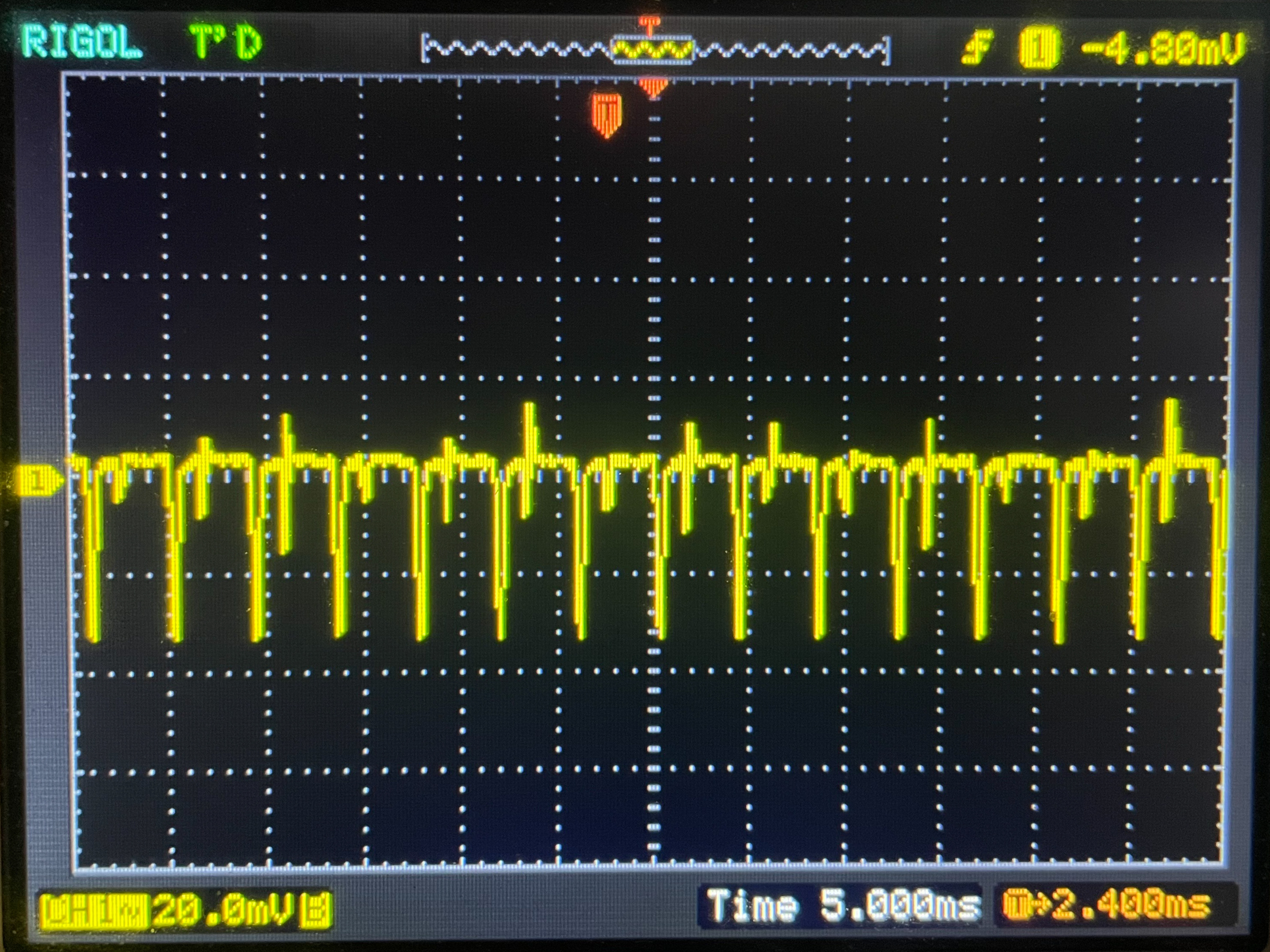 |
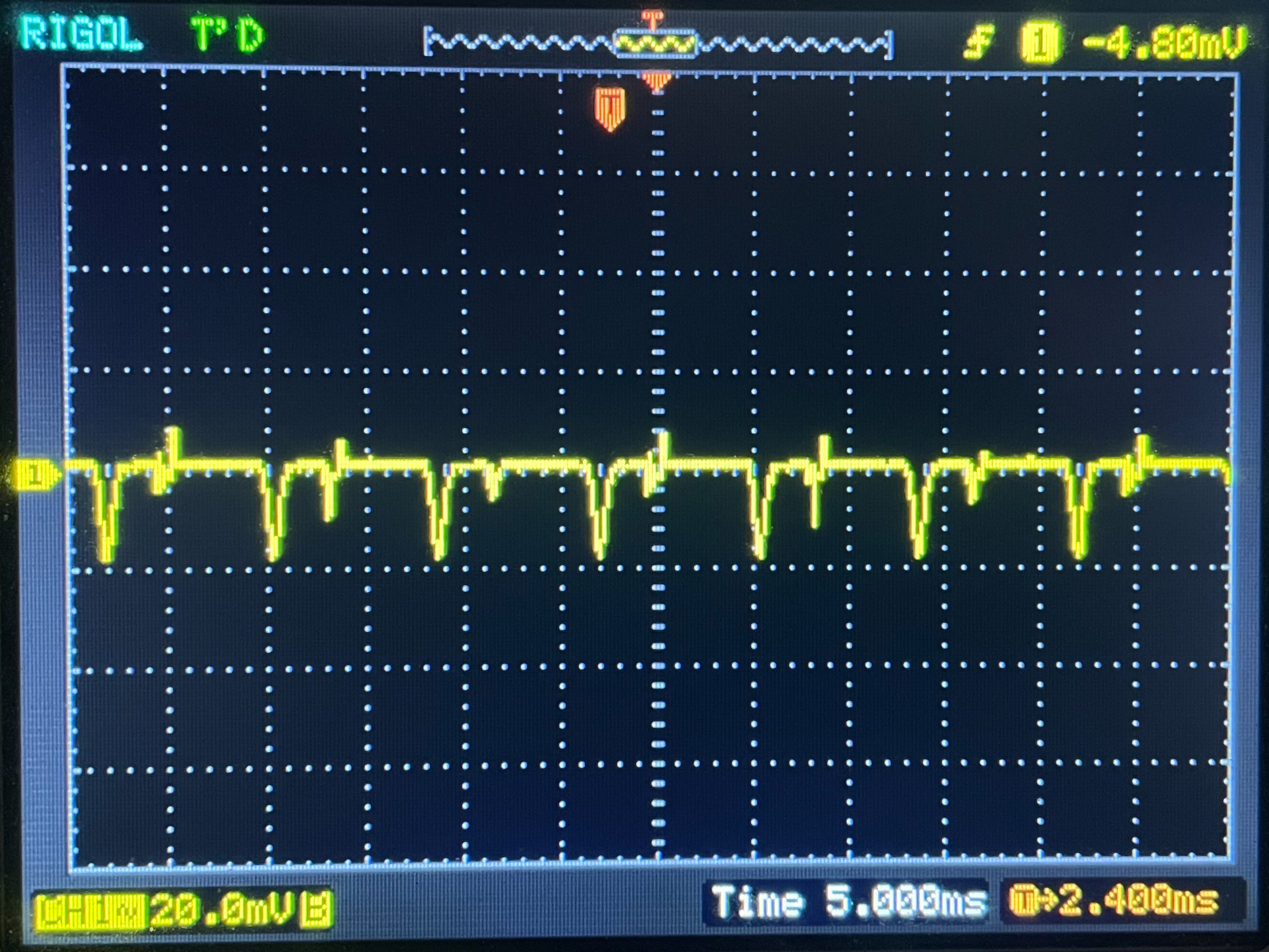 |
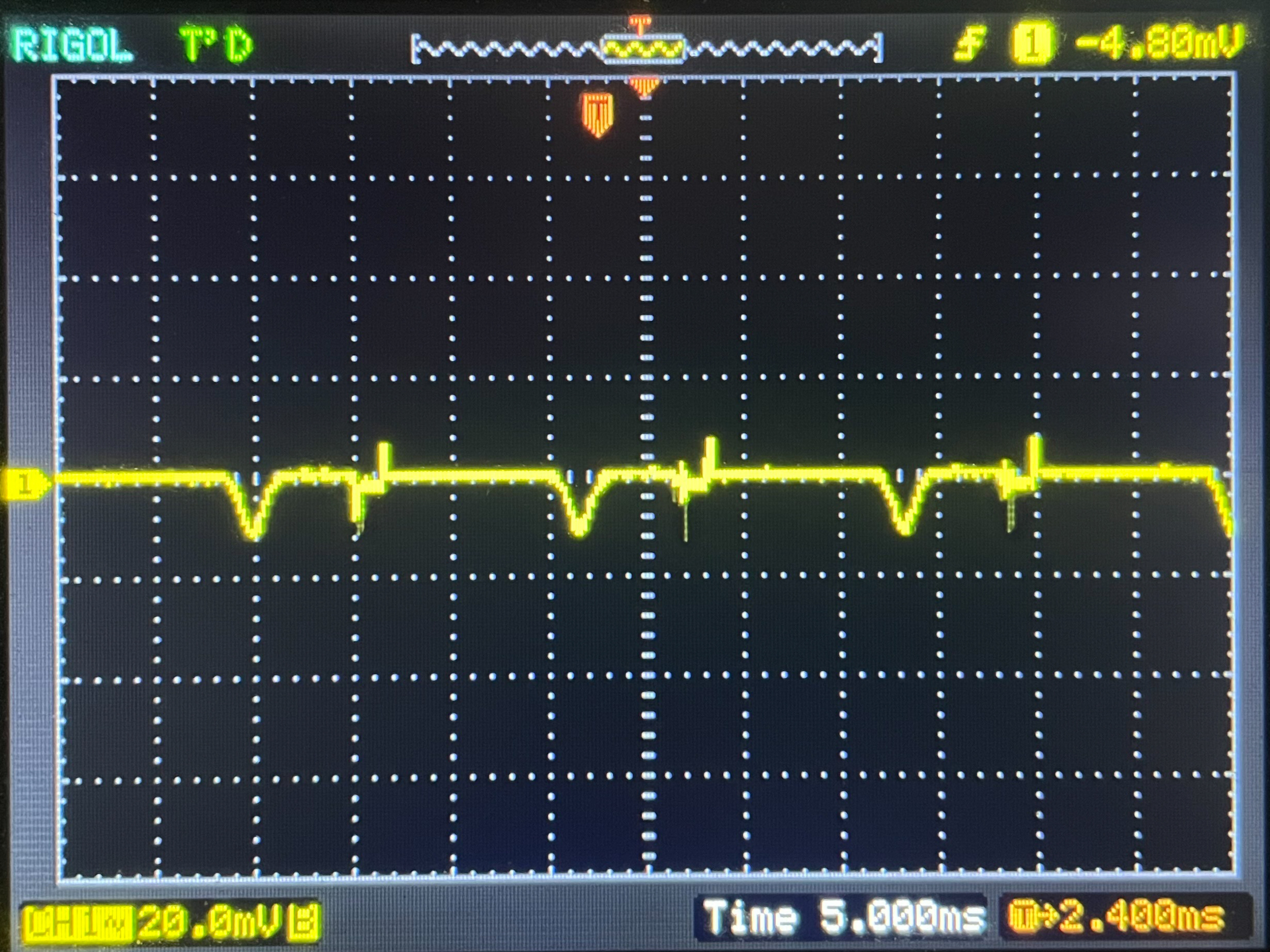 |
| 34GS95QE-B - VRR Off | ||
|---|---|---|
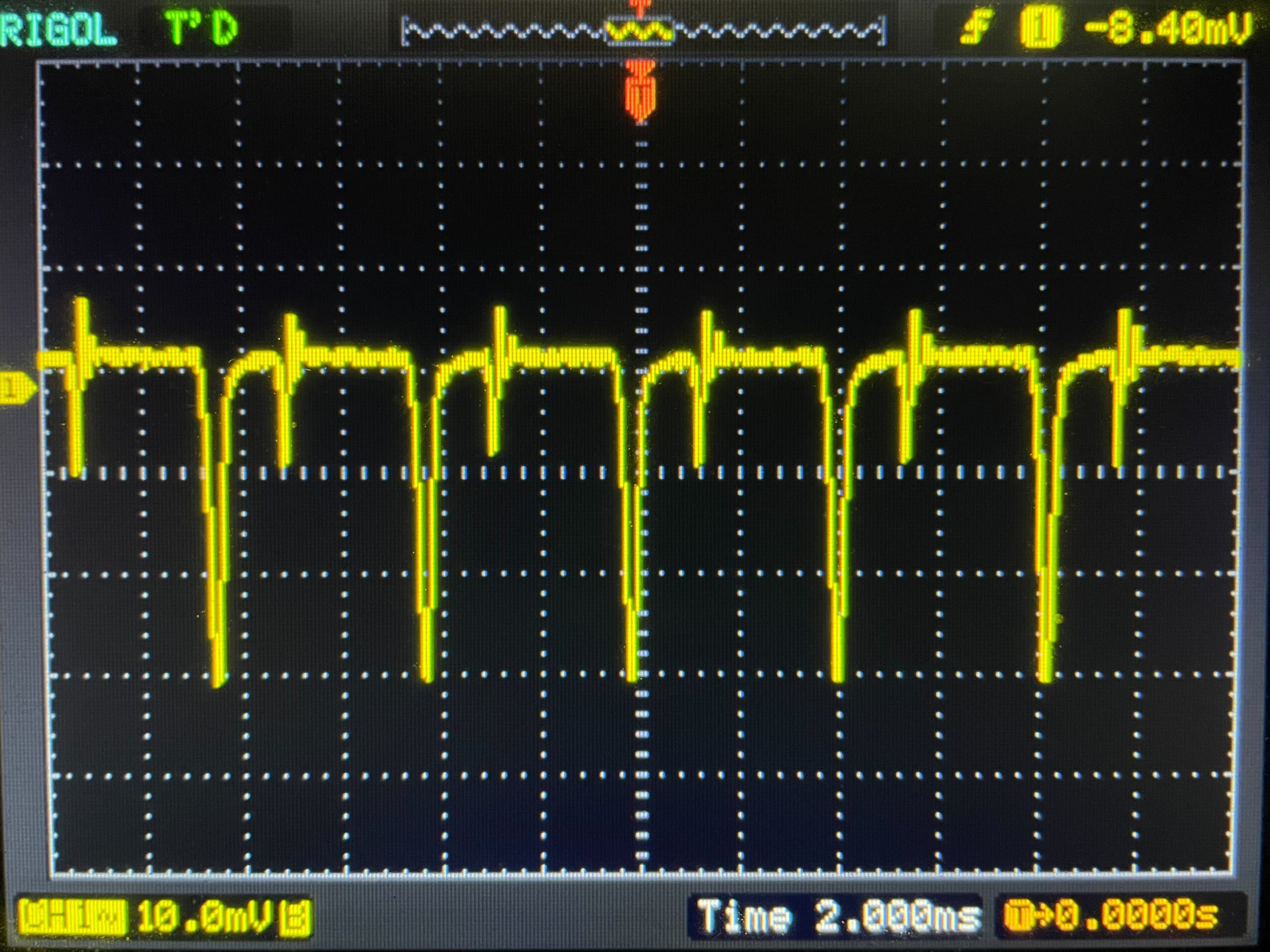 |
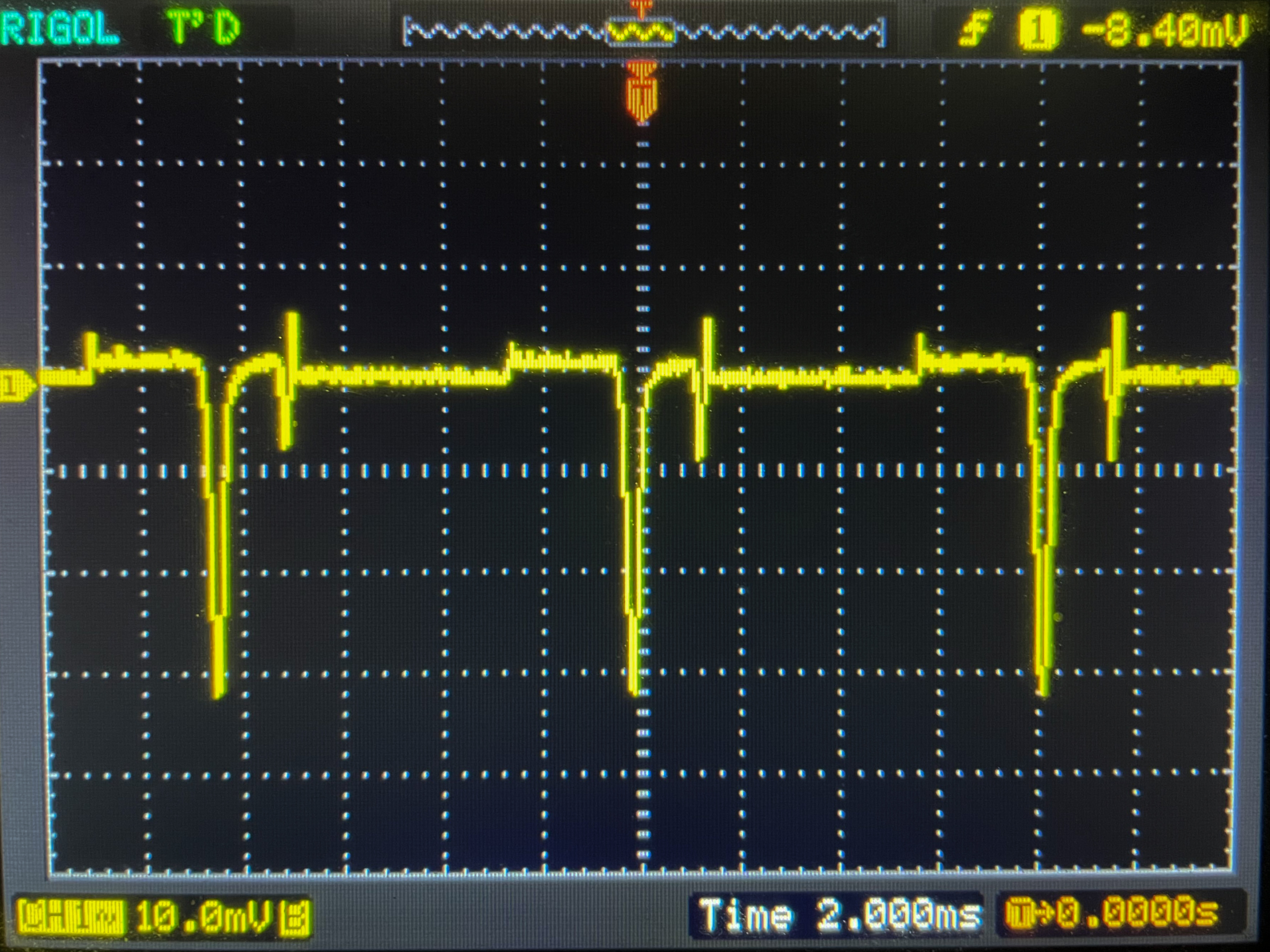 |
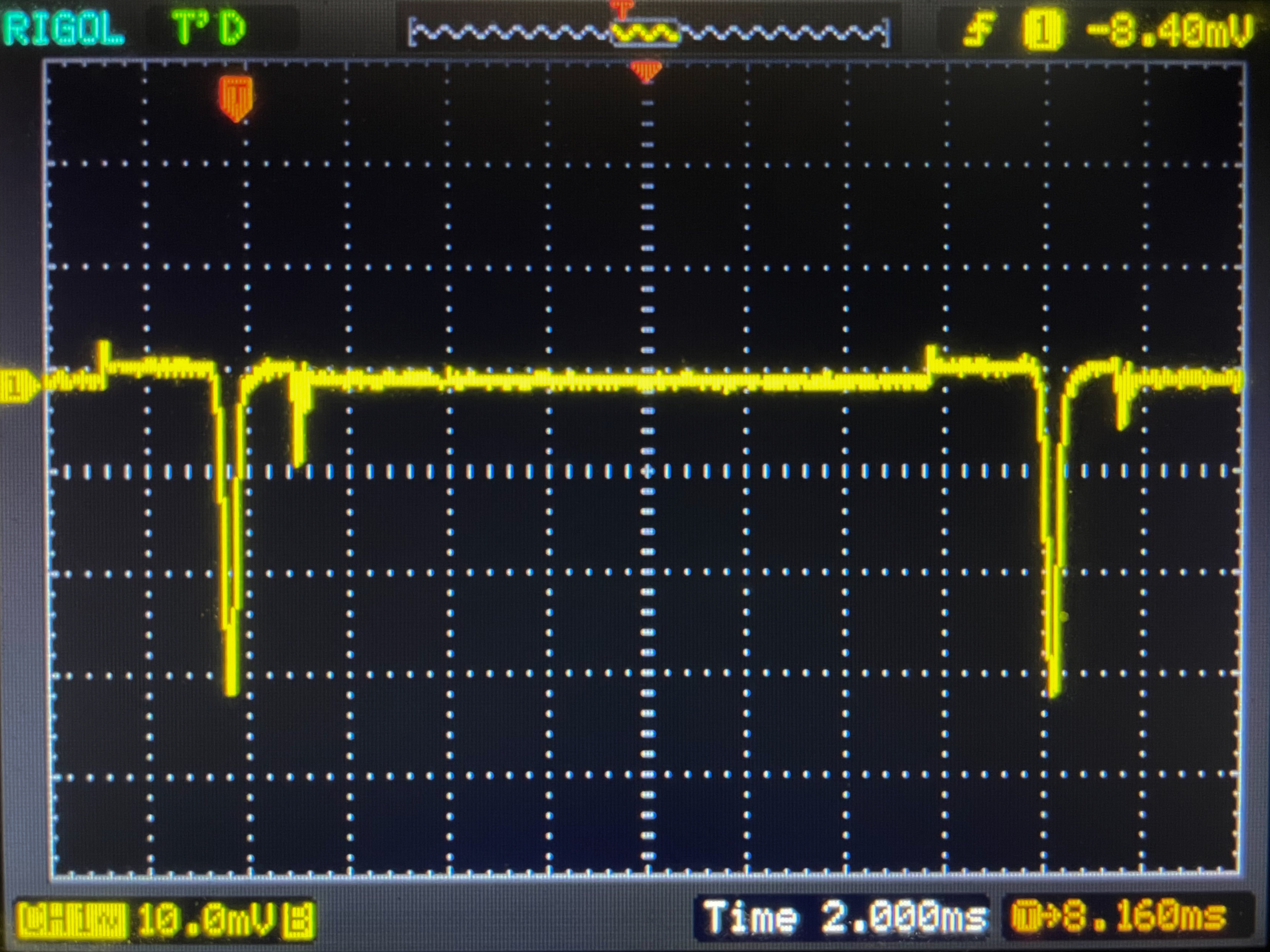 |
| 34GS95QE-B - VRR On | ||
|---|---|---|
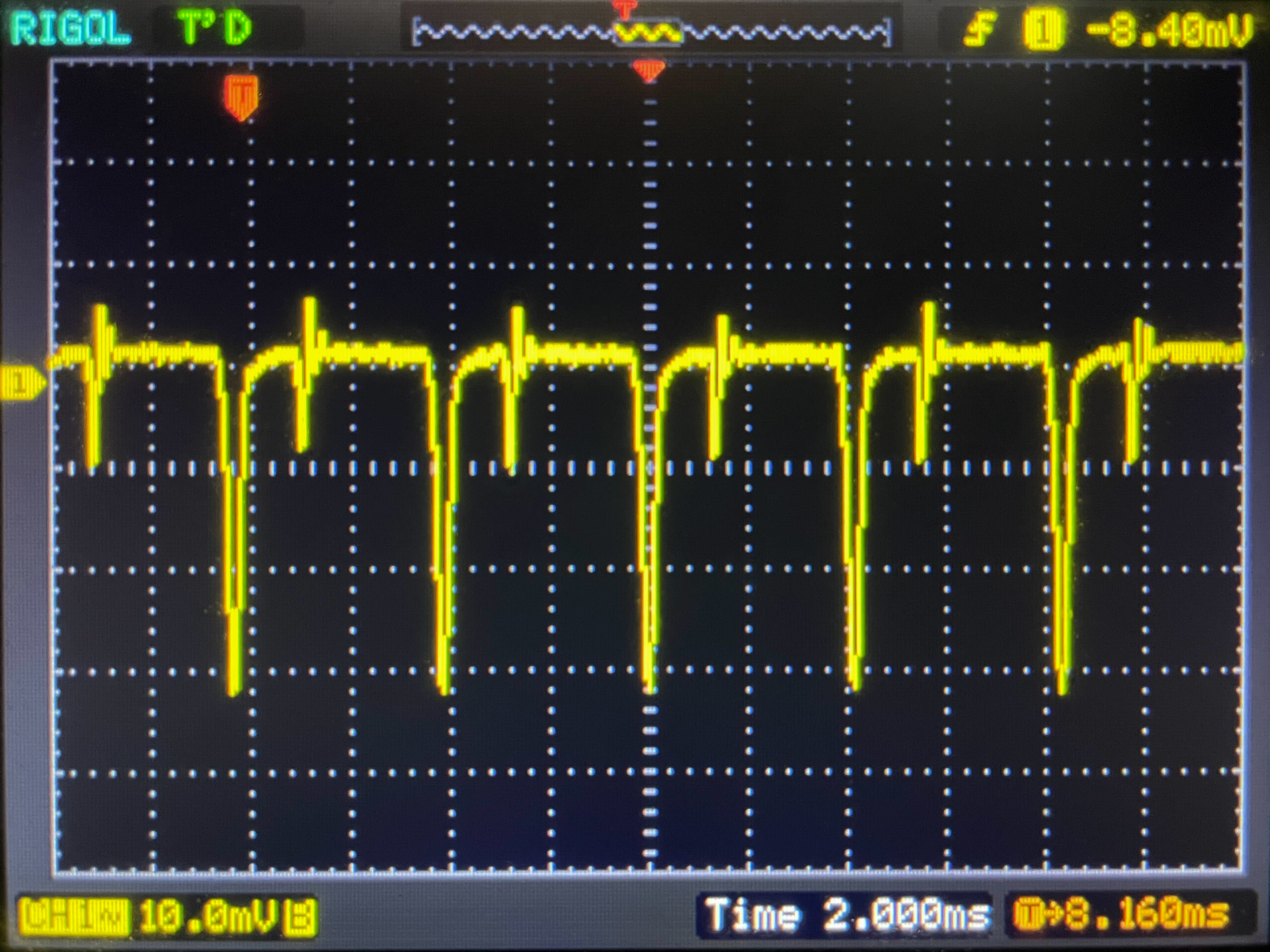 |
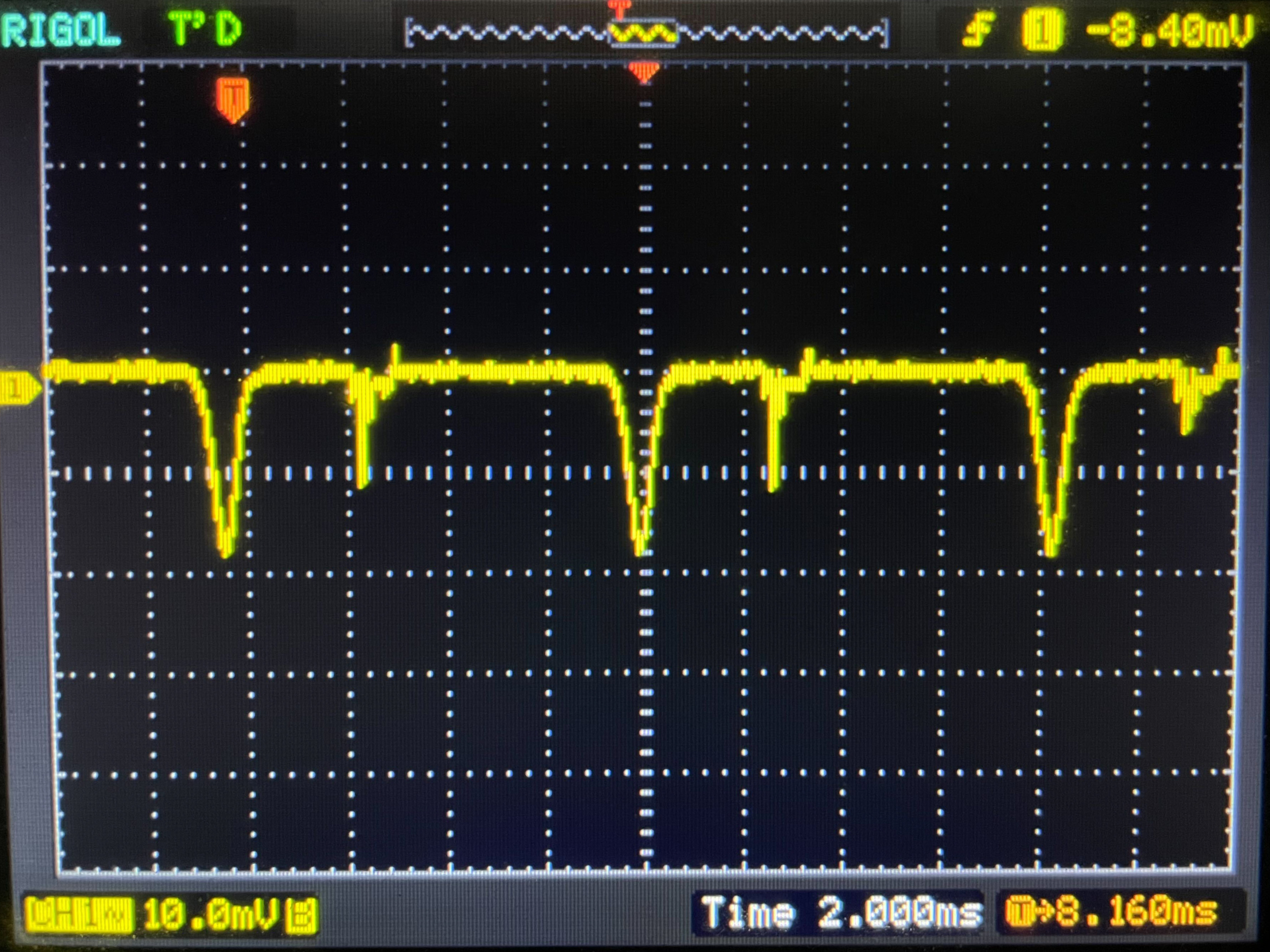 |
 |
RGB Tandem OLED
As for the LG 2GX700A-B, which uses a newer fourth-gen RGB Tandem OLED panel, it behaves differently. The image brightness is only raised at 120Hz, whereas gamma at 60Hz performs like at its max 280Hz refresh rate. We aren't sure if this is intentional or related to the newer panel type, so we'll check this on other RGB Tandem OLED monitors when we buy and test them.
| Counter-Strike 2 | Black Level | Gamma Measurement |
|---|---|---|
 |
 |
 |
 |
 |
 |
 |
 |
 |
What To Do If You Notice Gamma Shift
Sadly, there's nothing you can do if you have a WOLED with gamma shift at low refresh rates. It's an unfortunate downside of this panel type, and it's something that QD-OLEDs don't have. If you have a WOLED monitor, the best way to avoid this problem is by using it at its max refresh rate. If you game at low refresh rates and you want the best picture quality, it's better to avoid WOLED altogether.
For more recommendations, check out our article on the best OLED monitors.
Conclusion
One common discussion revolving around WOLED monitors is that there's gamma shift at low refresh rates, negatively impacting the picture quality with raised blacks in dark scenes. We investigated this by testing a handful of WOLED monitors and comparing their gamma tracking to QD-OLED and LCD monitors. We found that the image brightness does rise at low refresh rates on WOLEDs, which can cause a loss of details in dark scenes while gaming. However, it also varies on a case-by-case basis, so not all WOLED monitors necessarily have this gamma shift at low refresh rates. This isn't something you can fix, so you have to use the monitor at its max refresh rate to avoid the issue and get the optimal picture quality. If it's something that bothers you, you should go for another panel type, as others don't have gamma shift at low refresh rate.
If you'd like to see this included as part of future Test Bench Updates, let us know in the comments.