There are some good monitors you can find for under $200. Most options in this price range are basic, entry-level models that offer the basics for work or play, and some offer good value compared to the competition. That said, most don't have extra features you'd find on higher-end models and are behind more expensive options in terms of performance. With that in mind, it might be worth stretching your budget if you want an upgrade in performance, as even the best gaming monitors under $300 are much better than some cheaper options.
However, if you're on a tight budget, these displays are useful for a variety of usages. There are a few factors to consider when looking for a monitor, like the variety of models available in the market and what you need your monitor for. For example, if you want a monitor for gaming, it's important to get something with a fast response time for good motion handling. However, something like having versatile ergonomics is more important for work purposes, so there's no perfect solution for everyone.
We've bought and tested over 400 monitors, and below, you'll find our top picks for the best monitors for under $200. See our recommendations for the best budget and cheap monitors, the best portable monitors, and, if you're willing to stretch your budget a bit, the best monitors under $500.

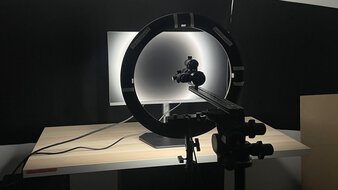
We buy and test more than 30 monitors each year, all of which we purchase ourselves, without cherry-picked units or samples. We put a lot into each unbiased, straight-to-the-point review, and there's a whole process from purchasing to publishing, involving multiple teams and people. We do more than just use the monitor for a week; we use specialized, custom tools to measure various aspects and deliver objective, data-driven results. We also consider multiple factors before making any recommendations, including the monitor's cost, its performance compared to the competition, and whether it's easy to find.
-
Best Monitor Under $200
 PC GamingConsole GamingOfficeEditingResponse TimeBrightnessHDR PictureSDR PictureColor AccuracySize27"Panel TypeLCDSub-TypeVAMax Refresh Rate180 HzSee all our test resultsNative Resolution2560 x 1440
The best monitor under $200 that we've tested is the AOC Q27G40XMN. It's a 27-inch, 1440p display that's versatile for different types of uses. It's worth getting when you can find it on sale for under $200. Even when it's a bit past $200, it's worth stretching your budget for because it delivers much better picture quality than similarly priced options. It uses Mini LED backlighting and, combined with its great local dimming feature, it displays deep, inky blacks in dark rooms. It also makes highlights pop for an impactful HDR experience. This local dimming isn't without its flaws, and some content looks overbrightened with certain settings. However, when it works properly, content looks better than on any other monitor in this price range.
It's versatile for different uses, like gaming. It includes a 180Hz refresh rate, VRR support to reduce screen tearing, and low input lag for a responsive feel. While it has a fast overall response time, there's black smearing behind fast-moving objects in dark scenes, so it's not the best choice if you play action games. If you can't find this monitor for under $200, you can also check out the AOC Q27G3XMN, a similarly performing option that sometimes goes on sale. However, it has worse local dimming.
-
Best Gaming Monitor Under $200
PC GamingConsole GamingOfficeEditingResponse TimeBrightnessHDR PictureSDR PictureColor AccuracySize24"Panel TypeLCDSub-TypeIPSMax Refresh Rate240 HzSee all our test resultsNative Resolution1920 x 1080If you don't need the best picture quality and want the best gaming monitor under $200, consider the Dell SE2426HGS. Besides its smaller screen, the main downside of this monitor compared to the AOC Q27G40XMN is its much worse picture quality. It has a lower contrast ratio and lacks local dimming to further improve picture quality in dark scenes. Highlights don't pop, either, so it's a bad choice if you want something for HDR gaming. However, this is what you have to expect at this price point, especially considering that the Dell costs less than the AOC.
On the plus side, it still gets bright enough to fight some glare, and its matte screen coating is effective at reducing glare in moderately lit rooms. Also, the Dell monitor has an advantage for gaming. For starters, it has a higher 240Hz refresh rate and less smearing in dark scenes behind fast-moving objects, making it the better choice for playing action games. Its lower 1080p resolution also makes it easier for your graphics card to maintain high frame rates, as it's less demanding on your computer.
-
Best Work Monitor Under $200
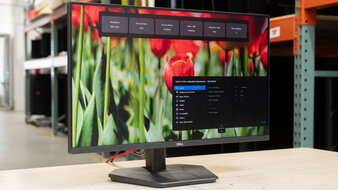
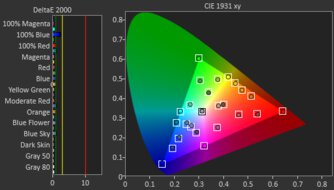
PC GamingConsole GamingOfficeEditingResponse TimeBrightnessHDR PictureSDR PictureColor AccuracySize24"Pixel TypeIPSMax Refresh Rate100 HzSee all our test resultsNative Resolution1920 x 1080If you need a simple and cheap monitor for work and don't need the gaming features of the AOC Q27G40XMN or the Dell SE2426HGS, consider the Dell P2425H. What sets this monitor apart from other options in this price range is its work-specific features to help with productivity. Unlike most entry-level models, it has a USB hub with three USB-A ports and a USB-C port to connect various devices. However, because the USB-C port doesn't support DisplayPort Alt Mode, you can't use it to display any video signal from a laptop, and it's really meant for data transfer or charging.
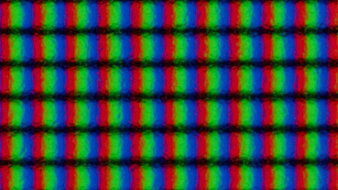
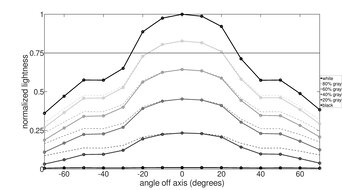
Besides that, it has decent reflection handling, so it's fine if you want to use it in a room with a few lights around, but it doesn't get bright enough to fight intense glare. It also offers a wide viewing angle and fantastic ergonomics, making it easy to adjust your display or share your screen with others. Lastly, while it has a lower 1080p resolution than an option like the AOC, it still has decent text clarity.






Notable Mentions
-
Dell Alienware AW2725DM:
The Dell Alienware AW2725DM is an entry-level 1440p monitor that's in the same price range as the AOC Q27G40XMN. The main advantage of getting the Dell is its wider viewing angle, which makes it more versatile for work. However, it has worse picture quality because it doesn't have Mini LED backlighting.
See our review -
LG 24GS65F-B:
The LG 24GS65F-B is a low-cost gaming monitor that's fairly similar to the Dell SE2426HGS, with sharp motion handling. However, it has a lower 180Hz refresh rate, and it usually costs more than the Dell.
See our review -
Dell S2725DC:
The Dell S2725DC is a work-oriented 1440p monitor. It's worth stretching your budget for if you want an upgrade in performance over the Dell P2425H, as it has a bigger screen, sharper text, and more USB features. However, it tends to cost more than $200.
See our review
Recent Updates
Jul 10, 2026:
We replaced the LG 24GS65F-B with the Dell SE2426HGS, which has a higher refresh rate. In the Notable Mentions, we replaced the AOC Q27G3XMN, the ViewSonic XG2431, and the Dell S2725QS with the Dell Alienware AW2725DM, the LG 24GS65F-B, and the Dell S2725DC to better reflect the current monitor market.
Apr 22, 2026:
We added the AOC Q27G3XMN and the ViewSonic XG2431 to the Notable Mentions.
Jan 27, 2026:
We replaced the MSI G274QPF-QD with the AOC Q27G40XMN, as the MSI is becoming harder to find and the AOC offers better value. We also removed the Samsung Odyssey G50D S27DG50 from the Notable Mentions because its price increased.
Oct 08, 2025:
We replaced the Gigabyte GS27QC with the MSI G274QPF-QD, which is easier to find and is consistent with other recommendations. We removed the AOC 24G15N, which is hard to find, and replaced the Dell G2524H with the cheaper LG 24GS65F-B. In the Notable Mentions, we removed the LG 27GL850-B/27GL83A-B, and added the Samsung Odyssey G50D S27DG50 and the Dell S2725QS.
Apr 29, 2025:
We removed the Acer Nitro XV275U P3biipx and the Dell Alienware AW2724DM because they're out of stock and/or hard to find. In their places, we added the Gigabyte GS27QC as the Best Monitor and renamed the Dell G2524H to the 'Best Gaming Monitor.' We also added the AOC 24G15N as the 'Best Cheap Monitor.' We replaced the LG 27GP850-B/27GP83B-B with the cheaper LG 27GL850-B/27GL83A-B in the Notable Mentions.
All Reviews
Our recommendations are based on what we think are the best monitors under $200 that are available to purchase, including the best gaming monitors under $200. They're adapted to be valid for most people. The rating is based on our review, factoring in price and feedback from our visitors.
If you'd prefer to make your own decision, here's the list of all our reviews for monitors under or around $200. Be careful not to get too caught up in the details. Most monitors are good enough to please most people, and the things we fault monitors on are often not noticeable unless you really look for them.


