
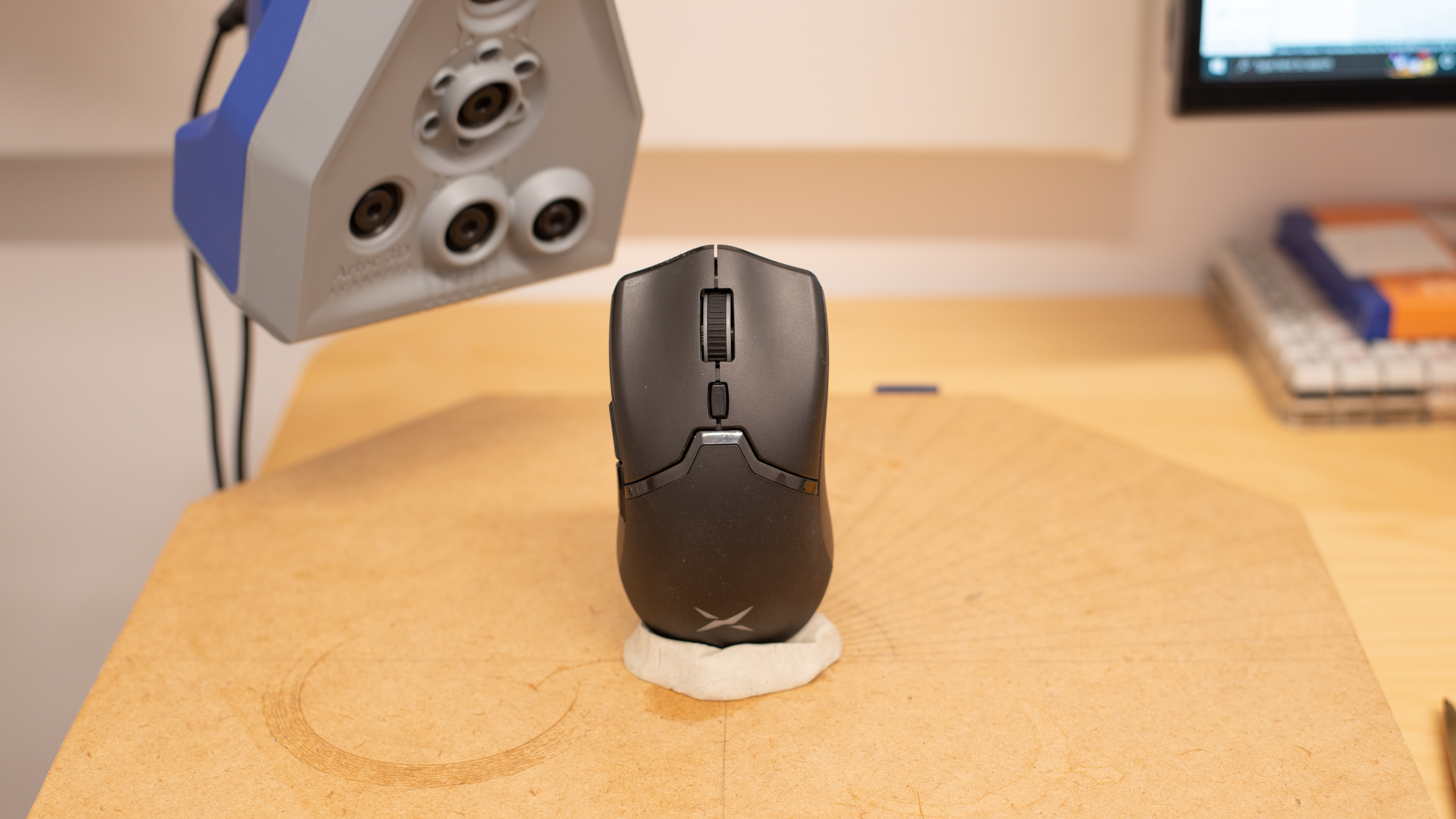
The DELUX M800 Wireless is a wireless gaming mouse with an ambidextrous shape and two buttons on its left side. It's light and feels well-built, although there's some wobble in the scroll wheel, and the mouse rattles when shaken. You can customize the RGB backlighting and remap all of its buttons using the dedicated DELUX M800 software compatible with Windows. It has a wide CPI range and a set CPI that you can adjust in increments of 100. Unfortunately, its sensor is somewhat inconsistent, and its click latency is quite high and may not feel responsive enough for some gamers.
Our Verdict
The DELUX M800 is good for office use. It feels well-built and is suitable with any grip type for almost all hand sizes, although people with extra-large hands may struggle with a palm or claw grip. You can use it wirelessly via its USB receiver, and you can remap all of its buttons using the dedicated software available on Windows. While you can't make customizations to the mouse on macOS, all the buttons still work. Unfortunately, its scroll wheel doesn't have L/R tilt buttons and can't unlock for free-scrolling. Also, it doesn't have Bluetooth support, and you can't pair it with more than one device at once.
- Comfortable ambidextrous shape.
- Feels well-built.
- Good amount of programmable buttons.
- Has USB receiver storage.
- Scroll wheel doesn't have L/R tilt buttons or free-scrolling.
- No Bluetooth support.
The DELUX M800 is good for gaming. It's lightweight and has a sturdy-feeling, ambidextrous shape that's well-suited for any hand size using a fingertip grip. You can customize its RGB lighting and remap its buttons with its dedicated software. It has a wide CPI range, a CPI you can adjust in increments of 100, and a low lift-off distance. It has a flexible paracord-like cable and decent mouse feet, but the feet make a scratching sound when used directly on a desk. Unfortunately, its click latency is quite high, and its sensor is somewhat inconsistent.
- Comfortable ambidextrous shape.
- Feels well-built.
- Flexible paracord-like cable.
- Good amount of programmable buttons.
- Has USB receiver storage.
- High click latency.
- Very inconsistent sensor.
The DELUX M800 is decent for MMO gaming. While it doesn't have nearly as many buttons as dedicated MMO mice do, you can remap all of the buttons it does have. It feels well-built, and it's suitable with any grip type for almost all hand sizes. It has a low lift-off distance, a CPI profile switching button below its scroll wheel, a wide CPI range, and a CPI that you can adjust in increments of 100. Unfortunately, its click latency is high, and its sensor is somewhat inconsistent.
- Comfortable ambidextrous shape.
- Feels well-built.
- Flexible paracord-like cable.
- Has USB receiver storage.
- Doesn't have as many buttons as MMO mice.
- High click latency.
- Very inconsistent sensor.
- Comfortable ambidextrous shape.
- Feels well-built.
- Has USB receiver storage.
Changelog
- Updated Dec 09, 2022: We've converted this review to Test Bench 1.4. This update modifies our Hand Size Recommendation test, adding a more granular hand size recommendation chart. We've moved several minor tests into different test groups, removed the Travel usage, and added a new Raw Performance usage. For more details, you can see our full changelog here.
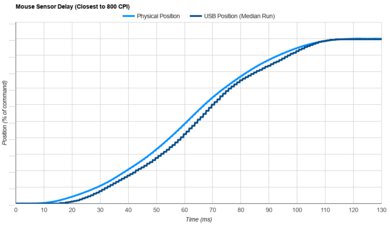
- Updated Sep 06, 2022: We've converted this review to Test Bench 1.3. This update adds a new Sensor Latency test and makes minor changes to several of our existing tests, resulting in test result changes in several sections. For more information, you can check out our full changelog here.
- Updated Aug 09, 2022: Following the update to Test Bench 1.2, some of our test results have changed within both the Weight and CPI sections. We've added or modified some of the text in this article to clarify these changes.
- Updated Aug 01, 2022: We've converted this review to Test Bench 1.2. This update simplifies our Weight test and expands on our CPI test from Test Bench 1.1, resulting in changes to test results in both sections. For more details, you can see our complete changelog here.
Check Price
Differences Between Sizes And Variants
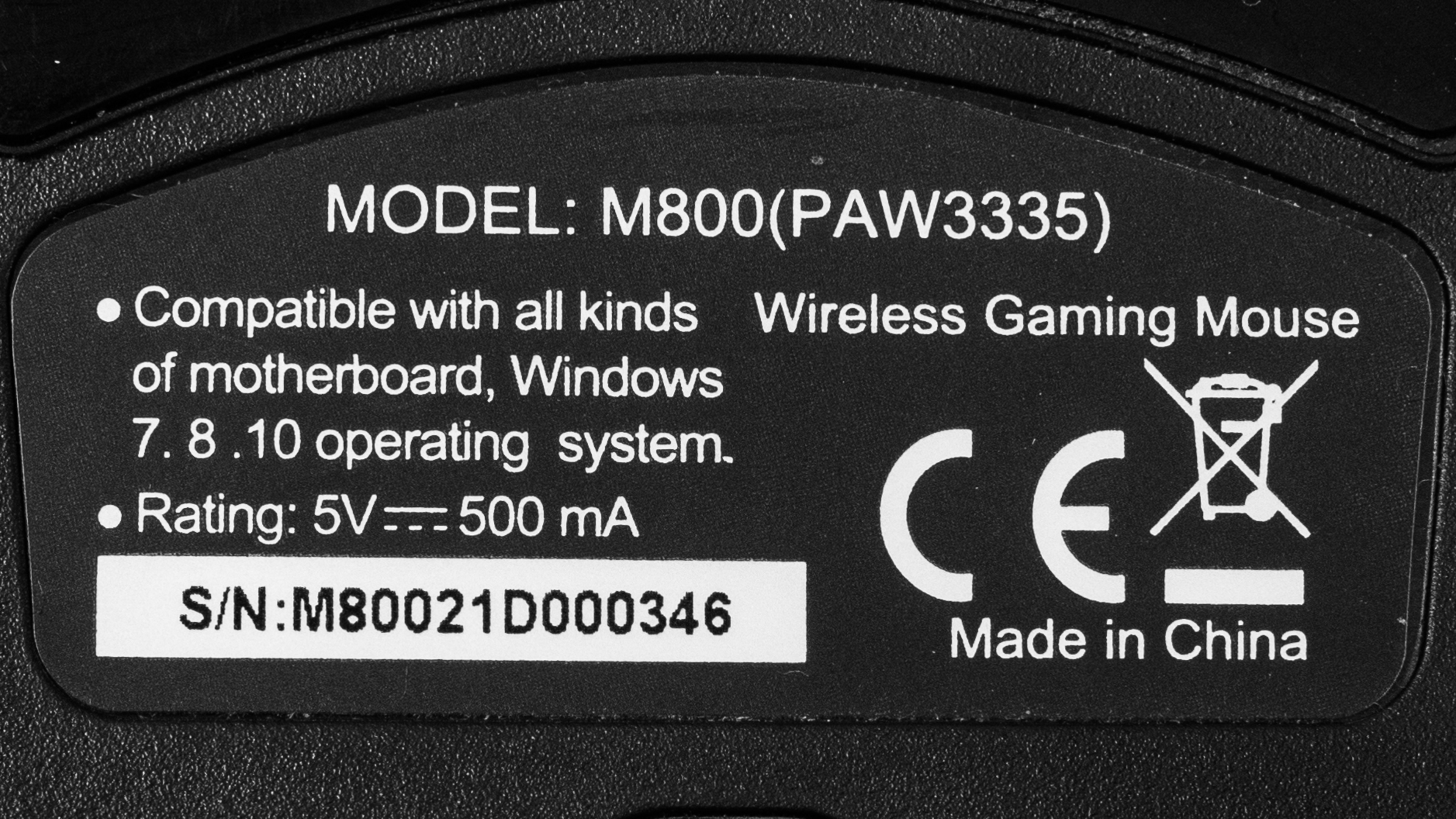
There are three different mice called the DELUX M800. There are two wireless versions called the M800DB: one with a PAW3335 sensor and one with a PMW3325 sensor; we tested the variant with the PAW3335 sensor. There's also a wired version with a PMW3389 sensor called the M800BU. We expect the physical aspects of these three mice to be similar, but the performance may differ significantly between each version. You can see our unit's label here.
Popular Mouse Comparisons
The DELUX M800 is a budget gaming mouse with an ambidextrous-shaped body and two buttons on its left side, and it looks very similar to the Razer Viper Mini. Compared to similar wireless mice, this model falls short with its performance. Its click latency is quite high and doesn't feel as responsive as other options. Also, it has a somewhat inconsistent sensor that tends to undershoot the set CPI more when moving the mouse slow than when moving it fast.
For other options, see our recommendations for the best cheap gaming mouse, the best FPS mouse, and the best wireless gaming mouse.
The GLORIOUS Model O Wireless and the DELUX M800 Wireless are lightweight wireless gaming mice, but the GLORIOUS performs better overall. The GLORIOUS has a more flexible cable and smoother-gliding mouse feet. Performance-wise, it has a lower lift-off distance, a much lower click latency, a more consistent sensor, and a CPI that you can adjust more precisely in increments of 50.
The Razer Viper Ultimate and the DELUX M800 Wireless are wireless gaming mice with nearly identical ambidextrous designs, but the Razer performs better. It has two buttons on each side, and you can set a HyperShift button to give you a second layer of controls. The Razer has smoother-gliding feet, a wider CPI range, a more precisely adjustable CPI, and a lower lift-off distance. Also, its sensor is much more consistent, and its click latency is significantly lower. On the other hand, the DELUX has a CPI profile switching button below its scroll wheel, which the Razer lacks. Also, it's marginally lighter.
The Razer Viper Mini and the DELUX M800 Wireless are both FPS gaming mice, but the Razer is a wired model, and the DELUX is wireless. The Razer has a lighter weight, smoother-gliding mouse feet, and a sturdier-feeling build. Its sensor is more consistent, and its click latency is significantly lower. On the other hand, the DELUX has a wider CPI range. Also, thanks to its larger size, the DELUX is more suitable for people with medium or large hands using a palm or claw grip.
The GLORIOUS Model D and the DELUX M800 Wireless are both lightweight gaming mice, but the GLORIOUS is a wired model while the DELUX is a wireless mouse. The GLORIOUS has a more flexible cable, better quality mouse feet, much lower click latency, and a more consistent sensor. On the other hand, the DELUX has a wider CPI range and a sturdier-feeling build. The DELUX's ambidextrous shape is better suited for small hands using a claw or fingertip grip, while the GLORIOUS's right-handed design is better suited for larger hands.
Test Results

for pictures & test results



for pictures & test results




for videos & test results



for pictures & test results



for videos & test results

for pictures & test results

for pictures & test results



for pictures & test results


for videos & test results
