Logitech G203 Prodigy  Mouse Review

Reviewed Dec 11, 2019 at 08:55am
Tested using Methodology v1.2 
Logitech G203 Prodigy
7.1
Office/Multimedia 
8.2
Video Games (FPS) 
7.3
Video Games (MMO) 
7.8
Ultra-Light Gaming 
5.4
Travel 
 0
Notice: This mice was replaced by Logitech G203 LIGHTSYNC

The Logitech G203 Prodigy is a great gaming mouse with excellent performance thanks to its very low click latency and wide CPI range. It's also compatible with the G HUB software, which offers a good amount of customization over the mouse. It's a very well-built mouse, especially for its low price point. However, its design is better suited for fingertip grip, as every hand size should be comfortable gripping it. On the other hand, its small size isn't very well-suited for people with larger hands with a palm or claw grip.

Our Verdict

7.1
Office/Multimedia 

The Logitech G203 Prodigy gaming mouse is decent for the office. This mouse is on the small side, and its ambidextrous design doesn't offer the best ergonomics. It's well-suited for fingertip grip, but larger hands might have issues with palm or claw grip. On the upside, it's a very well-built mouse, and it offers a few programmable buttons to make browser surfing easier.

Pros
  • Very well-built design, especially for the price.
  • Excellent performance; customizable.
  • Amazingly low wired latency.
Cons
  • Not the most ergonomic design.
  • Smaller size only suitable for small and medium hands, or for fingertip grip.
8.2
Video Games (FPS) 

The Logitech G203 Prodigy is great for FPS games. The click latency is very low, and the overall performance is excellent. The mouse is very responsive, but its shape and size aren't the most ergonomic. It's pretty universal if you use a fingertip grip, but people with extra-large hands might not like gripping it with a palm or claw grip.

Pros
  • Very well-built design, especially for the price.
  • Excellent performance; customizable.
  • Amazingly low wired latency.
Cons
  • Not the most ergonomic design.
  • Smaller size only suitable for small and medium hands, or for fingertip grip.
7.3
Video Games (MMO) 

The Logitech G203 Prodigy is decent for MMO games. It's a well-built mouse, but it offers fewer programmable buttons than dedicated MMO mice. On the upside, you can also set a G-Shift button to enable a new set of keybindings. However, due to its smaller size, it's better for a fingertip grip, and people with extra-large hands might not feel comfortable gripping it with a palm or claw grip.

Pros
  • Very well-built design, especially for the price.
  • Excellent performance; customizable.
  • Amazingly low wired latency.
Cons
  • Not the most ergonomic design.
  • Smaller size only suitable for small and medium hands, or for fingertip grip.
7.8
Ultra-Light Gaming 

The Logitech G203 Prodigy mouse is very good for ultra-light gaming. It's fairly lightweight and has very low click latency. It doesn't have a honeycomb pattern design to make it the lightest possible, but if you're looking for a typical mouse that isn't too heavy, this is a good option.

Pros
  • Very well-built design, especially for the price.
  • Excellent performance; customizable.
  • Amazingly low wired latency.
Cons
  • Not the most ergonomic design.
  • Smaller size only suitable for small and medium hands, or for fingertip grip.
5.4
Travel 

The Logitech G203 Prodigy mouse is disappointing for travel. Due to its wired-only design, having a cable isn't ideal when working in tight spaces like on a plane. There are also smaller mice on the market that should be easier to toss in a laptop bag.

Pros
  • Very well-built design, especially for the price.
  • Excellent performance; customizable.
  • Amazingly low wired latency.
Cons
  • Not the most ergonomic design.
  • Smaller size only suitable for small and medium hands, or for fingertip grip.
  • 7.1
    Office/Multimedia
  • 8.2
    Video Games (FPS)
  • 7.3
    Video Games (MMO)
  • 7.8
    Ultra-Light Gaming
  • 5.4
    Travel
  • Changelog

    1.  Updated Dec 09, 2022: We've converted this review to Test Bench 1.2. This update simplifies our Weight test and expands on our CPI test from Test Bench 1.1, resulting in changes to test results in both sections. For more details, you can see our complete changelog here.
    2.  Updated Nov 17, 2022: We've converted this review to Test Bench 1.1. This update revamps our Click Latency test and results in changes to test results. For more details, you can see our full changelog here.
    3.  Updated Sep 06, 2022: We've added a small disclaimer to the Compatible Software Option section which highlights some of the most commonly reported issues users online have encountered with Logitech's G HUB companion software.
    4.  Updated Oct 07, 2020: Fixed an error with the number of programmable inputs.

    Check Price

    Popular Mouse Comparisons

    The Logitech G203 Prodigy is a great gaming mouse that's fairly lightweight and feels very well-built. Its click latency is very low, and it feels responsive. However, it doesn't have the most ergonomic design, and people with larger hands might think the mouse is too small for them.

    See our recommendations for the best wired mouse, the best gaming mouse, the best cheap gaming mouse, and the best mouse.

    Logitech G203 LIGHTSYNC

    The Logitech G203 LIGHTSYNC is an update of the Logitech G203 Prodigy. The two mice are nearly identical, but the LIGHTSYNC has three independent RGB zones within the band that wraps around the back, while the Prodigy only has one. The LIGHTSYNC also has a somewhat lower click latency, but most people likely won't notice a difference.

    Logitech G305 LIGHTSPEED

    The Logitech G203 Prodigy and the Logitech G305 LIGHTSPEED are practically the same mice, but the G203 is wired-only while the G305 is wireless-only. You can set a higher CPI on the G305, but performance-wise, there isn't much difference between these two mice. That said, the G203 has an RGB lighting strip.

    Razer Viper Mini

    The Razer Viper Mini is a slightly better mouse overall than the Logitech G203 Prodigy. The Razer is an excellent wired gaming mouse that’s very lightweight and well-suited for any hand-sizes using a fingertip grip. It has better feet and more programmable inputs. Its click latency is also much lower and should result in a very responsive gaming experience. On the other hand, the Logitech’s sensor allows you to adjust the CPI more precisely and is also much more consistent, with almost no CPI variation. The Logitech can also be a better option if you’re planning to use your mouse on macOS, as it’s fully compatible with it.

    Razer DeathAdder V2

    The Logitech G203 Prodigy and the Razer DeathAdder V2 are both great FPS gaming mice, but the Razer performs a bit better overall. The Razer feels more comfortable, and its shape is great for most hand sizes and grip types. It also has a wider CPI range, lower lift-off distance, and more programmable inputs. That said, the G203 is a little smaller and narrower, and it has an ambidextrous design that's well-suited for a fingertip grip. Both options are fairly lightweight.

    Razer DeathAdder Essential

    The Logitech G203 Prodigy and the Razer DeathAdder Essential are wired gaming mice, but the Logitech is a better choice if you prefer lighter mice. Performance-wise, it has a higher CPI maximum, a more precisely adjustable CPI, a more consistent sensor, and a lower lift-off distance. Also, its click latency is much lower. Comparatively, if you have larger hands, you may find the Razer's higher profile more comfortable using a palm or claw grip.

    Logitech G300s

    The Logitech G203 Prodigy is a better mouse than the Logitech G300s; it's better-built and has noticeably lower latency than the G300s. Its CPI range is also wider, which allows for more customization to your preference. The two mice have different shapes; the G203 is better suited for smaller hands, while the G300s is better for larger hands.

    Razer DeathAdder Elite

    The Logitech G203 Prodigy and the Razer DeathAdder Elite are both great wired gaming mice. While the Logitech is ambidextrous, the Razer is designed for right-handed use. The Logitech is also better for smaller hands for all grip types, though larger hands can get a more comfortable grip with the Razer. They both have low latency and a wide range of customizable CPI, but the Razer has more programmable buttons.

    Corsair M55 RGB Pro

    The Logitech G203 Prodigy is better than the Corsair M55 RGB Pro. Its sensor is more consistent, and it feels slightly more durable. However, the Logitech's low profile might not be ideal for everyone and will be better suited for smaller hands than the Corsair. The Logitech's cable is also better and doesn't feel as stiff, but the Corsair has two sets of two side buttons, while the Logitech only has one on its left side.

    SteelSeries Rival 3

    The SteelSeries Rival 3 and the Logitech G203 Prodigy are both great wired gaming mice. While the SteelSeries is suitable for all hand sizes with claw grip and all sizes except for small with fingertip grip, the Logitech is good for all hand sizes with fingertip grip and all except extra-large with a claw grip. Both mice have similar max CPI, though you can adjust the Logitech by steps of 50, unlike the SteelSeries' 100. The SteelSeries' side buttons are lower profile, while the Logitech's buttons are slightly more pronounced.

    Corsair HARPOON RGB

    The Logitech G203 Prodigy is slightly better than the Corsair HARPOON RGB. The Logitech is ambidextrous and has a better-performing sensor with a wider CPI range, much less inconsistency, and a lower lift-off distance. It also has a lower click latency and an extra programmable button. However, the Corsair is a right-handed mouse suitable for those with extra-large hands who use the claw grip.

    Logitech G MX518 Legendary

    The Logitech G203 Prodigy is better than the Logitech G MX518. The Prodigy feels better built, is better suited for small hands, and has a lower lift-off distance. On the other hand, the MX518 has more programmable buttons, and its curved shape feels more comfortable.

    Corsair KATAR PRO XT

    The Corsair KATAR PRO XT and the Logitech G203 Prodigy are both great gaming mice with a similar ambidextrous, egg-shaped design. The Corsair has a more flexible paracord-like cable and a much wider CPI range that can be adjusted very precisely in increments of 1. On the other hand, while the Logitech's CPI range isn't as wide or adjustable, its sensor is significantly more consistent. Also, it has more programmable inputs, and you can set a profile switching button. The click latency is also lower, although not by a significant amount.

    SteelSeries Rival 100

    The Logitech G203 Prodigy and the SteelSeries Rival 100 are both wired gaming mice, but the Logitech has better performance. It has a much better click latency, a lower lift-off distance, a wider CPI range, a more precisely adjustable CPI, and onboard memory. It also feels sturdier and is lighter. Both mice are ideal for a claw grip for all hand sizes, well-suited for a fingertip grip for all but small hands, and suitable for a palm grip for small and medium-sized hands.

    DELUX M700

    The Logitech G203 Prodigy and the DELUX M700 are gaming mice, but the Logitech performs better overall. The Logitech has a more consistent sensor, a lower lift-off distance, and a significantly lower click latency. While the DELUX has a much wider CPI range and a lighter weight, its high click latency may be a deal-breaker for some.

    Test Results

    perceptual testing image
    Sort:
    RATINGS
    Category:
    All
    Design
    Style
    Type
    Standard
    Lighting ColorRGB

    The Logitech G203 Prodigy is a fairly low-profile gaming mouse. It could pass for a traditional office mouse if it wasn't for the RGB-lit Logitech G logo and trim around the back of the mouse. It mimics the ambidextrous design of the older but renowned Logitech G100S, which we haven't tested. It comes in an all-black or all-white matte finish.

    Shape
    Length4.6" (116 mm)
    Height1.5" (38 mm)
    Width2.5" (64 mm)
    Grip Width
    60 mm
    5.8
    Portability
    Volume
    17.21 in³ (282 cm³)
    Cable/Receiver Storing
    No

    The Logitech G203 Prodigy isn't the biggest mouse, but it still isn't travel-friendly. It might not easily fit in a laptop bag, and having a wire dangling around isn't very portable when working in tight spaces.

    8.5
    Build Quality

    The Logitech G203 Prodigy gaming mouse feels amazingly well-built. The mouse is made out of hard plastic and feels durable enough for daily use. There's a very slight rattle when you shake the mouse, but nothing to worry about. The buttons are clicky and feel solid, while the scroll wheel offers good feedback. Its build quality is quite impressive for its low price point.

    7.3
    Weight
    Lowest Weight
    82.1 g
    Default Weight
    82.1 g
    Weight Distribution
    Centered
    Extra Weights
    No

    There aren't any weight optimization options for the Logitech G203 Prodigy, but it isn't too heavy, especially if you use a bungee to get rid of the cable weight. If you prefer a lighter mouse with honeycomb-patterned holes, check out the ROCCAT Burst Pro.

    7.5
    Comfort Of Use
    Right-handed
    No
    Left-handed
    No
    Ambidextrous
    Yes
    Coating
    Matte
    Finger Rest
    No

    This ambidextrous mouse is rather small, making it fairly ergonomic, but it won't be ideal for larger hands with a claw or palm grip. The symmetrical design makes it versatile, but the side buttons are on the left, and there's no left-handed version of the mouse. If you want a mouse with side buttons on both the left and right sides, check out the Corsair M55 RGB Pro or the SteelSeries Sensei 310.

    Palm Grip: Hand Size Recommendation
    Small Hand
    Yes
    Medium Hand
    Yes
    Large Hand
    No
    X.Large Hand
    No

    Due to its small body, this mouse is better suited for small and medium-sized hands with a palm grip. People with larger hands should find better options for their needs.

    Claw Grip: Hand Size Recommendation
    Small Hand
    Yes
    Medium Hand
    Yes
    Large Hand
    Yes
    X.Large Hand
    No

    With a claw grip with two fingers curled up, even larger hands can have good control over the mouse, which isn't recommended with a palm grip. Extra-large hands might feel like the mouse is too small and short for this grip.

    Fingertip Grip: Hand Size Recommendation
    Small Hand
    Yes
    Medium Hand
    Yes
    Large Hand
    Yes
    X.Large Hand
    Yes

    It has a very well-rounded design for fingertip grip. Everyone should find it easy to reach all buttons and have nice control over the Logitech G203 Prodigy.

    0.0
    Wireless Versatility
    Bluetooth
    No
    Receiver
    No
    Battery Type
    No Batteries
    Use When Charging
    No
    On/Off Activation
    None
    Receiver Extender
    No
    Battery IndicatorNo

    This mouse is wired-only and can't be used wirelessly.

    6.5
    Cable
    ConnectivityWired
    Cable Length6.8 ft (2.1 m)
    Cable Type
    Rubber
    Permanent Kink
    Yes
    Port Type: Mouse End
    No Port
    Port Type: PC End
    USB

    The cable of the Logitech G203 Prodigy gaming mouse is light and fairly flexible, unlike the braided cables from Razer products like the Razer DeathAdder Elite. The rubber coating does create some drag and catches on desk supplies, but this issue is fairly minor.

    7.5
    Mouse Feet
    Gliding Experience
    Ok
    Material
    PTFE
    Extra Included
    No
    In The Box

    • Logitech G203 Prodigy mouse
    • Logitech G sticker
    • Manuals
    Control
    7.1
    Buttons
    Buttons Activation
    Mechanical
    Total Number Of Buttons
    6
    Number Of Side Buttons
    2
    Number Of Programmable Inputs
    11
    Profile Switching Button
    No
    CPI (DPI) Switching Button
    Yes
    Gesture Support
    No

    Update 10/07/2020: We increased the total number of programmable inputs by one. We incorrectly listed that you can't reprogram the left button without assigning the left click action to another button, but you can reprogram the button.

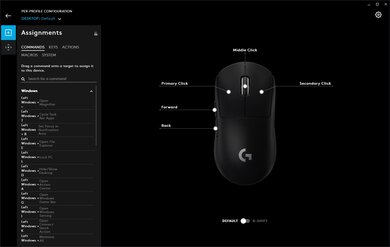
    All six buttons available on the Logitech G203 Prodigy are customizable, which is great. You can also create different profiles inside the software, but the onboard memory of this mouse can only hold a single profile. The CPI switch button only switches between two set CPI sensitivities, which is fewer than most gaming mice that usually let you cycle between a few more settings. You can also set a G-Shift button, which switches the control settings to a different set for as long as you hold this button, increasing the number of different commands you can do.

    8.7
    Click Latency
    See details on graph tool
    Expected Connection
    5.0 ms
    Wired
    5.0 ms
    Receiver
    N/A
    Bluetooth
    N/A

    The click latency is great. Even most competitive gamers won't notice any delay when using this mouse.

    8.4
    CPI
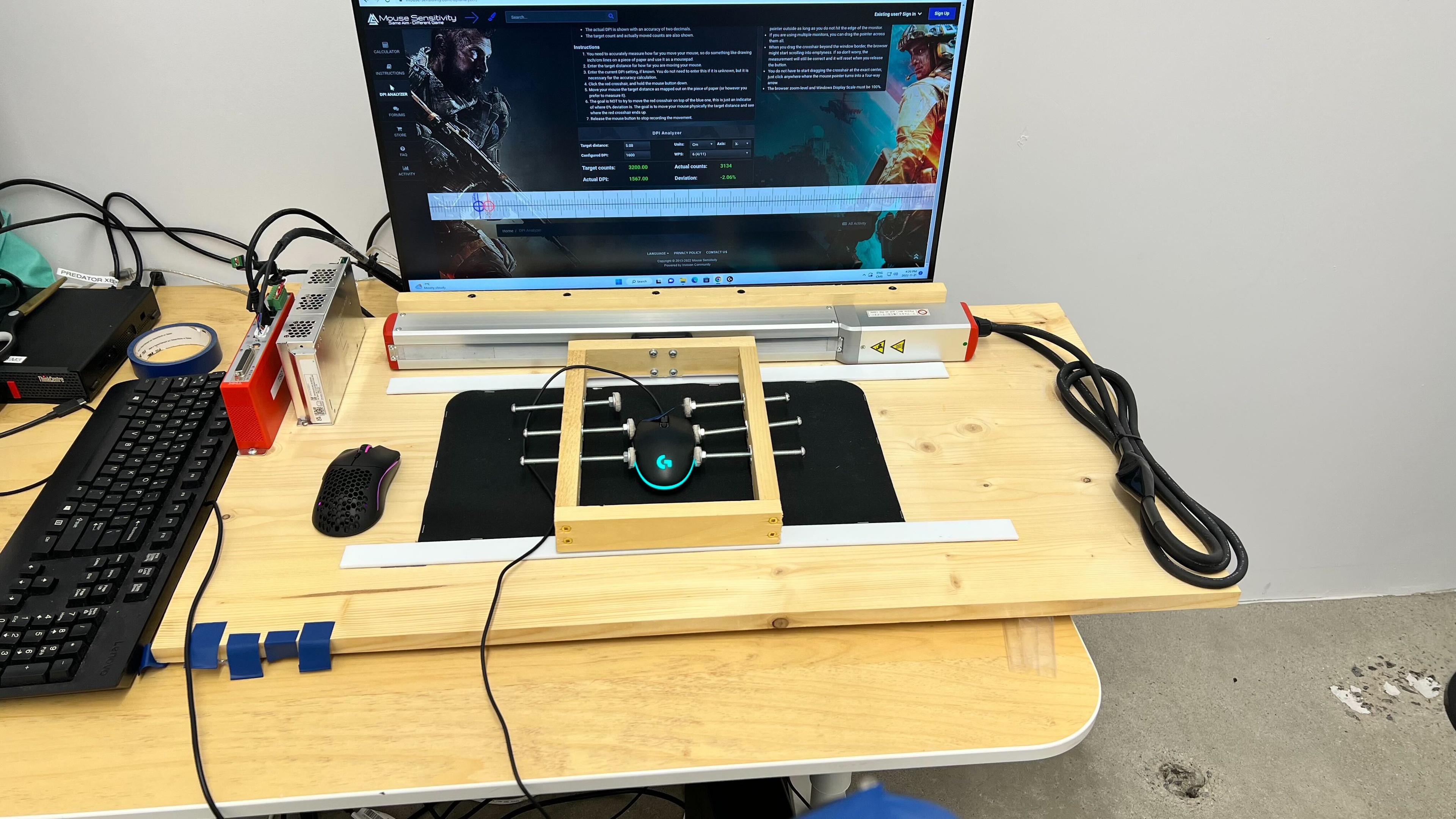
    See details on graph tool
    SRAV @ 1600 CPI
    0.82%
    SRAV @ 800 CPI
    0.79%
    SRAV @ 400 CPI
    0.83%
    SRAV @ Fixed CPI
    N/A
    Precision Error Between Speeds
    0.45%
    Precision Error Between CPI
    0.19%
    Worst Tracking Error
    -3.25%
    Minimum CPI
    200 CPI
    Maximum CPI
    8,000 CPI
    CPI Adjustment Steps
    50 CPI
    Sensor Specifications
    Sensor Technology
    Optical (LED)
    Sensor Model
    Mercury
    Works On Glass
    No
    Minimum Lift Off Distance
    1.2 mm
    Maximum Polling Rate
    1000 Hz
    Mouse Wheel
    Scroll Wheel
    Notched Wheel
    Scroll Wheel Steps
    24 Steps
    Scroll Wheel Tilt
    No
    Thumb Wheel
    No
    Thumb Wheel Steps
    No Thumb Wheel

    The mouse wheel's incremented design offers good feedback for precise scrolling but won't be ideal for fast scrolling through long documents.

    Noise
    Click Noise
    Loud
    Operating System And Software
    10
    Compatible Software Option
    Software NameLogitech G Hub
    Software Windows Compatibility
    Yes
    Software macOS Compatibility
    Yes
    Account Needed
    No
    On-Board Memory
    Yes
    CPI (DPI) Adjustment
    Yes
    Polling Rate Adjustment
    Yes
    Profile Configuration
    Yes
    RGB On/Off
    Yes

    Logitech's G HUB is easy to navigate and offers plenty of customization options for the Logitech G203 Prodigy. While you can't switch profiles directly on the mouse, you can have as many as you want on the software. You can also set a G-Shift button, which triggers a new set of keybindings for as long as you hold that specific button. It also has onboard memory, meaning you won't have to re-download G HUB or reconfigure the mouse when using it on a different computer. There weren't any software issues during testing, but users online have reported various problems trying to use the Logitech G HUB software, including but not limited to startup issues, freezing, and connection issues with some devices. If you'd like to share your experience using Logitech G HUB with this mouse, feel free to leave a comment in the discussions.

    10
    Mouse Compatibility
    Windows CompatibilityFully
    macOS CompatibilityFully

    The Logitech G203 Prodigy works fully on both Windows and macOS since G HUB is available for both operating systems.