Epson EcoTank ET-4760  Printer Review

Review updated Aug 13, 2021 at 01:27pm
Writing modified Aug 04, 2022 at 11:31am
Tested using Methodology v1.0 
Epson EcoTank ET-4760
7.2
Family 
7.9
Small/Home Office 
8.5
Student 
8.2
Black & White 
6.9
Photo 
 0

The Epson EcoTank ET-4760 is an all-in-one printer with a supertank. It has four refillable ink tanks that hold a lot of ink, which minimizes the frequency for refills and results in an incredibly low cost-per-print. While its color accuracy is mediocre and there's a lot of banding present in photos, both should be fine for most casual uses. It has a flatbed scanner, automatic document feeder, and integrated fax, but, unfortunately, it can't automatically scan double-sided sheets. Also, there's no Bluetooth support, but at least there's a variety of wireless and wired connection options.

Our Verdict

7.2
Family 

The Epson ET-4760 is good for families. Its cost-per-print ratio is excellent, and it prints a very large number of copies before you need to refill its ink tanks. It has many wireless connectivity options and a good mobile app, too. However, its photo printing quality is only decent, and it has disappointing color accuracy when printing documents. If you mostly just print things for use around the house, though, this shouldn't be an issue.

Pros
  • Outstandingly low cost-per-print.
  • Remarkably high page yields.
  • Automatic document feeder and flatbed scanner.
  • Adequate photo printing quality.
Cons
  • Can't automatically duplex scan.
  • Poor color accuracy.
  • No Bluetooth support.
  • Build quality is only okay.
7.9
Small/Home Office 

The Epson ET-4760 is great for small or home offices. The ink tanks print a remarkably high number of pages on a full tank of ink, so you don't have to worry about being frequently interrupted by empty ink cartridges. Also, it has a sheetfed scanner with an automatic document feeder, so you can scan multiple documents at once. However, it doesn't support duplex scanning, and the printing speed can be a bit slow for a busy office.

Pros
  • Outstandingly low cost-per-print.
  • Remarkably high page yields.
  • Automatic document feeder and flatbed scanner.
  • Integrated fax feature.
  • Has an Ethernet port.
Cons
  • Can't automatically duplex scan.
  • Build quality is only okay.
8.5
Student 

The Epson ET-4760 is excellent for students. It's remarkably cost-efficient for an inkjet printer thanks to its supertank system, which yields a remarkable number of pages. It doesn't print as quickly as a laser printer, but it's a lot faster than most inkjet printers, which is great when you have a report to hand in at the last minute. Unfortunately, it doesn't support Bluetooth, but on the bright side, it supports both Apple AirPrint and Mopria Print Service.

Pros
  • Outstandingly low cost-per-print.
  • Remarkably high page yields.
  • Automatic document feeder and flatbed scanner.
Cons
  • No Bluetooth support.
  • Build quality is only okay.
8.2
Black & White 

The Epson ET-4760 is impressive for black and white printing. The supertank system holds a lot of ink, resulting in a remarkably high print yield. The black ink replacement bottles don't cost very much, so the cost of black-only printing is outstandingly low. While this printer still prints decently quickly, it's not quite as fast as a monochrome laser printer. It's also a bit of a hassle to refill the ink tanks. That said, it's still a great printer if you only print in black and white.

Pros
  • Outstandingly low cost-per-print.
  • Remarkably high page yields.
  • Automatic document feeder and flatbed scanner.
Cons
  • Can't automatically duplex scan.
  • Build quality is only okay.
6.9
Photo 

The Epson ET-4760 is decent for casual photos. It has acceptable color accuracy, and the photo printing quality is okay for family photos, but there's a lot of banding in gray areas. However, if you choose to print photos, it won't cost you much over time since the printer has a high color page yield, and it doesn't cost much to refill the color ink tanks.

Pros
  • Outstandingly low cost-per-print.
  • Adequate photo printing quality.
Cons
  • Poor color accuracy.
  • Very slow at photo printing.
  • 7.2
    Family
  • 7.9
    Small/Home Office
  • 8.5
    Student
  • 8.2
    Black & White
  • 6.9
    Photo
  • Changelog

    1.  Updated Aug 04, 2022: Added mention of the Epson EcoTank Pro ET-5180 in the 'Scanner' section as an alternative with duplex scanning capability.
    2.  Updated May 27, 2022: This model can print custom sizes. This lets you print on A5 paper, even if that size isn't in the presets, so we changed the A5 result in Printing Size from 'No' to 'Yes'.
    3.  Updated Jan 28, 2022: Reshot and updated the 'In Use Picture'.
    4.  Updated Jan 05, 2022: Fixed error with Max Paper Weight test result.

    Check Price

    Differences Between Sizes And Variants

    The Epson EcoTank ET-4760 has no variants. However, the Epson EcoTank ET-3760 is nearly identical, but it doesn't have an integrated fax, and its display isn't a touch screen.

    Popular Printer Comparisons

    The Epson EcoTank ET-4760 is a very good overall printer that should please most people. Like most supertank models, it has an extremely high page yield and remarkably low cost-per-print, although it isn't as good as the Epson EcoTank ET-2760. It has an integrated fax feature and an ADF that can scan legal-size sheets, but, unfortunately, it can't automatically scan double-sided sheets, so you need to flip over each page yourself.

    For other options, see our recommendations for the best inkjet printers, the best printers with cheap ink, and the best wireless printers.

    Epson EcoTank ET-4800

    The Epson EcoTank ET-4760 and the Epson EcoTank ET-4800 are similar supertank printers, but the ET-4760 is better for home office use overall. The ET-4760 has a larger display screen with no keypad, and it prints more pages before its tank starts running low. It scans and prints faster, and it can print double-sided sheets automatically. On the other hand, the ET-4800 is a better choice if you print a lot of photos for crafts or home decor since its photo printing quality and color accuracy are much better.

    Epson Expression ET-2750

    The Epson Expression ET-2750 and the Epson EcoTank ET-4760 are all-in-one color inkjet printers with supertank ink systems that give them exceptionally high page yields. However, the ET-4760 is better for small or home offices, as it has an automatic document feeder, a fax feature, much faster printing speeds, and more accurate-looking colors, and has a slightly better color document and photo cost-per-print. On the other hand, the ET-2750 produces better-quality photos, aside from the poor color accuracy.

    HP Smart Tank Plus 551

    The Epson EcoTank ET-4760 is a better overall printer than the HP Smart Tank Plus 551. While both printers use a supertank system with outstandingly high yields, the Epson can yield slightly more pages using its black ink tank. Also, the Epson has an automatic document feeder as well as an integrated fax feature, and it's quicker at printing out black-text as well as color documents. It has an ethernet port too, and a better companion app for printing, scanning, and copying directly from your smartphone. Conversely, the HP has better color accuracy, it can yield more color pages, and its cost-per-print for color documents as well as photos is slightly lower, although both printers have very low cost-per-prints.

    Canon PIXMA G6020

    The Epson EcoTank ET-4760 is an overall better all-in-one color inkjet printer with a supertank than the Canon PIXMA G6020. The Epson yields far more black pages, prints documents much more quickly, and produces more accurate colors. Also, it has an automatic document feeder, and it can fax. On the other hand, the Canon yields much more color pages at a cheaper cost-per-print, and it prints photos much faster and with significantly better quality.

    Canon imageCLASS MF242dw

    The Epson EcoTank ET-4760 is an inkjet printer, while the Canon imageCLASS MF242DW is a monochrome laser printer. However, the Epson performs better overall. The Epson produces significantly more pages thanks to its supertank cartridge system, and it can print in color, so it has better photo quality. It also produces higher-quality black and white documents, as the Canon's prints look faded with lots of artifacts. The Epson's scanner has a higher scan resolution, and it has an automatic document feeder, which the Canon lacks. On the other hand, the Canon has a much faster print speed, and it doesn't require as much upkeep.

    Epson WorkForce ST-M1000

    The Epson ET-4760 is an all-in-one color printer, while the Epson WorkForce ST-M1000 is a monochrome printer-only model. While both are supertank printers, the ET-4760 yields significantly more pages. Also, it has a flatbed scanner, an automatic document feeder, and a fax feature, making it better for a wider range of uses. On the other hand, the ST-M1000 takes less time to warm up and print the first page. It's a good option if you're looking for a straightforward model to only print in black and white.

    Epson EcoTank Pro ET-5850

    The Epson EcoTank Pro ET-5850 and the Epson EcoTank ET-4760 are all-in-one color inkjet printers with supertanks. However, the ET-5850 is better for small or home offices, with a much larger input tray capacity, a significantly faster printing speed, and support for automatic double-sided scanning. It also prints nicer-looking photos with much more accurate colors. On the other hand, the ET-4760 has much better page yields and cost-per-print.

    Canon MAXIFY GX7020

    The Canon MAXIFY GX7020 and the Epson EcoTank ET-4760 are all-in-one color inkjet printers with supertanks for incredibly high page yields and superbly low cost-per-prints. The Canon is a much better printer overall, with a higher color page yield, faster overall printing speed, and better-looking photos with much more accurate colors. Its automatic document feeder can duplex scan, and it can print directly from USB flash drives. On the other hand, the Epson has a higher black page yield and a better cost-per-print.

    Epson Expression Premium ET-7750 EcoTank

    The Epson EcoTank ET-4760 is better than the Epson Expression Premium ET-7750 EcoTank. The ET-4760 has an automatic document feeder, a lower-cost-per-print, and a larger input tray. However, the ET-7750 yields more black-only pages, and it has better photo quality and color accuracy.

    HP LaserJet Enterprise M507dn

    For most uses, the Epson EcoTank ET-4760 is a better printer than the HP LaserJet Enterprise M507dn. The Epson is more versatile since it's an inkjet printer that can also print in color. It also comes with a scanner that has an automatic document feeder, and it has much wider connectivity options. Surprisingly, the Epson has a higher black page yield, but it comes nowhere near the HP when it comes to printing speed.

    Epson EcoTank ET-4700

    The Epson EcoTank ET-4760 and the Epson EcoTank ET-4700 are both very good supertank printers, but the ET-4760 is slightly better. The ET-4760 has a higher page yield with a lower cost-per-print, a faster printing speed, and slightly better color accuracy. The ET-4700 has marginally better photo quality, but it isn't worth buying for this reason alone.

    Epson EcoTank ET-3760

    The Epson EcoTank ET-4760 and Epson EcoTank ET-3760 are almost identical supertank printers in terms of looks and performance. While they have extremely slight differences between them, the ET-4760 has an integrated fax feature which the ET-3760 lacks. Otherwise, both printers are well-suited for a variety of needs.

    Brother MFC-J805DW INKvestment Tank

    The Brother MFC-J805DW INKvestment Tank and the Epson EcoTank ET-4760 are both all-in-one color inkjet printers, but the Epson is a better small or home office unit which uses a supertank ink system for a significantly better cost-per-print and page yields. It also prints more quickly overall, produces more accurate-looking colors, and it has an Ethernet port. On the other hand, the Brother produces photos with more vibrant colors and better details.

    Epson EcoTank ET-2720

    The Epson EcoTank ET-2720 and the Epson EcoTank ET-4760 are both good family printers, but the ET-4760 is better overall. The ET-4760 has a higher page yield at a slightly lower cost-per-print, a sheetfed scanner, a faster printing speed, and an Ethernet port. On the other hand, the ET-2720 can produce a slightly wider range of colors. 

    Brother MFC-J995DW

    The Brother MFC-J995DW is better overall than the Epson EcoTank ET-4760. Even though the Brother uses a cartridge system instead of the supertank system found on the Epson, it has high color and black page yield, although the Epson's is still higher. The Brother also has better color accuracy, much better photo printing quality, and a better display screen. However, the Epson has a lower cost-per-print since the ink bottles cost less.

    Brother MFC-L3770CDW Laser

    The Brother MFC-L3770CDW Laser and the Epson EcoTank ET-4760 are both all-in-one color printers, but the Brother uses laser technology and is better for small or home offices, while the Epson is an inkjet that uses a supertank ink system for far superior page yields, and which is better for families and students. The Brother prints significantly faster and has an automatic document feeder that can duplex scan. On the other hand, the Epson produces better-looking photos, though they still look just okay.

    Epson EcoTank ET-2760

    The Epson EcoTank ET-4760 and the Epson EcoTank ET-2760 are both good family printers, but the ET-4760 is better overall. The ET-4760 has an automatic document feeder, a faster printing speed, and an Ethernet port. On the other hand, the ET-2760 yields more pages at a slightly lower cost-per-print, and it also supports printing off a USB thumb drive.

    Canon PIXMA G7020

    The Epson EcoTank ET-4760 and the Canon PIXMA G7020 are both very good supertank printers. The Epson is better for office use thanks to its higher black page yield, lower black document cost-per-print, and faster printing speed. The Canon is better for photos because of its higher color page yield, lower cost-per-print for photos, and nicer image printing quality.

    Test Results

    perceptual testing image
    Sort:
    RATINGS
    Category:
    All
    Design
    6.5
    Build Quality
    TypeAll in One

    The Epson EcoTank ET-4760's build quality and design are okay. It comes with a removable power cord, which makes it easy to replace in case it gets damaged. There's good access to paper jams from the rear and from below the scanner bay. The scanner lid stays up on its own so you don't need to hold it in place, and the scanner lid's hinges can raise high enough to scan a magazine or thin book; however, they don't lift high enough for a thick textbook. Accessing the ink tanks takes a bit more effort since you need to lift the entire scanner flatbed. While the body has a sturdy feel, the automatic document feeder tray feels thin and flimsy.

    Dimensions
    Height9.1" (23.1 cm)
    Width14.8" (37.6 cm)
    Depth13.7" (34.8 cm)
    Height When In Use
    10.0" (25.5 cm)
    Width When In Use
    14.8" (37.6 cm)
    Depth When In Use
    21.7" (55.0 cm)
    Weight
    15.9 lbs (7.2 kg)

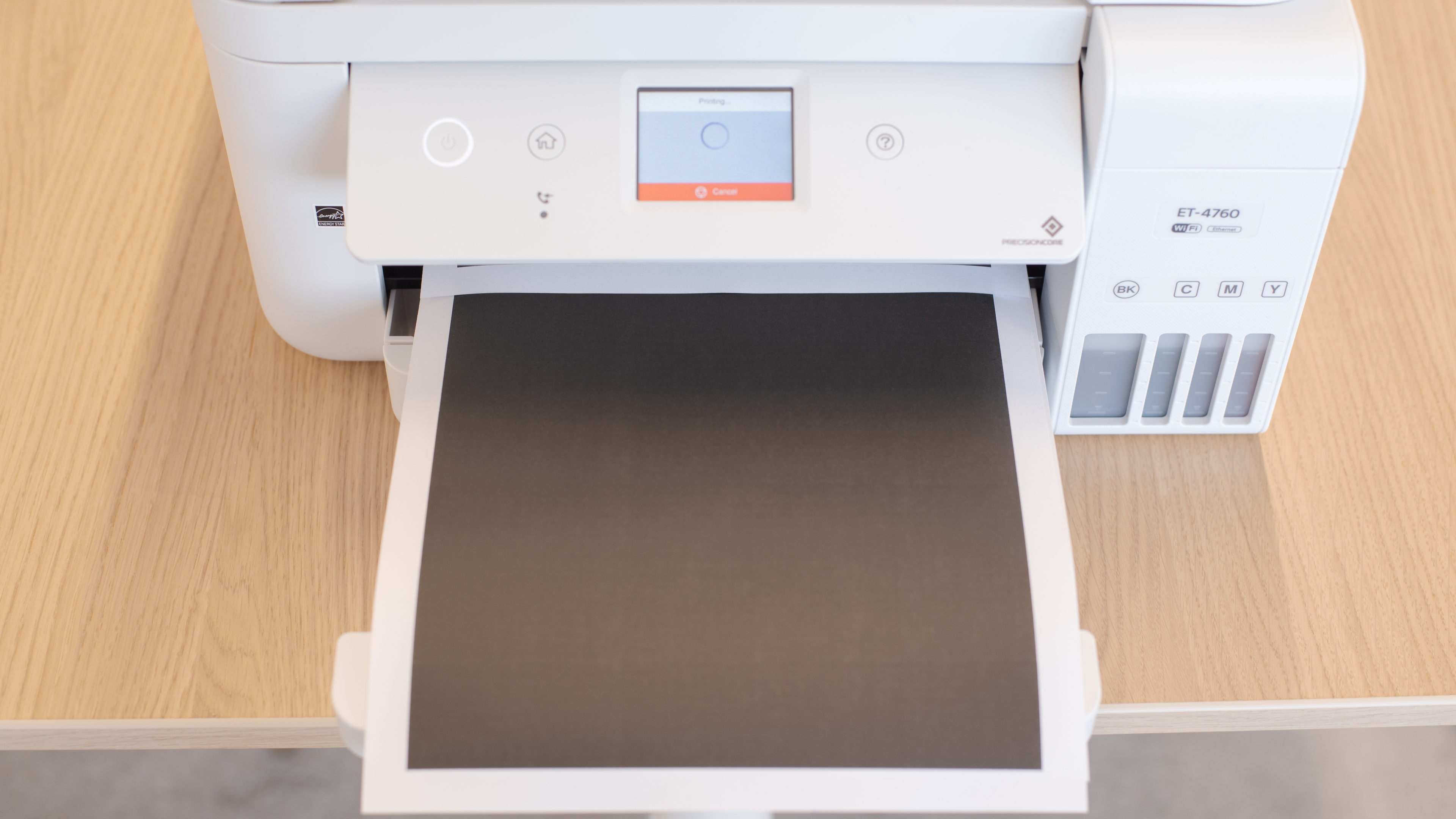
    Update 01/28/2022: We reshot our 'In Use Picture' since the initial one didn't have the input tray's cover opened.

    6.0
    Expected Maintenance
    Ink Related Maintenance
    Expected
    Drum Unit
    No Drum Unit
    6.5
    Display Screen
    Display ScreenYes
    Display Screen Size
    2.3" (5.9 cm)
    TouchscreenYes

    The Epson EcoTank ET-4760's display is okay. The screen itself is touch-sensitive, and there are two physical buttons on the control panel to quickly access the home and help menus. The screen isn't super clear, but it's still easy enough to use if you're looking at it directly. The control panel also tilts up and down to improve visibility whether you're seated or standing. However, it's hard to see the screen from the side, and there's some lag when navigating the menu.

    10
    Cartridge
    Photo Cartridge
    No
    TechnologyInkjet
    Number Of Color Cartridges
    3
    Black Cartridge Model
    T502 Black
    ColorYes
    Tested Black Page Yield
    344.27 prints
    SuperTank
    Yes
    Estimated Black Page Yield
    6,541 prints
    Color Cartridge Model
    T502 Multi-Color
    Tested Color Page Yield
    219.24 prints
    Estimated Color Page Yield
    4,665 prints
    Third Party Cartridge
    No Cartridges
    Ink Type
    Dye And Pigment
    High Yield Cartridge
    No Cartridge

    The Epson EcoTank ET-4760 has an outstanding supertank ink system. Instead of using traditional disposable cartridges, it has four high-capacity ink tanks that you refill yourself. They hold a lot of ink and last a remarkably long time. Even if you print frequently, you won't need to refill the tanks often, let alone buy new bottles of ink. If you're looking for a similar printer that has higher black page yields, check out the Epson EcoTank ET-3850.

    While you can technically fill the tanks with any third-party ink, we didn't try it and don't recommend doing so. Low-quality ink could damage the print heads, and, unlike standard inkjet printers, the ink can't be simply removed if there's a problem. Using third-party supplies could also void your warranty.

    7.2
    Scanner Features
    Scanner
    Yes
    Scan Flatbed
    Yes
    Flatbed Extendable Hinges
    0.36" (9 mm)
    Automatic Document Feeder
    Yes
    ADF Capacity
    30 pages
    Scan Speed
    4 PPM
    Duplex Scanning
    No
    Flatbed Scan Size
    8.5" x 11"
    Fax
    Yes
    Copy
    Yes
    OCR Included
    Yes (Software)

    The Epson EcoTank ET-4760 has decent scanner features. There's both a flatbed scanner and an automatic document feeder, but unfortunately, it doesn't support automatic duplex scanning, so you need to manually flip over each page of a double-sided document. Unlike the Epson EcoTank ET-2720, we couldn't manage to successfully save scanned sheets directly as searchable PDF files, instead requiring us to scan as PDF first before saving it as a searchable PDF using the Epson Scan 2 computer software. If you need a similar supertank printer with duplex scanning capability, check out the Epson EcoTank Pro ET-5180.

    9.0
    Scanning Resolution And Color Depth
    Max Scan Resolution
    1,200 DPI
    Max Scan Color Depth
    24 Bit
    Printing Size
    Letter (8.5" x 11")Yes
    Legal (8.5" x 14")Yes
    Tabloid (11" x 17")No
    A6 (105mm x 148mm)Yes
    A5 (148mm x 210mm)Yes
    A4 (210mm x 297mm)Yes
    Photo (2" x 3")No
    Photo (4" x 6")Yes
    Photo (5" x 7")Yes
    Photo (8" x 10")Yes
    Max Paper Weight
    297 g/m²

    The Epson ET-4760 has width sliders in its input tray to adjust to a variety of paper sizes. Along with the preset sizes, you can also print user-defined sizes from 3.5" x 5" to 8.5" x 47". This lets you print on A5-sized paper if you set the measurements manually. If you want a similar printer that supports tabloid-size paper, check out the Epson EcoTank ET-15000.

    In The Box

    • User manual
    • Epson EcoTank 502 ink bottles
      • 1x Yellow
      • 1x Cyan
      • 1x Magenta
      • 1x Black
    • Power cable
    Battery
    Advertised Battery Life
    N/A
    Tested Charging Time
    N/A
    Document
    10
    Cost-Per-Print
    See details on graph tool
    Black Cartridge Price
    19.99 US$
    Color Cartridge Price
    38.95 US$
    Black Only Printing
    0.003 US$/print
    Color Printing
    0.008 US$/print
    Photo Printing
    0.022 US$/print
    Ink Subscription
    No

    The Epson ET-4760's cost-per-print is remarkably low. The ink bottles are relatively inexpensive, and this printer gets a lot of use out of them. Even if you print a lot of pages frequently, it takes quite some time before the cost of ink puts a significant dent in your wallet.

    Keep in mind that even if you print only in black, most inkjet printers continue using color ink for servicing tasks, so you'll likely still need to refill the tanks eventually.

    7.5
    Printing Speed
    Black Only Text Document
    15 PPM
    Color Document
    7 PPM
    Photo Printing Time
    89.0 s
    Single Page Out Time (Black Only)
    10.0 s
    Duplex Printing
    Automatic
    Input Tray Capacity
    250 pages

    The Epson ET-4760 has a good printing speed. It's somewhat fast at printing out its first black text page, and subsequent pages get faster from there. However, it's quite slow at printing color documents and very slow at printing photos.

    Document Sample
    Color Ink Needed for Black & White
    Yes
    Photo
    7.0
    Photo Printing Quality
    Borderless Printing
    Yes

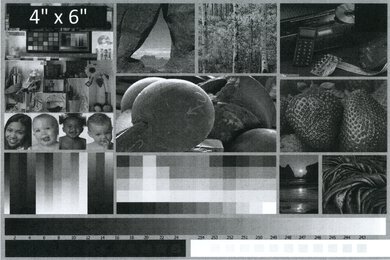
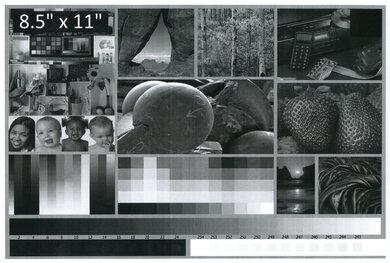
    Photo printing quality on the Epson ET-4760 is just okay. While there's good precision in the details, the colors have a flat tone. The yellow, in particular, isn't very vibrant, and there is banding present in the grayscale. If you want a printer that produces better-looking photos, consider the Epson EcoTank Pro ET-5850 or the Brother MFC-J995DW.

    We base these results on the actual physical photo, not the scanned image provided for reference above, which may not represent the printer's photo print quality.

    4.3
    Color Accuracy
    Average Color dE
    10.95

    The Epson EcoTank ET-4760 has poor color accuracy. There's a noticeable blue tint in the grayscale, which results in an overall bluish image noticeable in both everyday and professional prints. Images will look different from the way you might expect.

    8.0
    Color Gamut
    Mobile App And Connectivity
    8.0
    Connectivity
    Ethernet
    Yes
    USB Input To Computer
    Yes
    WirelessYes
    Bluetooth
    No
    Wi-Fi via Router
    Yes
    Wi-Fi Direct
    Yes
    External Storage Support
    No
    Apple AirPrint
    Yes
    Mopria Print Service
    Yes
    10
    Mobile App
    Mobile AppYes
    App NameEpson iPrint
    iOSYes
    AndroidYes
    Photo (JPEG, PNG)
    Android and iOS
    PDF
    Android and iOS
    Microsoft Office Files
    Android Only
    Text Files (TXT)
    Android Only
    Webpages (HTML)
    Android Only

    The Epson ET-4760 uses the Epson iPrint app, from where you can print, scan, and copy directly from the app, perform maintenance tasks like firmware updates or printhead cleaning, and check the ink levels. While it doesn't print .txt files natively, it converts them to PDF first through Google Drive, so you can still print .txt files from the app.

    OS Compatibility
    WindowsFully
    macOSFully
    Chrome OSFully