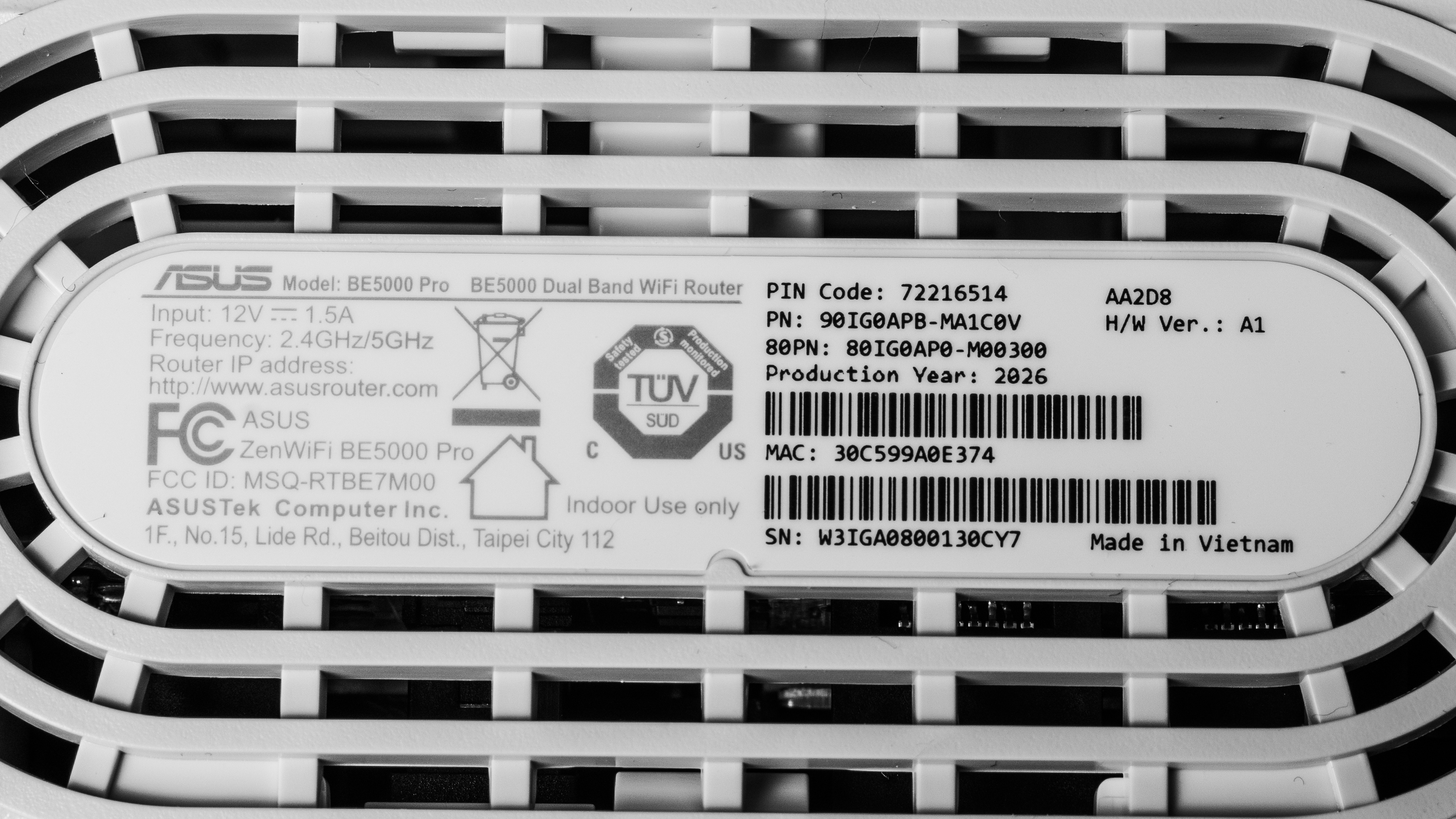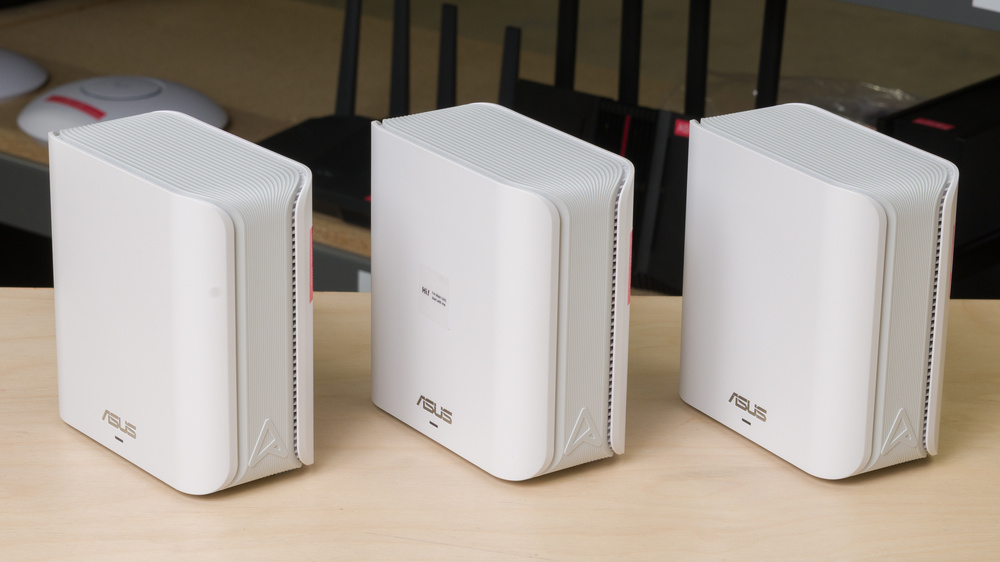
The ASUS ZenWiFi BE5000 Pro is a dual-band Wi-Fi 7 mesh system with 2.4GHz and 5GHz bands. It's a variant of the ASUS ZenWiFi BD5, with the only apparent differences being that it's only available as a three-pack at Best Buy. Each unit has two 2.5Gbps Ethernet ports, and the system is compatible with ASUS' AiMesh, so you can add any compatible router to your network. We tested this system in a dual-node configuration.
Our Verdict
The ASUS ZenWiFi BD5 is great for apartments and condos. In our two-node setup, it delivers fast downloads and enough speed for several people to stream 4K video or take video calls, even when far from a node. Its compact units are easy to place. It lacks a 6GHz band for compatible devices, which can help devices reach higher speeds in congested environments, and each unit has only two Ethernet ports.
Great close-range speeds suitable for a gigabit internet connection.
Impressive range suitable for large homes; can add additional access points to further improve range.
Two 2.5Gbps Ethernet ports per node.
No 6GHz band.
The ASUS ZenWiFi BD5 is great for multi-level homes. It maintains fast speeds at longer indoor distances, making it well-suited to a large household streaming video, taking calls, and downloading large files in different rooms. You can add compatible units to better reach areas with a weak signal. That said, it's a dual-band system that lacks a 6GHz band, so there's less bandwidth for the mesh units to work with, and any compatible devices you may have can't take advantage of its faster speeds and lower interference.
Great close-range speeds suitable for a gigabit internet connection.
Impressive range suitable for large homes; can add additional access points to further improve range.
Two 2.5Gbps Ethernet ports per node.
No 6GHz band.
The ASUS ZenWiFi BD5 is decent for gaming over Wi-Fi. Its fast speeds help with game downloads, and latency through the main router is fine for casual play. Like all wireless mesh systems, delay is higher and less consistent through satellite nodes, making a wired connection the better choice for competitive games.
Great close-range speeds suitable for a gigabit internet connection.
Impressive range suitable for large homes; can add additional access points to further improve range.
Acceptable wireless latency for web browsing and non-competitive gaming.
Latency is unsuitable for competitive gaming over Wi-Fi.
No 6GHz band.
The ASUS ZenWiFi BD5 delivers great speeds, making it a good fit for a gigabit internet connection and busy households. It doesn't support 6GHz, so compatible devices won't be able to take advantage of the band's faster speeds and lower latency.
Great close-range speeds suitable for a gigabit internet connection.
No 6GHz band.
The ASUS ZenWiFi BD5 has great range. It maintains useful speeds farther from the router, and adding compatible units can extend coverage where needed. As with any mesh system, placement and the materials in your home will affect the result.
Impressive range suitable for large homes; can add additional access points to further improve range.
No 6GHz band.
The ASUS ZenWiFi BD5 has okay wireless latency. Browsing, video calls, and casual games work well, but occasional latency spikes make it unsuitable for online competitive gaming. As with all wireless mesh systems, latency increases when you connect through a satellite node.
Acceptable wireless latency for web browsing and non-competitive gaming.
Latency is unsuitable for competitive gaming over Wi-Fi.
Check Price
Differences Between Sizes And Variants
The ASUS ZenWiFi BE5000 Pro that we bought and tested is a Best Buy variant of the ASUS ZenWiFi BD5. The only apparent differences between the two, beyond retailer availability, are that the BD5 is available in a one-, two-, or three-pack, while the BE5000 Pro only comes in a three-pack.
Popular Router Comparisons
The ASUS ZenWiFi BE5000 Pro/ZenWiFi BD5 sits below higher-end ZenWiFi systems, like the ASUS ZenWiFi BT10 and ASUS ZenWiFi BQ16 Pro. All three support Wi-Fi 7, but the BT10 and BQ16 Pro also offer 6GHz connectivity and faster 10Gbps Ethernet ports compared to the BE5000 Pro's dual-band design and 2.5Gbps Ethernet ports.
Its closest competitors include the TP-Link Deco 7 BE25, eero 7, and NETGEAR Orbi 370. All are dual-band Wi-Fi 7 mesh systems with 2.5Gbps ports. ASUS's broad range of network settings and AiMesh compatibility make it appealing if you want more control or already own compatible ASUS hardware. If you need a 6GHz connection for your devices, look at a tri-band mesh system instead.
For more options, see our picks for the best mesh Wi-Fi systems, best Wi-Fi 7 routers, and best routers for large homes.
The ASUS ZenWiFi BE5000 Pro and the ASUS ZenWiFi BT10 are both Wi-Fi 7 mesh systems with AiMesh support. The BT10 adds a 6GHz band, delivers faster top speeds, and has two 10Gbps Ethernet ports and a 1Gbps port per unit, while the BE5000 Pro has two 2.5Gbps ports. Both have great range, but the BT10 is better suited to multi-gigabit internet and devices that support 6GHz.
The ASUS ZenWiFi BE5000 Pro and the TP-Link Deco 7 BE25 are both dual-band Wi-Fi 7 mesh systems with two 2.5Gbps Ethernet ports per unit. Both deliver great speeds, but the ASUS has better range and offers more network settings, including VPN options. The Deco offers a straightforward app-based setup, though some advanced parental controls require a subscription.
The ASUS ZenWiFi BE5000 Pro and the eero Pro 7 are both Wi-Fi 7 mesh systems, but the eero adds a 6GHz band and has two 5Gbps Ethernet ports per unit. It delivers faster top speeds, while the ASUS has strong 5GHz speed and range, and offers more network settings without a recurring subscription. The eero has built-in Thread, Matter, and Zigbee support, but several of its software features require an eero+ subscription.
The ASUS ZenWiFi BE5000 Pro and the eero 7 are both dual-band Wi-Fi 7 mesh systems with two 2.5Gbps Ethernet ports per unit. The ASUS delivers better speed and range, more network settings without paying for a recurring subscription, and the option to expand with compatible AiMesh hardware. The eero offers built-in Thread, Matter, and Zigbee smart-home support, but several of its software features require an eero+ subscription.
Test Results
for pictures & test results
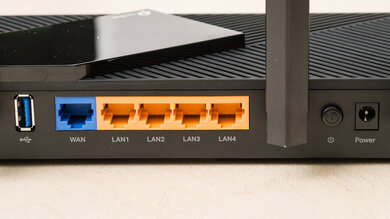
for pictures & test results
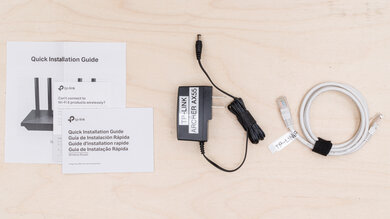
- 3 power adapters
- Ethernet cable
- User documentation
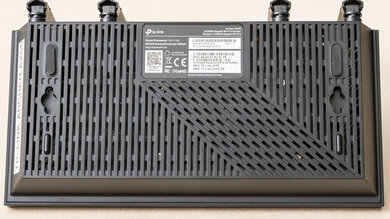
for pictures & test results
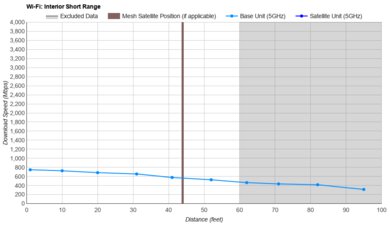
for pictures & test results
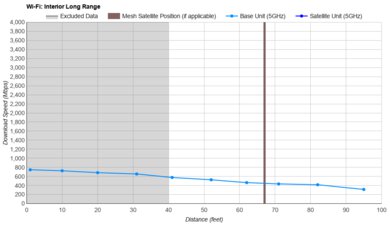
Our above results are with the mesh system in a dual-node configuration. We also tested it with three mesh nodes active and found that speeds were slightly slower across the board. This is expected; the system must dedicate more bandwidth to connecting the nodes to each other, leaving less bandwidth for connected devices. Using more nodes can still be helpful depending on the size and layout of your home.
for pictures & test results
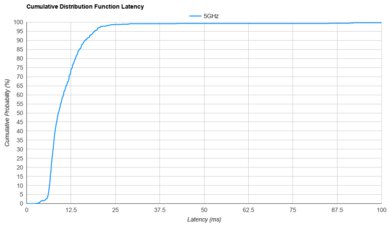
The main router's latency is generally consistent with similar mesh routers we've tested, making it suitable for general browsing, streaming, and calling.
for pictures & test results
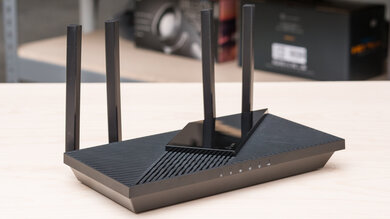
Latency and jitter remain reasonable when connected through a satellite access point, with results in line with other mesh Wi-Fi systems.
for pictures & test results
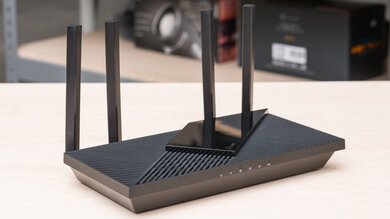
This router uses alternating Multi-Link Operation (MLO), which is a limited implementation of the technology that establishes a connection with clients on one band at a time. For more information, read our article on the topic.