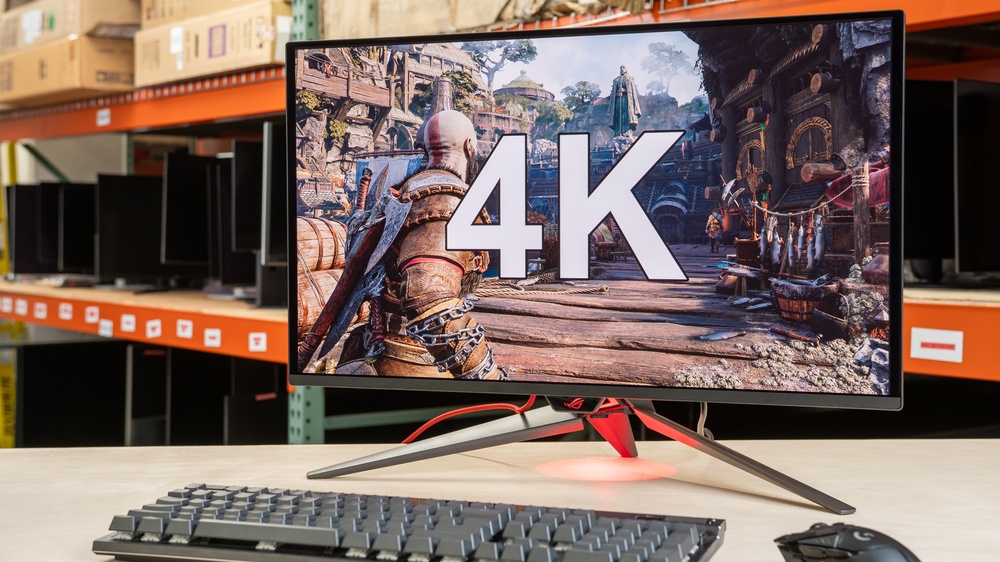
A 4k monitor is a great choice for an immersive gaming experience with detailed and sharp images. There are plenty of options to choose from at different price points, including for those on a tight budget. However, many cheap, entry-level 4k models usually have limited gaming performance or picture quality. So, it's better to spend more on a dedicated 4k gaming monitor if you want the best performance; otherwise, an entry-level model at a lower cost is usually good enough for most gamers.
There are a few factors to think about when looking for a 4k gaming monitor. It's important to consider its response time for crisp motion and low input lag for playing reaction-based games, which most have anyway. For the best gaming experience, you'll want something with HDMI and DisplayPort 2.1 bandwidth to take full advantage of the latest graphics cards or gaming consoles. Although it's hard for computers to maintain high frame rates with this resolution, there are models available with high refresh rates, like up to 240Hz. Lastly, displays with high contrast and bright highlights also help improve your gaming experience with good HDR picture quality.
We've bought and tested more than 415 monitors, and below are our picks for the best 4k gaming monitors. Also, see our recommendations for the best monitors for Xbox Series X, the best monitors for PS5/PS5 Pro, the best monitors for the Nintendo Switch 2, and the best 4k 144Hz monitors.
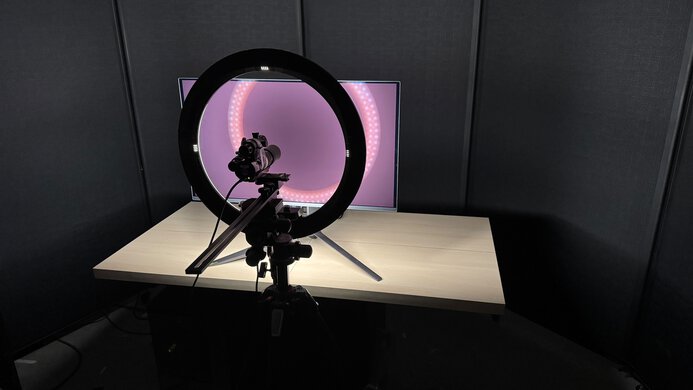
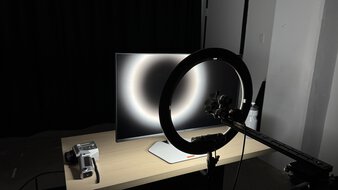
We buy and test more than 30 monitors each year, all of which we purchase ourselves, without cherry-picked units or samples. We put a lot into each unbiased, straight-to-the-point review, and there's a whole process from purchasing to publishing, involving multiple teams and people. We do more than just use the monitor for a week; we use specialized, custom tools to measure various aspects and deliver objective, data-driven results. We also consider multiple factors before making any recommendations, including the monitor's cost, its performance compared to the competition, and whether it's easy to find.
-
Best 4k Gaming Monitor
 PC GamingConsole GamingResponse TimeHDR PictureSDR PictureBrightnessSize32"Panel TypeOLEDSub-TypeQD-OLEDMax Refresh Rate240 HzSee all our test resultsNative Resolution3840 x 2160
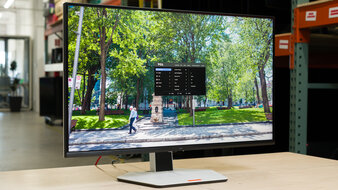
The best 4k gaming monitor we've tested is the ASUS ROG Swift OLED PG32UCDM Gen3. It's exceptional for gaming while offering incredible picture quality. It has a near-instantaneous response time for sharp motion, and its 240Hz refresh rate is high enough for most gamers, providing a smooth feel. Plus, it supports both HDMI and DisplayPort 2.1 bandwidth, which is useful if you have a modern graphics card that can take full advantage of either port. This also means it can make full use of the PS5, PS5 Pro, and Xbox Series X|S, and it even supports Dolby Vision with an Xbox. Plus, it has a few extra features that make it well-rounded, like a USB hub and a KVM switch, which is ideal for connecting multiple devices or computers.
Besides that, its QD-OLED panel displays deep and inky blacks in dark rooms, makes small highlights pop, and has vivid colors, so it's a fantastic choice for HDR gaming. Despite its glossy coating maintaining lower black levels in bright rooms than older QD-OLEDs, blacks still look gray in ambient lighting. You can consider the ASUS ROG Strix OLED XG32UCWMG if you want a 4k, 240Hz OLED with better black levels in well-lit rooms. It also has a dual-mode feature to boost it to 1080p at 480Hz. However, colors aren't as vivid as on the PG32UCDM Gen3, and it lacks DisplayPort 2.1 bandwidth.
-
Best Upper Mid-Range 4k Gaming Monitor
PC GamingConsole GamingResponse TimeHDR PictureSDR PictureBrightnessSize32"Panel TypeOLEDSub-TypeWOLEDMax Refresh Rate480 HzSee all our test resultsNative Resolution3840 x 2160Should you want a high-end model that's cheaper than the ASUS ROG Swift OLED PG32UCDM Gen3, the LG 32GX870B-B is a great alternative. While it also has a native 240Hz refresh rate and offers the same sharp motion, this monitor actually has a slight advantage for competitive PC gamers. This is because it has a dual-mode feature to boost it to a 480Hz refresh rate with a lower 1080p resolution, so it's more versatile for playing different types of games. Plus, like the ASUS, it has high-bandwidth video inputs to take advantage of the latest gaming consoles and graphics cards. Besides that, it has the same sharp motion as the ASUS, with almost no blur behind fast-moving objects.
While the LG has the advantage in gaming features, it takes a step back in terms of picture quality. It uses a Tandem WOLED panel whose colors aren't as vivid as on the ASUS, so HDR games are missing a bit of punch. It isn't as bright as the ASUS, either, but it still fights glare well and has excellent reflection handling, so visibility isn't an issue in most bright rooms. A plus is that it keeps lower black levels in a well-lit environment, so it displays deep and inky blacks no matter where you use it.
-
Best Mid-Range 4k Gaming Monitor
PC GamingConsole GamingResponse TimeHDR PictureSDR PictureBrightnessSize32"Panel TypeLCDSub-TypeVAMax Refresh Rate165 HzSee all our test resultsNative Resolution3840 x 2160If you don't have the budget for an OLED, there are some options with great value in the mid-range price category, like the TCL 32R84. It's different from the ASUS ROG Swift OLED PG32UCDM Gen3 or the LG 32GX870B-B because it doesn't have an OLED panel, so it doesn't deliver the same deep blacks and has no haloing around bright objects. However, this is what you have to expect from something cheaper. It instead has Mini LED backlighting that allows the monitor to get much brighter, making it the better choice for well-lit rooms. It also has a local dimming feature to improve black levels in dark scenes, but it has some flickering in dark scenes and haloing around bright objects against dark backgrounds, so its picture quality is worse overall than on the LG.
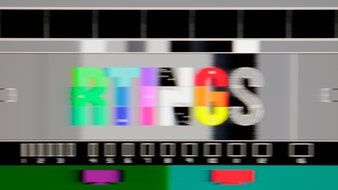
In terms of gaming features, it supports HDMI 2.1 bandwidth to take advantage of gaming consoles. However, it doesn't have DisplayPort 2.1 bandwidth like the LG, which is a downside if you have a DisplayPort 2.1 graphics card. While its response time is fast enough for playing action games, as it minimizes blur with fast objects, it has black smearing that's distracting in dark action scenes. It's fine for playing action games with brighter content, though.
-
Best Lower Mid-Range 4k Gaming Monitor
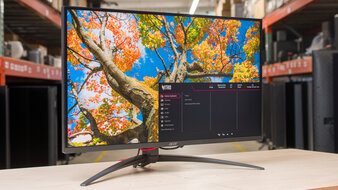
PC GamingConsole GamingResponse TimeHDR PictureSDR PictureBrightnessSize27"Panel TypeLCDSub-TypeIPSMax Refresh Rate320 HzSee all our test resultsNative Resolution3840 x 2160Should you want something cheaper without necessarily getting into budget-friendly picks, the Acer Nitro XV275K P5biipruzx offers great value, especially when you can find it on sale. Like the TCL 32R84, it's another Mini LED option, but there are a few downsides to gaming with it in HDR. It has a lower native contrast ratio, so it doesn't have the same deep blacks, and its local dimming feature is less effective at improving the picture quality in dark scenes. It has more haloing around bright objects against dark backgrounds, and it even loses details in dark scenes, but it still deepens blacks in dark content. However, you can only use this local dimming in HDR. It has a low native contrast ratio, blacks look gray, and highlights don't pop when gaming in SDR without local dimming.
Fortunately, the Acer has some advantages when it comes to gaming. Alongside having a native 160Hz refresh rate, it also has a dual-mode feature to boost it to 320Hz with a lower 1080p resolution, which is useful for playing different types of games. While it has a slower response time that results in more motion blur, it at least doesn't have black smearing in dark scenes. Lastly, like the TCL, it also comes with HDMI 2.1 bandwidth to make full use of gaming consoles.
-
Best Budget 4k Gaming Monitor
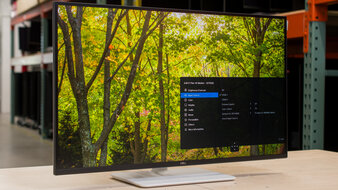
PC GamingConsole GamingResponse TimeHDR PictureSDR PictureBrightnessSize27"Panel TypeLCDSub-TypeIPSMax Refresh Rate120 HzSee all our test resultsNative Resolution3840 x 2160If you want the best budget 4k gaming monitor, check out the Dell S2725QS. It's an entry-level 4k monitor that's mainly designed for productivity, but it also has gaming features. It differs from the Acer Nitro XV275K P5biipruzx in a few ways, as it doesn't feature Mini LED backlighting. Without local dimming and combined with its lower overall contrast ratio, blacks look gray in dark rooms, and highlights don't pop, particularly in HDR. It also has a lower 120Hz refresh rate without a dual-mode feature, so gaming doesn't feel as smooth. Sadly, it has much worse motion handling than the Acer, so there's blur behind fast-moving objects, which you may notice when playing fast-paced games.
Despite this, it's one of the better entry-level 4k options for gaming because its HDMI 2.1 bandwidth and 120Hz refresh rate make it well-suited to modern gaming consoles, especially if you play slower-paced games. It also supports all common VRR formats and has low input lag that's ideal for playing reaction-based games. However, it's otherwise limited in perks, as it doesn't even have an audio jack or a USB hub. You can also check out the Dell S2725QC if you want something similar with a USB hub, but it usually costs more than the S2725QS.











Notable Mentions
-
Samsung Odyssey OLED G80SH S32HG802S:
The Samsung Odyssey OLED G80SH S32HG802S is a 4k, 240Hz QD-OLED that competes with the ASUS ROG Swift OLED PG32UCDM Gen3. The Samsung performs similarly for the most part, but one difference is that it has a matte screen coating. This means it has better reflection handling, but at the cost of hazier images. You can't go wrong with either monitor, though.
See our review -
ASUS ROG Swift OLED PG27UCDM:
The ASUS ROG Swift OLED PG27UCDM is a premium 27-inch, 240Hz, QD-OLED monitor that's a smaller and cheaper alternative to the ASUS ROG Swift OLED PG32UCDM Gen3. It performs similarly for the most part, but it isn't as bright.
See our review -
Samsung Odyssey OLED G73SH S32HG732S:
The Samsung Odyssey OLED G73SH S32HG732S is an upper mid-range OLED gaming monitor that you can sometimes find for cheaper than the LG 32GX870B-B. However, the Samsung has a lower refresh rate, so gaming doesn't feel as smooth.
See our review -
Dell S3225QC:
The Dell S3225QC is a 32-inch QD-OLED that's in the same price range as the TCL 32R84. The Dell has better picture quality with its deeper blacks and more vivid colors. It also has better motion handling, but it has a lower 120Hz refresh rate, so you should go for the TCL if you want a faster refresh rate.
See our review -
MSI MPG 274URDFW E16M:
The MSI MPG 274URDFW E16M is a 4k Mini LED monitor that competes directly with the Acer Nitro XV275K P5biipruzx. It has many of the same specs and similar performance, and is worth considering if you can find it for less. That said, it costs more than the Acer most of the time.
See our review
Recent Updates
Oct 20, 2026:
We replaced the Dell Alienware AW2725Q with the LG 32GX870B-B in the upper mid-range category because the LG has a higher max refresh rate. We added the TCL 32R84 as the 'Best Mid-Range 4k Gaming Monitor' to provide another option, and renamed the Acer Nitro XV275K P5biipruzx to the 'Best Lower Mid-Range 4k Gaming Monitor' to better reflect its market position. In the Notable Mentions, we added the Samsung Odyssey OLED G73SH S32HG732S.
Sep 01, 2026:
In the Notable Mentions, we replaced the Samsung Odyssey OLED G73SH S32HG732S with the Samsung Odyssey OLED G80SH S32HG802S, which is higher-end.
Jul 24, 2026:
We replaced the ASUS ROG Swift OLED PG27UCDM with the newer and brighter ASUS ROG Swift OLED PG32UCDM Gen3. We also replaced the hard-to-find KOORUI S2741LM with the Acer Nitro XV275K P5biipruzx. In the Notable Mentions, we removed the ASUS ROG Swift OLED PG32UCDM and the Samsung Odyssey OLED G81SF S27FG810S, and we added the Samsung Odyssey OLED G73SH S32HG732S, the MSI MPG 274URDFW E16M, and the PG27UCDM to reflect the changes to the market and the recommendation.
Jun 09, 2026:
We added the Samsung Odyssey OLED G81SF S27FG810S to the Notable Mentions to reflect its position in the market.
May 13, 2026:
We replaced the MSI MPG 274URDFW E16M with the KOORUI S2741LM, which has better overall picture quality and motion handling. We also moved the Acer Nitro XV275K P5biipruzx to the Notable Mentions because it's priced similarly to the KOORUI. Lastly, we removed the Dell Alienware AW2725QF and the Dell S2725QC from the Notable Mentions.
All Reviews
Our recommendations are based on what we think are the best 4k gaming monitors currently available in the United States. They're adapted to be valid for most people in each price range. The rating is based on our review, feedback from visitors, and price. For example, two monitors may perform the same, but the cheaper one will be recommended. We also consider availability, as we don't recommend a monitor that's hard to find.
If you'd prefer to make your own decision, here's the list of all of our 4k monitor reviews. Be careful not to get too caught up in the details. Most monitors are good enough to please most people, and the things we fault monitors on are often not noticeable unless you really look for them.