Dell Alienware AW2726DM  Monitor Review

Reviewed May 12, 2026 at 03:03pm
Tested using Methodology v2.1.2 
Dell Alienware AW2726DM

Track

Track

 7

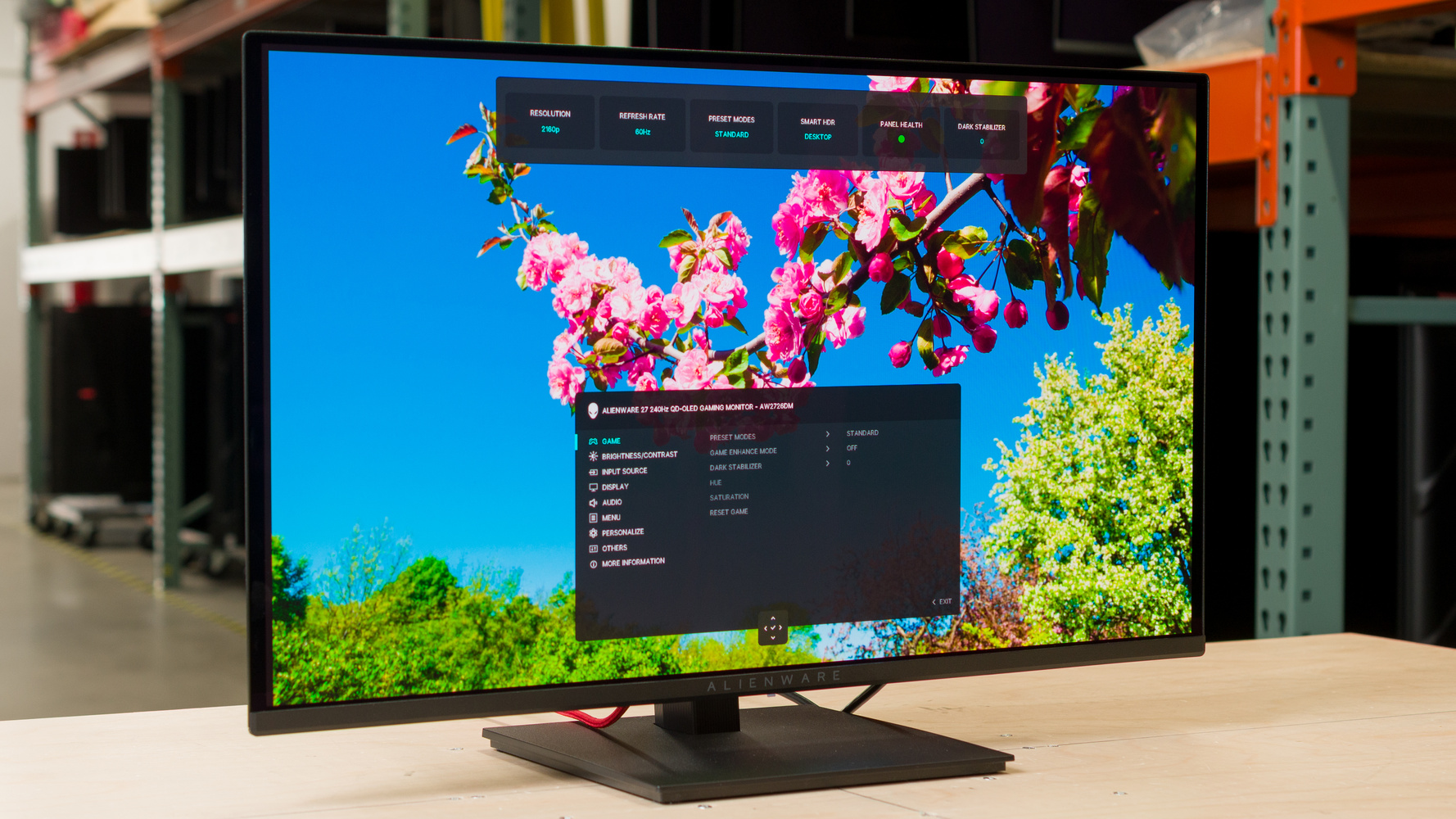
The Dell Alienware AW2726DM is a 27-inch, 1440p gaming monitor with a 240Hz refresh rate. It's an entry-level QD-OLED in Dell's gaming lineup, sitting below options with higher refresh rates, like the Dell Alienware AW2725D and the Dell Alienware AW2725DF. It competes against other lower-cost 240Hz OLEDs, like the HyperX OMEN OLED 27q and the AOC AGON PRO AG276QZD2. It has the basics for gaming, including FreeSync Premium and VESA AdaptiveSync to reduce screen tearing, and an adjustable stand. Dell also advertises that it comes with a three-year warranty against burn-in. However, it lacks features that more premium options have, like high-bandwidth ports and a USB hub.

Our Verdict

0.0
PC Gaming 

The Dell Alienware AW2726DM is excellent for PC gaming. It offers the basics for gaming, like a fast 240Hz refresh rate and VRR support to reduce screen tearing. It also has low input lag for a responsive feel and a fast response time, resulting in incredible motion handling. Plus, it delivers fantastic overall picture quality with deep blacks in bright rooms, no haloing around bright highlights, and a wide range of colors. Unfortunately, it doesn't get bright enough for a vivid HDR viewing experience, and it lacks high-bandwidth ports to take advantage of the latest graphics cards.

Pros
  • Deep blacks in dark rooms.

  • No haloing around bright objects.

  • Low input lag.

  • Near-instant response time.

  • 240Hz refresh rate.

Cons
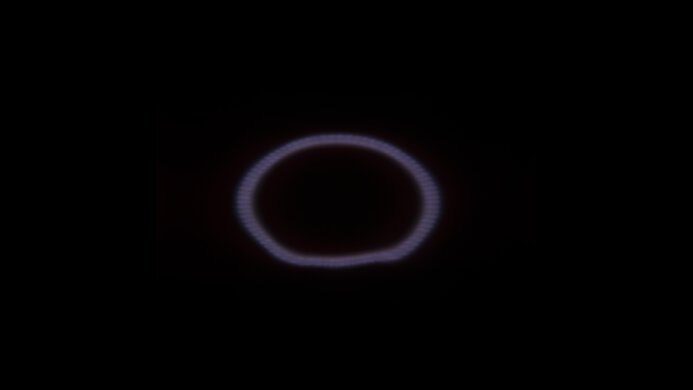
  • Blacks look purple in bright rooms.

  • Low-bandwidth ports.

  • Limited brightness.

0.0
Console Gaming 

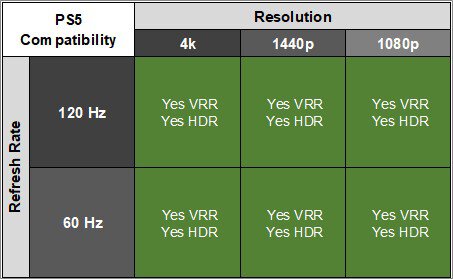
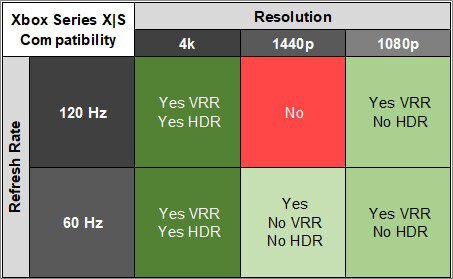
The Dell Alienware AW2726DM is great for console gaming. It supports most signals from a PS5 or Xbox Series X|S, including downscaled 4k @ 60Hz, but it doesn't support 4k @ 120Hz. Luckily, motion looks sharp thanks to its fast response time, and its low input lag results in a responsive feel. It even displays deep blacks in dark rooms, has no haloing around bright objects, and displays a wide range of colors. However, it has worse color volume and isn't as bright as other QD-OLEDs, so it doesn't deliver the most impactful HDR viewing experience.

Pros
  • Deep blacks in dark rooms.

  • No haloing around bright objects.

  • Low input lag.

  • Near-instant response time.

  • Supports VRR with a PS5 and Xbox.

Cons
  • Blacks look purple in bright rooms.

  • Limited brightness.

  • No 4k @ 120Hz support from consoles.

0.0
Office 

The Dell Alienware AW2726DM is okay for office use. Its wide viewing angle and ergonomic stand help if you need to share your screen with someone next to you. It also has decent text clarity, but there's fringing around letters. There are some clear drawbacks, as it doesn't get bright enough to fight intense glare, and it risks burn-in with constant exposure to the same static elements over time. It also lacks any productivity features, like a USB hub.

Pros
  • Ergonomic stand.

  • Decent reflection handling.

Cons
  • Limited brightness.

  • Fringing around letters.

  • Risk of burn-in.

  • No USB hub.

0.0
Editing 

The Dell Alienware AW2726DM is great for editing. It delivers fantastic overall picture quality, especially if you edit content in dark rooms. It displays deep blacks and a wide range of colors, and has no haloing around bright objects. Sadly, it looks worse in bright rooms as the black levels rise, making them look purple. You also need to calibrate it as it's inaccurate and oversaturated out of the box. Plus, it risks burn-in with constant exposure to the same static elements over time.

Pros
  • Deep blacks in dark rooms.

  • No haloing around bright objects.

  • Wide viewing angle.

  • Decent reflection handling.

Cons
  • Blacks look purple in bright rooms.

  • Limited brightness.

  • Risk of burn-in.

  • No USB hub.

  • Inaccurate before calibration.

0.0
Brightness 

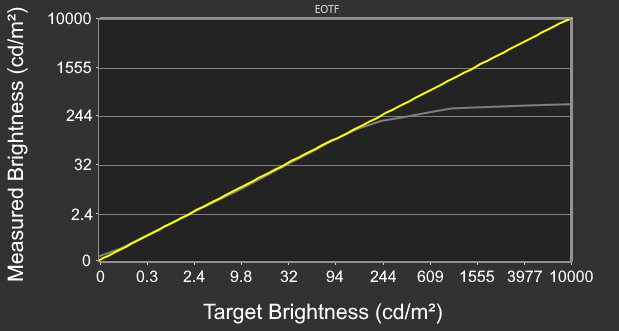
The Dell Alienware AW2726DM has mediocre brightness. It doesn't get bright enough to fight intense glare, but at least some highlights pop against dark backgrounds in HDR.

Pros
None
Cons
  • Limited brightness.

0.0
Response Time 

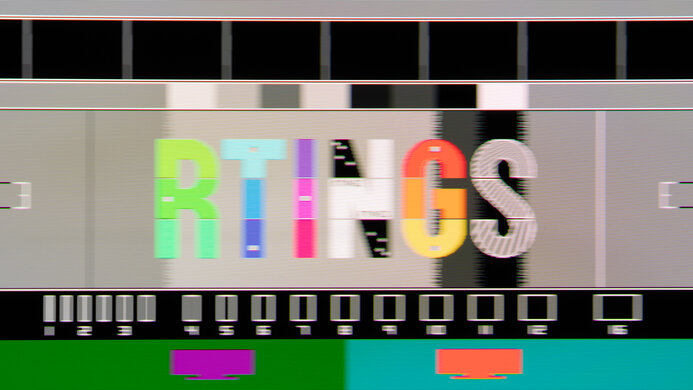
The Dell Alienware AW2726DM has a near-instantaneous response time for incredibly sharp motion.

Pros
  • Near-instant response time.

Cons
None
0.0
HDR Picture 

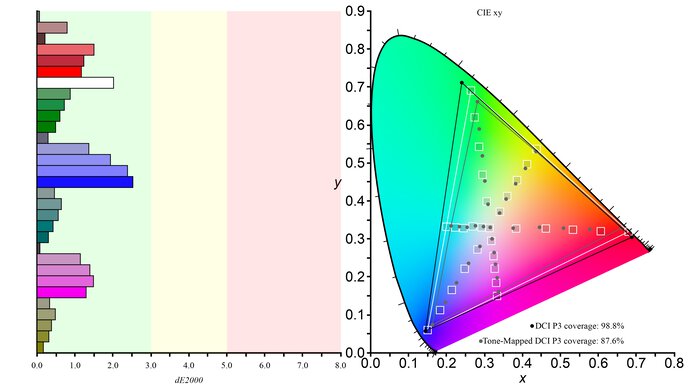
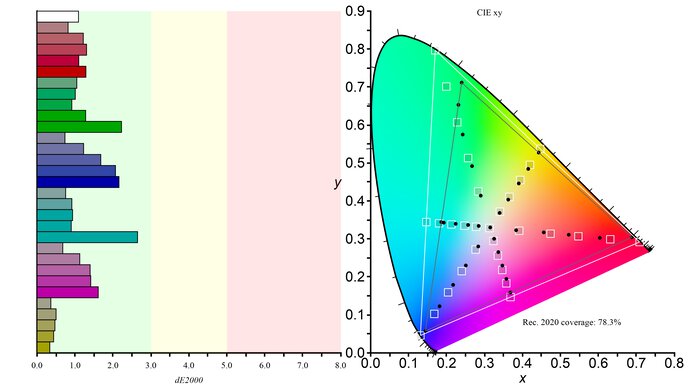
The Dell Alienware AW2726DM has amazing HDR picture quality. It displays a wide range of colors and looks best in a dark environment due to its near-infinite contrast ratio. However, the picture quality is worse in a bright room as the black levels rise and colors desaturate.

Pros
  • Deep blacks in dark rooms.

  • Displays wide range of colors.

Cons
  • Blacks look purple in bright rooms.

0.0
SDR Picture 

The Dell Alienware AW2726DM has outstanding SDR picture quality. It displays a wide range of colors alongside perfect black levels in dark rooms. However, the black levels rise in bright rooms, making them look purple.

Pros
  • Deep blacks in dark rooms.

  • Displays wide range of colors.

Cons
  • Blacks look purple in bright rooms.

0.0
Color Accuracy 

The Dell Alienware AW2726DM has okay accuracy. It lacks a dedicated sRGB mode, so colors are oversaturated before calibration. You need to calibrate it for perfect accuracy.

Pros
None
Cons
  • Inaccurate before calibration.

  • 0.0
    PC Gaming
  • 0.0
    Console Gaming
  • 0.0
    Office
  • 0.0
    Editing

  • Performance Usages

  • 0.0
    Brightness
  • 0.0
    Response Time
  • 0.0
    HDR Picture
  • 0.0
    SDR Picture
  • 0.0
    Color Accuracy
  • Changelog

    1.  Updated May 12, 2026: Review published.
    2.  Updated May 11, 2026: Early access published.
    3.  Updated May 04, 2026: Our testers have started testing this product.
    4.  Updated Apr 24, 2026: The product has arrived in our lab, and our testers will start evaluating it soon.

    Check Price

    27"Alienware AW2726DM
    SEE PRICE
    Dell
    27"Alienware AW2726DM
    Amazon
    27"Alienware AW2726DM
    SEE PRICE
    BestBuy.com
    27"Alienware AW2726DM
    B&H
    27"Alienware AW2726DM
    Walmart.com

    Differences Between Sizes And Variants

    We bought and tested the 27-inch Dell Alienware AW2726DM, which is the only size available. There are other 27-inch, 1440p models in Dell's Alienware gaming lineup, which you can see below, but the results are only valid for this model.

    Model Panel Type Refresh Rate Ports
    AW2726DM QD-OLED 240Hz 1x DP 1.4
    2x HDMI 2.0
    AW2725DM IPS 180Hz 1x DP 1.4
    2x HDMI 2.0
    2x USB-A
    AW2725D QD-OLED 280Hz 1x DP 1.4
    2x HDMI 2.1
    1x USB-A, 1x USB-C
    AW2725DF QD-OLED 360Hz 1x DP 1.4
    2x HDMI 2.0
    3x USB-A, 1x USB-C

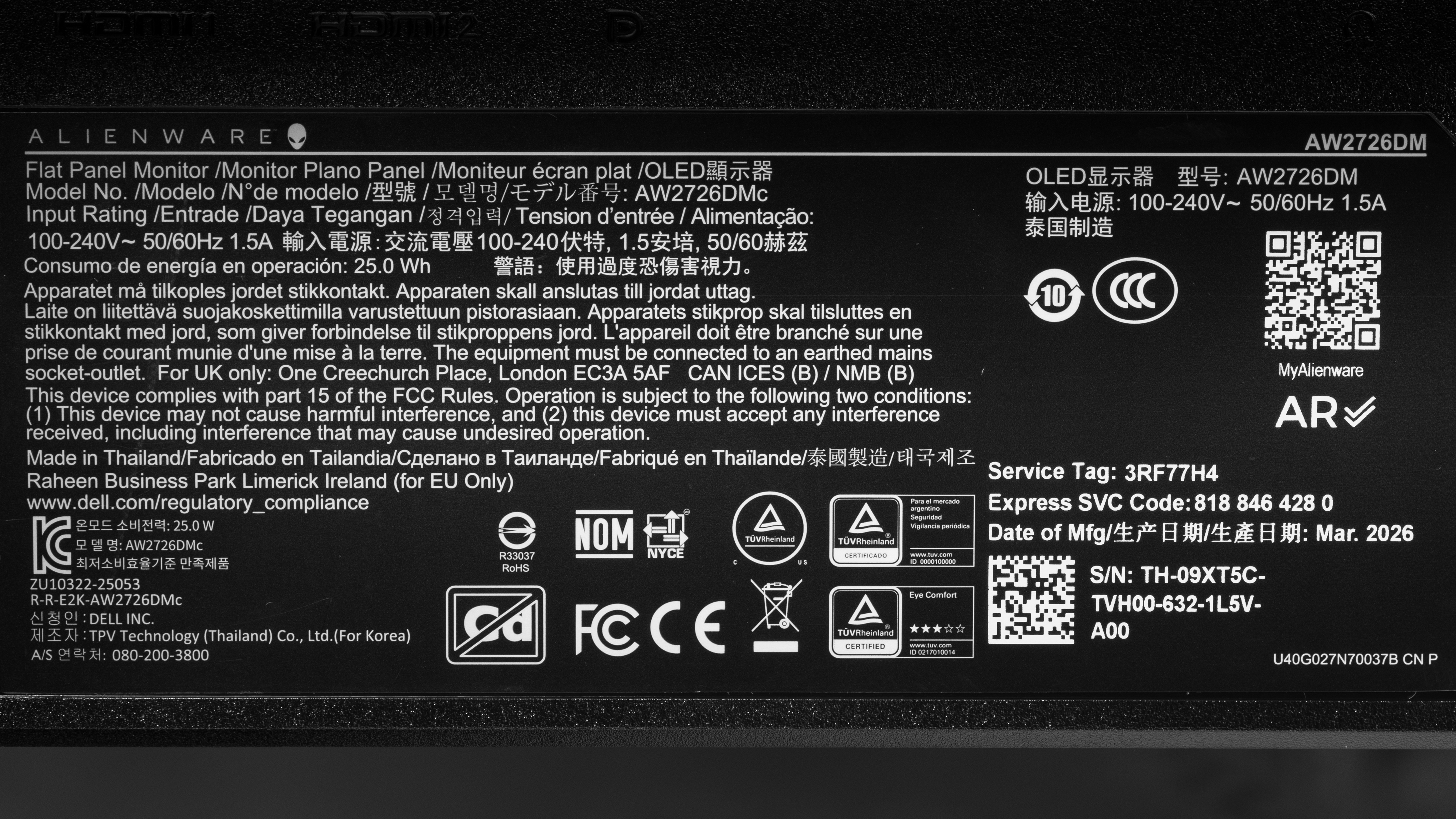
    Our unit's label indicates it was manufactured in February 2026 in Thailand. We tested it with firmware M3C101.

    Popular Monitor Comparisons

    The Dell Alienware AW2726DM is an entry-level 1440p, 240Hz QD-OLED gaming monitor. There's nothing outstanding about this monitor, and it offers the basics for gaming, like VRR support and a 240Hz refresh rate. It competes against other low-cost OLED gaming displays, like the HyperX OMEN OLED 27q and the LG 27GX704A-B, but lacks some features its competitors have. It doesn't have high-bandwidth DisplayPort or HDMI ports to take advantage of the latest graphics cards. It's also dim, so it doesn't deliver the same vivid HDR viewing experience that QD-OLEDs are known for.

    That said, it offers a niche spot in the market as a budget-friendly OLED monitor. It's essentially trading off higher-end features while maintaining deep blacks, no haloing, and sharp motion. If you have a limited budget and want the benefits of an OLED, you can't go wrong with it. However, if you want a brighter screen or extra perks, you'd have to spend more on a higher-end model, like the Dell Alienware AW2725DF.

    Also see our recommendations for the best monitors under $500, the best gaming monitors under $300, and the best OLED monitors.

    How We Test Monitors
    How We Test Monitors

    We buy and test more than 30 monitors each year, all of which we purchase ourselves, without cherry-picked units or samples. We put a lot into each unbiased, straight-to-the-point review, and there's a whole process from purchasing to publishing, involving multiple teams and people. We do more than just use the monitor for a week; we use specialized, custom tools to measure various aspects and deliver objective, data-driven results. We also consider multiple factors before making any recommendations, including the monitor's cost, its performance compared to the competition, and whether it's easy to find.

    Test Results
    perceptual testing image
    Sort:
    RATINGS
    Category:
    All
    Design
    Style
    Curved
    LockedLocked
    Curve Radius
    LockedLocked

    Become a member to view the full test results and text of the reviews, as well as extra website features and tools with no ads.

    0.0
    Build Quality

    Become a member to view the full test results and text of the reviews, as well as extra website features and tools with no ads.

    0.0
    Ergonomics
    Min Height To Top Of Panel
    LockedLock" (Lock cm)
    Height Adjustment
    LockedLock" (Lock cm)
    Tilt Range
    LockedLocked
    Rotate Portrait/Landscape
    LockedLocked
    Swivel Range
    LockedLocked
    Wall Mount
    LockedLocked

    Become a member to view the full test results and text of the reviews, as well as extra website features and tools with no ads.

    Stand
    Base Width
    LockedLock" (Lock cm)
    Base Depth
    LockedLock" (Lock cm)
    Thickness (With Display)
    LockedLock" (Lock cm)
    Weight (With Display)
    LockedLock lbs (Lock kg)

    Become a member to view the full test results and text of the reviews, as well as extra website features and tools with no ads.

    Display
    Size
    Locked27"
    Housing Width
    LockedLock" (Lock cm)
    Housing Height
    LockedLock" (Lock cm)
    Thickness (Without Stand)
    LockedLock" (Lock cm)
    Weight (Without Stand)
    LockedLock lbs (Lock kg)
    Borders Size (Bezels)
    LockedLock" (Lock cm)

    Become a member to view the full test results and text of the reviews, as well as extra website features and tools with no ads.

    Controls

    Become a member to view the full test results and text of the reviews, as well as extra website features and tools with no ads.

    In The Box
    Power Supply
    LockedLocked

    Become a member to view the full test results and text of the reviews, as well as extra website features and tools with no ads.

    Picture Quality
    0.0
    Contrast
    Native Contrast
    LockedLock : 1
    Contrast With Local Dimming
    LockedLock : 1

    Become a member to view the full test results and text of the reviews, as well as extra website features and tools with no ads.

    0.0
    Local Dimming
    SAMPLE
    JOIN NOW

    for videos & test results
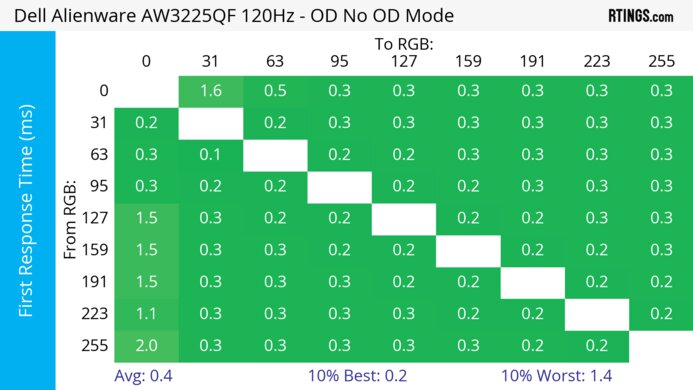
    Dell Alienware AW2726DM Local Dimming Video Sample
    Local Dimming
    LockedLocked
    Backlight
    LockedLocked

    Become a member to view the full test results and text of the reviews, as well as extra website features and tools with no ads.

    0.0
    SDR Brightness
    Real Scene
    LockedLock cd/m²
    Peak 2% Window
    LockedLock cd/m²
    Peak 10% Window
    LockedLock cd/m²
    Peak 25% Window
    LockedLock cd/m²
    Peak 50% Window
    LockedLock cd/m²
    Peak 100% Window
    LockedLock cd/m²
    Sustained 2% Window
    LockedLock cd/m²
    Sustained 10% Window
    LockedLock cd/m²
    Sustained 25% Window
    LockedLock cd/m²
    Sustained 50% Window
    LockedLock cd/m²
    Sustained 100% Window
    LockedLock cd/m²
    Automatic Brightness Limiting (ABL)
    LockedLock
    Minimum Brightness
    LockedLock cd/m²

    Become a member to view the full test results and text of the reviews, as well as extra website features and tools with no ads.

    0.0
    HDR Brightness
    VESA DisplayHDR Certification
    LockedLocked
    Real Scene
    LockedLock cd/m²
    Peak 2% Window
    LockedLock cd/m²
    Peak 10% Window
    LockedLock cd/m²
    Peak 25% Window
    LockedLock cd/m²
    Peak 50% Window
    LockedLock cd/m²
    Peak 100% Window
    LockedLock cd/m²
    Sustained 2% Window
    LockedLock cd/m²
    Sustained 10% Window
    LockedLock cd/m²
    Sustained 25% Window
    LockedLock cd/m²
    Sustained 50% Window
    LockedLock cd/m²
    Sustained 100% Window
    LockedLock cd/m²
    Automatic Brightness Limiting (ABL)
    LockedLock

    Become a member to view the full test results and text of the reviews, as well as extra website features and tools with no ads.

    0.0
    Gray Uniformity
    50% Std. Dev.
    LockedLock%
    50% DSE
    LockedLock%

    Become a member to view the full test results and text of the reviews, as well as extra website features and tools with no ads.

    0.0
    Black Uniformity
    Native Std. Dev.
    LockedLock%
    Std. Dev. w/ L.D.
    LockedN/A

    Become a member to view the full test results and text of the reviews, as well as extra website features and tools with no ads.

    0.0
    Color Accuracy (Pre-Calibration)
    Picture Mode
    LockedLocked
    sRGB Gamut Area xy
    LockedLock%
    White Balance dE (Avg.)
    LockedLock
    Color Temperature (Avg.)
    LockedLock K
    Gamma (Avg.)
    LockedLock
    Color dE (Avg.)
    LockedLock
    Contrast Setting
    LockedLock
    RGB Settings
    LockedLocked
    Gamma Setting
    LockedLocked
    Brightness Setting
    LockedLock
    Measured Brightness
    LockedLock cd/m²
    Brightness Locked
    LockedLocked

    Become a member to view the full test results and text of the reviews, as well as extra website features and tools with no ads.

    0.0
    Color Accuracy (Post-Calibration)
    Picture Mode
    LockedLocked
    sRGB Gamut Area xy
    LockedLock%
    White Balance dE (Avg.)
    LockedLock
    Color Temperature (Avg.)
    LockedLock K
    Gamma (Avg.)
    LockedLock
    Color dE (Avg.)
    LockedLock
    Contrast Setting
    LockedLock
    RGB Settings
    LockedLocked
    Gamma Setting
    LockedLocked
    Brightness Setting
    LockedLock
    Measured Brightness
    LockedLock cd/m²
    ICC Profile
    Download

    Become a member to view the full test results and text of the reviews, as well as extra website features and tools with no ads.

    0.0
    SDR Color Gamut
    sRGB Coverage xy
    LockedLock%
    sRGB Picture Mode
    LockedLocked
    Adobe RGB Coverage xy
    LockedLock%
    Adobe RGB Picture Mode
    LockedLocked

    Become a member to view the full test results and text of the reviews, as well as extra website features and tools with no ads.

    0.0
    HDR Color Gamut
    Wide Color Gamut
    LockedLocked
    DCI-P3 Coverage xy
    LockedLock%
    DCI-P3 Picture Mode
    LockedLocked
    Rec. 2020 Coverage xy
    LockedLock%
    Rec. 2020 Picture Mode
    LockedLocked

    Become a member to view the full test results and text of the reviews, as well as extra website features and tools with no ads.

    0.0
    HDR Color Volume
    1,000 cd/m² DCI-P3 Coverage ICtCp
    LockedLock%
    DCI-P3 Picture Mode
    LockedLocked
    10,000 cd/m² Rec. 2020 Coverage ICtCp
    LockedLock%
    Rec. 2020 Picture Mode
    LockedLocked

    Become a member to view the full test results and text of the reviews, as well as extra website features and tools with no ads.

    0.0
    Viewing Angle
    SAMPLE
    JOIN NOW

    for videos & test results
    Dell Alienware AW2726DM Viewing Angle Video Sample
    Color Washout From Left
    LockedLock°
    Color Washout From Right
    LockedLock°
    Color Shift From Left
    LockedLock°
    Color Shift From Right
    LockedLock°
    Brightness Loss From Left
    LockedLock°
    Brightness Loss From Right
    LockedLock°
    Black Level Raise From Left
    LockedLock°
    Black Level Raise From Right
    LockedLock°
    Gamma Shift From Left
    LockedLock°
    Gamma Shift From Right
    LockedLock°

    Become a member to view the full test results and text of the reviews, as well as extra website features and tools with no ads.

    0.0
    Text Clarity

    Become a member to view the full test results and text of the reviews, as well as extra website features and tools with no ads.

    Panel Technology
    Panel Type
    LockedOLED
    Sub-Type
    LockedQD-OLED
    Subpixel Layout
    LockedLocked

    Become a member to view the full test results and text of the reviews, as well as extra website features and tools with no ads.

    0.0
    Direct Reflections
    Peak Direct Reflection Intensity
    LockedLock%
    Screen Finish
    LockedLocked

    Become a member to view the full test results and text of the reviews, as well as extra website features and tools with no ads.

    0.0
    Ambient Black Level Raise
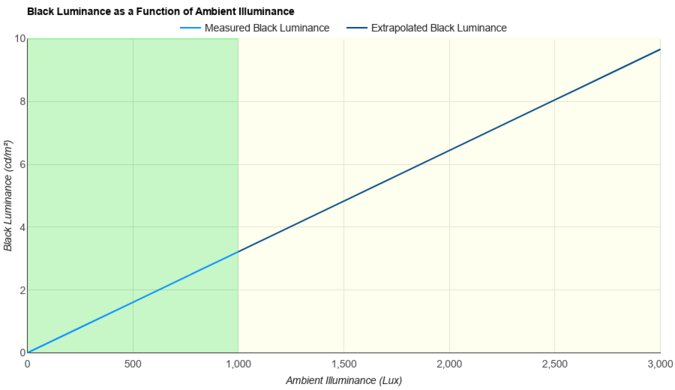
    Black Luminance @ 0 lx
    LockedLock cd/m²
    Black Luminance @ 1000 lx
    LockedLock cd/m²

    Become a member to view the full test results and text of the reviews, as well as extra website features and tools with no ads.

    0.0
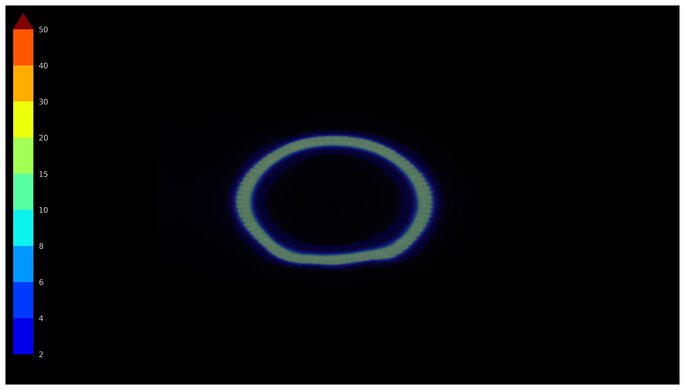
    Total Reflected Light
    Total Reflected Light Intensity
    LockedLock% ⋅ pixel
    Diffraction Artifacts
    LockedLocked

    Become a member to view the full test results and text of the reviews, as well as extra website features and tools with no ads.

    0.0
    Gradient
    Color Depth
    LockedLock Bit

    Become a member to view the full test results and text of the reviews, as well as extra website features and tools with no ads.

    Motion
    0.0
    Refresh Rate
    Dual Mode Setting
    LockedLocked
    Native Refresh Rate
    LockedLock Hz
    Max Refresh Rate
    Locked240 Hz
    Max Refresh Rate Over DP
    LockedLock Hz
    Max Refresh Rate Over HDMI
    LockedLock Hz
    Max Refresh Rate Over DP @ 10-bit
    LockedLock Hz
    Max Refresh Rate Over HDMI @ 10-Bit
    LockedLock Hz
    DSC Toggle
    LockedLocked
    DSC Off Max Refresh Rate Over DP
    LockedN/A
    DSC Off Max Refresh Rate Over HDMI
    LockedN/A

    Become a member to view the full test results and text of the reviews, as well as extra website features and tools with no ads.

    Variable Refresh Rate (VRR)
    Variable Refresh Rate
    LockedLocked
    FreeSync
    LockedLocked
    G-SYNC
    LockedLocked
    VRR Maximum
    LockedLock Hz
    VRR Minimum
    LockedLocked
    VRR Supported Connectors
    LockedLocked

    Become a member to view the full test results and text of the reviews, as well as extra website features and tools with no ads.

    0.0
    VRR Motion Performance
    Recommended VRR OD Setting
    LockedLocked
    Variable Overdrive Advertised
    LockedLocked
    Avg. CAD
    LockedLock
    Best CAD
    LockedLock
    Worst CAD
    LockedLock

    Become a member to view the full test results and text of the reviews, as well as extra website features and tools with no ads.

    0.0
    Refresh Rate Compliance
    Compliance @ Max Hz
    LockedLock%
    Compliance @ 120 FPS
    LockedLock%
    Compliance @ 60 FPS
    LockedLock%

    Become a member to view the full test results and text of the reviews, as well as extra website features and tools with no ads.

    0.0
    CAD @ Max Refresh Rate
    OD Transition Max Refresh Rate
    Join nowfor multiple image controls
    Recommended Overdrive Setting
    LockedLocked
    Avg. CAD
    LockedLock
    Best 10% CAD
    LockedLock
    Worst 10% CAD
    LockedLock

    Become a member to view the full test results and text of the reviews, as well as extra website features and tools with no ads.

    Response Time @ Max Refresh Rate
    Recommended Overdrive Setting
    LockedLocked
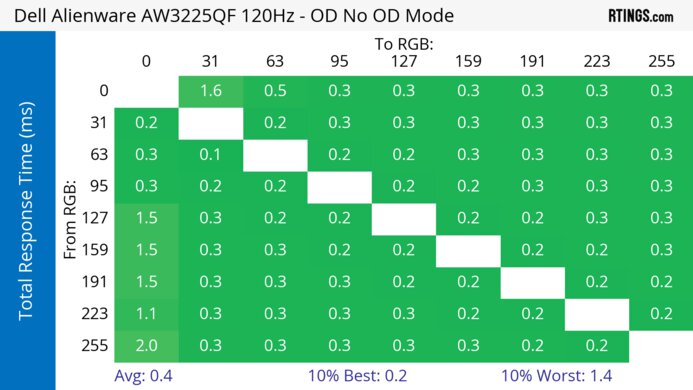
    First Response Time
    LockedLock ms
    Total Response Time
    LockedLock ms
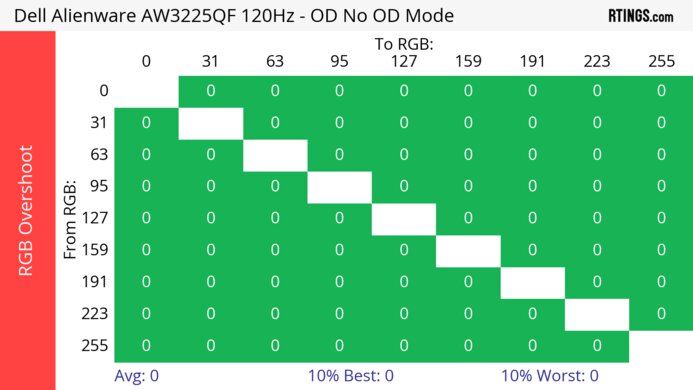
    RGB Overshoot
    LockedLock RGB
    Worst 10% First Response Time
    LockedLock ms
    Worst 10% Total Response Time
    LockedLock ms
    Worst 10% RGB Overshoot
    LockedLock RGB

    Become a member to view the full test results and text of the reviews, as well as extra website features and tools with no ads.

    0.0
    CAD @ 120Hz
    OD Transition 120Hz
    Join nowfor multiple image controls
    Recommended Overdrive Setting
    LockedLocked
    Avg. CAD
    LockedLock
    Best 10% CAD
    LockedLock
    Worst 10% CAD
    LockedLock

    Become a member to view the full test results and text of the reviews, as well as extra website features and tools with no ads.

    Response Time @ 120Hz
    Recommended Overdrive Setting
    LockedLocked
    First Response Time
    LockedLock ms
    Total Response Time
    LockedLock ms
    RGB Overshoot
    LockedLock RGB
    Worst 10% First Response Time
    LockedLock ms
    Worst 10% Total Response Time
    LockedLock ms
    Worst 10% RGB Overshoot
    LockedLock RGB

    Become a member to view the full test results and text of the reviews, as well as extra website features and tools with no ads.

    0.0
    CAD @ 60Hz
    OD Transition 60Hz
    Join nowfor multiple image controls
    Recommended Overdrive Setting
    LockedLocked
    Avg. CAD
    LockedLock
    Best 10% CAD
    LockedLock
    Worst 10% CAD
    LockedLock

    Become a member to view the full test results and text of the reviews, as well as extra website features and tools with no ads.

    Response Time @ 60Hz
    Recommended Overdrive Setting
    LockedLocked
    First Response Time
    LockedLock ms
    Total Response Time
    LockedLock ms
    RGB Overshoot
    LockedLock RGB
    Worst 10% First Response Time
    LockedLock ms
    Worst 10% Total Response Time
    LockedLock ms
    Worst 10% RGB Overshoot
    LockedLock RGB

    Become a member to view the full test results and text of the reviews, as well as extra website features and tools with no ads.

    Backlight Strobing (BFI)
    Backlight Strobing (BFI)
    LockedLocked
    Maximum Frequency
    LockedN/A
    Minimum Frequency
    LockedN/A
    Longest Pulse Width Brightness
    LockedN/A
    Shortest Pulse Width Brightness
    LockedN/A
    Pulse Width Control
    LockedLocked
    Pulse Phase Control
    LockedLocked
    Pulse Amplitude Control
    LockedLocked
    VRR At The Same Time
    LockedLocked

    Become a member to view the full test results and text of the reviews, as well as extra website features and tools with no ads.

    0.0
    VRR Flicker
    SAMPLE
    JOIN NOW

    for videos & test results
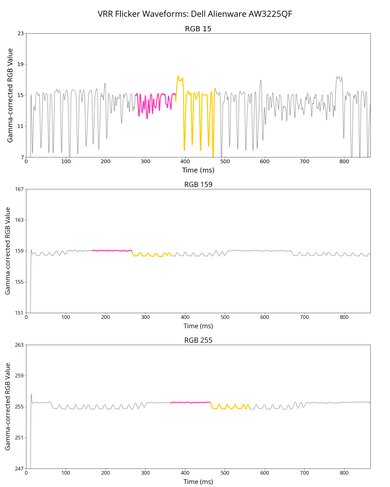
    Dell Alienware AW2726DM VRR Flicker Video Sample
    Dark Gray Flicker
    LockedLock RGB
    Middle Gray Flicker
    LockedLock RGB
    Light Gray Flicker
    LockedLock RGB
    VRR Flicker Control Setting
    LockedLocked

    Become a member to view the full test results and text of the reviews, as well as extra website features and tools with no ads.

    0.0
    Image Flicker
    Flicker-Free
    LockedLocked
    PWM Dimming Frequency
    LockedLocked

    Become a member to view the full test results and text of the reviews, as well as extra website features and tools with no ads.

    Inputs
    0.0
    Input Lag
    Native Resolution @ Max Hz
    LockedLock ms
    Native Resolution @ 120Hz
    LockedLock ms
    Native Resolution @ 60Hz
    LockedLock ms
    Backlight Strobing (BFI)
    LockedN/A

    Become a member to view the full test results and text of the reviews, as well as extra website features and tools with no ads.

    0.0
    Resolution
    Native Resolution
    Locked2560 x 1440
    Aspect Ratio
    LockedLocked
    Megapixels
    LockedLock MP
    Pixel Density
    LockedLock PPI
    0.0
    PS5 Compatibility
    4k @ 120Hz
    LockedLocked
    4k @ 60Hz
    LockedLocked
    1440p @ 120Hz
    LockedLocked
    1440p @ 60Hz
    LockedLocked
    1080p @ 120Hz
    LockedLocked
    1080p @ 60Hz
    LockedLocked

    Become a member to view the full test results and text of the reviews, as well as extra website features and tools with no ads.

    0.0
    Xbox Series X|S Compatibility
    4k @ 120Hz
    LockedLocked
    4k @ 60Hz
    LockedLocked
    1440p @ 120Hz
    LockedLocked
    1440p @ 60Hz
    LockedLocked
    1080p @ 120Hz
    LockedLocked
    1080p @ 60Hz
    LockedLocked

    Become a member to view the full test results and text of the reviews, as well as extra website features and tools with no ads.

    Inputs
    DisplayPort
    LockedLocked
    DisplayPort Transmission Bandwidth
    LockedLocked
    Mini DisplayPort
    LockedLocked
    HDMI
    LockedLocked
    HDMI 2.1 Bandwidth
    LockedLocked
    Daisy Chaining
    LockedLocked
    3.5mm Audio Out
    LockedLocked
    Ethernet
    LockedLocked
    HDR10
    LockedLocked
    Dolby Vision
    LockedLocked
    USB
    USB-A Ports
    LockedLocked
    USB-A Rated Speed
    LockedLocked
    USB-B Upstream Port
    LockedLocked
    USB-C Ports
    LockedLocked
    USB-C Upstream
    LockedLocked
    USB-C Rated Speed
    LockedLocked
    USB-C Power Delivery
    LockedLocked
    USB-C DisplayPort Alt Mode
    LockedLocked
    Thunderbolt
    LockedLocked
    macOS Compatibility

    Become a member to view the full test results and text of the reviews, as well as extra website features and tools with no ads.

    Features
    Additional Features
    Speakers
    LockedLocked
    RGB Illumination
    LockedLocked
    Multiple Input Display
    LockedLocked
    KVM Switch
    LockedLocked
    Smart OS
    LockedLocked

    Become a member to view the full test results and text of the reviews, as well as extra website features and tools with no ads.

    On-Screen Display (OSD)