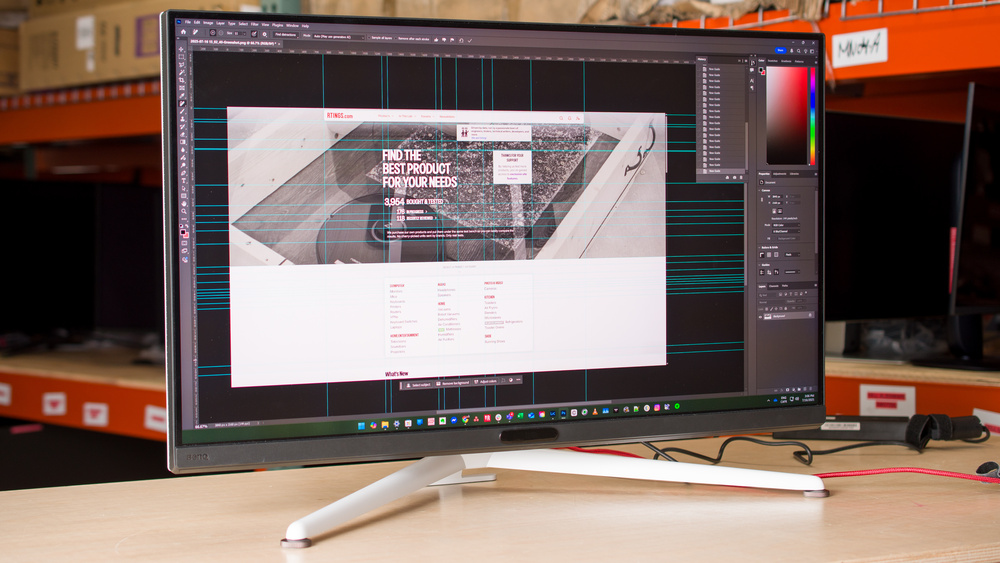
If you're a graphic designer, one of the most important pieces in your setup is the monitor so that you can properly edit your work. The last thing you want is for content to look one way on your monitor and then look completely different once your client opens it. Although there are dedicated professional content creation monitors, those are expensive, and the next best option is to get an everyday consumer monitor that performs well. With this in mind, you'll want to get something that covers a wide range of the color space you're working with in SDR, like sRGB or Adobe RGB. If you aren't planning on calibrating the monitor, you'll want it to be accurate out of the box. Even having a high contrast ratio for deep blacks helps if you edit content in dark rooms. You may want to consider the display's HDR performance if you care about picture quality, but only think about this if you edit content in HDR.
There are other factors you may want to consider. A bigger screen size can help you be more productive with multiple windows opened side by side, but size is ultimately a personal preference. Having a high resolution helps make content look sharp with a ton of details, so you can check out 4k and 5k options for this. You may also want to think about which USB ports the monitor offers in case you want to connect devices directly to it.
We've bought and tested more than 410 monitors, and below are our recommendations for the best graphic design monitors. Also see our recommendations for the best monitors for photo editing or the best monitors for video editing for other types of content creation, and, if you have a MacBook, the best monitors for MacBook Pro and MacBook Air.

We buy and test more than 30 monitors each year, all of which we purchase ourselves, without cherry-picked units or samples. We put a lot into each unbiased, straight-to-the-point review, and there's a whole process from purchasing to publishing, involving multiple teams and people. We do more than just use the monitor for a week; we use specialized, custom tools to measure various aspects and deliver objective, data-driven results. We also consider multiple factors before making any recommendations, including the monitor's cost, its performance compared to the competition, and whether it's easy to find.
-
Best Monitor For Graphic Design
 EditingColor AccuracySDR PictureHDR PictureBrightnessSize27"Panel TypeLCDSub-TypeIPSMax Refresh Rate120 HzNative Resolution5120 x 2880sRGB Coverage xy%See all our test resultsAdobe RGB Coverage xy%
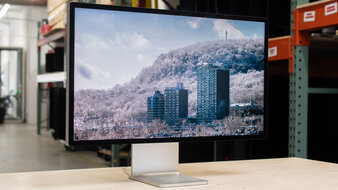
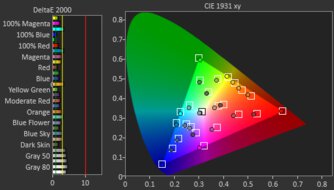
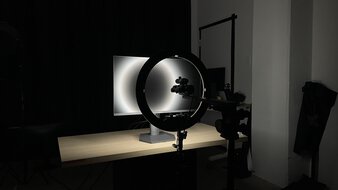
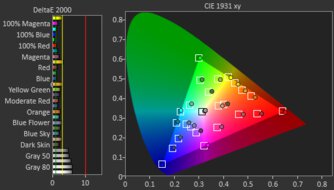
The best monitor for graphic design is the Apple Studio Display XDR. It's a high-end 5k, 27-inch monitor that excels for content creation, and its high resolution delivers detailed images. It's a fantastic choice if you're doing any sort of graphic design because it's incredibly accurate out of the box in its dedicated sRGB mode, so you get an accurate image without any adjustments. You can only access this sRGB mode with a macOS device, like a MacBook, so it's the best choice if you're using an Apple ecosystem. It also displays a wide range of colors in the sRGB and Adobe RGB color spaces, although it oversaturates colors in Adobe RGB. Besides that, it displays deep blacks thanks to its Mini LED backlighting, making it a great choice for editing content in dark rooms.
Along with its fantastic picture quality, it has features to help with productivity. It has four USB-C ports, two of which support Thunderbolt 5 to take advantage of the latest Mac computers. With 140W of power delivery, it's enough to keep even a power-hungry laptop fully charged while you're working on it. It even supports daisy chaining to a second screen, which is great if you find its 27-inch screen too small to work with. Lastly, you can choose to get it with a standard glossy coating or a matte coating, which helps if you work in a well-lit space. Plus, it easily gets bright enough to fight glare.
-
Best Upper Mid-Range Monitor For Graphic Design
EditingColor AccuracySDR PictureHDR PictureBrightnessSize27"Panel TypeLCDSub-TypeIPSMax Refresh Rate330 HzNative Resolution5120 x 2880sRGB Coverage xy%See all our test resultsAdobe RGB Coverage xy%If you find the Apple Studio Display XDR too expensive for your needs, the LG 27GM950B-B is a good alternative that you can get for much cheaper. Like the Apple, it's another 5k, 27-inch option, but there are a few downsides to getting this cheaper option. For example, it lacks Thunderbolt support, which is something to consider if you have a Thunderbolt laptop, and it doesn't have daisy chaining, either. It at least supports DisplayPort Alt Mode to display an image from a laptop over USB-C, and it also provides 90W of power delivery to charge the laptop.
It delivers great picture quality, as it's accurate out of the box, and you can access its sRGB mode with any type of computer. This makes this monitor a solid choice if you don't have a Mac. It also covers the entire sRGB and Adobe RGB color spaces. Like the Apple monitor, it uses Mini LED backlighting that makes it bright and helps it display deep blacks against bright objects, which is great if you work in a dark room. While it doesn't come with a glossy coating like the Apple monitor, its matte coating has good reflection handling. You may want to consider the BenQ MA270S if you prefer a glossy screen for clear images, but it displays fewer colors in the Adobe RGB color space than the LG.
-
Best Mid-Range Monitor For Graphic Design
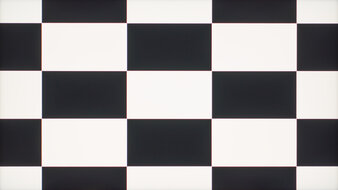
EditingColor AccuracySDR PictureHDR PictureBrightnessSize27"Panel TypeLCDSub-TypeIPSMax Refresh Rate320 HzNative Resolution3840 x 2160sRGB Coverage xy%See all our test resultsAdobe RGB Coverage xy%Should you want an option in the mid-range price category for cheaper, look into the Acer Nitro XV275K P5biipruzx. The main difference with the LG 27GM950B-B is that it has a lower 4k resolution, so while images aren't as detailed, it at least still has sharp text clarity. It also uses a Mini LED local dimming feature, but it performs worse with more haloing around bright objects against dark backgrounds. It doesn't have the same deep blacks in dark rooms, either. Plus, you can only use this local dimming in HDR, so it has much worse picture quality with blacks that look gray if you edit content in SDR. It isn't as bright in SDR as the LG, either, and it has worse reflection handling, but it's still fine if you want to edit content in a well-lit room.
Like the LG, this monitor has an accurate sRGB mode, but it has worse white balance and color accuracy, so you may want to calibrate it to get the best accuracy. It also has a USB hub with DisplayPort Alt Mode and 90W of power delivery to connect your laptop. On the plus side, this monitor has a KVM switch that makes it easy to change sources and use the same devices on both, which helps if you have a work and personal laptop connected to the laptop.
-
Best Lower Mid-Range Monitor For Graphic Design
EditingColor AccuracySDR PictureHDR PictureBrightnessSize27"Panel TypeLCDSub-TypeIPSMax Refresh Rate60 HzNative Resolution3840 x 2160sRGB Coverage xy%See all our test resultsAdobe RGB Coverage xy%As you move down in price categories, you can still find some great options, although at the cost of a few trade-offs. The ASUS ProArt Display PA279CRV is a cheaper alternative to the Acer Nitro XV275K P5biipruzx that performs well for content creation. As another 4k, 27-inch display, it delivers sharp images and text. It lacks a few features that Acer has, like a KVM switch to connect other devices, but it has a bigger USB hub, which helps if you want to connect different devices.
Another difference is that this monitor doesn't have Mini LED local dimming. However, considering you can't use the Acer's local dimming feature in SDR, this monitor performs similarly in SDR. At least the ASUS has advantages in other ways. It's very accurate before any sort of calibration, which helps if you don't want to pay extra for a full calibration and still want fantastic accuracy. It even has different picture modes for various color spaces that you may work with, from sRGB to Adobe RGB, and it displays a wide range of colors in them. It also performs similarly in bright rooms as the Acer; it fights some glare well and has alright reflection handling.
-
Best Budget Monitor For Graphic Design
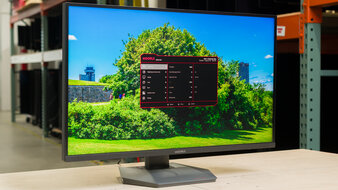
EditingColor AccuracySDR PictureHDR PictureBrightnessSize27"Panel TypeLCDSub-TypeIPSMax Refresh Rate200 HzNative Resolution2560 x 1440sRGB Coverage xy%See all our test resultsAdobe RGB Coverage xy%Should you be on a budget, the KOORUI S2721PM is a good alternative to the ASUS ProArt Display PA279CRV. The main downside of getting this versus the ASUS is that it has a lower 1440p resolution, so text and images aren't as detailed or sharp. The KOORUI doesn't have a USB hub for your devices, so you can't connect your laptop and charge it with one cable. This is normal for an entry-level, low-cost display, though. It also has worse out-of-the-box accuracy with a noticeably red tint, so you may prefer calibrating if you need accurate colors while editing content. On the plus side, its color gamut is as good as the ASUS, with near-perfect coverage of the sRGB and Adobe RGB color spaces.
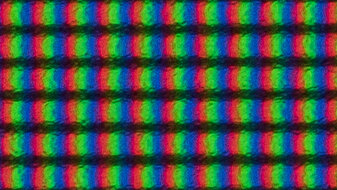
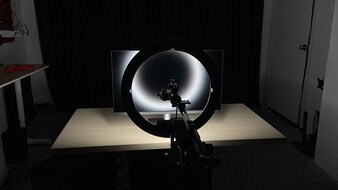
The KOORUI also gets much brighter than the ASUS, so it's a good choice for use in well-lit rooms. Plus, it has an advantage if you work in a dark room. Similar to the higher-end Acer Nitro XV275K P5biipruzx, it uses Mini LED backlighting. Its local dimming feature helps it display deep blacks alongside bright highlights. The feature isn't perfect, though, as it has some haloing around bright objects, but this is only really noticeable if you edit content with darker backgrounds.





Notable Mentions
-
Apple Studio Display 2026:
The Apple Studio Display 2026 is a 5k, 27-inch monitor that's lower-end than the Apple Studio Display XDR. The Studio Display 2026 has many of the same benefits, including an accurate sRGB mode and Thunderbolt 5. However, it lacks Mini LED backlighting, so blacks look gray, and it doesn't support HDR at all.
See our review -
ASUS ROG Swift OLED PG27UCDM:
The ASUS ROG Swift OLED PG27UCDM is a high-end 4k QD-OLED monitor with better picture quality than the LG 27GM950B-B, thanks to its deeper blacks. This makes it a great choice if you edit content in a dark room. However, it risks burn-in with constant exposure to the same static elements over time, doesn't get as bright, and has a lower resolution than the LG.
See our review -
HyperX OMEN OLED 27q:
The HyperX OMEN OLED 27q is a mid-range monitor with an OLED panel. It displays deeper blacks in dark rooms than the Acer Nitro XV275K P5biipruzx. However, this monitor has a lower 1440p resolution, lacks a USB hub, and risks burn-in.
See our review -
Dell S2725QC:
The Dell S2725QC is a lower mid-range 4k monitor that competes with the ASUS ProArt Display PA279CRV. It performs similarly for the most part and has many similar features. However, the Dell is less accurate out of the box.
See our review -
AOC Q27G3XMN:
The AOC Q27G3XMN is a budget-friendly 1440p, Mini LED monitor that competes directly with the KOORUI S2721PM. The AOC has a higher contrast ratio, resulting in deeper blacks if you don't use its local dimming feature. That said, it has worse accuracy and a more narrow viewing angle, so the image washes out from the sides.
See our review
Recent Updates
Sep 25, 2026:
We replaced the ASUS ROG Strix XG27ACS with the KOORUI S2721PM in the budget category, as the KOORUI has better picture quality. In the Notable Mentions, we replaced the Dell S2725DC with the AOC Q27G3XMN to reflect the previously mentioned change to the article.
Jul 31, 2026:
We made several changes to better reflect the current market. We replaced the ASUS ROG Swift OLED PG27UCDM with the higher-resolution Apple Studio Display XDR. We replaced the BenQ MA270S with the LG 27GM950B-B, which has better picture quality. We added the Acer Nitro XV275K P5biipruzx as a mid-range pick, and renamed the ASUS ProArt Display PA279CRV to the 'Best Lower Mid-Range Monitor For Graphic Design.' We removed the Dell S2725QC as a main pick because of this. We also made multiple changes to the Notable Mentions to reflect the newly-recommended monitors.
Jun 08, 2026:
We replaced the Dell Alienware AW2725DF with the BenQ MA270S, a dedicated content-creation monitor. We also replaced the AOC Q7G40XMN with the ASUS ROG Strix XG27ACS in the budget category, as the ASUS has a wider viewing angle. In the Notable Mentions, we added the Apple Studio Display 2026 and the Dell S2725DC to reflect the changes to the article.
Apr 15, 2026:
We added the Apple Studio Display XDR to the Notable Mentions.
Mar 19, 2026:
We added the Dell S2725QC for consistency with other recommendations. In the Notable Mentions, we removed the Apple Studio Display 2022 and added the Dell S2725QS.
All Reviews
Our recommendations are based on what we think are the best computer monitors for graphic design currently available in the United States. They're adapted to be valid for most people in each price range. The rating is based on our review, feedback from visitors, and price. For example, two monitors may perform the same, but the cheaper one will be recommended. We also consider availability, as we don't recommend a monitor that's hard to find.
If you'd prefer to make your own decision, here's the list of all of our monitor reviews. Be careful not to get too caught up in the details. Most monitors are good enough to please most people, and the things we fault monitors on are often not noticeable unless you really look for them.


