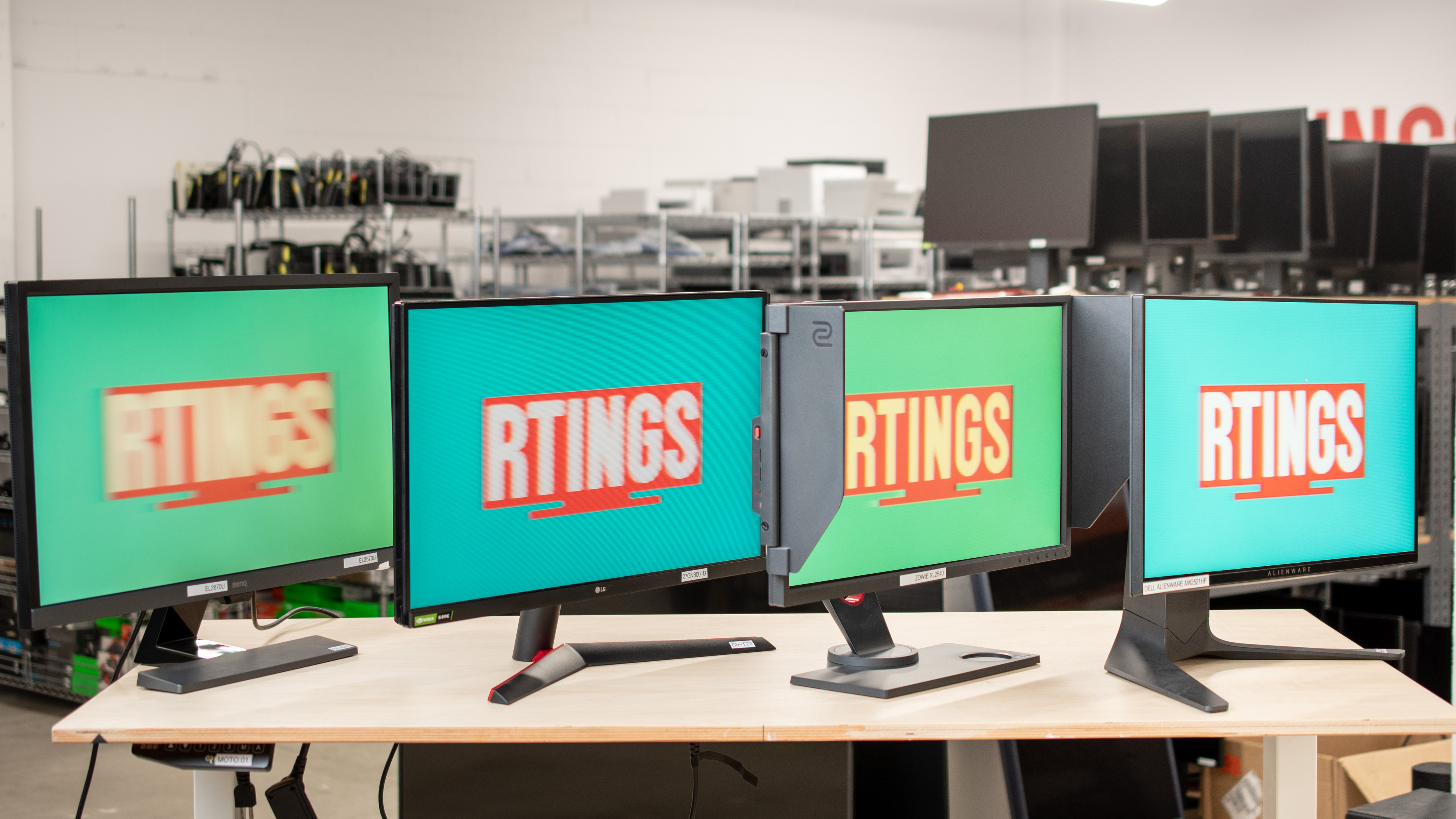
A monitor's refresh rate defines how many times per second it refreshes the screen from the top to the bottom edge. Generally speaking, a higher refresh rate can provide smoother motion and a more responsive feel than a monitor with a lower refresh rate. However, having a higher refresh rate doesn't guarantee one monitor is necessarily better than another. There are also diminishing returns with higher refresh rates, as our eyes can't perceive the differences as much. Below, we'll look into what the refresh rate is and how it impacts the monitor.
Overall, the monitor's refresh rate matters the most for gaming, especially if you play action games, but it can also make a difference for other usages, like office work or content creation.
If you want to learn more, check out our article explaining our refresh rate testing.
What Is Hz On A Monitor?
The monitor's refresh rate, which is defined in Hz, tells you how many times the screen refreshes itself vertically from the top to bottom of the screen. For example, a 60Hz monitor refreshes the screen 60 times per second. It does this to sync with the source's frame rate, whether it's a PC, console, or media device. In the example, the source is sending 60 frames per second (fps). It's important not to get confused between the refresh rate (Hz), which is a characteristic of the monitor, and the frame rate (fps), which is a characteristic of the source. Most of the time, the frame rate and refresh rate match up, though.
The refresh rate and frame rate also impact the frame time, which is how long each frame stays on screen. Below you can see the frame time for common refresh rates. As you get into higher refresh rates, the frame time is shorter, leading to the possibility of better motion and lower input lag. Keep in mind that a higher refresh rate doesn't guarantee better performance on one monitor versus another, but increasing the refresh rate on your monitor can improve its performance compared to using a lower refresh rate on it.
| Refresh Rate | Frame Time |
|---|---|
| 60Hz | 16.67 ms |
| 120Hz | 8.33 ms |
| 144Hz | 6.94 ms |
| 165Hz | 6.06 ms |
| 240Hz | 4.17 ms |
| 360Hz | 2.78 ms |
| 480Hz | 2.08 ms |
| 540Hz | 1.85 ms |
| 720Hz | 1.39 ms |
Does Refresh Rate Matter?
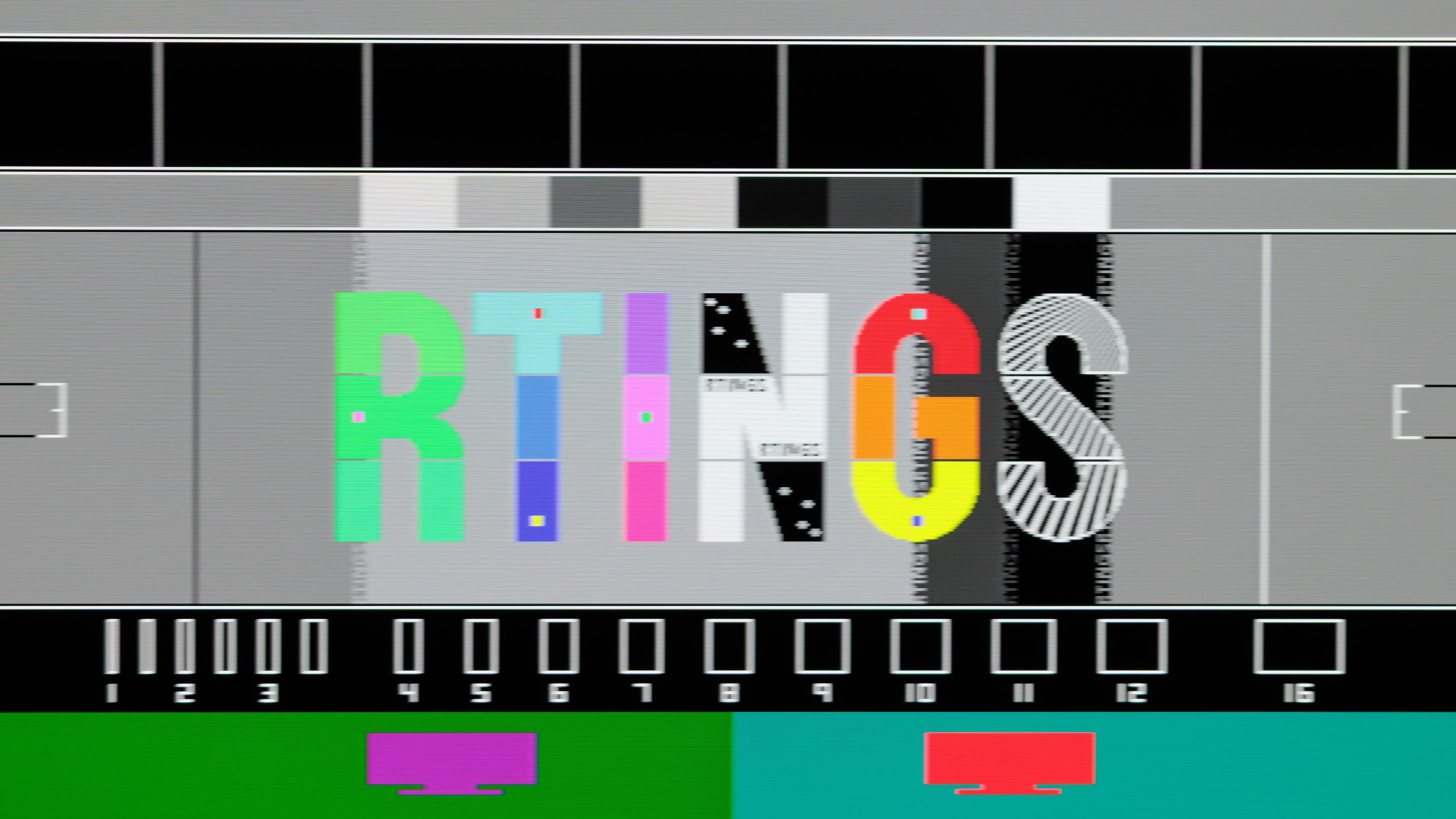
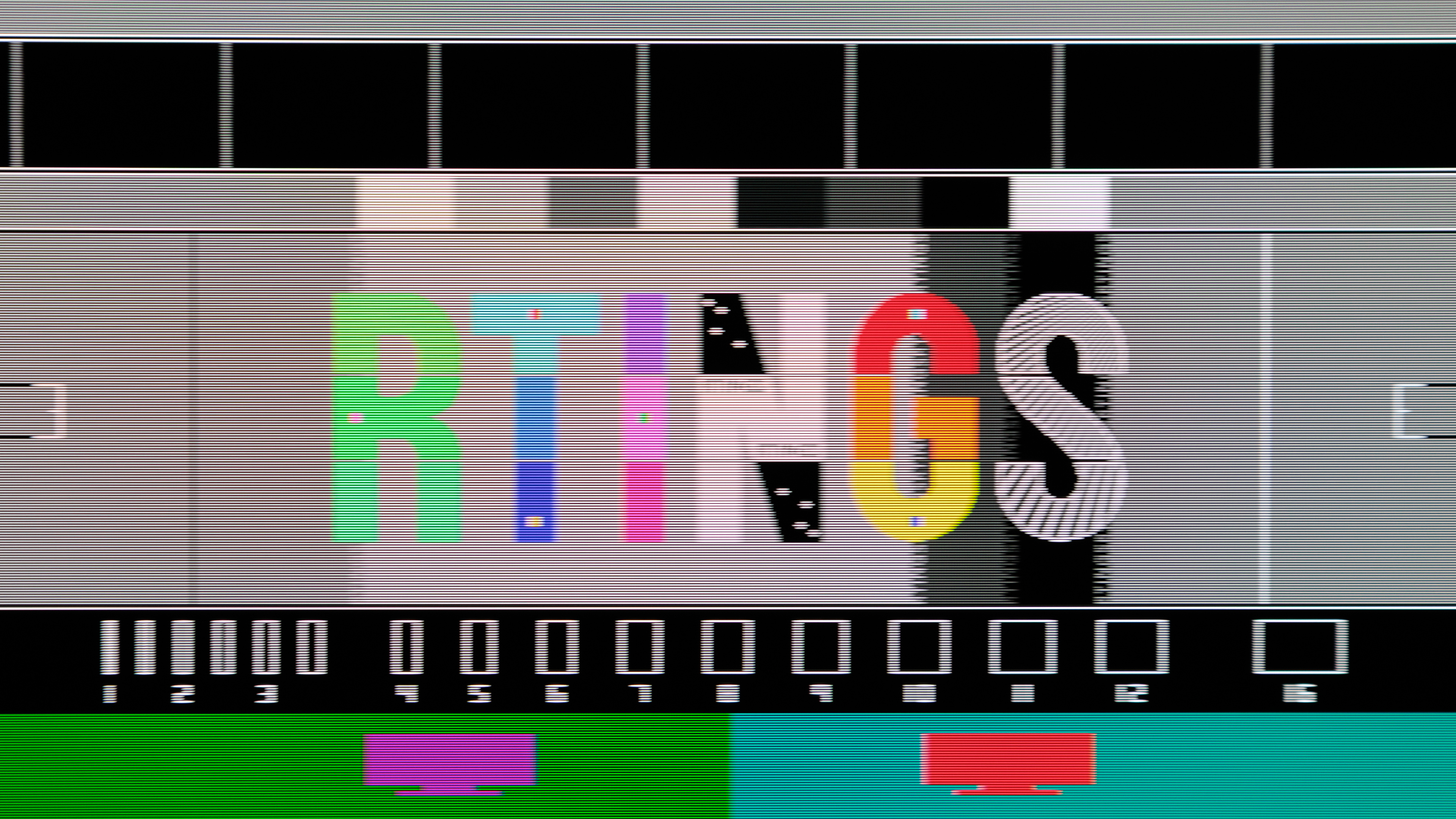
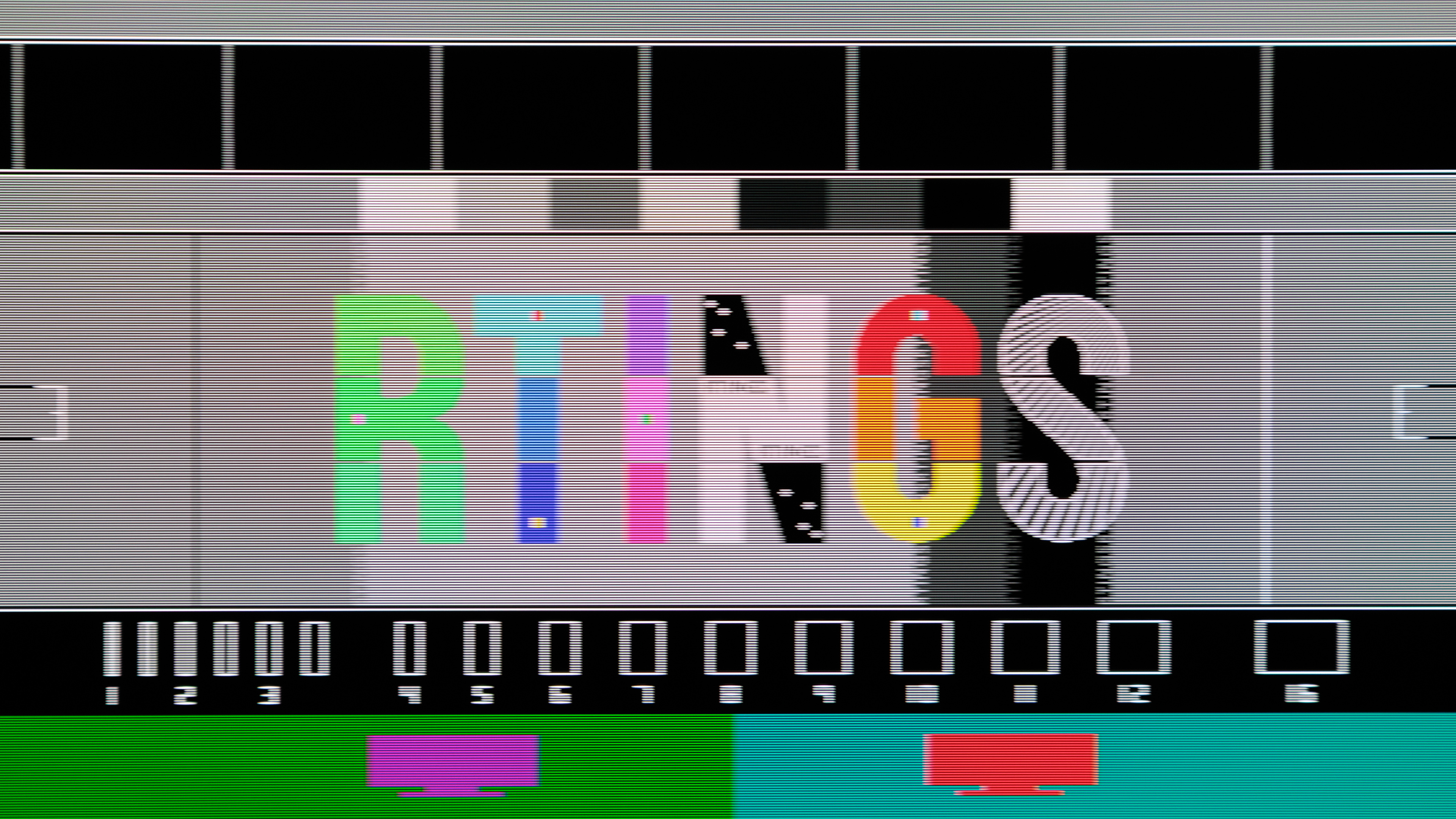
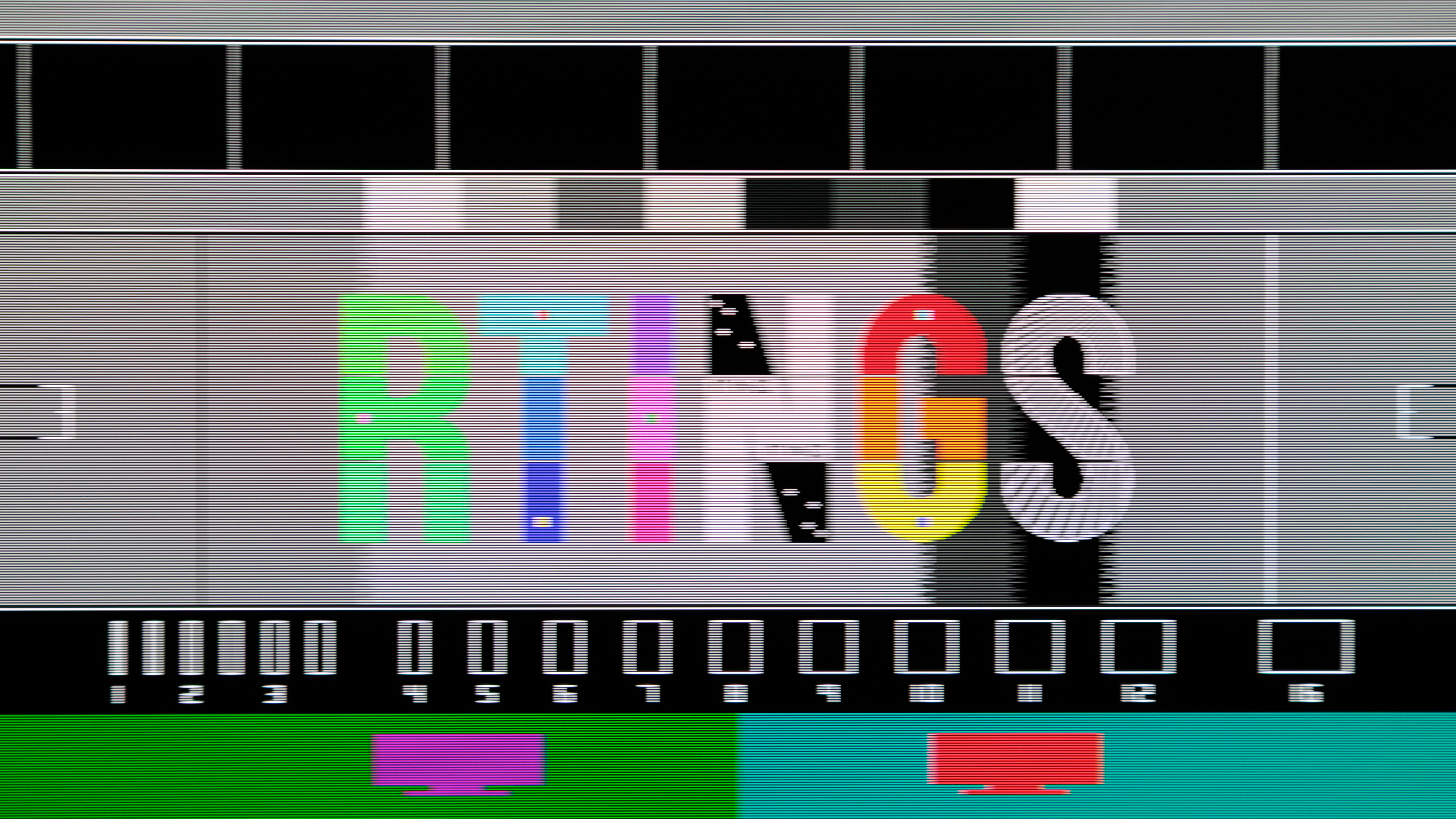
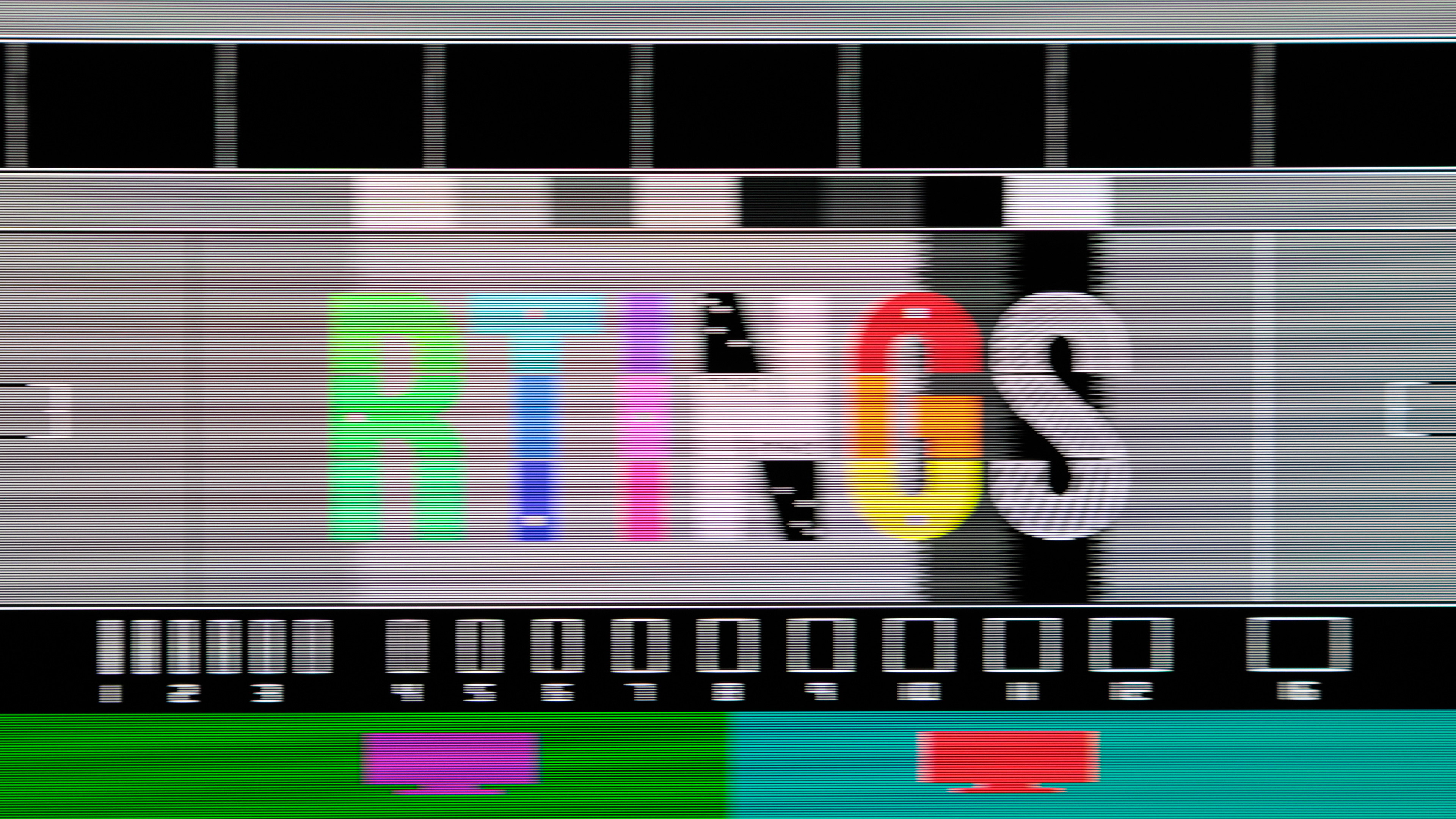
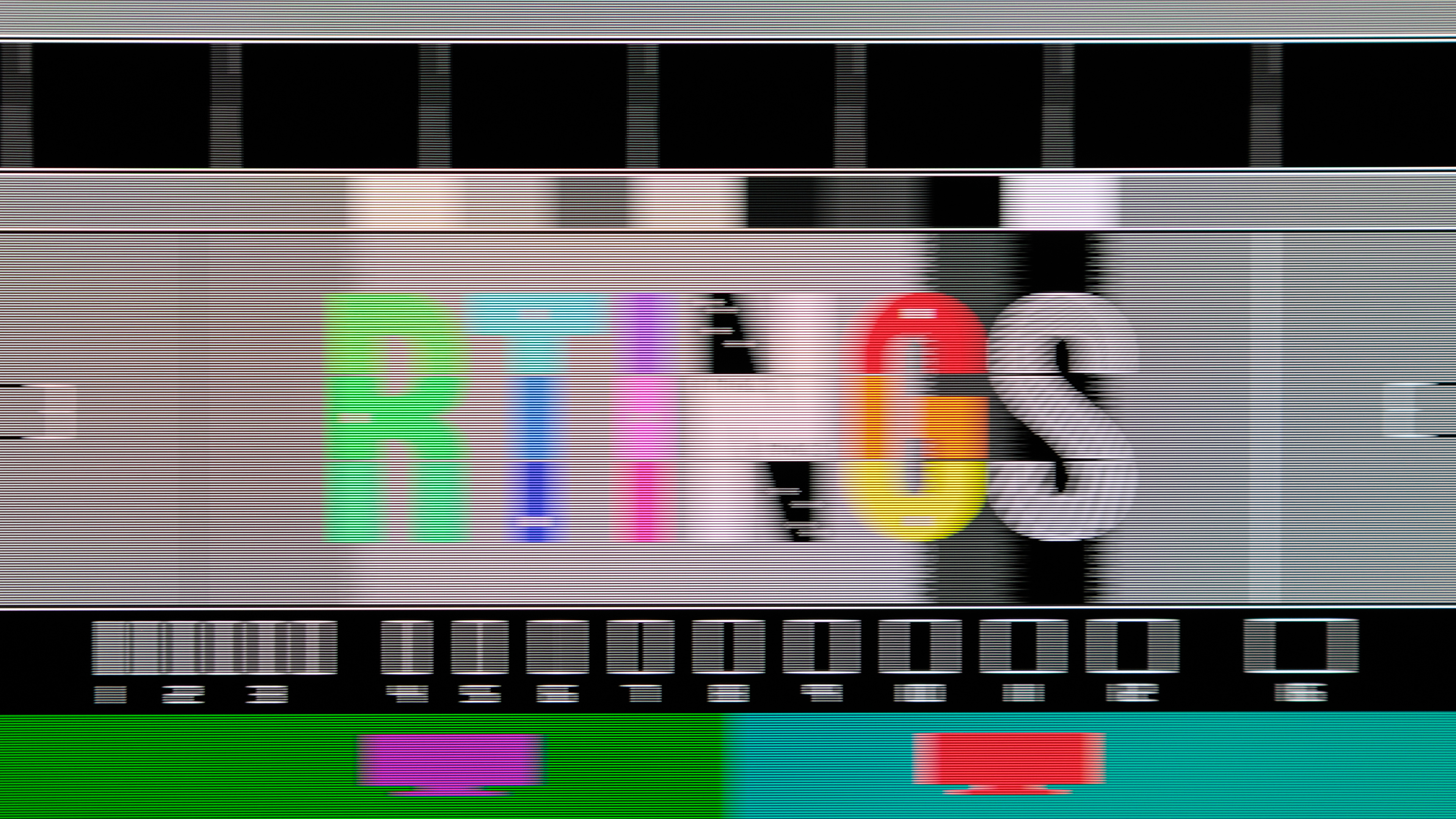
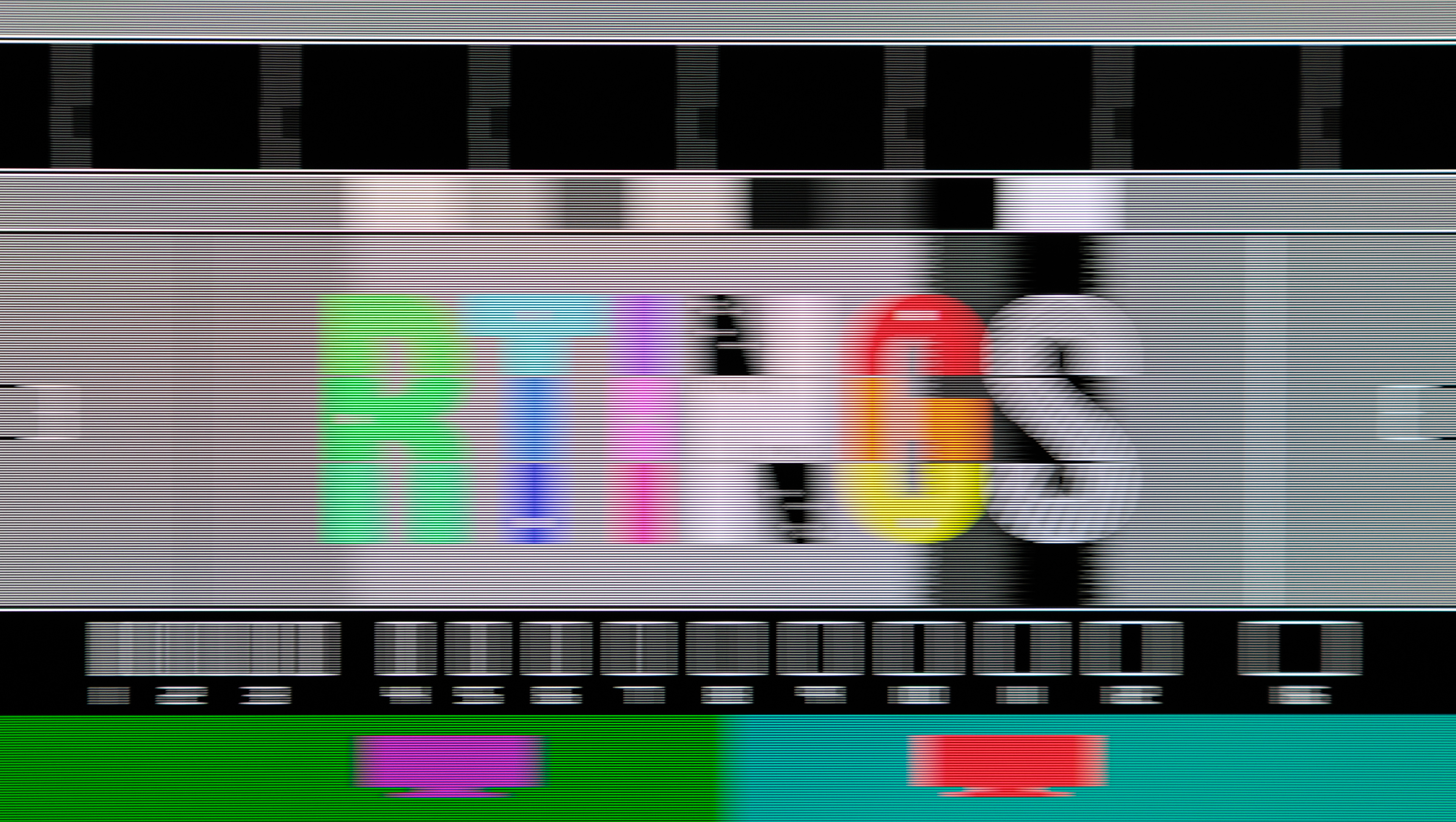
The refresh rate has an impact when there's fast-moving content on the screen, like with gaming or scrolling through the web. A higher refresh rate leads to a smoother feel compared to if you were to use a lower refresh rate. It also leads to less persistence blur, which is the amount of blur caused by how our eyes interact with the screen and the frame time. When there's a shorter frame time, the less a single frame stays on screen, leading to less persistence blur. As the refresh rate drops, there's more persistence blur, which you can see below with different refresh rates on the ASUS ROG Swift OLED PG27AQWP-W. You can see that motion looks best at high refresh rates.
 |
 |
 |
 |
 |
 |
 |
 |
 |
 |
Due to this, the refresh rate matters most whenever there's fast-moving content on the screen. Of course, there are diminishing returns as you get into higher refresh rates, as the difference between 500Hz and 700Hz is harder to tell than between 60Hz and 240Hz. There isn't an exact refresh rate where we stop seeing differences, as some people may prefer higher refresh rates than other people.
Gaming
The refresh rate matters the most for gaming, especially for competitive and/or action games. Slower-paced or turn-based games don't benefit as much from a higher refresh rate as they don't have a lot of fast-moving content.
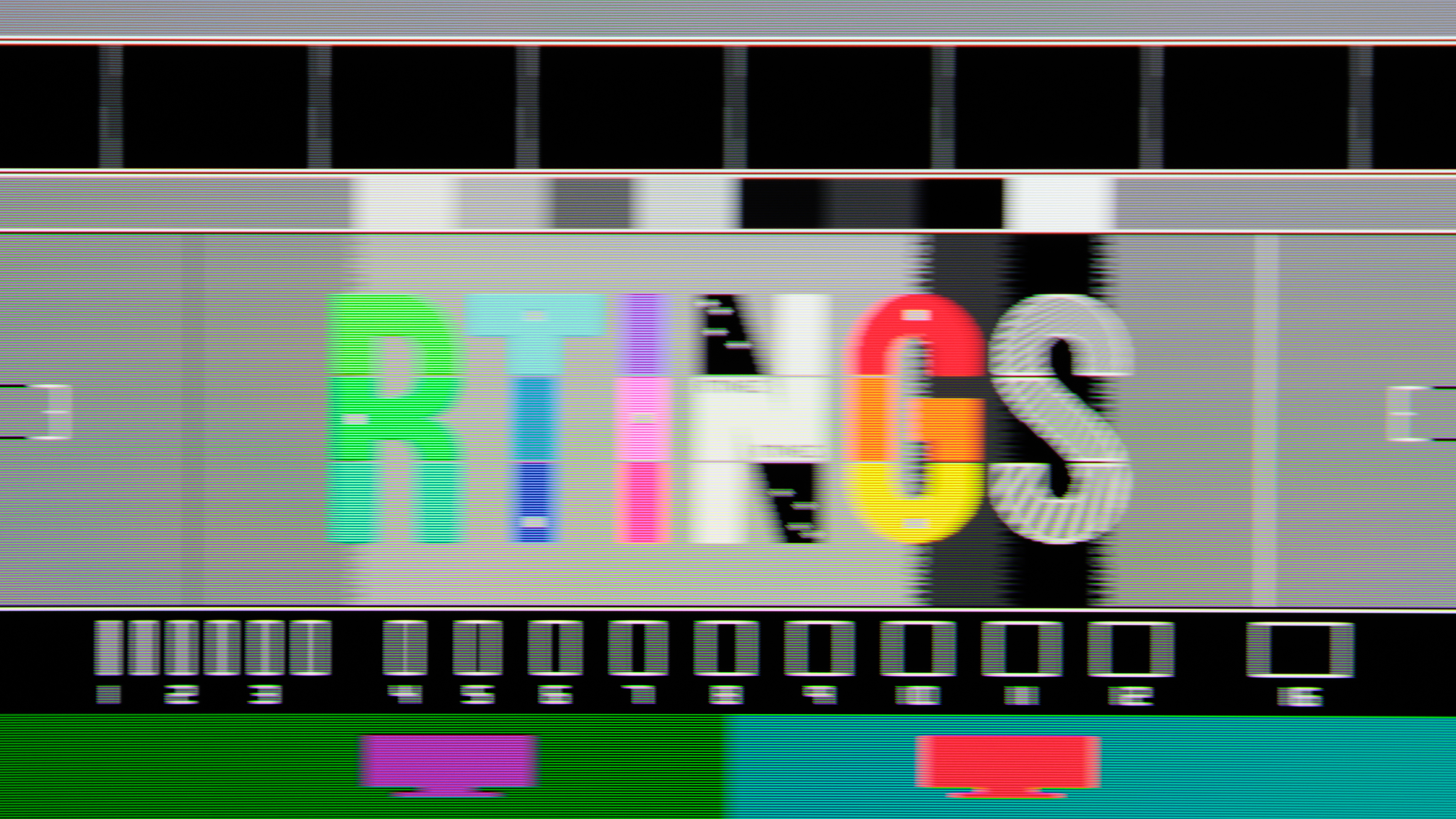
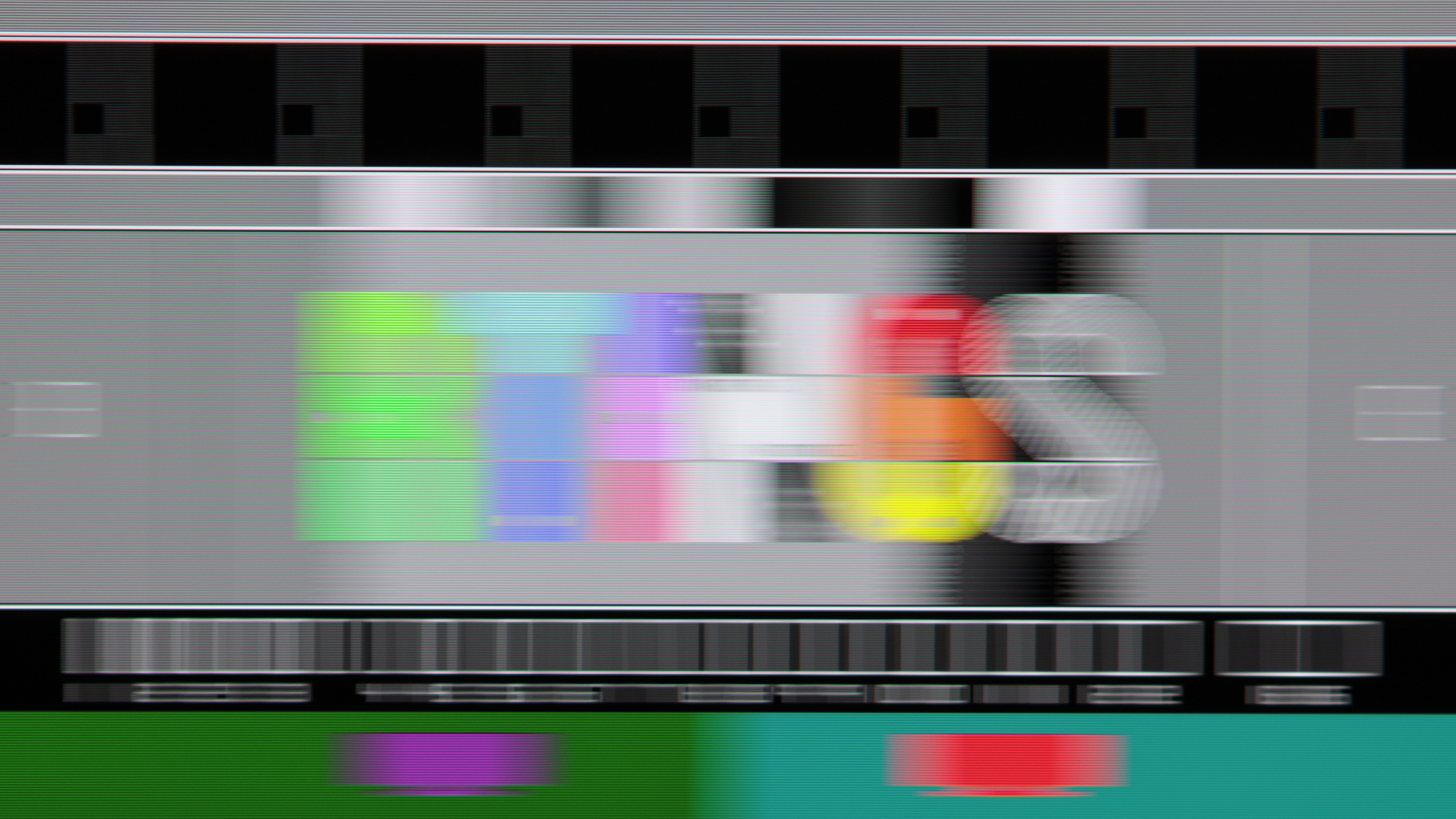
There are a few benefits to using a higher refresh rate for gaming, like less persistence blur. Keep in mind that the refresh rate isn't the only determining factor when it comes to motion handling, as it's also important to think about the display's response time. A faster response time leads to less motion blur, but there are high-refresh-rate monitors with slow response times, so they have noticeable blur. This is why getting a monitor with a high refresh rate doesn't guarantee anything performance-related.
Below are two examples of 240Hz monitors. Even though they have the same refresh rate, the ASUS ROG Swift OLED PG32UCDM Gen3 has a much faster response time than the Dell SE2426HGS, leading to less motion blur.
| ASUS ROG Swift OLED PG32UCDM Gen3 | Dell SE2426HGS |
|---|---|
 |
 |
Also see our recommendations for the best gaming monitors.
Impact On The Input Lag
A high refresh rate can also lead to lower input lag from the monitor, which is the time it takes for the monitor to register the input and start displaying it on-screen. A lower input lag leads to a more responsive feel, with the monitor adding minimal delay to your system's total latency. This can give you a competitive advantage over less-equipped opponents, and can make the difference between winning and losing in your game.
The minimum input lag a monitor can have at any refresh rate is tied to its frame time. We measure the input lag with a sensor in the middle of the screen, so the minimum input lag for any given refresh rate is half the frame time, which you can see below. This doesn't mean that the monitor will have that input lag at a certain refresh rate, but shows that a higher refresh rate can lead to lower input lag.
| Refresh Rate | Minimum Input Lag |
|---|---|
| 60Hz | 8.33 ms |
| 120Hz | 4.17 ms |
| 144Hz | 3.47 ms |
| 165Hz | 3.03 ms |
| 240Hz | 2.09 ms |
| 360Hz | 1.39 ms |
| 480Hz | 1.04 ms |
| 540Hz | 0.93 ms |
| 720Hz | 0.69 ms |
Is 60Hz Good For Gaming?
Even when you aren't able to get high frame rates from your source, like if you're console gaming, gaming at lower 60Hz refresh rates is still fine. As mentioned, other factors like the response time and input lag also impact the gaming performance, and these change between monitors. You can have a monitor with a fast response time and low input lag, and you may enjoy gaming on it at 60Hz. This is why it's important to consider the monitor's performance more than its refresh rate when looking for a gaming monitor.
Of course, the highest refresh rates are beneficial for competitive esports gamers, but most gamers would also be satisfied with a 60Hz refresh rate. Anything below that, though, isn't suggested for modern PC gaming, as it can cause high input lag and blurry motion.
If you want more than a 60Hz refresh rate, check out our recommendations for the best 120Hz monitors and the best 240Hz monitors.
Office Work
Although having a high refresh rate is the most beneficial for gaming, it's also something to think about if you want a display for work. If you often scroll through long documents or webpages, using a higher refresh rate will lead to a smoother feel with less persistence blur. Though, it's not as much of a concern if you have a lot of static windows and you don't need to scroll through them.
One thing to keep in mind is that many work-focused monitors have slow response times, leading to motion blur. So, even though some of these may have 120Hz or 144Hz refresh rates, fast-moving content still looks blurry. If you want a monitor for work with minimal blur at a high refresh rate, it's better to use a gaming monitor instead.
Also see our recommendations for the best work monitors.
Content Creation
If you're a content creator, you'd benefit from getting a high-refresh-rate monitor if you work with fast-moving content, like in video editing. Graphic designers and photo editors dealing with static elements don't gain as much from using a high refresh rate, unless you quickly scroll through webpages or your editing program.
Also see our recommendations for the best photo editing monitors and the best video editing monitors.
Multimedia
Should you want to use your monitor for watching shows or movies, you can still benefit from getting a high-refresh-rate monitor, but there are things to consider. Most content is rendered at 24 or 60 fps, so if you keep the monitor at a higher refresh rate, it would have to multiply each frame to match the refresh rate. This isn't a problem if the refresh rate is a multiple of the frame rate (120Hz is five times 24 fps), but it causes judder if that's not the case, like when watching 24 fps content on a 60Hz screen. Unlike TVs, monitors don't have settings to remove judder, so motion looks jittery. Getting a monitor with very high refresh rates (like 240Hz and above), would mean you get judder-free content most of the time, but you won't be taking advantage of the high refresh rate with high frame rates.
Also see our recommendations for the best multimedia monitors.
How To Get The Highest Refresh Rate?
Just because a monitor supports a high refresh rate, it doesn't mean you'll always game at that refresh rate. There are different factors to consider, including the monitor and your source's bandwidth. Monitors and graphics cards with high-bandwidth DisplayPort and HDMI 2.1 ports allow for high frame rates with high resolutions. For example, the ASUS ROG Swift OLED PG27UCDM is a 4k monitor with HDMI and DisplayPort 2.1 ports that allow you to reach its max 240Hz refresh rate with a 4k resolution over either connection. On the other hand, the AOC Q27G3XMN has a 1440p screen with a max refresh rate of 180Hz. However, you can only reach 180Hz over DisplayPort, because its HDMI 2.0 bandwidth limits the max refresh rate to 144Hz. So, while the monitor supports higher refresh rates, you're limited over HDMI because of bandwidth limitations.
You also need to make sure your graphics card and computer allow for high frame rates if you want the highest refresh rate your monitor supports. If you're console gaming, then you're limited to 60Hz or 120Hz, because that's the max refresh rate the PS5 & PS5 Pro, the Xbox Series X|S, and the Nintendo Switch 2 support. So, even though you may use a monitor with a faster refresh rate, you'll be limited. It's possible future-gen consoles will have higher refresh rates, but for now, this is a limitation of current-gen options.
To get the highest refresh rate possible, you may need to change settings in the monitor's menu, as well as checking if there are related settings on your computer or source. Sometimes, it's as simple as changing display settings from your computer's system settings.
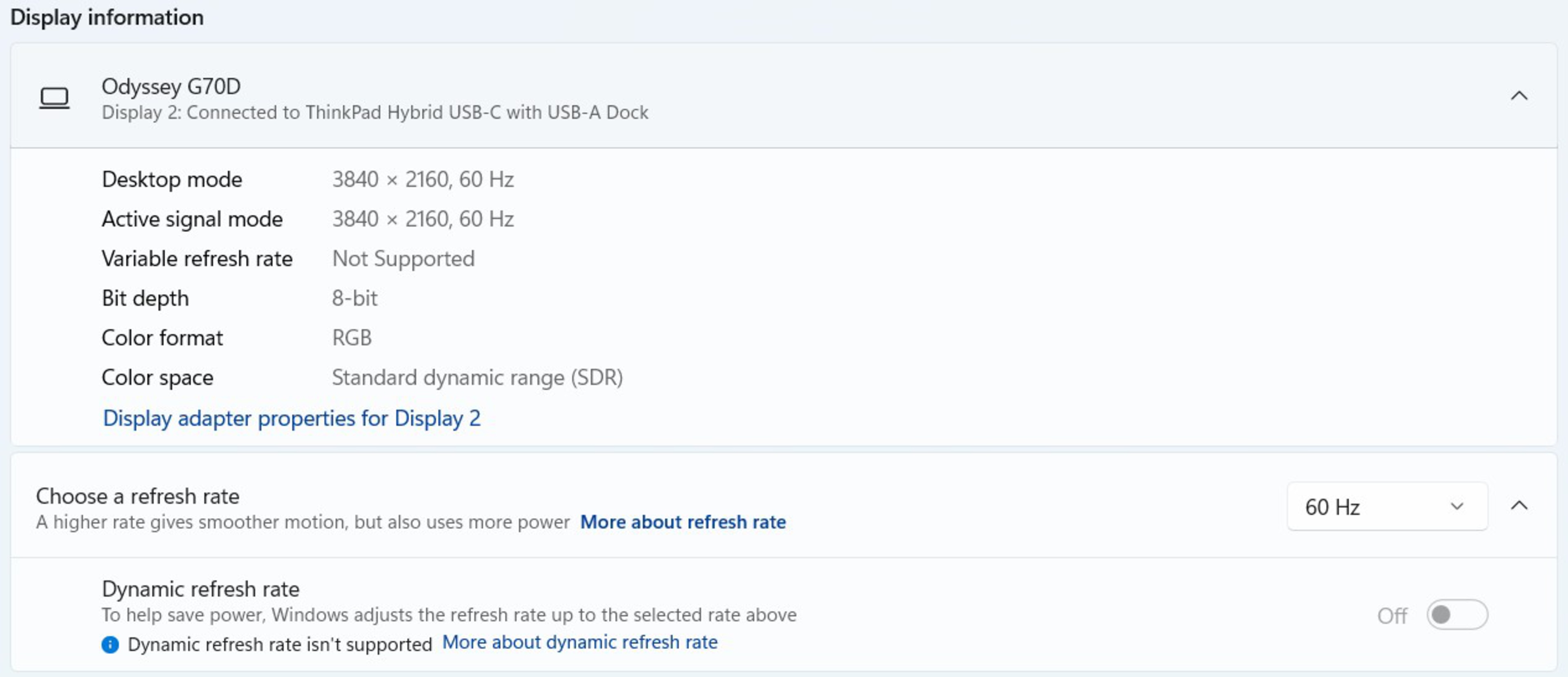
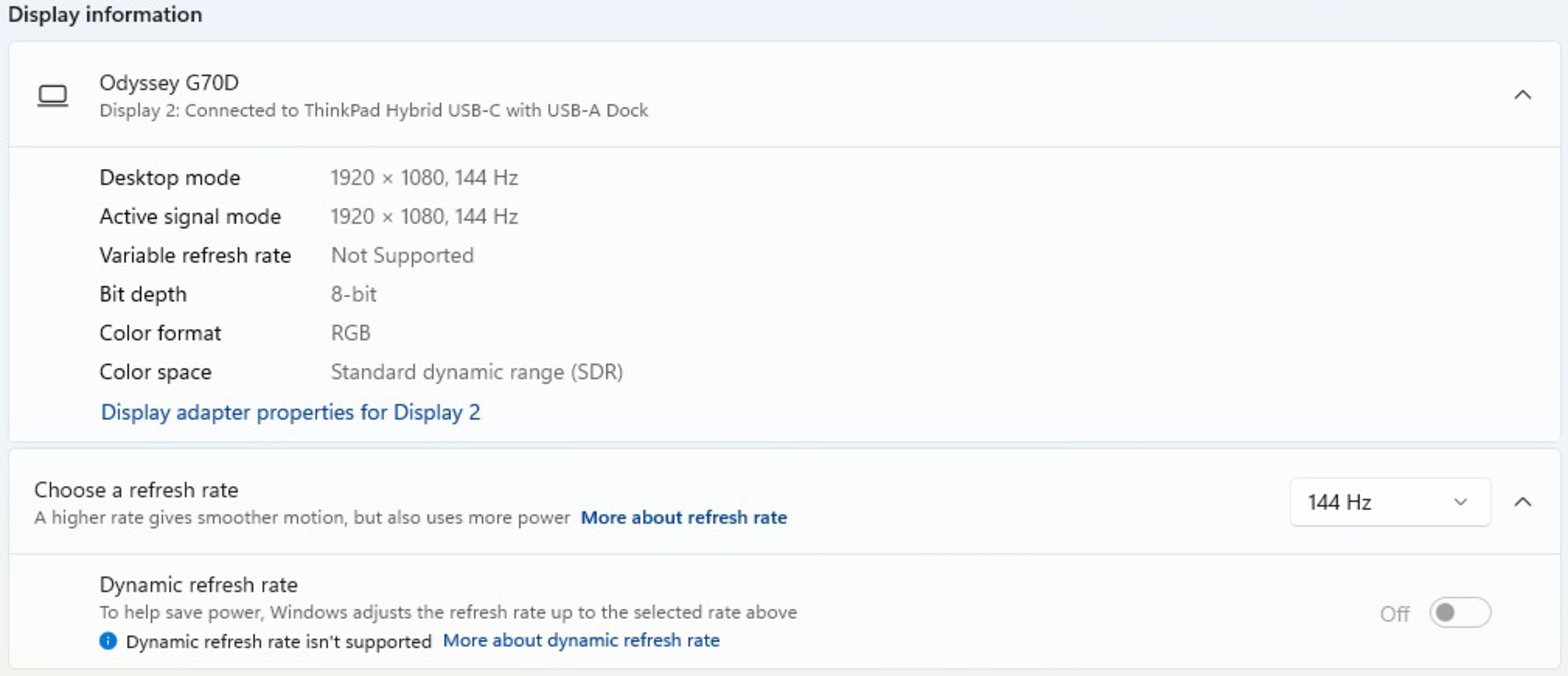
You may even be able to increase the refresh rate with a lower resolution, but there are trade-offs as that results in worse text clarity. Below you can see how increasing the refresh rate on the Samsung Odyssey G70D S32DG70 requires a lower resolution. Note that this is because of bandwidth limitations with the connected laptop and its dock, otherwise you'd be able to get a 4k @ 144Hz signal with a proper PC.
 |
 |
What Is Variable Refresh Rate?
Modern monitors have features called variable refresh rate, commonly known as VRR. This matches the screen's refresh rate to the source's frame rate even if it fluctuates. It reduces the screen tearing that happens when the refresh rate and frame rate don't match up. The main advantage of using VRR is that it matches the frame rate even when your source can't maintain stable frame rates, so you don't have to worry about changing the refresh rate in the monitor's settings.
For VRR to work, the monitor and the source need to support the same VRR format. Most monitors support the same VRR formats as modern graphics cards, but not all support it with a PS5. It's important to consult our reviews if you want to see which formats a specific monitor supports.
Learn more about FreeSync and G-SYNC VRR.
Conclusion
A monitor's refresh rate is the amount of times the screen refreshes from top to bottom every second. Measured in Hz, it usually matches the source's frame rate. A higher refresh rate leads to a smoother, more responsive feel, with the possibility for better overall motion handling. The refresh rate isn't a defining factor in the monitor's performance, though, so a 360Hz monitor isn't necessarily better than a 60Hz monitor. There are certain usages that benefit from having a high refresh rate, like gaming, but even those needing a monitor for work or content creation may appreciate the smoother feel that a higher refresh rate provides.
If you're looking to buy a monitor, check out the best high refresh rate monitors.