Choosing what monitor size to get can be a difficult decision, but comparing two specific sizes can help make it easier. Although 27-inch monitors are the most common size you can get, there are plenty of reasons you'd want to get a smaller 24-inch monitor instead. When comparing a 24-inch vs 27-inch monitor, there are a few factors you may want to consider, like how you're going to use the monitor. For example, you'll benefit from the larger display if you need something for work, as it's easier to view multiple windows at the same time. However, many 24- and 25-inch monitors are focused on gaming with high refresh rates, so you should consider these if you're a competitive gamer.
If you're curious about other sizes to learn which is the right one for you, you can also check out our monitor sizing guide or our article comparing 27- and 32-inch monitors. For more specific model recommendations, see the best 24-25 inch monitors and the best 27-inch monitors.
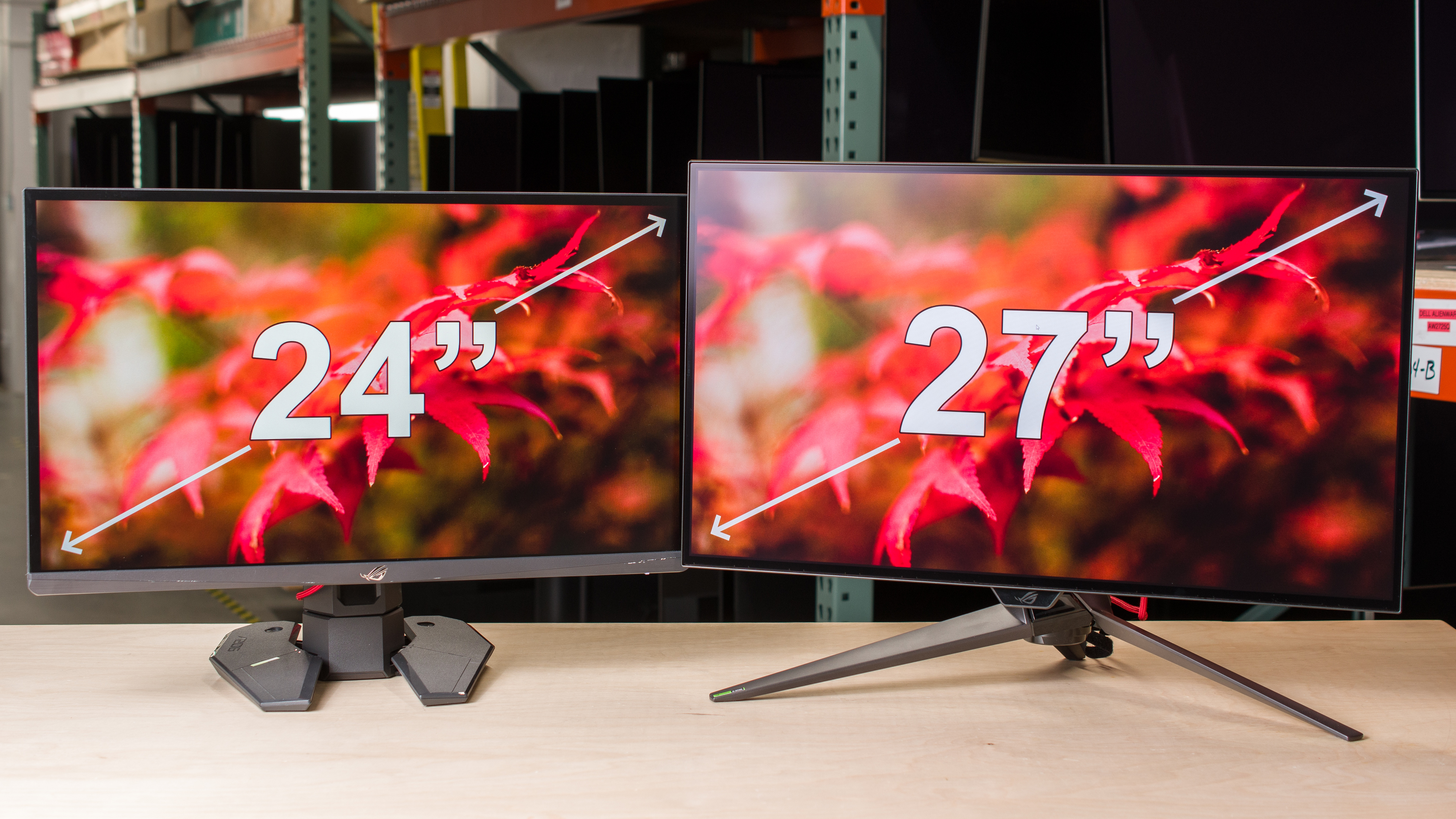
Market of 24-Inch and 27-Inch Monitors
Before understanding the technical differences between 24-inch and 27-inch monitors, it's important to understand the market for each panel type, as they're fairly different. There's a variety of 27-inch monitors available, from basic displays to high-end models, and they're available in different panel types, including OLEDs. The market for 24- and 25-inch monitors is smaller, as there aren't any OLEDs or 4k displays available, and you can only get them with a 1080p or 1440p resolution. They're also available in different LCD panel types, including TN panels. In fact, there are more 24- and 25-inch monitors with TN panels than 27-inch TN monitors.
Many of these 24- and 25-inch monitors are designed with gaming in mind, specifically competitive gaming. Out of 44 24- and 25-inch monitors we've tested since 2017, 19 of them are 1080p displays with refresh rates of 240Hz and above. This includes three models whose max refresh rates are 500Hz and above, like the ASUS ROG Swift Pro PG248QP, the BenQ ZOWIE XL2586X, and the Dell Alienware AW2524H.
The first 27-inch monitors with 500Hz refresh rates only started coming out in 2025. These are OLEDs with a higher 1440p resolution that's more demanding on your graphics card than 1080p displays. So, if you're a competitive gamer who craves high refresh rates above all else, it's better to go for a 24- or 25-inch monitor with the lower 1080p resolution.
That said, the market for 27-inch monitors is wider, so you'll likely find what you need for any type of usage. We've tested 152 27-inch monitors from 2017 to the time of writing this article, with 123 of them having a 1080p or 1440p resolution and 29 others having 4k or 5k resolutions.
As there's this difference in the market between 24-inch and 27-inch monitors, you should also consider how you'll use the monitor before deciding which size you'll get.
Difference in Screen Area
The difference in size between 24-inch and 27-inch monitors is more than just the three extra diagonal inches on the 27-inch monitor. As they both have a 16:9 aspect ratio, a 27-inch screen is taller, measuring 13.2" high versus 11.8" on a 24-inch screen. A 27-inch monitor is also wider, with a 23.5" width versus 21" on a 24-inch monitor. This doesn't include bezels and housing, but most monitors add about 0.5 inches on either side of the screen. Naturally, 25-inch screens are slightly bigger than 24-inch displays, as they measure 22" by 12.3".
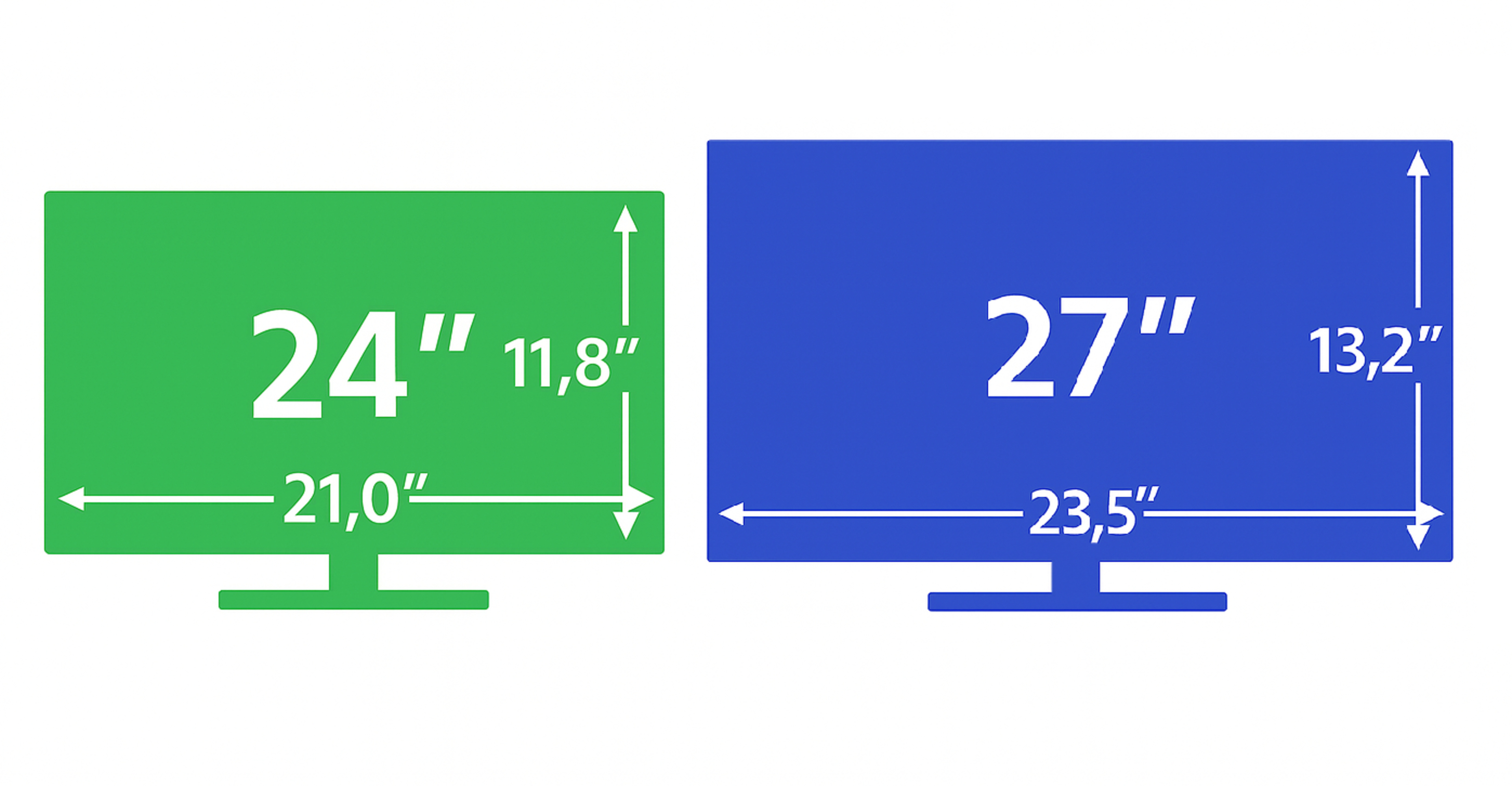
In terms of actual screen area, a 24-inch monitor is 246 in² big (267 in² for 25-inch monitors), while a 27-inch monitor is 310 in². This means that a 27-inch monitor has 16% more screen space than a 25-inch monitor and 26% more than a 24-inch screen. You have more screen space to view windows next to each other on a 27-inch monitor, whereas it's generally hard to multitask with different windows on a 24- or 25-inch monitor.
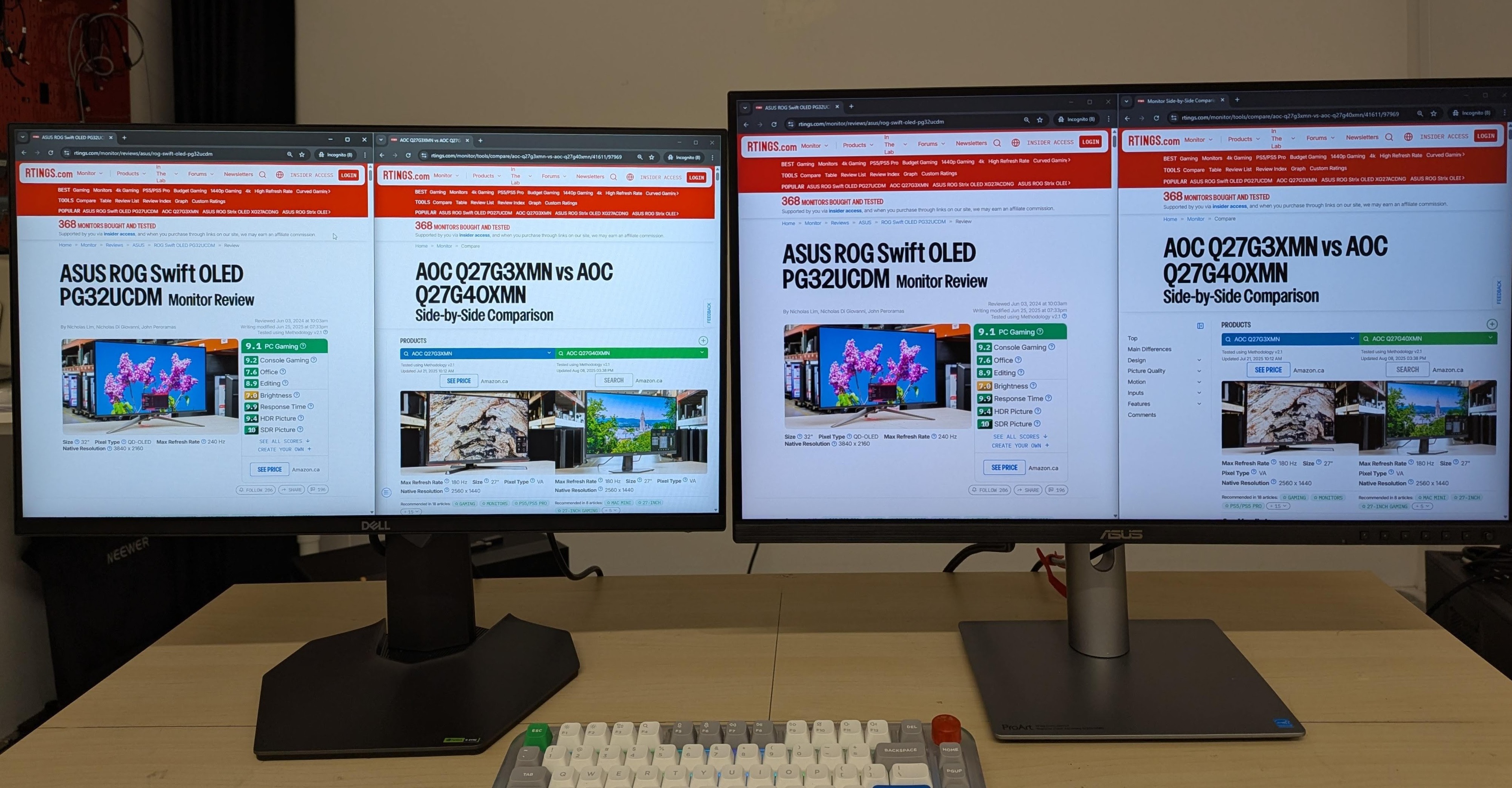
In the example below, you can see a 1080p resolution with the same 100% Windows scaling on 25- and 27-inch screens. The larger screen on the 27-inch monitor allows for more content from webpages, as you can see the sidebar in our comparison tool by default on the larger screen, while it's hidden on the smaller one.
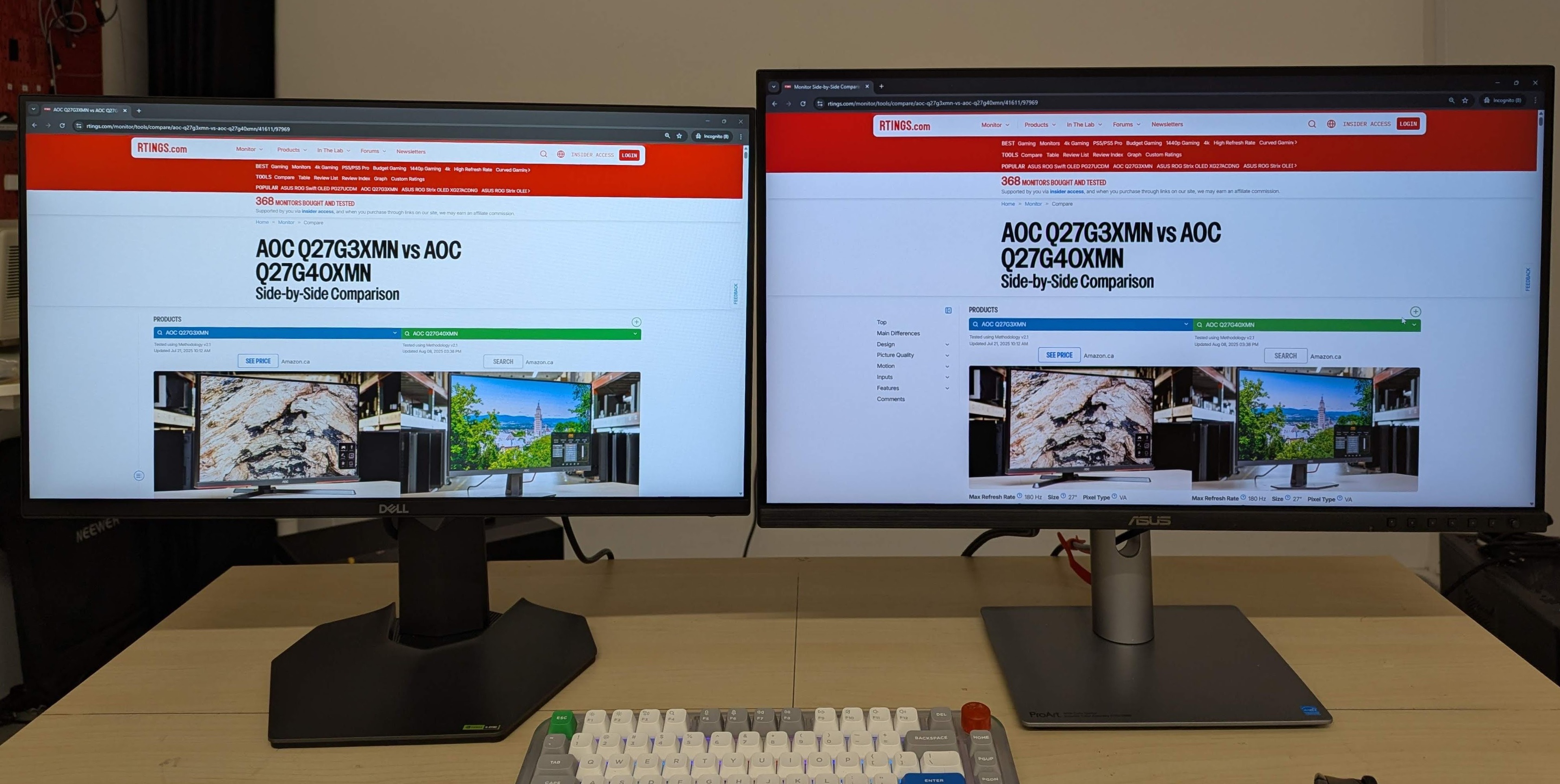
An advantage to getting a 27-inch monitor for work is that there are more with higher resolutions than 24- and 25-inch models, like in 1440p or 4k. With these higher resolutions, you can view more lines of text at once, which helps with multitasking.
Gaming
Despite the smaller screen size, you may actually prefer a 24- or 25-inch monitor for gaming. This is because you'll see the entire screen within your field of view without moving your eyes too much in fast-paced games, even when sitting close. 24- and 25-inch monitors are also the standard size used in most esports games, allowing competitive gamers to sit closer to the screen and see everything at once. The benefit of getting a 27-inch monitor for gaming is if you want a more immersive feel with the bigger screen. However, keep in mind that they have the same 16:9 aspect ratio as smaller monitors, so you won't see more of your game; rather, everything will look bigger on a larger screen with the same resolution.
Viewing Distance
Another consideration when deciding between 24-inch and 27-inch monitors is how far you sit away from the screen. Ideally, you want the display to fill up between 30 and 45 degrees of your field of vision, which means you can't sit too close or too far away from the screen. The Occupational Safety and Health Administration recommends sitting between 20 and 40 inches away from your monitor. The monitor's resolution also impacts the size and your viewing distance, as you'll notice the differences between 1080p and 1440p resolutions the closer you sit, but you won't notice these differences as much from further away.
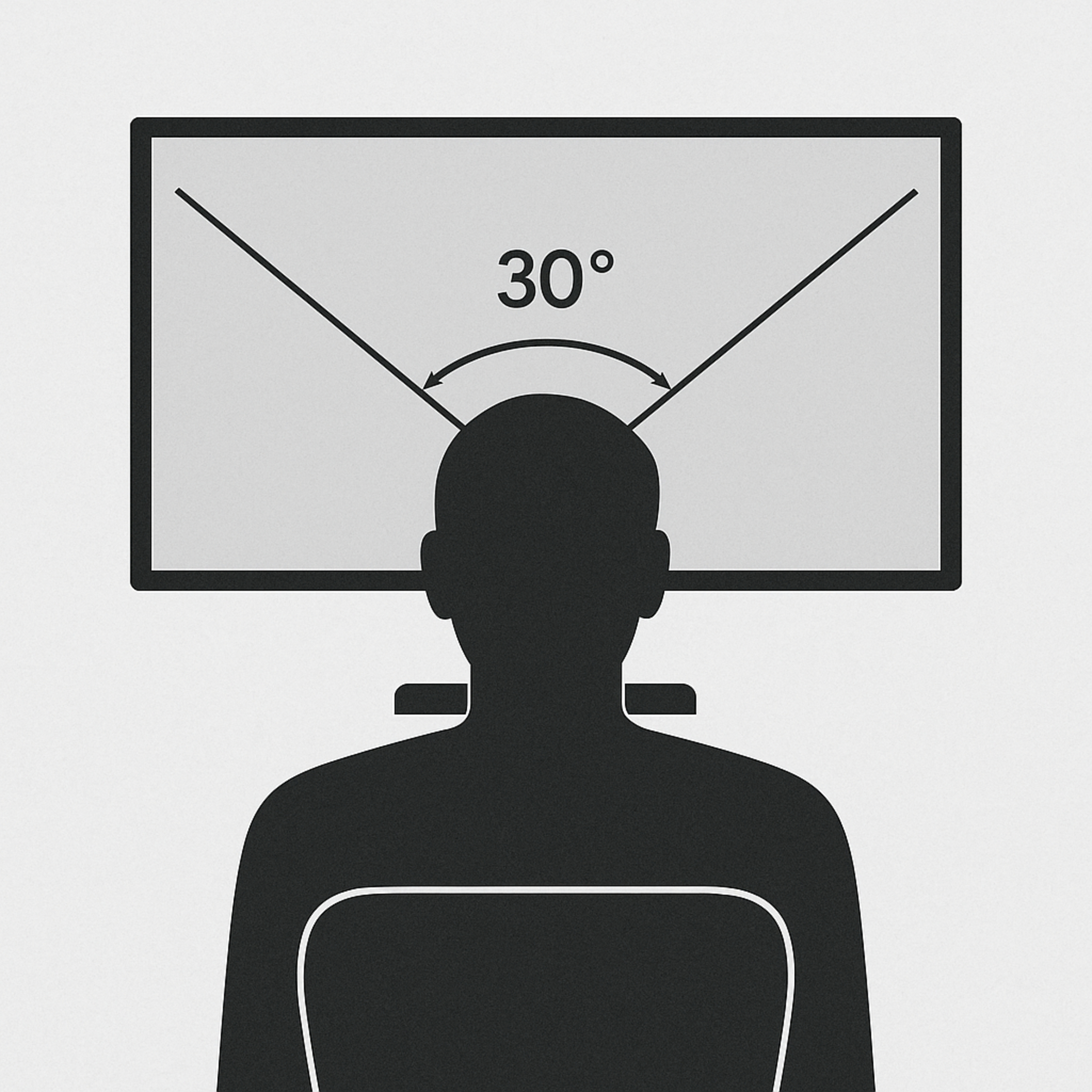
That said, a good recommendation is to get a 24-inch monitor if you sit between 20 and 30 inches (50 to 75 cm) away, and a 27-inch monitor if you sit between 24 and 36 inches (60 to 90 cm) away from the screen. This means you can go with either size if you sit between 24 and 30 inches away from the screen, but this is just a general guideline, and there are other factors that impact the size you get, like your personal preference and eyesight.
Impact On Pixel Density and Image Clarity
Although the size of the screen doesn't impact factors like gaming performance and overall picture quality, it does have an effect on the monitor's pixel density, and in turn, its image and text clarity. The pixel density is a measurement of the amount of pixels per square inch, so with the resolution being equal, the pixel density is higher on a 24-inch monitor than a 27-inch monitor. This has a direct impact on how sharp letters and objects look on the screen, as the higher pixel density helps define sharp edges better. That said, there are other factors that impact text clarity, like the screen coating and subpixel layout, so the pixel density isn't the only deciding factor.
You can see examples below of text clarity on 24-inch and 27-inch monitors with 1080p and 1440p resolutions. It's clear that the 24-inch monitors have sharper text due to their higher pixel density. Although 24-inch, 1440p monitors don't have the same sharp text clarity as a 27-inch, 4k display, these are still great choices for work.
| Resolution | Size | Pixel Density | Text Clarity Photo |
|---|---|---|---|
| 1080p | 24" | 93 PPI | 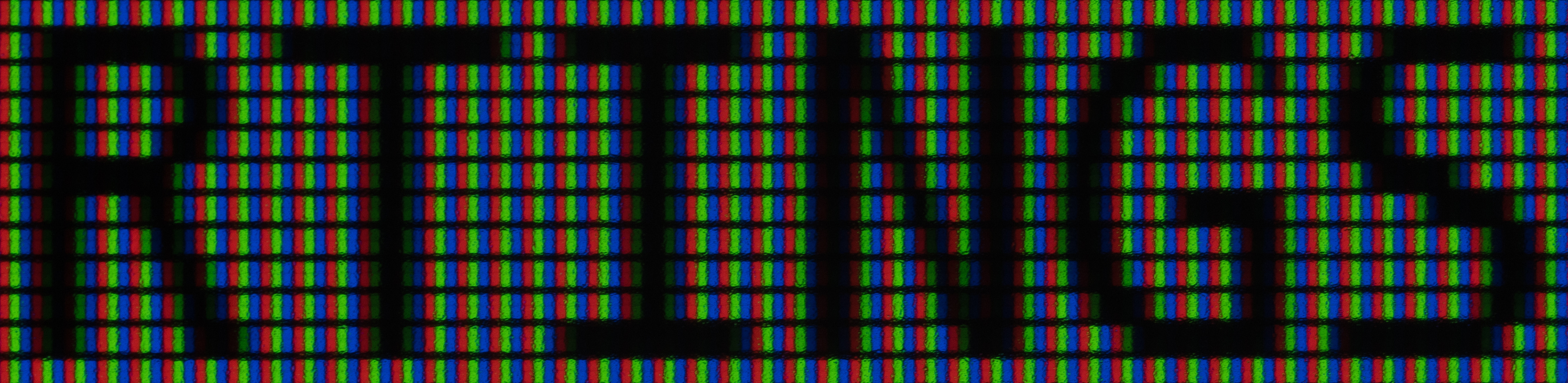 |
| 27" | 82 PPI |  |
|
| 1440p | 24" | 123 PPI |  |
| 27" | 109 PPI |  |
Conclusion
When looking for a new monitor, you may assume that the size has a big impact on the performance and picture quality. When comparing a 24-inch vs a 27-inch monitor, it's easy to think that bigger is better, but in fact, the size has a minimal effect on the monitor's performance. There are other factors that you also have to consider, like the resolution, refresh rate, and panel type. Luckily, though, the market of 24-inch and 27-inch monitors also dictates these factors, as many 24- and 25-inch monitors are geared towards competitive gaming with high refresh rates and low resolutions. On the other hand, 27-inch monitors are available in a variety of specs, including high-resolution 4k displays for work, so you'll likely find what you need in the 27-inch monitor market. Understanding the market for each of these monitor sizes can help you narrow down your choices.