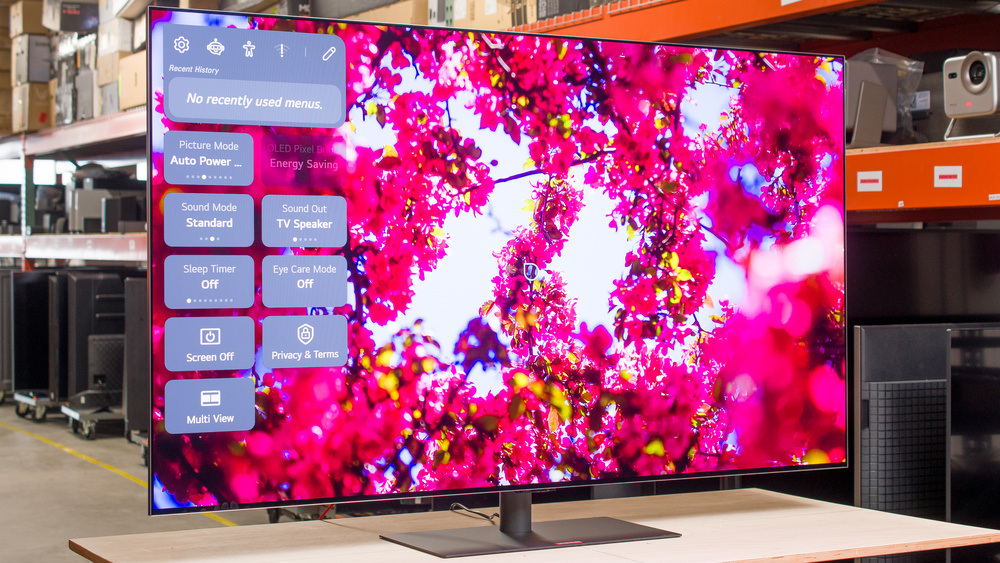
The LG G6 OLED is the brand's flagship OLED TV in 2026. It utilizes a Primary RGB Tandem Panel 2.0 and features LG's Hyper Radiant Technology, designed to further increase brightness compared to 2025's LG G5 OLED. The TV also uses a new type of glossy screen coating that's meant to improve reflection handling. It's powered by the Alpha 11 Gen 3 AI Processor and comes equipped with webOS 26, with guaranteed OS updates for five years through LG's Re:New Program. It supports Dolby Vision but doesn't support HDR10+ or the newer Dolby Vision 2. Like LG's 2025 models, it only passes through Dolby audio formats and doesn't support DTS. The TV has a ton of modern gaming features, such as HDMI 2.1 bandwidth on all four ports, up to 4k @ 165Hz for PC gamers, and support for all major VRR formats.
Our Verdict
The LG G6 is outstanding for most uses. It's a fantastic option for a home theater due to its perfect black levels, vibrant colors, and excellent HDR brightness. The TV also performs amazingly in bright rooms thanks to its high peak brightness and excellent reflection handling. In addition to its image quality, gamers will be pleased by its high refresh rate, low input lag, and clear motion. It even has a very wide viewing angle, which is great for rooms with seating that's off to the sides of the screen.
Perfect blacks with no haloing around bright highlights.
Image mostly remains consistent when viewed from the sides.
Outstanding peak brightness in SDR.
Colors are bright and vibrant.
Very noticeable stutter due to the TV's fast response time.
The LG G6 is fantastic for use in a home theater. It truly excels in a dark room thanks to its inky blacks with no haloing around highlights and subtitles. Colors are bright and punchy, and the TV is more than bright enough to make highlights pop in HDR movies and shows. Outside of some stutter in slow panning shots, the TV's motion handling is very good, and its fantastic processing helps to clean up compressed feeds. It supports Dolby Vision and passes through all Dolby audio formats, but it doesn't support HDR10+ or DTS audio.
Perfect blacks with no haloing around bright highlights.
Colors are bright and vibrant.
High peak brightness in HDR.
Upscales and cleans up low-quality content incredibly well.
Superb gradient handling in HDR10.
Very noticeable stutter due to the TV's fast response time.
Doesn't passthrough DTS audio formats.
The LG G6 is amazing for use in a bright room. It has outstanding SDR brightness and does an excellent job minimizing both direct and indirect reflections, so glare isn't much of an issue, even in very bright environments. Ambient light barely affects picture quality, so blacks remain incredibly deep, and colors are vibrant even during the day.
Outstanding peak brightness in SDR.
Colors are bright and vibrant.
Blacks remain deep and colors stay vibrant in a room with ambient lighting.
Excellent reflection handling.
The LG G6 is outstanding for watching sports. It has a nearly instantaneous response time, so fast motion is incredibly clear, and there are no distracting artifacts around the edges of players and objects. It has a wide viewing angle, so everyone can enjoy solid image quality regardless of where they're sitting. The TV performs amazingly in bright rooms, so you can keep your curtains open during Sunday afternoon NFL games. It also has fantastic image processing, which helps to clean up low-quality cable feeds and online streams.
Image mostly remains consistent when viewed from the sides.
Outstanding peak brightness in SDR.
Colors are bright and vibrant.
Upscales and cleans up low-quality content incredibly well.
No transition artifacts.
The LG G6 is an outstanding gaming TV. It has nearly instantaneous response times, so motion is crisp and clear regardless of the game you're playing. The TV's low input lag leads to a responsive gaming experience, which is especially useful for gamers playing PVP titles. It's also fully compatible with gaming consoles and makes a great pairing with gaming PCs thanks to its HDMI 2.1 ports, VRR support, and high refresh rates. Games also look fantastic on this OLED thanks to its top-tier image quality.
Perfect blacks with no haloing around bright highlights.
Low input lag.
Nearly instantaneous response time.
Colors are bright and vibrant.
165H refresh rate and an impressive selection of gaming features.
The LG G6 has amazing brightness. It's more than bright enough in SDR to handle glare in most well-lit environments. The TV also has fantastic HDR brightness, so most highlights really pop in HDR movies, shows, and games. It's not as bright in HDR with large areas of brightness, like an outside scene on a sunny day, due to its aggressive automatic brightness limiter (ABL). However, these entirely bright scenes don't look dim and are still impactful.
Outstanding peak brightness in SDR.
High peak brightness in HDR.
Since the LG G6 is an OLED, it displays remarkably deep and inky blacks with no haloing around highlights.
Perfect blacks with no haloing around bright highlights.
The LG G6 has fantastic color reproduction overall. It has fantastic color volume in both SDR and HDR, so colors are rich and vibrant regardless of the content type you're watching. Colors have excellent accuracy out of the box, so even enthusiasts likely won't feel the need to get it calibrated. If you do want to get it calibrated, SDR and HDR can be calibrated to near-perfection.
Colors are bright and vibrant.
The LG G6 has very good motion handling. Fast motion is crystal clear thanks to the TV's nearly instantaneous response time, and transitions are handled perfectly, with no artifacts around the edges of fast-moving characters or objects. It's entirely free from micro-judder, and there's only some judder when you're using an older streaming device to watch certain European content. Unfortunately, there's visible stutter in slow panning shots, but this is the case for any OLED model, and it can be reduced with a light amount of motion interpolation if it bothers you.
Nearly instantaneous response time.
No transition artifacts.
Removes judder from most content.
Very noticeable stutter due to the TV's fast response time.
The LG G6 is incredibly responsive in its low-latency Game Optimizer mode. Motion is sharp and clear thanks to its nearly instantaneous response time, and inputs feel snappy thanks to its low input lag. The TV has four HDMI 2.1 ports capable of 4k @ 165Hz, so it's fully compatible with modern consoles, and PC gamers can put that high refresh rate to good use. Finally, it supports all commonly used VRR formats to greatly reduce screen tearing.
Low input lag.
Nearly instantaneous response time.
165H refresh rate and an impressive selection of gaming features.
Note: We're in the process of improving our tests related to image processing, but this score should give you a general idea of how a TV performs overall with its image processing capabilities.
The LG G6 has outstanding image processing. It does a fantastic job upscaling low-resolution content and reducing artifacts in low-quality content. HDR content is mostly displayed at the proper brightness level thanks to the TV's fantastic PQ EOTF tracking, and there's essentially no banding in color gradients in HDR content.
Upscales and cleans up low-quality content incredibly well.
Superb gradient handling in HDR10.
Performance Usages
Changelog
- Updated Sep 18, 2026: We converted this review to Test Bench 2.2.1, adding a new Dumb TV test for whether or not the TV can be used offline.
-
Updated Aug 17, 2026:
We bought and tested the Samsung 77S90H OLED, and added a comparison in the HDR Brightness section.
-
Updated Aug 10, 2026:
We retested the TV's HDR Brightness and HDR Brightness In Game Mode after updating to the latest firmware, version 43.11.81. The TV's peak brightness in FILMMAKER Mode increased slightly.
-
Updated Jul 24, 2026:
We removed the HDR Brightness measurements in Vivid Mode since they're no longer accurate.
Check Price
Differences Between Sizes And Variants
We bought and tested the 65-inch LG G6 OLED (OLED65G6SUB), but our results also apply to the 55-, 77-, and 83-inch models. The massive 97-inch model doesn't use an RGB tandem panel, so it isn't as bright and doesn't have the same color performance as the smaller models. Note that the last three letters in the model number (SUB in this case) vary between retailers and individual regions, but there's no difference in performance. All TV sizes in the U.S. come with a wall mount instead of a stand, but in some regions like Canada, the 55-inch and 65-inch models can be purchased with a stand (SUB) or a wall mount (WUA). LG showed off a 48-inch G6 at CES 2026, but it's not available to purchase or pre-order in North America as of May 2026.
| Size | US Model | Primary RGB Tandem Panel |
|---|---|---|
| 55" | OLED55G6WUA | Yes |
| 65" | OLED65G6WUA | Yes |
| 77" | OLED77G6WUA | Yes |
| 83" | OLED83G6WUA | Yes |
| 97" | OLED97G6WUA | No |
Our unit was manufactured in Mexico in February 2026.
Popular TV Comparisons
The LG G6 OLED is an outstanding TV that's suitable for all uses. It does a better job than the LG G5 OLED at handling reflections thanks to its improved screen coating, and it offers a nice boost in SDR brightness. It's a bit brighter than the G5 in HDR, too, and the TV delivers top-tier image quality overall. However, it's very expensive near launch, and most people are better off saving some money and going with the G5 while it's still available. If the G5 isn't available and you're shopping for a 77-inch or 83-inch model, you can trade off some brightness and reflection handling to save money by going with the similar LG C6H OLED instead.
For more options, check out our recommendations for the best OLED TVs, the best gaming TVs, and the best 80-83-85 inch TVs.
The LG G6 OLED and the LG G5 OLED are very similar overall. The G6 is brighter in SDR and has superior reflection handling, making it the better option for bright rooms. The G6 also has superior gradient handling, and it does a slightly better job reducing artifacts in low-quality streams. Both TVs are incredibly similar, so most people are best off getting the G5 if they can find it for cheaper than the G6.
The LG G6 OLED provides better image quality than the LG C6 OLED 2026. The G6 is brighter and has superior reflection handling, making it more well-suited for a bright room. The G6 also displays noticeably more vibrant colors in HDR, and it's a bit more accurate in HDR out of the box.
The Samsung S95H OLED is a bit better than the LG G6 OLED overall. Colors are brighter and more vibrant on the Samsung, resulting in a slightly more realistic HDR experience overall. The two TVs have similar brightness, but the LG can sustain bright highlights longer, though content that actually shows this difference is extremely rare. The Samsung's matte anti-reflective coating does a much better job of reducing glare during the day, but the LG maintains picture quality better, with less black level rise in a bright room. The LG also has better processing, especially when displaying low-quality content.
The LG G6 OLED and the LG C6H OLED are quite similar overall, but the G6 is better. The G6 is brighter overall and has superior reflection handling, making it the much better choice for very bright rooms. The G6 can also display slightly more vibrant colors, has better overall accuracy out of the box, and has a slightly wider viewing angle.

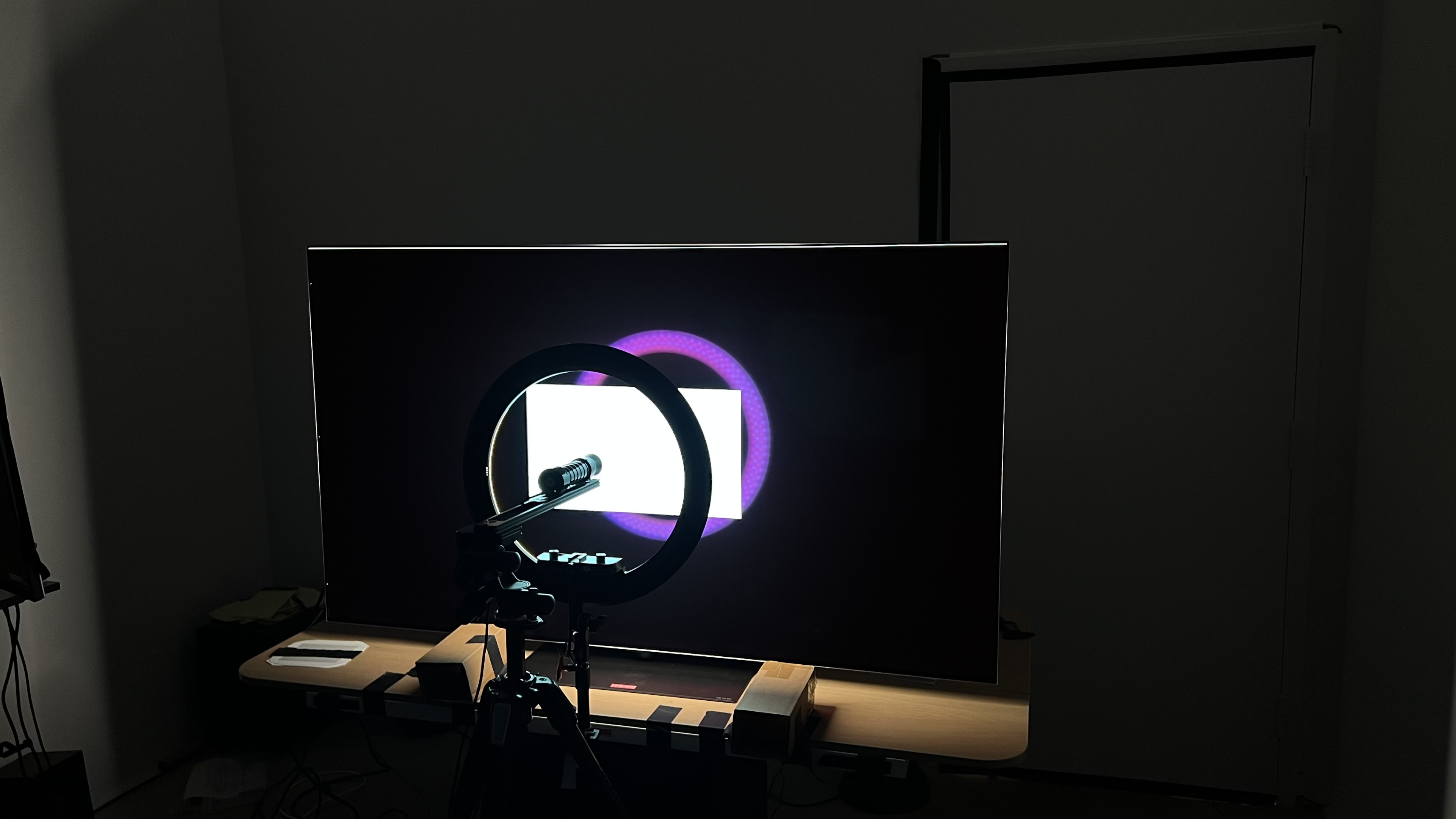
We buy and test dozens of TVs yearly, taking an objective, data-driven approach to deliver results you can trust. Our testing process is complex, with hundreds of individual tests that take over a week to complete. Most of our tests use specially designed test patterns that mimic real content, but we also use the same sources you have at home to ensure our results match the real-world experience. We use two main tools for our testing: a Colorimetry Research CR-100 colorimeter and a CR-250 spectroradiometer.
Test Results
for pictures & test results

for pictures & test results

for pictures & test results

The LG G6 OLED has fantastic HDR brightness overall. Small specular highlights are incredibly bright, so highlights really pop in most scenes. Like any OLED, brightness decreases as the size of bright areas increases due to the TV's automatic brightness limiter (ABL), but entirely bright scenes still look punchy, and it's considerably brighter than similar models like the Samsung 77S90H OLED.
The posted results are with the TV in its most accurate picture mode with 'Dynamic Tone Mapping' and 'Expression Enhancer' disabled. Below are the results with DTM turned on, which significantly increases brightness in most real scenes but isn't as accurate.
- Hallway Lights: 2,124 cd/m²
- Yellow Skyscraper: 1,746 cd/m²
- Landscape Pool: 1,126 cd/m²
Update 8/10/2026: We rechecked the TV's HDR peak brightness on firmware 43.11.81. The 2% and 10% slide measurements increased noticeably, and real scene peak brightness increased slightly.
Slide measurements in 'Vivid' mode also decreased slightly, but not by much:
- Peak 2% Window: 4,377 cd/m²
- Peak 10% Window: 2,457 cd/m²
- Peak 25% Window: 1,208 cd/m²
- Peak 50% Window: 648 cd/m²
- Peak 100% Window: 386 cd/m²
for pictures & test results

for pictures & test results

for pictures & test results

The TV is brighter when you switch to the 'Game Optimizer' mode. However, it's less accurate, since it slightly overtracks the PQ EOTF.
The posted results are with the TV in 'Game Optimizer' mode with 'Dynamic Tone Mapping' and 'Expression Enhancer' disabled. Below are the results with DTM turned on, which significantly increases brightness at the cost of accuracy.
- Hallway Lights: 2,085 cd/m²
- Yellow Skyscraper: 1,958 cd/m²
- Landscape Pool: 1,140 cd/m²
Update 8/10/2026: We rechecked the TV's HDR peak brightness in Game Mode on firmware 43.11.81. With the TV in its lowest input lag setting of the 'Game Optimizer' picture mode, with the separate Game Optimizer setting enabled and a PC input, there was no significant change in peak brightness.
The peak brightness did increase slightly after this firmware update if you're running the TV in 'FILMMAKER Mode' with Game Optimizer enabled:
- Peak 2% Window: 3,548 cd/m²
- Peak 10% Window: 3,092 cd/m²
- Peak 25% Window: 1,511 cd/m²
- Peak 50% Window: 760 cd/m²
- Peak 100% Window: 468 cd/m²
- Yellow Skyscraper: 675 cd/m²
- Landscape Pool: 371 cd/m²
- Hallway Lights: 1,479 cd/m²
This combination of settings results in slightly brighter slide tests, but most real content is still slightly dimmer than in the full Game mode. Since this mode also has slightly higher input latency, most people should stick to the 'Game Optimizer' picture mode.
The LG G6 OLED has outstanding peak brightness in SDR, and the TV is bright enough to overcome glare in almost any well-lit room. Like all OLEDs, the TV's automatic brightness limiter (ABL) means large areas of brightness aren't as bright as smaller areas, like when watching sports. However, it's still bright enough with all SDR content that it doesn't look dim.
for pictures & test results

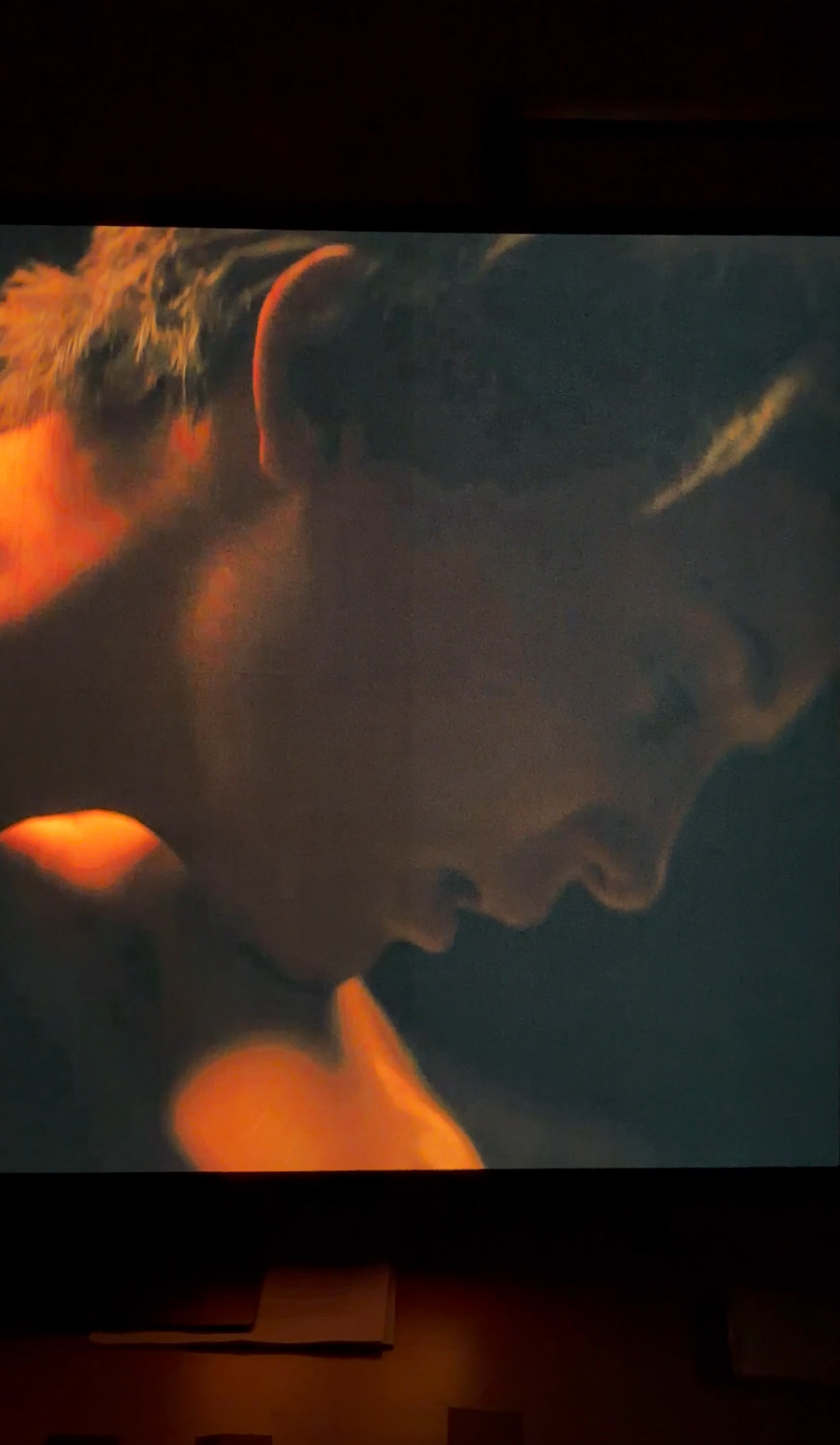
The LG G6 OLED TV has a nearly infinite contrast ratio, giving it perfect contrast. Due to OLED's self-lit pixels, it displays bright highlights next to perfect inky blacks, making it very impressive in a dark room.
for pictures & test results

Since OLEDs don't use lighting zones and instead have individual pixels that can be lit up to their maximum brightness next to pixels that are turned off, there's no haloing when bright elements are surrounded by deep blacks.
for videos & test results

This TV is an OLED without a backlight, so its self-lit pixels give it the same performance as a TV with perfect local dimming and no zone transitions. We still film the zone transition video so you can see how it compares to an option with local dimming.



for pictures & test results

Because OLEDs can turn off individual pixels, the TV has perfect black uniformity with no haloing around bright objects.
for pictures & test results

for pictures & test results

The TV has fantastic SDR color volume. It covers the entirety of the DCI-P3 color space and has very good coverage of the widest BT.2020 color space. Colors are vibrant and punchy on this TV regardless of the SDR content you're watching.
| Volume ΔE³ | DCI-P3 Coverage |
BT.2020 Coverage |
|---|---|---|
| L10 | 97.47% | 74.36% |
| L20 | 98.85% | 75.10% |
| L30 | 99.04% | 75.51% |
| L40 | 99.33% | 78.00% |
| L50 | 99.69% | 79.41% |
| L60 | 99.87% | 79.82% |
| L70 | 99.98% | 78.28% |
| L80 | 100.00% | 76.14% |
| L90 | 100.00% | 76.29% |
| L100 | 100.00% | 95.53% |
| Total | 99.72% | 78.32% |
for pictures & test results

for pictures & test results

The LG G6 has outstanding HDR color volume. It displays both dark and bright colors very well, resulting in rich, vivid colors in HDR content. Unlike QD-OLEDs like the Samsung S95F OLED, it uses a white subpixel to increase brightness, which slightly washes out colors in very bright scenes.
for pictures & test results

for pictures & test results

for pictures & test results

The LG G6 has excellent SDR accuracy before calibration, but it's not perfect. The color temperature is close to 6,500K, and colors have excellent accuracy overall. However, the white balance and gamma aren't perfect, and brighter areas of the image are too bright. Darker areas are also a bit too bright, but it's not too bad.
for pictures & test results

for pictures & test results

for pictures & test results

This LG G6 TV has fantastic SDR accuracy after calibration. It's not too hard to calibrate, but you have to be a little more aggressive when making adjustments compared to previous LG OLEDs. Still, the white balance, gamma, and color temperature are nearly perfect. The overall accuracy of colors is excellent, with only minor inaccuracies that aren't visible in real content.
See our full calibration settings.
for pictures & test results

for pictures & test results

The LG G6 has incredible HDR color accuracy before calibration. Its white balance is fantastic overall, but blues are slightly underrepresented in brighter grays, which contributes to its slightly too warm color temperature. However, it's very hard to notice, and colors have superb accuracy overall. This TV is so accurate out of the box that even enthusiasts likely won't feel the need to get it calibrated.
HDR pre-calibration accuracy has changed with every firmware update, and these results are with firmware 43.11.67.
for pictures & test results

for pictures & test results

The TV has outstanding HDR color accuracy after calibration, and it's pretty easy to calibrate. The white balance and color temperature are close to perfect, and the overall accuracy of colors is fantastic.
for pictures & test results

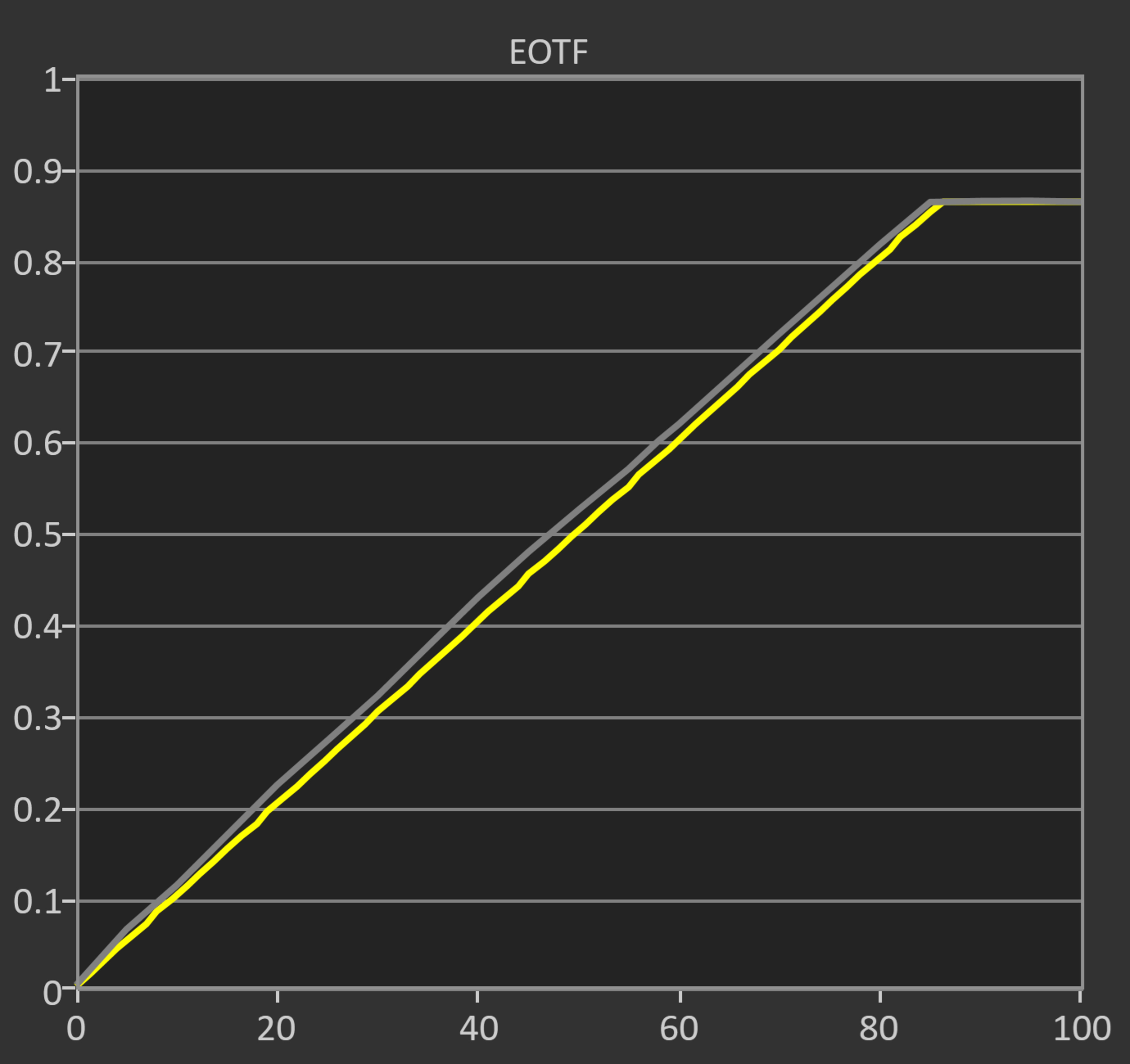
The LG G6 has fantastic PQ EOTF tracking. It follows the curve very closely, but some shadows and midtones are just a bit too bright. There's a gradual rolloff at the TV's peak brightness, which helps to retain detail in specular highlights.
The TV's EOTF tracking has changed with every new firmware update. The posted results are with the TV running firmware 43.11.67.
for pictures & test results

The LG G6 TV does a fantastic job smoothing out low-quality content. Macro blocking and pixelization are significantly reduced, and there's very little loss of fine details in the scene.
for pictures & test results

The TV does a fantastic job upscaling DVDs, standard definition streams, and other low-resolution content. Oddly, the 'Super Resolution' feature doesn't seem to do anything.
for pictures & test results

The LG G6 OLED has superb gradient handling with HDR10 content. The new 13-bit processing pipelining provides incredibly smooth gradients, with almost no visible banding at all. Unlike the LG C5 OLED and the LG G5 OLED, there are no diagonal dithering lines, but there's still some moving dithering noise that's only noticeable when you sit very close to the screen.
When this TV launched (firmware 43.02.67), Dolby Vision had noticeably worse gradient handling, strange contouring that appeared in certain scenes, and noticeable diagonal lines in dimmer scenes. Those problems have been resolved as of firmware 43.10.69, so Dolby Vision no longer looks worse than HDR10. You can see the differences between the firmwares in this comparison video.
This TV has incredibly low input lag, ensuring a very smooth and responsive gaming experience.
Below are some additional input lag measurements.
4:3 @ 60Hz:
- 640x480: 25.8 ms
- 800x600: 32.5 ms
- 1024x768: 25.3 ms
If you don't want to use the 'Game Optimizer' Picture Mode, you can instead simply toggle the 'Game Optimizer' setting while staying in 'Filmmaker Mode'. However, unlike the LG G5 OLED, input lag is higher than it is if you solely use the 'Game Optimizer' picture mode when using this method.
Filmmaker Mode with Game Optimizer Enabled:
- 60Hz: 21.8 ms
- 120Hz: 13.5 ms
- 165Hz: 4.4 ms
The TV supports all common resolutions up to 4k @ 165Hz, and it supports chroma 4:4:4, which helps with text clarity from a PC.
The TV supports FreeSync and HDMI Forum VRR and is certified as G-SYNC compatible, ensuring a nearly tear-free gaming experience from any VRR-enabled source. It works well across the TV's entire refresh rate range and supports sources with Low Framerate Compensation (LFC), which ensures your games remain nearly tear-free even when your frame rate drops very low.
for pictures & test results
for pictures & test results

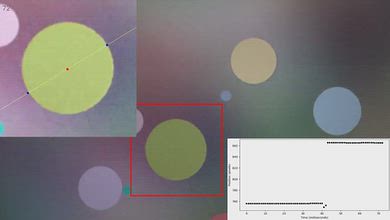
The TV's CAD at its maximum refresh rate of 165Hz is fantastic. Pixels transition to their target RGB level almost instantly, so fast motion is very sharp. There's some minor overshoot in shadow details, but it's very hard to notice when gaming.
for pictures & test results

for pictures & test results

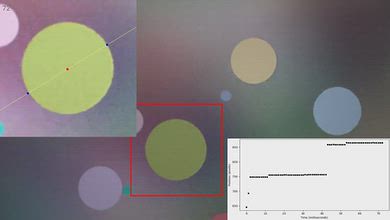
The TV's CAD at 120Hz is outstanding. It displays fast-moving objects without noticeable blur, so fast motion is clear. There's some subtle overshoot in near black scenes, though.


for pictures & test results

The LG G6 is fully compatible with everything the PS5 offers, like 1440p @ 120Hz and 4k @ 120Hz, as well as HDMI Forum VRR. It also supports Auto Low Latency Mode, so you don't have to worry about switching to Game Optimizer to get the lowest input lag.
Unfortunately, the console's HDR calibration menu doesn't work as it should when you have HGiG enabled, since the calibration pattern only disappears when you have the sliders maxed out. However, if you move the brightness up 22 clicks on the calibration screen, the pattern stops changing. 22 clicks is roughly 2700 nits, which matches the peak brightness of the TV in the Game Optimizer picture mode. If you use this method to calibrate HDR, HGiG works as it should.
for pictures & test results

This TV is fully compatible with everything the Xbox Series X|S offers, including 1440p @ 120Hz, 4k @ 120Hz, HDMI Forum VRR, FreeSync Premium Pro, and Dolby Vision gaming. It also supports Auto Low Latency Mode, so you don't have to worry about manually switching to Game Optimizer to get the lowest input lag.

for videos & test results
for pictures & test results

for pictures & test results
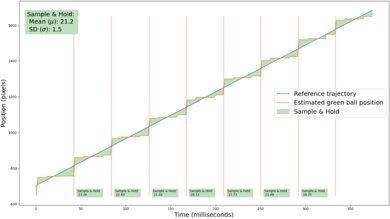
Adding motion interpolation to increase the frame rate of 24p content to 30 fps does a decent job at reducing stutter. There's still noticeable stutter, but the feature is very consistent, ensuring a smooth frame pacing.
for pictures & test results
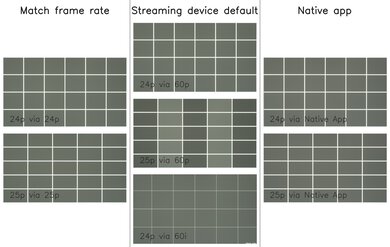
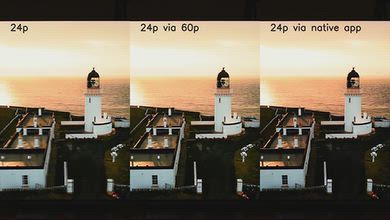
This TV removes 24p and 25p judder from almost all sources. However, it doesn't entirely remove 25p judder from 60p signals, and frames are held for an inconsistent duration, which causes motion to look jittery.
To remove judder on this TV, the Real Cinema setting must be enabled. Unfortunately, this setting is locked when OLED Motion Pro (BFI) is enabled. Enabling Quick Media Switching (QMS) causes judder on this TV when watching 24p content via a 60p signal. If you're watching content from a device that outputs a 60Hz signal, your best option is to turn off QMS.
for videos & test results
for videos & test results
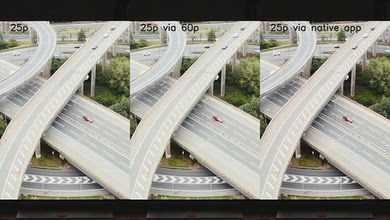
There's no micro judder with all sources.
for pictures & test results

for pictures & test results

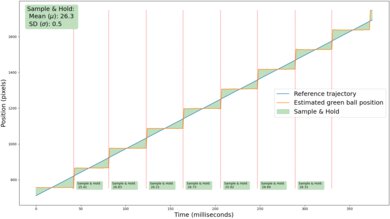
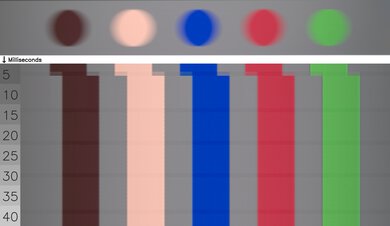
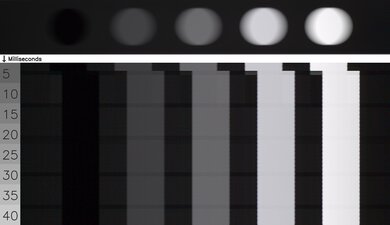
The LG G6 has a nearly instantaneous response time, resulting in incredibly clear motion with almost no blur behind fast-moving objects when watching content. Due to the sample-and-hold nature of OLED technology, there's still some persistence blur at 60Hz, but it's not very noticeable when watching movies or shows.
for pictures & test results

This TV doesn't have a traditional backlight and doesn't use pulse-width modulation (PWM) to dim each pixel, but it's not completely flicker-free. There's a slight dip in brightness that corresponds to the TV's refresh rate. This is very different from the PWM flicker on TVs with LED backlights and occurs on every OLED we've tested.
for pictures & test results

for pictures & test results

This TV has an optional black frame insertion (BFI) feature that reduces the appearance of persistence blur at 60Hz. Unfortunately, it can only insert black frames at a 60Hz refresh rate, and there's still some blur present.
for pictures & test results

for pictures & test results

The LG G6 TV does an excellent job of reducing the intensity of direct reflections. Reflections from direct sources of light, such as a lamp or window placed opposite the screen, are dimmed considerably. You can still notice subtle reflections in dark scenes, but direct reflections aren't an issue at all during brighter scenes.
for pictures & test results

for pictures & test results

Unlike QD-OLED panels like the Samsung S95H OLED, ambient light has barely any impact on black levels.
for pictures & test results

for pictures & test results

The TV does an excellent job with total reflected light. Direct reflections cause some minor diffraction artifacts, but the TV's glossy coating is very effective in minimizing the intensity of both indirect and direct reflections. There's some light diffusion, and reflections are softer than they are on other TVs with glossy coatings, like the LG G5 OLED.
for pictures & test results

This TV has great color saturation in a bright room. Ambient light barely has an impact on perceived color volume.
for videos & test results

for pictures & test results

for pictures & test results

for pictures & test results

The LG G6 TV has an excellent viewing angle. There's color shift as you move to the sides of the screen, but outside of that, image quality barely degrades when you're watching from the sides of the screen. This makes it a great option for wide seating arrangements.
Unfortunately, the G6 we bought and tested has a noticeable green tint when viewing the TV from an angle. It's a widespread issue that impacts almost all LG OLED panels but varies widely from unit to unit.
for pictures & test results

for pictures & test results

The TV has very good gray uniformity overall, but there are some imperfections worth noting. There's very little dirty screen effect in the center, which is great. However, scenes with near blacks (5% gray) have an unusual swirly pattern across the screen. Our unit also has some dead pixels and a line of pixels near the dead ones that is noticeably brighter than the rest of the image. This high exposure shot shows these imperfections.
for pictures & test results

for pictures & test results

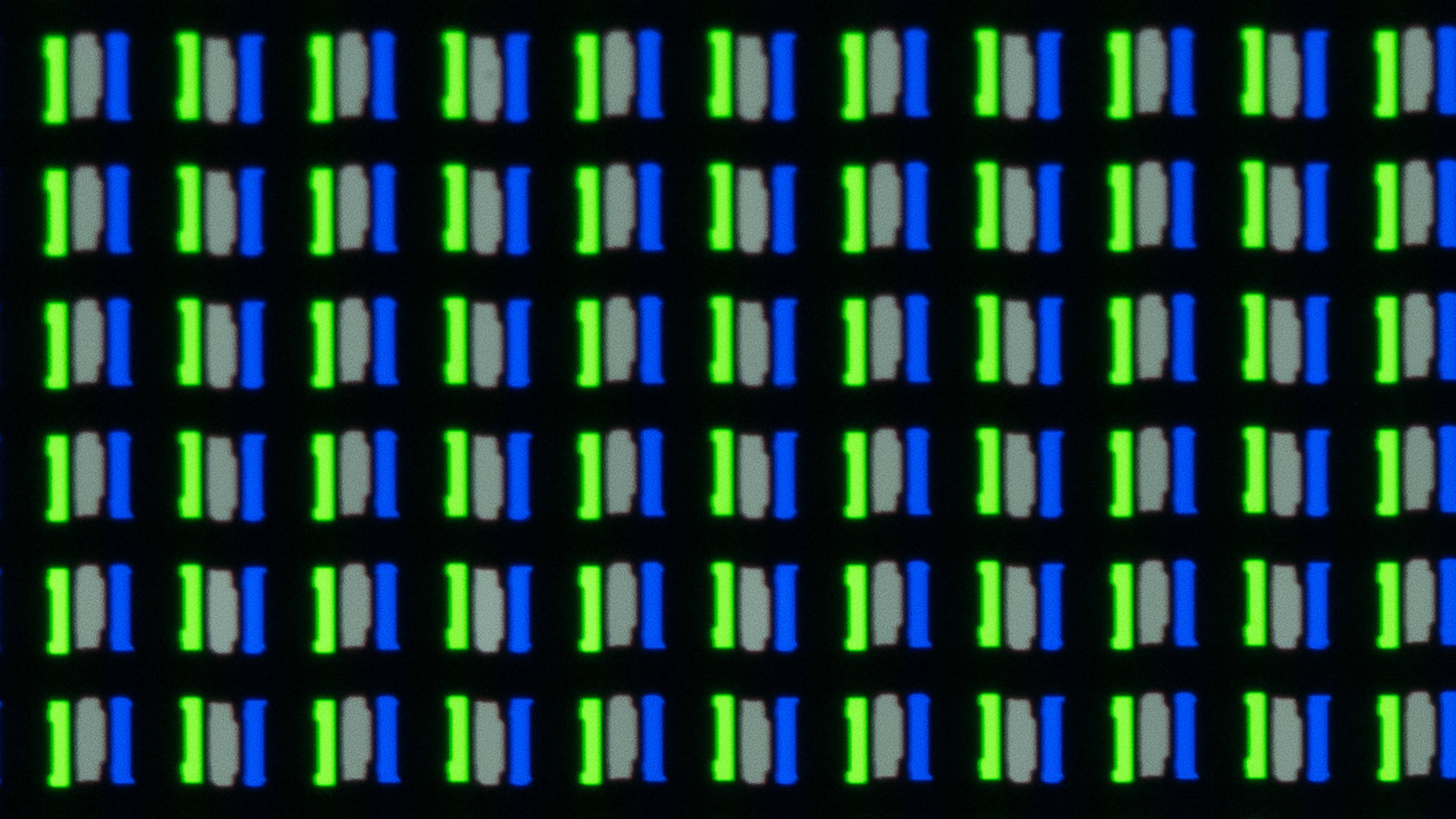
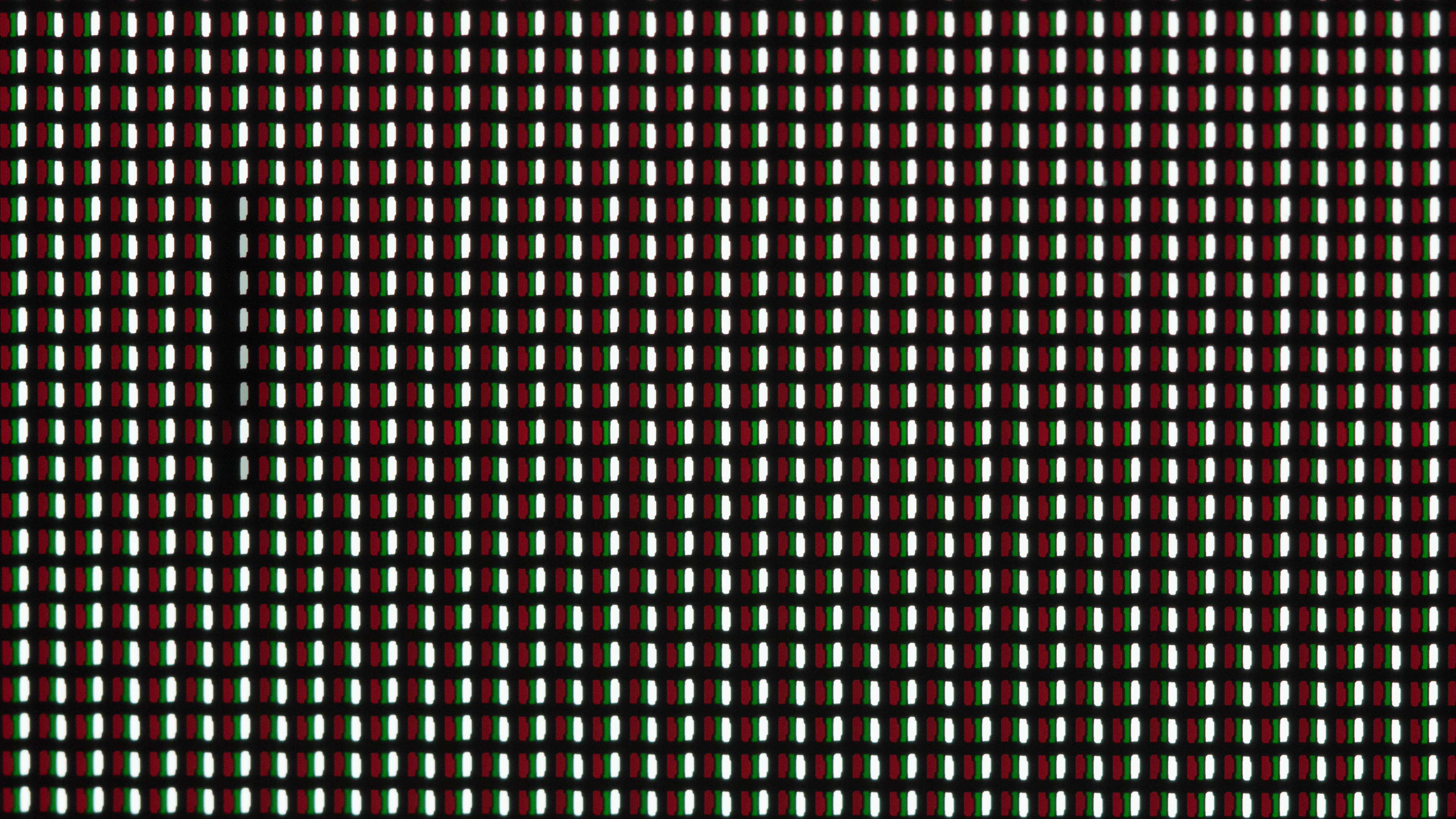
The LG G6 OLED uses an RGB tandem panel 2.0, which is a newer version of the panel found in 2025's LG G5 OLED. This panel has much better color separation than standard WOLED panels, but it still relies on a white subpixel.
Due to its subpixel layout, it has minor issues with displaying text on Windows since ClearType isn't well optimized to non-RGB subpixel layouts, but LG has restructured the subpixels so it looks a bit better than previous generations.
You can see an additional subpixel photo showing other subpixels, as all four are never lit at the same time.
for pictures & test results

for pictures & test results

The LG G6 supports the full 48Gbps bandwidth of HDMI 2.1 on all four HDMI ports. This allows you to take full advantage of multiple high-bandwidth devices, such as if you own both current-gen consoles and a high-end gaming PC.
This TV passes through all Dolby Digital options. However, it doesn't support any DTS audio formats commonly used on physical media.
This TV supports HDR10 and Dolby Vision, but not the newer Dolby Vision 2. It's unclear whether LG has any plans to eventually add support for the newer format.
for pictures & test results

The LG G6 OLED looks nearly identical to the LG G5 OLED. It has a sleek and modern design that looks premium. We purchased the version of the TV that comes with a stand, but it's also available with LG's Slim Wall Mount instead in certain regions.
for pictures & test results

The stand does a good job of supporting the TV. It can be adjusted into two different height positions depending on your preference. The lower position only lifts the TV about 2.2 inches, making it hard to fit a soundbar underneath without blocking the screen. However, the higher position lifts the TV about 3.98 inches, which is high enough for pretty much any soundbar to fit underneath.
Footprint of the 65-inch stand: 19.1" x 10.35".
for pictures & test results

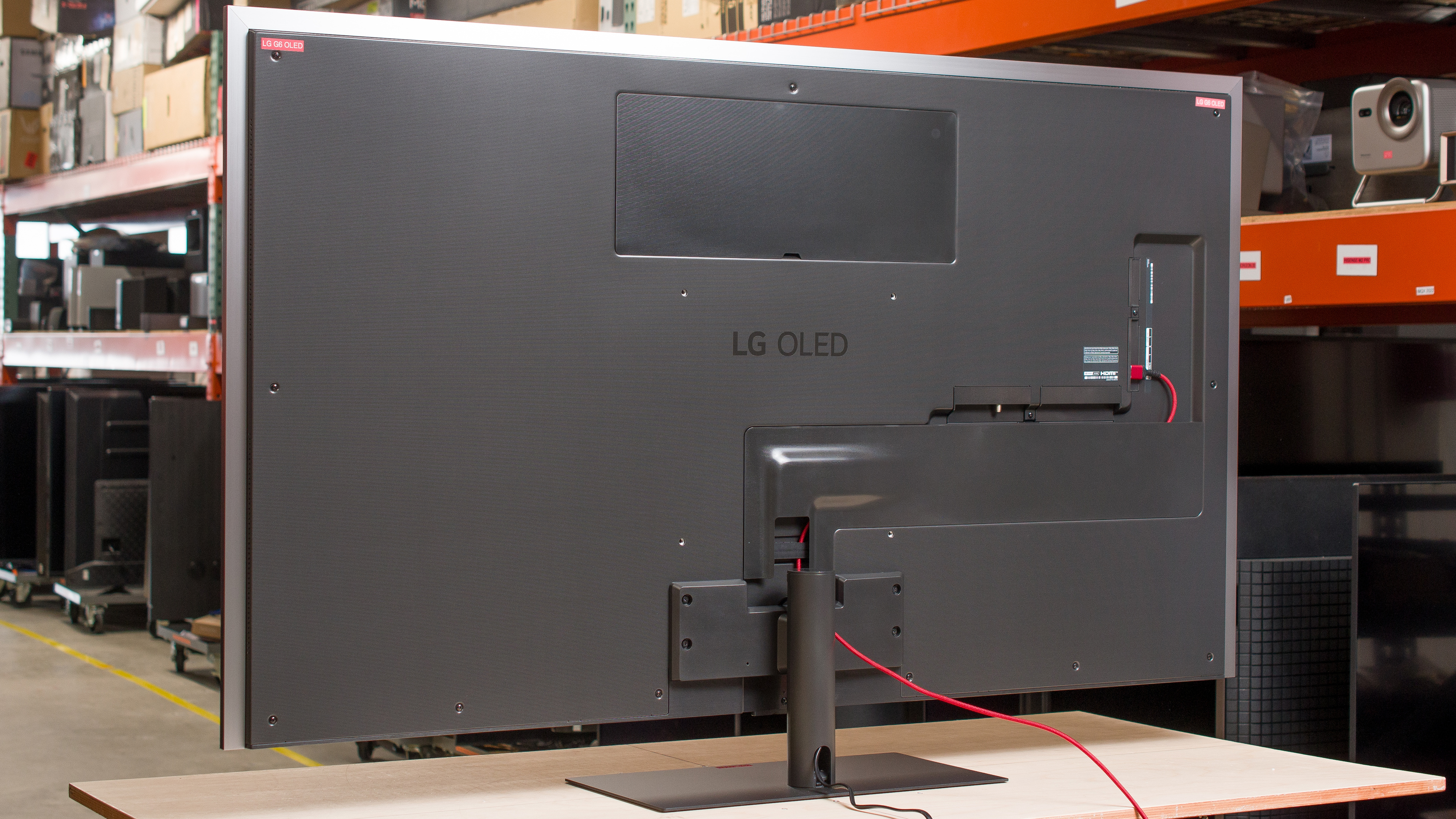
The back of the TV has a minimalistic design that looks very clean. The inputs are on the left side in a shallow cutout, making them quite hard to access if you have it mounted flush to the wall. There are channels on the back you can use to run cables, and you can use the TV's stand to further help with cable management.


for pictures & test results

The LG G6 OLED is built with premium materials and has fantastic build quality, but there are some notable issues with our unit. It has a row of dead pixels, a stuck red subpixel, and a vertical line that makes some content look brighter on the right side than the left.

for pictures & test results

The LG G6 OLED TV ships at launch with the 2026 version of LG's proprietary smart interface, webOS. LG promises at least five years of webOS updates on their TVs, and you get updated versions of the operating system once a year.
for pictures & test results

There are two settings in the 'Home Settings' menu, namely the 'Home Promotion' and 'Content Recommendation' settings. These settings remove the top banner ads and suggested content from the home screen. This gives your home screen a clean look, but there's no way to remove ads from the apps page.

for pictures & test results

- Remote (with 2x AAA batteries)
- User manuals
- Cable management brackets
- IR repeater
This TV was originally tested with firmware version 43.02.67, but all results have been rechecked with firmware 43.11.67.
for pictures & test results

The LG G6 OLED has a decent frequency response. The speakers get loud, and the sound profile remains well-balanced at high volumes, so dialogue is pretty clear at all levels. Unfortunately, the speakers don't output very much low-bass, making it sound a bit hollow.