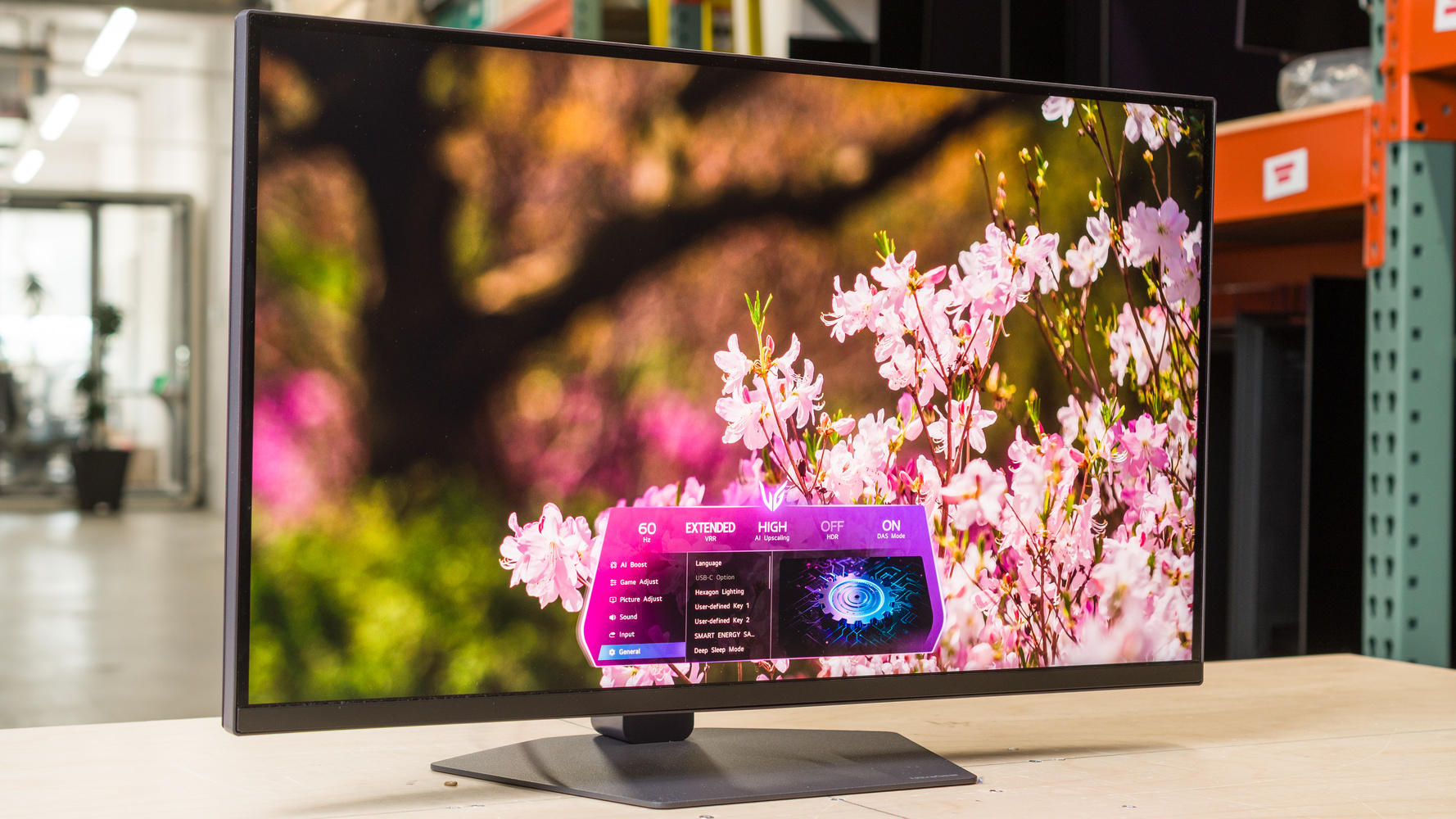
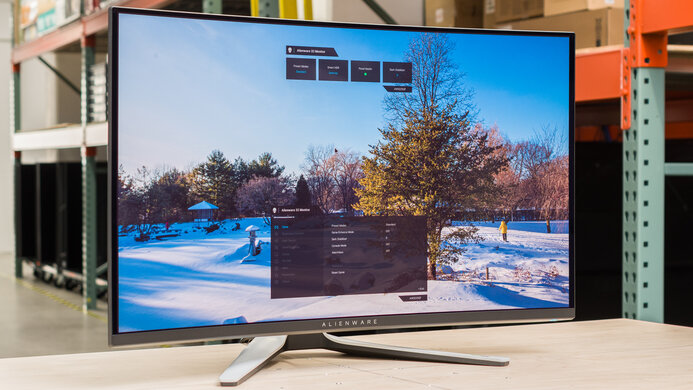
The LG 27GM950B-B is a high-end 27-inch, 5k gaming monitor. Similar to the older LG 27GR95UM-B, it features Mini LED backlighting with an IPS panel and has VESA DisplayHDR 1000 certification for bright highlights and deep blacks. It competes against other 5k Mini LED options, like the Apple Studio Display XDR, the MSI MPG 271KRAW18, and the Gigabyte AORUS FM275K16P. In terms of gaming, it has a native 165Hz refresh rate that you can boost to 330Hz with a lower 1440p resolution using its Dual-Mode feature, giving you versatility for playing different types of games. It also has FreeSync Premium and G-SYNC Compatibility to reduce screen tearing, alongside high-bandwidth HDMI and DisplayPort 2.1 ports. It includes a USB-C port with 90W of power delivery, and it has some AI-based features, like upscaling and sound modes, to help improve the user experience.
Our Verdict
The LG 27GM950B is great for PC gaming. It has a native 5k resolution and 165Hz refresh rate with a 1440p, 330Hz mode, giving you versatility for playing different types of games. Motion looks sharp for the most part, with no visible inverse ghosting, but there's still blur with fast-moving objects. It also has low input lag for a responsive feel, and it supports all common VRR formats to reduce screen tearing. Plus, it delivers good picture quality thanks to its Mini LED local dimming feature that helps it display deep blacks next to bright objects, with minimal haloing around bright objects. However, it's not perfect, as local dimming can't sustain its high brightness for more than three minutes, so the screen is dimmer after a certain period.
5k @ 165Hz & 1440p @ 330Hz modes.
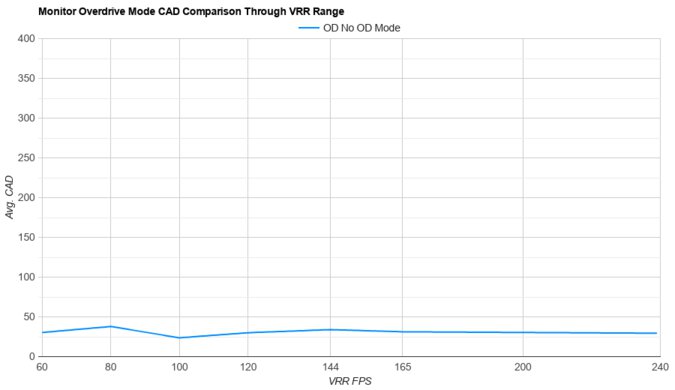
Consistent motion handling across VRR range.
Low input lag at any refresh rate.
Deep blacks with local dimming.
Highlights pop against the rest of the image.
Some blur with fast-moving objects.
Screen gets dimmer after 3 minutes with local dimming.
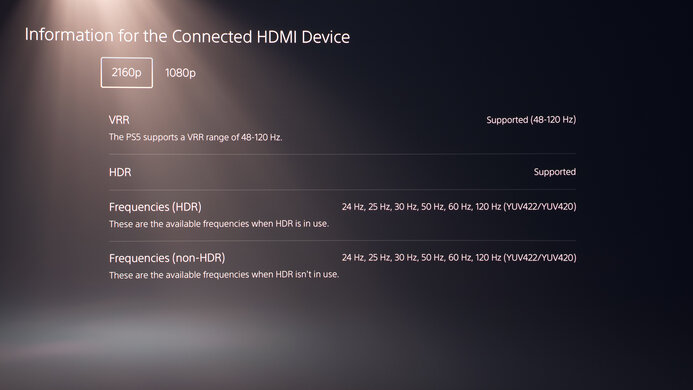
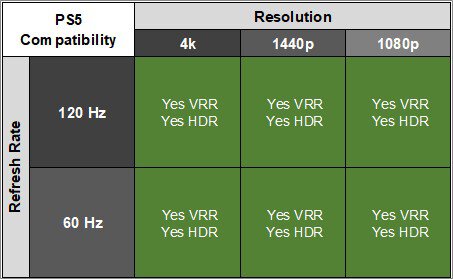
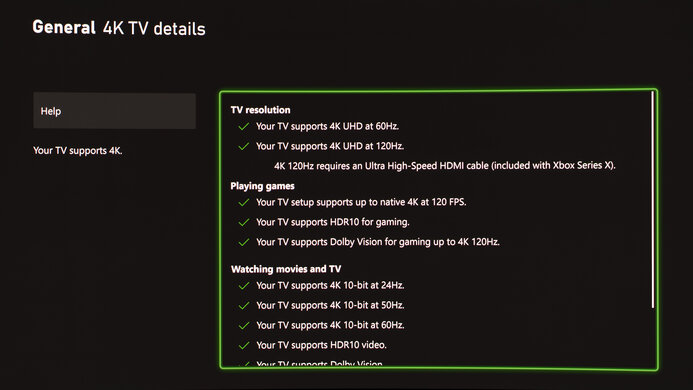
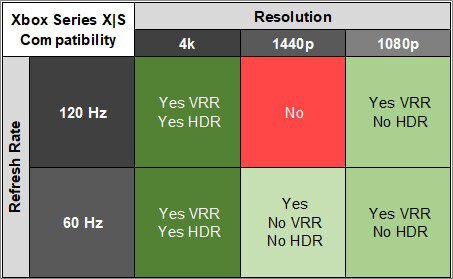
The LG 27GM950B is excellent for console gaming. It supports all common signals with a PS5 and Xbox Series X|S, including 4k up to 120Hz. It has low input lag for a responsive feel, and motion looks sharp for the most part, but there's still blur with fast-moving objects. It's a good choice for HDR gaming as it displays deep blacks with bright highlights when you use its local dimming feature. It has minimal haloing around bright objects, but the downside is that the screen gets dimmer three minutes after turning local dimming on, and you need to toggle it on/off for it to get bright again.
Consistent motion handling across VRR range.
Low input lag at any refresh rate.
Supports all common console signals.
Deep blacks with local dimming.
Highlights pop against the rest of the image.
Some blur with fast-moving objects.
Screen gets dimmer after 3 minutes with local dimming.
The LG 27GM950B is fantastic for work purposes. It delivers very sharp text thanks to its 5k resolution and high pixel density, and its 27-inch screen is big enough to open two windows side-by-side. It also gets bright enough to fight intense glare, and its matte coating is effective at minimizing reflections. It offers a few work-focused features, like a small USB hub that includes a USB-C port with DisplayPort Alt Mode and 90W of power delivery, which is helpful if you want to connect a laptop. It also has an ergonomic stand, which helps if you want to adjust it for someone next to you.
Sharp text and images.
USB-C port with DisplayPort Alt Mode.
Bright enough to fight glare.
Matte coating reduces reflections well.
Ergonomic stand.
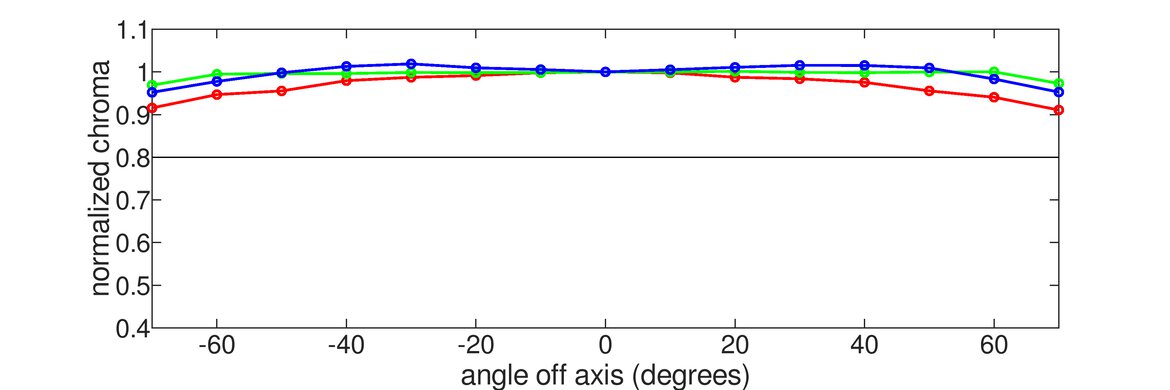
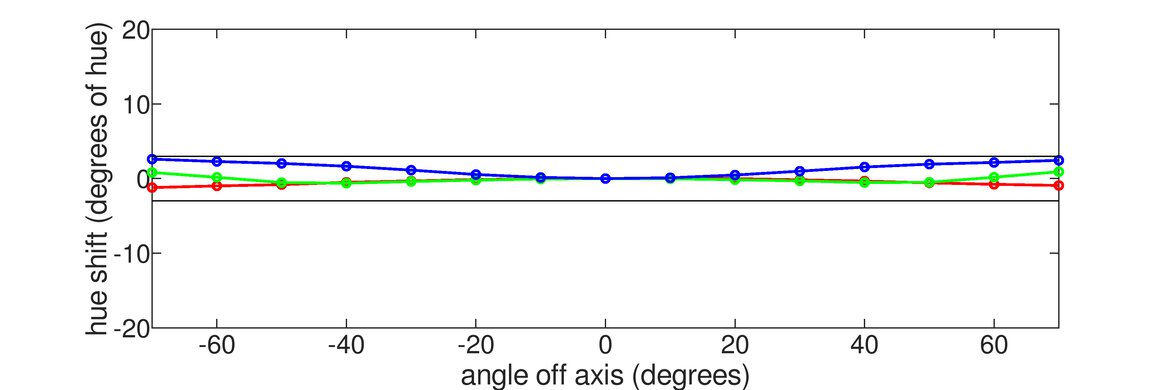
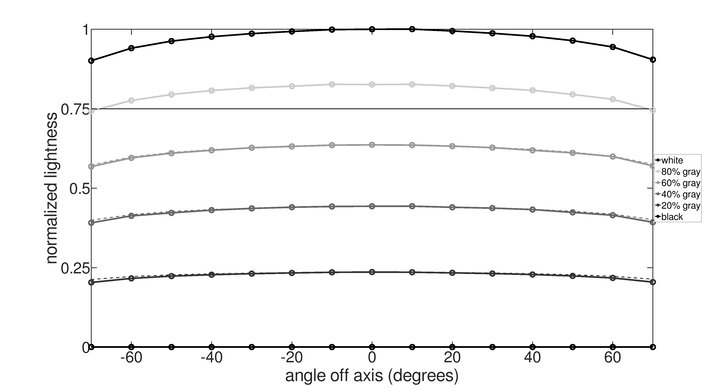
Image washes out at wide angles.
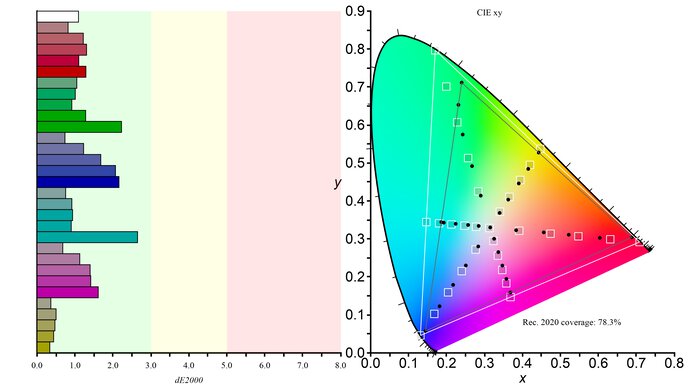
The LG 27GM950B is great for editing. It displays a wide range of colors in common color spaces, and it's fairly accurate before any sort of calibration. However, calibrating it fixes white balance and color inaccuracies in its sRGB mode. It delivers detailed images thanks to its high 5k resolution, and it offers good picture quality in SDR and HDR. This is thanks to its effective local dimming feature that improves black levels with minimal haloing in dark scenes. While the monitor gets bright, it can't sustain high brightness for more than three minutes with local dimming enabled, though, so the screen is dimmer after this time.
Deep blacks with local dimming.
Highlights pop against the rest of the image.
Sharp text and images.
USB-C port with DisplayPort Alt Mode.
Bright enough to fight glare.
Matte coating reduces reflections well.
Fairly accurate sRGB mode.
Screen gets dimmer after 3 minutes with local dimming.
Calibration fixes white balance and color inaccuracies.
Image washes out at wide angles.
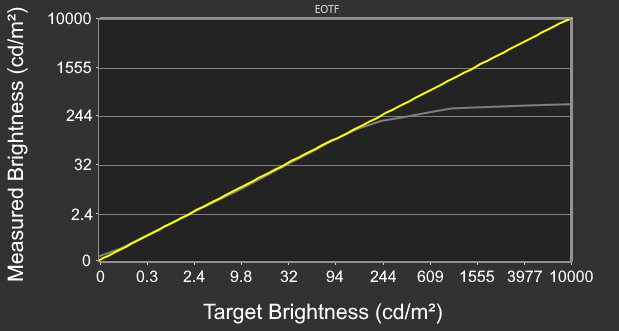
The LG 27GM950B has excellent brightness. It fights glare well and makes most highlights pop in HDR. However, it gets brighter with its local dimming feature disabled. Even when using its local dimming, the monitor dims itself after three minutes, and doesn't get bright until you turn the feature off and on again.
Highlights pop against the rest of the image.
Bright enough to fight glare.
Screen gets dimmer after 3 minutes with local dimming.
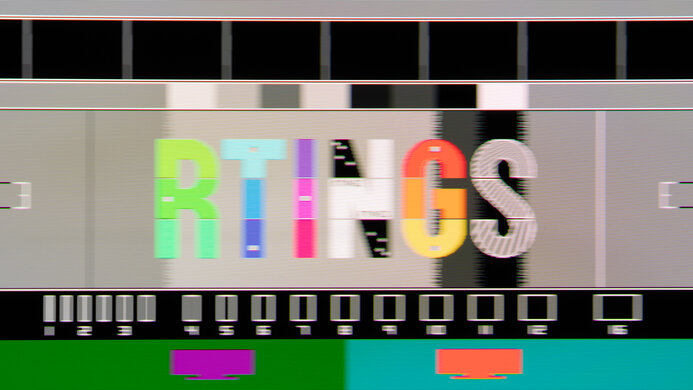
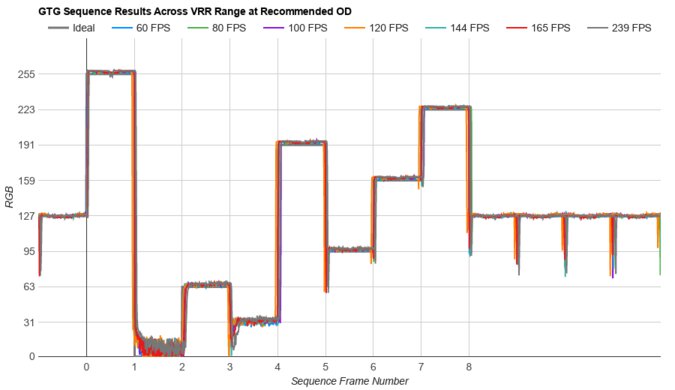
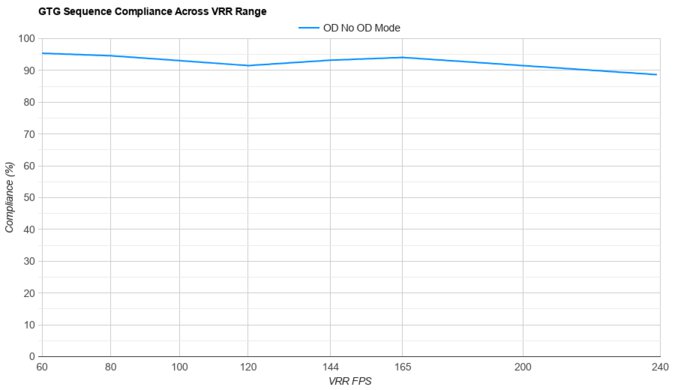
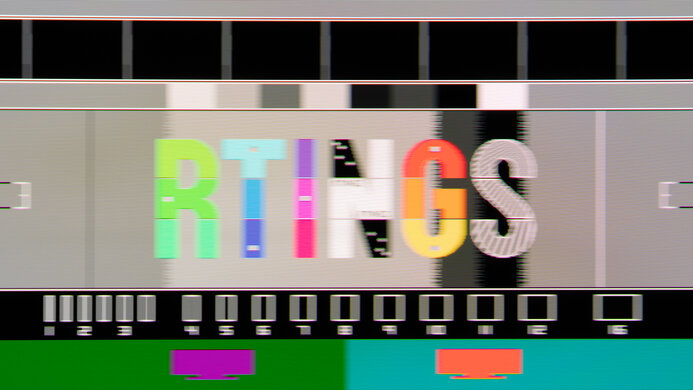
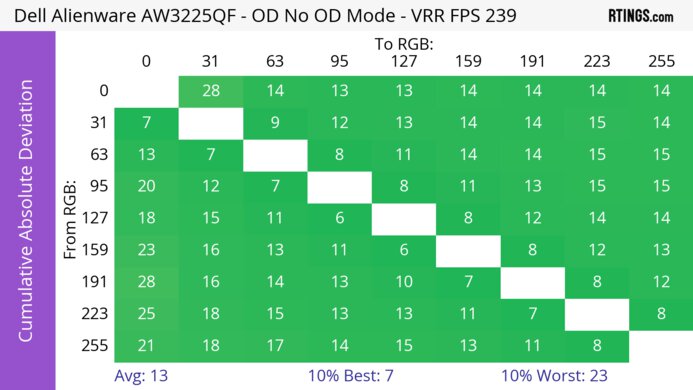
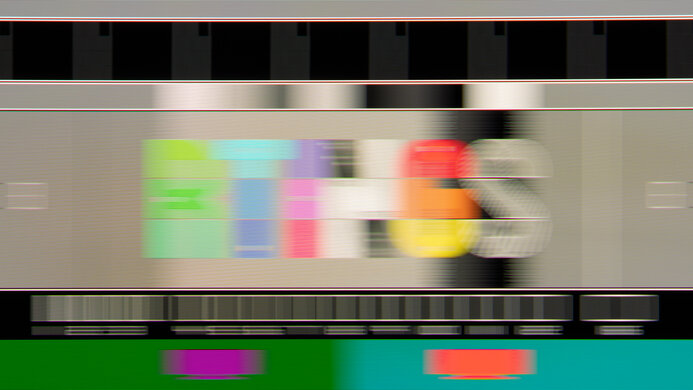
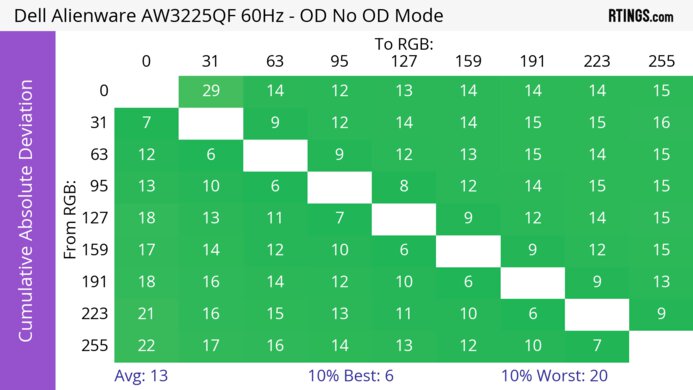
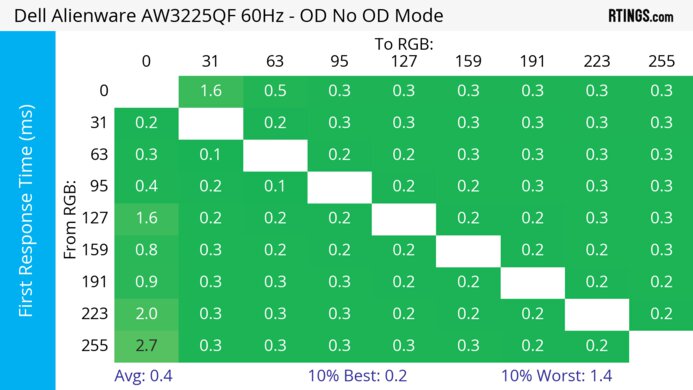
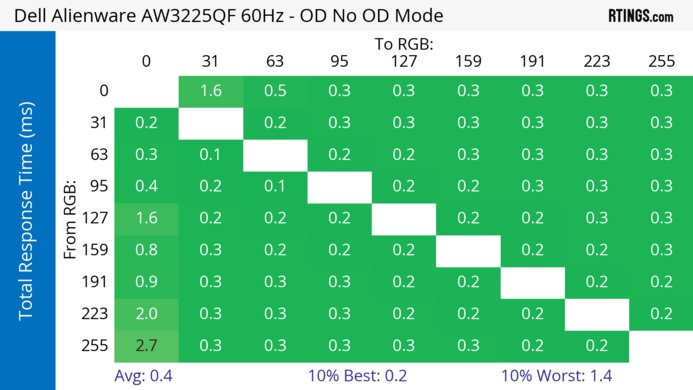
The LG 27GM950B has a great response time. There's no noticeable inverse ghosting with most refresh rates, but there's still blur with fast-moving objects.
Consistent motion handling across VRR range.
Some blur with fast-moving objects.
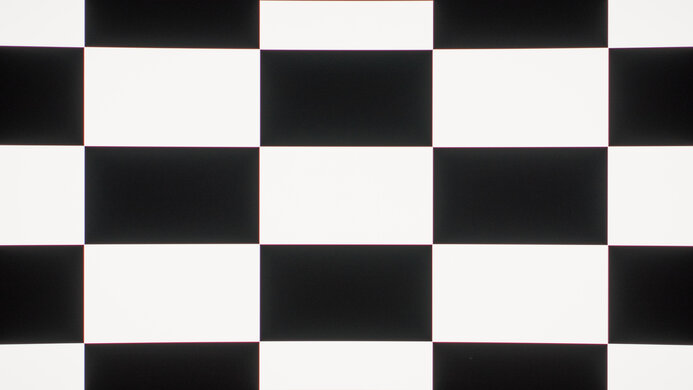
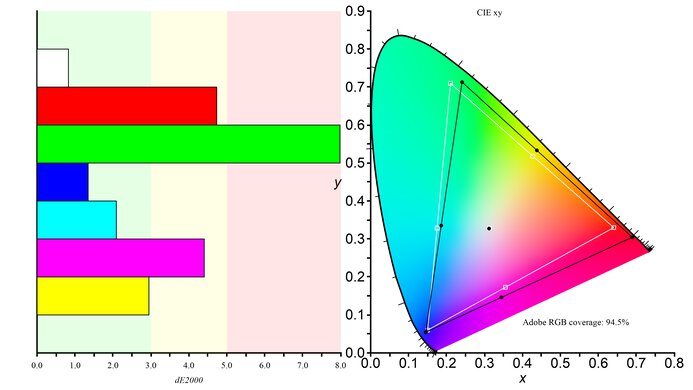
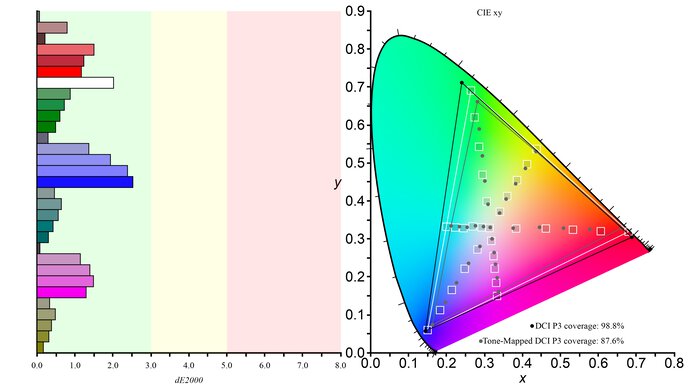
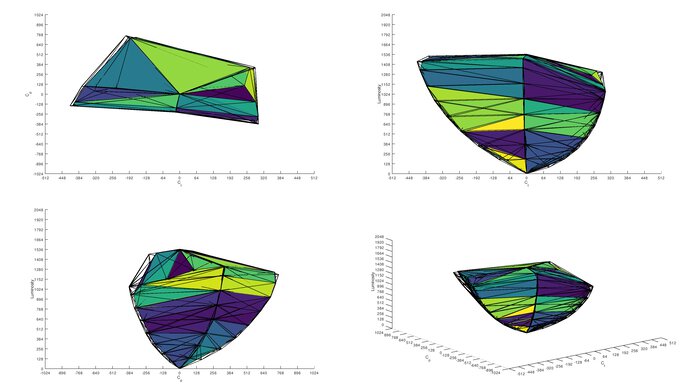
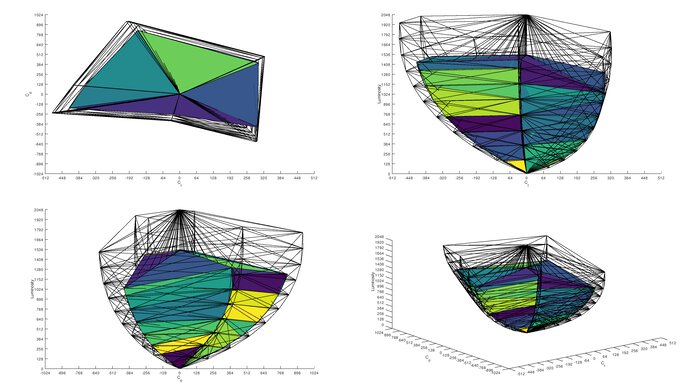
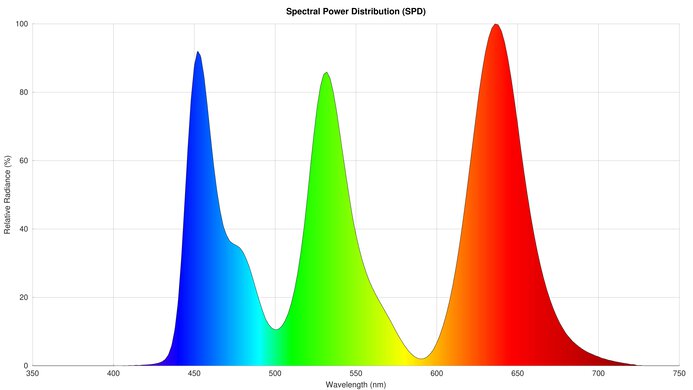
The LG 27GM950B has very good HDR picture quality. Enabling its local dimming feature helps it display deep blacks with minimal haloing around bright objects. It also displays a wide range of colors.
Deep blacks with local dimming.
Displays wide range of colors.
Low contrast ratio without local dimming.
The LG 27GM950B has okay SDR picture quality. It looks better if you enable its local dimming feature, which helps it display deep blacks. Also, it displays a wide range of colors.
Deep blacks with local dimming.
Displays wide range of colors.
Low contrast ratio without local dimming.
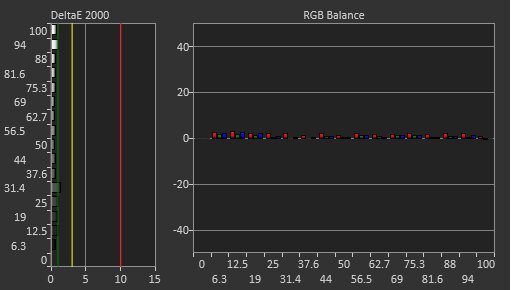
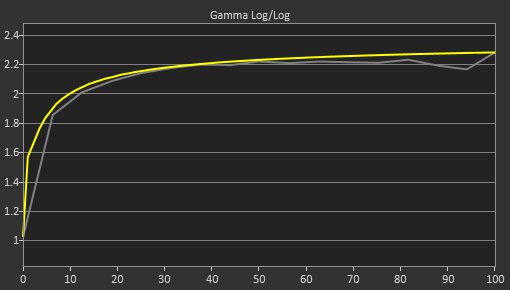
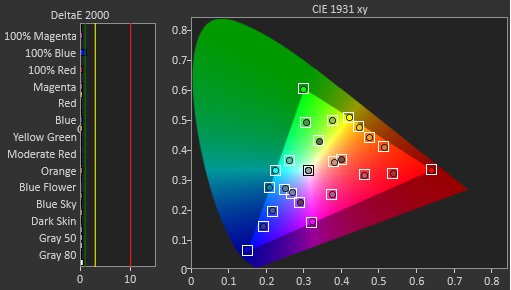
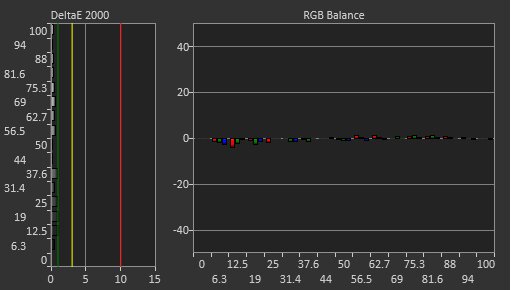
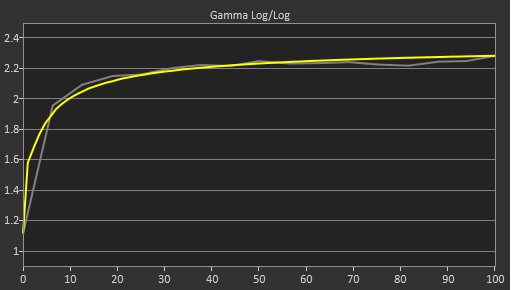
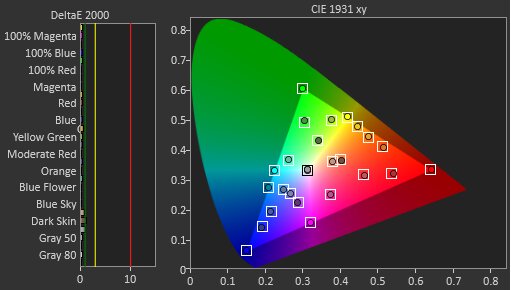
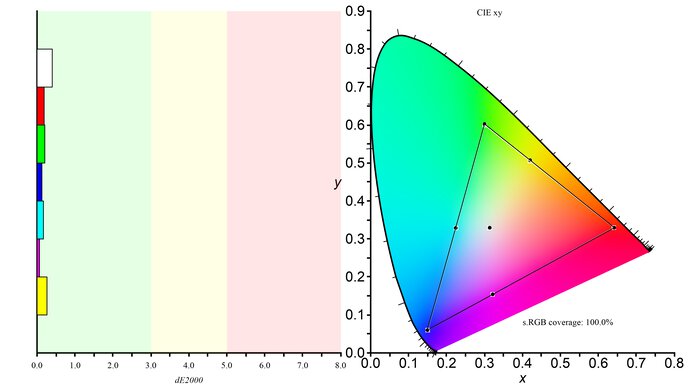
The LG 27GM950B has excellent color accuracy. It's fairly accurate out of the box in its sRGB mode. However, there are white balance and color inaccuracies that need a full calibration to fix.
Fairly accurate sRGB mode.
Calibration fixes white balance and color inaccuracies.
Performance Usages
Changelog
-
Updated Jul 02, 2026:
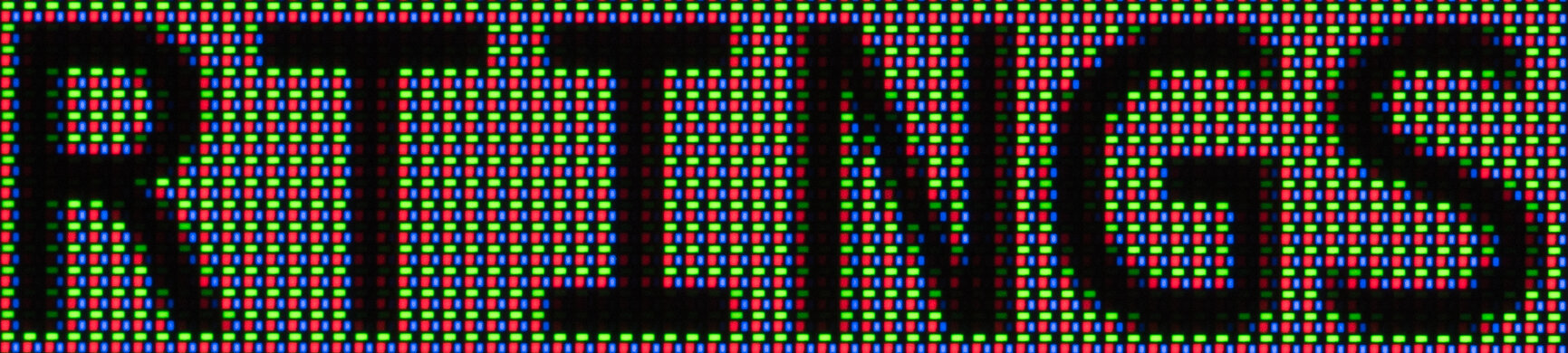
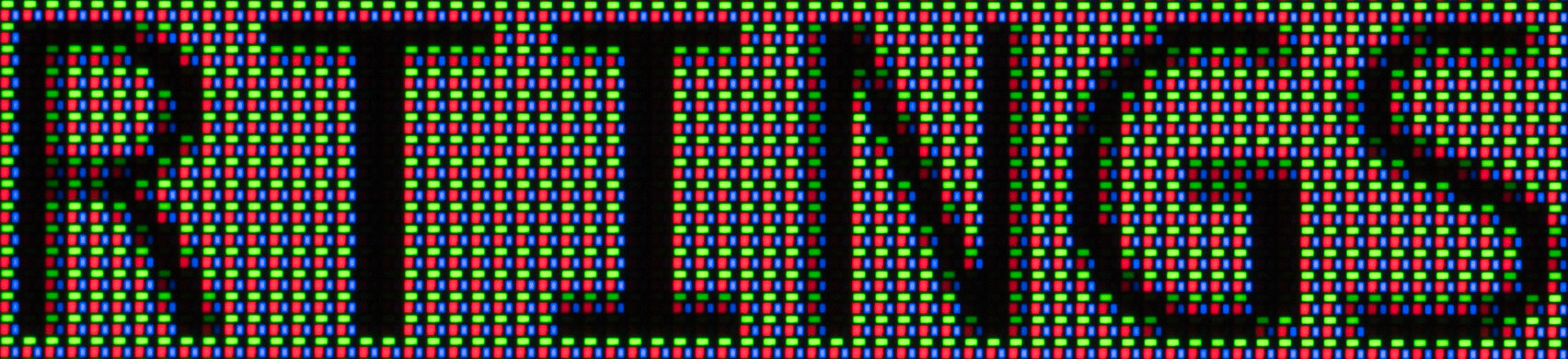
We added extra photos with different local dimming settings to further highlight their performance.
- Updated Jun 26, 2026: Review published.
- Updated Jun 22, 2026: Early access published.
- Updated Jun 15, 2026: Our testers have started testing this product.
Check Price
Differences Between Sizes And Variants
We bought and tested the 27-inch LG 27GM950B, which is the only size available. The results are only valid for this model.
| Model | Size | Panel Type | Refresh Rate | Resolution |
|---|---|---|---|---|
| 27GM950B-B | 27" | IPS Mini LED |
165Hz (330Hz Dual-Mode) |
5k (1440p Dual-Mode) |
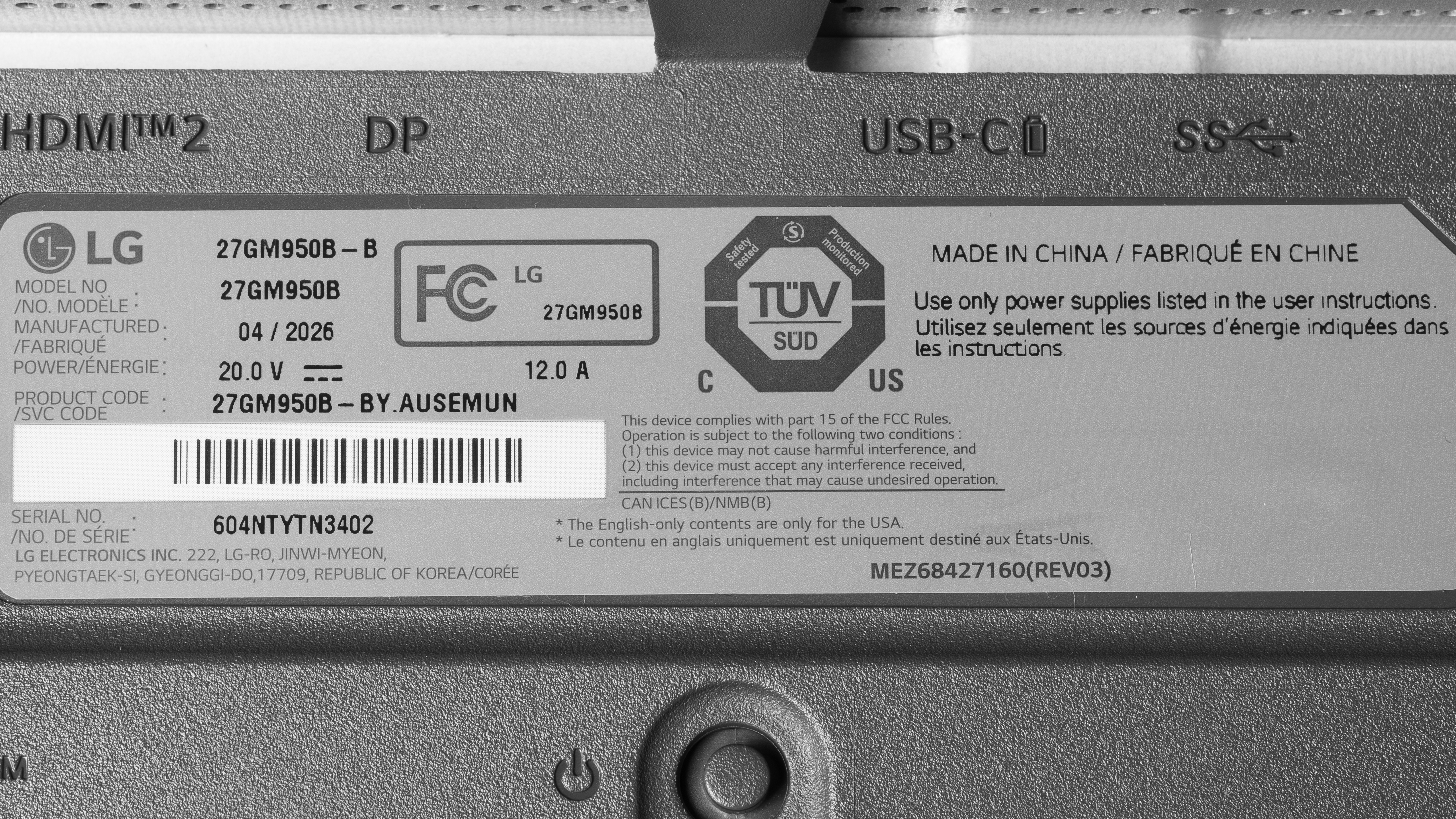
Our unit's label indicates it was manufactured in April 2026 in China. We tested it with firmware (3.05, 4.23.16, 1.11).
Popular Monitor Comparisons
The LG 27GM950B-B is a high-end 5k gaming monitor with Mini LED backlighting. It's an improvement over the older LG 27GR95UM-B thanks to its higher resolution, and its local dimming is more effective at improving black levels in dark scenes. It's a gaming alternative to the Apple Studio Display XDR, as its native 165Hz refresh rate and 1440p, 330Hz dual mode offer versatility for playing different types of games. It also has great motion handling, with only a bit of blur behind fast-moving objects.
Its Mini LED local dimming also makes it a better HDR gaming option than some other 5k displays, like the ASUS ROG Strix 5K XG27JCG. It offers deep blacks next to bright highlights, but it's not perfect. The screen dims after a few minutes of using its local dimming feature, and it doesn't get bright again until you turn it off and on again. This is disappointing for such a high-end option, but you would need to spend more on the Studio Display XDR if you want improved HDR performance. Otherwise, there are 4k Mini LED options you can also consider for cheaper if you want good HDR picture quality at the cost of a lower resolution, like the KOORUI S2741LM.
Also see our recommendations for the best Mini LED monitors, the best 5k monitors, and the best 27-inch gaming monitors.
The LG 27GM950B-B and the ASUS ROG Strix 5K XG27JCG are both 5k monitors with 330Hz dual modes. They're similar for gaming, with one difference being that the LG has a higher-bandwidth DisplayPort input. Another big difference between them is that the LG uses Mini LED backlighting, resulting in deeper blacks with brighter highlights than the ASUS. This makes the LG the better choice for gaming in HDR. The LG also has improved reflection handling, making it the better choice for well-lit rooms.
The Apple Studio Display XDR and the LG 27GM950B-B are both 5k displays with Mini LED backlighting. The LG is the better gaming option as it has a higher native refresh rate, as well as a 1440p, 330Hz dual mode. Plus, the LG has improved motion handling for playing action games. On the other hand, the Apple monitor delivers superior overall picture quality as its local dimming feature allows it to get brighter, and it maintains this high brightness for longer periods. Plus, the Apple monitor has extra productivity features, like Thunderbolt 5 support with high power delivery, and daisy chaining to a second screen.
The LG 27GM950B-B and the BenQ MA270S are different types of 5k monitors. The LG is focused on gaming with a higher native refresh rate, as well as a dual mode to boost its refresh rate to 330Hz. Plus, the LG offers improved motion handling, and it's the better choice for HDR gaming as it has a Mini LED local dimming feature that improves black levels in dark scenes. The LG also gets brighter, making it the better choice for well-lit rooms. However, the BenQ is the superior productivity monitor because it has a bigger USB hub that includes Thunderbolt 4, which the LG doesn't have. You may also prefer the glossy coating of the BenQ, resulting in clearer images.
The KOORUI S2741LM and the LG 27GM950B-B are both 27-inch Mini LED monitors. The local dimming on the LG has the edge when it comes to improving picture quality and minimizing haloing around bright objects. However, the KOORUI gets brighter, and the LG can't sustain high brightness with local dimming enabled for more than three minutes. There are a few other differences between them, like the fact that the LG has a higher 5k resolution for sharper images. The LG also has a dual mode to boost its refresh rate to 330Hz with a lower 1440p resolution, but both monitors have similar motion handling regardless. They each have small USB hubs, but the KOORUI has a KVM switch that's ideal for multitasking with different computers.
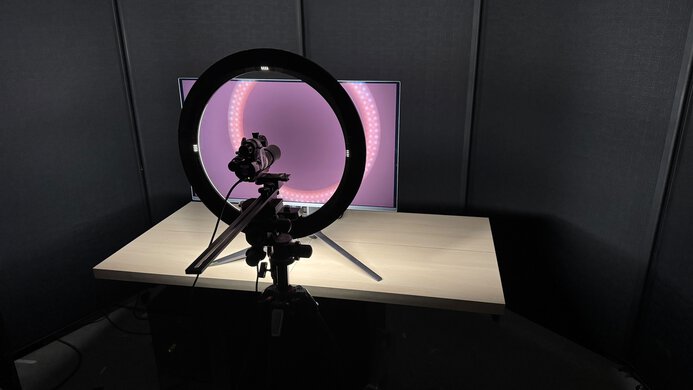
We buy and test more than 30 monitors each year, all of which we purchase ourselves, without cherry-picked units or samples. We put a lot into each unbiased, straight-to-the-point review, and there's a whole process from purchasing to publishing, involving multiple teams and people. We do more than just use the monitor for a week; we use specialized, custom tools to measure various aspects and deliver objective, data-driven results. We also consider multiple factors before making any recommendations, including the monitor's cost, its performance compared to the competition, and whether it's easy to find.
Test Results
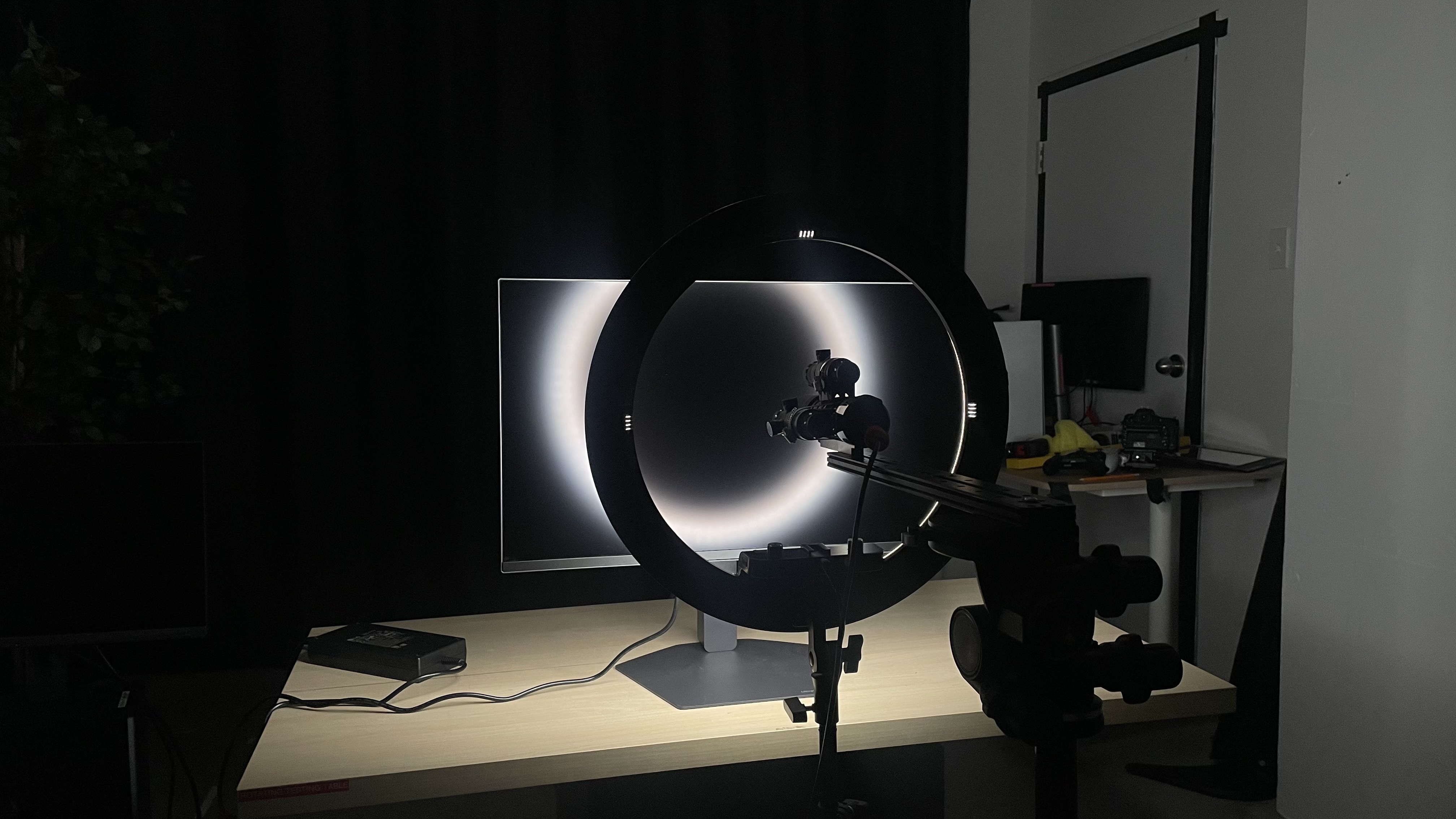
for pictures & test results

for pictures & test results


for pictures & test results
for pictures & test results
for pictures & test results
for pictures & test results
for pictures & test results
for pictures & test results
for videos & test results

for pictures & test results
for pictures & test results
for pictures & test results




for pictures & test results