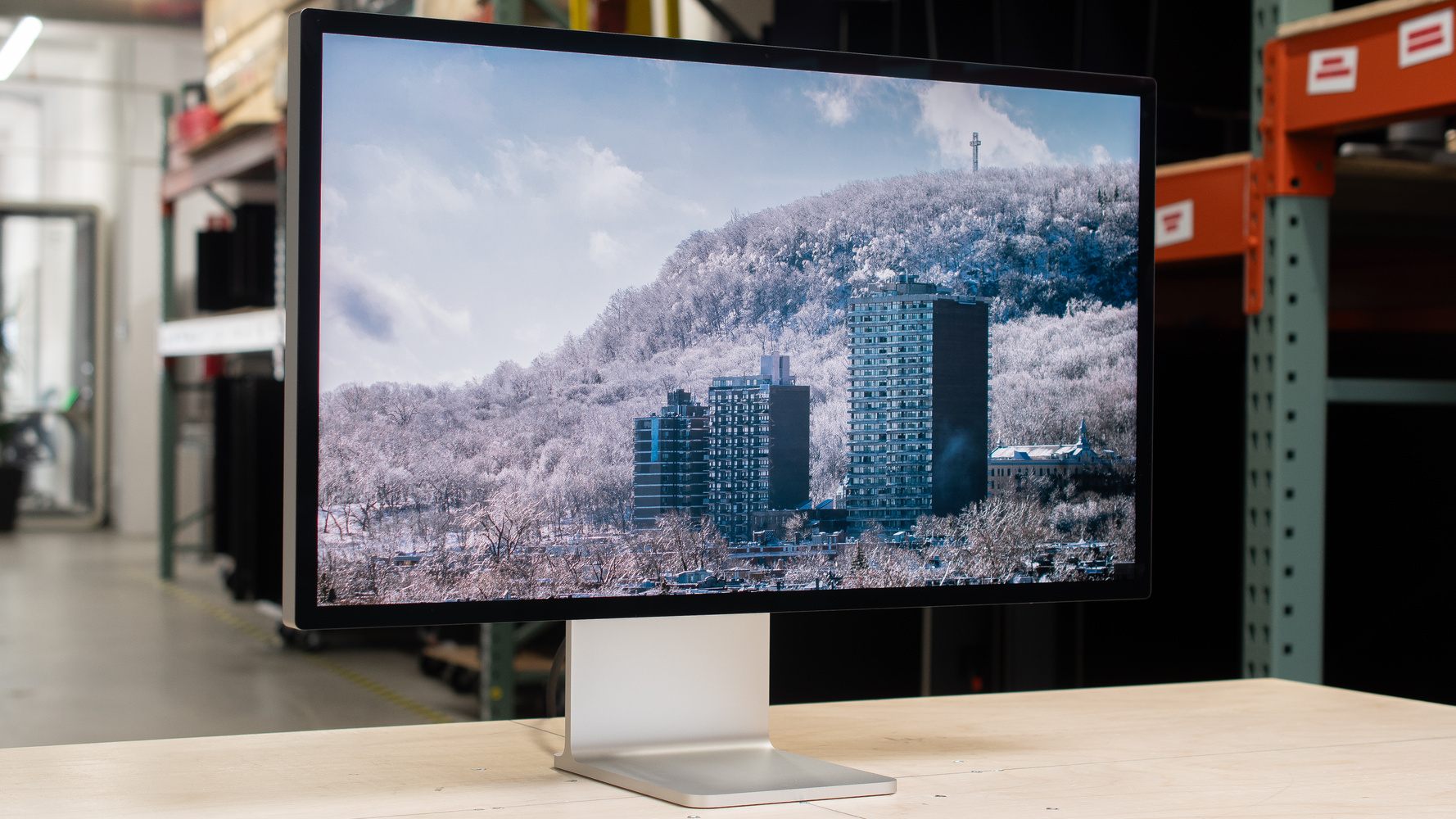
The Apple Studio Display XDR is a premium monitor for content creation with a Mac computer. As an updated and more consumer-friendly version of the Apple Pro Display XDR, it sits above the Apple Studio Display 2026. With a 27-inch, 5k screen, it has extra features compared to the lower-end model, like a higher 120Hz refresh rate, HDR support, and Mini LED backlighting with 2,304 dimming zones. It's even advertised to reach 2,000 nits of peak brightness in HDR. It makes full use of the latest MacBooks, Mac minis, and Mac Studios thanks to its Thunderbolt 5 support with up to 140W of power delivery, and it supports daisy chaining as well. It comes with a 12MP Center Stage camera that follows you as you move around, a built-in mic, and a six-speaker system that supports Spatial Audio with Dolby Atmos. You can either get it with a tilt-and-height-adjustable stand or without a stand if you prefer mounting it. You can also choose between its standard glossy coating or the matte Nano-texture coating.
Our Verdict
The Apple Studio Display XDR is okay for PC gaming. Despite supporting a 120Hz refresh rate, motion looks blurry at any refresh rate. Even though it supports VRR that works with macOS, it only supports G-SYNC compatibility with Windows PCs. On the plus side, it has low enough input lag for a responsive feel. It also has good picture quality with an effective local dimming feature, deep blacks, and highlights that pop against the rest of the image in HDR.
Low enough input lag.
Supports VRR.
Deep blacks with great local dimming.
Highlights pop in HDR.
Limited to 120Hz refresh rate.
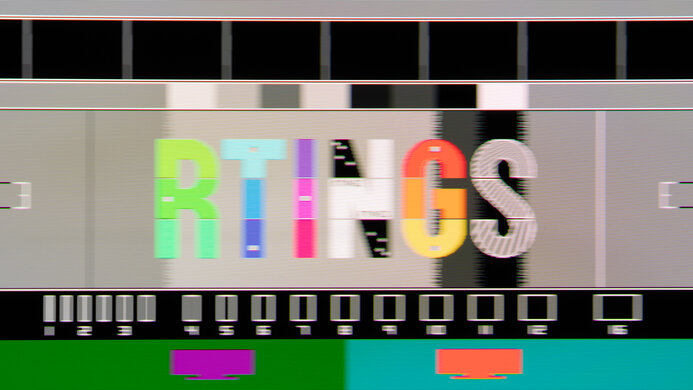
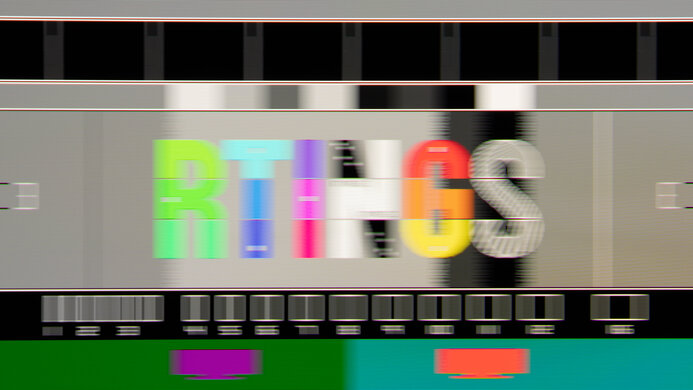
Noticeable blur with fast-moving objects.
Haloing around bright objects.
The Apple Studio Display XDR isn't suitable for console gaming because it doesn't have any HDMI ports. Even with an HDMI to USB-C adapter, it doesn't work with modern gaming consoles, like a PS5 or Xbox Series X|S.
Doesn't work with gaming consoles, even with an adapter.
The Apple Studio Display XDR is excellent for office use. It has sharp text thanks to its high 5k resolution. It also gets bright enough to fight glare, but the standard glossy coating has mirror-like reflections in well-lit rooms. Its wide viewing angle also helps if you need to share the screen with someone next to you, but its stand doesn't offer swivel adjustment and can't be removed. You would need to get the variant without a stand if you want to use it with a more ergonomic third-party mount. On the plus side, its Thunderbolt 5 support with 140W of power delivery is great if you want to quickly connect a Thunderbolt laptop, like a MacBook.
Incredible text clarity.
Bright enough to fight glare.
Decent ergonomics.
Thunderbolt 5 with 140W of power delivery.
Visible mirror-like reflections.
No swivel adjustment.
The Apple Studio Display XDR is excellent for content creation. It has various picture modes for different color spaces you may work with, and its sRGB mode is accurate before calibration. However, there are a few white balance and gamma issues that you may want to fix with a full calibration. It also delivers good HDR picture quality because it displays deep blacks, has a great local dimming feature, and makes highlights pop. It even displays a wide range of colors in HDR. Besides that, its 5k resolution and high pixel density deliver sharp images. It also gets bright enough to fight intense glare in well-lit rooms, but its mirror-like reflections on the glossy coating can get distracting in a sunny environment.
Deep blacks with great local dimming.
Incredible text clarity.
Bright enough to fight glare.
Thunderbolt 5 with 140W of power delivery.
Amazing out-of-the-box accuracy in sRGB mode.
Haloing around bright objects.
Visible mirror-like reflections.
White balance and gamma needs calibration for perfect accuracy.
The Apple Studio Display XDR has fantastic brightness. It's incredibly bright in both SDR and HDR, so it fights glare well and makes highlights pop.
Highlights pop in HDR.
Bright enough to fight glare.
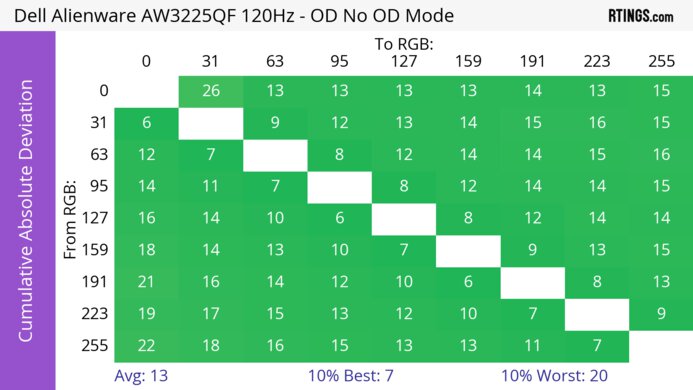
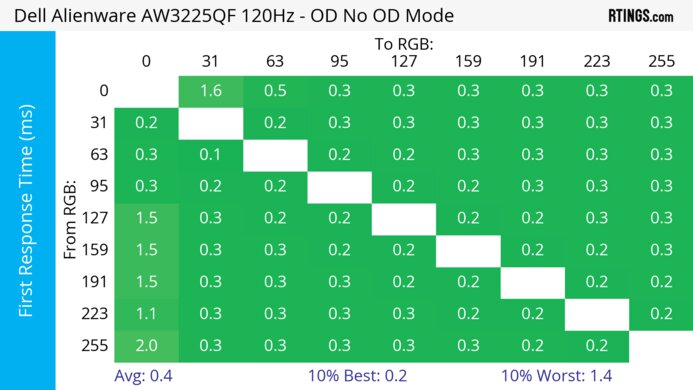
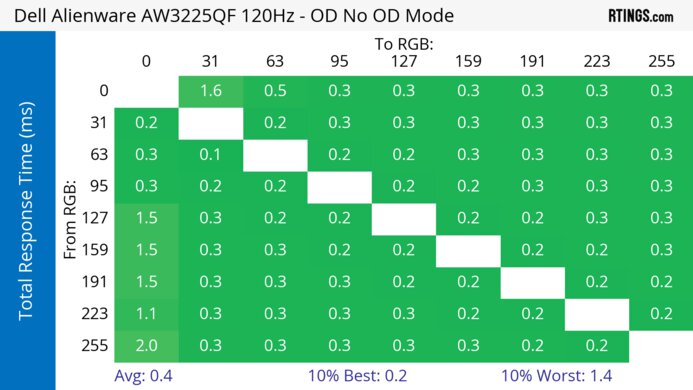
The Apple Studio Display XDR has a bad response time. There's noticeable motion blur with fast-moving objects.
Noticeable blur with fast-moving objects.
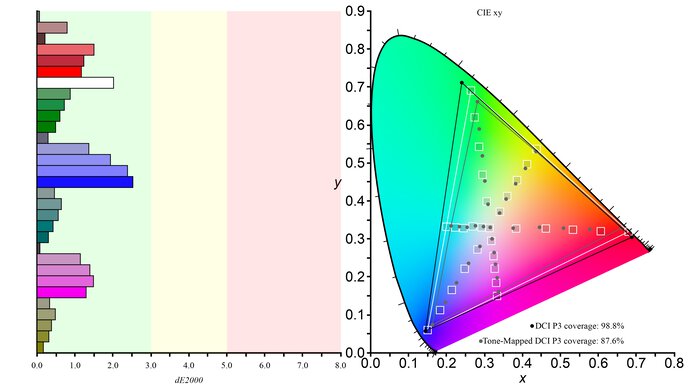
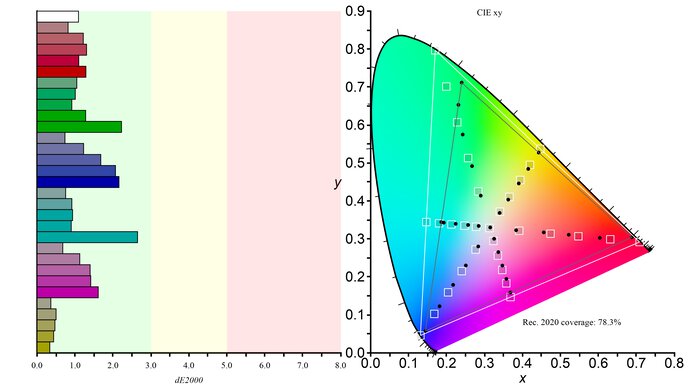
The Apple Studio Display XDR has great HDR picture quality. It displays deep blacks, and its Mini LED local dimming feature improves picture quality, at the cost of haloing around bright objects. It also covers a wide range of HDR color spaces.
Deep blacks with great local dimming.
Highlights pop in HDR.
Haloing around bright objects.
The Apple Studio Display XDR has excellent SDR picture quality. Besides displaying a wide range of colors, it shows deep blacks next to bright highlights.
Deep blacks with great local dimming.
Displays wide range of colors.
The Apple Studio Display XDR has incredible color accuracy. Its sRGB mode is accurate out of the box, but there are white balance and gamma issues that you may want to fix with a full calibration. It also has picture modes for other color spaces.
Amazing out-of-the-box accuracy in sRGB mode.
Displays wide range of colors.
White balance and gamma needs calibration for perfect accuracy.
Performance Usages
Changelog
- Updated Oct 07, 2026: We converted this review to Test Bench 2.2. With this update, we've added a new test box for the Longevity 3.0 test.
- Updated Apr 14, 2026: Review published.
- Updated Apr 09, 2026: Early access published.
- Updated Mar 23, 2026: Our testers have started testing this product.
Check Price
Differences Between Sizes And Variants
We bought and tested the 27-inch Apple Studio Display XDR, which is the only size available. We bought the standard glass with the adjustable stand. Besides Ergonomics, Stand, and Reflections, the results are also valid if you buy the VESA mount adapter variant or the Nano-texture screen finish. You can see the differences with the lower-end Apple Studio Display 2026 below:
| Model | Panel Type | Refresh Rate | HDR | Coatings | Stands |
|---|---|---|---|---|---|
| Studio Display | IPS | 60Hz | No | Standard glossy Nano-texture |
Tilt only Tilt and height VESA adapter |
| Studio Display XDR |
IPS (Mini LED) |
120Hz | Yes |
Standard glossy Nano-texture |
Tilt and height VESA adapter |
There's no label on this monitor. We tested it on firmware Version 26.4 (Build 23EF246). You can only update the firmware with a Mac computer.
Popular Monitor Comparisons
The Apple Studio Display XDR is a premium monitor in Apple's display lineup, sitting above the Apple Studio Display 2026. It offers premium features that the lower-end model doesn't have, like Mini LED backlighting, a 120Hz refresh rate, and VRR and HDR support. It's geared towards content creators who work with a Mac computer, and it excels at that thanks to its great local dimming feature that helps it display deep blacks next to bright highlights. Its Thunderbolt 5 support and 140W of power delivery are also great if you want to quickly connect a MacBook.
On paper, it's one of the best LED-backlit LCD displays, especially for content creation. However, it targets a niche use case as it's not versatile for gaming or productivity with a Windows PC. It's also very expensive, and while it's a more affordable alternative to the older Apple Pro Display XDR, its cost may be a limiting factor unless you're a professional photo or video editor. Otherwise, you're better off going with the cheaper Apple Studio Display 2026 if you want a monitor to complete your Apple ecosystem.
Also see our recommendations for the best monitors for photo editing, the best monitors for video editing, and the best monitors for Mac Studio.
The Apple Studio Display XDR is higher-end than the Apple Studio Display 2026 and has many extra features. The XDR offers a better overall picture quality as it supports HDR and includes Mini LED backlighting for deeper blacks and brighter highlights. The XDR also has a higher 120Hz refresh rate, but motion looks blurry on both monitors regardless. Even though they both support Thunderbolt 5, the XDR has higher power delivery. Besides that, they offer many of the same features, including their sRGB modes, which are more accurate on the standard Studio Display.
The Apple Studio Display XDR and the LG 27GM950B-B are both 5k displays with Mini LED backlighting. The LG is the better gaming option as it has a higher native refresh rate, as well as a 1440p, 330Hz dual mode. Plus, the LG has improved motion handling for playing action games. On the other hand, the Apple monitor delivers superior overall picture quality as its local dimming feature allows it to get brighter, and it maintains this high brightness for longer periods. Plus, the Apple monitor has extra productivity features, like Thunderbolt 5 support with high power delivery, and daisy chaining to a second screen.
The Apple Studio Display XDR and the ASUS ProArt Display 6K PA32QCV are both high-resolution displays geared towards content creators. Despite the ASUS having a higher resolution, they have the same pixel density, and text actually looks sharper on the Apple monitor because the ASUS has an aggressive matte coating. Besides that, the Apple monitor has better overall picture quality, mainly due to its Mini LED backlighting with superior local dimming that results in deeper blacks and brighter highlights. Although they both support Thunderbolt, the Apple has the faster and more powerful Thunderbolt 5 compared to Thunderbolt 4 on the ASUS. That said, the ASUS has more connectivity options, making it the better choice if you want to connect computers besides a Mac.
The Apple Studio Display XDR is higher-end and newer than the Apple Studio Display 2022, so it's an upgrade in a few areas. For example, the XDR has better picture quality with Mini LED backlighting and deeper blacks, and it also supports HDR. The XDR also has a higher 120Hz refresh rate for a smoother feel, but it isn't an upgrade in motion handling. Plus, the XDR supports the faster Thunderbolt 5 interface and daisy chaining, the latter of which is something the older Studio Display doesn't support.

We buy and test more than 30 monitors each year, all of which we purchase ourselves, without cherry-picked units or samples. We put a lot into each unbiased, straight-to-the-point review, and there's a whole process from purchasing to publishing, involving multiple teams and people. We do more than just use the monitor for a week; we use specialized, custom tools to measure various aspects and deliver objective, data-driven results. We also consider multiple factors before making any recommendations, including the monitor's cost, its performance compared to the competition, and whether it's easy to find.
Test Results






for pictures & test results




for pictures & test results


for pictures & test results

for pictures & test results

for pictures & test results

for pictures & test results

for pictures & test results

for pictures & test results





for videos & test results

for pictures & test results

for pictures & test results

for pictures & test results























for pictures & test results

